

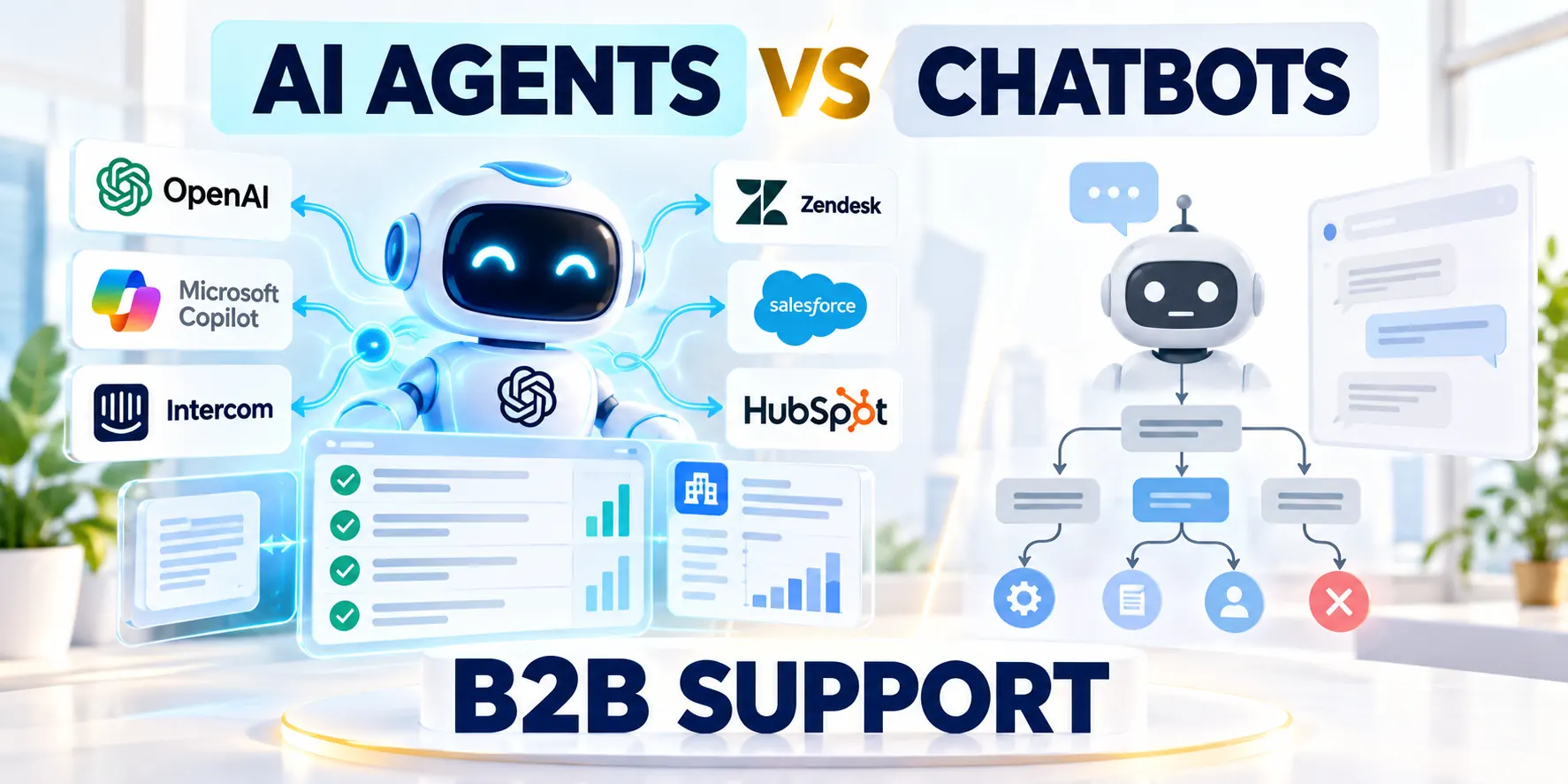
What Traditional Support Chatbots Do Well
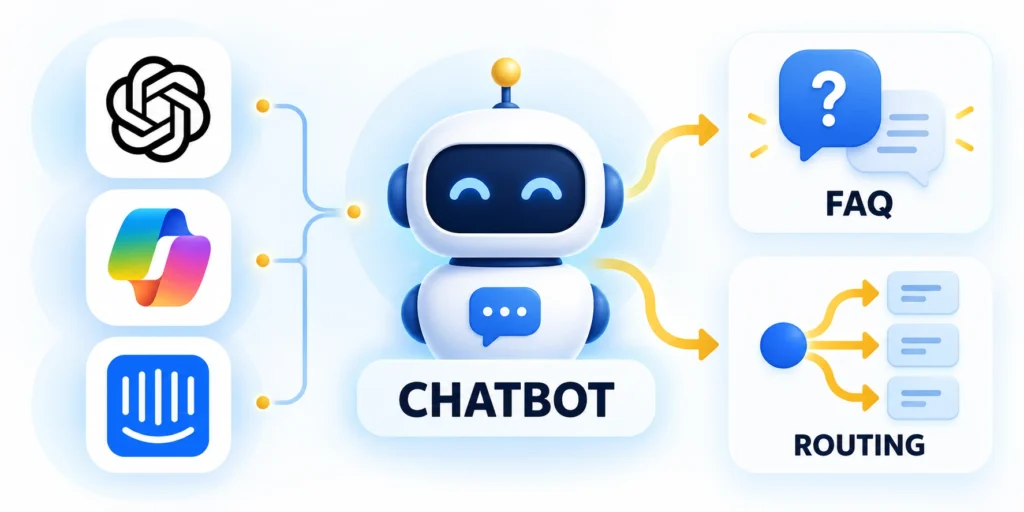
The AI agents vs chatbots decision for support starts with predictability: traditional bots follow predefined rules, menus, or decision trees to return approved responses.
Its narrow behavior is an advantage when the task is repetitive, the answer is stable, and every possible action is easy to describe.
Use scripted flows for predictable requests
For example, a customer can choose the “track an order” option, enter an order number, and receive a status retrieved from the company’s system.
The flow can validate the order number, explain what each status means, and offer a representative when the result is unclear.
Use these practical controls for the workflow:
- Use a scripted flow for office hours, shipping windows, return-policy navigation, and simple account instructions.
- Keep options short, use customer language, and provide a human route at every dead end.
- Log which choices customers abandon so the team can remove confusing steps.
Know where the flow starts to fail
A rigid menu struggles when customers describe the same issue in different words or combine several questions in one message.
Adding branches for every variation can create a brittle tree that is difficult to test and maintain.
Decide whether the request needs flexibility
That does not make the chatbot obsolete. It means teams should choose a different pattern only for workflows that need more flexible interpretation.
Review abandoned paths, repeat contacts, and transfers to representatives. Those signals show whether a flow is confusing or simply handling a rare exception.
Use these practical controls for the workflow:
- Keep stable policy answers in managed sources so owners can update them without rebuilding menus.
- Offer a clear restart option when a customer chooses the wrong branch.
- Do not ask customers to repeat account details already collected securely in the same session.
What AI Agents Add to Customer Support

An AI agent combines a language model with instructions, approved information sources, tools, and rules governing when it must stop.
Instead of selecting one menu branch, it can interpret a request, gather relevant context, and complete a bounded sequence of steps.
Separate the model from the workflow
The model proposes what to do next, but the application should enforce identity, permissions, validation, and the list of available tools.
An agent should not receive unrestricted access to a support database simply because it can write a persuasive answer.
Use these practical controls for the workflow:
- A knowledge tool can search approved help articles and return passages with source links.
- Ticket tools can create cases after customers confirm summaries and contact details.
- An account tool can read an order status, while refunds remain a separate human-approved action.
Do not confuse an agent with any AI chat
A generative assistant that answers from a knowledge base may not take actions at all; it is not automatically an agent.
For this article, an agent means a system that can select approved tools and make bounded workflow progress, with observable limits and escalation.
Why tool authority changes the risk
OpenAI’s Agents guide describes agents as systems that use models, tools, and orchestration to complete tasks.
The practical distinction is authority: answering a question is lower risk than changing an account or issuing money.
Example: a disputed charge
Suppose a customer reports a duplicate charge. An assistant may locate the billing policy and explain the documented dispute steps.
An agent may assemble a case and attach transaction references, but a refund decision should follow the company’s approval policy.
Make tool outcomes explicit
Define the decision boundary, evidence, owner, and expected customer outcome for make tool outcomes explicit.
Review make tool outcomes explicit against real support requests, permissions, service limits, and the documented escalation path.
Use these practical controls for the workflow:
- Return a structured success or failure result from every tool.
- Require the agent to confirm the result before telling the customer that work is complete.
- Prevent retries from creating duplicate tickets or repeated financial actions.
Choose the Right Automation Level for Each Support Workflow
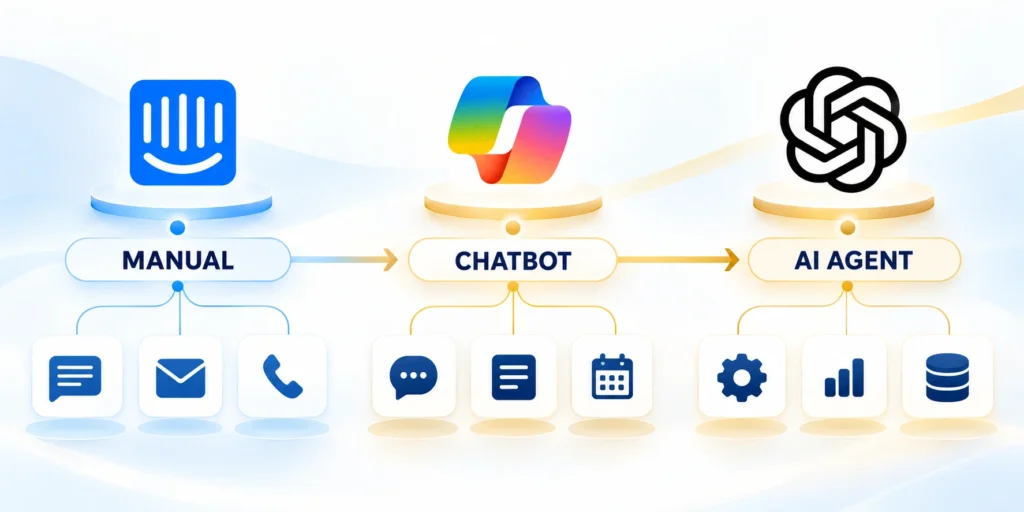
Choose the least complex approach that reliably solves the customer’s problem and meets the organization’s service and risk requirements.
Evaluate each workflow separately; one support organization can use all three patterns across different request types.
Match the pattern to the request
Use these practical controls for the workflow:
- Scripted chatbot: use for stable answers, navigation, and fixed forms benefiting from predictable choices.
- Grounded AI assistant: use for varied questions about current approved documentation requiring citations or links.
- Bounded AI agent: use for permitted multi-step requests, such as order verification and ticket creation.
- Human-led workflow: retain for disputes, sensitive decisions, ambiguous identity, high-impact exceptions, or uncontrolled actions.
Consider a “Where is my order?” request. A scripted bot may work if the customer can enter an order number and accept a status lookup.
An assistant can explain a carrier delay using approved policy text. An agent may also create a ticket if delivery has exceeded a defined threshold.
Compare benefits and operating costs
Review compare benefits and operating costs against real support requests, permissions, service limits, and the documented escalation path.
Use these practical controls for the workflow:
- Scripted flows are constrainable and testable but frustrate users whose requests lack matching branches.
- Grounded assistants handle varied questions but require current sources, citations, and access checks.
- Agents can complete multi-step work, but add tool permissions, monitoring, failure recovery, and cost controls.
Do not compare systems by demo quality alone. Compare completed outcomes, incorrect actions, escalations, customer effort, and operating cost on the same test cases.
Use a simple choice worksheet
Review use a simple choice worksheet against real support requests, permissions, service limits, and the documented escalation path.
Use these practical controls for the workflow:
- Write the customer’s desired outcome in one sentence.
- List the facts and systems required to reach it.
- Mark which steps need judgment and which can be validated deterministically.
- Choose the least autonomous pattern that meets the service goal.
- Record a human fallback and an owner for the workflow.
If a request has one stable answer, avoid adding an agent merely because a model is available.
Match Support Automation to Workflow Risk and Value
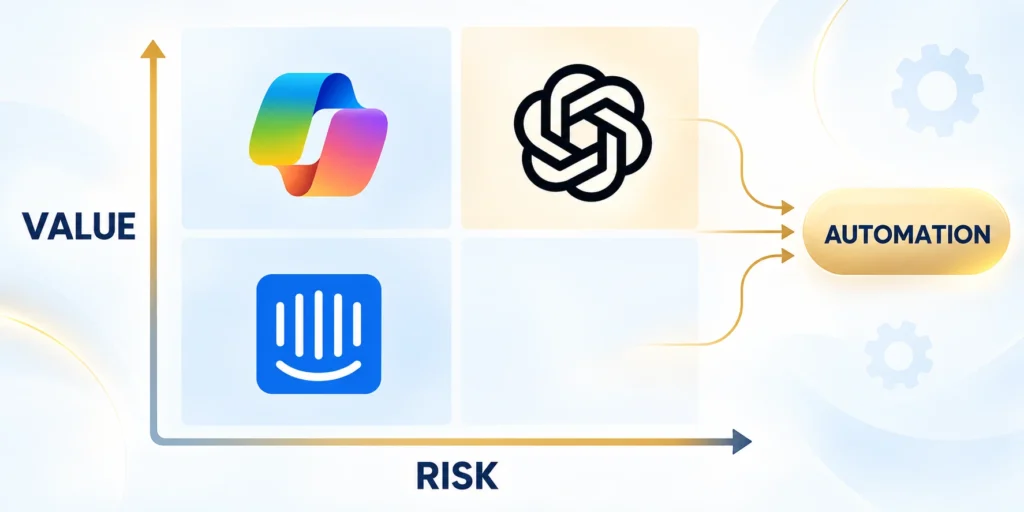
Automation should reflect the consequence of getting a request wrong, not just the volume of messages it could handle.
Estimate frequency, variation, reversibility, customer impact, and the quality of available verification before granting a workflow more autonomy.
Use a practical triage rule
Use these practical controls for the workflow:
- List the customer outcome and the systems the workflow would need to access.
- Mark each proposed action read-only, reversible write, or consequential write.
- Identify what the system can verify before and after each action.
- Assign the narrowest automation level that meets the service target safely.
- Define the condition that stops automation and routes the case to an employee.
A read-only order lookup has a different risk profile from changing a shipping address after a package leaves the warehouse.
If a change could expose personal data, create financial impact, or be difficult to reverse, require a stronger confirmation or human review.
Keep the lead-qualification use case distinct
Customer support automation serves existing customers who need service, resolution, or account help; lead qualification has a different goal.
Our separate guide covers AI chatbots for B2B lead qualification and CRM handoff.
Keep the operational goals separate
Review keep the operational goals separate against real support requests, permissions, service limits, and the documented escalation path.
Keep those workflows separate in routing, success metrics, data access, and customer disclosure.
Design a Safe Support Architecture
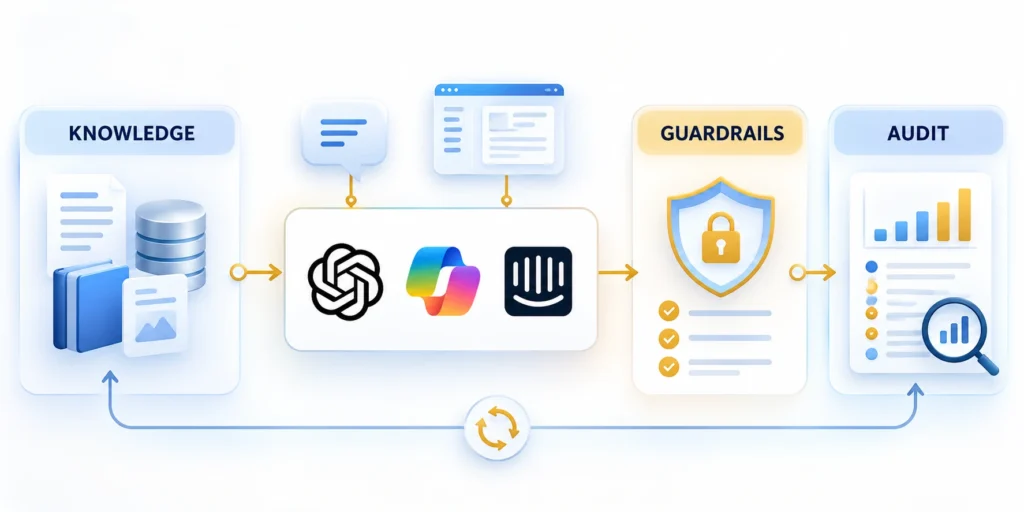
Keep the support channel, model, retrieval service, business tools, and system of record as distinct components.
This separation makes it possible to log decisions, enforce permissions, replace a model, and investigate a failure without granting broad access.
Route every action through an application layer
Define the decision boundary, evidence, owner, and expected customer outcome for route every action through an application layer.
Review route every action through an application layer against real support requests, permissions, service limits, and the documented escalation path.
Use these practical controls for the workflow:
- Authenticate the customer before retrieving account-specific information.
- Filter knowledge by the customer’s permission and the support case’s scope.
- Validate every proposed tool call against a server-side allowlist.
- Record the customer request, retrieved sources, action result, and any human approval.
- Return clear status when tools time out, reject requests, or report conflicting data.
Keep records and sources maintainable
Assign an owner and review date to every knowledge collection. Remove revoked or outdated content from retrieval rather than relying on the model to recognize it.
Preserve source identifiers in logs, but avoid retaining entire conversations longer than the service and privacy requirements allow.
Use these practical controls for the workflow:
- Separate test and production credentials.
- Use a versioned tool contract so changes can be reviewed and rolled back.
- Alert on permission denials, unusual action volume, and repeated tool failures.
Start with a narrow tool contract
A support agent should receive only the smallest tool set needed for its assigned workflow.
{
  "workflow": "order_support",
  "tools": ["read_order_status", "create_support_ticket"],
  "restricted_actions": ["issue_refund", "change_account_email"],
  "require_confirmation_before_ticket": true,
  "escalate_on": ["identity_mismatch", "policy_exception", "low_confidence"]
}
This illustrative policy is not a vendor-specific configuration. Translate it into controls enforced by your own application and identity system.
Keep orchestration separate from authorization
Review keep orchestration separate from authorization against real support requests, permissions, service limits, and the documented escalation path.
Tool handoffs can support multi-step workflows, but your application backend still owns authorization and business rules.
Set Permission Boundaries and Human Handoffs
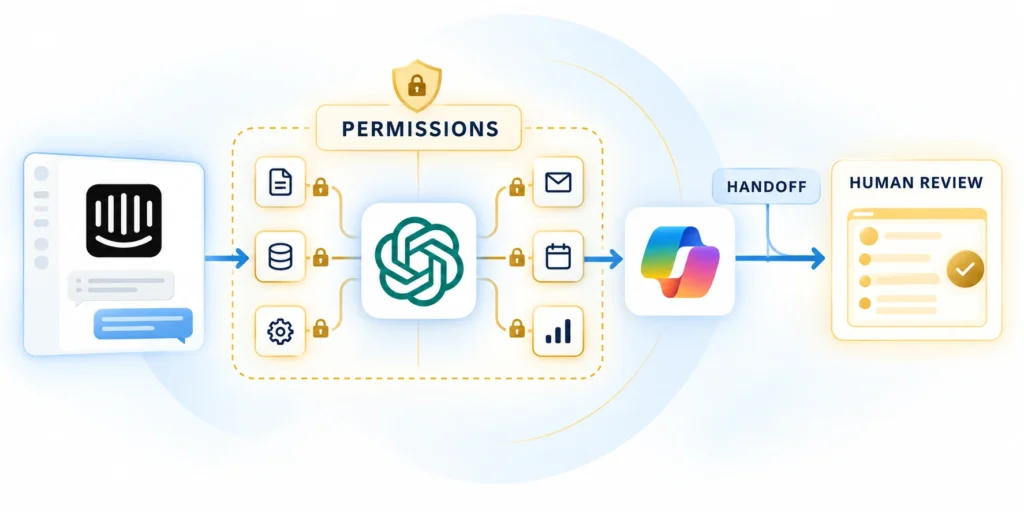
Define what the assistant may read, what it may change, and which actions require an employee’s approval.
Do not rely on a prompt alone to prevent unauthorized actions; enforce the boundary where the tool call is executed.
Design handoff as a complete workflow
Use these practical controls for the workflow:
- Escalate when customers request people, identity checks fail, or cases exceed supported policy.
- Stop tool execution and preserve the current conversation state.
- Send the employee a concise summary, customer intent, relevant source links, and completed verification steps.
- Tell the customer what happens next and provide a realistic response expectation.
- Capture the employee’s resolution so the team can review recurring gaps.
For example, a bot may explain a published return policy, but disputed exceptions should reach an employee with the order and conversation context.
Microsoft’s customer-service bot guidance covers bot configuration and transfer to support agents; verify exact behavior in your platform.
Protect tools and data
Use short-lived credentials, separate service identities, allowlisted operations, rate limits, and auditable access logs.
The OWASP AI Agent Security Cheat Sheet recommends least privilege and explicit safeguards for agent tools.
Keep secrets and untrusted input outside the model
Do not place secrets in prompts, let customers supply executable tool arguments, or allow the model to choose arbitrary URLs.
Retrieved documents and customer messages can contain instructions that conflict with support policy. Treat them as data, not permission to bypass system controls.
Document approval and recovery steps
For every sensitive operation, define the authorized caller, required evidence, confirmation step, audit record, and recovery procedure before enabling the tool.
Use bounded retries and stop after a small number of failures. Repeatedly asking a model to retry can raise cost without resolving an external outage.
Run a Measurable Pilot Before Expanding

Begin with one frequent, bounded request type and a baseline from the current support process.
Run the new workflow in a limited queue, keep human support available, and set pause conditions before launch.
Build a test set before production
Review build a test set before production against real support requests, permissions, service limits, and the documented escalation path.
Collect representative past cases, remove unnecessary personal data, and label the correct answer, safe action, and escalation outcome.
Use these practical controls for the workflow:
- Include clear requests, ambiguity, missing information, policy exceptions, and cross-account access attempts.
- Test tool failures, duplicate submissions, timeouts, and contradictory knowledge sources.
- Score answer correctness, authorization, citations, action accuracy, and handoff quality separately.
- Have support staff review failures and confirm that the test set reflects real customer language.
Measure customer outcomes and system cost
Track resolution without repeat contact, time to resolution, successful escalation, customer satisfaction, and agent workload.
Also monitor latency, model and tool errors, cost per resolved case, refusal rates, and unauthorized-action attempts.
Set a clear expansion threshold
Do not treat “containment” as success when customers abandon the conversation or contact support again.
Expand only after results meet the service target without worsening safety, customer effort, or employee workload.
Evaluate handoff continuity
A human handoff should preserve the customer’s goal, verified identity state, completed troubleshooting, tool results, and unresolved question without forcing the person to start again.
Separate model-generated summaries from confirmed customer statements. The receiving agent should see which details came from records, which were inferred, and which remain uncertain.
Use these practical controls for the workflow:
- Transfer the conversation to the correct queue.
- Preserve consent and communication preferences.
- Show attempted actions and their outcomes.
- Flag sensitive or disputed information.
- Record the reason automation stopped.
Measure successful transfer, wait time, repeated explanation, and post-handoff resolution. A quick escalation that loses context can create more effort than the original automated response.
Govern knowledge and tool changes
Support automation depends on current policies, product behavior, permissions, and integration contracts. Assign owners to approve sources and retire instructions that no longer match production.
Re-test affected cases whenever a model, prompt, retrieval source, API, workflow, or authorization rule changes. Prior success does not validate a modified dependency.
Use these practical controls for the workflow:
- Version approved knowledge and operating instructions.
- Link releases to affected test cases.
- Monitor failed retrievals and tool calls.
- Preserve a manual support fallback.
- Define rollback ownership and evidence.
Use change logs to distinguish content errors from model behavior and integration failures. That separation helps the team correct the right component without broad, untested prompt changes.
Define service ownership before launch
Assign owners for customer policy, knowledge, model behavior, tool permissions, integrations, incidents, and service reporting. One product owner should coordinate decisions across those responsibilities.
Publish an escalation matrix that support staff can use during a live failure. The route should reflect customer impact and data risk, not only technical severity.
Use these practical controls for the workflow:
- Name the owner for each automated action.
- Define who can pause and restore service.
- Set response targets for critical failures.
- Record evidence required before reopening.
- Review unresolved cases at an operating cadence.
Include vendor support contacts and internal fallback procedures. A production dependency without a reachable owner can turn a bounded automation error into a prolonged customer-service failure.
Measure Support Quality and Escalation

Support quality measurement helps support leaders set clear operating boundaries before expanding automation. Define the customer request, permitted action, accountable owner, and evidence required for release.
Use a representative support journey for support quality measurement. A small controlled scope exposes limits in identity, tool access, knowledge quality, and handoff continuity before customers depend on it.
Define support quality measurement criteria
Name the user outcome, allowed systems, stop condition, recovery action, and decision owner for support quality measurement. This makes the automation understandable to support and engineering teams.
Keep observed behavior separate from assumptions during support quality measurement. Teams can then improve the workflow without turning a persuasive answer into unsupported authority.
Use these support quality measurement controls before approval:
- Resolution outcome
- Escalation reason
- Customer effort signal
- Incorrect action review
- Named service owner
| Signal | Evidence | Decision |
|---|---|---|
| Completion | Verified outcome | Continue |
| Exception | Unclear request | Escalate |
| Tool failure | Rejected action | Recover |
| Policy change | New control | Review |
Review support quality measurement results
Compare support quality measurement against real service outcomes, not a polished demonstration. Include completion, escalation, incorrect actions, customer effort, and operating workload.
Record what support quality measurement proved, what remains uncertain, and the next review date. The record supports responsible expansion and a quick rollback when evidence changes.
Align support quality measurement with ownership
Assign a named owner to monitor exceptions, approve changes, and maintain the supporting knowledge for support quality measurement. Shared accountability does not replace an operational decision.
Revisit support quality measurement when tools, permissions, policies, or customer risks change. Regular review keeps automation useful without expanding authority by default.
Control Knowledge and Tool Changes

Knowledge and tool control helps support leaders set clear operating boundaries before expanding automation. Define the customer request, permitted action, accountable owner, and evidence required for release.
Use a representative support journey for knowledge and tool control. A small controlled scope exposes limits in identity, tool access, knowledge quality, and handoff continuity before customers depend on it.
Define knowledge and tool control criteria
Name the user outcome, allowed systems, stop condition, recovery action, and decision owner for knowledge and tool control. This makes the automation understandable to support and engineering teams.
Keep observed behavior separate from assumptions during knowledge and tool control. Teams can then improve the workflow without turning a persuasive answer into unsupported authority.
Use these knowledge and tool control controls before approval:
- Approved source owner
- Versioned tool contract
- Permission review
- Rollback condition
- Scheduled evidence review
Review knowledge and tool control results
Compare knowledge and tool control against real service outcomes, not a polished demonstration. Include completion, escalation, incorrect actions, customer effort, and operating workload.
Record what knowledge and tool control proved, what remains uncertain, and the next review date. The record supports responsible expansion and a quick rollback when evidence changes.
Align knowledge and tool control with ownership
Assign a named owner to monitor exceptions, approve changes, and maintain the supporting knowledge for knowledge and tool control. Shared accountability does not replace an operational decision.
Revisit knowledge and tool control when tools, permissions, policies, or customer risks change. Regular review keeps automation useful without expanding authority by default.
FAQ
These answers explain how scripted chatbots, grounded assistants, and bounded agents differ in support operations.
Is an AI chatbot automatically an AI agent?
Review is an ai chatbot automatically an ai agent? against real support requests, permissions, service limits, and the documented escalation path.
No. Many chatbots answer questions or follow scripts without taking actions. An agent can select approved tools and perform bounded steps under application controls.
Should a B2B support team replace its chatbot with an agent?
Review should a b2b support team replace its chatbot with an agent? against real support requests, permissions, service limits, and the documented escalation path.
Not by default. Keep scripted flows for stable tasks, add grounded answers for varied knowledge questions, and use agents only where controlled actions add measurable value.
Can an AI agent issue refunds or change customer records?
Review can an ai agent issue refunds or change customer records? against real support requests, permissions, service limits, and the documented escalation path.
Only when policy, identity verification, permissions, and recovery controls explicitly support it. Many teams should require confirmation or human approval for these actions.
What should happen when the agent is uncertain?
Review what should happen when the agent is uncertain? against real support requests, permissions, service limits, and the documented escalation path.
It should stop, explain what information is missing, and route the case to a person when the issue is sensitive or outside its tested scope.
How should a team evaluate a pilot?
Review how should a team evaluate a pilot? against real support requests, permissions, service limits, and the documented escalation path.
Compare resolution, repeat contacts, handoff quality, customer satisfaction, latency, cost, and workload against a baseline for the same request type.
What is a bounded AI agent?
Review what is a bounded ai agent? against real support requests, permissions, service limits, and the documented escalation path.
It can use only approved tools, data, actions, limits, and recovery paths. Application controls enforce those boundaries instead of relying on instructions alone.
How should identity be verified before an action?
Review how should identity be verified before an action? against real support requests, permissions, service limits, and the documented escalation path.
Use the product’s established authentication and authorization controls. Do not let a model infer identity or privileges from conversation text.
Can an agent use every support knowledge source?
Review can an agent use every support knowledge source? against real support requests, permissions, service limits, and the documented escalation path.
No. Limit retrieval to approved, current sources with suitable access controls. Preserve citations or source references so staff can review consequential answers.
What costs should a support pilot measure?
Review what costs should a support pilot measure? against real support requests, permissions, service limits, and the documented escalation path.
Measure model, retrieval, tool, integration, review, escalation, and administration costs. Compare total cost per resolved case with the existing process.
When should automation be paused?
Review when should automation be paused? against real support requests, permissions, service limits, and the documented escalation path.
Pause after unauthorized actions, repeated incorrect answers, lost handoffs, security concerns, or breached service thresholds. Assign an owner and tested fallback before launch.
Conclusion
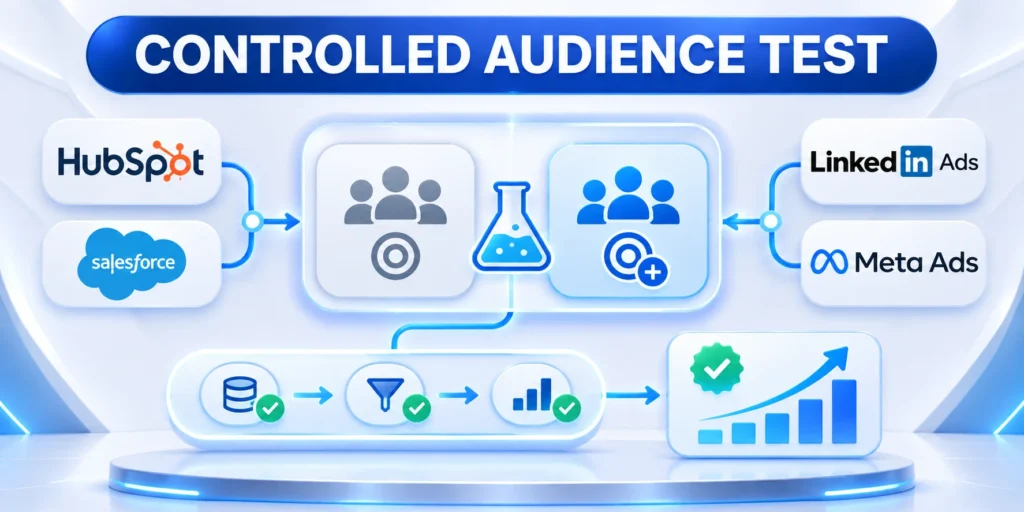
Support automation earns trust when authority matches the customer request, available evidence, and recovery path. Each pattern needs clear operating limits.
Choose the least autonomous approach that delivers the service outcome. Expand only after controlled evidence shows that identity checks, knowledge quality, tool behavior, and escalation all work together.
Choose an accountable operating model
Give support, product, engineering, and security a shared view of the customer journey, tool permissions, and escalation criteria. Each group should understand what the automation may do and why.
A named owner should review changes to knowledge, policies, models, and integrations. The owner keeps support behavior aligned with the service promise as evidence and conditions change.
Keep these support decisions visible:
- Define the customer outcome
- Limit permitted actions
- Verify tool results
- Route uncertain cases
- Review outcomes regularly
Expand only with evidence
Measure completed requests, avoidable escalations, customer effort, incorrect actions, and recovery time before increasing scope. These signals show whether the system improves service rather than simply sounding capable.
When a workflow becomes difficult to explain or recover, reduce authority and return it to a controlled human path. Reversible decisions protect customers and support improvement.
Keep automation reversible
Maintain versioned tool contracts, clear fallback steps, and a practical rollback owner. A reversible design lets the organization correct an unsafe change without interrupting every support channel.
Document the next review trigger before launch, such as policy changes, elevated failures, or new customer risk. This turns governance into an operational habit instead of a late-stage response.








Leave a Reply