

When an AI Chatbot Helps B2B Lead Qualification
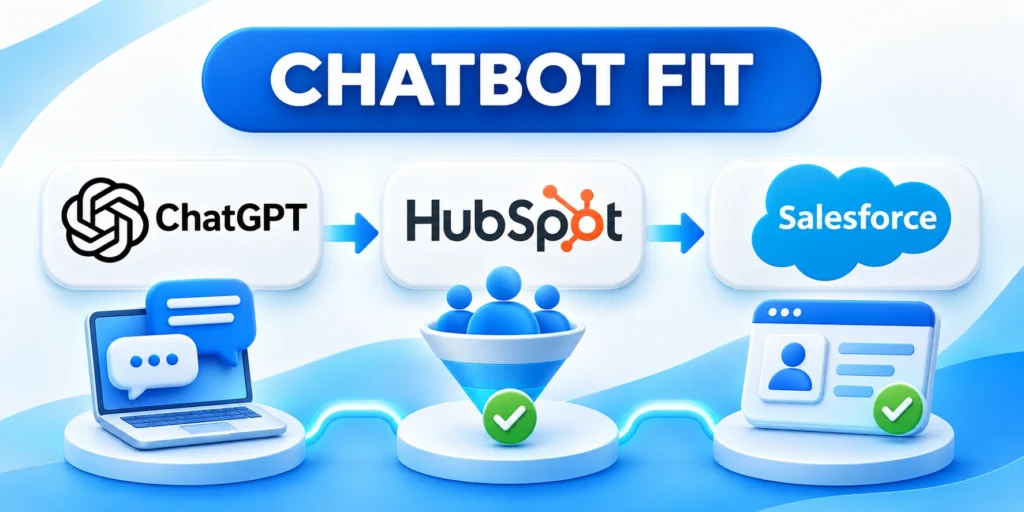
A B2B lead qualification chatbot can collect initial context, answer approved questions, and route an inquiry to an appropriate next step.
It works best when the qualification process is clear, the conversation is bounded, and a person can take over.
Choose a conversation worth automating
Start with a repetitive pre-sales exchange that has a defined outcome, such as routing a qualified inquiry to an account executive.
A chatbot can ask a few relevant questions outside business hours and preserve the answers for follow-up.
Use these actions to choose a conversation worth automating:
- Visitors ask the same product-fit questions before requesting a meeting.
- Inbound requests need routing by region, product, company size, or existing account ownership.
- Sales needs basic context before accepting a meeting request.
- Marketing wants to identify whether a visitor is researching, evaluating, or seeking support.
For example, a software vendor might route a request for a multi-region rollout differently from a student researching a class project.
Keep qualification distinct from buying intent
Qualification compares a request with stated business criteria. It does not prove that a person is ready to buy.
A visitor may fit the target profile while still exploring options, or may be ready to buy despite an unusual profile.
Use the score as a clue, not a verdict
Use the chatbot to collect evidence and offer an appropriate next step, not to label people with certainty.
Review override patterns because repeated disagreement can reveal missing context, outdated criteria, or an unsuitable route.
Define Qualification Criteria Before Writing Prompts

Agree on the decisions the chatbot may support before choosing questions, prompts, or integrations.
Agree on fit, routing, and escalation. When using HubSpot automation and lead scoring, map chatbot responses to the same fit criteria sales uses to qualify leads.
Create a short qualification brief
A useful qualification brief records these operating decisions:
- Define the target account using observable business characteristics.
- List the inquiry types the chatbot should recognize.
- Specify the evidence required before suggesting a sales conversation.
- Identify cases that need immediate human review.
- Name the owner for each route and the expected response time.
- Write down what the chatbot must not promise or decide.
For a workflow software company, an initial brief could cover organization size, team, workflow being evaluated, deployment region, and expected timing.
Each answer should map to a useful routing or service decision. If no team acts on a field, remove that question.
Separate essential questions from optional context
Ask the minimum needed to choose a next step. Long forms create friction and increase the chance of abandoned conversations.
| Question area | Why it matters | Example use |
|---|---|---|
| Business need | Identifies the evaluated problem | Route to a product specialist |
| Organization | Supports account matching | Connect an existing account |
| Timing | Helps prioritize response | Offer an evaluation meeting |
| Region | Guides coverage and handling | Route to the regional team |
| Next step | Respects the visitor request | Share, follow up, or transfer |
Make optional questions clearly optional, and do not request sensitive details that are unnecessary for the conversation.
Translate criteria into explainable routes
Prefer a small set of understandable outcomes, such as sales follow-up, product education, support, or no immediate handoff.
For every route, document which answers triggered it and how a sales representative can correct the result.
Key considerations for translate criteria into explainable routes include:
- High fit plus an explicit request for a meeting: offer booking or a direct handoff.
- Possible fit but unclear need: ask one clarifying question or offer a relevant guide.
- Existing customer asking for help: route to support instead of creating a new lead.
- Low confidence or conflicting answers: preserve context and send for human review.
Choose an Architecture That Fits the Risk

Different chatbot designs trade flexibility for predictability, maintenance effort, and control.
When comparing AI agents and traditional chatbots, weigh the consequences of each conversation and what knowledge the system can safely access.
| Approach | Main strength | Starting use |
|---|---|---|
| Scripted flow | Predictable questions and routes | Fixed intake and routing |
| Rules plus AI | Flexible language, explicit decisions | FAQ with controlled qualification |
| Grounded assistant | Answers from approved material | Discovery with human escalation |
Use approved knowledge, not open-ended improvisation
Provide a small, maintained set of product facts, pricing boundaries, implementation requirements, and approved answers.
Mark which topics require a person, such as custom commitments, contract terms, security assurances, or unsupported product capabilities.
Apply these criteria to approved knowledge not open-ended improvisation:
- Identify an owner and review date for each knowledge source.
- Remove obsolete pages and duplicate documents before indexing them.
- Keep confidential account data outside general retrieval unless access is explicitly authorized.
- Ask the chatbot to say it does not know when approved information is missing.
Structured tool or function calls can constrain the data an assistant returns to a defined schema; they do not make the underlying answer automatically correct.
See the official function-calling guide for one example of schema-based tool interaction.
Constrain actions and permissions
A qualification chatbot usually needs to read approved product information and create or update a limited lead record.
It rarely needs unrestricted access to customer records, billing, contracts, or administrative settings.
Keep consequential actions under human control
Keep permission scopes narrow and require human approval for consequential actions, unusual requests, or conflicting signals.
Limit service permissions so a generated response cannot silently expand into an unauthorized customer or CRM action.
Design the Conversation and Handoff

A good qualification dialogue feels like a focused conversation rather than an interrogation.
Tell visitors what the chatbot can help with and provide a clear way to reach a person.
Use a simple conversation sequence
A clear qualification conversation follows this sequence:
- Open with a short explanation of the chatbot’s purpose.
- Ask what the visitor is trying to accomplish.
- Ask only the qualification questions needed for the next action.
- Summarize the answers in plain language and let the visitor correct them.
- Offer a relevant resource, a human handoff, or another explicit option.
For example: “I can help route your request. Are you evaluating a solution for your own team or researching options for someone else?”
Follow with a question about the workflow or desired timeline only when the answer changes routing or follow-up.
Make uncertainty and correction visible
Even with an approved internal knowledge base, avoid assigning a qualification label when evidence conflicts, confidence is low, or the request falls outside its scope.
Make uncertainty and correction visible through these options:
- Offer “Talk to a person” throughout the conversation.
- Show a brief summary before transferring the conversation.
- Let the visitor correct a mistaken company, role, or stated need.
- Explain when information will be used for follow-up.
- Provide an exit path without requiring extra personal details.
Define transfer behavior before launch: destination queue, captured context, business-hours handling, and what the visitor sees if no agent responds.
Never let a generated response promise a meeting, discount, delivery date, or product capability that the business has not approved.
Connect the Chatbot to CRM and Sales Routing

The integration should preserve useful context without flooding the CRM with duplicate or low-value records.
Design field mapping, identity matching, ownership, and failure handling before connecting the chatbot to production.
Map conversation data to a small CRM record
Start with the visitor’s requested contact method, business email when supplied, company, stated need, and preferred next step.
Keep a separate conversation summary and source marker so representatives can distinguish chatbot-collected information from verified CRM data.
Use these actions to map conversation data to a small:
- Use existing CRM fields when their definitions match the answers collected.
- Store timestamps and source information for audit and follow-up.
- Do not overwrite verified account fields with an unconfirmed chatbot response.
- Set clear ownership rules for existing customers and open opportunities.
- Prevent duplicate lead creation using the organization’s established matching rules.
Test what happens when a contact already exists, an email is mistyped, or a CRM service is temporarily unavailable.
Review the site’s enterprise CRM implementation and migration guide when planning field ownership and record changes.
Make the handoff useful to sales
A representative should see what the visitor needs, which answers informed routing, and what the chatbot already offered.
Make every sales handoff useful through these details:
- State the problem or use case in the visitor’s own terms when possible.
- Separate confirmed answers from model-generated summaries.
- Include the route reason and the date of the conversation.
- Provide the transcript only when company retention and access rules allow it.
Do not send a score without its definition. A representative needs to know what the score represents and what it cannot establish.
Plan retries and failure recovery
If a CRM request fails, preserve the conversation securely and give the visitor an honest next step.
Use idempotent updates where supported so a retry does not create repeated leads or duplicate tasks.
Assign recovery ownership
Assign an owner to review failed handoffs and clear the backlog; do not silently discard requests.
Define alert thresholds and response times so failed handoffs do not remain hidden inside integration logs.
Test Lead Quality Before Launch
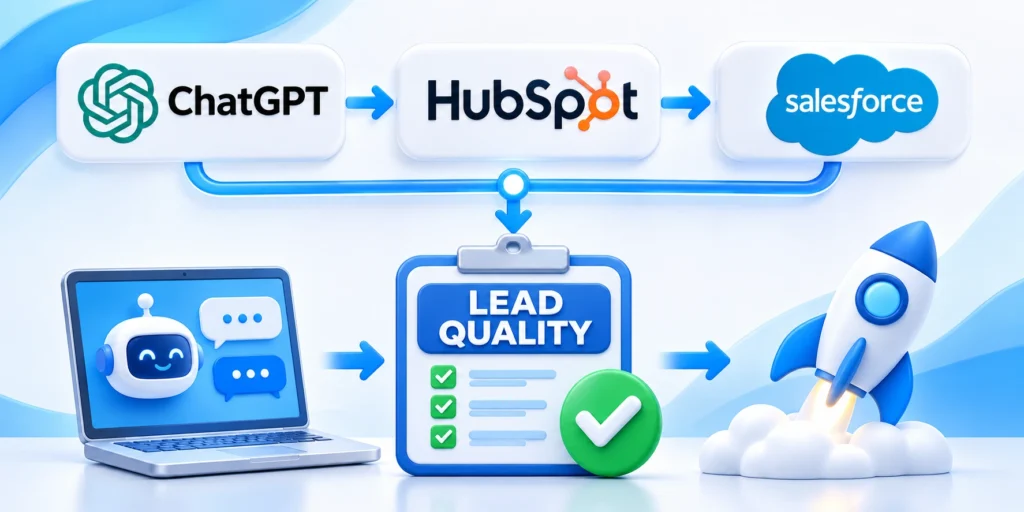
Test the entire path from visitor message to routed CRM record, not only whether the chatbot produces fluent text.
Use representative conversations, edge cases, and handoff failures before exposing the bot to all visitors, and document why each test case matters.
Build a practical test set
Build the qualification test set through these scenarios:
- Collect common inquiry types and approved answers from real support or sales patterns.
- Add ambiguous, incomplete, irrelevant, and contradictory messages.
- Include visitors who request a person immediately.
- Test unsupported product questions and attempts to extract restricted information.
- Verify CRM field values, routing, duplicate handling, and error messages.
- Record the expected route and acceptable response for each scenario.
Ask sales representatives to review whether summaries are useful and whether leads arrive in the correct queue.
Assess false qualification as well as missed qualification. Both can waste time or delay a suitable follow-up.
Test expected routes before acceptance
Compare every representative inquiry with its expected answer, route, CRM result, escalation option, and permitted data use.
Include incomplete and conflicting answers because qualification failures often appear where a scripted happy path provides no safe decision.
Review failed conversations as workflow evidence
Classify each failure by knowledge, interpretation, routing, integration, permission, ownership, or response-time cause.
Correct the underlying workflow instead of adding broad instructions that could create new ambiguity elsewhere.
Define Pilot Acceptance and Rollout Controls

Write the expected route, required CRM fields, and acceptable response boundaries before reviewing test results. Otherwise, teams may excuse inconsistent behavior after seeing a fluent answer.
Separate blocking failures from improvements. A fabricated product claim or lost handoff should stop expansion, while a minor wording preference can enter the normal backlog.
Approve the pilot only after these checks:
- Verify required fields reach the correct CRM objects.
- Confirm every route has an accountable owner.
- Reject unsupported promises, prices, or availability claims.
- Test opt-out, correction, and human-transfer requests.
- Record failures with the conversation and integration state.
Use the same criteria across reviewers and document disagreements. This creates a repeatable basis for deciding whether a change is ready for another controlled test.
Re-run affected scenarios after each prompt, routing, model, knowledge, or integration change. A successful earlier test does not validate a modified workflow.
Run a limited pilot before broad rollout
Start with one product line, a small share of eligible traffic, or a limited business-hours workflow.
Use these actions to run a limited pilot before broad:
- Keep an established human or form-based route available.
- Sample conversations and review failures with sales and marketing.
- Compare response time, lead acceptance, meeting quality, and visitor abandonment.
- Fix routing or knowledge gaps before expanding scope.
Set a stop condition in advance, such as repeated incorrect routing, lost handoffs, or a rise in visitor complaints.
Do not treat a higher meeting count as proof of better qualification if meeting quality and downstream outcomes decline.
Measure Outcomes and Maintain Safeguards

Measure whether the chatbot improves the process for visitors and the teams receiving the inquiries.
Pair speed metrics with quality, safety, and business outcomes to avoid optimizing for conversation volume alone.
Track a balanced set of measures
Track chatbot performance through these balanced measures:
- Completion and abandonment by conversation step.
- Time to first useful response and successful human transfer.
- Sales acceptance, disqualification reasons, and duplicate records.
- Meeting attendance, opportunity progression, or another agreed downstream outcome.
- Unsupported-answer rate, escalation rate, and visitor correction rate.
- Privacy requests, complaints, and integration failures.
Compare with the prior process or a suitable control group. Account for traffic mix, seasonality, campaign changes, and response staffing.
Keep definitions consistent. “Qualified lead” should not mean a meeting booked in one report and an accepted opportunity in another.
Reconcile chatbot metrics with sales outcomes
Conversation completion is an operating signal, not a business outcome. Join chatbot events to CRM stages only through documented identifiers and access-controlled reporting.
Compare accepted and rejected leads by route, source, and qualification reason. Review samples to learn whether the rule, answer, summary, or human follow-up caused the difference.
Key considerations for reconcile chatbot metrics with sales include:
- Track unmatched conversations separately from rejected leads.
- Distinguish integration failures from visitor abandonment.
- Monitor time from handoff to human response.
- Compare meetings with accepted opportunities and outcomes.
- Document definition changes before comparing reporting periods.
Do not send sensitive transcript text into broad analytics tools by default. Use the minimum fields needed for diagnosis and restrict detailed review to authorized owners.
Set reporting cadence and ownership
Assign owners for conversation quality, CRM delivery, sales follow-up, privacy requests, and integration reliability.
Review operational signals frequently enough to catch broken routes before they distort lead-quality or conversion reporting.
Investigate changes before claiming improvement
Annotate campaign, staffing, routing, knowledge, form, and CRM changes that can influence the same reporting period.
Use controlled comparisons when possible and avoid attributing every meeting change to the chatbot alone.
Review Privacy, Security, and Model Boundaries

Collect only information needed for the stated interaction, protect conversation data, and set a retention period with the appropriate owners.
Restrict what the chatbot can read or change. Treat visitor messages and retrieved documents as untrusted input.
Guard against manipulation and excessive permissions
OWASP’s 2025 Top 10 for LLM applications discusses prompt injection and excessive agency as risks to manage in connected AI systems.
NIST’s Generative AI Profile provides a risk-management framework for assigning oversight, documentation, and review to AI systems.
Key considerations for guard against manipulation and excessive include:
- Review access permissions and approved knowledge whenever the workflow changes.
- Provide a human fallback when the chatbot is uncertain or unavailable.
- Review samples for inaccurate claims and uneven treatment across relevant groups.
- Assign an owner to pause or roll back the chatbot if a serious issue appears.
Maintain response and evidence controls
Log the knowledge source, route, model version, permission scope, and human escalation used for consequential conversations.
Retain only evidence required for approved review, access requests, incident response, and operational improvement.
Review changes before expanding permissions
Repeat security and routing tests whenever tools, retrieved knowledge, actions, identity checks, or connected systems change, with results recorded in shared change history.
Expand access only when the business need, monitoring owner, rollback path, and visitor impact are documented before deployment to broader visitor audiences.
Conclusion

An AI chatbot improves B2B qualification only when it supports a bounded decision, preserves visitor choice, and produces an accountable handoff.
The objective is not autonomous persuasion; it is a clearer path from a relevant inquiry to the appropriate resource or person.
Design the operating workflow before prompts
Define qualification criteria, required evidence, routes, owners, response times, prohibited promises, and fallback behavior before selecting an AI architecture.
That brief keeps generated language separate from controlled decisions and gives teams a stable basis for testing.
A dependable qualification workflow includes these controls:
- Necessary questions tied to explicit routing decisions.
- Approved knowledge with documented owners and review dates.
- Visible correction, exit, and human-transfer options.
- Minimal CRM fields with duplicate protection.
- Pilot metrics connected to downstream sales outcomes.
Expand only after the handoff works
Test ambiguous inquiries, integration failures, unsupported requests, privacy choices, and escalation paths before exposing the workflow to broader traffic.
Compare accepted leads, meeting quality, response time, abandonment, corrections, and complaints with the existing qualification process.
Connect qualification to the wider conversion journey
Chatbot reporting should connect conversation quality with CRM ownership, sales follow-up, opportunity progression, and customer experience.
For broader optimization, review the B2B conversion rate optimization framework.
Keep the human route continuously available
Visitors should retain a clear transfer or alternative contact option whenever automation cannot resolve the request.
Monitor that route separately so chatbot metrics never hide unresolved conversations or delayed human responses.
FAQ
These answers clarify chatbot qualification, CRM routing, human escalation, measurement, privacy, and operational ownership.
Can an AI chatbot qualify every B2B lead automatically?
No. It can collect context and suggest routing, but ambiguous or consequential decisions should remain reviewable by a person.
Which questions should a lead qualification chatbot ask?
Ask only what changes the next step, such as business need, organization, timing, region, or preferred follow-up.
Should the chatbot create a CRM lead for every conversation?
Not necessarily. Use matching rules and routing criteria to avoid duplicate or irrelevant records, and preserve inquiry context appropriately.
How do you measure whether a chatbot improves qualification?
Compare accepted leads, meeting quality, routing accuracy, and response time against a baseline. Include those measures in the AI lead qualification scope.
When should a chatbot hand a conversation to a person?
Escalate on request, low confidence, unsupported topics, conflicting answers, sensitive issues, or failed integrations.
How should a chatbot explain its qualification questions?
State why the information is needed and how it affects routing. Clear explanations help visitors decide what to share and support informed conversations.
Can the chatbot use CRM data during a conversation?
Only with appropriate access controls, a defined purpose, and reliable identity matching. Limit retrieval to the fields needed for the current interaction.
How can teams reduce duplicate lead records?
Match on verified identifiers, search before creating a record, and route uncertain matches for review. Preserve the conversation without silently merging distinct people.
What should happen when an integration fails?
Tell the visitor that the handoff is delayed, preserve the request safely, notify an owner, and provide another contact path. Do not claim that a meeting was booked.
How often should qualification rules be reviewed?
Review them when offers, territories, CRM fields, or sales ownership change. Also compare rules with accepted leads and downstream outcomes on a regular operating cadence.






Leave a Reply