


Define a Notification Contract for Each Workflow

A B2B push should signal a business event that matters to a specific person, role, or team at a useful moment.
Before adding a message, define its trigger, recipient, expected action, urgency, expiration, and fallback if it is missed.
Start with a workflow, not an engagement target
Choose a real workflow such as approving a purchase, assigning a service visit, or responding to a safety exception.
Define each notification contract through these fields:
- Trigger: an event the system can identify reliably.
- Recipient: the person accountable for the next step.
- Action: a safe next move that the recipient can complete.
- Expiry: when the message becomes irrelevant.
- Fallback: where the task remains visible if push is disabled.
Describe what changed and why the assigned person needs to know now. If the information can wait for the next app visit, keep it in the inbox or dashboard.
Write down the service commitment
A push provider accepting a message does not prove that a person saw it or completed the task.
Define delivery as a best-effort signal, then keep authoritative task state on the server. Show assignment, status, and due time inside the application.
Keep the task recoverable
Test keep the task recoverable with representative customers, workflows, exceptions, and operating conditions before expanding the decision.
For an approval deadline, the push can remind the approver, while the approval queue remains the source of truth. This keeps work recoverable after device loss.
Separate Urgent, Operational, and Routine Updates

One delivery style cannot serve a production incident, a normal assignment, and a weekly summary equally well.
Classify messages through these decision factors:
- Business urgency
- Action deadline
- Fallback visibility
- Escalation path
Classify messages by their business consequence and timing. Use the least interruptive channel that still gives the recipient time to respond.
Use a small, named message taxonomy
Define the owner, evidence, decision boundary, and expected result for use a small, named message taxonomy in B2B push notification design.
Test use a small, named message taxonomy with representative customers, workflows, exceptions, and operating conditions before expanding the decision.
| Class | Example | Default treatment |
|---|---|---|
| Urgent exception | Active customer service outage | Send with expiry and escalation |
| Assigned work | A technician receives a new work order | Notify worker; preserve queued task |
| Routine update | A report or approval summary is ready | Batch unless users request alerts |
| Promotion | A feature announcement or sales message | Use a separate opt-in channel |
Set priority from consequence and deadline
Reserve disruptive alerts for a narrow condition: a meaningful consequence, an accountable recipient, and a deadline that makes delay costly.
A status change without a required response is not automatically urgent. A new event should not interrupt someone merely because it is technically available.
Batch routine activity
Test batch routine activity with representative customers, workflows, exceptions, and operating conditions before expanding the decision.
For routine records, collect updates into a daily digest or an in-app activity feed. Let the team choose whether selected categories also trigger push.
Collapse messages that become outdated
If a new update makes an older one irrelevant, replace or group the stale message instead of stacking both on the device.
Use an expiry that matches the task. A dispatch invitation may expire after reassignment. A compliance deadline may remain relevant until it is resolved.
Test delayed and replaced messages
Test test delayed and replaced messages with representative customers, workflows, exceptions, and operating conditions before expanding the decision.
Firebase documents message lifespan and collapse behavior. Choose those settings by event semantics and test what users see after delayed delivery.
Give Users Controls That Match Their Work

Useful controls let each person receive the events they own without hiding required work from the organization.
Separate personal preferences from administrator policy. A worker may mute routine activity while still seeing an assigned incident that the organization requires.
Offer category and timing controls
Let people control routine categories, sounds, summaries, and quiet hours. Explain which alerts remain mandatory and why they cannot be muted.
Offer these practical notification controls:
- Let users opt into routine categories separately.
- Allow a digest instead of many single-event messages.
- Respect device-level permissions and in-app preferences together.
- Provide a clear path to change settings later.
Make quiet hours use the user’s chosen time zone. For rotating teams, apply on-call schedules to the role assignment rather than assuming every employee is always available.
Make shared-device and role changes safe
Field devices may move between workers. Remove the previous user’s device token and preferences when accounts change or access is revoked.
Check authorization at send time. A person who once owned a site should not keep receiving its customer or work-order alerts after reassignment.
Keep delivery separate from access
Test keep delivery separate from access with representative customers, workflows, exceptions, and operating conditions before expanding the decision.
Keep the same task visible to the current owner in the application. Push settings should change delivery, not ownership or access controls.
Design Delivery with Deduplication and Recovery

A reliable notification service separates the business event from provider delivery and keeps a record that support teams can investigate.
Verify these delivery reliability controls:
- Idempotency key
- Retry boundary
- Expiry rule
- Fallback queue
Model notifications as an event pipeline with stable event IDs, recipient resolution, preferences, delivery attempts, and a fallback record.
Persist the event before sending
Write the business change and its notification intent durably before asking a push provider to deliver anything.
A transactional outbox can prevent a saved assignment from losing its alert if the process crashes between the database commit and provider request.
Track provider responses and invalid tokens
Test track provider responses and invalid tokens with representative customers, workflows, exceptions, and operating conditions before expanding the decision.
Workers can retry temporary provider errors. Permanent token errors should deactivate the token and be visible in operational metrics.
Make retries idempotent
Assign a stable event key and track delivery attempts per recipient. A retry should not create another task, approval, or payment.
Here is a simplified event record. The server decides the audience and the client fetches current task data after a tap.
{
  "event_id": "evt_8b21",
  "event_type": "work_order.assigned",
  "recipient_id": "user_204",
  "resource_id": "work_582",
  "expires_at": "2026-10-23T18:00:00Z"
}
Treat provider acceptance as one delivery stage
A successful provider response means the request was accepted, not necessarily displayed or read by the recipient.
Record the provider response, device token version, and event key. Avoid placing private customer details in logs or push payloads.
Keep an application inbox
Test keep an application inbox with representative customers, workflows, exceptions, and operating conditions before expanding the decision.
Use a server-side inbox as the durable history. The device message is a pointer that helps the user return to that record.
Write Useful Notification Content and Deep Links

A good notification names the event and gives enough context to identify its next step without exposing confidential details.
Keep titles short, use plain language, and avoid vague alerts such as “Something happened” or “Check the app.”
Write for a lock screen glance
Use a meaningful title such as “Work order assigned” and a brief body such as “A new visit is ready for your review.”
Do not place names, addresses, financial data, or sensitive case details in the body. The lock screen may be visible to bystanders.
Keep private data off lock screens
Test keep private data off lock screens with representative customers, workflows, exceptions, and operating conditions before expanding the decision.
Apple’s notification guidance recommends concise, informative copy, avoiding duplicate messages, and protecting confidential information from previews.
Open the exact resource after authorization
Include an opaque resource identifier, not a long-lived credential. After the tap, authenticate and fetch the current record from the server.
Validate these deep-link security conditions:
- Validate the recipient’s current role and tenant.
- Confirm the resource still exists and remains actionable.
- Record the tap without logging private payload contents.
- Support expired sessions and missing network access.
If the record was deleted, reassigned, or is no longer accessible, show a safe explanation and the relevant queue instead of a blank screen.
Design destinations for changed workflow states
A destination may move, expire, become unauthorized, or require a different owner before the user opens it. Handle each state without exposing private details.
Show a safe explanation and route users to the current task list when the original action no longer applies. Avoid dead-end error screens after notification taps.
Request Permission at a Useful Moment

Ask for system permission when the user understands the value of notifications, rather than during an unrelated first-launch sequence.
Prepare these permission request conditions:
- Explained value
- Relevant moment
- Denied-state path
- Settings access
Explain the specific categories and controls before opening the platform prompt. Never imply that permission is required to use unrelated app features.
Explain value before the system prompt
After a user accepts an assigned-work flow, explain that push can alert them when a new task arrives or a deadline changes.
Let them choose later if they decline. Keep essential work available in the app, email, or another approved channel.
Handle platform permission states explicitly
Android 13 and later requires runtime permission for most notifications. The user can deny it, so build a graceful in-app fallback.
Android notification channels also let people control categories. Map channels to meaningful business classes instead of creating a separate channel for every event.
Request consent with a clear explanation
Test request consent with a clear explanation with representative customers, workflows, exceptions, and operating conditions before expanding the decision.
On Apple platforms, request authorization with a clear explanation. Review the current Apple Human Interface Guidelines for notifications when designing the permission and preference experience.
Verify behavior on supported OS versions
Test verify behavior on supported os versions with representative customers, workflows, exceptions, and operating conditions before expanding the decision.
Check current platform documentation before implementation because permission prompts, channel behavior, and delivery controls vary by OS version.
Set Delivery Policies and Recover Failures
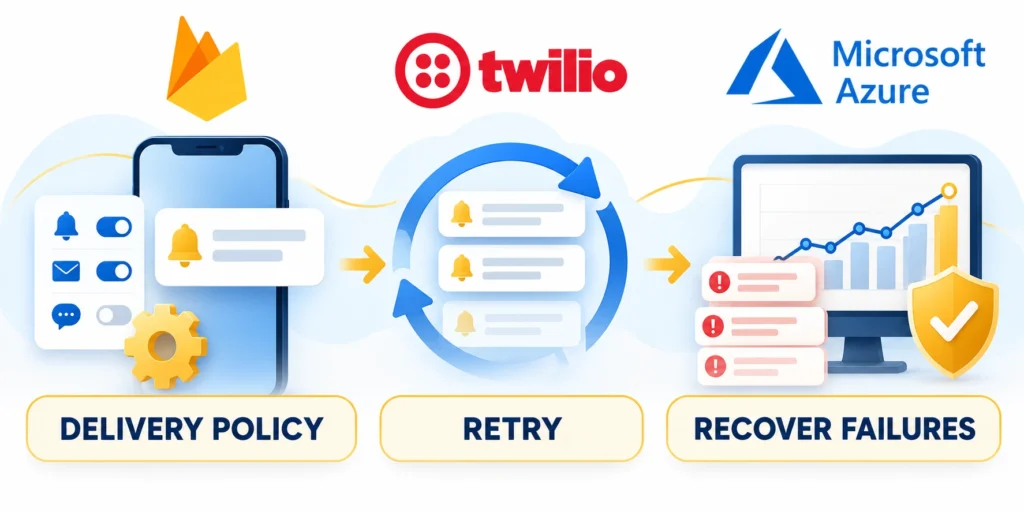
Delivery policy determines whether a notification arrives at a useful time and whether missed work can be recovered safely.
Document these delivery policy boundaries:
- Quiet hours
- Retry schedule
- Expiry window
- Failure owner
Set rules for schedules, expiration, retry, reassignment, and escalation before enabling broad sends.
Respect local schedules and operational coverage
Use an organization’s support schedule or the recipient’s local time zone for routine delivery. Do not assume every account shares one office clock.
Keep a documented exception for genuinely urgent events, with a named on-call rotation and an audit trail for overrides.
Audit quiet-hour exceptions
Test audit quiet-hour exceptions with representative customers, workflows, exceptions, and operating conditions before expanding the decision.
A quiet-hours override should be based on the event’s impact, not a marketing label. Review override frequency and recipients after incidents.
Choose expiry and collapse behavior deliberately
Set expiry to the useful life of the underlying event. A superseded reminder should not appear after another user has completed the task.
For repeated status updates, collapse obsolete messages or show one refreshed summary. Preserve distinct alerts when each represents a separate action.
Use background refresh as best effort
Test use background refresh as best effort with representative customers, workflows, exceptions, and operating conditions before expanding the decision.
Apple treats background refresh notifications as best effort and may delay or throttle them. Use them to refresh content, not as a guaranteed urgent alert.
Give failures a recovery route
When delivery fails, keep the task in the app and expose it to the assigned role. Retry only temporary failures with bounded backoff.
If the recipient is unavailable, route work through the configured team queue or escalation policy. Do not repeatedly alert every manager by default.
Give support a traceable event record
Test give support a traceable event record with representative customers, workflows, exceptions, and operating conditions before expanding the decision.
Document how support staff can look up event IDs, provider responses, recipient scope, and the current task state without exposing private data.
Measure Usefulness and Manage Notification Fatigue
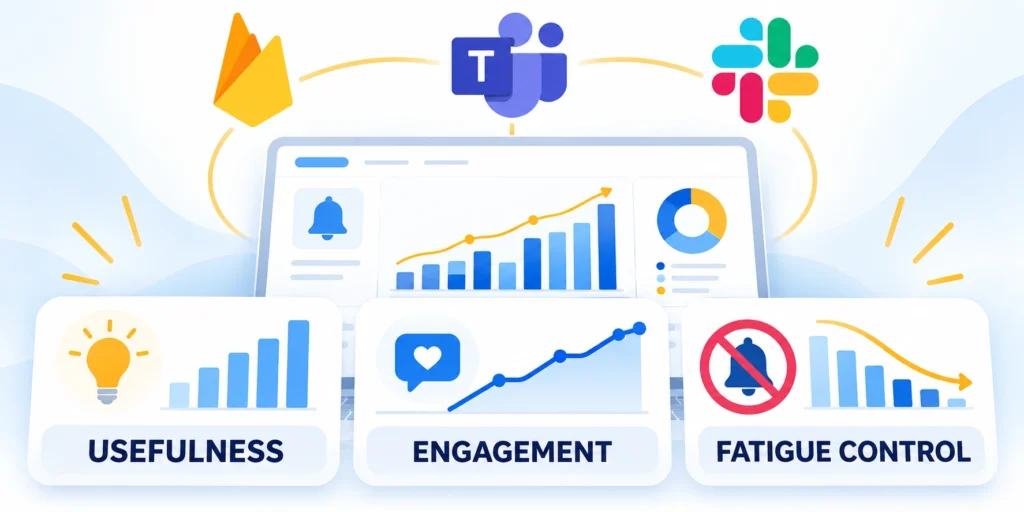
Measure whether notifications help the business workflow, not only whether a device provider accepted or displayed a message.
Compare notification exposure with useful actions and side effects across roles, accounts, and message categories.
Track delivery and work outcomes separately
Define the owner, evidence, decision boundary, and expected result for track delivery and work outcomes separately in B2B push notification design.
Test track delivery and work outcomes separately with representative customers, workflows, exceptions, and operating conditions before expanding the decision.
| Measure | What it tells you | What it cannot prove alone |
|---|---|---|
| Provider accepted | Request passed the provider interface | That the person saw it |
| Device display or open | Message displayed or opened | That the action was useful |
| Task completion time | Whether work moved sooner | Causation without comparison |
| Mute or opt-out rate | Whether people reduce notification exposure | Category causing the change |
| Escalation rate | Whether work still misses its service target | Whether notification timing is the only cause |
Use a controlled pilot to tune frequency
Test fatigue controls through these comparisons:
- Change one policy at a time, such as digest timing or duplicate suppression.
- Keep a comparison group when practical, and review customer feedback alongside metrics.
- Stop changes that increase missed tasks, support demand, or opt-outs.
Start with one team and a small number of event types. Define baseline completion time, notification volume, opt-outs, and unresolved tasks.
For a broader launch sequence, see our guide to a phased mobile app rollout strategy, including rollout waves, guardrails, and pause criteria.
Pause categories that add noise
Pause a category when volume rises without better completion or service outcomes. Ask users which event was unnecessary before changing the entire notification system.
FCM reports distinguish message acceptance from delivery and device outcomes. Use provider diagnostics as one signal, then reconcile them with application events.
Govern Notifications Across Tenants and Roles
Multi-tenant applications must resolve the recipient, tenant, role, resource, and current authorization before creating or opening a notification. Stored device tokens alone cannot prove access.
Define which team owns each event, template, category, delivery policy, fallback, and destination. Remove orphaned notifications when a workflow or customer configuration changes.
Enforce tenant and role boundaries
Build each message from trusted business records. Recheck access when the user opens the destination because permissions can change after delivery.
Check these authorization boundaries before delivery:
- Current tenant
- Assigned role
- Resource access
- Event ownership
- Fallback route
Avoid private payload details on lock screens. Use a concise description and require authenticated navigation for sensitive customer, employee, financial, or operational data.
Maintain a notification registry
Record event purpose, audience, urgency, expiry, owner, template, deep link, preferences, fallback, and monitoring. Review the registry with product and support teams.
Deprecate unused events and tokens deliberately. Stale destinations and duplicate producers increase fatigue, support incidents, and the risk of showing outdated or unauthorized information.
Separate configuration from delivery execution
Keep event definitions, templates, preferences, and policy ownership reviewable outside provider-specific code. Delivery services should consume an approved contract instead of inventing urgency.
Version material template or routing changes and test representative tenants. A global change can affect customers with different roles, schedules, languages, and regulatory expectations.
Audit privileged notification operations
Restrict access to broadcasts, token exports, template changes, and delivery diagnostics. Record who initiated sensitive actions, their scope, and the approved business reason.
Review logs without exposing message payloads broadly. Support teams need diagnostic evidence, while customer data and credentials require narrower access and retention controls.
FAQ
These answers clarify urgency, permissions, delivery evidence, quiet hours, deep links, retries, tenant security, and the controls that prevent notification fatigue.
How often should a B2B app send push notifications?
Send a push when an event needs timely attention. Batch routine updates and let users control nonessential categories.
Should business users be able to mute every notification?
Let users control routine categories. If some operational alerts are required, explain the policy and preserve a team-level route for coverage.
Does a successful push API response mean the user received it?
No. Provider acceptance is not proof of display, reading, or task completion. Keep the task available in the app.
What should a push notification contain?
Use a clear event title and brief context. Exclude sensitive customer details, and open the exact resource only after authorization.
How can a team tell whether notifications are useful?
Compare task completion and service results with delivery, opens, opt-outs, and support feedback by event category and user role.
For the broader framework, read Custom API Development and Third-Party Integrations Playbook.
How should users opt out of notifications?
Provide category-level controls in the application and respect operating-system settings. Explain any operational alerts that cannot be disabled, who owns them, and how teams maintain coverage.
How should quiet hours work for global teams?
Use the recipient’s current or configured time zone, distinguish urgent from routine events, and define escalation coverage. Test daylight-saving changes and users who travel or support multiple regions.
How can an app prevent duplicate notifications?
Use stable event identifiers, idempotent processing, deliberate collapse rules, and a record of recent sends. Keep distinct alerts when separate events genuinely require independent action.
What should happen when a deep link fails?
Open a safe authenticated fallback, explain that the resource moved or is unavailable, and preserve a route to related work. Never reveal protected details before authorization.
Which B2B notification metric is most useful?
Measure the intended business action completed within an appropriate window. Interpret it with delivery, opt-outs, dismissals, duplicates, recovery failures, and support feedback by role and event type.
Conclusion

Useful B2B push notifications move accountable work without becoming the only place a task exists. Every message needs a reliable event, recipient, action, expiry, and fallback under pressure.
Separate urgent exceptions from assigned work, routine updates, and promotion. Apply different timing, escalation, preferences, and evidence to each category.
Design from the workflow contract
Name the business event, owner, recipient rule, deadline, duplicate key, delivery policy, secure destination, and fallback before choosing provider features or writing message copy.
Use these final notification checks:
- Authoritative event
- Current recipient
- Bounded urgency
- Secure destination
- Visible fallback
Give users controls matching their responsibilities. Quiet hours, digests, category preferences, and understandable permission requests reduce fatigue without hiding critical assigned work.
Treat delivery as an uncertain signal
Provider acceptance does not prove display, attention, or task completion. Measure delivery evidence alongside action outcomes, missed deadlines, opt-outs, support reports, and server behavior.
Use idempotency, retries, expiry, token cleanup, and queue visibility. Recovery should avoid duplicates while preserving work that still requires action.
Improve usefulness with controlled evidence
Change one policy at a time and compare representative users or workflows when practical. Review qualitative feedback with completion time, escalation, fatigue, and failure evidence.
The strongest notification system remains secure, explainable, and reversible. It helps users act sooner while preserving authorization, customer boundaries, and an accountable system of record during routine work and incidents.







Leave a Reply