


Assess the Source Site and Migration Scope
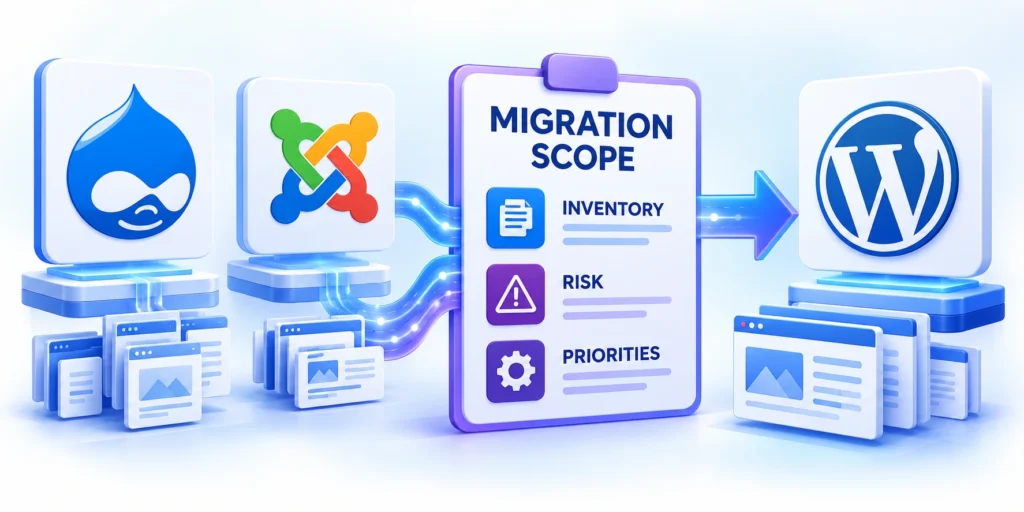
A Drupal to WordPress migration or a Joomla move begins with a decision about what the new site must preserve, replace, simplify, or retire.
Inventory the source before choosing a plugin or writing an importer, because its content model and extensions determine the work.
Create a source inventory
Record the source CMS version, database engine, hosting access, content totals, media storage, language setup, and current URL patterns.
For Drupal, list node types, fields, vocabularies, entities, views, roles, and contributed modules that affect content or access.
Use these actions to create a source inventory:
- For Joomla, inventory article categories, menus, modules, languages, access levels, and business-data components.
- Assign a business owner for customer forms, directories, products, gated resources, and shared records.
- Identify extensions that store business data outside standard content tables.
Use these actions to create a source inventory:
- Export a list of published, unpublished, archived, and trashed content with stable source IDs.
- Export media paths, original filenames, alt text, and the records that reference each file.
- List menus, redirects, forms, analytics events, search features, and integrations.
- Record the old URL for every page that receives traffic, links, or conversions.
- Identify content that is legally required, operationally active, outdated, duplicated, or no longer owned.
Keep source IDs in the migration manifest even when WordPress assigns new post IDs.
A stable key lets the team reconcile records and resume a failed batch without creating duplicates.
Choose a migration path from evidence
A small site with simple articles may suit a source-specific importer or a controlled manual transfer.
Large sites with custom fields, users, multilingual content, or extension data require staged migration and specialist testing.
Use these actions to choose a migration path from evidence:
- WordPress.org lists FG Drupal to WordPress for core content and media; premium features vary.
- FG Joomla to WordPress imports common articles; extensions may need separate mappings or add-ons.
- Compare tools against source versions, extensions, custom fields, access, licensing, and support requirements.
- Do not assume a tool transfers every component because it can read the source database.
Use these actions to choose a migration path from evidence:
- Record each field’s source, type, allowed values, requirement, transformation, destination, and empty-data fallback.
- Define one date and time-zone conversion rule; test daylight-saving boundaries before scheduled imports.
- For rich text, identify allowed markup, embedded media, shortcodes, and links requiring changes.
- Map taxonomy IDs and parent relationships; matching labels alone can merge unrelated terms.
- Preserve source language codes and relationships between translations and their canonical items.
Map Content Types, Fields, and Relationships
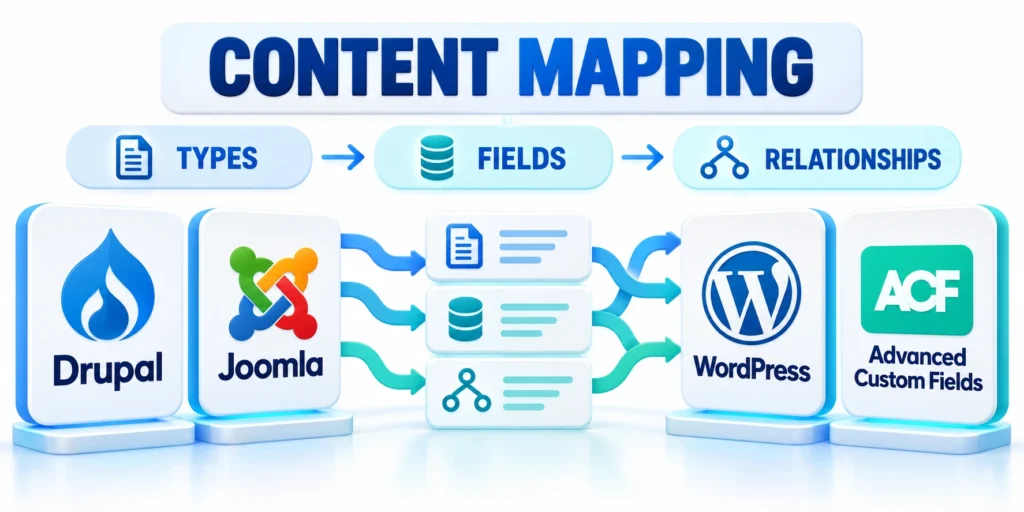
Map each source object to a WordPress destination before importing records, media, or users.
The mapping should specify the destination post type, taxonomy, field, status, author, URL, and handling for missing values.
Translate the content model
A Drupal content type such as “Case Study” may become a WordPress custom post type, not a standard post.
A Joomla article category may map to a WordPress category, while a menu item may become a page, link, or navigation entry.
Key considerations for translate the content model include:
- Document the target representation and who will maintain it after launch.
- Define the destination field, relationship, and validation rule.
- Assign an owner to approve every transformed content type.
| Source data | Possible WordPress destination | Decision to record |
|---|---|---|
| Drupal node type or Joomla article | Post, page, or custom post type | Content purpose, editor, and public URL pattern |
| Drupal field or Joomla custom field | Core field, custom field, or block | Data type, validation, and display rule |
| Vocabulary or category tree | Category or custom taxonomy | Parent-child hierarchy and term identifiers |
| Author or source user | Existing WordPress user or preserved attribution | Ownership, role, consent, and account policy |
| Menu or internal alias | Navigation item or redirect | Destination URL and whether it remains public |
This table is a starting model, not a one-to-one conversion rule.
Preserve the meaning of each field instead of copying a source label into a destination that behaves differently.
Preserve relationships and editorial meaning
Identify parent pages, related records, taxonomy references, translations, redirects, and embedded media before selecting import order.
If one record references another, store both source IDs and a lookup to the mapped WordPress record.
Key considerations for preserve relationships and editorial meaning include:
- Map authors deliberately; do not create administrator accounts for every source user.
- Keep aliases and canonical URLs in the migration manifest.
- Preserve language relationships with the chosen multilingual plugin’s supported structure.
- Record field transformations, default values, and excluded records with a reason.
For a Drupal migration built with custom pipelines, separate extraction, transformation, and loading so each stage can be inspected.
Drupal’s Migrate API separates source extraction, transformation, and destination loading; its ID map connects source records to the new entities.
Approve the mapping with content owners
Ask editors to approve representative examples from every source type before the full migration.
Include ordinary records, unusual field combinations, translations, missing images, long titles, unpublished content, and records with relationships.
Use these actions to approve the mapping with content owners:
- Save the approved mapping with a date and version so later changes can be compared.
- Store unresolved mapping questions with an accountable decision owner.
- Retest the mapping after every approved schema change.
Use these actions to approve the mapping with content owners:
- Compare source and destination counts by content type and publication status.
- Check a sample with empty fields, Unicode characters, long titles, nested taxonomy, and linked files.
- Verify media URLs return expected files without staging or source hostnames.
- Retain each record’s source ID, destination ID, batch, and repair status.
- Separate retryable errors from records requiring a mapping decision; do not silently skip either group.
Migrate Content, Media, and User Data

Run the first import on a protected staging copy, using a database backup and a repeatable manifest.
Import a small representative batch first, compare it against the source, then increase the batch size only after it passes.
Prepare access and protect credentials
Confirm the migration tool’s connection method and the minimum data it needs.
When direct database access is required, use a temporary read-only source account if the tool supports it.
Use these actions to prepare access and protect credentials:
- Restrict database access, protect credentials, and revoke the account after migration.
- Never expose database passwords in staging, source control, screenshots, or migration logs.
- Use temporary least-privilege accounts for every migration tool.
Run a small batch and reconcile records
Start with one content type and a sample that includes images, taxonomy, author attribution, and internal links.
For a file already converted to WordPress eXtended RSS, WP-CLI can run the WordPress importer.
wp import source-export.xml --authors=skipUnderstand the WP-CLI import example
This command imports a valid WXR file; it does not directly convert a Drupal database or a Joomla database.
Use the source-specific importer or a tested transformation to produce compatible data first.
Follow this sequence to understand the wp-cli import example:
- Record the source IDs and expected count for the selected batch.
- Run the importer on staging and save its log outside the public site.
- Compare imported IDs, titles, status, authors, taxonomies, and media against the manifest.
- Open representative records in the WordPress editor and check their block structure.
- Fix the mapping, reset only the test batch, and rerun until counts reconcile.
A failed import may create some records before stopping.
Check the destination before retrying, because blindly rerunning can create duplicate content.
Migrate media, users, and access safely

Media and user records carry different integrity, privacy, access, and recovery risks than ordinary content. Handle them through separate inventories, acceptance criteria, and accountable owners.
Preserve source identifiers throughout staging so failed files, missing relationships, and role mismatches can be repaired without rerunning an entire migration blindly.
Validate media files and relationships
Confirm that every required file reaches the WordPress media library, retains its intended relationship, and no longer depends on source or staging hosts.
Check originals, derivatives, captions, alternative text, galleries, documents, embeds, filenames, and unusual formats using representative and exception-heavy samples.
Reconcile these media elements before acceptance:
- Expected files and destination attachment IDs
- Original and resized image availability
- Captions, alternative text, and credits
- Gallery, document, and embed relationships
- Failed assets with source identifiers
Keep failed files in a repair queue with explicit reasons. Retry only the affected records after correcting mapping, access, format, or filename conditions.
Test public and restricted delivery separately. A file present in storage may still fail because content links, permissions, derivatives, or cache paths remain incorrect.
Reconcile users, authors, and permissions
Transfer only necessary accounts, map approved authors, and assign least privilege. Do not copy password hashes unless an approved method and explicit security authorization exist.
Test migrated roles with representative accounts rather than administrators. Confirm editing, approval, publishing, private content, account recovery, and deactivation behavior.
Plan the platform after content transfer
For a broader operating model, see our guide to enterprise WordPress development, architecture, security, and scalability.
Use that architecture work to define ownership and service boundaries before rebuilding integrations.
Rebuild the WordPress Experience and Integrations
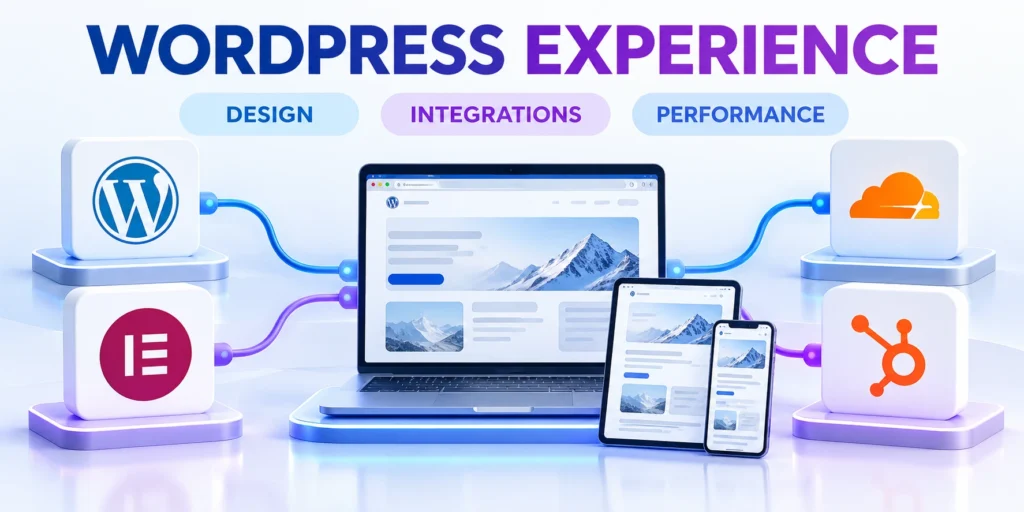
Imported records do not recreate the source site’s theme, modules, components, forms, or business workflows.
Build the new WordPress experience from approved requirements, then test each integration against its real business owner.
Replace functions, not labels
For every Drupal module or Joomla extension, write down the user task it supports and the data it changes.
Choose a WordPress plugin, custom feature, or deliberate retirement only after comparing that task and its dependencies.
Key considerations for replace functions not labels include:
- Map web forms to fields, consent, routing, notifications, and CRM ownership.
- Map search and filters to content types, taxonomies, and access rules.
- Connect subscriptions or commerce to tested payment, billing, and account workflows.
- Map analytics events to the same business action names used in reports.
- Map language switching to translated content pairs and a supported multilingual workflow.
A plugin with a similar name may not support the source feature’s data model.
Check maintenance, supported versions, permissions, export options, and staging behavior before adopting it.
Rebuild templates and editorial controls
Recreate page templates for the content types that have distinct reading or conversion needs.
Decide which fields editors can change, which remain structured, and how previews work for each type.
Key considerations for rebuild templates and editorial controls include:
- Test permissions with real roles instead of the administrator account.
- Editors must publish without accidentally changing global layouts or sensitive settings.
- Verify authors cannot alter sitewide templates or security settings.
Rebuild and verify WordPress integrations

Imported content does not restore identity, forms, CRM routing, subscriptions, payments, search, analytics, notifications, or external data flows. Rebuild each function from approved requirements.
Sequence dependencies before testing. Identity, consent, account ownership, and core data exchange often support several downstream workflows that cannot be validated independently.
Verify complete business transactions
Use test credentials and sandbox endpoints when available. Exercise the full user action through routing, notifications, data persistence, reporting, and accountable ownership.
A connected status or successful API response does not prove that field mapping, consent, assignment, error handling, and recovery meet the business requirement.
Test these dependencies before production cutover:
- Identity, roles, and account recovery
- Forms, consent, routing, and notifications
- CRM records and ownership assignment
- Payments, subscriptions, or protected access
- Analytics events and failure alerts
Record endpoint owners, credential locations, rate limits, renewals, monitoring, and recovery steps outside public content. Remove temporary secrets after staging validation.
Exercise unavailable endpoints, invalid payloads, duplicate submissions, delayed responses, and expired credentials. Confirm operators receive useful alerts and users receive safe fallback behavior.
Approve replacements and deliberate retirements
Compare the original business function, users, data, permissions, and dependencies before choosing a plugin, custom feature, simplified workflow, or intentional retirement.
Document acceptance criteria and train editors using representative records. The closest extension name may not reproduce the source system’s behavior or controls.
Document integration acceptance evidence
Retain test cases, expected outcomes, owners, dates, and unresolved limitations for every integration accepted before launch.
Link failures to repair records so operators can distinguish known exceptions from new incidents after production traffic moves.
Protect URLs, Search Visibility, and Accessibility

Preserve valuable URLs where practical and create a destination map for every route that changes.
URL handling affects readers, campaigns, bookmarks, internal links, and search discovery after launch.
Build a one-to-one URL map
Export old paths from the CMS, sitemap, analytics, and server logs.
Map each valuable source URL to the closest equivalent destination, or record why the old page will return a not-found response.
| Old route | Destination decision | Validation |
|---|---|---|
| /services/legacy-audit | Redirect to equivalent service | One direct successful hop |
| /news/retired-event | Return 404 or 410 | No unrelated homepage redirect |
| /articles/topic-a | Preserve or map the same topic | Canonical, links, sitemap agree |
These sample paths illustrate the mapping format; use the source site’s actual URLs when building the production file.
Avoid broad rules that redirect unrelated pages to one destination.
Check canonical URLs and search signals
Verify that each migrated page uses the intended canonical URL and that robots directives do not block pages meant to be indexed.
Replace internal links that still point to obsolete Drupal or Joomla paths.
Use these actions to check canonical urls and search signals:
- Generate a sitemap from the final public URLs and submit it after launch.
- Google recommends URL mapping, redirect testing, canonical updates, and monitoring both URL sets.
- Review Search Console errors and analytics after launch, while allowing time for recrawling and indexing.
Review accessibility and page content
Check heading hierarchy, link purpose, image alternatives, table headers, language attributes, and keyboard access on representative templates.
Imported HTML may contain obsolete classes, empty wrappers, shortcodes, or embedded content that no longer works.
Use these actions to review accessibility and page content:
- Clean those elements in the transformation or content review instead of carrying broken markup forward.
- Map every legacy URL to an approved destination or retirement decision.
- Validate headings, links, and media after transformation.
Use these actions to review accessibility and page content:
- Agree on count variance, media tolerance, and the maximum unresolved critical defects.
- Test public pages while logged out and protected workflows with each intended user role.
- Measure key page and form response times under realistic load against service targets.
- Rehearse restoration from backups; backup files alone do not prove recovery.
- Record go-live and rollback authorities, plus communication paths for support and content teams.
Validate the Migration and Plan the Cutover

Use staging to prove that migrated records, templates, redirects, and integrations work together before changing production traffic.
Define pass criteria and rollback owners before the final migration window begins.
Run a repeatable staging checklist
Use these actions to run a repeatable staging checklist:
- Reconcile total records by type, status, language, taxonomy, and author.
- Sample records from every content type, including long and unusual entries.
- Check images, documents, galleries, embeds, and the URLs they reference.
- Test search, filters, forms, sign-in, account access, and conversion events.
- Check old URL redirects, new canonical tags, sitemap URLs, and not-found behavior.
- Test the main page templates with desktop and mobile layouts.
- Ask content owners to approve representative pages before production cutover.
Keep failed records in a repair queue with source IDs and clear reasons.
Do not mark a batch complete until the expected destination records and relationships exist.
Approve readiness evidence with accountable owners
Ask content, technical, security, accessibility, search, and business owners to accept representative evidence and named exceptions before scheduling production traffic.
Acceptance should reference the same staging version, content snapshot, redirect map, integration configuration, and recovery evidence used during the final cross-functional review and approval record.
Record these approvals before opening the cutover:
- Content and media reconciliation accepted
- Critical workflows and access controls verified
- Redirects and search signals approved
- Recovery test and rollback owners confirmed
Execute cutover with defined rollback controls
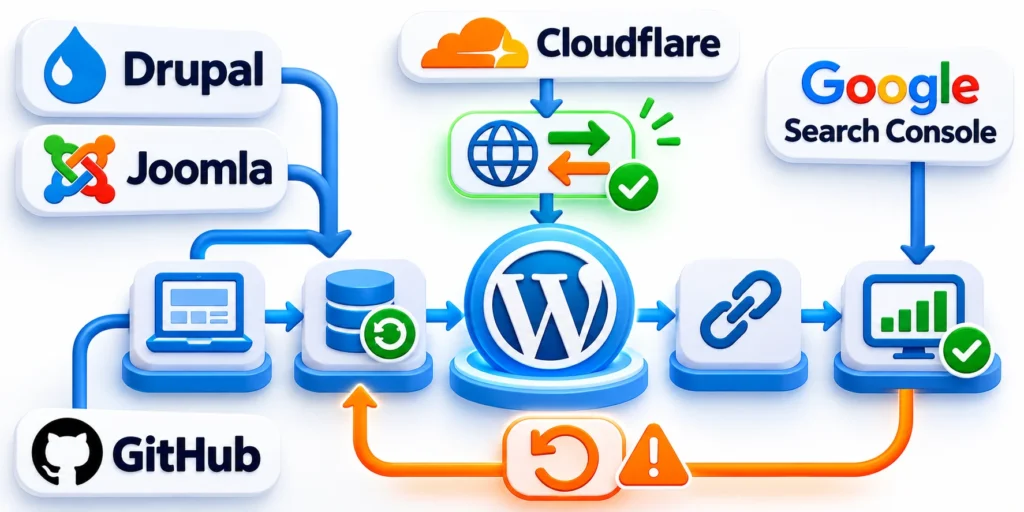
Production cutover changes live traffic, data ownership, redirects, forms, integrations, and operational responsibility. Define go, no-go, monitoring, communication, and rollback decisions before the window.
Use the verified staging baseline as evidence. Unresolved high-value pages, account failures, payment errors, or incomplete recovery tests should stop the launch.
Plan the production cutover
Choose a lower-risk time window and decide how the source site will handle changes during migration.
For sites with frequent updates, establish a content freeze or a documented delta-import process.
Follow this sequence to plan the production cutover:
- Take verified backups of the source and destination and record recovery owners.
- Run the final import or delta and reconcile the counts.
- Enable the approved redirects and verify the key routes.
- Switch DNS or traffic only after the new site passes its cutover checks.
- Monitor errors, form submissions, search traffic, and server capacity.
- Keep the source system available until owners approve the new site and recovery window closes.
Write down the exact go or no-go conditions, such as unresolved payment errors, missing high-value pages, or broken account access.
Define rollback before it is needed
Rollback means restoring service using the source site or the verified backup, not simply deleting the new WordPress database.
Document who can stop the cutover, restore DNS or routing, and communicate the decision.
Use these actions to define rollback before it is needed:
- Set a monitoring window and measurable thresholds before launch.
- After cutover, retain the source backup and redirect map under the retention policy.
- Assign owners for launch decisions, rollback, and incident response.
FAQ
These answers address common decisions when migrating enterprise Drupal or Joomla sites to a governed WordPress platform.
Can I import Drupal or Joomla directly with the built-in WordPress importer?
Not as a direct database conversion. Use a source-specific importer or transform the data into a format the selected WordPress importer supports.
Will every module or extension move automatically?
No. Content importers may transfer common records, while custom fields, extension data, workflows, and integrations need separate mapping and testing.
Should the migration happen directly on the live site?
Use a protected staging copy first, reconcile a representative batch, and plan the production cutover only after the new site passes agreed checks.
How do I keep search traffic when URLs change?
Map old URLs to relevant destinations, implement direct permanent redirects where appropriate, update canonical links and internal links, then monitor Search Console.
Can I migrate users and passwords?
Some tools support user migration, but account transfer requires a security and privacy review. Map authors carefully and do not copy password hashes by default.
How should multilingual content be migrated?
Preserve each record’s language code, translation relationship, canonical identity, and public URL. Confirm the destination multilingual plugin can represent the same relationships before importing.
Test language switching, hreflang output, fallback behavior, translated media, and redirects with representative content. Do not infer relationships from matching titles alone.
What should happen to unsupported extensions?
Describe the business function, users, data, and dependencies before choosing a replacement. The closest plugin name may not reproduce the required workflow or controls.
Approve whether to rebuild, replace, simplify, or retire each function. Record acceptance criteria and a responsible owner before the production cutover.
How do we validate migrated media?
Compare media counts by type, then sample images, documents, galleries, embeds, and unusual filenames. Confirm destination URLs no longer depend on source or staging hosts.
Check file availability, alternative text, captions, attachment relationships, and transformed content links. Keep failed files in a repair queue with their source identifiers.
How long should the source site remain available?
Keep a recoverable source backup and, when practical, restricted source access until owners approve migrated records, workflows, redirects, and the agreed recovery window closes.
The retention period should follow organizational, legal, privacy, and operational requirements. Remove unnecessary credentials and public access even when backups must remain.
What evidence proves the migration is complete?
Use reconciled record counts, approved content samples, working media, tested workflows, direct redirects, valid search signals, role checks, performance results, and a successful restoration rehearsal.
Completion also requires named owners to accept remaining exceptions. A successful import command or connected integration status alone does not prove the platform is ready.
Conclusion

A successful Drupal or Joomla migration preserves useful content, relationships, public routes, business workflows, and accountable access while establishing a maintainable WordPress operating model.
The project succeeds through evidence, not an import command. Inventory, mapping, representative batches, reconciliation, integration tests, redirects, recovery, and owner acceptance prove readiness.
Control migration through verified stages
Capture source identifiers and expected counts before transformation. Approve mappings with content owners, then test difficult records, media relationships, languages, users, and unusual workflows.
Rebuild functions according to user tasks and data dependencies. A similarly named WordPress extension does not automatically reproduce the source platform’s behavior or controls.
Confirm these controls before changing production traffic:
- Reconciled content, media, users, and relationships
- Approved templates, roles, and editorial workflows
- Verified integrations and failure recovery
- Direct redirects and consistent search signals
- Named cutover, monitoring, and rollback owners
Protect URLs according to intent and equivalence. Update internal links, canonicals, language relationships, and sitemaps while retaining a dated redirect map for investigation.
Validate accessibility, performance, forms, account access, search, filters, and conversions on representative devices and roles. Keep failed records in traceable repair queues.
Operate WordPress after the migration window
Assign owners for updates, backups, security, access reviews, integrations, content quality, redirects, and remaining exceptions. Migration completion begins a new operating responsibility.
Retain recoverable source evidence according to legal, privacy, and operational requirements. Remove unnecessary public access and temporary credentials even when backups must remain.
Review these outcomes during post-launch governance:
- Stable service and successful recovery checks
- Expected records and public route behavior
- Accurate permissions and editorial ownership
- Reliable integrations and accountable alerts
- Search, conversion, and support evidence
Use real usage, incidents, support requests, and search evidence to prioritize improvements. Avoid expanding features before the new platform demonstrates stable operation.
A governed migration gives teams a WordPress platform they can understand, maintain, recover, and improve without losing the information or workflows the business still needs.




Leave a Reply