

Enterprise WordPress Architecture
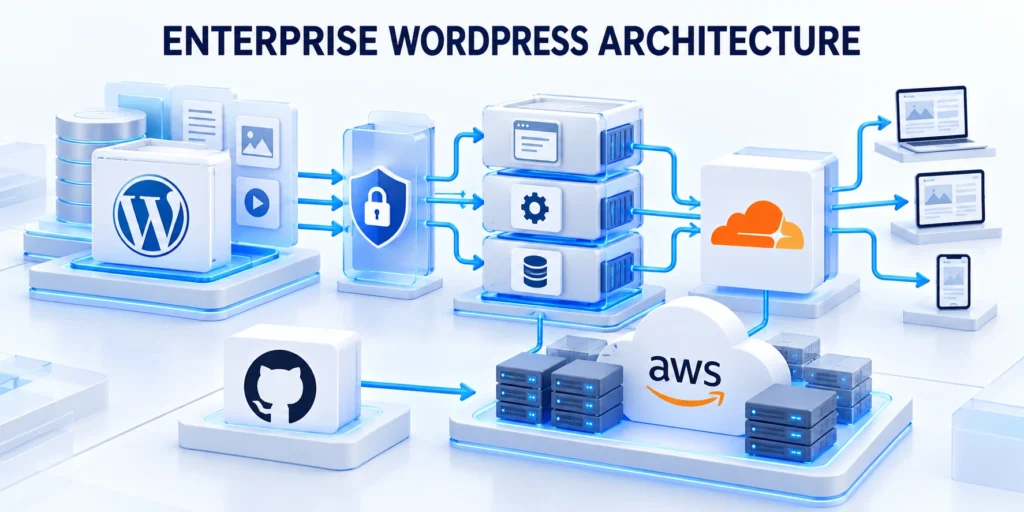
Enterprise WordPress development starts with business boundaries, not a server diagram. The architecture should clarify who publishes, which systems exchange data, and how failures affect customers.
A company site, support center, and regional campaign network may all use WordPress, yet they can require different permissions, release schedules, and recovery targets.
Map the platform before choosing components
Begin with a service map that follows a visitor request from browser to page, application code, database, and any connected business system.
For each connection, name its owner, data exchanged, authentication method, timeout behavior, and fallback when the other system is unavailable.
Plan for partial integration failure
For example, a product page may read inventory from an ERP. The page should still explain availability if that API times out, rather than displaying a blank panel.
Use these enterprise wordpress architecture criteria for review:
- List public sites, authenticated areas, and internal editorial tools.
- Mark systems that store customer, employee, payment, or regulated data.
- Identify integrations that can delay rendering or block a transaction.
- Record the team responsible for each component and its incident contact.
- Separate required capabilities from assumptions inherited from a legacy build.
This map helps determine whether one WordPress installation is sufficient, whether a multisite network fits the operating model, or whether separate sites need independent lifecycles.
Example: trace a product availability request
Suppose a product page combines WordPress content with inventory maintained in an ERP. Trace the request from the visitor’s browser through the cache, WordPress, and inventory endpoint.
Apply these enterprise wordpress architecture controls consistently:
- Record a baseline response time for the product page and the inventory call.
- Set a bounded timeout based on the page’s agreed response target.
- Display a clear fallback instead of leaving the page blank during an outage.
- Log the failure without exposing credentials or private customer data.
- Test the available, unavailable, and timeout cases in staging.
Define a useful response for three states: inventory is available, inventory is unavailable, and the ERP does not respond in time.
This small exercise reveals whether the integration belongs in the page’s critical path and gives support teams a concrete behavior to verify.
Choose a site and environment model

A single installation is often simpler when teams share ownership, governance, and release timing. It centralizes updates and operations, but also creates a larger shared failure domain.
WordPress multisite simplifies administration for related sites with shared controls. It also couples network configuration and plugin choices, so it may not fit unrelated brands.
Choose separation when boundaries require it
Use separate installations when legal boundaries, data residency, security ownership, or release independence require stronger separation. Document the extra update and monitoring work that separation introduces.
In every model, maintain development, staging, and production environments. Staging should resemble production in runtime, extensions, integrations, and relevant data shape.
Keep lower environments safe
Use representative but protected data, limited access, controlled integrations, and clear reset procedures in every nonproduction environment.
Do not copy live personal data into a lower environment by default. Use synthetic records or a minimized, anonymized sample when production data is essential for reproducing a defect.
Set boundaries between WordPress and business systems
Decide which system is authoritative for each record before building synchronization. A CRM may own contact consent, while WordPress owns page content and editorial revisions.
Define stable identifiers, allowed field changes, retry rules, and conflict ownership. Without these rules, two systems can repeatedly overwrite each other or create duplicate records.
Protect consent and integration secrets
For a lead form, record when consent was captured, which notice appeared, and the source campaign. Send only the fields the CRM needs to route the inquiry.
Keep secrets outside page content and public JavaScript. Store credentials in a supported server-side configuration mechanism, limit their scope, and rotate them after exposure or ownership changes.
Make ownership and capacity explicit
Architecture includes people and operating duties. Name who approves releases, reviews plugin risk, responds to alerts, and decides whether a degraded service should be disabled.
Apply these choose site environment controls consistently:
- Assign choose site environment business ownership.
- Test a representative choose site environment journey.
- Record choose site environment recovery evidence.
Set measurable service expectations with business owners. A marketing site, a logged-in customer portal, and a checkout flow may have different acceptable recovery times.
Review these choose site environment controls before release:
Inventory the service as a dependency map

Treat the dependency map as a living operating record that connects business capabilities to code, infrastructure, vendors, data, and accountable owners.
Review these inventory service dependency checks before proceeding:
- editorial workflows, forms, commerce flows, APIs, scheduled jobs, and integrations that matter to the organization.
- Trace a real request from browser to DNS.
- Include the less visible paths.
Review it after releases, incidents, contract changes, architecture decisions, and material shifts in traffic or editorial workflow.
Confirm these inventory service dependency conditions before launch:
- Identify the route or job and its expected result.
- Record the system that owns each step.
- Name the alert or log that shows failure.
- Describe the fallback and recovery owner.
- Link the change history that could affect it.
Make the map operational rather than decorative:
Review the map after installing a plugin, adding a payment or lead integration, changing hosting, or redesigning a publishing workflow. An architecture diagram that ignores operational changes quickly becomes unreliable.
Choose boundaries for custom functions
Place each function where ownership, testing, deployment, observability, and retirement can be managed without coupling unrelated platform behavior.
Use these inventory service dependency criteria for review:
- Keep design choices in supported theme, block, and Elementor settings where they fit.
- Define one owner for each custom function.
- write a small contract, inputs, capability required, output, stored data, retention, and failure path.
- Use a development environment to try the change with representative content and roles.
- Document where configuration lives and how to reverse the change.
Prefer supported APIs and explicit contracts over hidden dependencies on theme or plugin internals.
Model environments and content movement
Define which configuration, code, media, content, and data may move between environments and which direction is permitted.
Apply these inventory service dependency controls consistently:
- Define which direction content and configuration move.
- Use a change manifest for each release.
- Before a cutover, compare the target environment with the manifest.
- After deployment, verify a small set of routes and workflows.
Separate development, staging, and production responsibilities. Development can support experimentation; staging should reproduce critical configuration and integration behavior; production serves the live audience.
Decide whether sites should share an installation

Compare shared governance, release cadence, identity, data, plugins, recovery, localization, and failure impact before choosing multisite or separate installations.
Confirm these decide whether sites conditions before launch:
- languages, teams, domains, and access boundaries before choosing between one installation, Multisite, or separate installations.
- Test a representative editorial workflow in each candidate model.
- Include hosting and operational limits in the decision.
- Write the chosen boundary and its exceptions.
- Review the model when the portfolio changes.
A shared installation should reflect shared ownership and operating rules, not merely a desire to reduce the number of dashboards.
Design multilingual sites around governance boundaries
A multilingual enterprise platform needs explicit ownership for source content, translation, regional approval, publishing, and retirement. Language alone does not define the operating boundary.
Use these decide whether sites criteria for review:
- Global pages with approved regional variations
- Market-specific services, prices, and legal notices
- Shared media requiring localized alternatives
- Forms with regional consent and routing rules
- Search and navigation labels owned by each locale
Map which content is globally controlled, locally adapted, legally restricted, or unique to one market before selecting a site or translation model.
For a complete operating workflow, use the multilingual enterprise WordPress deployment guide alongside the architecture decisions in this pillar.
Choose the installation boundary from shared risk
A shared installation can simplify templates, components, and centralized maintenance. It also creates a shared release, availability, and administrative-risk boundary.
Apply these decide whether sites controls consistently:
- Compare data-residency and legal requirements.
- Identify teams authorized to administer each market.
- Map shared plugins, themes, and integration credentials.
- Define acceptable cross-market failure impact.
- Estimate maintenance effort for separate environments.
Separate installations can isolate regulated markets or independent release schedules, but they increase duplicated configuration, monitoring, updates, and integration ownership.
Document the reason for the boundary and the conditions that would trigger a review. Do not choose multisite solely because several domains share branding.
Define translation and publishing states
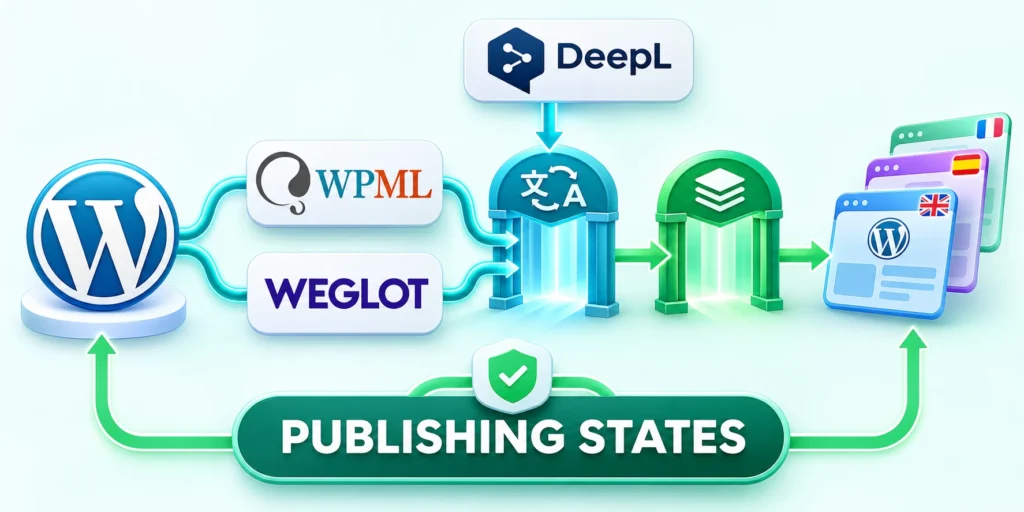
A translation workflow should distinguish draft, ready for translation, translated, locally reviewed, approved, published, outdated, and retired states where those distinctions matter.
Confirm these define translation publishing conditions before launch:
- Record source language and authoritative version.
- Assign translator and regional reviewer.
- Flag legal or technical review requirements.
- Block publication when mandatory review is missing.
- Notify owners when source content changes.
- Retire obsolete translations with their source.
Name the role allowed to move content between states. Preserve the source revision so reviewers can identify translations affected by a later source change.
Test whether scheduled publishing, revisions, previews, search indexing, and rollback behave consistently for every supported content type and locale.
Keep locale routing and metadata testable
Choose a stable URL structure and document how visitors, search engines, forms, analytics, and integrations identify locale and market.
Use these define translation publishing criteria for review:
- Verify canonical URLs for every localized page.
- Confirm alternate-language relationships are reciprocal.
- Test missing translations and fallback behavior.
- Check localized titles, descriptions, and structured data.
- Validate forms, consent, routing, and confirmation messages.
- Segment analytics without fragmenting one customer journey.
Avoid automatic redirects that prevent visitors or crawlers from reaching another language. Provide visible language selection and preserve deliberate user choice.
Use representative test accounts from different regions. Confirm that content, permissions, notifications, and downstream records follow the documented market rules.
Plan recovery for partial localization failures
A failed translation synchronization should not corrupt the source page or publish an incomplete locale silently. Route failed items into a visible recoverable queue.
Apply these define translation publishing controls consistently:
- Preserve the failed payload and source revision.
- Prevent duplicate pages during retries.
- Reconcile published status across locales.
- Restore navigation and alternate-language references.
- Verify corrected pages before closing the incident.
The runbook should identify affected locales, last successful revision, integration status, manual publishing option, customer impact, and the owner authorized to pause synchronization.
Practice one controlled failure in a safe environment. Confirm that operators can identify, contain, correct, and reconcile the affected locale without broad production changes.
Enterprise WordPress Security Governance

Enterprise security is a routine of controlled access, maintained software, protected data, and practiced recovery. A security plugin can help, but it cannot replace accountable operations.
Start with a threat model tied to the site’s real functions: publishing, account access, forms, commerce, integrations, and administration.
Reduce access to the work each person performs
WordPress roles bundle capabilities, which are the individual permissions that control actions. Assign the least access needed for each job, then review accounts when people change roles.
Apply these enterprise wordpress security controls consistently:
- List the tasks performed by writers, editors, marketers, developers, and administrators.
- Compare those tasks with the capabilities of existing WordPress roles.
- Use a dedicated custom role only when the built-in roles cannot match the workflow.
- Require individual accounts, strong authentication, and prompt offboarding.
- Test permissions with a non-administrator account before making the role standard.
For example, a writer who drafts articles should not need administrator privileges to edit content. A release engineer may need temporary elevated access during a controlled deployment.
Check sensitive actions by capability in custom code. Do not assume a user is authorized merely because a button is hidden or a request came from the administration screen.
Verify capability behavior directly
Test permitted and denied requests directly because hidden controls and interface visibility do not prove server-side authorization.
The WordPress guidance on roles and capabilities explains how permissions relate to roles and how code can check a user’s capability.
Example: guard a custom administrative action
When a custom plugin processes an administrative action, check the capability inside its server-side callback before changing data.
if ( ! current_user_can( 'edit_posts' ) ) {
    wp_die( 'You are not allowed to edit posts.' );
}

// Continue processing the authorized action here.
Place the guard at the start of the callback that handles the request, before saving content or settings. Choose a capability that matches the action’s risk.
Verify and protect the request flow
Verify with two accounts: an authorized editor should complete the action, while an account without the capability should be denied.
This check is one layer, not a complete request-security design. Sensitive forms and endpoints also need appropriate nonce or authentication handling and safe input validation.
Build a predictable update and extension process
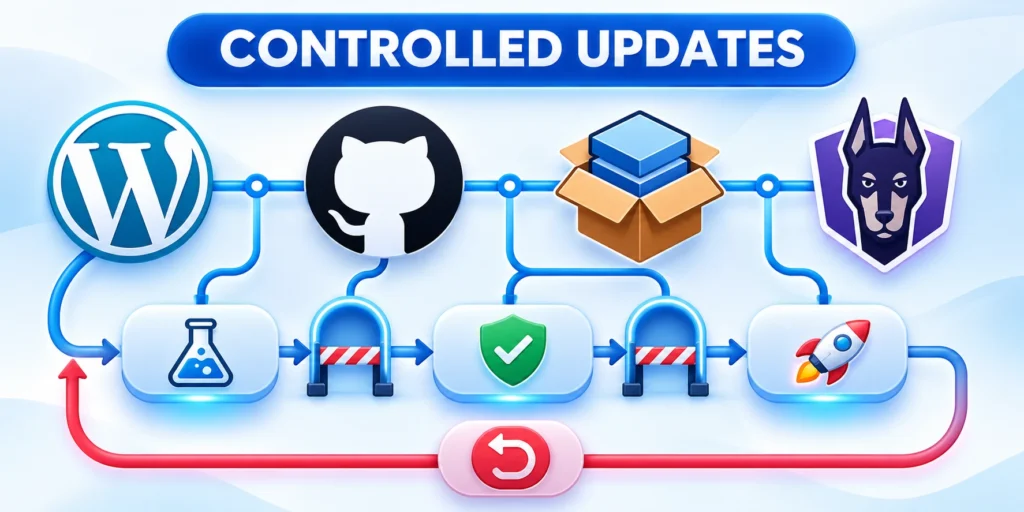
Track WordPress core, themes, plugins, custom code, PHP, and hosting as one service. Updates can fix vulnerabilities but may change important business workflows.
Maintain an inventory that includes purpose, owner, vendor, support status, dependencies, and last review. Remove extensions that no longer serve a documented need.
Use a repeatable release process
Use a repeatable release path: review the change, apply it in a lower environment, test important journeys, schedule production rollout, and observe the site afterward.
Test the actions users rely on: sign-in, publishing, search, forms, checkout, integrations, and role-specific screens. A successful homepage load alone does not show that the platform works.
Prepare rollback and incident response
Keep a rollback decision ready. If a release breaks a critical journey, restore the prior known-good artifact or disable the change using a documented procedure.
Use the existing WordPress security protocol as a companion for reviewing update ownership, backups, monitoring, and incident response.
Prove that backups can restore the service
A backup is useful only if it can be restored within the business’s recovery target. Confirm that copies include the database, uploads, configuration, and any required deployment artifacts.
Apply these build predictable update controls consistently:
- Choose a staging environment that cannot send real customer messages or payments.
- Restore a recent backup into that environment using the written procedure.
- Verify login, content, media, key integrations, and permissions after restoration.
- Measure elapsed time and compare it with the agreed recovery target.
- Record gaps, assign owners, and repeat the exercise after major platform changes.
Keep at least one protected copy separate from the production account. Limit who can delete or replace backups, and monitor whether scheduled jobs complete.
For an incident, preserve relevant logs and timestamps before changing systems. Follow the organization’s response process for containment, investigation, customer communication, and recovery.
Build an access review around capabilities

Review sensitive capabilities against real job responsibilities, temporary duties, service accounts, and emergency access instead of relying only on role names.
Record approvals, exceptions, expiry, and removal evidence so elevated access does not survive the work that justified it.
Review capability assignments in context
Sample permitted and denied actions for each role before accepting the access design.
Apply these build access review controls consistently:
- Assign roles based on tasks, not seniority alone.
- When custom actions are added, check the specific capability at the server boundary.
- Review dormant accounts, shared credentials, and integrations quarterly or after staff changes.
- Keep an audit trail of consequential actions.
List people and service accounts that can publish, edit others’ content, install plugins, manage users, change settings, or export data. Review the capability each actually needs for current work.
Treat updates as controlled changes
Maintain an inventory of WordPress core, theme, plugins, custom extensions, and external services. For each item, record owner, business purpose, update path, and the routes that depend on it.
Review these build access review checks before proceeding:
- Before an important update, capture a recoverable backup and test the new version in staging.
- Document the expected change and rollback trigger.
- Verify representative workflows after deployment.
After release, inspect logs and key flows. Verify that scheduled jobs, webhooks, and editor permissions still behave as expected. Record the version actually deployed, not merely the version planned.
Do not treat an automated update result as sufficient evidence of compatibility across representative production workflows.
Practice restoration before an incident
Restore representative files, database records, configuration, credentials, and integrations in an isolated environment before relying on the documented recovery target.
Use these build access review criteria for review:
- Define the recovery objective for each important service.
- Include files, uploads, database, configuration, and the custom code needed to run the site.
- Run a restore exercise in a safe environment.
- Test the handoff among people.
- After the exercise, update the procedure and rerun the failing step.
Measure recovery time, data loss, access, integration behavior, and follow-up reconciliation against the documented service objective.
Prepare an incident decision tree
Map detection, triage, containment, evidence, communication, restoration, reconciliation, and review decisions to named roles before a production incident.
Apply these build access review controls consistently:
- Define the first three questions an operator asks.
- Give each incident a coordinator who records time, observations, actions, and owners.
- follow the organization’s security process for access revocation, credential rotation, evidence preservation, and notification decisions.
- identify the failing layer using an external request.
- Afterward, document what detected the incident, what delayed recovery, and which control would reduce recurrence.
Exercise the decision tree with realistic platform, security, data, vendor, and editorial failure scenarios.
Enterprise WordPress Performance Reliability

Performance work should begin with a slow user journey, not a plugin shopping list. Measure the page or action, identify the expensive step, and confirm improvement after each change.
A public article, a product catalog, and a personalized customer dashboard have different caching and freshness needs. Treat them as separate paths in the performance plan.
Establish a useful baseline
Measure representative pages from a consistent location and device profile. Record response time, transfer size, major requests, and the time required for key interactions.
Run the same check before and after a change. Avoid comparing a quiet test hour with a busy production period and attributing every difference to new code.
Interpret measurements in context
For example, if an article is slow only on the first request, inspect cache behavior. If it remains slow for every visitor, examine database queries, assets, and third-party calls.
Log errors and capacity signals alongside page timing. A fast page that fails during traffic peaks is not a reliable improvement.
Run a repeatable performance verification
Pick one high-value journey, such as opening a product page and submitting a quote request. Record the same steps, account state, region, and test data each time.
Apply these enterprise wordpress performance controls consistently:
- Capture the uncached and cached request behavior.
- Check that personalized pages do not expose one account’s data to another.
- Confirm a content edit clears or refreshes the relevant cached response.
- Repeat the same run during expected peak demand when safe.
- Keep the previous configuration available until the new behavior is confirmed.
Change one major factor at a time. If caching and image optimization change together, you cannot easily attribute an improvement or regression.
Record the result beside the change request. A measured baseline helps teams decide whether to scale infrastructure, optimize code, or accept the current response.
Apply caching where responses can be reused
Page caching can reuse a public response instead of rebuilding it on every request. It fits pages that do not vary by user or change constantly.
Exclude account pages, checkout steps, and other personalized paths unless the cache safely varies by the required state. Incorrectly shared private responses can expose user-specific information.
Define cache freshness and invalidation
Define how a content edit, product change, or deployment invalidates cached responses. Test the invalidation path so visitors do not continue seeing a stale price or outdated instruction.
WordPress documents page, browser, server, and object caching in its caching guidance. Choose a mechanism that matches the workload and hosting support.
Reduce application and database work

Prioritize repeated work that affects representative user journeys, administrative operations, scheduled processing, and recovery during peak demand.
Measure the complete transaction before and after each change so local speed gains do not create stale data or inconsistent behavior.
Profile application work before changing it
Profile expensive operations before changing code. Repeated remote requests, oversized queries, unbounded result sets, and redundant plugin hooks can all add time to a request.
Use pagination for large admin lists, limit fields returned by integrations, and avoid loading a full catalog when the screen needs only a small subset.
Move optional work off the critical path
If an integration is not essential to rendering, move the work to a queue or background task where appropriate. Include retry limits and a way to inspect failed jobs.
Persistent object caching can reduce repeated database retrieval, but it requires a supported cache backend and correct invalidation. It is not enabled merely by adding a configuration constant.
Optimize asset delivery after profiling
Prioritize images, fonts, scripts, styles, and third-party assets whose measured transfer, execution, or rendering cost affects representative journeys.
Compress and size images for the display role, load noncritical media when it approaches the viewport, and remove assets that the page never uses.
Design reliability around visible service behavior
Set alerts around user-impacting signals: failed publishing, error rates, checkout failures, queue growth, or an integration that repeatedly times out.
Assign each alert an owner and a first action. For critical errors, use the WordPress downtime troubleshooting guide.
Keep essential journeys useful during failure
Use graceful degradation for noncritical integrations. If a recommendation widget is unavailable, the main product page should remain usable and the failure should be observable.
Apply these reduce application database controls consistently:
- Assign reduce application database business ownership.
- Test a representative reduce application database journey.
- Record reduce application database recovery evidence.
Plan capacity from measured traffic and application behavior. Scaling database connections or adding servers without identifying the bottleneck can increase cost without fixing the slow path.
Review these reduce application database controls before release:
Measure before changing a cache layer

Define freshness, personalization, invalidation, bypass, and recovery requirements before changing page, object, edge, browser, or application caching.
Test authenticated and anonymous journeys separately because a fast cached response can still be incorrect, unsafe, or operationally misleading.
Establish representative cache baselines
Record cache status, freshness, response behavior, and invalidation evidence for every tested route.
Review these measure before changing checks before proceeding:
- Separate where the time is spent.
- Inspect one route at a time.
- State a target that matches the experience.
- Repeat the same measurement after a change with comparable data and load.
Choose representative routes: an article, archive, search result, logged-in editor screen, and dynamic page. Capture response time, database work, asset size, and user-facing measures under ordinary and busy conditions.
Design cache behavior from content rules
Document what may be cached, for whom, for how long, and which event invalidates each stored response or object.
Confirm these measure before changing conditions before launch:
- For each route family, decide whether the response is public, private, or personalized.
- Check cookies, authorization, query parameters, locale, and device variations before caching a response.
- Define how publication, correction, unpublishing, and media replacement invalidate pages and listings.
- Object, page, browser, and CDN caches solve different problems.
- Run an outage test where a cache is cold or unavailable.
Test personalized, authenticated, preview, search, commerce, and editorial paths before expanding cache coverage.
Reduce avoidable database and PHP work
Profile queries, hooks, scheduled tasks, remote calls, and administrative screens before choosing a code, data, or infrastructure change.
Use these measure before changing criteria for review:
- Inspect slow queries and their callers before altering indexes or tables.
- Review autoloaded options, scheduled tasks, expired temporary records, and media metadata with a measured purpose.
- Paginate large administrative and public lists.
- For external API calls, use timeouts and a fallback.
- Watch database connection use, PHP workers, queue age, and error rates during traffic peaks.
Verify the improvement under representative load and confirm that correctness, freshness, and recovery behavior remain intact.
Define reliability through user tasks
Measure whether readers, editors, administrators, integrations, and scheduled processes complete critical tasks within documented service expectations.
Apply these measure before changing controls consistently:
- Monitor more than uptime at the home page.
- Attach an owner and response action to every alert.
- Plan for partial failure.
- Run a brief incident review after a significant failure.
Connect alerts to user impact so teams prioritize failed workflows instead of treating every component signal as equally urgent.
Enterprise WordPress Rollout

Enterprise WordPress succeeds when architecture, security, performance, and ownership work as one operating system. A managed platform is more than a theme and a collection of extensions.
Start with the highest-risk user journey, test the change in a production-like environment, and expand only after the evidence supports the next step.
A practical rollout checklist
Define release scope, dependencies, owners, evidence, monitoring, communication, rollback, and post-release reconciliation before the production window.
Apply these enterprise wordpress rollout controls consistently:
- Confirm the business outcome and service owner for the change.
- Write down affected sites, systems, data, and user journeys.
- Review access, dependencies, security impact, and recovery plan.
- Test the exact change in staging with representative data and accounts.
- Release to a limited audience or low-risk site when the platform supports it.
- Monitor errors, performance, conversions, and support reports.
- Roll back or correct the change when agreed signals exceed the risk threshold.
- Record the result and update the runbook before expanding adoption.
This process keeps investment tied to measurable service needs. It also makes future migrations, audits, and team handoffs less dependent on undocumented knowledge.
Release in bounded stages
Use cohorts, environments, sites, capabilities, or traffic boundaries that limit consequence while preserving meaningful production evidence.
Review these enterprise wordpress rollout checks before proceeding:
- Begin with a route or feature that has a clear owner and measurable result.
- Use a release checklist that covers code, content, settings, media, integrations, and cache behavior.
- Assign someone to run the checks and someone else to decide whether to continue.
- Increase exposure after the first stage passes.
Advance only after acceptance criteria and operational checks confirm the previous stage.
Make ownership survive team changes
Maintain a small operations register for the site. Include the hosting account owner, DNS owner, repository, deployment path, backup location, monitoring contact, editor lead, and vendor escalation route.
Confirm these enterprise wordpress rollout conditions before launch:
- Keep documentation close to the workflow.
- Review the register when staff, vendors, or contracts change.
- Assign a successor before ownership changes.
Reserve time for maintenance in the product plan. A site with no capacity for updates, regression checks, and incident learning accumulates operational risk even when its initial architecture was sound.
Close a release with evidence
Confirm production behavior, data reconciliation, monitoring, documentation, ownership, and removal of temporary access or migration paths.
Use these enterprise wordpress rollout criteria for review:
- Record the exact code revision.
- Record objective response, editing, form, and integration checks with operator and time.
- Compare the observed result with the release goal.
- Keep unresolved findings visible with an owner and next action.
Record unresolved observations with an owner and deadline instead of treating deployment completion as operational acceptance.
Monitor the first production day
Watch representative user journeys, error patterns, queues, integrations, editorial operations, and support signals during the highest-risk period.
Apply these enterprise wordpress rollout controls consistently:
- Review the first production day separately from the release moment.
- Store a concise handoff for the next operator.
- At the next planning meeting, compare the release effort with its expected benefit.
Record deviations and owners instead of treating the absence of a broad outage as complete acceptance.
Compare release evidence and action
Use release evidence that matches the affected workflow and operational consequence.
This comparison keeps rollout decisions reviewable:
| Decision | Evidence | Action |
|---|---|---|
| Change code | Automated tests | Stage |
| Move content | Record sample | Reconcile |
| Change cache | Journey tests | Verify |
| Retire plugin | Usage audit | Remove |
Define the Enterprise Platform Boundary

Document which publishing, commerce, membership, integration, workflow, search, personalization, and application responsibilities belong inside WordPress and which remain external.
A clear boundary reduces fragile customization and prevents the CMS from becoming an undocumented integration layer for every business capability.
Record Supported Extension Points
Use public APIs, hooks, blocks, configuration, and stable integration contracts instead of modifying core, theme, or plugin files directly.
Track every custom extension with an owner, purpose, dependencies, tests, security review, update strategy, and retirement condition.
Design a Maintainable Codebase
Separate presentation, business rules, integrations, and deployment. When modeling content with Advanced Custom Fields, keep field definitions independently reviewable and testable.
Keep site-specific behavior in owned plugins or supported configuration, with version control and reproducible builds across every managed environment.
Control Dependencies and Provenance
Inventory packages, plugins, themes, libraries, build tools, licenses, maintainers, update channels, signatures, and known vulnerabilities before production approval.
Pin and review dependencies deliberately while preserving a tested path to supported updates instead of allowing indefinite version drift.
Establish Environment Parity
Define development, integration, staging, training, and production environments with documented differences in data, services, scale, secrets, access, and external connectivity.
Parity should cover the behavior needed for credible testing without copying sensitive production information unnecessarily into less controlled systems.
Use Environment Manifests
Record WordPress, PHP, database, server, plugin, theme, configuration, scheduled task, storage, and integration versions for each release target.
Compare the manifest before deployment and investigate unexpected differences rather than assuming a successful file transfer produced an equivalent environment.
Build a Controlled Release Pipeline
Automate repeatable packaging, validation, tests, approvals, backups, deployment, cache handling, health checks, and rollback while preserving evidence for each release.
Separate code delivery from risky data or content migrations when different recovery and acceptance procedures are required.
Define Release Acceptance
Verify representative public routes, authenticated workflows, editorial operations, APIs, search, forms, email, scheduled work, integrations, and error monitoring after deployment.
Apply these define enterprise platform controls consistently:
- Assign define enterprise platform business ownership.
- Test a representative define enterprise platform journey.
- Record define enterprise platform recovery evidence.
A release is complete only when the intended behavior is confirmed and accountable owners accept any remaining limitation.
Review these define enterprise platform controls before release:
Model Content and Metadata Deliberately
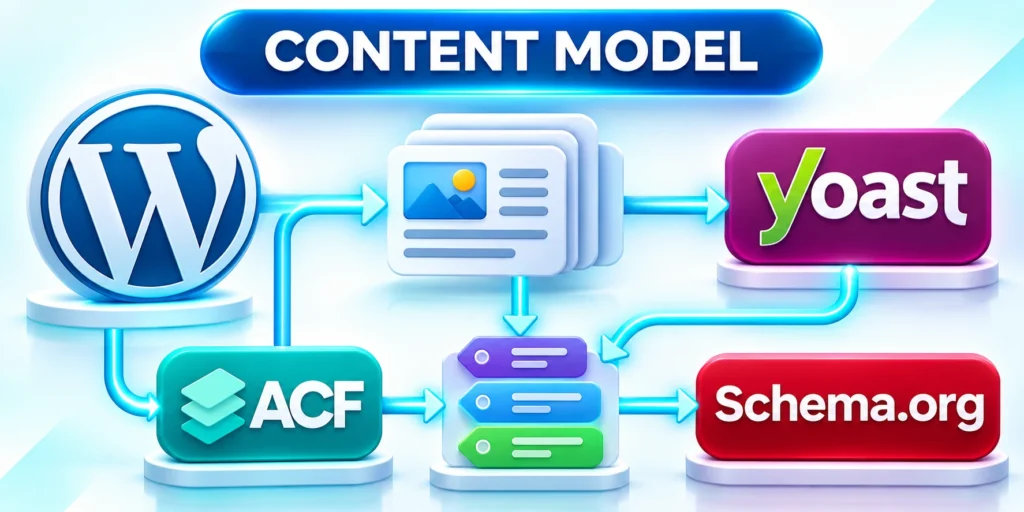
Define post types, taxonomies, fields, relationships, revisions, workflows, permissions, archives, URLs, search behavior, structured data, and migration rules from publishing needs.
Avoid creating a custom field for every local preference; shared concepts require definitions, ownership, validation, and compatibility with downstream consumers.
Govern Schema Evolution
Assess templates, blocks, APIs, imports, exports, search, analytics, and historical content before changing shared fields or relationships.
Provide migrations and fallbacks so older records remain usable while editors and integrations transition to the new model.
Protect Editorial Workflows
Map drafting, review, translation, approval, publishing, rollback, and archive needs across teams and content types. Use that map to design WordPress content governance workflows.
Configure permissions and states around accountable decisions instead of granting broad access because the default role model feels easier initially.
Test Concurrent and Exceptional Work
Verify revisions, autosave, locking, scheduled publication, failed media, expired sessions, rejected reviews, late translations, and emergency corrections before launch.
Editors need clear feedback and recovery paths when a workflow fails, not silent loss or duplicate publication.
Design Database Responsibilities
Separate transactional WordPress data from analytics, logs, search indexes, caches, and integration queues when their scale, retention, or access patterns differ materially.
Review query behavior, indexes, autoloaded options, revisions, metadata growth, locks, and long-running maintenance using production-like evidence.
Plan Safe Data Changes
Back up recoverably, test migrations on representative volume, bound execution, monitor locks, define rollback, and reconcile affected records after schema or bulk updates.
Never assume a successful command preserved relationships, encoding, serialized values, permissions, and business meaning across every record.
Engineer Caching as a Consistency System
Document browser, CDN, full-page, object, fragment, application, and origin caches with keys, variation, TTL, invalidation, bypass, and ownership.
Performance gains are useful only when authenticated, personalized, regional, legal, or newly published content remains correct for the intended visitor.
Test Invalidation and Failure
Verify publication, update, deletion, redirect, permission, price, inventory, and configuration changes across cache layers and representative edge locations.
Define safe behavior when a cache, purge service, origin, or dependency is delayed or unavailable.
Scale Media and File Delivery
Plan upload validation, format, dimensions, metadata, access, storage, derivatives, optimization, CDN delivery, retention, backups, and replacement for every media workflow.
Separate public assets from protected files and ensure application authorization is enforced before delivery, not only in the WordPress interface.
Control Media Lifecycle
Track ownership, usage, variants, orphan detection, legal retention, credit, expiration, and deletion without breaking content or serving stale derivatives.
Test restoration and regeneration procedures because a database backup alone cannot recover missing originals or derived files.
Operate Scheduled and Asynchronous Work
Inventory cron events, queues, webhooks, imports, exports, indexing, email, cleanup, and integration jobs with owners, frequency, concurrency, retry, timeout, and idempotency.
Move critical workloads away from traffic-dependent scheduling when execution timing and reliability affect customers or business obligations.
Monitor Job Outcomes
Record starts, completion, delay, failures, retries, duplicate execution, affected records, and dead-letter states with actionable alerts and runbooks.
Apply these model content metadata controls consistently:
- Assign model content metadata business ownership.
- Test a representative model content metadata journey.
- Record model content metadata recovery evidence.
A process that eventually succeeds may still violate its service level or create contradictory downstream actions.
Review these model content metadata controls before release:
Apply Layered Application Security

Combine secure configuration, supported software, least privilege, input validation, output escaping, request authorization, secret management, monitoring, backups, and incident response.
No single plugin or firewall replaces responsible code, access, hosting, data, and operational controls across the complete system.
Review Custom Capabilities
Check nonce, authentication, authorization, object ownership, rate limits, validation, logging, and error behavior for each custom endpoint or privileged action.
Test as representative roles because administrator success does not prove that other users are correctly restricted.
Govern Administrative Access
Use named accounts, strong authentication, least privilege, approval, time-bounded elevation, session controls, joiner-mover-leaver processes, and emergency access with review.
Inventory service accounts and integrations separately because they often retain broad privileges after projects, employees, or providers change.
Audit Effective Permissions
Sample sensitive records, media, settings, exports, APIs, plugins, user management, and infrastructure access from the perspective of each privileged role.
Apply these apply layered application controls consistently:
- Assign apply layered application business ownership.
- Test a representative apply layered application journey.
- Record apply layered application recovery evidence.
Investigate inherited or indirect access that may not be apparent from the role name or a single administration screen.
Review these apply layered application controls before release:
Protect privileged platform paths
Map administrator accounts, service credentials, deployment access, domain control, integration secrets, exports, and emergency recovery paths by business consequence and likely customer impact.
Require named access, strong authentication, least privilege, approval, rotation, offboarding, logging, and tested recovery for every privileged path.
Verify security controls through behavior
Test representative allowed and denied actions across the editor, REST endpoints, uploads, scheduled jobs, integrations, and administrative workflows.
Review logs and alerts to confirm that important failures are detectable, attributable, actionable, and preserved long enough for investigation.
Design Recoverable Backups

Protect database, files, configuration, secrets, infrastructure definitions, external dependencies, and operational documentation according to business recovery objectives.
Keep backups isolated from the primary failure domain and protect access, retention, encryption, integrity, and deletion appropriately.
Prove Restoration
Restore representative backups into a controlled environment, verify content and workflows, measure recovery time, and reconcile changes around the recovery point.
Update procedures after every exercise because an untested backup is evidence of storage, not evidence of recoverability.
Build Actionable Observability
Collect availability, latency, errors, resource use, database behavior, cache performance, scheduled jobs, integration outcomes, security events, and representative business transactions.
Connect telemetry to releases and dependencies so responders can distinguish application defects from traffic, infrastructure, vendor, data, or configuration changes.
Define Alerts and Runbooks
Alert on user or business impact with thresholds, context, owner, escalation, safe diagnostic steps, communication, and recovery guidance.
Review false positives and missed incidents instead of adding alerts until important signals disappear inside operational noise.
Test Performance With Real Workloads
Measure uncached, cached, authenticated, editorial, API, search, upload, checkout, and background operations using representative data, concurrency, geography, and dependencies.
A fast homepage does not prove that editors, integrations, customers, or high-value conversion journeys meet their performance objectives.
Set Performance Budgets
Assign budgets for response, rendering, assets, queries, external calls, jobs, and infrastructure cost, then enforce them during release review.
Investigate regressions by component and business journey rather than optimizing isolated technical metrics without user impact.
Plan Capacity and Degradation
Estimate traffic, publishing peaks, campaigns, imports, crawlers, administrative work, scheduled jobs, and dependency limits with documented assumptions and headroom.
Scale the bottleneck supported by evidence; additional application servers cannot fix a saturated database, external API, queue, or origin design.
Define Graceful Degradation
Prioritize essential reading, publishing, authentication, transaction, or service functions when search, personalization, recommendations, analytics, or another dependency fails.
Apply these design recoverable backups controls consistently:
- Assign design recoverable backups business ownership.
- Test a representative design recoverable backups journey.
- Record design recoverable backups recovery evidence.
Test degraded modes and recovery so a protective fallback does not expose data, accept invalid work, or preserve stale state indefinitely.
Review these design recoverable backups controls before release:
Prepare Incident Response
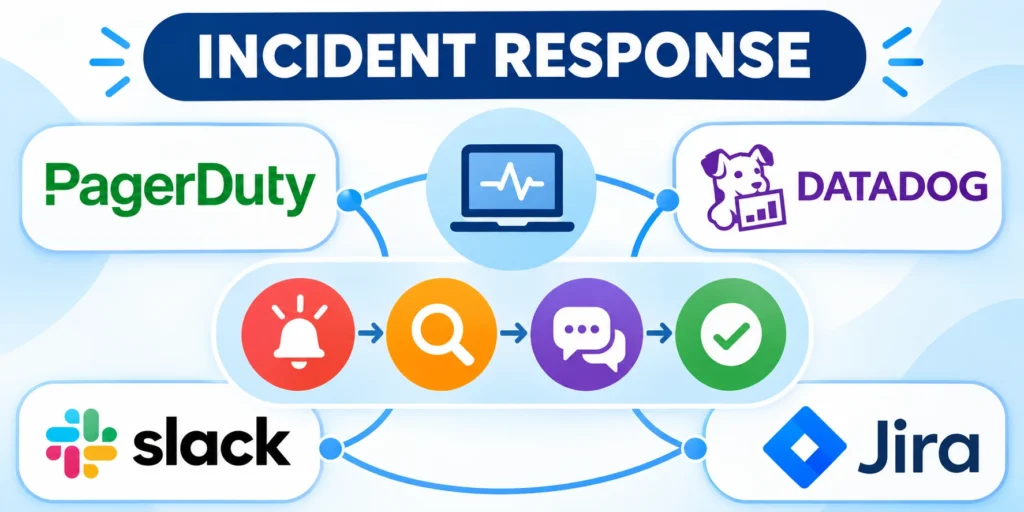
Define detection, severity, command, technical roles, evidence, containment, recovery, communication, legal escalation, vendor coordination, and customer support for plausible WordPress incidents.
Maintain contacts and access outside the affected platform so responders can coordinate when the site, identity provider, or administration interface is unavailable.
Learn From Incidents
Reconstruct the timeline, contributing conditions, control performance, customer impact, recovery, and residual risk without reducing the review to one individual mistake.
Assign preventive actions with owners and validation, then update tests, runbooks, monitoring, architecture, and training.
Make Accessibility Part of Delivery
Define semantic, keyboard, focus, contrast, form, media, motion, error, and editorial requirements for themes, blocks, plugins, and custom workflows.
Combine automated checks with keyboard, screen-reader, zoom, and representative user review because important barriers cannot be detected mechanically.
Protect Accessibility Through Change
Test reusable components and critical journeys after theme, plugin, content-model, browser, or assistive-technology changes rather than relying on one launch audit.
Give editors practical constraints and previews so routine publishing does not reintroduce heading, link, image, table, or media barriers.
Choose Multisite Only for Shared Governance
Evaluate domains, ownership, users, themes, plugins, data isolation, deployment, localization, compliance, reporting, and failure impact before adopting WordPress Multisite.
Multisite simplifies some shared administration but can couple release schedules and privileges across properties that require independent operating boundaries.
Plan Site Provisioning and Exit
Automate approved provisioning, baseline configuration, ownership, observability, backups, domains, and decommissioning without granting uncontrolled network-level access.
Test export and separation before assuming a site can move cleanly when organizational, legal, vendor, or performance requirements change.
Embed Privacy and Retention Controls
Inventory personal data in forms, accounts, comments, analytics, logs, plugins, media, backups, integrations, exports, and administrative workflows.
Define purpose, authority, access, consent, retention, correction, deletion, export, notification, and vendor responsibilities with qualified legal and privacy guidance.
Test Complete Data Requests
Exercise access, correction, objection, and deletion across connected systems so the visible WordPress record does not hide retained copies or contradictory preferences.
Preserve lawful records and evidence while preventing expired data from remaining available through caches, exports, search indexes, or old integrations.
Manage Vendor and Plugin Lifecycle
Review support, ownership, security response, roadmap, compatibility, portability, data access, pricing, service levels, and exit terms for critical external dependencies.
Maintain alternatives and recovery plans for components whose failure or abandonment would interrupt publishing, customer access, transactions, or regulatory obligations.
Practice Dependency Removal
Test data export, configuration replacement, URL preservation, content rendering, feature substitution, and rollback before a commercial or technical emergency forces migration.
Apply these prepare incident response controls consistently:
- Assign prepare incident response business ownership.
- Test a representative prepare incident response journey.
- Record prepare incident response recovery evidence.
Retire unused dependencies completely by removing access, secrets, scheduled jobs, webhooks, data copies, billing, and monitoring after verification.
Review these prepare incident response controls before release:
Conclusion

Enterprise WordPress succeeds when architecture, security, performance, governance, and recovery operate as one accountable service rather than separate technical projects.
Teams need clear boundaries, verified ownership, representative testing, staged change, and evidence that production behavior matches customer and editorial expectations.
Keep platform boundaries explicit
Document what WordPress and external systems each own. For B2B wholesale pricing in WooCommerce, clarify where pricing rules run and which system owns the data.
Review those decisions whenever business workflows, vendors, traffic, teams, or regulatory obligations change materially.
Operate security and recovery together
Least privilege, controlled releases, tested restoration, incident ownership, and reliable evidence reduce both preventable failures and recovery uncertainty.
Apply these conclusion controls consistently:
- Protect high-consequence administrative actions.
- Rehearse restoration with representative data.
- Close releases with verified production evidence.
Use these final operating priorities:
Improve through bounded releases
Release in stages with acceptance criteria, monitoring, rollback, and reconciliation that reflect the real user and editorial journeys at risk.
A maintainable platform evolves through documented decisions, measured behavior, explicit ownership, and deliberate retirement of obsolete paths.
Preserve a reviewable operating record
Keep architecture decisions, ownership, access exceptions, release evidence, incidents, restoration results, dependencies, and retirement plans outside individual vendor interfaces.
That record helps future teams understand why the platform behaves as it does and which assumptions require new evidence.
Make the next platform decision explicit
End each review with one prioritized action, a named owner, required evidence, a bounded rollout, recovery conditions, and a decision date.
This discipline turns enterprise WordPress improvement into accountable service management instead of an accumulating backlog of disconnected technical tasks.
Review the service as a whole
Revisit architecture, security, performance, recovery, accessibility, vendors, and ownership together whenever one change can affect several operational boundaries.
The result should remain understandable, testable, recoverable, and supportable by the teams responsible for its real production behavior.
FAQ
These answers clarify common enterprise WordPress architecture and operating decisions.
What makes a WordPress site enterprise-ready?
Enterprise readiness means the site has clear ownership, controlled access, maintained software, tested recovery, reliable integrations, and service behavior that can be measured.
Should a company use WordPress multisite?
Use multisite when related sites genuinely share governance and operating needs. Choose separate installations when data, legal, security, or release boundaries require independence.
How should teams separate development, staging, and production?
Use separate environments with controlled credentials and integrations. Keep staging representative, prevent it from triggering real transactions, and restrict production changes to approved releases.
How often should WordPress plugins be reviewed?
Review the inventory on a regular schedule and whenever ownership or business requirements change. Prioritize security advisories and unsupported extensions without waiting for a routine review.
Which WordPress role should enterprise authors receive?
Give authors the capabilities needed to create and manage their assigned content. Test the workflow with a non-administrator account instead of granting broad access by default.
Does a security plugin make WordPress secure?
No single plugin covers the entire service. Access reviews, updates, backups, hosting controls, monitoring, and incident response remain necessary operating responsibilities.
What should a WordPress backup include?
Include the database, uploaded media, configuration, and deployment artifacts needed to restore the site. Confirm the recovery path with a timed restoration exercise.
When should an enterprise WordPress site use a CDN?
A CDN can help deliver cacheable assets and pages closer to visitors. Measure the existing bottleneck and test cache rules for personalized or frequently updated content.
Does object caching replace page caching?
No. Page caching reuses rendered responses, while object caching can reuse application data. They address different work and should be configured for the site’s actual request patterns.
How can a team reduce risk during a WordPress migration?
Inventory URLs, integrations, data, and user journeys; rehearse the migration; verify recovery; and monitor a controlled cutover with a documented rollback decision.



Leave a Reply