


How the Integration Fits Together

A HubSpot CRM WordPress integration connects a headless site to forms, contact records, and marketing workflows while keeping content delivery separate.
A reliable integration defines what data moves, which system owns each field, and where credentials stay before connecting either platform.
Keep content delivery separate from CRM updates
WordPress can publish pages and articles through its REST API. The frontend requests that content and renders it using its own framework, routes, and design system.
HubSpot should receive explicit visitor actions, such as a form submission or a consented request for contact. It does not need every WordPress page view or content record.
Example: separate content visits from lead capture
Review separate content visits from lead capture with production-like data before expanding the integration or changing protected records.
For example, a documentation page can remain public in WordPress while a separate demo-request form creates or updates a HubSpot contact after submission.
Assign one source of truth to each field
Use CRM data governance rules to decide which system owns email, consent, lifecycle stage, and attribution. Without that agreement, a later sync can overwrite newer or more accurate data.
A practical default is to let HubSpot own contact lifecycle and consent records, while WordPress owns editorial content and public page metadata.
Limit fields to a clear business need
Review limit fields to a clear business need with production-like data before expanding the integration or changing protected records.
Keep the integration narrow. If a field is not needed for routing, personalization, reporting, or a documented business process, do not collect or synchronize it.
Keep the CRM boundary focused
For the broader frontend architecture, see our guide to decoupling WordPress for high-performance web apps.
This article focuses on the CRM boundary: capturing a useful lead, mapping data consistently, and verifying that the submission reached the intended HubSpot record.
Review these integration controls before implementation:
- Separate content from CRM writes
- Assign each source of truth
- Limit collected fields
- Document system boundaries
Choose the Right Integration Pattern

The right pattern depends on whether the form needs HubSpot’s native behavior or a fully custom application flow.
Start with the simplest option that meets consent, validation, branding, and analytics requirements. More custom code means more maintenance and failure modes.
Use an embedded HubSpot form for standard lead capture
A HubSpot form embed is often the fastest choice when the marketing team needs to edit fields, notifications, or follow-up workflows without a code release.
In HubSpot, open Marketing, then Forms. Edit or create a form, choose Review and update, then select the option to copy the embed snippet.
Place the embed and register the domain
Add the embed through the frontend application’s supported HTML component or a server-rendered form component. Avoid pasting untrusted script into a page field available to ordinary editors.
Register the frontend domain in HubSpot tracking settings and install the tracking code when analytics are required. Otherwise, submissions from an unrecognized domain may be treated as spam.
Know the embed trade-offs
Review know the embed trade-offs with production-like data before expanding the integration or changing protected records.
Embedded forms reduce custom integration code, but detailed styling and validation can be constrained by HubSpot’s embed behavior and the frontend’s content security policy.
Use a server-side API when the experience must be custom
A backend API integration fits custom signup flows, application portals, or cases where the frontend must validate and transform data before it reaches HubSpot.
The browser sends the submission to your application backend. That backend validates the request and calls HubSpot with a private app token stored in server configuration.
Protect the server-side integration
Never place a private app token in browser JavaScript, a public repository, page source, or a query string. Browser code is visible to every visitor.
API-based sync offers control over field mapping and error handling, but your team becomes responsible for rate limits, retries, consent evidence, validation, and operational alerts.
| Pattern | Best fit | Trade-off |
|---|---|---|
| HubSpot form embed | Standard marketing forms | Less custom validation control |
| Backend API | Custom flows that need server-side business logic | More engineering and monitoring |
| Automation platform | Low-volume workflows with supported connectors | Another vendor and processing delay |
Before building custom API logic, compare it with a native embed and an approved automation connector. Choose based on requirements and ownership, not novelty.
For a wider look at custom HubSpot API patterns, use our guide to building custom API integrations for HubSpot.
Review these integration controls before implementation:
- Match customization to the pattern
- Name the operational owner
- Verify consent handling
- Document the failure path
Fetch WordPress Content for the Headless Frontend

The frontend can retrieve public WordPress posts through the REST API without exposing editorial credentials.
Keep this content request separate from HubSpot writes. Public page rendering should not require a CRM token or contact permissions.
Request only the fields the page renders
Review request only the fields the page renders with production-like data before expanding the integration or changing protected records.
For a published article, a frontend can query the posts endpoint by slug and request a limited set of fields. This reduces unnecessary response data.
Example: request a published post by slug
GET https://example.com/wp-json/wp/v2/posts?slug=integration-guide&_fields=id,slug,title,excerpt,content,featured_mediaRun the request from the frontend’s server-side data layer or a trusted backend. Replace the domain and slug with the site values, then inspect the HTTP status and returned JSON.
A successful response is usually an array containing the matching post. An empty array means the slug did not match a publicly available post.
Render the response safely
Review render the response safely with production-like data before expanding the integration or changing protected records.
Render title and excerpt as text. Sanitize permitted rich content using the frontend framework’s safe rendering approach; never concatenate arbitrary API content into executable script.
Use authentication only for private data
Public posts do not require a WordPress application password. Drafts, private content, or protected editorial data need authenticated requests from a trusted server.
Create a separate WordPress application password for the integration user, use HTTPS, and store the credential in server secrets. Revoke it if the integration is retired.
Keep private WordPress data on the server
Do not add a WordPress application password to a public frontend bundle. Anyone can inspect bundled JavaScript and retrieve the credential.
For a read-only public article route, test the endpoint directly and confirm the result contains only published content before adding it to the production frontend.
Review these integration controls before implementation:
- Request only rendered fields
- Cache public responses safely
- Keep private queries server-side
- Escape rendered content
Map Website Data to HubSpot Contacts

Treat field mapping as the contract between the form and the CRM. The API integration playbook covers contract design and failure handling.
Document each form field, destination property, format, and consent purpose before implementation. This catches mismatched names and unnecessary collection early.
Create an explicit mapping table
| Form input | HubSpot contact property | Validation |
|---|---|---|
| Work email | Normalize and validate email | |
| First name | firstname | Optional by business rule |
| Last name | lastname | Optional unless configured as required |
| Consent choice | Approved consent property | Store the explicit choice |
| Campaign source | Approved campaign property | Allow known values only |
Check the HubSpot account’s property schema before sending. Required fields and validation rules can vary by portal configuration and may reject otherwise valid requests.
Use email as the deduplication key for a basic contact create-or-update workflow, while following the portal’s current API behavior and privacy requirements.
Avoid duplicate records and accidental overwrites
Normalize email addresses before sending and handle an existing contact as an update path rather than blindly creating a second record.
Do not overwrite lifecycle stage, sales ownership, or consent with empty values from a website form. Define which system can update each property.
Limit updates to approved fields
Map only necessary fields. A short demo form might need email, company, and a consent selection, while a gated report may need only email and consent.
Retain submission context only when it supports a documented purpose, such as routing a request to the correct team or measuring a campaign.
Review these integration controls before implementation:
- Map every approved property
- Normalize identifiers consistently
- Protect existing field ownership
- Review uncertain matches
Protect Credentials, Consent, and Personal Data
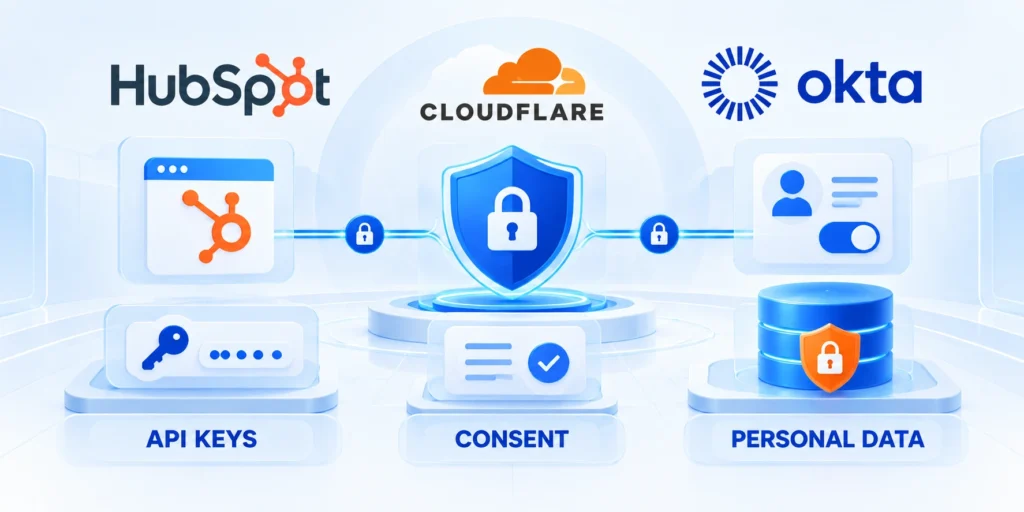
CRM tokens and WordPress credentials grant access to personal or editorial data. Treat them as server secrets with limited scope and a clear owner.
Collect only what the form needs, explain the purpose, and preserve the visitor’s actual consent choice.
Keep private tokens on the server
Store a HubSpot private app token in the backend environment or a managed secret store. Grant only the CRM scopes required for the integration.
Never put the token in a page builder, public environment variable, repository, client-side request, or error message. Rotate it if it is exposed.
Example: create a test contact from the backend
Review backend request safeguards with production-like data before expanding the integration or changing protected records.
This request uses HubSpot’s current CRM contacts endpoint. Confirm that your portal accepts these properties and that the private app has the required write scope.
Send the request from a trusted backend
curl --request POST \
  --url https://api.hubapi.com/crm/objects/2026-09/contacts \
  --header "Authorization: Bearer $HUBSPOT_PRIVATE_APP_TOKEN" \
  --header "Content-Type: application/json" \
  --data '{"properties":{"email":"alex@example.com","firstname":"Alex","lastname":"Morgan"}}'
Run this from a trusted server terminal with a test contact you control. Set the token in the environment; do not paste it into shared shell history.
Check the response status and returned contact ID. A validation error usually means a property, required value, scope, or portal rule needs review.
Record consent without inventing it
Show a clear consent choice where required and send the visitor’s actual selection. Do not pre-check an optional marketing checkbox or infer consent from a form submission.
Use the approved HubSpot form consent features or a reviewed server-side consent model. Keep the timestamp and source if your compliance process requires them.
Keep diagnostic logs useful and private
Review keep diagnostic logs useful and private with production-like data before expanding the integration or changing protected records.
Do not log full form payloads, access tokens, or sensitive personal information in routine application logs. Log a request identifier and a safe error category instead.
Review these integration controls before implementation:
- Keep secrets server-side
- Record explicit consent
- Redact diagnostic payloads
- Rotate credentials safely
Implement the Integration Step by Step

A staged rollout reduces the chance that a schema mismatch or credential mistake affects real leads.
Complete each step in a test environment first, then verify one controlled submission before enabling the production form.
Prepare the portal and frontend
Define the owner, evidence, expected result, and recovery boundary for prepare the portal and frontend.
Review prepare the portal and frontend with production-like data before expanding the integration or changing protected records.
Follow this controlled implementation sequence:
- Choose the pattern: match embedded forms or server APIs to styling, validation, ownership, and consent.
- Map fields. Record each field, HubSpot property, validation rule, and business purpose.
- Configure HubSpot: create a form or least-privilege private app with CRM write access.
- Register the domain. Add the production frontend to HubSpot tracking settings when attribution is required.
- Configure secrets. Keep API credentials server-side and exclude them from bundles, logs, and source control.
- Build the server route. Validate input and consent, normalize values, map properties, then call HubSpot.
- Handle failures. Show a safe message, log a request ID, and prevent duplicate submissions.
- Test end to end: verify response, contact, mapped properties, and consent in HubSpot.
- Release gradually: start with one page or audience; review errors and lead routing.
Confirm the expected result
A successful test should create or update one intended contact, preserve the submitted consent choice, and trigger only the expected workflow.
Verify the contact by its test email, inspect the properties you mapped, and confirm the website displays a success message only after the submission is accepted.
Diagnose missing or repeated records
If no record appears, check the HTTP response, token scope, portal validation requirements, and whether the frontend request reached your server route.
If a record appears twice, review retry behavior and deduplication logic before enabling the form broadly.
Test, Deploy, and Monitor the Integration
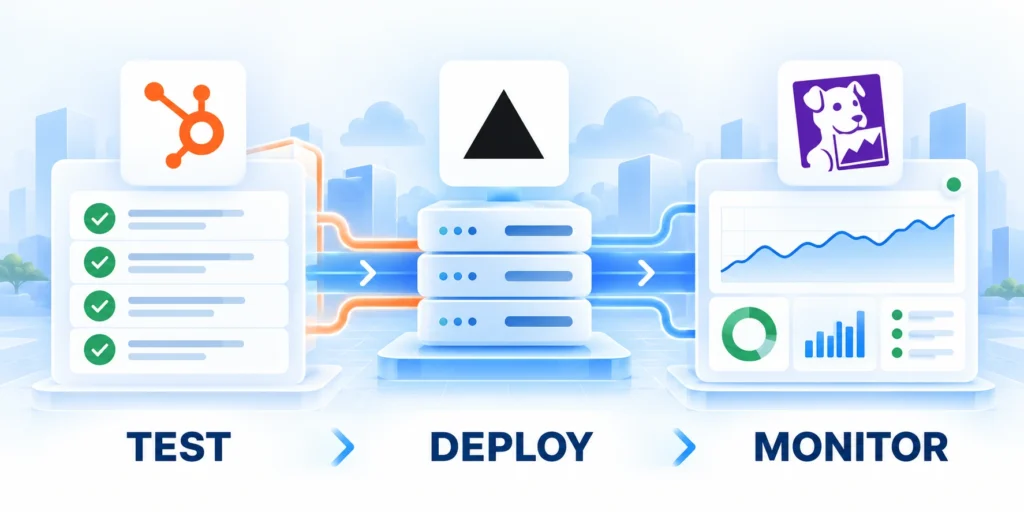
Testing should cover successful submissions and predictable failure cases before the integration receives production traffic.
Monitor the backend route and CRM response without recording secrets or complete personal-data payloads.
Use a small, deliberate test matrix
Review use a small, deliberate test matrix with production-like data before expanding the integration or changing protected records.
| Test | Expected behavior | What to inspect |
|---|---|---|
| Valid new contact | One accepted contact with mapped fields | Response status and HubSpot contact record |
| Existing email | Defined duplicate-safe update | Protected fields remain unchanged |
| Missing required value | Clear validation; no bad record | Frontend message and backend validation |
| Invalid or expired token | Safe failure; no secret in response | Safe logs and credentials |
| Repeated submit | No duplicates or workflow flood | Idempotency and retry behavior |
| Consent declined | No marketing consent is recorded | Consent and workflow eligibility |
Run these cases in a non-production portal or with test records where possible. Confirm that each failure message helps the visitor without exposing internal details.
Deploy with a rollback path
Release the backend route and frontend form together when they depend on the same schema. Keep the previous frontend build and configuration available for rollback.
After deployment, submit one controlled production test and confirm the contact, consent state, and routing. Then monitor error rates and lead assignment.
Respond to errors and portal changes
If errors rise, disable the form or route using the planned feature switch, preserve logs with sensitive values redacted, and restore the last known-good release.
Review HubSpot property changes, API scopes, and frontend domain settings whenever the form or portal configuration changes.
Define the Integration Data Contract
Record every field’s source, owner, format, validation, allowed values, consent meaning, null behavior, and conflict rule.
Version the contract with frontend and backend changes so HubSpot properties do not drift from form labels or application logic.
Protect Identity and Duplicate Handling
Choose stable matching rules for contacts and companies, then test aliases, shared domains, changed emails, retries, and simultaneous submissions.
Route uncertain matches to review instead of silently merging unrelated people or creating uncontrolled duplicates.
Reconcile CRM Outcomes After Release
Compare frontend submissions, backend acknowledgments, HubSpot records, consent values, owner assignments, workflow enrollment, and failure queues.
A successful HTTP response does not prove that the correct record, properties, associations, and downstream actions persisted.
Plan Credential and Scope Changes
Assign owners for private apps, OAuth clients, secrets, scopes, rotation, revocation, monitoring, and emergency recovery.
Test reduced permissions and expired credentials so the integration fails safely without exposing tokens or losing recoverable events.
Handle Rate Limits and Service Interruptions
Use bounded retries, queue visibility, backoff, idempotency, alerting, and recovery controls that preserve the original consented event.
Show visitors an accurate response without promising CRM completion before the backend confirms a durable outcome.
Maintain an Operational Runbook
Document ownership, dashboards, replay rules, and escalation contacts. Use the WordPress security protocol to define credential recovery and incident responsibilities.
Review the runbook after incidents and material portal, schema, frontend, backend, or workflow changes.
Review these integration controls before implementation:
- Test success and failure
- Release with rollback
- Monitor durable CRM outcomes
- Maintain the runbook
Reconcile Frontend Events With CRM Outcomes

CRM outcome reconciliation turns an integration from a form submission into an accountable business workflow. Define what must persist, who owns the result, and which evidence proves completion.
Keep browser feedback separate from CRM durability during crm outcome reconciliation. A successful interface response does not prove that consent, properties, ownership, and downstream automation were stored correctly.
Define crm outcome reconciliation evidence
Choose identifiers that connect the frontend event, backend request, and HubSpot record during crm outcome reconciliation. Preserve a safe request ID without logging complete personal data.
Record the expected property values, associations, workflow eligibility, and owner assignment for crm outcome reconciliation. These checks make missing or partial outcomes visible.
Use these crm outcome reconciliation controls:
- Preserve a request identifier
- Confirm the contact record
- Verify consent values
- Check owner assignment
- Review workflow enrollment
Reconcile crm outcome reconciliation results
Compare accepted frontend events with backend acknowledgments, CRM records, consent states, and routing outcomes for crm outcome reconciliation. Investigate every unexplained difference.
Route uncertain crm outcome reconciliation events to an accountable queue. Do not discard a consented submission or repeatedly create records while recovery remains unclear.
Operate crm outcome reconciliation safely
Assign monitoring, retry, replay, and escalation ownership for crm outcome reconciliation. Operators need a bounded recovery path before production traffic depends on the integration.
Review the controls after schema, credential, workflow, or frontend changes. A versioned contract keeps crm outcome reconciliation fully understandable as the system evolves through every release.
Design Recovery for Failed Submissions

Submission recovery turns an integration from a form submission into an accountable business workflow. Define what must persist, who owns the result, and which evidence proves completion.
Keep browser feedback separate from CRM durability during submission recovery. A successful interface response does not prove that consent, properties, ownership, and downstream automation were stored correctly.
Define submission recovery evidence
Choose identifiers that connect the frontend event, backend request, and HubSpot record during submission recovery. Preserve a safe request ID without logging complete personal data.
Record the expected property values, associations, workflow eligibility, and owner assignment for submission recovery. These checks make missing or partial outcomes visible.
Use these submission recovery controls:
- Classify retryable failures
- Use bounded retries
- Prevent duplicate writes
- Protect consent context
- Assign operator recovery
Reconcile submission recovery results
Compare accepted frontend events with backend acknowledgments, CRM records, consent states, and routing outcomes for submission recovery. Investigate every unexplained difference.
Route uncertain submission recovery events to an accountable queue. Do not discard a consented submission or repeatedly create records while recovery remains unclear.
Operate submission recovery safely
Assign monitoring, retry, replay, and escalation ownership for submission recovery. Operators need a bounded recovery path before production traffic depends on the integration.
Review the controls after schema, credential, workflow, or frontend changes. A versioned contract keeps submission recovery fully understandable as the system evolves through every release.
Conclusion

A reliable HubSpot and headless WordPress integration begins with explicit ownership. WordPress manages approved content, the frontend manages presentation, and the backend protects every CRM write.
Choose the simplest pattern that supports the experience. Embedded forms suit standard capture, while a server-side API supports custom validation, business rules, and controlled recovery.
Protect the complete data path
Keep private credentials away from browsers, map only necessary fields, and preserve the visitor’s actual consent choice. Validate identifiers before updating contacts or creating company associations.
Treat frontend success as provisional until the backend and CRM confirm a durable outcome. Reconciliation should include properties, consent, ownership, workflow enrollment, and failed-event queues.
Keep these integration decisions visible:
- System of record
- Approved field mapping
- Consent interpretation
- Duplicate-handling rule
- Recovery owner
Operate the integration as a service
Monitor errors, rate limits, credential expiry, schema changes, repeated submissions, and delayed workflows. Alerts should identify the failure class without exposing secrets or complete personal-data payloads.
Maintain a tested rollback and replay path. Bounded retries, idempotency, and operator review protect leads when HubSpot or another dependency becomes temporarily unavailable.
Review changes before expansion
Recheck the contract whenever forms, properties, domains, scopes, routing, or frontend releases change. A small controlled test should precede every material expansion.
The integration is ready to scale when teams can explain ownership, verify outcomes, recover failed events, and change the system without corrupting data or inventing consent.
FAQ
These answers clarify common architecture, security, duplicate-handling, and operational questions for the integration.
Can a headless WordPress site use a HubSpot form?
Yes. A frontend can render HubSpot’s embed code or use a backend route that submits validated data to HubSpot. The right choice depends on customization, analytics, and data-handling requirements.
Should the browser call HubSpot directly with a private app token?
No. Keep private app tokens on a trusted server. Browser code is visible to visitors, so a token placed there could be copied and misused.
Do public WordPress posts need an API password?
No. Publicly published posts can be retrieved through the public REST API. Use authentication only for protected content and keep credentials server-side.
How can duplicate HubSpot contacts be prevented?
Normalize email, use the portal’s supported contact upsert or update flow, and make retries safe. Test repeated submissions before enabling production traffic.
What should be checked when a submission fails?
Check the backend response, required properties, private app scopes, domain settings, and safe server logs. Avoid logging tokens or full personal-data payloads.
Should forms create companies automatically?
Only with reliable matching, ownership, eligibility, duplicate controls, and a review path for ambiguous business identities.
How are HubSpot property changes handled?
Review dependencies, update the contract, test existing records, deploy compatible changes, and reconcile affected submissions.
Can failed submissions be retried?
Yes, with idempotency, bounded retries, preserved consent context, secure queues, monitoring, and operator recovery.
What should a form success page confirm?
Confirm receipt accurately, explain the expected next step, provide help, and avoid revealing CRM or routing details.
When should the integration be paused?
Pause after consent errors, data corruption, uncontrolled duplicates, credential compromise, growing failures, or unavailable owners.






Leave a Reply