


Why CRM data cleaning can erase important history
Teams often treat CRM cleanup as formatting: remove duplicates, standardize fields, and delete obsolete-looking records. A CRM data cleaning strategy protects needed context for sales, marketing, service, and finance.
Safe CRM cleanup improves usability while preserving where records came from, how they changed, and which activities connect to them. The goal is trustworthy data, not a smaller database.
Separate the current customer view from the historical record
Consider two contact records for the same buyer. One has the current email address, while the other contains an old campaign response and a completed sales call.
Deleting an older row may break attribution or an audit trail. A merge may preserve activities, but behavior depends on the CRM and record type.
Use these actions to separate the current customer view from:
- Preserve the identifier of the surviving record.
- Record the source and date of each important field value.
- Keep a recoverable export before destructive cleanup.
Dataverse can merge supported account, contact, and lead rows, but its documentation describes platform-specific behavior. Do not assume another CRM handles relationships the same way.
Protect evidence before cleanup
Identify which activities, consent records, ownership changes, and attribution details must remain traceable after the surviving record is selected.
Test recovery with representative records before scaling. A backup is useful only when teams can restore the relationships and context the cleanup may affect.
Build a field inventory before changing records

Start by listing the objects and fields included in the cleanup. Include accounts, contacts, leads, opportunities, and custom objects only when they are in scope.
For each field, note its purpose, origin, owner, update frequency, and dependencies. A field that looks unused may still feed a report, integration, or automation.
Profile the data with measurable checks
Export a representative sample and calculate completeness, uniqueness, valid formats, and freshness. Compare counts by object, creation date, region, source, and lifecycle stage.
If 18% of company records lack a country, separate those with a usable address from those without location evidence. Guessing a country creates a new error.
Key considerations for profile the data with measurable include:
- Measure blank and invalid values separately.
- Sample records from every source system.
- Identify fields that are overwritten by imports or integrations.
Document a baseline before cleanup. That gives the team a way to distinguish actual improvement from a changed reporting filter or a lower record count.
Turn the inventory into a work plan
Assign a business owner to every field that may be changed. Identify the system of record, downstream consumers, and the person who can approve exceptions.
Then classify each field as preserve, standardize, derive, archive, or retire. This prevents an analyst from treating every populated field as equally trustworthy or equally useful.
Key considerations for turn the inventory into a include:
- Preserve fields with legal, consent, or contractual significance.
- Standardize only values with an agreed mapping.
- Archive obsolete values when the history still matters.
Define duplicate rules before merging contacts and companies

Duplicate detection is a matching problem, not a command to combine similar names. Generic inboxes, subsidiaries, and shared phones can create false matches.
Combine multiple signals and define automatic-match, review, and no-match outcomes. A company domain plus normalized name can be strong evidence; a name alone rarely is.
Use a confidence-based review queue
Create high-confidence, review, and manual tiers. Add a reason code so reviewers can see why each pair was suggested.
Example: contacts share a name and employer but have different emails and active opportunities. Do not merge automatically. Check the account, phone, activities, and sources.
Apply these criteria to a confidence-based review queue:
- Block auto-merges when a unique identifier conflicts.
- Route uncertain pairs to a named data steward.
- Store the winning record ID and the retired record ID.
Microsoft’s Dataverse guidance explains its own duplicate rules and merge flow. Salesforce documents a MasterRecordId value for certain merged records. These are platform-specific examples, not universal guarantees.
Test the proposed matches before committing
Export the candidate pairs with their matching signals and proposed survivor. Review both false positives and false negatives, including records that share a generic inbox or office phone.
Ask a domain owner to adjudicate ambiguous pairs. Save the decision and reason so the same case does not return to the queue without new evidence.
Document why one record survives
Choose the surviving record based on a written rule, such as verified identity, active ownership, or a durable customer identifier. Do not choose solely by creation date.
Log both IDs with restricted access. Analysts can trace old exports, references, and support cases to the surviving record.
Use these actions to document why one record survives:
- Capture both IDs before merging.
- Note which field values were selected and why.
- Confirm how the platform exposes a merged record later.
Normalize values without flattening meaningful differences

Normalization makes equivalent values consistent. It should not remove distinctions that drive routing, segmentation, compliance, or reporting.
Standardizing “United States,” “US,” and “USA” to one approved value can help. Replacing every variation of a job title with a broad label may destroy useful seniority or function detail.
Create explicit transformation rules
Write a mapping table before running updates. Include the original value, standardized value, exception rule, and a count of affected records.
For example, trim leading and trailing spaces from email fields, lowercase the domain portion for comparison, and validate syntax. Do not change the original address into a guessed deliverable address.
| Field | Safe rule | Preserve |
|---|---|---|
| Country | Map verified synonyms to an approved code | Original source value in a log |
| Company name | Normalize spaces and approved suffixes | Legal name and display name separately |
| Phone | Normalize punctuation and country code when known | Extension and source evidence |
| Lifecycle stage | Map only through an approved transition table | Prior stage and change timestamp |
Review these controls before applying transformation rules:
- Preserve the original value and source.
- Version every approved mapping rule.
- Route uncertain values for human review.
Keep transformation logic versioned. If a rule changes, you can identify which records were processed under each version instead of treating the whole database as an opaque rewrite.
Preview a before-and-after sample
Before a bulk update, select records that include common values, edge cases, blanks, and exceptions. Show the original value next to the proposed value and the rule that produced it.
Reject a transformation when the new value cannot be traced to a documented source. Preserve an exception list instead of forcing uncertain values into a standard category.
Preserve activities, attribution, and provenance
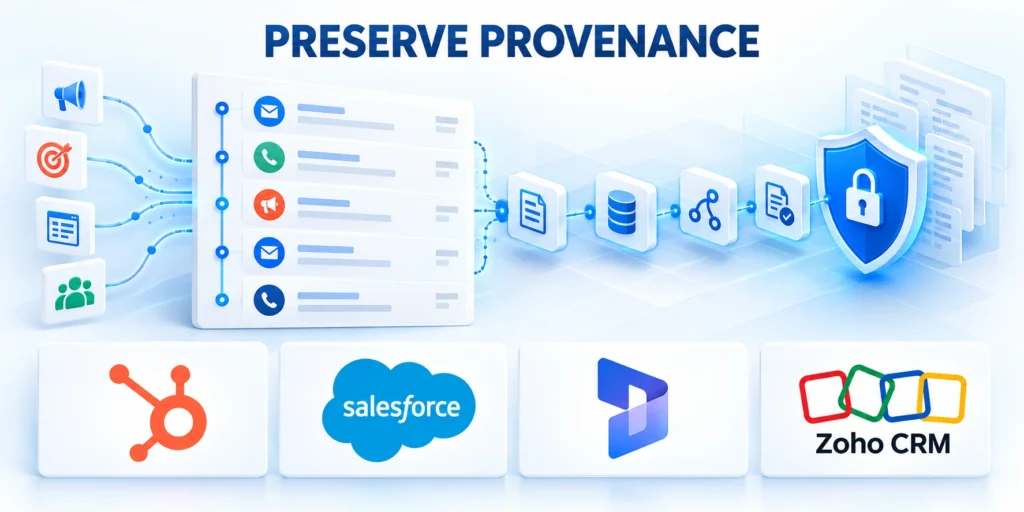
Historical context includes more than a field’s current value. It can include campaign membership, consent status, ownership changes, opportunity relationships, support cases, and the source that created a record.
Before merging or deleting, inspect which child records and activities will move, remain, or disappear. Confirm how the CRM treats relationships for each object type and integration.
Keep a change ledger for consequential updates
For material changes, log the batch, rule version, time, operator, record ID, old and new values, and reason. Restrict access because the ledger may contain sensitive data.
When a value has competing sources, retain the source and timestamp that explain the decision. Do not silently replace a verified customer-provided value with a lower-quality enrichment result.
Check how each merge affects linked records
Compare related activities, open opportunities, campaign responses, and support cases before and after a test merge. Verify both the visible record and the reports that depend on it.
If the platform cannot preserve a needed relationship, archive the source record or use a supported mapping table. Deletion alone is not a history strategy.
Use these actions to check how each merge affects linked:
- Export relationships and activity counts before a merge.
- Test the CRM’s merge behavior on a small non-production sample.
- Confirm that reports and integrations still resolve the surviving record.
Salesforce describes a pointer to the surviving record for certain merges. Verify current product documentation and your configuration before relying on it.
Run cleanup in reversible batches

Do not begin with a full-database update. Divide the work by object, source, region, or confidence tier so that each batch can be reviewed and measured.
Capture a baseline export with stable record IDs and relevant relationship keys. Store it in an access-controlled location with a retention period and a clear restore procedure.
A practical pilot sequence
Follow this sequence to a practical pilot sequence:
- Choose a low-risk segment with a known owner and manageable volume.
- Run duplicate and normalization rules in preview mode, then inspect samples from each outcome.
- Apply changes to a small batch and compare field, relationship, and activity counts.
- Ask sales, marketing operations, and service owners to confirm expected records still resolve.
- Expand only after the acceptance checks pass and rollback has been demonstrated.
Define rollback before execution. If the CRM cannot restore a merge directly, the recovery plan may require importing a prepared correction file or using the vendor’s supported restore process.
Set stop conditions for lost relationships, changed attribution, or mismatched record counts. This prevents a small defect from spreading to later batches.
Make the recovery procedure operational
Name who can stop the job, who can restore data, and how the team will communicate an incident. Store the recovery file separately from the production import file.
After a pilot, time the recovery exercise. If restoring a batch takes longer than the available maintenance window, reduce batch size before expanding the rollout.
Example: pilot a contact cleanup safely
Suppose a team finds 600 possible duplicates in one region. Start with 40 reviewed pairs, not all 600, and include both clear matches and difficult edge cases.
Export IDs, ownership, activity counts, and the proposed survivor. Merge only approved pairs, then compare these values and test the restore plan before processing another group.
Key considerations for example pilot a contact cleanup include:
- Record a baseline count and export timestamp.
- Approve each pair and retain the decision reason.
- Check opportunities, activities, and campaign attribution.
- Stop if a relationship disappears or counts do not reconcile.
Validate the results and prevent data quality from drifting

After each batch, repeat the baseline checks and compare before-and-after measures. Review not only record counts but also active relationships, campaign attribution, opt-out status, and routing behavior.
A lower duplicate count is not success if qualified leads reached the wrong account or source fields changed. Ask owners to confirm their dependent outcomes.
Turn cleanup into an operating control
Assign an owner for match rules and normalization tables. Review them when a new integration, acquisition, product line, or regional process changes how records enter the CRM.
Monitor invalid values, duplicate suggestions, and failed imports. Alert on threshold changes and fix the source workflow instead of repeating cleanup projects.
Key considerations for turn cleanup into an operating include:
- Track quality by field and data source.
- Sample exception queues weekly during rollout.
- Retire a rule only after downstream owners confirm it is no longer needed.
Connect these controls to your CRM data governance model. The related guide on building a single source of truth for CRM data covers ownership and standards.
Review quality by source, not only in aggregate
Break quality measures down by import, integration, form, and manual entry. An overall improvement can hide one source that continues creating duplicate or incomplete records.
Track exception volume and resolution time alongside completeness. If an exception queue grows faster than reviewers can process it, tighten the input workflow before increasing automation.
Balance cleanup speed with business risk
Measure the time saved by automation against the cost of a wrong merge, lost attribution, or manual recovery. A faster run is not better when it creates unresolved customer records.
Review high-impact objects and fields more often than low-risk descriptive fields. Consent, legal identity, ownership, and revenue attribution deserve stricter approval than cosmetic formatting.
Key considerations for balance cleanup speed with business include:
- Report confirmed matches separately from suggested matches.
- Track correction requests after each rollout batch.
- Use stricter thresholds where records affect consent or revenue reporting.
Govern cleanup approvals and access

CRM cleanup changes customer records, reporting, automation, permissions, and sometimes consent evidence. Approval should reflect the business impact instead of relying on administrator convenience.
Define who may propose, review, execute, verify, and reverse each cleanup class. Separate these responsibilities when one error could affect revenue, privacy, or service continuity.
Match approval depth to cleanup risk
Low-risk formatting can follow a documented rule and sampled review. Identity merges, consent changes, ownership updates, and destructive actions require stronger evidence and approval.
Use object, field, source, record count, confidence, and downstream dependency to classify risk. A small batch can still be consequential when it affects sensitive records.
Confirm these controls before approving a cleanup:
- Name the accountable business and technical reviewers.
- Document affected records and dependent workflows.
- Test rollback with representative relationships.
- Limit execution to approved service accounts.
Restrict cleanup permissions to trained operators and time-bounded service identities. Review exports, logs, and temporary files because they may contain the same sensitive customer information.
Record the rule version, approvers, execution identity, timestamps, record set, exceptions, and verification result. This evidence supports diagnosis without reconstructing decisions from memory.
Design an escalation path for uncertain records
Send ambiguous identities, conflicting consent, disputed ownership, or incomplete relationships to a named review queue instead of forcing an automated decision.
Set response expectations and preserve the proposed change beside its evidence. Reviewers should understand what happens when the decision remains unresolved.
Measure ongoing CRM data quality economics

Data quality programs need evidence about recurring defects, correction effort, prevented risk, and business impact. Record counts alone cannot explain whether controls create practical value.
Measure quality by source, object, field, workflow, and consequence. This segmentation reveals whether one integration, form, import, or operating team produces avoidable cleanup demand.
Connect quality measures to operating decisions
Track duplicate creation, invalid required values, unmatched relationships, correction requests, review time, rollback events, and defects that reach reports or customer workflows.
Pair rates with denominators and observation windows. A lower defect count may reflect reduced volume rather than a stronger validation or matching control.
Use these measures for recurring quality reviews:
- Defects created by source and workflow.
- Review effort per approved cleanup batch.
- Exceptions affecting revenue or consent evidence.
- Recurrence after each preventive control.
Estimate cost using investigation time, correction effort, delayed work, reporting reconciliation, customer impact, and reprocessing. Label assumptions instead of presenting an unsupported savings claim.
Prioritize controls where repeated defects create material risk or consume significant operating capacity. Do not automate a rare exception when review remains safer and cheaper.
Review controls as experiments
Establish a baseline, change one control, and measure the intended defect afterward. Preserve other important conditions so teams can interpret the result responsibly.
Retire validation or review steps that add friction without reducing meaningful defects. Keep the decision record so future teams understand why the control changed.
FAQ
These answers address common CRM cleanup decisions, safeguards, and operating boundaries.
Should duplicate CRM records always be merged?
No. Merge only when evidence supports that the records describe the same entity and the CRM’s merge behavior is understood. Keep ambiguous cases in a review queue.
How do you clean CRM data without losing history?
Preserve stable IDs, export relationships, log field changes, test merge behavior, and process small batches with a proven recovery path. Verify activities and attribution after each batch.
Can an automated tool safely normalize every CRM field?
No. Automation is useful for deterministic rules, such as trimming spaces or mapping verified country codes. Conflicting identities and ambiguous business values need human review.
What should a CRM cleanup log contain?
Record the batch, rule version, timestamp, operator, record ID, previous and new values, and reason. Protect the log because it may contain sensitive customer data.
How large should the first cleanup batch be?
Start with a segment small enough for reviewers to inspect and for the team to restore. Choose size based on risk, platform limits, and the time available for validation.
When should similar CRM records remain separate?
Keep records separate when identity evidence conflicts, legal entities differ, consent states cannot be reconciled, or merging would obscure distinct customer relationships.
Place uncertain pairs in a review queue. Record the conflicting evidence and the person responsible for the final decision.
How should a team validate a CRM merge?
Check the surviving identifier, field precedence, activities, opportunities, attribution, ownership, consent, integrations, and reports against the documented expected result.
Validate representative records before scaling. Include ordinary cases, conflicts, incomplete records, and examples connected to active revenue processes.
How should consent data be handled during cleanup?
Treat consent as governed evidence, not a field to overwrite casually. Preserve source, timestamp, scope, jurisdiction, and the system that collected it.
When values conflict, apply the approved privacy rule and keep the decision traceable. Escalate cases that the rule does not cover.
Who should approve CRM cleanup rules?
Approval should involve the data owner, CRM administrator, affected business team, and privacy or compliance reviewer when regulated information is involved.
Document the rule version, test evidence, affected fields, rollback method, and approval date before processing production records.
How often should CRM data quality be reviewed?
Review high-risk fields and integration failures continuously or weekly. Broader quality checks can follow a monthly or quarterly cadence based on volume and impact.
Also trigger a review after migrations, form changes, new integrations, ownership-model changes, or an unusual increase in duplicates and rejected records.
Conclusion

Good CRM cleanup improves the records teams use today while preserving the evidence they may need tomorrow. That requires explicit matching rules, source-aware transformations, small batches, and measurable acceptance checks.
Start with one low-risk segment, document the rollback path, and verify relationships and attribution before scaling. When the history cannot be reconstructed, pause the change and resolve that gap first.
Connect cleanup to data governance
For the broader framework, read CRM Data Governance: Building a Single Source of Truth.
Governance turns a one-time cleanup into a controlled operating process. It defines ownership, acceptable values, evidence requirements, and escalation paths for future exceptions.
Set acceptance criteria before changing records
Define measurable checks for identity, relationships, attribution, consent, ownership, and reporting. A batch should not pass merely because the import completed without an error.
Choose representative records and expected outcomes before execution. Reviewers can then compare actual results against evidence instead of relying on visual impressions.
Use these actions to set acceptance criteria before changing records:
- Expected surviving identifiers.
- Required relationships and activities.
- Permitted field transformations.
- Maximum unresolved exceptions.
- Rollback and approval conditions.
Use a pilot that represents real risk
A pilot should include ordinary records, duplicates, incomplete data, active opportunities, and sensitive cases. An artificially clean sample provides weak evidence for scaling.
Process the pilot with the same tooling, permissions, logs, and review steps intended for production. Record duration, exceptions, corrections, and reviewer effort.
Prevent the same quality problems from returning
Cleanup is temporary when forms, integrations, permissions, and ownership rules continue producing the same defects. Trace common errors back to their entry point.
Improve validation, duplicate detection, required fields, mapping rules, and staff guidance where evidence shows recurrence. Monitor the result instead of assuming the control works.
Follow this sequence to prevent the same quality problems from:
- Measure recurring defect types.
- Identify the producing workflow.
- Change one control at a time.
- Verify quality after the change.
- Retire controls that add no value.









Leave a Reply