

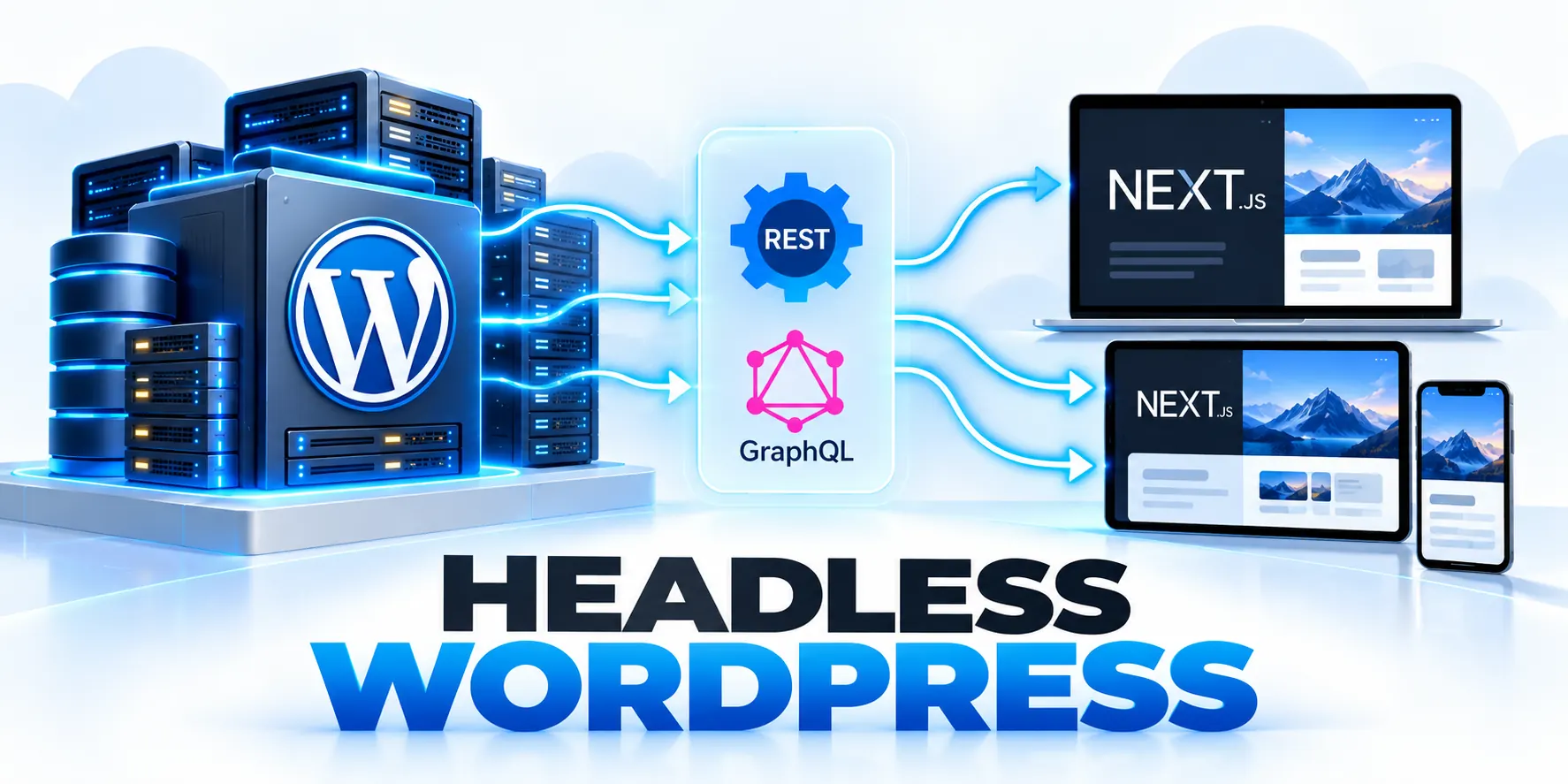
When Headless WordPress Fits

Headless WordPress separates content management from the frontend that visitors use. That separation helps when one editorial system supports distinct experiences across public and authenticated channels.
It also creates more software to build and operate. Choose it for a defined delivery problem under production traffic and failures, not because the architecture sounds newer.
Signals that justify a decoupled frontend
A headless approach becomes practical when the same content feeds a website, mobile application, customer portal, or another channel with different interface requirements.
Apply these when headless wordpress controls consistently:
- Several products need consistent content but different navigation and interaction patterns.
- The existing WordPress theme prevents a specific user experience or release model.
- Frontend engineers can maintain the chosen framework, hosting, and deployment pipeline.
- Editors can preview drafts through a supported and tested preview workflow.
- Performance measurements identify frontend work that a separate rendering layer can improve.
It can also help a product team release frontend changes independently from editorial tooling, provided both teams maintain clear contracts and shared ownership during frequent coordinated production release cycles.
When a traditional WordPress site is the better fit
A conventional WordPress theme is usually simpler for a content site with one main website, common page layouts, and a small team.
If editors need visual page building, theme templates, and plugins that render directly into pages, decoupling can remove useful capabilities without solving a measured problem.
| Decision area | Traditional WordPress | Headless WordPress |
|---|---|---|
| Frontend ownership | Theme and WordPress runtime | Separate application and deployment |
| Editorial preview | Usually integrated with the theme | Must be deliberately implemented |
| Multiple channels | Possible, but often needs extra work | Useful when channels share structured content |
| Operational burden | Fewer moving parts | More services, monitoring, and release work |
| Typical fit | One site with standard publishing needs | Several experiences with independent product needs |
Use a decision test before approving the project

Ask the team to name the user problem, the required channels, and the expected improvement. A broad goal such as “modernize the site” is not enough.
Review these use decision test checks before proceeding:
- Record the current limitation using a user journey or measurable operational issue.
- Estimate the work required to solve it with the existing theme and plugins.
- Estimate the additional frontend, preview, cache, and support work a headless build creates.
- Prototype one representative page and one editorial workflow before committing to a full migration.
- Approve the architecture only when the prototype validates the benefit and operating cost.
For example, an organization publishing the same campaign to a website and authenticated portal may benefit from a shared content model.
If those experiences have different approval rules, permissions, or customer data, shared content should not imply shared access or identical rendering.
Compare the whole publishing journey
Confirm these use decision test conditions before launch:
- Begin with a real editorial task rather than a frontend benchmark.
- In a traditional setup, WordPress normally owns the editing and page-rendering path.
- Write down the business requirement behind each proposed change.
Use a decision matrix with criteria that matter to the organization:
Use these use decision test criteria for review:
- Number of channels that genuinely reuse the content.
- Complexity of the frontend experience and interaction.
- Preview and publishing expectations of editors.
- Search visibility and URL continuity requirements.
- Team skills for two production applications.
- Budget for operations, security, and recovery.
Score each criterion with evidence.
Define what success would look like
Name the decision owner and the evidence required to justify additional frontend and operational complexity.
Set measurable outcomes before committing to the architecture; Record the current baseline for those outcomes.
Set Pilot Guardrails
Include guardrails. Editors should be able to preview a draft without exposing it publicly. Published URLs should remain correct. Forms, consent choices, analytics, and accessible navigation should continue working.
Set a review date after a pilot.
Run a small architecture proof
Use production-like content, permissions, failures, and editorial tasks so the proof represents the operating model rather than an isolated demo.
Apply these use decision test controls consistently:
- Select one published article, one draft, and one page with unusual content.
- Measure the public route with the same device and network conditions used for the site.
- Ask an editor to correct a paragraph and replace an image.
- Test a failed API request and a stale cache.
- Estimate the work required for the remaining route families, not just the prototype.
Record the baseline, expected result, owner, and decision that each observation will support before beginning the exercise.
Review the proof with operators
Include editors, engineers, security, support, and business owners who will depend on the resulting operating model.
Review the proof with the people who will operate it; Write a short go/no-go record with the measured benefit.
Preserve the Regression Set
Keep the test materials for later releases. A known article, draft, missing route, and unusual block provide a compact regression set. Update their expected results whenever the editorial policy changes.
Assign an owner to repeat the proof after a major framework, WordPress, or hosting change; If the team chooses the traditional site, preserve the decision record.
Headless WordPress Architecture: CMS, API, and Frontend
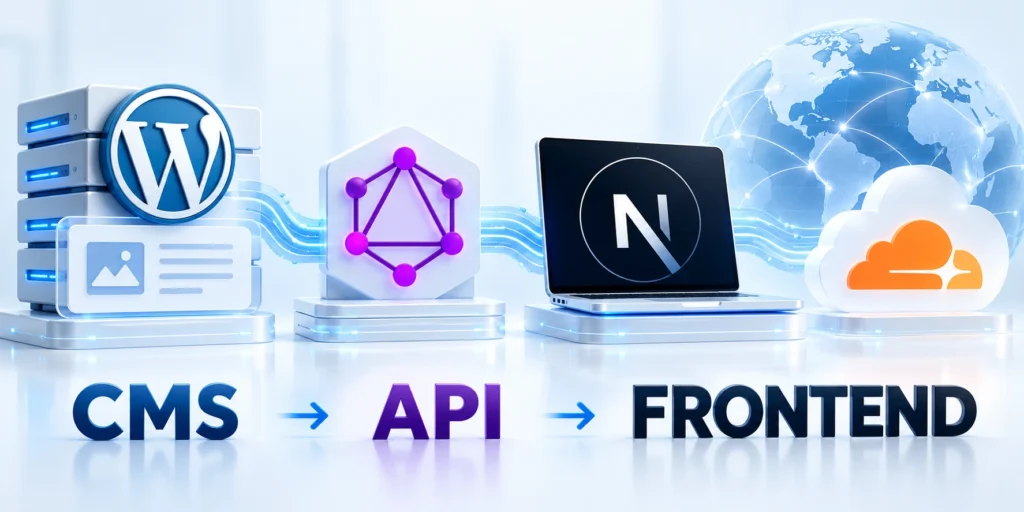
A headless system still uses WordPress to store and manage content. An API exposes selected data, while a separate frontend requests and presents that data.
The API is a boundary between systems. Define its content shape, authentication rules, caching behavior, and failure responses before frontend development spreads assumptions.
Choose an API based on the content model
The WordPress REST API exposes posts, media, taxonomies, and other resources through JSON endpoints. Its endpoint reference helps teams inspect supported resources and fields.
Apply these headless wordpress architecture controls consistently:
- Use REST when resource endpoints fit frontend needs and WordPress conventions.
- Evaluate GraphQL when clients need flexible nested selections and the team can operate the plugin.
- Check custom post types, taxonomies, and fields for API exposure before building page templates.
- Document stable field names and relationships so content changes do not unexpectedly break clients.
- Keep public read access separate from editor preview and authenticated mutations.
WPGraphQL offers a GraphQL interface through a plugin. It can let a client request related content in one query, but adds another runtime dependency to maintain.
Map the request path and the owners
Draw the visitor request from browser to frontend hosting, cache, and any API call. Add WordPress, media storage, identity providers, and third-party services.
For each connection, write down the team owner, data exchanged, expected response time, failure behavior, and whether the request contains personal or confidential data.
| Component | Operational question | Evidence to collect |
|---|---|---|
| WordPress | Who updates plugins, roles, and content types? | Release owner and recovery process |
| API | Which fields are public or authenticated? | Endpoint schema and permission tests |
| Frontend | Who deploys and rolls back user-facing code? | Build record and tested rollback |
| Cache/CDN | How does changed content become visible? | Invalidation event and measured delay |
| Preview | How do editors review drafts safely? | Access test and preview URL behavior |
Keep credentials and permissions on the server
Public content can often be requested anonymously. Draft previews and write operations need authentication and server-side permission checks.
Do not place WordPress passwords, application passwords, signing keys, or privileged API tokens in browser JavaScript or public build artifacts.
const apiUrl = process.env.WP_API_URL;
const response = await fetch(`${apiUrl}/wp/v2/posts?slug=${slug}&_embed`);

if (!response.ok) {
  throw new Error(`WordPress request failed: ${response.status}`);
}

const posts = await response.json();
Handle API responses deliberately

Define successful, missing, unauthorized, rate-limited, stale, malformed, and unavailable responses before frontend components depend on the interface.
Review these handle api responses checks before proceeding:
- Store secrets in the hosting platform’s server environment, not source control.
- Give each integration only the permissions it needs.
- Use HTTPS and rotate credentials after exposure or a staff change.
- Log request identifiers and status codes, never credentials or private content.
Keep error behavior consistent enough for monitoring, support, accessibility, and recovery across every consuming application.
Keep this request in server-side code, validate the configured API host, and return a deliberate not-found state when the slug has no published post.
Design the content contract before the client
Define supported content types, required fields, relationships, visibility, errors, pagination, and compatibility before implementing client components.
Confirm these handle api responses conditions before launch:
- List each content type the frontend will request.
- Create a representative example for every content type.
- Decide what the API returns for an unpublished item.
- Treat the contract as versioned.
- Inspect public REST endpoints for exposed content types and fields.
Use representative records and failure cases so the contract reflects real publishing behavior rather than one ideal response.
Keep the public and private paths separate
Map public delivery, authenticated delivery, preview, administration, media, search, and integration traffic as distinct trust paths.
Use these handle api responses criteria for review:
- Draw two request paths.
- Never place an application password, API token, or preview secret in client-side JavaScript.
- For preview, verify both the editor’s authorization and the content’s status.
- Specify which layer owns rate limiting, authentication, cache headers, and audit logs.
Enforce authorization where data is returned rather than relying on hidden links, client controls, or an assumed network boundary.
Plan for unavailable dependencies
Choose bounded timeouts, safe fallbacks, stale-content rules, recovery signals, and support ownership for every required external dependency.
Apply these handle api responses controls consistently:
- Decide what the frontend shows when the WordPress API is slow or unavailable.
- Set timeouts and bounded retries for server-to-server requests.
- Provide a safe response for missing content.
- Test these conditions deliberately in a nonproduction environment.
Test degraded behavior deliberately so a partial failure cannot expose drafts, accept invalid work, or hide a lost request.
Fetch, Render, and Preview Content
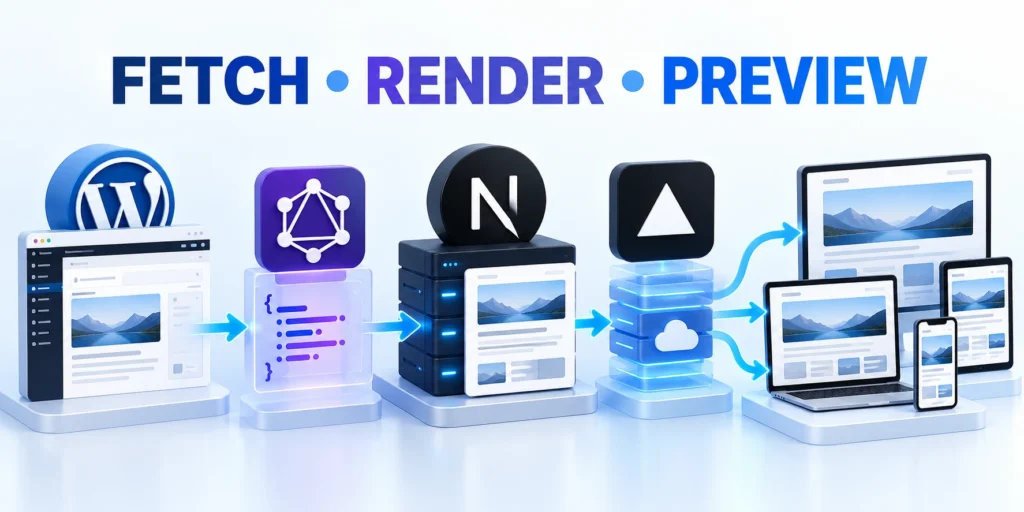
The frontend decides when content is fetched and how the resulting page is rendered. The right approach depends on freshness, personalization, and traffic patterns.
Server rendering, static generation, and cached responses are design choices with different freshness and infrastructure tradeoffs; no one mode is universally fastest.
Build a predictable content query
Start with one page type and list the fields it actually needs: title, slug, excerpt, body, author, featured image, and selected related content.
Use these fetch render preview criteria for review:
- Inspect the endpoint response for one representative published post.
- Confirm field names, image sizes, language, and taxonomy relationships.
- Handle an empty result, an API error, and a missing optional field explicitly.
- Validate content before rendering HTML, links, embeds, or structured metadata.
- Record a response fixture for regression checks when the content contract changes.
Requesting fewer fields reduces parsing and makes the frontend contract easier to review. Add embedded relationships only when the page uses them.
Choose a rendering and cache policy
Static generation can serve stable content quickly, but published edits need a rebuild or a cache invalidation path.
Server rendering can reduce the wait for a scheduled rebuild, but every request may add runtime work unless responses or data are cached safely.
| Content pattern | Possible strategy | What to verify |
|---|---|---|
| Company pages updated occasionally | Build at publish time or revalidate periodically | How quickly an approved edit reaches production |
| Frequently updated catalog | Short cache lifetime or event-based invalidation | Freshness, origin load, and invalidation failures |
| Personalized account page | Request-time rendering with private caching rules | Responses never leak between users |
| High-traffic article pages | Shared caching with deliberate purge behavior | Cache hit rate and stale-content recovery |
On a framework such as Next.js, configure caching according to the installed version and router. Framework defaults and cache APIs can change between releases.
Apply these fetch render preview controls consistently:
- Measure time to first byte, page render time, API latency, and cache hit rate.
- Test a published edit, a media change, and a deleted page.
- Confirm that a purge targets every affected route and related cache tag.
- Provide a bounded fallback if WordPress or an integration is unavailable.
Make draft preview a first-class workflow
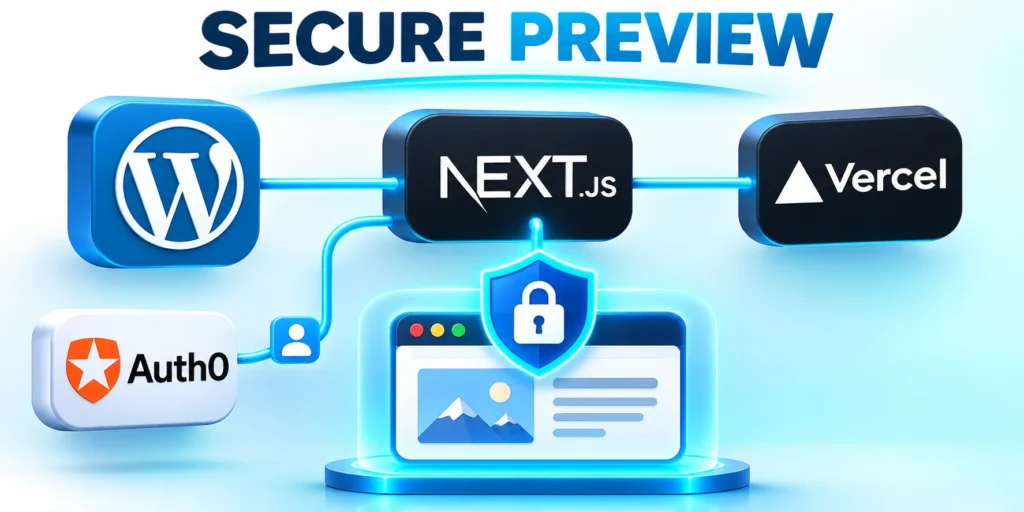
Treat preview as an authenticated editorial product with explicit environment, revision, locale, routing, cache, and expiration behavior.
Review these make draft preview checks before proceeding:
- Enable preview only for authorized editorial accounts.
- Pass a short-lived, signed preview reference rather than a permanent secret in a URL.
- Fetch draft data from server-side code after validating the request.
- Mark preview responses private and prevent indexing.
- Test that expired links, anonymous users, and unauthorized roles cannot retrieve drafts.
Editors need a secure way to preview unpublished content in the separate frontend. A preview link must not make drafts publicly discoverable.
Use an expiring or otherwise controlled preview flow, verify the user’s WordPress permissions, and ensure private responses are not stored in shared caches.
Choose a rendering policy page by page
Classify routes by freshness, privacy, traffic, interactivity, failure tolerance, and editorial expectations before selecting a rendering mode.
Confirm these make draft preview conditions before launch:
- Different routes have different freshness needs.
- Measure the complete experience, including the frontend response, API calls, images, scripts, and client interaction.
- Define cache keys around stable identifiers and locale where relevant.
- Test publication and correction timing.
Document why each route uses its policy and which observation would trigger a review after release.
Make preview match the eventual page
Use the same content transformations, components, route rules, and metadata logic for preview and public output whenever possible.
Use these make draft preview criteria for review:
- Apply identical components and transformations for preview and public routes.
- Show previewed revisions and whether they use fresh data.
- Test role boundaries.
- Include the less obvious blocks in the test set.
Show editors when a dependency, cache, experiment, or account context prevents an exact representation of the final experience.
Protect navigation and metadata
Test menus, breadcrumbs, canonicals, alternate routes, social cards, structured data, and status codes in the served frontend document.
Apply these make draft preview controls consistently:
- Use one rule for canonical URL construction and test trailing slashes, pagination, archives, and redirects.
- Check that internal links point to the public frontend domain and open as intended.
- For images, retain meaningful alt text and responsive dimensions.
Decide where menus, breadcrumbs, titles, descriptions, canonical URLs, and structured data are generated. A frontend cannot assume every WordPress plugin’s HTML output will automatically appear in a decoupled page.
Secure the CMS and Deployment Pipeline
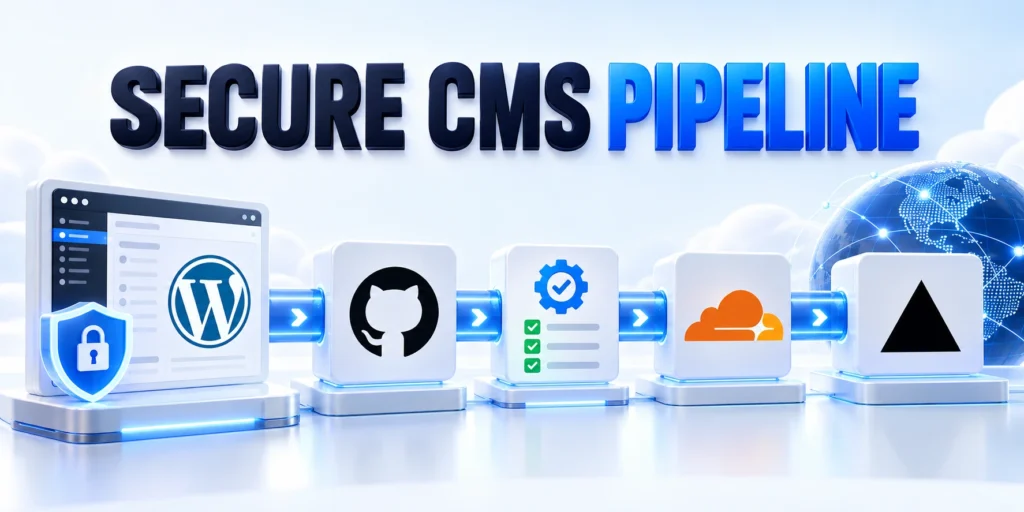
Treat WordPress, repositories, build services, hosting, secrets, deployment identities, monitoring, and rollback as one controlled delivery system.
Assign release authority and recovery ownership before an urgent update or provider failure forces an improvised production change.
Protect release authority and evidence
Require reviewed commits, bounded credentials, immutable artifact identifiers, environment-specific configuration, and evidence that representative workflows still operate.
Preserve logs, deployment results, approvals, rollback conditions, and reconciliation actions so each release can be investigated and repeated safely under normal and degraded production conditions.
Treat CMS and Frontend as One Service
Decoupling does not remove WordPress security work. The CMS, its administrators, the API, deployment credentials, and frontend remain connected parts of one service.
Define public and private data separately, test permissions through the actual API, and protect the publishing and deployment paths with clear ownership.
Review the API exposure
Inventory public fields, relationships, errors, pagination, search behavior, media, and plugin endpoints before accepting the delivery boundary.
Apply these secure cms deployment controls consistently:
- Use public endpoints only for content approved for public release.
- Check custom fields, user data, media metadata, and private post types.
- Test unauthenticated access and role-based access with separate accounts.
- Do not use CORS as a substitute for authentication or authorization.
- Rate-limit costly endpoints where the hosting layer supports a suitable policy.
Review the endpoints and fields that the frontend can request. A field being available to an API does not mean every consumer should display it.
Protect updates and secrets
Keep WordPress, plugins, themes, PHP, and the frontend framework within a maintained update process. Stage updates and keep a tested recovery route.
Use separate credentials for development, staging, and production. A token exposed in a repository or client bundle should be revoked and replaced.
Test deployment as an operational process
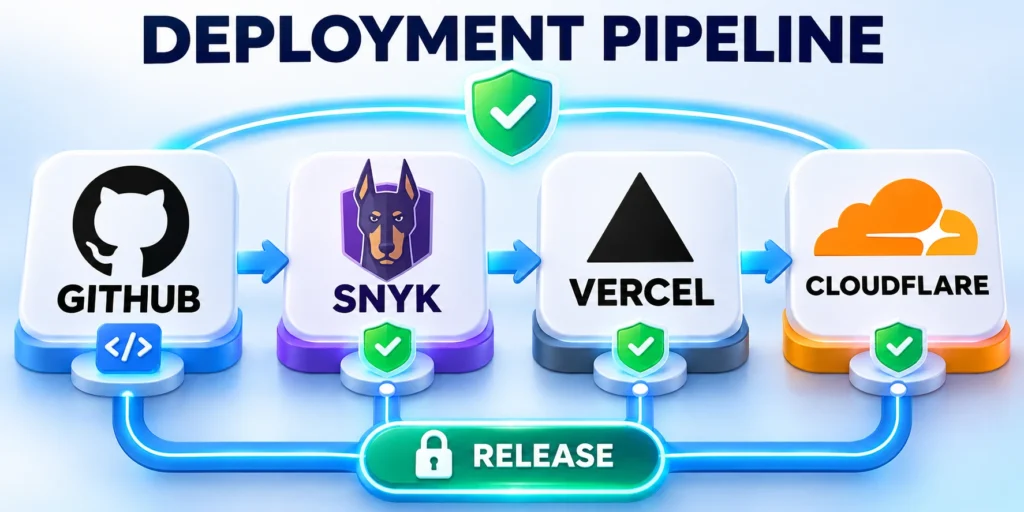
Verify the artifact, configuration, secrets, dependency versions, smoke tests, monitoring, and recovery decision as one controlled release.
Confirm these test deployment operational conditions before launch:
- Build the frontend from a reviewed commit and record the artifact identifier.
- Run endpoint, route, accessibility, and critical-user-journey checks in staging.
- Deploy through the normal release path with environment-specific secrets.
- Check key pages and API error rates immediately after deployment.
- Roll back to the prior known-good artifact if a critical journey fails.
For example, a release may render correctly while editorial preview silently fails. Include an editor preview test in the release checklist, not only a homepage check.
Connect the CMS Security Baseline
Pair these controls with the broader WordPress security protocol, especially for account access, updates, backups, and incident response.
Review the WordPress security protocol when defining the CMS operating baseline.
Minimize what the frontend can reach
Separate public reads from preview, account, mutation, administration, and integration access so each path receives only necessary capabilities.
Use these test deployment operational criteria for review:
- Review every plugin that adds an endpoint or changes authentication behavior.
- Keep WordPress, plugins, the frontend framework, and build dependencies in a maintenance plan.
- Set monitoring for failed logins, API errors, unusual request rates, and publishing failures.
Review endpoint scope, secrets, rate limits, logs, and revocation during every material architecture or provider change.
Inventory public API endpoints and identify which content must be exposed. Leave administration and privileged operations behind authentication. Restrict integration accounts to the actions they actually perform.
Stage releases with a recovery path
Define compatible deployment order, acceptance evidence, monitoring, rollback, reconciliation, and communication before changing production routing.
Apply these test deployment operational controls consistently:
- Deploy compatible API and frontend changes in an order that keeps the public site working.
- Make rollback practical.
- After a release, inspect a set of URLs: article, page, archive, preview, and missing route.
Build and test the frontend against a staging CMS or a controlled content fixture. Include schema changes, new blocks, removed fields, and permission changes in the test plan.
Plan a Headless WordPress Migration
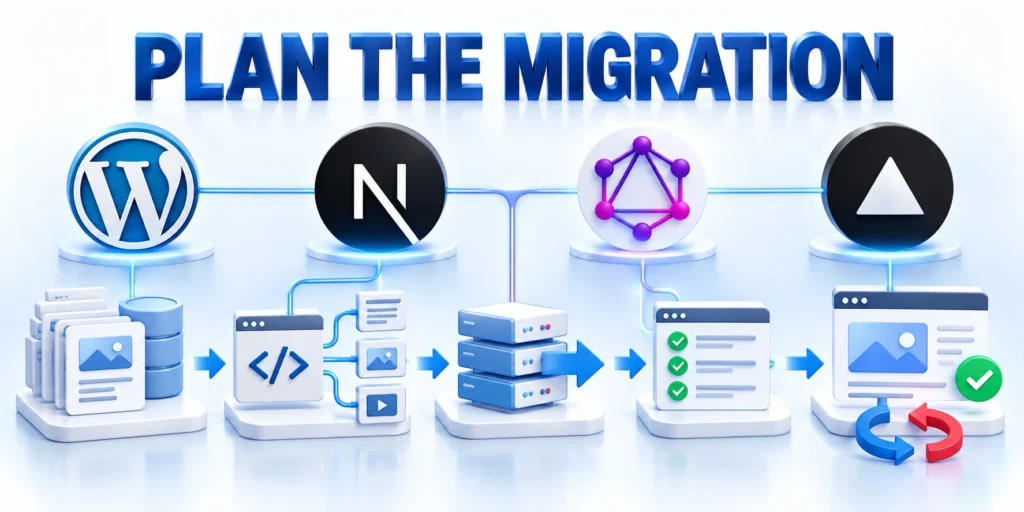
A migration is a product and operations change, not just a frontend rewrite. Preserve editorial needs, search visibility, integrations, and recovery options.
Move one representative experience first, compare it with the current site, and expand only after the team can publish and operate it reliably.
Run a staged migration
Choose a bounded route family that represents real content, metadata, media, preview, analytics, and operational dependencies.
Use these plan headless wordpress criteria for review:
- Inventory URLs, content types, custom fields, taxonomies, redirects, and integrations.
- Choose one page family with representative content and a clear business owner.
- Build a small frontend prototype using production-like content and media.
- Compare page behavior, metadata, accessibility, response times, and editorial preview.
- Run the old and new experience in parallel where the risk justifies it.
- Define the release signal, rollback owner, and rollback steps before switching traffic.
- Expand by page family, tracking issues and service costs after each stage.
Preserve rollback and compare the new route with the current experience before expanding traffic or content scope.
Check search and content behavior
Map every existing URL to its intended frontend route. Preserve stable URLs when possible, and set explicit redirects for changes approved by the content owner.
Apply these plan headless wordpress controls consistently:
- Compare rendered HTML for representative articles and landing pages.
- Verify that headings, internal links, images, and alt text survive the content mapping.
- Check sitemap behavior, robots directives, canonical tags, and redirects.
- Test 404, draft, deleted, and unpublished page behavior.
- Review analytics events and consent behavior on the new frontend.
Ensure the frontend emits one canonical URL, a descriptive title and meta description, useful social metadata, and structured data appropriate to the page.
Measure the real cost of ownership
Compare total operating effort, not hosting bills alone. Include frontend engineering, preview support, framework upgrades, monitoring, cache operations, and incident response.
A headless design can reduce one bottleneck while adding new points of failure. Track service availability, deployment frequency, content freshness, and recovery time.
| Measure | Baseline | After a pilot |
|---|---|---|
| Page response time | Record the same route and device conditions | Compare p50 and p95 results |
| Content freshness | Measure publish-to-visible delay | Confirm cache invalidation behavior |
| Editorial effort | Time a normal draft and review | Include preview and correction steps |
| Recovery | Document current restoration process | Test frontend and CMS recovery separately |
| Maintenance | Track current release workload | Include both WordPress and frontend updates |
Adopt headless WordPress when a measured product need outweighs the extra engineering and operational work. Keep the architecture small enough for the team to support.
A successful rollout has an accountable owner, tested preview, monitored cache behavior, documented rollback, and evidence that users benefit from the new delivery model.
Inventory routes and content dependencies

Connect every route family to its content type, template, metadata, media, integration, redirect, owner, and operational acceptance evidence.
Apply these inventory routes content controls consistently:
- Export a list of existing URLs, content types, statuses, redirects, images, and internal links.
- Map each old URL to an equivalent destination that preserves the same intent.
- Identify content that depends on theme rendering or a plugin shortcode.
- Keep a baseline of page responses and metadata before changing routing.
Preserve a baseline response and expected status so migration differences can be investigated carefully instead of accepted by assumption.
Connect routes to acceptance evidence
Associate each route family with representative records, expected metadata, status codes, redirects, media, internal links, analytics, and accessibility checks.
Keep the baseline and final observation together so omissions are investigated rather than accepted as intentional migration differences.
Migrate in controlled slices
Start with a low-risk route family and a limited audience where possible. Verify content, redirects, analytics, forms, and cache behavior before moving the next group.
For each slice, record the owner, deploy time, expected URLs, rollback step, and verification result.
Reconcile the Migrated Slice
Reconcile counts after the move. Compare the number of published items, images, redirects, and indexed route candidates with the inventory. Investigate mismatches rather than assuming the frontend intentionally omitted content.
Monitor server errors, missing pages, search visibility signals, form submissions, and editor complaints after cutover.
Calculate the continuing cost
Budget for hosting, build and cache operations, API monitoring, frontend maintenance, security reviews, content modeling, preview support, and incident response. Include the time editors need to learn the new workflow.
Compare this operating cost with the specific benefit proven by the pilot; Set a review point after launch.
Build a route verification ledger
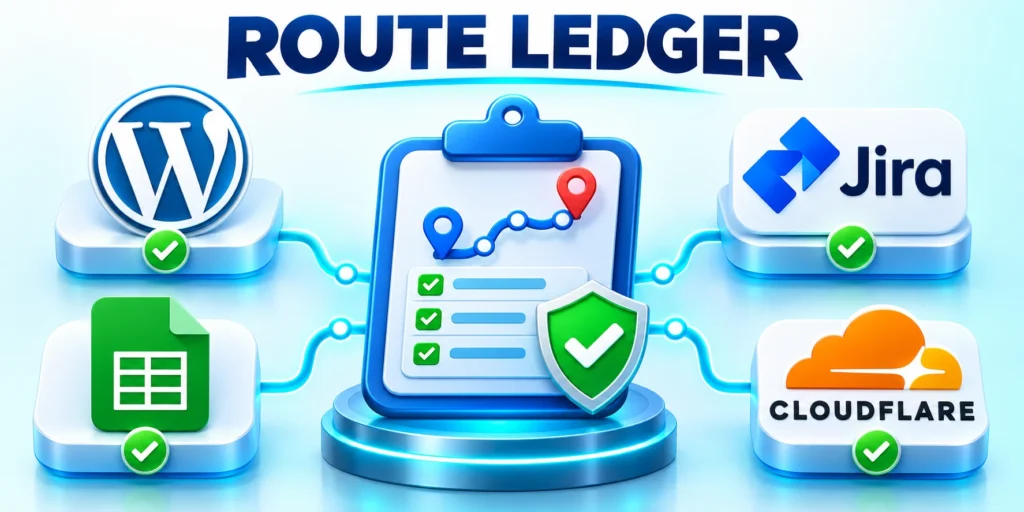
Use the ledger as a repeatable acceptance record for representative public, private, missing, redirected, localized, and preview routes.
Confirm these build route verification conditions before launch:
- Create a ledger with one row for every route family.
- For each example, request the page as an anonymous visitor.
- Add negative cases.
- Recheck the ledger after changing routing, content models, caching, or SEO metadata generation.
Store owners, expected results, observed status, evidence, and follow-up actions so releases remain reviewable across teams.
Prepare for a CMS outage
Define which public routes may remain stale, which actions must stop, and how editors communicate urgent corrections during an outage.
Use these build route verification criteria for review:
- Define cacheable pages, acceptable staleness, and fresh-data errors during WordPress outages.
- Test a simulated outage with a representative article and listing page.
- Give the operator a recovery sequence.
- After recovery, reconcile edits made around the incident.
Rehearse restoration, cache behavior, queued events, recent edits, and post-recovery reconciliation with named operational owners.
Preserve editor control during migration
Test representative drafting, preview, scheduling, correction, media, translation, navigation, and retirement tasks with actual editorial owners.
Apply these build route verification controls consistently:
- Invite editors into the pilot before the architecture is fixed.
- Ask them to create, preview, correct, schedule, and remove a sample article.
- Time the work and record points where they needed technical help.
- Document which WordPress features continue to work as expected and which need a frontend implementation.
- CMS controls do not guarantee immediate decoupled rendering or updates.
- Provide a preview guide with the exact entry point.
- Train a backup editor and repeat the exercise without the original implementer.
- The publishing process is ready when corrections can be made safely by owners of content.
Record where the new frontend adds delay, ambiguity, technical dependency, or lost functionality before expanding the migration.
Define operational ownership before cutover
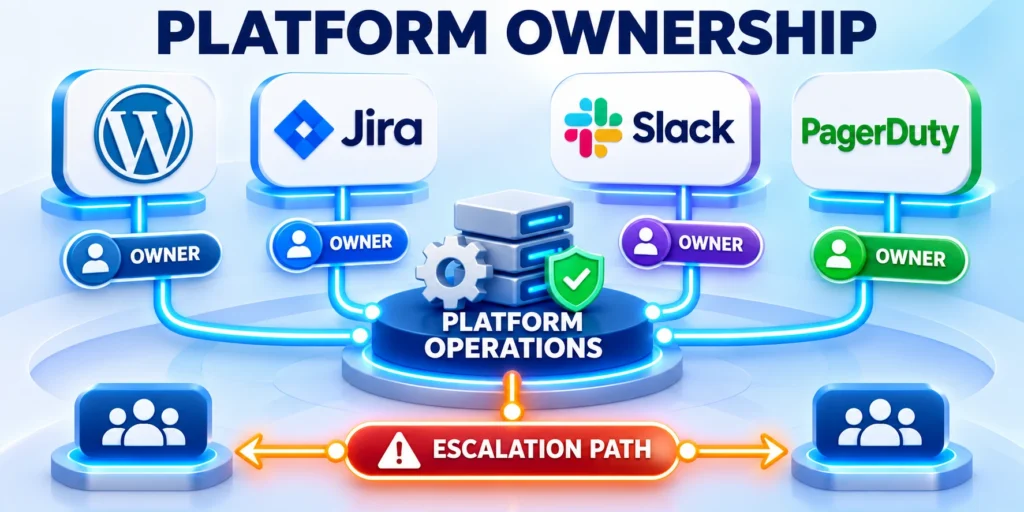
A decoupled stack needs named owners for WordPress, the API contract, frontend deployment, caching, observability, and the editorial preview path.
Apply these define operational ownership controls consistently:
- Name the WordPress application owner.
- Assign the frontend release owner.
- Document the API contract owner.
- Identify the cache invalidation owner.
- Route editorial preview incidents.
- Define the production escalation contact.
Write these responsibilities before production routing changes. Otherwise, an incident can move between teams while readers and editors wait for recovery.
Verify Ownership Through Exercises
For each responsibility, record the normal operating procedure, emergency fallback, required access, and backup person. Keep credentials outside the document.
Test the ownership map during the pilot. Ask each owner to diagnose one controlled failure and confirm that monitoring provides actionable evidence.
Treat content schema changes as releases
A renamed field or changed relationship can break the frontend even when WordPress remains healthy. Manage content-model changes like application releases.
Review these define operational ownership checks before proceeding:
- Version material contract changes.
- Preserve compatible fields during migration.
- Test representative response fixtures.
- Deploy producers before dependent consumers.
- Monitor unknown and missing fields.
- Remove deprecated fields only after verification.
Start with representative fixtures for every supported content type. Include missing values, long titles, nested relationships, scheduled posts, and restricted records.
Record Compatibility Evidence
When a field must change, provide the new shape first and update the frontend next. Remove the old shape after production evidence confirms migration.
Record the compatible CMS and frontend versions in the release log. That record makes rollback faster when an unexpected content variant appears.
Rehearse cutover and acceptance checks
A production cutover should repeat a tested sequence, not improvise routing changes. Rehearse with the same roles, checks, and rollback decisions.
Confirm these define operational ownership conditions before launch:
- Freeze incompatible schema changes.
- Capture current response baselines.
- Deploy compatible CMS changes.
- Deploy the tested frontend release.
- Change routing for the approved slice.
- Run technical and editorial acceptance checks.
- Rollback when defined thresholds fail.
Choose representative routes for articles, pages, archives, redirects, previews, and missing content. Include one route with rich blocks and responsive images.
Keep Rollback Evidence Available
Technical acceptance covers status codes, canonical URLs, metadata, API errors, cache freshness, images, and monitoring. Editorial acceptance covers preview and correction workflows.
Keep the previous route available until the acceptance window closes. Document the decision, evidence, unresolved limitations, and owner for every follow-up action.
Measure the operating model after launch
Review the architecture after real editorial and production use. Compare the promised benefit with deployment time, incidents, preview reliability, and support effort.
Use these define operational ownership criteria for review:
- Track publishing completion time.
- Measure preview failure frequency.
- Record stale-content incidents.
- Review frontend deployment recovery time.
- Count manual cache interventions.
- Compare support effort with baseline.
Use a stable reporting period and explain unusual campaigns or outages. A single fast page does not prove the full operating model succeeds.
Review the Operating Result
If the measured benefit remains clear, improve the weakest operating boundary. If costs dominate, simplify the stack while preserving content and published URLs.
Schedule another review after major framework, hosting, or WordPress changes. Earlier evidence may not describe the new versions, dependencies, or traffic profile.
Maintain an editorial fallback procedure
Editors need a documented response when preview, publishing, or cache invalidation fails. The procedure should separate content errors from platform incidents.
Apply these define operational ownership controls consistently:
- Confirm the affected post and revision.
- Record the preview or public URL.
- Note the expected publication state.
- Capture the visible error message.
- Escalate through the documented owner.
- Verify the corrected public revision.
Provide one support entry point and define the evidence editors should capture. Do not ask them to expose credentials or private draft links.
Reconcile Editorial State After Recovery
When the frontend is unavailable, state whether cached public pages remain acceptable. Draft preview must fail privately instead of exposing unpublished content.
After recovery, reconcile scheduled posts, corrections, removed content, navigation, and listings. Confirm the same revision appears across every affected route.
Define the Content Delivery Contract

Document content types, fields, relationships, localization, revisions, permissions, media, URLs, errors, pagination, and compatibility expected by every frontend consumer.
Treat the contract as a versioned product boundary rather than allowing each application to interpret WordPress responses differently.
Evolve Contracts Safely
Add compatible fields before removing old behavior, publish deprecation timelines, test consumers, and provide migrations for content whose shape changes.
Monitor usage so retirement decisions reflect actual clients instead of assumptions about which endpoints or fields remain active.
Design Preview as a Secure Workflow
Map how authorized editors preview drafts, scheduled content, revisions, private records, locales, redirects, and dependent components in the correct frontend environment.
The preview route must preserve editorial context without exposing unpublished tokens, bypassing authorization, or caching private content publicly.
Test Preview Failure
Verify expired sessions, revoked access, missing routes, stale builds, invalid tokens, deleted drafts, and unavailable dependencies with clear recovery guidance.
Editors should know whether they are seeing current draft data, a published fallback, or an incomplete rendering.
Separate Public and Authenticated Delivery
Define which content is public, personalized, licensed, account-specific, embargoed, or role-restricted and where authorization is enforced for each request.
Do not rely on hidden frontend routes when APIs, media URLs, caches, previews, or search indexes can expose the underlying data.
Control Token Scope and Lifetime
Use narrowly scoped credentials, secure storage, rotation, revocation, audience restrictions, and server-side exchange for frontend and build processes.
Inventory tokens across platforms and providers so abandoned deployments cannot retain permanent access to private WordPress data.
Own Routing and URL Semantics
Specify how WordPress slugs, hierarchies, taxonomies, archives, locales, previews, pagination, redirects, and missing content map to frontend routes.
Store URL history and preserve canonical ownership because the CMS and frontend can otherwise disagree after renames, moves, merges, or deletions.
Test Every Route State
Verify published, draft, scheduled, private, redirected, paginated, empty, removed, malformed, and unsupported routes with intended status codes and metadata.
A visually useful fallback should not return success for a destination that search engines or integrations must treat as missing.
Coordinate Caches Across Systems
Map browser, CDN, frontend, framework, API, object, and origin caches with variation, TTL, keys, invalidation, bypass, and responsible owners.
Publishing speed depends on the slowest relevant cache, so a successful WordPress update does not prove that every audience receives current content.
Revalidate With Precise Scope
Use content identifiers and dependency relationships to invalidate affected pages while avoiding full-site rebuilds or broad purges after every edit.
Apply these define content delivery controls consistently:
- Version material contract changes.
- Test every active frontend consumer.
- Monitor deprecation before removing fields.
Test updates to shared authors, navigation, taxonomies, redirects, media, and global settings because their impact extends beyond one content URL.
Use these content contract controls during review:
Engineer Webhook Reliability

Define event payloads, authentication, ordering, retries, deduplication, expiry, rate limits, delivery evidence, and fallback reconciliation between WordPress and deployment systems.
Assume events may arrive late, twice, or out of order, and make every handler safe to repeat.
Reconcile Missed Events
Run scheduled comparisons of content versions, routes, build state, and invalidation results instead of treating webhook delivery as the only synchronization mechanism.
Alert on growing delay or repeated failure before editors discover stale pages manually.
Choose Build and Rendering Modes by Use Case
Evaluate static generation, incremental regeneration, server rendering, streaming, and client fetching for freshness, privacy, traffic, failure, cost, and editorial expectations.
A single rendering mode rarely fits product pages, news, private portals, archives, previews, and rarely changed evergreen content equally well.
Define Fallback Behavior
Specify what users receive when WordPress, the frontend runtime, a build, or an external service becomes unavailable or slow.
Stale content may be acceptable for one route and dangerous for prices, availability, legal notices, account data, or urgent corrections.
Treat Media as a Delivery System
Document upload, transformation, metadata, focal points, access, derivatives, responsive sizing, CDN URLs, cache invalidation, retention, and deletion across WordPress and the frontend.
Preserve stable identity while allowing optimized delivery so content references do not break when processing or storage changes.
Protect Restricted Assets
Enforce authorization before serving private files and prevent public derivatives, previews, indexes, or cached URLs from bypassing the intended access model.
Test replacement and deletion because old variants may remain available after the visible WordPress record changes.
Build Search From an Explicit Index
Define indexed fields, eligibility, permissions, language, ranking, freshness, deletion, synonyms, filters, analytics, and fallback behavior for site search.
Do not assume a frontend search service automatically reflects WordPress visibility, revisions, or custom authorization rules.
Reconcile Search State
Compare index records with canonical content, routes, permissions, and deletion events on a schedule and after incidents.
Apply these engineer webhook reliability controls consistently:
- Authenticate every event source.
- Make handlers safe to repeat.
- Reconcile missed events on schedule.
Remove stale or restricted results promptly while preserving diagnostic evidence about why synchronization failed.
Use these webhook reliability controls in production:
Reconstruct SEO Responsibilities
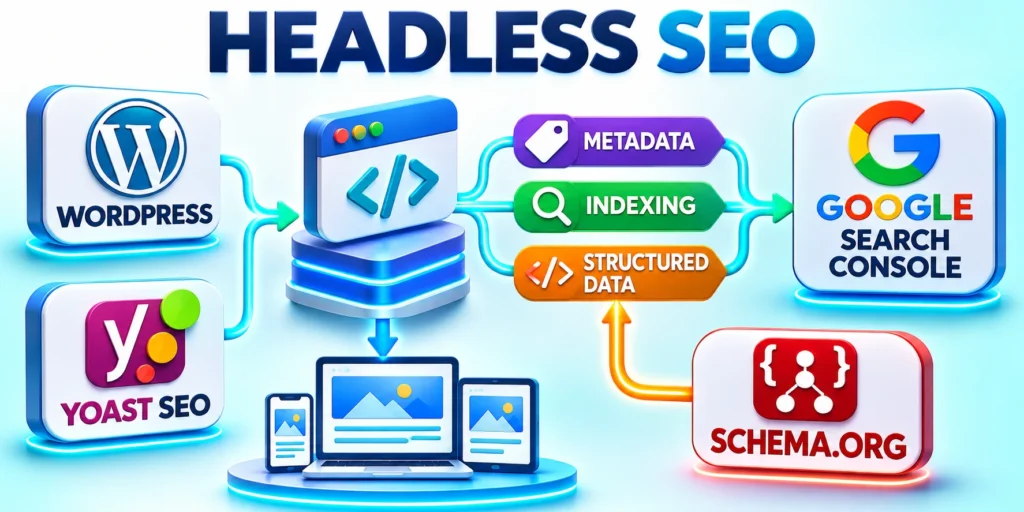
Assign ownership for titles, descriptions, canonicals, robots, hreflang, structured data, sitemaps, redirects, archives, pagination, social metadata, and status codes.
WordPress plugins may store editorial values without controlling the headless HTML, so the frontend must render and test each supported signal.
Validate Public HTML
Inspect representative rendered routes after content, template, plugin, framework, or deployment changes rather than checking only API responses.
Confirm one H1, valid metadata, schema, internal links, images, canonical alignment, and intended indexation using the served document.
Design Localization End to End
Model locale, market, fallback, translation status, URL, permissions, workflow, media, navigation, legal content, and publication timing across CMS and frontend.
Do not publish an apparently localized route when critical onboarding, pricing, forms, support, or contracts remain unavailable for that audience.
Coordinate Hreflang and Fallbacks
Generate alternate references only for valid destinations and preserve user control when routing by language, cookie, account, or location.
Test direct access and crawler access so automatic redirection does not hide supported alternatives or create loops.
Handle Forms and Mutations Separately
Define where forms, comments, search, accounts, preferences, uploads, transactions, and other writes are processed, validated, authorized, rate-limited, and audited.
A read-focused content API does not automatically provide secure mutation workflows suitable for public frontend traffic.
Protect Submission Continuity
When connecting a headless WordPress form to HubSpot, test duplicate submissions, blocked scripts, validation errors, provider outages, and delayed delivery.
Reconcile accepted submissions with downstream systems so a success message never masks a lost business request.
Preserve Analytics Context
Carry stable content IDs, template versions, locale, route, campaign, consent, account, and publication metadata into analytics without exposing unnecessary personal data.
This context helps teams distinguish content changes from routing, rendering, audience, or campaign differences.
Measure Editorial Outcomes
Connect page experience to qualified actions, search use, errors, support, content maintenance, and business outcomes rather than optimizing page views alone.
Apply these reconstruct seo responsibilities controls consistently:
- Render complete metadata in public HTML.
- Preserve canonical routes and redirects.
- Test indexation signals after deployment.
Use comparable cohorts and observation windows because headless migrations often change instrumentation and navigation simultaneously.
Verify these headless SEO responsibilities before release:
Secure the Expanded Attack Surface
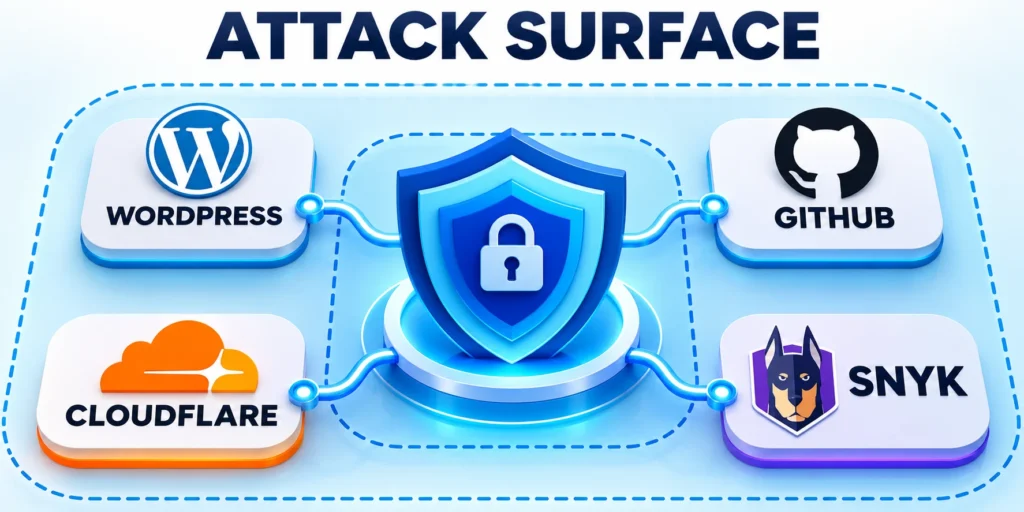
Treat WordPress, repositories, builds, frontend runtimes, server functions, tokens, webhooks, CDNs, search, media, and monitoring as one security boundary with documented owners and recovery paths.
Assign owners for prevention, detection, containment, recovery, and evidence across every provider involved in the customer journey before releases, incidents, and vendor transitions.
Review the Combined Security Boundary
Review WordPress, APIs, frontend runtime, build platform, repositories, webhooks, tokens, CDNs, search, media, previews, and third-party integrations as one documented system during every material change.
A hardened CMS cannot compensate for exposed build credentials, unsafe server functions, public preview tokens, vulnerable frontend dependencies, or missing recovery ownership.
Test Authorization at Every Boundary
Verify object, field, action, tenant, locale, and role access in the service that actually returns or changes data.
Client-side hiding and trusted network location are not substitutes for server-side authorization.
Protect deployment and provider boundaries
Review repository access, build identities, environment variables, server functions, administrative APIs, preview tokens, webhooks, and vendor support paths.
Rotate exposed credentials, remove abandoned deployments, and verify that provider changes cannot retain access beyond their documented operating purpose.
Observe Cross-System Journeys
Trace a publication from WordPress save through event delivery, build or invalidation, API response, frontend rendering, CDN propagation, and public verification.
Correlate identifiers and timestamps so responders can locate the failed boundary without searching disconnected logs manually.
Alert on User Impact
Monitor stale content, failed previews, broken routes, invalid metadata, delayed builds, API errors, missing media, search drift, and mutation failures.
Apply these secure expanded attack controls consistently:
- Scope credentials to required actions.
- Test authorization at every boundary.
- Monitor failures affecting real users.
Set owners and runbooks for each alert, including safe fallback, communication, and reconciliation after recovery.
Apply these cross-system security controls consistently:
Prove Backup and Recovery Across Platforms
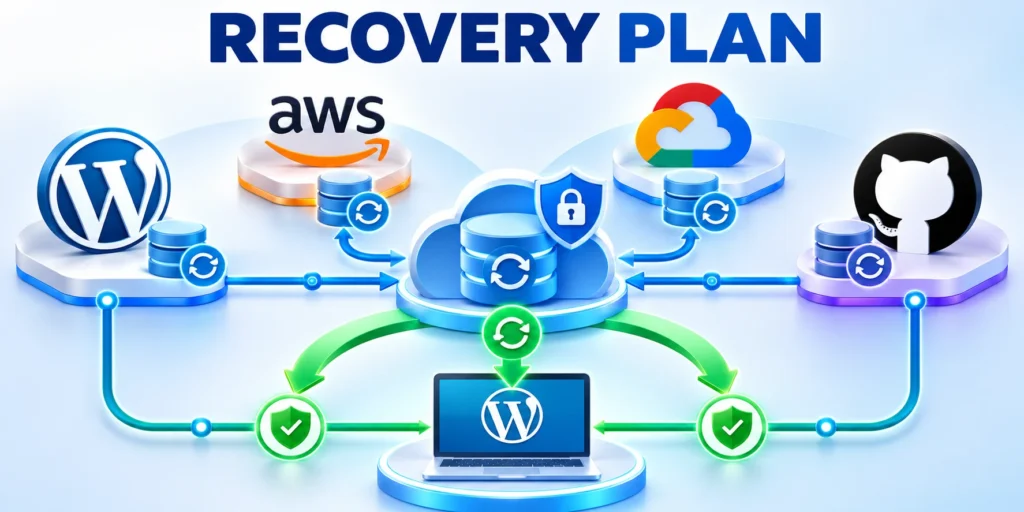
Back up WordPress data, media, configuration, frontend code, infrastructure definitions, secrets, routes, search settings, and operational documentation according to recovery objectives.
One restored component may still be incompatible with the versions and content state retained elsewhere.
Rehearse Coordinated Recovery
Restore representative systems, reconnect integrations, rebuild indexes, reissue secrets, validate routes, and reconcile edits made around the incident window.
Measure recovery time and update procedures when dependencies or providers change.
Assign Product Ownership for the Whole Stack
Name accountable owners for editorial workflow, content model, APIs, frontend, infrastructure, security, search, analytics, integrations, support, and vendor relationships.
Shared architecture requires shared planning, but each decision still needs a person authorized to resolve tradeoffs and accept residual risk.
Fund Continuous Maintenance
Budget updates, testing, monitoring, content migrations, performance work, incident response, documentation, and dependency replacement beyond the initial headless launch.
Without sustained ownership, the decoupled stack multiplies components while losing the operational discipline needed to keep them compatible.
Govern Frontend Deployment Independence
Define when content changes require no deployment, incremental regeneration, configuration release, or coordinated code change across one or more frontend applications.
Preserve editorial autonomy for routine publishing while keeping structural and behavioral changes inside reviewed engineering release processes.
Coordinate Multi-Frontend Compatibility
Test contract changes against web, mobile, portals, kiosks, syndication, and other consumers before assuming one successful frontend represents the complete ecosystem.
Track client versions and supported capabilities so older applications receive safe fallbacks during staged upgrades.
Design Personalization With Stable Defaults
Separate canonical content from audience rules, decision data, experiments, account context, and presentation variants with explicit ownership and privacy controls.
Always provide a useful nonpersonalized experience when identity, consent, profile, experimentation, or recommendation services are unavailable.
Protect Cache and Metadata Correctness
Ensure personalized responses cannot leak through shared caches, canonicals, structured data, previews, social cards, or server-rendered HTML intended for another audience.
Test anonymous, authenticated, consent-restricted, regional, and account-specific requests across every delivery layer.
Model Total Headless Cost
Include CMS, frontend hosting, builds, CDN, search, media, monitoring, security, integrations, developers, editorial support, incidents, upgrades, and vendor management.
Compare the operating model against a supported coupled architecture rather than treating frontend speed or license cost as the complete business case.
Track Cost Drivers Over Time
Monitor build minutes, bandwidth, function execution, cache misses, API traffic, search volume, storage, preview use, incidents, and specialist maintenance by product.
Review architecture when costs grow faster than publishing value, customer outcomes, reliability, or supported channel expansion.
Plan Migration and Reversal
Inventory templates, routes, plugins, forms, search, accounts, media, metadata, redirects, integrations, analytics, and editorial workflows before decoupling an existing site.
Migrate a representative vertical slice and preserve rollback until content, operations, SEO, accessibility, security, and recovery evidence meets acceptance criteria.
Avoid Irreversible Coupling
Keep content and routing contracts portable enough to replace the frontend, search provider, build service, or delivery platform without reconstructing every record.
Apply these prove backup recovery controls consistently:
- Restore compatible platform versions.
- Reissue secrets and reconnect integrations.
- Verify routes, indexes, and recent edits.
Test exports and dependency removal before a commercial or technical emergency forces an unplanned migration.
Test these coordinated recovery outcomes regularly:
Conclusion
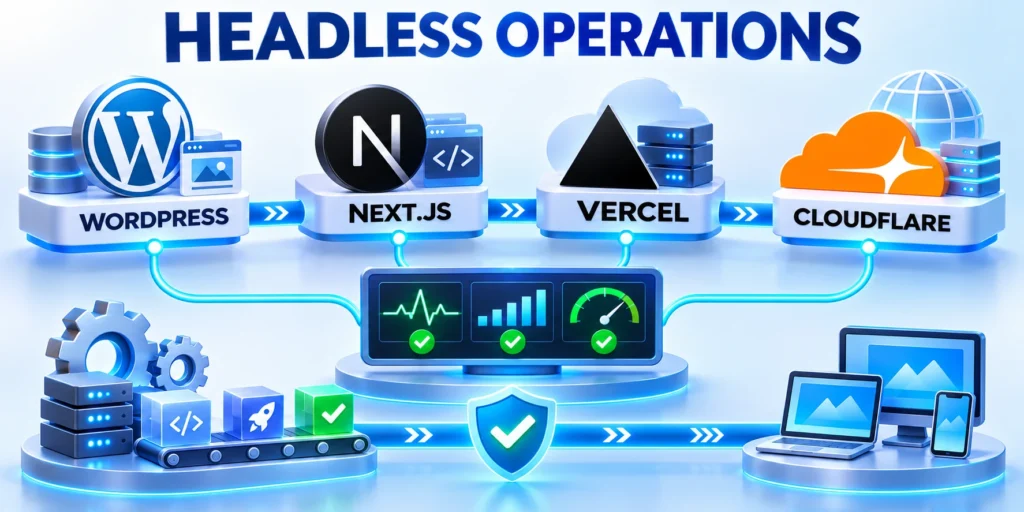
Headless WordPress works best when a defined delivery problem justifies the additional frontend, API, deployment, cache, and operational responsibilities.
The architecture should preserve editorial control while giving engineering teams explicit contracts, measurable outcomes, tested recovery, and accountable ownership.
Keep the operating contract explicit
Document content shape, preview, routing, access, cache invalidation, deployment, monitoring, and recovery as shared product responsibilities.
Apply these conclusion controls consistently:
- Prove value with a representative vertical slice.
- Protect preview and authenticated content paths.
- Rehearse coordinated recovery across every platform.
Review these priorities before expanding the architecture:
Advance through measured stages
Release bounded route families with acceptance evidence, monitoring, reconciliation, rollback, and clear ownership for every failed boundary.
Continue only when readers, editors, integrations, search systems, and support teams receive the intended behavior.
Preserve a reversible architecture
Keep content, routes, contracts, media, search, and infrastructure portable enough to replace one provider without reconstructing the complete publishing system.
A maintainable headless platform remains understandable, testable, recoverable, and valuable throughout its operating life.
Operate the complete service
Monitor publishing, APIs, builds, invalidation, rendering, search, media, forms, analytics, security, and support as connected user journeys.
Correlate identifiers and timestamps so responders can locate the failed boundary without searching disconnected systems manually.
Sustain the decoupled operating model
Budget framework upgrades, WordPress changes, contract evolution, security reviews, accessibility, monitoring, content migrations, incidents, and provider replacement.
The architecture remains justified only while its measured product value exceeds the additional operational cost and coordination it creates.
Review architecture after material change
Reassess the decision after major framework, WordPress, provider, traffic, content model, security, or editorial workflow changes.
Earlier evidence should not be treated as permanent when the operating versions, dependencies, costs, or supported journeys have changed.
FAQ
These answers clarify common headless WordPress architecture and operating decisions.
What does headless WordPress mean?
It means WordPress manages content while a separate application renders the visitor-facing experience, usually by requesting content through an API.
Is headless WordPress faster?
It can be faster for measured workloads, but performance depends on rendering, API calls, caching, hosting, media delivery, and frontend code.
Does WordPress still store the content?
Yes. WordPress can continue storing posts, pages, media, taxonomies, and custom content while another application displays them.
Should I use REST or GraphQL?
Choose the interface that fits the content model and team skills. REST is built into WordPress; WPGraphQL requires an additional plugin and maintenance.
Can editors preview drafts in a headless setup?
Yes, when the project implements a secure preview flow that checks editorial permissions and prevents private draft responses from entering shared caches.
Can a headless site use WordPress plugins?
Plugins that manage content or backend workflows may still help. Plugins that render interface elements into a WordPress theme may need a frontend equivalent.
Where should API credentials be stored?
Store privileged credentials in server-side environment configuration or a managed secret store. Never expose them in browser code or public bundles.
How should published edits reach the frontend?
Use a documented rebuild, timed revalidation, or authenticated event-driven invalidation path, then test that content and media changes become visible.
Does going headless remove WordPress security responsibilities?
No. Secure WordPress accounts, updates, APIs, hosting, credentials, backups, and deployment access. The separate frontend adds controls to maintain.
What is the safest way to start a migration?
Prototype one representative page and editorial workflow, test performance and preview behavior, and define rollback before routing production traffic.
For a focused companion topic, read WordPress Database Optimization for High-Traffic Content Portals.





Leave a Reply