


Why Prompt Engineering Matters in Marketing Ops
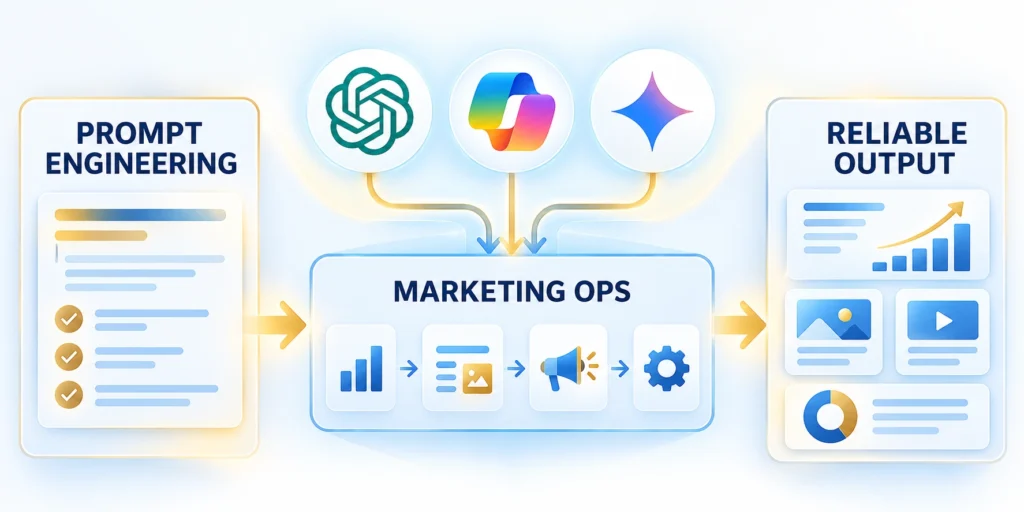
Prompt engineering for marketing ops gives AI systems tested instructions for defined tasks. It does not replace campaign strategy, data governance, or human approval.
For B2B teams, the goal is a repeatable workflow that turns approved inputs into useful drafts or recommendations while protecting brand decisions and customer commitments.
Define the operational boundary
Set the task, source records, required output, accountable owner, and review point before asking a model to help. Those decisions make prompt quality measurable.
Keep the application controls outside the prompt. Permissions, approvals, and data access must remain enforceable when wording changes or a model returns an unexpected response.
Treat the prompt as one part of an operating process
A campaign brief, routing rule, and review checklist define the business goal. The prompt translates those decisions for the model, but cannot resolve missing consent or conflicting records.
Treat a prompt as a versioned work instruction alongside its data, model settings, connected tools, review step, and output destination.
Related B2B marketing workflow guide
For broader context, see this guide to applying AI across B2B marketing workflows. This article focuses on prompt operations.
Use that workflow context to identify which decisions need clear input rules, approved sources, and accountable review before model assistance is introduced.
Choose a task where better instructions can help
Start with bounded, frequent tasks that are easy to check: classify requests, summarize approved notes, find missing brief fields, or draft message variants.
Keep audience, budget, claims, and publishing decisions under human approval. Use digital marketing strategy consulting when the team needs help defining the campaign priorities that automation supports.
Use this operational checklist for the decision:
- Classify inbound campaign requests against defined fields.
- Summarize approved call notes without adding unsupported claims.
- Flag missing information in a campaign brief.
- Draft message variants from a locked, approved message.
Map the Workflow Before Writing a Prompt
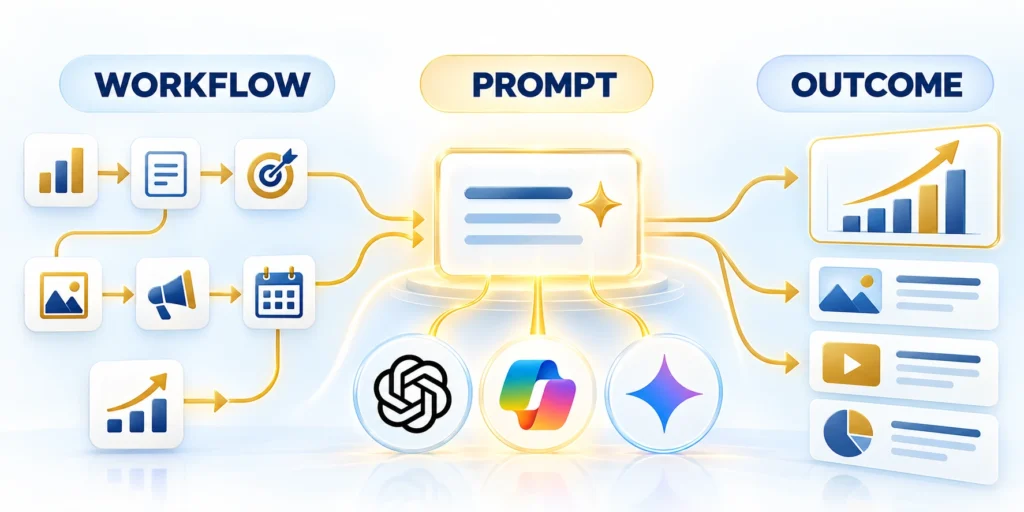
Marketing operations work begins with a repeatable process, not a prompt. Map the request, approved information, decisions, approvals, and system actions first.
This workflow map clarifies which steps need an AI draft, where a person decides, and what evidence must be stored.
Separate inputs, decisions, and actions
Map each workflow step before writing the prompt. Separate information supplied to the model, the decision the business requires, and any action that follows.
| Workflow part | Marketing ops example | What the prompt can do |
|---|---|---|
| Input | Campaign request form | Check required fields and summarize facts. |
| Decision | Is the brief complete enough to estimate effort? | Flag missing information; do not approve the work. |
| Action | Return a question to the requester | Draft a response; a person approves it. |
Keep actions narrow: AI may draft a response or flag a missing field, while a person approves budgets, audiences, and campaign publication.
Changes to customer data or external sends need a separate, permissioned workflow.
Define the failure path before the happy path
Define handling for incomplete briefs, conflicting fields, stale sources, and out-of-scope requests. Name uncertainty, request missing information, and route the case to an owner.
Do not ask a model to use its best judgment when a real choice has material consequences.
Use this operational checklist for the decision:
- Missing field: name what is absent and ask the requester.
- Conflicting sources: show both values and identify the owner who decides.
- Outdated source: mark it stale and request an approved replacement.
- Out of scope: stop the workflow and route it to a named owner.
Build Prompts With a Reusable Operating Structure

Once the workflow is clear, define the prompt as an operating contract: task, context, constraints, output shape, and failure behavior.
This makes review easier and lets teams compare revisions against the same realistic requests instead of relying on one good result.
Specify the task, context, constraints, and output
For a campaign brief checker, specify its role, task, approved criteria, required fields, conflict handling, return format, and rule against invented claims.
Use these approved prompt rules before release:
- Identify required fields and approved sources.
- Define how to handle missing, conflicting, or unverifiable information.
- Specify the output fields and acceptable status values.
- Forbid approving, scheduling, or publishing a campaign.
Compare the returned fields with the reviewed request before sending any draft to a downstream workflow. This reveals whether the instruction applies the stated rules consistently.
Apply the instruction to a realistic example
A useful instruction checks supplied requirements, returns missing fields and evidence, and marks insufficient material as unknown instead of guessing.
Test the instruction on real workflow examples and revise it when observed errors show which rule is unclear.
Make boundaries observable
Replace “be accurate” with observable rules: state which source controls, how missing values are handled, which claims are prohibited, and what to return when evidence is absent.
Keep shared rules separate from request data. The JSON is illustrative; adapt field names to your API and validate output before downstream use.
{
  "task": "Check the campaign request against the required fields",
  "source_of_truth": "The supplied approved brief and intake checklist",
  "rules": [
    "Do not infer missing dates, audiences, budget, or claims",
    "Return conflicts with the two conflicting values",
    "Mark unsupported judgments as unknown",
    "Do not approve, schedule, or publish the campaign"
  ],
  "output": {
    "status": "complete | needs_information | conflict",
    "findings": [],
    "questions_for_owner": []
  }
}
Ground Prompts With Approved Context and Boundaries

Prompts are only as reliable as the sources and permissions behind them. Define authoritative sources and allowed data before adding context.
For each input, identify its owner, freshness, sensitivity, and permitted use; model access alone does not constitute business approval.
Use a source hierarchy and label uncertainty
For a campaign launch, a signed-off brief may govern the offer, the CRM may define account status, and a compliance owner may approve regulated claims.
Use this operational checklist for the decision:
- Write down which approved source controls each field.
- Ask the model to cite the record or field supporting each checked conclusion.
- If a required source is missing, request it or hand the case to its owner.
This makes uncertainty visible instead of asking the model to reconcile conflicting records or fabricate a detail.
Minimize sensitive data in prompt inputs
Before sharing CRM or customer information with an AI service, confirm the approved platform, contract, access controls, retention settings, and internal data policy.
Use synthetic or redacted examples when possible. Never place contact lists, private account notes, credentials, or sensitive personal data in an unapproved prompt.
Use this operational checklist for the decision:
- Limit context to fields needed for the task.
- Remove direct identifiers when pseudonymous data is sufficient.
- Enforce access and retention in the application, not prompt wording alone.
- Log source references and decisions without collecting unnecessary conversation content.
Create Reusable Prompt Templates for Daily Operations

Reusable templates help teams apply approved workflows consistently while making variable inputs explicit. Separate shared rules from campaign-specific values.
For each template, name its owner, intended task, required fields, output format, and the person responsible for final decisions.
Keep template decisions visible
Give each reusable template a named task, approved source set, output format, review owner, and revision route. These details make a useful draft an operating asset.
Review templates after material campaign, model, data, or policy changes. A stable name alone does not guarantee that the instruction remains appropriate.
Example: produce a first-pass campaign brief
A template can capture the objective, audience, message, offer, channel, assets, owner, dates, and open questions. Label generated suggestions as drafts and preserve approved claims.
If a request says “increase adoption,” ask which behavior, audience, and period define success. Never invent a target or present an unapproved offer as available.
Example: classify requests for routing
A campaign-operations queue might route work by launch type, requested date, region, and missing approvals.
Use a defined list of labels and include “unclear” so unusual requests do not get forced into the nearest category.
Use this operational checklist for the decision:
- Routine update: an existing campaign changes copy or an approved asset.
- New launch: a new audience, offer, or channel needs review.
- Time-sensitive: a documented deadline requires owner triage.
- Unclear: required information is missing or the request does not fit a known route.
Keep the model’s classification advisory until a measured test shows that automation is reliable for the specific queue.
The routing application should enforce who can assign work or change a campaign.
Test Outputs With Task-Level Evaluation

Do not judge a prompt from one impressive answer. Build realistic cases covering ordinary, incomplete, conflicting, unusual, and prohibited requests.
OpenAI’s evaluation guidance likewise recommends representative inputs and checking outputs against task-specific criteria.
Make evaluation evidence reusable
Use approved examples that represent ordinary, incomplete, conflicting, and high-risk requests. A reusable set reveals whether a new prompt improves the workflow rather than a single answer.
Record the expected result and reviewer rationale beside each case. This gives later operators a reference when models, tools, source data, or business rules change.
Create a review set with expected decisions
Have experienced operators label the expected route or follow-up for realistic cases. Record why each is complete, incomplete, conflicting, or outside scope.
Include an old offer document beside a newer CRM note. The expected result should name the conflict and ask the designated owner to resolve it.
Measure errors that matter to the workflow
Track missing required fields, invented details, misrouted urgent work, and human rewrite effort. Report error counts by type instead of hiding them in one score.
Set thresholds by error cost: a draft headline can tolerate more variation than a customer-record change or external communication.
Use this operational checklist for the decision:
- Compare prompt versions on the same reviewed cases.
- Track completeness, factual grounding, format validity, and reviewer effort separately.
- Check that common-case gains do not worsen edge cases.
- Keep human review while the workflow is being evaluated.
Manage Prompts Across Teams, Models, and Change Cycles

Prompts used repeatedly should be versioned, owned, reviewed, and reversible. A small change can alter model output or downstream routing.
Track prompt versions alongside model settings, sources, and evaluation results so operators can identify which change affected performance.
Protect the change decision
Document the tested version, rationale, owner, evaluation set, and reversal point. This creates a defensible record when performance or dependencies change.
Release one material prompt change at a time when practical. Clear change boundaries help reviewers connect a later outcome to the actual instruction or context shift.
Keep a change record and a rollback path
For each revision, record the problem, change, test cases, and results. Restore the prior version if performance worsens while the team investigates.
Store API prompts in controlled configuration. For no-code tools, name owners and restrict production edits to designated maintainers.
Recheck after model or source changes
Re-run prompt tests after changing models, CRM fields, or campaign rules. Inventory those dependencies across the MarTech stack so each integration change triggers the relevant tests.
Record model and prompt versions, relevant settings, evaluation date, and change reason to separate prompt edits from system changes.
Use this operational checklist for the decision:
- Owner: marketing operations lead.
- Approver: the functional owner for claims, data, or campaign policy.
- Change record: version, reason, test cases, results, and rollback point.
- Access: production edits limited to named maintainers.
Roll Out a Prompt Improvement Program

Pilot prompt changes with an owner, test cases, and a stop condition. Put those controls in the marketing automation implementation scope.
Compare results against the current process; expand only after reviewers accept quality, privacy, and permission controls.
Prepare the rollout decision
Start with a bounded workflow and a named reviewer. The sequence should test whether the prompt improves a real operating task without expanding authority beyond existing controls.
Keep the pilot reversible. A team can learn from a limited deployment while preserving the previous method for comparison and recovery.
A practical four-week sequence
Use the sequence to test a specific prompt workflow with known cases. Keep the task, inputs, expected outputs, and review responsibility visible at every stage.
Do not treat the calendar as a substitute for evidence. Extend or stop the pilot according to observed quality, safety, and workflow outcomes.
Use this operational checklist for the decision:
- Map (Week 1): choose workflow, document inputs and owners, and select normal and difficult examples.
- Draft (Week 2): write the prompt, define output fields, and require operator review before actions.
- Evaluate (Week 3): test samples, categorize errors, revise related instructions, and rerun affected cases.
- Decide (Week 4): compare quality, speed, and controls; then stop, extend, or approve.
Use a decision record to expand or stop
Expand only after agreed quality thresholds are met, reviewers understand remaining errors, and the workflow owner accepts the controls. Add one team or request type at a time.
Pause if outputs invent claims, expose data, or repeatedly misroute work. Fix the cause in the data, rules, prompt, or permissions before resuming.
Decide what to automate and what to keep human
Use AI for repetitive work that a person can review. Keep budget, claims, eligibility, consent, customer commitments, and external publication under accountable owners unless validated controls permit automation.
Good prompt engineering clarifies work, protects inputs, makes results measurable, and assigns ownership. More instructions alone do not create an operational advantage.
Define operating criteria before execution
For prompt engineering for marketing operations teams, define prompt purpose, approved inputs, and expected output before changing campaigns, code, content, or workflow.
That shared context gives every contributor a practical boundary for action.
Use this operational checklist for the decision:
- Write the decision, owner, assumptions, and known constraints.
- Identify dependencies that could change the expected result.
- Set a reversible first step when uncertainty remains.
- Keep the decision record accessible to contributors.
- State what evidence is sufficient to proceed.
- Note which decisions cannot be reversed cheaply.
- Define the time frame for the decision.
- Record the intended business benefit.
- Confirm the available capacity and budget.
Test the workflow under realistic conditions
Evaluate prompt engineering for marketing operations teams across the real briefing, generation, review, and approval sequence.
A narrow test can hide handoff issues, exceptions, integration failures, or user behavior.
Use this operational checklist for the decision:
- Choose a representative task or audience segment.
- Run the workflow from its first input to the final outcome.
- Capture exceptions, delays, and manual work.
- Compare results with the agreed baseline.
- Decide whether to improve, repeat, or scale.
- Document the limits of the test.
- Confirm that owners can support the next step.
- Review assumptions with people doing the work.
- Capture feedback from affected customers or users.
Measure outcomes and tradeoffs together
Track accuracy, review effort, reuse, and downstream workflow quality together rather than optimizing a single favorable metric.
Costs, risk, quality, and effort can otherwise distort the apparent value.
Use this operational checklist for the decision:
- Use business and technical indicators in the same review.
- Record data gaps before interpreting a result.
- Explain material changes with evidence, not timing alone.
- Preserve the baseline and reporting period.
- Share findings with the teams responsible for follow-up.
- Check whether the outcome can be reproduced.
- State the confidence level behind each conclusion.
- Compare actual effort against the original estimate.
- Assign responsibility for the next reporting cycle.
Keep the practice current
Review the approach when model, source material, brand rules, or automation changes.
Past decisions may still help, but their assumptions require current evidence.
Use this operational checklist for the decision:
- Schedule ownership and review dates with the operating team.
- Retire outdated instructions, definitions, and unsupported claims.
- Record the next action and accountable owner.
- Link related internal guidance when it helps execution.
- Decide whether to improve, replace, or stop the practice.
- Share changed instructions with affected contributors.
- Keep the latest decision record easy to find.
- Confirm whether the documented standard remains usable.
- Escalate material risks before the next release.
Control Prompt Dependencies
Version the model, system instructions, source data, tools, schemas, examples, settings, and approval rules with each evaluated prompt.
A prompt result cannot be compared reliably when hidden dependencies change between tests without being recorded.
Design Safe Failure Behavior
Define when the workflow should abstain, request missing information, reject an action, or route the case to a qualified reviewer.
Test those paths with incomplete, conflicting, sensitive, malicious, and out-of-scope inputs before integrating the prompt into operations.
Build a prompt review operating loop

A prompt review operating loop connects request intake, approved context, model output, human review, and the next workflow decision. This prevents prompt writing from becoming an isolated activity.
Use the smallest useful workflow at first. A narrow loop gives marketing operations teams evidence about quality, effort, exceptions, and required controls before wider adoption.
Define review responsibilities
Name the operator, subject-matter reviewer, workflow owner, and escalation path before a prompt is used in production. Each role should understand what it can approve or change.
Keep the final business decision with the accountable owner. A model can prepare structured information, but it cannot replace approval authority or resolve conflicting evidence.
Use these review-loop controls before release:
- Named workflow owner
- Approved source records
- Expected output format
- Human review step
- Recorded rollback path
Use the review record to improve safely
Compare the accepted output, corrections, and unresolved cases after each operating cycle. The record shows whether a prompt, source, or application rule needs attention.
Prioritize changes that reduce repeated reviewer effort without weakening evidence standards. Small, traceable improvements are easier to validate and reverse.
Record the learning from each cycle
Compare the prompt output with the reviewed case and note errors, corrections, delays, and unresolved questions. These observations are more useful than broad satisfaction scores.
Use the record to improve one meaningful instruction, source rule, or application control. A documented cycle makes prompt changes repeatable and easier to audit.
Conclusion

Prompt engineering improves marketing operations when instructions are treated as controlled workflow components rather than independent pieces of text.
Define the task, approved context, expected output, human review, and rollback path. These controls make faster work possible without transferring accountability to the model.
Maintain the operating evidence
Review prompt performance with current examples, source records, model settings, and workflow outcomes. A successful result remains useful only while its underlying conditions remain true.
Keep a concise change record with the decision, evidence, owner, and next review date. This gives teams a practical foundation for safe reuse and improvement.
Keep these prompt practices visible:
- Define the workflow task
- Use approved context
- Review difficult cases
- Record each change
- Preserve rollback options
Keep people responsible for outcomes
Assign final approval, customer commitments, and exception handling to accountable people. Models can accelerate preparation, but operating responsibility remains with the team.
Pause or revise a prompt when evidence becomes unclear, sources change, or the workflow produces avoidable risk. Disciplined restraint protects quality and trust.
Keep the operating boundary current
Reconfirm the approved data, application permissions, and escalation route whenever a material dependency changes. Current controls protect the team from applying an old instruction to a new condition.
Use the next review to decide whether the workflow should continue, change, or stop. Clear decisions keep prompt operations accountable to business outcomes.
FAQ
These answers address practical marketing operations questions about prompts, testing, reusable templates, and the boundary of automation.
What is prompt engineering in marketing operations?
It is the process of designing and evaluating instructions that help an AI system perform a specific marketing operations task, such as checking brief completeness or classifying a request.
The prompt works alongside data, application controls, and human review.
Should a team use one prompt for every marketing task?
No. Reuse a template for the same task, but create separate prompts and tests when risk, data sensitivity, or output differs. Campaign drafts and CRM changes need distinct permissions.
How can operators tell whether a prompt improved?
Compare versions on the same reviewed examples and track task-specific outcomes such as missed fields, unsupported claims, routing errors, and human correction time.
A pleasing answer on a single request is not enough evidence.
Can prompts replace approval and compliance controls?
No. Prompt wording guides a model, but application permissions and business review govern actions. Enforce access limits, consent checks, approvals, and audit records in the responsible systems.
How should prompt versions be named?
Use stable identifiers linked to task, owner, dependencies, evaluation set, approval state, release date, and change summary.
Can prompts safely update CRM records?
Only through application-enforced permissions, validation, approval, idempotency, logging, recovery, and narrowly scoped actions.
What examples belong in a prompt?
Use representative, approved, non-sensitive examples that clarify task boundaries, expected structure, difficult cases, and safe refusals.
How often should prompts be reevaluated?
Reevaluate after model, data, tool, policy, schema, workflow, or business changes and on a risk-based cadence.
Should teams store user prompts?
Store only what an approved purpose requires, with notice, access control, retention, redaction, and deletion appropriate to risk.
What belongs in a prompt evaluation set?
Include normal, difficult, incomplete, conflicting, sensitive, adversarial, and out-of-scope cases with reviewed expected outcomes.








Leave a Reply