


Define What “Custom” Means Before Training

An LLM internal knowledge base should help employees get reliable answers from current company documents, not merely make a model sound company-specific.
Start by deciding whether the problem is missing facts, inconsistent behavior, or both. Each calls for a different technical approach.
Separate retrieval from model training
Retrieval-augmented generation, or RAG, searches approved documents at answer time and gives relevant passages to a pretrained model.
The model’s weights stay unchanged. Teams can update, remove, or permission-filter source documents without retraining the base model.
Change behavior only when examples justify it
Fine-tuning changes how a model responds using examples of desired inputs and outputs. It is better suited to format, tone, classification, or recurring task behavior.
Further pretraining continues model training on a large corpus. It is costly, specialized work and is rarely the right first step for a company knowledge assistant.
Use this decision rule
Choose the adaptation approach through this evidence:
- Choose RAG when facts change, answers need citations, or access varies by employee.
- Consider fine-tuning when models miss stable formats or task patterns despite clear instructions and examples.
- Use both only when evaluations show retrieval improves facts and fine-tuning improves behavior.
- Consider continued pretraining only with specialists, defensible data, and evidence retrieval cannot meet requirements.
Test use this decision rule with representative customers, workflows, exceptions, and operating conditions before expanding the decision.
For most internal knowledge projects, begin with a small RAG pilot. Microsoft’s RAG and model-customization guidance makes the same distinction between fresh private knowledge and behavior changes.
Map Knowledge Sources and Permission Rules

Do not begin by uploading every shared drive. First identify which content the assistant may use, who owns it, and which employees may see it.
Include source systems such as policy libraries, support knowledge bases, product documentation, and approved sales material. Exclude personal folders and unmanaged exports.
Create a source register
Inventory each knowledge source through these fields:
- Name a business owner and a technical owner for each repository.
- Record classification, retention rules, update frequency, and authoritative version.
- Identify group or document permissions that must carry through to search results.
- List unsupported formats, duplicate repositories, and documents without a clear owner.
- Confirm the organization has rights to process each source for this use.
A file being visible to an indexing service does not mean every employee should receive it in a generated answer. Enforce authorization during retrieval.
For Azure AI Search, Microsoft documents document-level access controls and permission filters in its document-level access overview.
Make access decisions testable
Test make access decisions testable with representative customers, workflows, exceptions, and operating conditions before expanding the decision.
Test these role-based retrieval boundaries:
- A sales representative can retrieve current public-to-sales playbooks and assigned account notes.
- A regional manager can additionally retrieve territory reports for their region.
- Human resources records remain unavailable to both roles unless a separate authorized workflow exists.
Write a small access matrix before ingestion: users down one side, data groups across the other, and allow or deny in each cell.
Prepare Documents for Reliable Retrieval
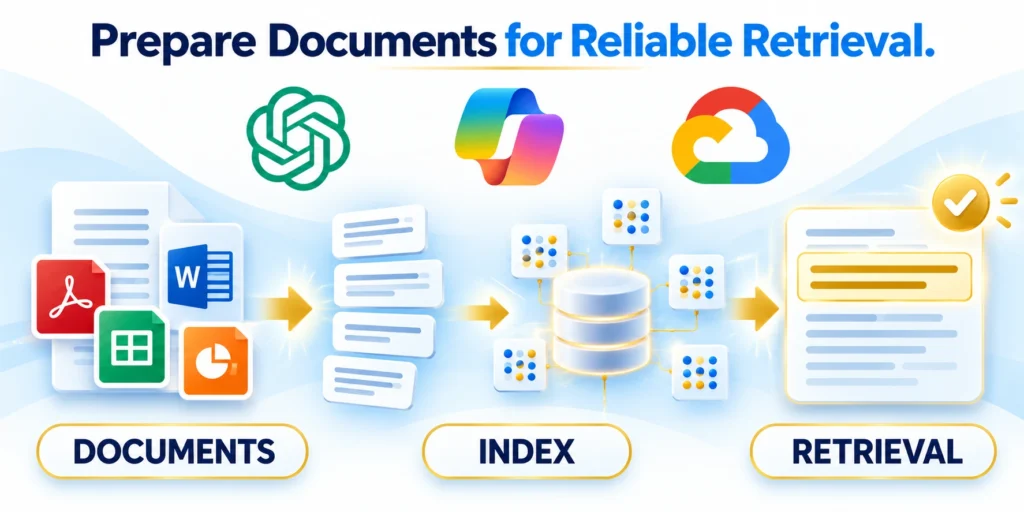
Retrieval quality depends on the text and structure the index receives. Poor scans, repeated headers, and stale copies can make even a capable model answer badly.
Build a repeatable ingestion pipeline that preserves the source, records processing errors, and can safely replace an older indexed version.
Clean and describe each document
Define the owner, evidence, decision boundary, and expected result for clean and describe each document in internal knowledge AI and retrieval.
Prepare documents through these controlled steps:
- Extract text from supported office files, HTML, and searchable PDFs.
- Use OCR only where necessary, then review extraction quality on tables and scanned pages.
- Remove duplicated navigation, repeated footers, and obsolete copies without discarding useful context.
- Keep source title, canonical URL, owner, version, effective date, and classification as metadata.
- Exclude passwords, access tokens, personal data outside the approved purpose, and abandoned drafts.
Test clean and describe each document with representative customers, workflows, exceptions, and operating conditions before expanding the decision.
Chunk by meaning, not arbitrary length alone
A chunk should carry enough context to answer a realistic question while remaining specific enough for search to identify the right passage.
Split around headings, procedures, policy clauses, or product topics. Keep a heading with the text it governs, and avoid cutting a numbered procedure mid-step.
Retain context in each passage
Test retain context in each passage with representative customers, workflows, exceptions, and operating conditions before expanding the decision.
For a short policy, one section per chunk may work. For a long guide, split dense sections further while retaining the parent heading and nearby definitions.
Tune chunk boundaries with real questions
Test tune chunk boundaries with real questions with representative customers, workflows, exceptions, and operating conditions before expanding the decision.
Do not assume a universal chunk size. Compare several settings on actual questions and inspect whether retrieved passages include the condition, exception, and answer.
Attach traceable metadata
Give every indexed piece a stable source identifier and enough attributes for filtering, citations, and deletion.
{

  "document_id": "sales-playbook-2026-04",

  "source_url": "https://intranet.example.com/sales/playbook",

  "owner": "sales-operations",

  "classification": "internal-sales",

  "valid_from": "2026-04-01",

  "allowed_groups": ["sales-na"],

  "version": "4"

}
Use the organization’s actual group identifiers and date format. The sample is illustrative; do not copy example values into a production index.
Build Retrieval Before Fine-Tuning
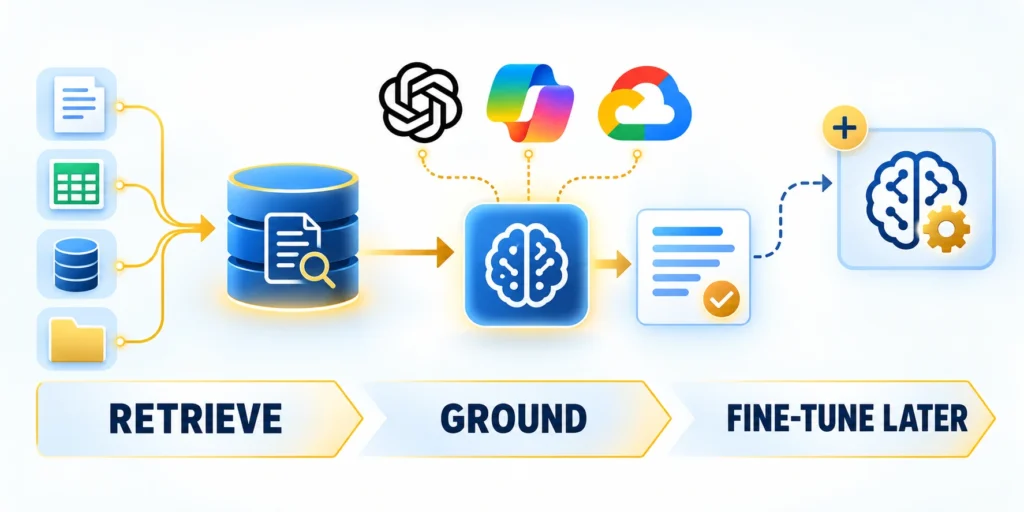
Once source content is prepared, index it and test retrieval independently from answer generation. This makes it easier to tell search failures from model failures.
A basic pipeline parses files, creates searchable chunks, stores embeddings and metadata, retrieves candidate passages, then sends approved evidence to the model.
Combine lexical and semantic search when needed
Semantic search can find conceptually similar language. Keyword search can preserve exact product names, error codes, acronyms, or contract terms.
Tune retrieval through these measured controls:
- Start with a modest result limit, such as five passages, and measure answer quality.
- Raise it only when the missing evidence appears lower in the ranked results.
- Use metadata filters for status, region, product, effective date, and user permissions.
- Return source IDs and links with every passage so generated claims can be traced.
Hybrid retrieval combines both signals. A reranker can then reorder a short candidate list using the full question and passage text.
OpenAI’s File Search guide shows a hosted Responses API option using vector stores, semantic and keyword search, result limits, and metadata filters.
Run a retrieval-only smoke test
Define the owner, evidence, decision boundary, and expected result for run a retrieval-only smoke test in internal knowledge AI and retrieval.
Validate retrieval through these baseline steps:
- Write ten real employee questions with one authoritative source passage for each.
- Search the index without a language model and inspect the top results.
- Record whether the expected passage appears, its rank, and whether access filtering is correct.
- Fix extraction, chunk boundaries, metadata, or query handling before adding generation.
Test run a retrieval-only smoke test with representative customers, workflows, exceptions, and operating conditions before expanding the decision.
Generate Cited Answers With a Safe Fallback
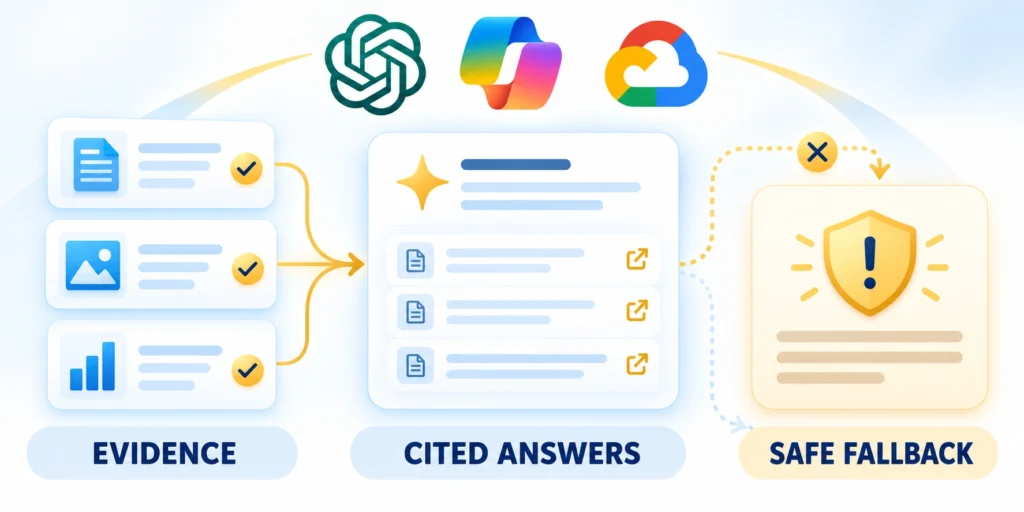
Generation should use the retrieved evidence, explain uncertainty, and identify where important statements came from.
Require these grounded answer behaviors:
- Retrieved evidence
- Accessible citation
- Uncertainty boundary
- Human fallback
Make the application responsible for authentication, authorization, retrieval, and citation mapping. The model should not decide which users may access company files.
A minimal hosted File Search request
The example below calls the OpenAI Responses API with an existing vector store. Set credentials and identifiers in the server environment, never in browser code.
from openai import OpenAI

client = OpenAI()  # Reads OPENAI_API_KEY from the server environment.

response = client.responses.create(

    model="MODEL_SUPPORTED_BY_YOUR_PROJECT",

    input="What steps must a sales representative complete after a visit?",

    tools=[{

        "type": "file_search",

        "vector_store_ids": ["VECTOR_STORE_ID"],

        "max_num_results": 5,

    }],

    include=["file_search_call.results"],

)

print(response.output_text)
Replace the model and vector-store placeholders with identifiers enabled in your project. Run this example in a protected backend with a test store first.
Check the retrieved evidence before trusting the response
Test check the retrieved evidence before trusting the response with representative customers, workflows, exceptions, and operating conditions before expanding the decision.
To verify the response, inspect the returned file-search results and citations, compare them with expected evidence, and confirm that access filters were applied before the model call.
Tell the model when not to answer
In the application instructions, require the model to answer only from supplied passages, cite supporting sources, and say when evidence is missing or contradictory.
Then enforce those rules in code: reject unknown citations, remove links the user cannot open, and refuse to expose records excluded by authorization.
Apply the same controls in customer-facing assistants
Test apply the same controls in customer-facing assistants with representative customers, workflows, exceptions, and operating conditions before expanding the decision.
For a separate lead-qualification example, see our guide to implementing AI-powered chatbots for B2B lead qualification.
Escalate decisions with real consequences
Test escalate decisions with real consequences with representative customers, workflows, exceptions, and operating conditions before expanding the decision.
For high-impact decisions, route the answer to a qualified employee rather than letting a generated response approve a payment, change a contract, or grant access.
Decide When Fine-Tuning Is Worthwhile

Fine-tuning can teach a model a recurring response pattern. It does not automatically create a current, permission-aware search system for company documents.
Demand this fine-tuning evidence first:
- Stable task pattern
- Measured baseline
- Owned dataset
- Held-out evaluation
If policies change weekly, placing the facts only in model weights makes updates and source-level citations harder to manage.
Build examples around behavior
Use training examples when the model must consistently classify a request, produce a strict schema, follow a specialized tone, or handle recurring edge cases.
{"messages":[{"role":"user","content":"Classify this support request: The portal says my device is not compliant."},{"role":"assistant","content":"{\"category\":\"device_compliance\",\"urgency\":\"normal\",\"needs_human\":false}"}]}This JSONL-style example teaches output behavior; it is not a knowledge document. Validate schema, label quality, balance, and held-out examples before considering training.
Measure whether tuning earns its added cost
Test measure whether tuning earns its added cost with representative customers, workflows, exceptions, and operating conditions before expanding the decision.
Run a baseline evaluation first. Fine-tuning is justified only if it improves agreed metrics enough to offset dataset curation, training, deployment, and ongoing evaluation.
Check provider and model availability first
Training options, supported base models, retention terms, and pricing differ by provider and change over time. Verify current availability before building a production plan around a service.
For example, OpenAI’s current fine-tuning guidance notes changes to new-user access. Treat provider documentation as a dated implementation constraint, not a universal rule.
Protect Internal Knowledge at Runtime
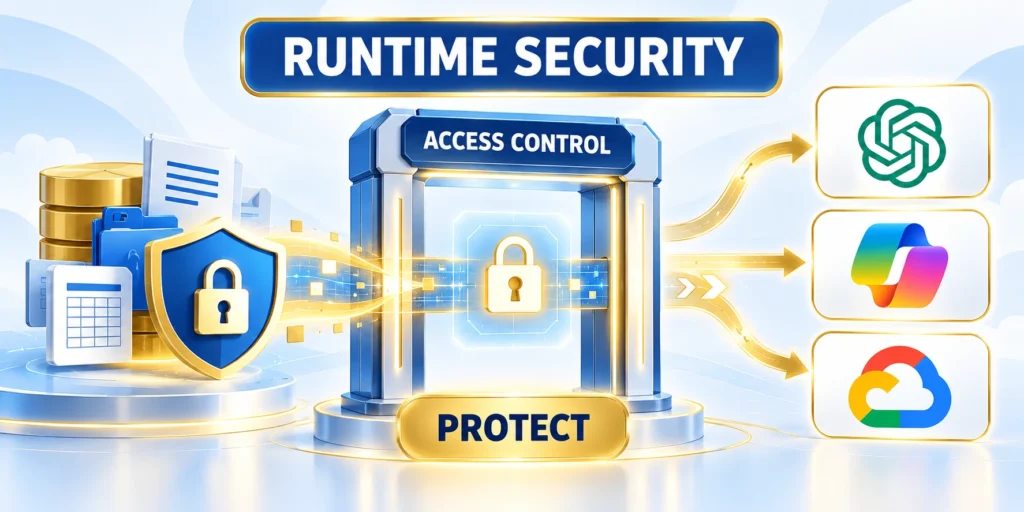
RAG can expose a private document if the retrieval layer returns it to the wrong employee. Model instructions alone are not an access-control system.
Authenticate each user, derive group membership from a trusted identity provider, and apply document permissions before evidence reaches the model.
Enforce permissions before generation
Enforce runtime access through these checks:
- Authenticate the employee and resolve approved group membership.
- Send those group identifiers as retrieval filters or use a connector that enforces source permissions.
- Confirm every returned document is allowed for that user before assembling model context.
- Keep privileged credentials server-side and log document IDs, user IDs, and decision outcomes.
- Test an unauthorized user; confirm the answer exposes neither the record nor its metadata.
Test enforce permissions before generation with representative customers, workflows, exceptions, and operating conditions before expanding the decision.
Do not retrieve broadly and try to hide unauthorized facts in the prompt afterward. Once sensitive text enters model context, downstream controls cannot reliably erase exposure risk.
Treat indexed documents as untrusted input
A file can contain malicious instructions that tell an assistant to reveal secrets or ignore its intended task. OWASP describes this as indirect prompt injection.
Limit the model’s tools, separate retrieved text from developer instructions, sanitize ingestion where practical, and test documents containing hostile instructions.
Do not rely on prompt wording as the only defense
Test do not rely on prompt wording as the only defense with representative customers, workflows, exceptions, and operating conditions before expanding the decision.
RAG and fine-tuning do not eliminate prompt-injection risk. OWASP’s LLM01 guidance recommends layered mitigations rather than relying on prompt wording alone.
Evaluate the System Before Launch
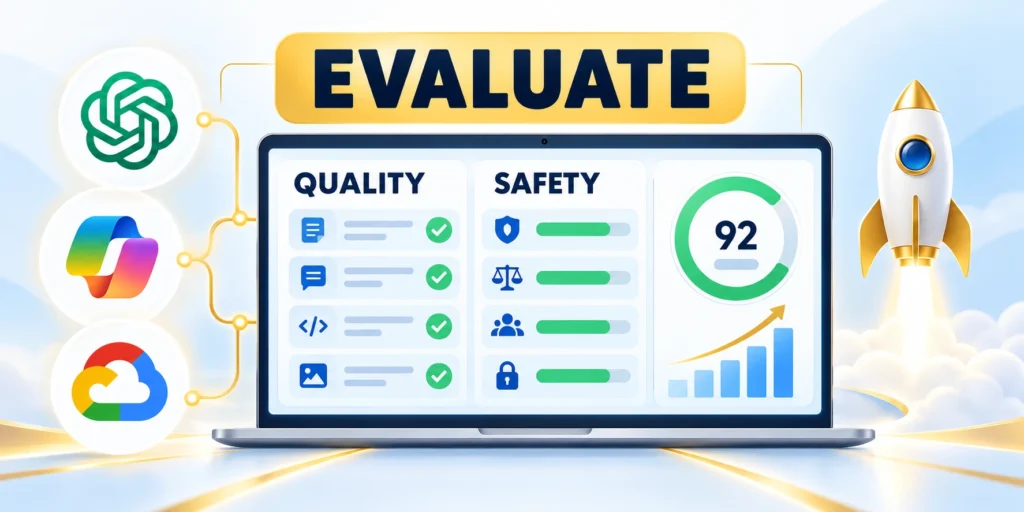
A demo that answers a few curated questions does not establish production quality. Build a repeatable test set from actual employee tasks.
Evaluate these system dimensions together:
- Retrieval quality
- Grounded claims
- Authorization
- Latency
- Escalation
Evaluate retrieval, answer grounding, permissions, refusal behavior, latency, and cost separately so each failure points to a fixable component.
Create a small gold set
Define the owner, evidence, decision boundary, and expected result for create a small gold set in internal knowledge AI and retrieval.
Build the evaluation set through these inputs:
- Collect representative questions from each intended team and workflow.
- Record expected source documents, key facts, acceptable answer range, and whether the system should abstain.
- Include ambiguous, outdated, contradictory, and unanswerable questions.
- Label each test user’s access groups and the documents that user may retrieve.
- Keep a held-out set for checking improvements after configuration changes.
Test create a small gold set with representative customers, workflows, exceptions, and operating conditions before expanding the decision.
Measure component-level outcomes
| Check | What to record |
|---|---|
| Retrieval | Expected evidence rank |
| Grounding | Claims supported by evidence |
| Citations | Correct accessible source passage |
| Authorization | Restricted records remain excluded |
| Operations | Latency, cost, errors, escalation |
Track failed questions by cause: source missing, extraction damaged, wrong chunk, permission filter, retrieval ranking, or model synthesis.
Change one component at a time and rerun the same tests. This shows whether a new chunk size, filter, prompt, or model actually improved results.
Set acceptance thresholds before comparison
Define minimum evidence rank, citation accuracy, authorization, abstention, latency, and escalation expectations before testing changes. Post-hoc criteria can favor a preferred configuration.
Review failures by workflow and risk, not only an aggregate score. One unauthorized retrieval or unsupported high-impact claim may outweigh many correct routine answers.
Keep the Knowledge Base Current

An internal knowledge base is not a one-time upload. Documents are edited, access changes, products retire, and old material becomes misleading.
Assign each source a sync schedule and a deletion path. The index should reflect approved changes without leaving stale chunks searchable indefinitely.
Use versioned ingestion
Synchronize changed sources through these steps:
- Detect a source change and capture its new version, timestamp, and permissions.
- Parse and validate the new content before changing the active index.
- Replace chunks by stable document ID so an update does not create duplicate copies.
- Remove deleted or newly restricted content from searchable storage and caches.
- Run smoke tests on questions tied to the changed material before marking the sync complete.
When a source is removed, confirm its indexed chunks and cached retrieval results are also removed. Some services apply deletion asynchronously; verify their documented behavior.
Store source version, index build, parser version, and evaluation results together. That record makes rollback and incident review more reliable.
Reconcile source changes and index state
Track source version, parsing result, chunk replacement, permissions, deletion, cache invalidation, smoke tests, and activation. A successful connector request does not prove searchable content is current.
Alert when sources stop synchronizing or owners disappear. Preserve the last verified state while accountable teams investigate instead of silently serving an incomplete index.
Handle deletions and restricted content promptly
Remove deleted or newly restricted passages from active search, caches, generated-answer stores, and diagnostic tools. Verify that unauthorized users cannot infer the missing record.
Keep auditable identifiers for the removal decision without retaining unnecessary sensitive text. Test representative questions after cleanup to detect stale citations or duplicate versions.
Roll Out Carefully and Control Operating Cost
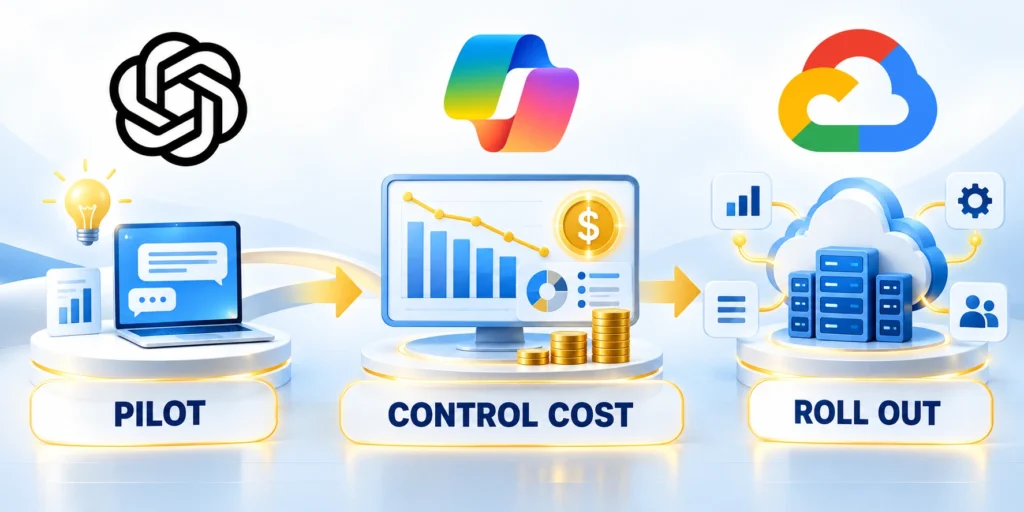
Begin with a small group and low-consequence questions. Keep existing search and human support available while employees test the assistant.
Set an owner, an escalation path, and a pause condition before launch. Expand only when evidence supports the next group or use case.
Budget for the full retrieval workflow
Test budget for the full retrieval workflow with representative customers, workflows, exceptions, and operating conditions before expanding the decision.
Control operating cost through these signals:
- Measure typical and peak query volume by team.
- Limit retrieved results to the amount needed for a supported answer.
- Cache only where permissions and freshness rules make reuse safe.
- Compare model, retrieval, and reranking costs against the time saved or error reduction.
- Alert when usage, latency, access failures, or unanswered questions exceed agreed limits.
Model cost includes more than generated tokens. Include document parsing, embeddings, vector storage, search requests, reranking, monitoring, and human review.
Use this launch sequence
Roll out the system through these stages:
- Select one team and a bounded, approved document set.
- Set up identity-aware retrieval, citations, and a safe fallback.
- Run the gold set, including access-control and prompt-injection tests.
- Pilot with employees who can report incorrect or unsafe answers.
- Review issues, cost, latency, and usage weekly; fix causes before expanding.
Test use this launch sequence with representative customers, workflows, exceptions, and operating conditions before expanding the decision.
Keep a rollback switch that disables generation without deleting source data. A clear search-only fallback helps users continue working during incidents.
FAQ
These answers clarify retrieval, fine-tuning, permissions, citations, evaluation, source freshness, prompt injection, and the operating controls required for internal knowledge AI.
Do I need to train an LLM on company documents?
Usually not. Start with retrieval when employees need answers from current documents, source citations, or permissions that change over time.
What is the difference between RAG and fine-tuning?
RAG retrieves external knowledge at answer time. Fine-tuning uses examples to change response behavior, style, or task performance.
Can a RAG assistant respect employee permissions?
Yes, if authorization is applied before retrieved passages reach the model and the system tests user and group access explicitly.
How do I reduce hallucinations in an internal knowledge assistant?
Improve source quality and retrieval, require citations, test against expected evidence, and let the system abstain when its sources do not support an answer.
When should a company fine-tune a model?
Consider it after a measured behavior or formatting gap persists despite prompt and retrieval improvements, and after confirming model availability and data terms.
How should source documents be prioritized?
Start with approved, current, frequently needed material whose owners, audience, permissions, and update process are clear.
What should happen when sources disagree?
Show the conflict, prefer the governed authoritative source, and route material ambiguity to its accountable content owner.
How often should a knowledge index refresh?
Refresh according to source risk and change frequency, then verify additions, updates, deletions, permissions, and retrieval behavior.
Can confidential documents use the same index?
Only when identity-aware authorization prevents unauthorized retrieval before content reaches the model, logs, caches, or citations.
What should an internal assistant do without evidence?
It should abstain, explain the limitation, and direct the user to an approved owner or search path.
For the broader framework, read B2B Conversion Rate Optimization (CRO) for Service Businesses.
Conclusion

Internal knowledge AI succeeds when employees receive current, authorized evidence for a bounded task. A fluent answer without traceable sources or access controls creates serious and avoidable operational risk.
Start with retrieval, document ownership, permissions, citations, abstention, and evaluation. Consider fine-tuning only after measured evidence shows a stable behavior problem remains.
Build authority into the knowledge pipeline
Identify canonical repositories, owners, versions, classifications, retention, and permission rules. Remove obsolete duplicates and preserve metadata required for access, citations, and source renewal.
Use these final knowledge controls:
- Authoritative source
- Identity-aware retrieval
- Accessible citation
- Safe fallback
- Owned refresh process
Chunk and index content without discarding context needed for interpretation. Test tables, scans, conflicting versions, restricted records, deletions, and updates before trusting the active index.
Evaluate the complete employee workflow
Measure expected evidence rank, grounded claims, citation accuracy, authorization, abstention, latency, cost, escalation, and usefulness with representative questions and held-out tests.
Include ambiguous, outdated, contradictory, unanswerable, malicious, and permission-sensitive prompts. A favorable demonstration cannot replace systematic evaluation across realistic failure conditions.
Operate change as a controlled release
Monitor source synchronization, retrieval failures, unanswered questions, feedback, access denials, model changes, token use, and human escalation. Assign owners and response thresholds to each signal.
The strongest system remains explainable when it refuses, cites, updates, or escalates. It protects internal knowledge while helping employees act from evidence rather than generated confidence.




Leave a Reply