


Plan the migration around measurable outcomes
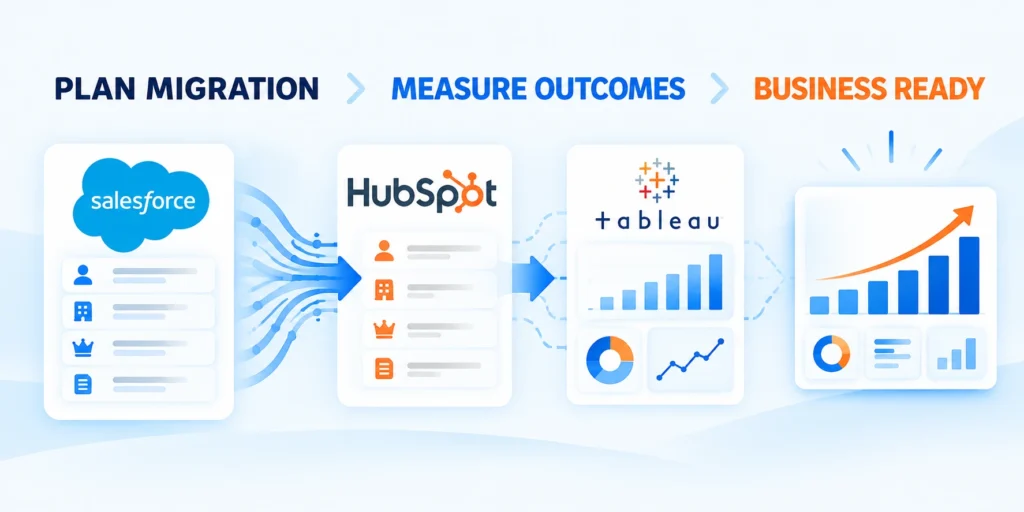
An enterprise CRM migration succeeds when teams keep selling, supporting customers, and reporting accurately while records move between systems.
Treat the project as a controlled change to data and processes, not simply a file export followed by an import.
Set outcomes before selecting tools
Define these outcomes before choosing migration tools:
- Complete and correctly related customer records
- Trusted pipeline and lifecycle reporting
- Working integrations with assigned owners
- Stable workflows for sales and support
Choose measurable outcomes: complete contact records, reliable company relationships, trusted pipeline reporting, and working integrations.
Assign a business owner to each outcome. Technical teams can move records, but process owners confirm whether the destination supports real work.
Create a migration charter
Document source and destination systems, business units, objects in scope, cutover window, decision makers, and boundaries for historical data.
Separate essential requirements from later improvements. That prevents the migration from becoming an uncontrolled redesign of every sales and marketing process.
Choose operational measures
Track source and destination totals, required-field completion, duplicate rates, open opportunities, ownership, and a representative sample of associations.
Set tolerances with owners. A small difference in stale activity history may be acceptable; a missing open deal may stop cutover.
Define decision rights
Name who approves mappings, resolves ownership conflicts, accepts exceptions, and can stop a production load. Record escalation contacts.
Keep a decision log with the question, options, owner, decision, and date so teams do not reopen settled issues during cutover.
Sequence work by risk
Start with a representative pilot, then expand by business unit or record group. Keep high-risk objects and integrations behind readiness checks.
Plan time for corrections and a second rehearsal. Do not base the entire schedule on one optimistic import window.
Audit Salesforce data before exporting it
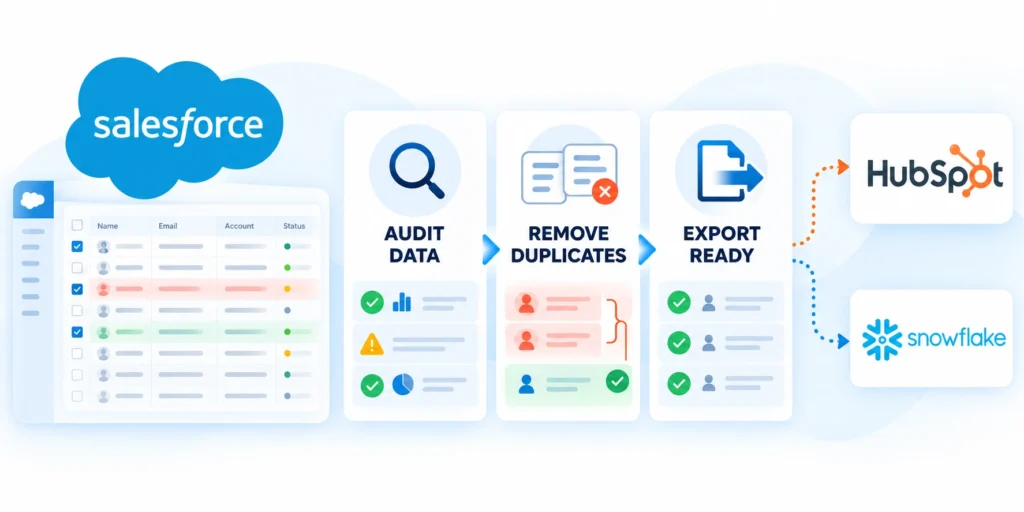
Data-quality problems become more expensive when copied into a new CRM, because duplicates and weak field conventions can spread into reports and workflows.
Inventory what Salesforce contains, who owns it, how current it is, and whether each field still supports a business process.
Inventory objects and dependencies
Inventory these dependencies before creating any export:
- Standard and custom Salesforce objects
- Fields, validation rules, and automations
- Integrations, schedules, and credentials
- Reports, dashboards, and downstream consumers
List standard objects such as accounts, contacts, leads, opportunities, campaigns, and activities, plus custom objects used by critical workflows.
Document reports, integrations, automations, and teams that depend on each object. A record count alone does not reveal operational importance.
Profile completeness and duplication
Measure missing values in required fields, duplicate emails, inconsistent country or industry values, and records without a clear owner.
Inspect samples by segment. A clean overall average can conceal a serious data gap in one region, business unit, or customer tier.
Classify records by business value
Separate active customers and open opportunities from closed history, obsolete leads, test records, and data retained for legal or analytics needs.
Agree on retention and exclusion rules before export. Do not delete or transfer sensitive records based on another team’s assumed needs.
Review consent and access boundaries
Confirm which records may transfer, which teams may access them, and whether marketing consent or suppression status must remain intact.
Coordinate with privacy and security owners. Map current controls and verify destination permissions before exposing exports to temporary storage.
Create a source snapshot
Record extraction time, object counts, filters, field list, and responsible operator. This makes later reconciliation repeatable.
Store exports in an approved secure location, limit access, avoid email attachments, and set a deletion date for temporary files.
Map objects, fields, and lifecycle logic

Salesforce and HubSpot share CRM concepts, but their object models, property names, lifecycle rules, and automation behavior are not interchangeable.
Create a written mapping explaining what each source field becomes, how values transform, and which records need human decisions.
Map objects and relationships
Document these relationships in the approved mapping:
- Contacts linked to companies and owners
- Deals linked to contacts and accounts
- Activities associated with relevant records
- Custom objects connected through stable identifiers
Map accounts to companies, contacts to contacts, and opportunities to deals only when their business definitions align.
Treat leads carefully. Decide whether they remain leads, become contacts, or follow a qualification process that creates associated companies and deals.
Define field transformations
For each required field, record source field, destination property, data type, allowed values, default behavior, and transformation rule.
Normalize values deliberately. Map variations such as “United States,” “USA,” and “US” only after the business approves one standard value.
Resolve custom fields and objects
Identify custom fields that are obsolete, duplicated, or tied to workflows that will not be recreated. Record each owner and replacement.
Custom objects may require specific HubSpot subscription features. Confirm destination capability and association behavior before promising a direct one-to-one move.
Preserve lifecycle meaning
Compare lead status, lifecycle stage, opportunity stage, forecast category, and close reason. Similar labels can represent different rules.
Map a source stage only when its entry and exit criteria match the destination. Otherwise document a deliberate transformation or exception.
Use a mapping worksheet as contract
Keep one row per decision, including sample source values, expected destination values, exceptions, approver, and test evidence.
Freeze an approved mapping version for each rehearsal. Later edits can change imports, reports, and automation, so review them explicitly.
Choose an export and import method

The simplest method that preserves required relationships is usually safer than combining tools without a clear owner or repeatable process.
Validate connector features against actual accounts, subscriptions, data volumes, security requirements, and the destination’s configured import behavior.
Compare transfer paths
Compare each transfer path using these criteria:
- Supported objects, fields, and associations
- Repeatability across rehearsal and production
- Security, access, and temporary file handling
- Error reporting and reconciliation evidence
A native integration may support selected objects and ongoing synchronization, while CSV imports offer explicit control over fields and transformations.
A migration service can help with complex histories or custom objects, but adds cost, vendor access, and security-review requirements.
| Transfer path | Best fit | Main control |
|---|---|---|
| Native sync | Supported ongoing data exchange | Scope and conflict rules |
| CSV import | Controlled bounded migration | Mapping and reconciliation |
| API pipeline | Complex repeatable transfers | Logging and idempotency |
| Migration service | Specialized history or objects | Access and acceptance evidence |
Use Salesforce Data Loader when appropriate
Salesforce documents Data Loader exports through object selection, field selection, and query filters; exports include records the operator can access.
Data Loader exports do not include file attachments. Inventory documents, notes, and related content separately before promising a complete migration.
Prepare import files deliberately
Use separate files when objects have different dependencies. Standardize UTF-8, headers, dates, currencies, and picklist values before each load.
Use unique identifiers for updates. HubSpot documents identifiers such as contact email and record IDs or domains for other record types, depending on workflow.
Protect files and credentials
Store exports only in approved encrypted locations and limit access to the migration team. Delete temporary copies after reconciliation and sign-off.
Never paste API keys or exported customer data into tickets or chat. Use approved secret-management and secure-transfer mechanisms.
Example: preserve a source identifier
Carry a stable Salesforce identifier so a rehearsal or retry updates the same destination record instead of creating another.
When supported, store the source identifier in a dedicated HubSpot property and use it for import matching and reconciliation.
source_record_id,email,company_domain,lifecycle_stage
SF-001,alex@example.com,example.com,qualified
Preserve record ownership and associations

CRM value depends on relationships, not isolated rows. Contacts without companies, deals without owners, and activities without context weaken adoption.
Plan load order and association identifiers before moving data, then prove the relationships with representative samples.
Load parent records before dependent records
Use this dependency order for relationship integrity:
- Owners and required reference records
- Companies and other parent entities
- Contacts, deals, and dependent records
- Activities, notes, and final associations
Create or match companies before importing associated contacts. Load deals only after their company and contact references resolve.
Keep an import-order diagram. If parent records fail, pause dependent loads instead of creating orphan records that require manual cleanup.
Carry stable identifiers across files
Use destination record IDs for existing records or an approved unique key for new records. Avoid matching solely on names, which are often duplicated.
HubSpot import guidance supports unique identifiers and association columns. Confirm that the selected account workflow matches your files.
Assign ownership intentionally
Map source owners to active destination users with an approved crosswalk. Decide how to handle departed owners or users without destination access.
Do not silently assign every record to the migration operator. That can distort follow-up queues, permissions, and performance reports.
Recreate associations and activities
List relationships that matter: contact to company, deal to company, deal to contacts, and activity to relevant CRM records.
Activity types and histories can have different import or synchronization behavior. Test them instead of assuming a standard object load carries everything.
Reconcile relationship quality
Compare expected and actual association counts, then inspect samples across customers, open deals, former customers, and multi-contact accounts.
Assign unresolved links an owner and disposition. Do not hide exceptions by attaching every orphan record to a generic company.
Run a pilot and reconcile results
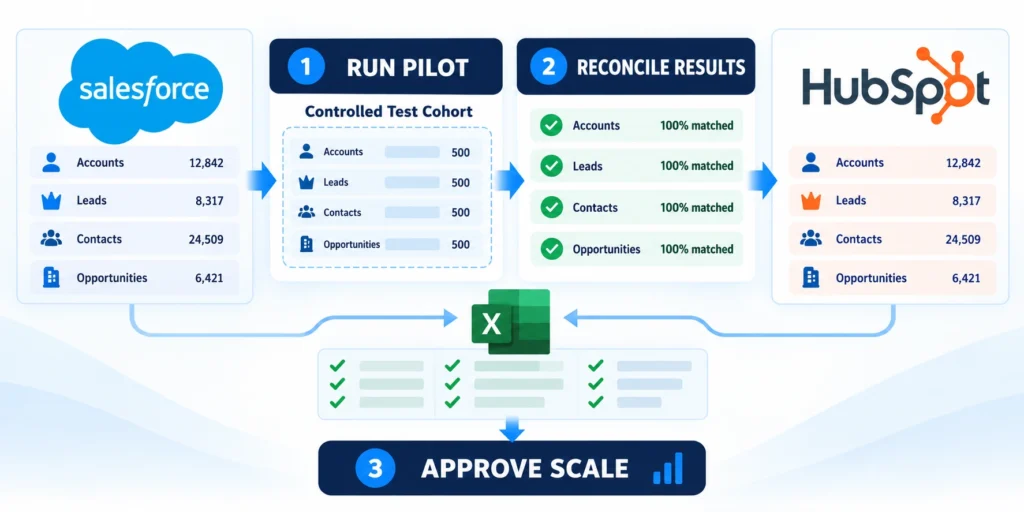
A pilot reveals mapping errors, permission gaps, and unexpected product behavior while the affected record set is small enough to repair.
Use approved representative data, and make every run repeatable with saved filters, file versions, timestamps, and result logs.
Select a representative cohort
Include these records in the representative pilot cohort:
- Active accounts with current opportunities
- Records containing known data-quality exceptions
- Multiple owners, teams, and lifecycle stages
- Examples using important integrations and workflows
Include different regions, account sizes, lifecycle stages, custom fields, and relationship patterns. Do not choose only clean, easy records.
Keep the cohort small enough to inspect but broad enough to exercise important workflows, permissions, and reporting paths.
Rehearse from export through verification
Freeze the export and mapping version. Use a safe destination environment when available, or an explicitly approved limited production test.
Record transformations and errors. Fix the source or mapping, then rerun from a controlled snapshot rather than editing results without traceability.
Reconcile counts and field values
Compare totals by object, status, owner, and business segment. Investigate differences instead of accepting aggregate counts at face value.
Check sample records field by field, including dates, currency, picklists, consent, owners, and company or deal relationships.
Test workflows after import
Confirm routing, task creation, notifications, lifecycle updates, and dashboards for representative pilot users.
Test real scenarios: an inbound lead, a qualified opportunity, a closed-won deal, and a customer-support handoff.
Set go or no-go criteria
Define acceptable variance, critical-field completeness, association success, error volume, and required approvals before the rehearsal begins.
Stop rollout when a critical mismatch appears. A deadline is not evidence that the migration is safe to continue.
Plan cutover, rollback, and reconciliation

Cutover coordinates how people and systems create or update CRM records, with explicit ownership for every dependent connection.
Define a freeze window, final-delta strategy, user communication, rollback triggers, and decision owner before production loading begins.
Choose a cutover pattern
Evaluate these controls for the selected cutover pattern:
- Change freeze and final export timing
- Delta capture for late source updates
- Rollback trigger and accountable decision owner
- Integration switch sequence and monitoring
A single cutover may fit a contained operation. A phased cutover may reduce risk when teams or regions can transition independently.
During overlap, specify which CRM is authoritative for every object and field. Dual editing without rules creates conflicting records.
Capture changes after the main export
Decide how to capture records created or changed during rehearsal and final cutover. Available options depend on connectors and source access.
Record the final extraction time and filters. Do not assume an earlier export includes changes made afterward.
Define rollback triggers and steps
Set triggers such as missing critical records, broken routing, severe permission problems, or material report differences.
Write rollback steps: stop destination writes, restore agreed source-of-truth behavior, notify users, and preserve logs for investigation.
Protect connected systems
Inventory forms, marketing automation, warehouse feeds, support tools, single sign-on, and scheduled exports that depend on CRM fields.
Change integrations in a planned order. Confirm credentials, mappings, ownership, and monitoring before users resume normal work.
Require evidence-based sign-off
Ask business and technical owners to approve reconciliation results, critical workflow tests, support readiness, and unresolved exceptions.
Save the cutover decision, time, approvers, and rollback contact in the change record. A meeting alone is not a durable approval trail.
Validate reporting and revenue operations

A migration can reconcile record counts while still changing how teams interpret pipeline, lifecycle stages, attribution, and forecasts.
Validate the destination against business definitions and recurring decisions before leaders rely on the new CRM for performance management.
Rebuild reports from governed definitions
Document every important metric with its filters, date basis, stage rules, currency handling, exclusions, owner, and expected review cadence.
Recreate reports from those definitions instead of copying dashboard names. Compare source and destination results using the same approved record cohort.
Reconcile these reporting elements before executive sign-off:
- Pipeline stages and included opportunity types
- Owner, team, region, and segment filters
- Close dates, currencies, and amount rules
- Lifecycle and attribution definitions
- Forecast categories and exception handling
Test revenue workflows with accountable users
Ask sales, marketing, customer success, finance, and operations representatives to complete realistic tasks using migrated records and destination permissions.
Capture discrepancies as controlled migration defects, assign owners, and repeat the workflow after correction rather than accepting manual workarounds.
Use these scenarios during revenue-operations acceptance testing:
- Qualify a lead and verify lifecycle changes
- Advance a deal and review forecast impact
- Reassign ownership without losing activities
- Trace campaign engagement to customer records
- Resolve a duplicate without breaking associations
Approve reporting only when metric owners can explain remaining differences, demonstrate expected workflows, and identify the authoritative destination result.
Keep a short validation record with tested cohorts, report versions, observed differences, decisions, and the approvers responsible for accepting each outcome.
Stabilize the new CRM and improve adoption

Migration completion is not operational readiness. Users need clear workflows, support, and confidence that the new CRM contains trustworthy information.
Treat the first weeks as a stabilization period with named owners for data quality, access, automation, and user questions.
Train users on changed workflows
Prepare users for these destination workflow changes:
- Record creation and ownership expectations
- Lifecycle stages and pipeline movement
- Required properties and validation behavior
- Support routes for errors and exceptions
Teach what changed in qualification, deal updates, ownership, tasks, and reporting. Avoid training only on where buttons moved.
Provide role-specific examples and short job aids. Let users practice common scenarios before relying on the new process.
Monitor errors and adoption signals
Track import exceptions, duplicate creation, unassigned records, failed integrations, aging deals, and support requests during stabilization.
Compare activity with a baseline, but interpret it carefully. A temporary dip may reflect training or changed definitions, not lower productivity.
Close data-quality exceptions
Assign each exception type an owner and target date. Prioritize customer-facing and revenue-impacting issues over cosmetic inconsistencies.
Do not bulk-change values without a reviewed rule and recoverable copy. Record transformations so later audits can explain what changed.
Retire the old system safely
Keep Salesforce access and source exports according to approved retention, legal, and operational requirements. Remove unnecessary access when owners approve.
Do not decommission integrations or historical access until reporting, audit needs, and dependent teams are confirmed.
Build an improvement backlog
Separate migration defects from future enhancements. Give each issue a business impact, owner, due date, and closure evidence.
Use lessons learned to improve data stewardship, property ownership, documentation, and release management in the destination CRM.
FAQ
These answers clarify common Salesforce-to-HubSpot migration questions about scope, timing, records, testing, integrations, ownership, and cutover decisions.
How long does a Salesforce-to-HubSpot migration take?
Timing depends on object count, data quality, custom objects, integrations, testing, and decision speed. Estimate from a completed pilot, not a generic calendar promise.
A realistic plan includes discovery, mapping, rehearsal, correction, cutover, and stabilization. Large or regulated environments may need extra approval cycles.
Can Salesforce records be imported directly into HubSpot?
HubSpot supports record imports and an integration with Salesforce. The right method depends on scope, synchronization needs, and account configuration.
Confirm supported objects, fields, associations, and subscription requirements in the destination account before selecting a method.
Will all Salesforce history and attachments move automatically?
No. Different object and content types have different export, import, and synchronization behavior. Salesforce Data Loader exports do not include file attachments.
Inventory activities, notes, files, and custom-object data separately, then test the selected transfer path with approved samples.
How do we avoid duplicate contacts during import?
Choose a stable unique identifier and test update behavior before loading the full file. HubSpot commonly uses contact email as an identifier.
Reconcile created, updated, skipped, and failed rows after each run. Do not retry partial imports before understanding duplicate handling.
Should Salesforce remain available after cutover?
Keep access according to security, audit, contractual, and operational requirements. Define who may read or change the legacy system during stabilization.
Retire access only after owners confirm reporting, retention, integration dependencies, and rollback needs have been addressed.
Which records should be migrated first?
Load a representative pilot containing active accounts, contacts, deals, owners, activities, associations, and known exceptions. This exposes mapping and relationship problems before full migration.
During production loading, import parent records before dependent records. Preserve source identifiers so reconciliation can trace every destination record.
How should custom Salesforce objects be handled?
Inventory each custom object’s purpose, fields, relationships, automation, volume, and owner. Decide whether it maps to a HubSpot object, property set, or external system.
Test the selected model with real use cases before cutover. A technically valid import can still fail when the destination workflow differs.
What should be reconciled after each import?
Compare source and destination counts, identifiers, required fields, owners, associations, statuses, dates, and failed rows. Sample high-value records for deeper review.
Record corrections and rerun logic. Reconciliation should distinguish intentionally excluded data from records that failed unexpectedly.
How should integrations be managed during cutover?
Document every inbound and outbound connection, owner, credential, schedule, field dependency, retry behavior, and stop or switch procedure.
Pause or redirect integrations in a controlled sequence. Monitor duplicates, missed events, and unexpected writes while both systems remain available.
Who should approve the migration cutover?
Require named business, data, security, integration, and operational owners to review agreed evidence. One accountable leader should make the final go or no-go decision.
Approval should reference reconciliation, workflow tests, user readiness, rollback status, and open risks rather than rely on a verbal confidence check.
Conclusion
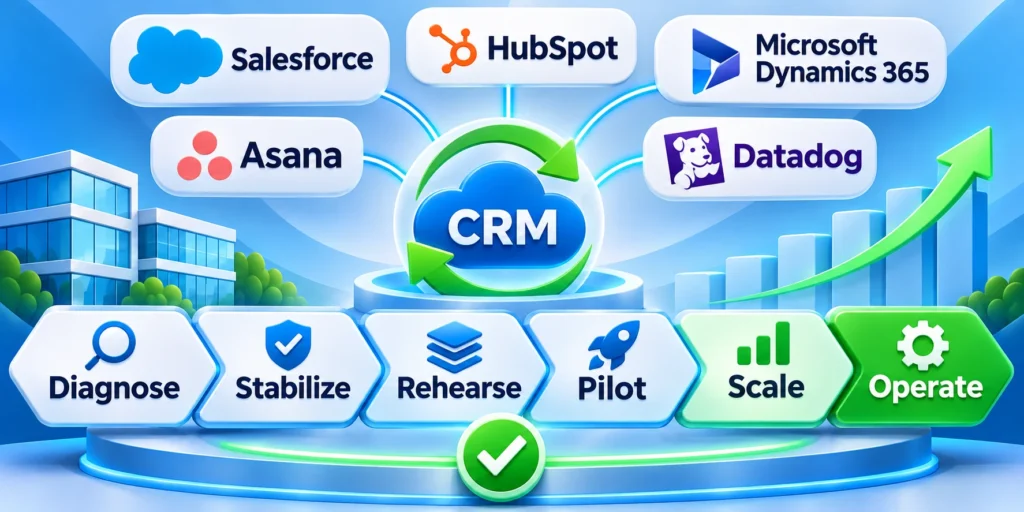
A Salesforce-to-HubSpot migration succeeds when destination records, relationships, workflows, reports, integrations, permissions, and operating responsibilities support real business work.
Control the transition through repeatable rehearsals, explicit ownership, measurable acceptance evidence, and a rollback path that remains usable until stabilization is complete.
Protect automation with trusted destination data
Enable complex HubSpot automation only after properties, lifecycle stages, ownership, associations, and consent data pass reconciliation against approved source cohorts.
Test enrollment, suppression, reassignment, notification, and failure behavior with production-like records before workflows affect the full customer base.
Confirm these foundations before enabling destination automation:
- Property mappings and allowed values
- Lifecycle stages and owner assignments
- Association and duplicate-handling rules
- Enrollment, suppression, and exit criteria
- Monitoring and accountable error response
Close the migration with accountable evidence
The final decision should reference reconciliation results, workflow tests, reporting acceptance, user readiness, integration status, security review, and unresolved risks.
Keep Salesforce access, exports, and rollback procedures only as long as approved operational, audit, contractual, and retention requirements justify them.
Require these outcomes before closing the migration program:
- Accepted records and relationship reconciliation
- Verified workflows, reports, and integrations
- Trained users and current support procedures
- Approved retention and decommissioning decisions
- Assigned owners for remaining improvements
For a related operating framework, read HubSpot Advanced Automation and Lead Scoring Guide.
A controlled migration preserves commercial continuity while giving teams a cleaner, governed foundation for automation, reporting, and customer operations.







Leave a Reply