


Scope the workflow and business outcome

This CRM workflow audit process starts with one business outcome and one workflow, such as demo requests reaching sales. Avoid auditing the whole CRM at once.
Write down the starting event, the completion event, the teams involved, and the period you will examine. Process mapping helps connect requirements to real business steps instead of isolated screens.
Write a one-page audit charter
Use a short charter to prevent the review from expanding into a general CRM redesign. Record what is included, excluded, who owns the result, and which records qualify.
Require the sponsor to approve the scope, evidence period, decision rights, and conditions that would justify expanding the audit.
Define the audit charter with these fields:
- Workflow: for example, inbound demo request through sales acceptance.
- Start: the timestamp when a valid request enters the CRM.
- Finish: the timestamp when sales accepts or rejects the handoff.
- Population: a defined date range and a consistent record type.
- Outcome: a measurable result, such as faster acceptance without more rejected leads.
- Owner: one person accountable for decisions and follow-up.
Set boundaries before reviewing records
Decide whether the audit includes only standard cases or also exceptions such as partner referrals, duplicate submissions, and existing customers. Keep those paths separate in the analysis.
Record privacy and access limits before exporting data. Use the minimum fields needed, restrict the working file to authorized reviewers, and follow your organization’s retention rules.
Turn the charter into a working worksheet
Before reviewing CRM records, create a small worksheet that makes the audit repeatable. Keep the field definitions next to the data so reviewers use the same rules.
Protect sensitive fields and record every transformation so another authorized reviewer can reproduce the sample and calculations.
Build the working worksheet with these fields:
- Record ID or a privacy-safe reference
- Route, source, region, and eligibility status
- Start, handoff, first response, and completion timestamps
- Owner at each transition and any queue involved
- Missing information, return reason, and exception type
- Final outcome and the rule used to classify it
Audit materially different routes separately
If the workflow has several materially different routes, select one route first. Repeat the method later for other routes rather than averaging unlike cases together.
Define the rule that separates each route so reviewers classify records consistently and can explain why results differ.
Reconstruct the work from observed evidence

Build an as-is map from records, activity history, queues, and user walkthroughs. Treat the CRM configuration as evidence of intended behavior, not proof that people follow it.
For each step, capture the actor, trigger, action, data required, system used, next owner, and exception path. Microsoft’s process-focused guidance similarly emphasizes mapping business processes before deriving detailed requirements.
Trace a sample from beginning to end
Select a small, varied sample of completed and stalled records. Include routine cases and a few exceptions, but do not treat a convenience sample as statistically representative.
Document the selection method and excluded records because convenience, missing history, or survivor bias can distort the observed workflow.
Trace each sampled record through these steps:
- Open one record and note its creation source and first meaningful timestamp.
- Follow each status change, owner change, task, and required field through the final outcome.
- Compare timestamps with activity notes to identify work that happened outside the CRM.
- Record missing events and conflicting fields instead of guessing what occurred.
- Repeat the trace for several records and mark differences between cases.
Keep a record trace log
A compact trace log helps compare records without relying on memory. Include the event, timestamp, owner, evidence source, and uncertainty for each important step.
Keep direct evidence separate from interpretation so later reviewers can challenge a conclusion without reconstructing the entire sample.
| Event | Timestamp to capture | Evidence to compare |
|---|---|---|
| Request created | First valid CRM creation time | Form, integration, or import source |
| Handoff sent | Time the receiving team could act | Owner change and required context |
| First response | First substantive action | Activity history and user confirmation |
| Outcome recorded | Accepted, rejected, or closed time | Status and reason completeness |
Map handoffs and exception routes
A handoff is complete only when the next person receives enough context to act. Note whether ownership changes automatically, through a queue, or through a message outside the CRM.
Draw each team as a lane and represent actions in sequence. Label waits explicitly, including “awaiting enrichment” or “sales review,” rather than hiding them inside one long process box.
Use these actions to map handoffs and exception routes:
- Label observed steps and configured behavior separately.
- Mark proposed changes as recommendations, not current practice.
- Preserve screenshots or logs that support each observed conclusion.
Measure delays, handoffs, and rework

Measure elapsed time between defined events, not just the number of tasks completed. Separate active work from waiting time whenever the available timestamps support that distinction.
Use the same start and end definitions for every record. Report the sample size and date range so readers can judge whether the comparison is meaningful.
Build a small baseline table
A spreadsheet is enough for an initial review. Add one row per record and calculate metrics from timestamps; keep the raw event columns so another reviewer can reproduce the result.
Preserve formulas, filters, exclusions, and time-zone assumptions because each can materially change delay, rework, and completion results.
| Metric | How to calculate | What it may reveal |
|---|---|---|
| Elapsed time | Finish minus start timestamp | Overall duration; inspect long cases |
| Queue wait | Next action minus handoff time | Unowned work or unclear expectations |
| Rework rate | Returned records divided by reviewed records | Missing data or inconsistent inputs |
| Handoff count | Ownership changes per record | Excess routing or fragmented ownership |
| Completion rate | Completed eligible records divided by eligible | Drop-off, rejection, or unresolved work |
Example: calculate a handoff delay
One lead was ready at 9 a.m. and received sales action at 3 p.m. That six-hour gap does not prove six hours of queue delay.
Check whether the handoff was complete at 9:00, whether the team was operating, and whether any action occurred outside the CRM. Document those assumptions alongside the calculation.
Apply these checks when calculating handoff delay:
- Use the handoff-ready timestamp as the start when available.
- Use the first substantive action as the end, not an automated status update.
- Compare similar records and report the sample size and period.
Use distributions, not averages alone
Report the median and a high percentile when the sample supports it. A few unusually long cases can distort an average and conceal the experience of most records.
Segment only where the categories have enough records and a clear reason, such as lead source or region. Label small groups as directional observations, not firm conclusions.
Check data quality before interpreting results
A blank close date or duplicate activity can make a calculated duration misleading. Note these limitations and exclude records only with a documented reason.
Reconcile critical fields against source systems and user evidence before presenting a metric as a verified workflow condition.
Validate root causes with frontline users

Metrics show where to investigate; they rarely explain why a delay occurs. Walk through real examples with the people who perform and receive each handoff.
Ask users to demonstrate the work in the system. Compare their actions with the mapped process and record differences without treating workarounds as individual failures.
Use evidence-focused interview prompts
Ask users to describe a recent record instead of the ideal process. Specific cases reveal waits, side channels, missing context, and recovery work.
Use neutral questions and compare answers with system evidence. The interview should explain observed behavior, not assign blame or replace verification.
Use these prompts during evidence-focused interviews:
- “Show me the last record that waited longer than expected. What happened next?”
- “Which information do you need before accepting this handoff?”
- “Where do you copy information from another system or message?”
- “What makes you return a record, and how does the sender learn what to fix?”
- “Which exception happens often enough to deserve its own route?”
Separate symptoms from testable causes
“Sales responds slowly” describes a symptom. A testable cause might be that the queue lacks an assigned owner during a defined coverage period.
Write each cause as a hypothesis with supporting evidence, contradicting evidence, and a way to check it. For example, compare queue entry time with first owner assignment for eligible records.
Test one root-cause hypothesis
Example hypothesis: records wait because queue ownership is unassigned during a coverage gap. Check owner history and first-action timestamps across the affected period.
Define evidence that would disprove the hypothesis before reviewing results so confirmation bias does not determine the conclusion.
Test the root-cause hypothesis with these checks:
- Confirm the queue and coverage schedule for each sampled case.
- Compare records with an assigned owner against unassigned records.
- Ask the receiving team what information was available when work arrived.
- Look for cases that contradict the hypothesis before proposing a change.
Compare alternative explanations
Do not assume that more automation is the answer. The cause may be unclear criteria, unavailable capacity, poor data, or an approval that has no accountable owner.
Compare competing explanations against the same records, timestamps, user evidence, and exception paths before selecting a corrective action.
Prioritize fixes by impact and effort

Turn validated causes into a short backlog. Each item should name the affected step, the proposed change, the expected outcome, an owner, and a way to verify the result.
Prioritization is a decision aid, not a precise forecast. Score options consistently and document assumptions instead of presenting a subjective ranking as objective fact.
Compare candidate changes transparently
Compare only changes tied to a confirmed cause and measurable outcome. Record the affected route, dependencies, safeguards, owner, and expected evidence.
Use the same scoring definitions for every candidate so a favored solution does not receive easier assumptions or hidden exceptions.
| Candidate change | Decision rationale | Useful first test |
|---|---|---|
| Clarify acceptance criteria | Reduce incomplete handoffs | Trial one shared checklist |
| Assign queue ownership | Reduce unclaimed records | Review gaps by shift |
| Remove duplicate entry | Reduce rework and data risk | Test a limited field mapping |
| Automate a routing rule | Standardize clear routing cases | Run one controlled pilot |
Make scoring consistent
Agree on definitions before comparing options. High impact might affect a critical conversion or large eligible population; high effort may require multiple teams or integration work.
Confidence describes evidence quality, not enthusiasm. A change supported by several record traces and user walkthroughs has stronger evidence than a suggestion based on one complaint.
Score impact, confidence, effort, and risk
Use a simple scale such as low, medium, or high for business impact, evidence confidence, implementation effort, and operational risk. Define each scale before scoring.
Score candidate changes using these consistent actions:
- Prioritize a high-impact, well-supported change when its risk is manageable.
- Run a small experiment when impact may be high but evidence is uncertain.
- Defer a broad automation when the process criteria are still disputed.
- Assign an owner and review date to every accepted or deferred item.
For a practical baseline, begin with a documented change to one team or route. Preserve the previous configuration or record a rollback path before changing production behavior.
Retest the workflow after changes

Define success before rollout. Reuse the original event definitions and compare a similar population, while noting changes in volume, seasonality, staffing, or lead mix.
A test plan should identify scope, cases, owners, outcomes, and acceptance criteria. Microsoft’s implementation guidance recommends connecting test cases to business processes and tracking results.
Run a controlled follow-up
Use a bounded population and preserve the original baseline, definitions, configuration, and known limitations before introducing the correction.
Assign observers who can identify shifted failure, unexpected user behavior, or downstream effects while the pilot remains reversible.
Run the controlled follow-up through these steps:
- Record the baseline period, metric definitions, sample, and known data limitations.
- Deploy the change to an agreed route or user group, with a named owner.
- Check both intended outcomes and safeguards, such as rejection rate or data completeness.
- Compare results using the same calculations and explain any population differences.
- Keep, revise, or roll back the change based on evidence and operational feedback.
Define acceptance checks before rollout
Write down what must improve and what must not get worse. A routing change could target fewer unassigned records while preserving valid rejection reasons and complete handoff data.
Set the measurement period, owner, review date, and rollback authority before rollout so unfavorable results trigger a defined response.
Define rollout acceptance with these checks:
- Choose a comparison period and eligible population.
- Set a review date and identify who will read the results.
- Check the intended metric and at least one safeguard metric.
- Agree in advance who can stop or reverse the pilot.
Close the audit with an operating record
Save the process map, sample definition, metric calculations, user findings, decisions, and owners in one place. This makes later audits comparable and prevents teams from repeating discovery.
Review the workflow again after material changes to routing, data fields, team responsibilities, integrations, or service expectations. Treat the audit as a cycle rather than a one-time cleanup.
Connect audit evidence to CRM platform decisions

Use verified workflow evidence to define platform requirements and the scope of any CRM consulting or development work. Then compare products against those requirements.
Separate process defects from platform constraints because new software cannot resolve unclear criteria, missing capacity, or responsibilities that remain unassigned.
Reference guidance and related CRM reading
For broader implementation context, compare this process review with Microsoft’s process-focused requirements guidance and its testing strategy.
Related CRM reading: why CRM implementations fail.
Choose a platform after mapping the process
Once you understand the handoffs and requirements, compare platforms against that evidence rather than choosing features in isolation.
For a structured comparison, see our guide to HubSpot versus Salesforce for B2B teams.
Translate audit evidence into these selection controls:
- Define requirements from observed workflow constraints.
- Test representative records and meaningful exceptions.
- Compare administration, integration, and reporting effort.
- Document risks, owners, assumptions, and review triggers.
Match capabilities to observed constraints
Write each requirement as a workflow, data, access, integration, reporting, or support outcome that can be demonstrated with representative evidence.
Reject feature names without acceptance criteria because identical labels can represent different limits, editions, configuration effort, and operating responsibilities.
Require operating evidence before selection
Ask administrators and users to complete the audited workflow, resolve an exception, correct data, explain reporting, and release a bounded change.
Record the people, time, dependencies, workarounds, and controls required so decision-makers compare sustainable operating models, not polished demonstrations.
Trace one record from entry to outcome

Choose a typical customer record linked to an important business result. Reconstruct its journey through qualification, assignment, follow-up, handoff, and reporting.
Use timestamps, field history, integration logs, and interviews to distinguish what the system recorded from what people completed in email, chat, or spreadsheets.
Record the observed path
At each step, record the expected owner, required information, decision, system action, elapsed time, and evidence of completion.
Note where data is re-entered, where responsibility becomes unclear, and where a rule produces a different result from the documented process.
Follow the evidence
The goal is not to blame a user; it is to locate the condition that makes reliable work difficult.
Follow the evidence through these checks:
- Choose a normal case and one meaningful exception.
- Confirm timestamps across connected systems.
- Separate observed evidence from stakeholder assumptions.
- Record the business effect of every break.
Compare the observed route with the intended workflow and define the smallest correction that can be tested.
That may be a field definition, ownership rule, permission, integration retry, training change, or removal of an unnecessary step.
Compare intended and observed work
Assign one owner and specify the evidence required for acceptance.
Record the intended rule, observed variation, affected roles, and customer consequence so the correction addresses a demonstrated cause.
Verify the correction
Repeat the same trace after the change using a fresh record.
Confirm not only that the step works, but also that reporting, downstream automation, access, and customer communication remain correct.
Retest downstream effects
Retain the before-and-after record as part of the audit evidence.
Recheck notifications, reporting, integrations, permissions, queues, and support procedures because a local correction can shift failure elsewhere.
Preserve a traceable evidence package
Store record references, timestamps, screenshots, logs, calculations, interview notes, limitations, and decisions with access appropriate to the evidence.
Link every conclusion to its supporting material so another authorized reviewer can reproduce the route and challenge unsupported assumptions.
Repeat traces across meaningful variants
Trace normal cases and material exceptions across relevant routes, regions, products, customer types, or coverage periods when those differences affect behavior.
Do not average unlike paths together because a reliable common route can conceal a severe failure affecting a smaller segment.
Turn audit findings into a control plan

Convert every confirmed finding into a specific risk, correction, owner, due date, acceptance check, and follow-up date. Avoid recommendations such as “improve process” without measurable evidence.
Group findings by workflow and shared cause. Several symptoms may come from one unclear definition, permission, integration rule, ownership gap, or unsupported exception route.
Prioritize by consequence and exposure
Estimate customer, revenue, compliance, security, data, and operational impact. Combine that consequence with frequency, affected population, detectability, and available recovery.
Correct severe access or data-integrity risks before convenience improvements. A frequent annoyance can still rank highly when it causes widespread rework or abandonment.
Prioritize findings with these evidence controls:
- Separate evidence from unverified assumptions.
- Name the workflow and affected roles.
- Record current safeguards and their limits.
- Define a measurable acceptance result.
Test the smallest reliable correction
Choose the least disruptive change that addresses the confirmed cause. Test it with normal cases, meaningful exceptions, realistic permissions, and connected systems.
Monitor for shifted failures. A faster handoff may create incomplete records, duplicate notifications, inaccurate reporting, or a larger queue for another team.
Close findings with evidence
Require the owner to attach test results, affected configuration, reviewer, release date, and remaining risk. Closure should mean verified correction, not merely completed development.
Schedule a later check using the same baseline and definitions. Reopen the finding when the outcome regresses or an exception becomes materially more common.
Close confirmed findings with these records:
- Keep rejected options and rationale.
- Link changes to their supporting finding.
- Retain rollback and recovery instructions.
- Report unresolved risk to decision owners.
Conclusion
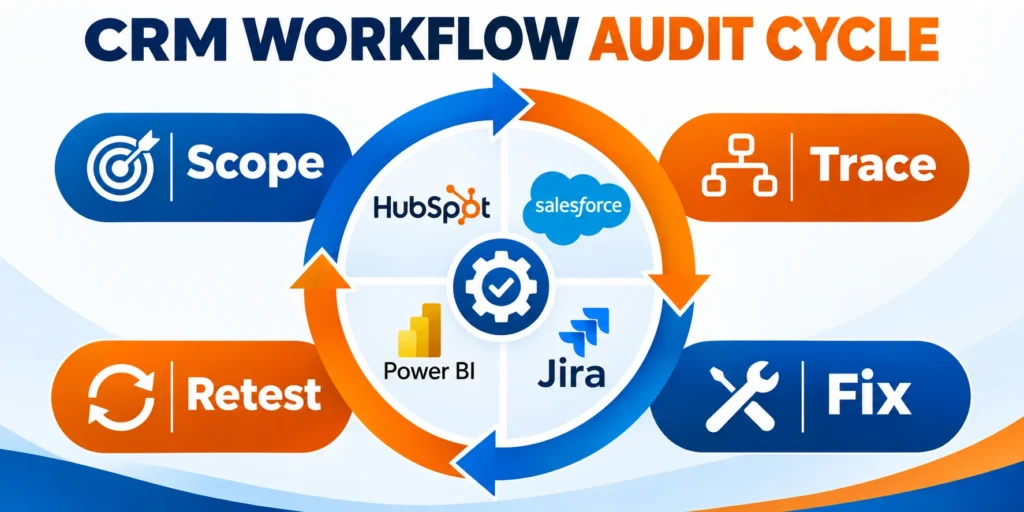
A useful CRM workflow audit follows evidence from one business outcome through records, handoffs, delays, exceptions, causes, corrections, and verified operating results.
The method works when teams preserve definitions, challenge assumptions, protect sensitive data, assign owners, and retest the complete route after every meaningful change.
Keep the audit bounded and reproducible
Define the workflow, population, dates, event rules, evidence sources, exclusions, and limitations before calculating delays or proposing improvements.
Preserve raw evidence and formulas so another authorized reviewer can reproduce findings without relying on memory, presentation, or stakeholder authority.
Correct confirmed causes, not visible symptoms
Compare system history with user evidence and alternative explanations before changing automation, fields, routing, permissions, integration behavior, or team responsibilities.
Choose the smallest reliable correction and keep rollback available while normal cases, exceptions, reporting, access, and downstream systems are tested.
Carry these controls through every audit cycle:
- Scope one measurable workflow and outcome.
- Trace representative records and meaningful exceptions.
- Validate causes against competing explanations.
- Assign corrections, safeguards, and acceptance evidence.
- Retest outcomes and downstream operating effects.
Maintain an accountable operating record
Keep maps, samples, calculations, findings, rejected options, decisions, owners, releases, test results, accepted risks, and review dates together.
This record turns a one-time investigation into a comparable control cycle and helps future teams distinguish verified behavior from inherited assumptions.
Review after material workflow change
Repeat the audit after significant routing, ownership, policy, data, integration, platform, staffing, service, or customer-expectation changes.
Review sooner when incidents, exceptions, support themes, unreliable reports, or growing queues indicate that the operating process no longer behaves as intended.
FAQ
These answers clarify common decisions about CRM audit scope, evidence, metrics, automation, baselines, logs, testing, and review cadence.
How many CRM records should I review?
There is no universal sample size. Start with varied records covering normal and exception paths, then expand when findings conflict or the workflow contains distinct segments.
Which CRM metrics are most useful?
Start with elapsed time, queue wait, rework, handoff count, and completion rate. Choose metrics tied to the workflow’s business outcome and verify that the underlying timestamps and statuses are reliable.
Can I perform the audit without a process-mapping tool?
Yes. A spreadsheet or diagram works for a focused audit. Record observed steps, owners, waits, exceptions, and evidence so another reviewer can follow the process.
Should I automate a bottleneck immediately?
No. First confirm the cause and agree on the rule. Automating unclear criteria can move errors faster, increase rework, or make ownership harder to see.
How do I know whether a workflow change worked?
Compare the same metrics before and after using consistent event definitions and a comparable population. Check safeguards and user feedback, then keep, revise, or roll back the change.
For the broader framework, read HubSpot Advanced Automation and Lead Scoring Guide.
How should a team choose the audit scope?
Start with one outcome and its end-to-end workflow, affected roles, systems, and exceptions. Expand only when evidence shows that a shared rule, data source, or dependency affects additional processes.
How can an audit uncover shadow work?
Observe real tasks and ask users where they copy data, keep side lists, request approvals, or recover failures. Compare those steps with CRM history and connected-system logs.
Which system logs are most useful?
Use authentication, field history, automation, integration, queue, error, and notification logs that relate to the selected workflow. Limit access and retain only evidence necessary for the audit purpose.
What baseline should be recorded before a change?
Capture task completion, elapsed time, error and exception rates, data quality, support themes, and the business outcome. Define the population and measurement method so later comparisons remain valid.
How often should a CRM workflow be audited?
Review critical workflows after material releases, ownership or policy changes, repeated incidents, and at a risk-based cadence. Recheck sooner when evidence shows growing exceptions or unreliable decisions.





Leave a Reply