


Set goals and baseline

HubSpot lead scoring works best when it supports a specific customer or employee task and a measurable business goal.
Start with the outcome the team needs to improve and record how the process performs today.
Confirm current HubSpot constraints through these checks:
- HubSpot navigation and access vary with permissions, subscriptions, and product changes.
- Confirm the required Hub and user permissions before following any menu path.
- Confirm behavior: consult the official workflow guide and lead-scoring documentation.
Begin with a specific business problem, not a wish list of automations.
“We need better lead management” is too broad to configure.
Translate vague goals through these operational examples:
- It could mean inquiries wait too long.
- Interview the people doing the work.
- Separate the causes before choosing a workflow.
- Define measurable outcomes using data the company can collect.
- a sales leader may want qualified inbound requests assigned within one business hour,.
- Those are different outcomes with different owners.
- the event that starts the clock.
Make the goal measurable
Build a small measurement card for each goal.
Keep it short enough that the project team can use it to decide whether to build, defer, or remove an automation.
Document baseline evidence
A baseline should describe current performance, including the quality and limitations of the measurement.
If timestamps were not captured consistently, record that limitation.
Define measurable outcomes through these accountable fields:
- Outcome: what should improve for a customer or team.
- Baseline: the current result and how it was calculated.
- Target: the threshold and time period the business will review.
- Owner: who is accountable for the process and the data.
- Evidence: the report, event, or record showing whether the result changed.
The phrase “supported territories” is important.
If the company does not sell in a region, the automation should not route that inquiry to a salesperson as if it were a qualified opportunity.
Bound the target population through these criteria:
- For consented demo requests in supported territories.
- Review weekly how often the team meets that target.
- Set an explicit boundary between scoring and qualification.
- A score can prioritize attention.
- Define the actions that a score may trigger.
- a high engagement score cannot override a valid opt-out.
Set a controlled first release
Keep the first release narrow.
A practical initial scope might include one inbound channel, one lifecycle path, a small number of score bands, and one territory assignment rule.
Control the first release
Defer advanced automation until records, consent, ownership, and response tasks are reliable.
A smaller release is not a smaller goal.
Resolve decisions before configuration
Use a decision log for unresolved questions.
Each entry should identify the question, its business owner, the affected records or teams, the decision date, and the effect of leaving it open.
Resolve configuration decisions through these ownership rules:
- Questions about legal basis, retention, or sensitive data need the appropriate privacy or legal owner.
- Never automate policy decisions the business has not made.
- review the goal with marketing operations.
- Validate triggers using recent examples and exact initiating events.
- write down the disagreement and resolve it before encoding a threshold in HubSpot.
Prepare data model and consent
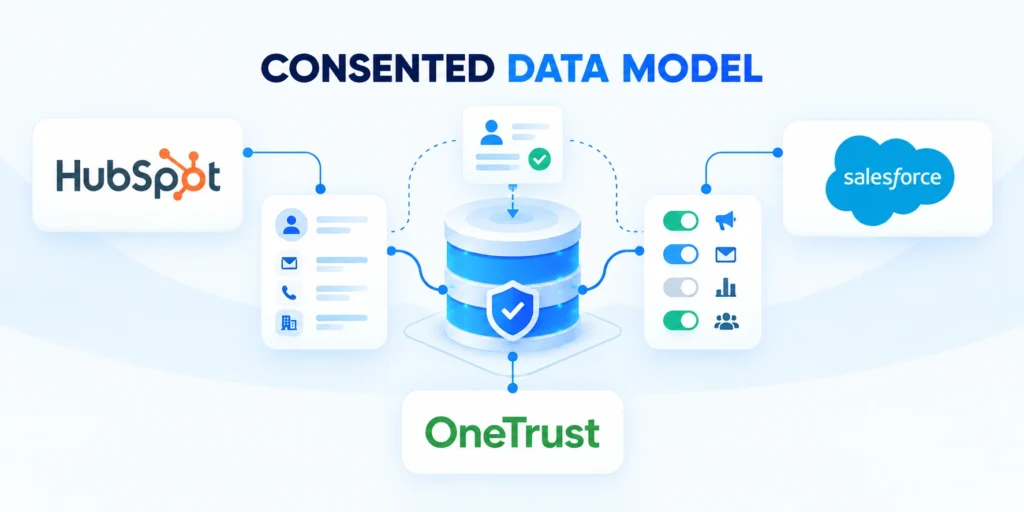
Automation depends on properties that have clear meanings.
A property named “Lead status” may represent sales acceptance in one account and a broad lifecycle state in another.
Define automation properties through these governance fields:
- Define every automation property’s meaning, owner, values, authority, and update behavior.
- If two concepts are different, give them different fields.
- Start with the objects that represent the actual business relationship.
- A contact is a person.
- Some organizations also use custom objects or the lead object.
- The right choice depends on the licensed products and operating model.
- Do not create a new object for a single workflow checkbox.
- Model company-level decisions when several buyers at one account require coordination.
Document the data model
Create a compact property dictionary before building rules.
For each property, record its label, internal purpose, data type, allowed values, owner, source, sensitivity, and whether it is required.
Clarify property interpretation through these supporting examples:
- Add examples for values that can be misinterpreted.
- Define
Employee rangeas global, local, or third-party-enriched headcount. - Consent and communication eligibility must be explicit in the design.
- The company should use the consent.
- Do not treat a form submission.
- Confirm privacy-approved fields and rules before marketing or subscription automation.
Approve property changes before automation
Use a controlled request that identifies the field purpose, object, owner, source, permitted values, sensitivity, dependencies, migration need, and effective date.
Review existing records and integrations before changing labels, types, options, or calculation logic because configuration changes can reinterpret historical data.
Use these approval checks for property changes:
- Confirm purpose, owner, source, and data type.
- Review workflows, reports, forms, and integrations.
- Test historical records and rollback behavior.
Record the approval date and accountable reviewer so later teams can distinguish deliberate design from inherited configuration.
Prepare and validate properties

Use a reliable order of operations for data preparation:
Prepare automation data through these ordered steps:
- List the properties used by the workflow and score, including their sources and owners.
- Inspect recent records for blanks, unexpected values, duplicate candidates, and stale data.
- Agree on normalization and conflict rules with the business owner.
- Populate or repair the minimum required fields, preserving the source and history where needed.
- Test the properties on representative records before using them in live enrollment criteria.
For example, if routing depends on country and product interest, examine real inquiries from each supported market.
A default such as “assign to the first available rep” may look convenient but can create misleading ownership and poor customer experiences.
Handle incomplete records through these explicit decisions:
- Define handling for missing countries, shared domains, personal emails, and existing open deals.
- Also address requests for products unavailable in the buyer’s market.
- Define how contacts relate to companies and deals.
- specify whether territory and account ownership use the parent.
- determine whose role drives follow-up and which communication preferences remain individual.
- Test these relationships using more than one contact per account.
Protect identity and data quality
When importing or synchronizing data, use stable identifiers where available.
Names, email addresses, and company domains can change or be shared.
Protect customer identity through these matching practices:
- map it deliberately and protect it from casual edits.
- For uncertain matches, create a review path instead of merging records automatically.
- A duplicate can be a real person with a changed email.
- Apply data minimization.
- Store only information that supports an approved business purpose.
- Scores should not contain protected or sensitive attributes merely because they are available.
- Record external value sources and provide correction paths for inaccurate data.
Assign property ownership and maintenance
Before using a property in a workflow, decide how it will be maintained.
If a sales representative can overwrite an integration-owned contract status, the workflow may act on an outdated value.
Govern property ownership
If only an integration can update it, define how an incorrect source value is corrected.
Assign data owners and correction paths before adding more automation.
Design workflow architecture

A workflow should express one coherent responsibility.
It needs a defined enrollment trigger, scope, actions, branches, exit conditions, owner, and failure behavior.
Separate workflow responsibilities through these design choices:
- Separate unrelated responsibilities when doing so makes testing and maintenance clearer.
- A single giant workflow that handles consent.
- Write the workflow in plain language before opening the editor.
- For qualifying consented demo requests, confirm company association and assign an owner by territory.
- Create a response task and alert the queue when owner resolution fails.
- This description gives reviewers a way to compare the configured actions with the business result.
Specify enrollment and re-enrollment
HubSpot workflows support different trigger and action patterns depending on the account’s subscription and permissions.
The product’s workflow editor is available through More → Automation → Workflows in accounts where that navigation is shown.
Validate enrollment behavior through these account checks:
- If the menu or action described in an article is absent, check permissions and subscription.
- Keep critical process documentation specific to the account that will run it.
- Define enrollment and re-enrollment intentionally.
- Ask whether a record should enter once.
- Re-enrollment can cause repeated tasks.
- A useful rule names the event and limits repeat-entry effects.
- a newly submitted demo request may need a new response task,.
Define suppression and exit paths
Use suppression and unenrollment rules to protect customers and staff.
A contact that opts out, becomes a customer, is disqualified, or enters a support escalation may need to leave a marketing nurture.
Define suppression behavior through these exit decisions:
- Decide which conditions stop the workflow.
- a suppression property that is never checked in the workflow is only documentation.
- Map branches using mutually understandable conditions.
- Prefer conditions based on stable, named properties, and order branches.
- If a record can meet multiple conditions, decide which one wins.
- Restricted enterprise accounts may require named owners before territory routing.
- Document the precedence to avoid hidden behavior.
Plan branches and failure handling

Build error paths as part of the design, not as an afterthought.
If a workflow cannot find a company owner, it should create a visible exception for an operations queue rather than silently leave the record unassigned.
Design failure handling through these recovery requirements:
- If an integration action fails, preserve enough context for a person to retry safely.
- Choose a fallback that creates a task.
- Separate customer-facing actions from internal coordination.
- A notification to a sales team and an email to a prospect have different risks.
- Test internal routing with test users first.
- Do not test a customer email by enrolling a real prospect.
Name and inventory workflows
Use descriptive workflow names that communicate object, purpose, and lifecycle stage, such as “Contact — Inbound demo — Territory routing.”
Add a short description covering the owner, trigger, business outcome, and key dependencies.
Maintain a workflow inventory
Maintain a small inventory with status, last reviewed date, dependent properties, and related processes.
This helps administrators find duplicate or obsolete workflows before adding another one.
Review workflow impact before activation
For each proposed workflow, review its expected load and side effects.
A trigger that evaluates every property change can create repeated enrollment and unnecessary history.
Review activation impact
A workflow that makes a record eligible for another workflow can cause a cascade.
Limit enrollment to the events that matter.
Reconcile lifecycle changes across systems
When another platform can update lifecycle state, define which system is authoritative, how conflicts are resolved, and which event initiates reconciliation.
Monitor delayed, reversed, missing, and repeated transitions so reporting does not treat technical synchronization as a verified customer outcome.
Reconcile lifecycle exceptions through these operating checks:
- Assign owners to delayed or conflicting transitions.
- Verify authoritative values before expanding automation.
- Record corrections and affected downstream systems.
Build lifecycle automations

Lifecycle automation should reflect the organization’s definitions, not a generic funnel diagram.
Agree on what distinguishes a subscriber, lead, marketing-qualified lead, sales-qualified lead, opportunity, and customer—or use only the stages the business can define and maintain.
Define lifecycle transitions through these evidence requirements:
- A stage change should have evidence, an owner, and a downstream consequence.
- If sales and marketing use “qualified” differently, automation will make disagreement faster.
- Design the handoff around the moment responsibility changes.
- Define ownership before and after acceptance, required data, and the event starting the service target.
- Document rejection reasons and the return path to marketing or another queue.
- A rejection reason is useful only if it is enough to change targeting.
Make lifecycle handoffs explicit
It can then create a response task and record the assignment time.
If the company association is uncertain or the market is unsupported, the workflow should route to an operations review instead of pretending the automatic route succeeded.
Route lifecycle handoffs through these controlled steps:
- Start with the form request and check communication eligibility and supported territory.
- Associate the contact when confidence is sufficient, then assign a sales owner.
- Represent accepted handoffs with dedicated, auditable properties or events.
- Do not infer acceptance from a record owner being present.
- A clear accepted or rejected status.
Separate distinct lifecycle outcomes
Build separate paths for distinct outcomes when they need different controls.
Separate lifecycle outcomes through these decision criteria:
- Use the minimum set of distinctions that changes the next action.
- Avoid fragile form branches that outlive their original administrator.
- For lifecycle progression, define both the event and the evidence.
- An opportunity should not become “closed won” merely because a proposal was sent.
- A customer may need a signed agreement, an approved order, or a system-of-record update.
- If billing owns contract state, use the integration’s approved status and a visible exception process.
A high-intent demo request, a content download, and a partner referral may all create contacts, but they should not necessarily trigger the same sales task.
Handle lifecycle exceptions

Create an exception path for records that do not fit the standard lifecycle.
Examples include existing customers asking about a new product, contacts associated with a strategic account, student or vendor inquiries, or a record with conflicting consent and activity data.
Resolve lifecycle exceptions through these ownership practices:
- A real queue and an assigned owner make these cases visible.
- Avoid a catch-all branch that quietly sends every exception to the same unmonitored mailbox.
- Document customer communication timing and responsibility.
- A workflow can create a task or send a permitted message.
- Revalidate actions after reassignment or lifecycle changes.
- Stop queued follow-ups after opt-out or conversion makes the message irrelevant.
Validate lifecycle records after handoff
Review associations and activity history after a representative sample moves through the workflow.
Confirm that the contact, company, deal, owner, and handoff information appear in the expected places.
Validate completed handoffs through these usability checks:
- Tasks on wrong objects can exist yet remain operationally useless.
- Ask a user to complete the handoff from the record they normally use.
- Record corrected associations and affected downstream work.
Set clear workflow boundaries
Finally, agree on what the workflow will not do.
Clarify workflow limits through these boundary statements:
- It may assign an owner, but not replace account-planning judgment.
- Alerts do not ensure that an accountable person responds.
- Separate automation measures from human execution and management follow-through.
It may prioritize a record, but not guarantee a sale.
Separate score evidence from probability
A points total represents selected rules, not a statistically validated purchase probability unless the organization builds and monitors an appropriate predictive model.
Explain this distinction to users so scores guide prioritization without becoming unsupported forecasts or automatic decisions about customer eligibility.
Create a lead-scoring model

Lead scoring combines evidence about fit and behavior to help a team prioritize records.
A fit signal describes alignment with the target customer, such as an approved industry, company size, region, or role.
Interpret scoring signals through these practical distinctions:
- An engagement signal describes behavior, such as requesting a demo or attending a product session.
- A score is a prioritization aid.
- HubSpot’s lead-scoring tool can create scores based on property values and events.
- The official build lead scores guide lists objects, setup, permissions, and features.
- Verify actual product entitlements before designing unavailable score types.
Define the score use case
Start with the use case and the action the score should support.
“Score all contacts” is not a useful goal.
Define the score purpose through these operating constraints:
- Prioritize supported-company contacts showing recent demo or technical-evaluation intent.
- This definition constrains which records are in scope.
- Separate fit from engagement before combining them.
- Research ideal-profile companies without current interest before initiating sales calls.
- A student who downloads several resources may be highly engaged but not a commercial fit.
- Separate score components to distinguish patterns and trigger different actions.
Choose signals with evidence
Create a scorecard for candidate signals before configuring points.
Record the proposed signal, rationale, source property or event, direction, possible data-quality issue, owner, and action it might influence.
Evaluate candidate signals
Review the candidate list with sales and marketing.
Exclude signals that are unreliable.
Compare scoring signals through these representative examples:
- Fit examples: supported company type, relevant industry, business size range, supported location, or target role.
- Intent: demos, pricing consultations, relevant visits, events, or sales-message replies.
- Negative evidence: unsupported geography, invalid status, student/vendor class, or explicit disqualification.
- Decay or freshness: whether old activity should lose influence as time passes.
Do not score every available page view, email open, or property update equally.
Some signals are noisy, accidental, or generated by automated systems.
Filter noisy evidence
A single demo request may be stronger evidence than many low-intent visits.
A score model should distinguish signal quality and recency.
Build a transparent initial score
Create a transparent initial model with a small number of rules.
The exact point values should come from observed data and stakeholder judgment, not from a universal template.
Build initial scores through these transparent rules:
- Award fit points for supported industries and account sizes.
- Add engagement points for verified demo requests.
- Suppress unsupported regions.
- Exclude recent sales-qualified rejections until human review.
- Set limits or group caps where repeated events could dominate the score.
- Cap repeated engagement events so they cannot outweigh stronger evidence.
- decide whether old activity should lose influence and explain why.
- Decay can keep a score.
Choose the records that receive a score

Define the record population.
Decide whether the score applies to all eligible contacts, selected segments, companies, or deals; set exclusion rules for customers, competitors, employees, invalid records, or suppressed contacts when appropriate.
Confirm score eligibility through these object checks:
- Confirm that the object matches the action.
- A company score may help account-based prioritization,.
- Do not assign a contact score to an entire account without a clear aggregation rule.
Set bands from observed distribution
Create score bands only after reviewing score distribution.
For instance, “research,” “monitor,” and “sales review” could be useful labels if the ranges correspond to distinct actions.
Calibrate score bands through these outcome safeguards:
- Do not assume a threshold such as 50 means “ready to buy” without evidence.
- Review the records around each threshold with representatives.
- A threshold should be explainable in plain language.
- When an account has several contacts, coordinate their scores with account-level context.
- Multiple engaged target-account contacts may signal a buying committee.
- Deduplicate contacts before aggregating engagement into account interest.
- Define company aggregation rules while exposing supporting contacts and activities.
Review negative evidence and validate the model
Treat negative signals carefully.
A disqualification reason may be temporary, incomplete, or tied to one product rather than the entire company.
Validate negative evidence through these review principles:
- A missing company size should not automatically mean poor fit.
- Use an explicit unknown or needs-review state where the data is incomplete.
- Explain score-property corrections and resulting update timing.
- inspect a sample of high.
- Ask sales to compare the ranking with known outcomes and exceptions.
- This test does not prove that the model predicts future behavior.
- It finds data errors, unexpected weights, and scores that conflict with the use case.
Document score versions and dependencies
Record the version, owner, criteria, thresholds, exclusions, review date, and linked workflows.
If a workflow acts when a score crosses a threshold, test initial values, later updates, decay, score reversals, and re-enrollment.
Test scoring dependencies
Verify re-entry behavior and prevent duplicate workflow tasks.
Score and workflow behavior should be designed together, not as separate implementations.
Route leads and align service levels

Routing turns a record into accountable work.
A score without an owner or next step is just a field on a screen.
Align routing behavior through these coverage decisions:
- Start with the organization’s coverage model.
- Document precedence so that overlapping rules do not create inconsistent assignments.
- Use deterministic rules for cases the business can define reliably.
- assign a supported country and company segment to a territory queue.
- If a territory is unknown, do not set a random owner.
- Create a review task for the team that can resolve the missing data.
Set service-level timing
Set a service-level expectation that teams can meet and measure.
Define what starts the clock, what pauses it, whether the target uses business hours, how holidays are handled, and what counts as a completed response.
Measure service timing
A task created time is not necessarily the same as a customer response time.
If the company cannot capture a response event reliably, label the metric as a proxy.
Build a routing decision table
For the fictional firm, a routing decision table could look like this:
Map routing outcomes through these decision examples:
- Named supported account: owner responds; alert their manager if unassigned.
- Unowned supported territory: queue eligible owners; send ownerless cases to operations.
- Unsupported territory: operations verifies eligibility before promising response times.
- Existing customer issue: route to support; escalate if no active owner.
Use this as a decision aid, then translate the rules into the portal’s supported ownership and workflow actions.
Test assignment changes with inactive owners, users on leave, shared accounts, unassigned companies, and duplicate contacts.
Test routing fallbacks
Verify that any fallback is monitored.
A queue name does not make work accountable.
Validate routing capacity before launch
Compare expected volume, service timing, territory coverage, specialist availability, existing ownership, and current workload before automated routing creates new obligations.
When capacity is constrained, narrow eligibility or queue work transparently instead of generating tasks that teams cannot review within the promised response window.
Give owners enough context to respond

Give representatives the context needed to act.
A task should identify why the record was routed, which signal was decisive, which account or opportunity is associated, and the expected next step.
Improve owner context through these task requirements:
- A generic “follow up” task forces the user to reconstruct the workflow’s intention.
- Keep sensitive data from broadly visible notifications.
- Define how routing responds to changes.
- Define lifecycle-driven changes to ownership, tasks, and notifications after enrollment.
- it can undo human account ownership.
- Use lock properties only with clear ownership and release processes.
Measure routing quality
Measure routing quality with both technical and business evidence.
Track records with no owner, time to assignment, time to first meaningful response, transfer frequency, exceptions by reason, and duplicate task volume.
Measure routing quality through these operational signals:
- Review a sample of routed records with representatives.
- Report response-time distribution and unresolved inquiries, not only the median.
- Align marketing and sales on feedback.
- If a rejects a record, capture a reason that can guide targeting or process changes.
- Fix recurring missing context at its form, integration, or data-model source.
- Share disposition trends with the people who own campaigns and scoring rules.
Use routing measures fairly
Avoid ranking teams or individuals on a metric they cannot control.
Routing and response measures can be affected by territory size, leave, lead volume, account complexity, time zones, and integration latency.
Interpret routing measures fairly
Use the metric to improve coverage and expose operational bottlenecks.
Define the context and fairness controls with appropriate leaders before dashboards are deployed.
Maintain a controlled test library
Preserve representative test records, expected paths, boundary values, negative cases, exception outcomes, ownership, and the date each scenario last passed.
Update the library when properties, products, permissions, integrations, territories, consent rules, or workflow dependencies change.
Include these cases in every material release review:
- Expected enrollment and successful completion.
- Suppressed, incomplete, and ineligible records.
- Repeated events, failures, and owner gaps.
Govern, test, and optimize

Testing should prove the whole journey, not just that a workflow is enabled.
Create representative test records for expected paths, boundary values, suppressed contacts, incomplete data, existing customers, duplicate candidates, and integration failures.
Test automation safely through these representative records:
- Use the account’s workflow test or preview capabilities where available.
- Use HubSpot’s official testing guide before activating workflows.
- Write acceptance cases in a consistent format.
- Each case should state preconditions.
- Keep evidence such as screenshots or record IDs in the organization’s approved system.
- A tester must explain why a case passed without relying on the workflow author’s memory.
Test positive and negative paths
Test at least one positive path and one negative path for each meaningful branch.
Exercise boundary behavior through these negative cases:
- test records just below, at, and just above the threshold.
- confirm the repeat behavior and check for duplicate tasks or messages.
- Use the product’s current interface to test a workflow.
- In HubSpot, open
More → Automation → Workflowsand use Test controls. - The available controls and options depend on the account, workflow type, and user permission.
- Preview simulations may miss production integrations or customer messages.
If a supported-market lead should route to a territory owner, also test an unsupported country and a missing country.
Test common failure modes
Test real failure modes deliberately.
Include recoverable data errors, ownership gaps, unavailable destinations, and duplicate events in controlled test records.
Validate failure recovery
Confirm the workflow leaves a visible exception and the support owner knows what to do.
Use a test record with a missing owner, unrecognized value, unavailable destination, or duplicate event without disrupting a live integration.
Assign governance and monitoring
Before launch, review the workflow and score with a second person who did not build them.
Ask the reviewer to explain the trigger, in-scope records, exclusions, branch precedence, customer-visible actions, and recovery path.
Assign governance responsibility through these review questions:
- If they cannot do so from the description and configuration, simplify or document the design.
- A second reviewer can catch assumptions hidden by familiarity.
- Keep governance proportional.
- Name an owner for each workflow and score.
- Record business purpose, dependencies, source properties, consent implications, expected actions, thresholds, and rollback steps.
- Update linked definitions and dashboards whenever processes change.
Make monitoring actionable

Use monitoring that helps an owner act.
A dashboard full of counts without an owner or response path merely describes a problem; it does not manage one.
Monitor actionable failure signals
Monitor failed actions, delayed actions, missing owners, repeated enrollments, and task backlogs.
Watch score-distribution shifts and threshold crossings without expected follow-up.
Review score quality
Review score quality with outcomes and samples.
Compare score bands with accepted leads, qualified opportunities, disqualifications, and time to next step, using a consistent time window and record population.
Evaluate score quality
Look for both false positives and false negatives.
A score that sends many poor-fit contacts to sales may be too broad.
Improve the model without overfitting
Do not optimize a score by chasing a single historical conversion number.
Small samples, long sales cycles, market shifts, incomplete attribution, and selection bias can make an apparent pattern unstable.
Control model improvement through these evidence safeguards:
- Document what the data can support and keep a human review for high-impact decisions.
- Use scores to prioritize inspection, not automatically deny service.
- preserve a record of the previous behavior and the reason for the change.
- Use a staged rollout where the team can compare the new model with practice.
- Monitor downstream effects such as task volume, response delays, rejected records, and customer complaints.
- Roll back or revise a change if it produces harmful or unexplained results.
Control changes and dependencies
Review workflow dependencies before deleting or replacing a property.
Check other workflows, lists, reports, integrations, forms, and user processes.
Protect dependencies through these change-management checks:
- An unused field can still power a hidden filter or export.
- communicate the change, and confirm that the process continues to operate after the cleanup.
- Build privacy and access reviews into the operating cadence.
- Confirm who can see or export score-driving data.
- Include the appropriate legal or privacy owner when the use or jurisdiction requires it.
- A workflow should not create a new use of personal data simply.
Document operations and privacy
Finally, keep a short runbook.
Include a recent test record and the expected result.
Document automation operations through these runbook elements:
- Document how administrators identify each workflow or score and who owns it.
- Explain pause, rollback, evidence capture, and exception-routing procedures.
- The runbook makes the automation supportable when the original builder is unavailable.
A phased rollout plan

For a reliable rollout, define the process, data, consent, ownership, and outcome before configuring HubSpot triggers and actions.
A lead score should explain why a record deserves attention and what action follows; it should not pretend to know more than its evidence supports.
Frame rollout boundaries
Clear boundaries keep a useful prioritization tool from becoming an opaque decision-maker.
Stage rollout through record validation, path testing, training, and handoff monitoring.
Structure the first release
Use this practical sequence for a first release:
Sequence the first release through these implementation steps:
- Agree on an outcome, baseline, target, and accountable owner.
- Define the objects, properties, consent rules, and sources of truth.
- Draw the enrollment, decision, action, suppression, and exception paths.
- Create a small, explainable score and verify its distribution.
- Route records to monitored owners or queues with a clear service expectation.
- Test normal and failure cases, then pilot with representative users.
- Review results and change only the rules that evidence shows need improvement.
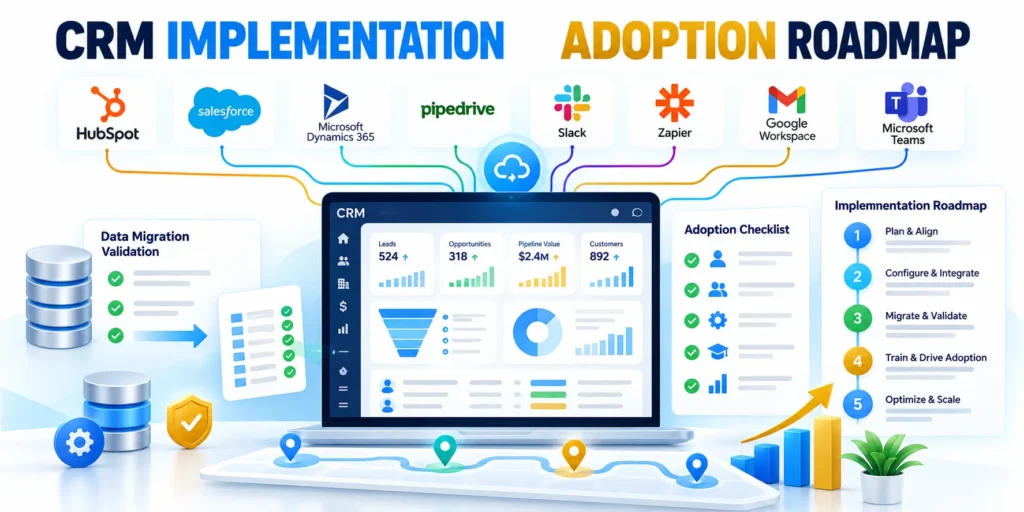
For a broader platform rollout, see the enterprise CRM implementation guide.
Maintainability means the team can explain, monitor, correct, and improve the system while respecting customer preferences.
Maintain automation quality
Revisit automation evidence as the business and customer journey change.
Retire rules that no longer support measurable decisions or accountable follow-up.
Define Automation Boundaries Before Building
Document the trigger, eligible records, exclusions, consent, owner, expected action, timing, idempotency, stop conditions, and evidence required for each workflow.
A clear boundary prevents one automation from competing with sales ownership, customer service, another workflow, or a manual process that remains intentionally authoritative.
Summarize rollout evidence
A compact release view helps owners compare readiness without replacing detailed tests, decision records, exception logs, or customer-impact review.
Use the table during approvals and retain the underlying evidence with named owners and review dates.
| Phase | Evidence | Release gate |
|---|---|---|
| Baseline | Current outcomes | Definitions approved |
| Pilot | Representative records | Exceptions controlled |
| Expand | Stable operations | Capacity confirmed |
| Operate | Outcome trends | Owners respond |
Use these release checks before increasing scope:
- Confirm data, consent, ownership, and suppression.
- Review failures, workload, and customer effects.
- Approve rollback and escalation responsibilities.
Separate Lifecycle Facts From Marketing Interpretation

Keep contractual status, customer state, opportunity stage, consent, and service eligibility distinct from behavioral scores or campaign engagement that can change rapidly.
This separation protects reporting and routing when a contact opens content without representing an active buying process or an authorized account decision.
Design Enrollment for Reentry and Suppression
Specify whether records may enroll again, which changes reset timing, how duplicates are prevented, and which customers, opportunities, regions, or statuses must be suppressed.
Test reentry after updates, imports, merges, deletions, property clearing, and integration replay because these events can restart automation unexpectedly.
Model Time and Delay Explicitly
Define business hours, time zones, waiting rules, event timestamps, expiry, holidays, paused records, late data, and the authority that starts each clock.
A delay based on processing time can produce a different customer experience from one based on the underlying business event.
Protect Human Ownership and Escalation
State when automation may assign, notify, create, update, or close work, and when a person must review uncertainty or conflicting account context.
Provide an escalation path and visible reason so teams can challenge an action without silently bypassing the workflow or editing protected fields.
Validate Data Dependencies
Inventory every property, list, association, integration, calculated field, campaign, form, and event used by scoring or workflow logic.
Assign an owner and expected refresh behavior; a correct workflow can still fail when an upstream field becomes stale, empty, renamed, or repurposed.
Use Negative Scoring Deliberately
Apply negative evidence only when it meaningfully changes qualification, such as unsupported geography, ineligible role, customer status, invalid data, or clear disqualification.
Avoid subtracting points for ordinary inactivity without considering sales cycle, channel, account context, consent, and whether the activity was observable in HubSpot.
Document score-band decisions
Record each band, eligible population, evidence window, expected action, owner, capacity assumption, observed outcome rate, review date, and known limitations.
Preserve prior definitions when thresholds change so performance comparisons do not combine records scored under materially different logic.
Review each band through these decision records:
- Population, evidence window, and exclusions.
- Owner, expected action, and service timing.
- Observed outcomes, limitations, and review date.
Calibrate Score Bands With Outcomes

Compare score ranges against accepted leads, qualified opportunities, customer outcomes, disqualification, response time, and sales effort within representative segments.
Do not choose thresholds from the score distribution alone; align each band with capacity, ownership, next action, and expected outcome rate.
Test Automation With Representative Records
Create cases for eligible, ineligible, duplicate, merged, missing, stale, customer, open-opportunity, consent-restricted, international, and conflicting-owner scenarios before activation.
Verify records, tasks, notifications, timing, associations, suppression, audit history, and rollback rather than checking only that one happy-path email was sent.
Release Changes in Controlled Stages
Start with a bounded cohort, monitoring window, named owner, support coverage, rollback switch, and comparison against the prior process or approved baseline.
Expand only after data quality, routing, customer experience, team capacity, and downstream system behavior meet the documented acceptance criteria.
Monitor Operational Failure Modes
Track enrollment spikes, processing delay, repeated actions, missing associations, sync errors, owner gaps, bounced messages, suppression failures, and manual overrides after launch.
Set alert thresholds according to business impact and investigate patterns before compensating with additional branches that make the workflow harder to understand.
Maintain a Workflow Decision Record
Record purpose, owner, dependencies, assumptions, versions, approvals, tests, thresholds, known limitations, monitoring, incidents, and retirement conditions outside the live configuration.
The record lets future teams distinguish an intentional exception from abandoned logic and understand why a risky action was originally permitted.
Trigger review after business changes
A formal change trigger ensures that business updates reach workflow owners before customers or internal teams experience outdated routing, scoring, messaging, or suppression.
Initiate review after these material operating changes:
- New products, markets, territories, or offers.
- Changed forms, properties, integrations, or permissions.
- Revised lifecycle, consent, or ownership definitions.
Record the resulting decision, affected assets, owner, test evidence, and next review date before the revised automation reaches additional records.
Review Automation as Products Change

Reassess workflows and scores after changes to offers, markets, forms, lifecycle definitions, integrations, teams, territories, consent requirements, or HubSpot product behavior.
A previously valid rule may become misleading when the underlying business process changes even though the workflow continues running without a technical error.
Retire Automation Safely
Identify enrolled records, future actions, lists, reports, integrations, owners, and dependent workflows before turning off or deleting a scoring or automation asset.
Preserve evidence and communicate the replacement process so records do not become stranded and teams do not recreate the same logic elsewhere.
Coordinate Automation With Sales Capacity
Compare expected routed volume, response timing, territory coverage, specialist availability, account ownership, and existing workload before enabling an automated handoff.
When capacity is constrained, narrow eligibility or queue work transparently instead of creating tasks that teams cannot review within the promised service level.
Audit Workflow Performance by Cohort
Compare enrollment, completion, exceptions, suppression, delay, outcomes, and manual effort across representative sources, regions, products, lifecycle stages, and account types.
Cohort review can reveal that an apparently successful workflow depends on one high-volume segment while creating poor treatment elsewhere.
Document HubSpot Feature Assumptions
Record the subscription, permissions, object availability, interface behavior, limits, and documentation date used when designing each automation or scoring capability.
Verify assumptions after product changes because labels, eligibility, limits, and available actions can differ by account, edition, region, or rollout state.
Preserve Customer Experience During Failure
Define what customers and teams experience when email, integration, enrichment, ownership, association, or workflow processing becomes delayed or unavailable.
Use safe defaults, visible queues, recovery procedures, and reconciliation so failures do not trigger contradictory messages or abandon important requests.
Use a documented retirement checklist
Confirm enrolled records, queued actions, dependent reports, integrations, owners, customer communication, evidence retention, and the supported replacement process before deactivation.
Retire automation through these controlled checks:
- Stop new enrollment at the approved time.
- Resolve queued actions and stranded records.
- Verify dependencies and communicate the replacement.
Confirm reporting and exception queues after retirement so hidden dependencies do not continue operating without an accountable replacement.
FAQ
These answers clarify common HubSpot automation and lead-scoring decisions.
Does HubSpot lead scoring identify buyers automatically?
No. A score summarizes selected properties and events under rules the organization defines; it cannot establish purchasing intent without contextual review.
Representatives should see decisive evidence, account relationships, exclusions, and recent activity before choosing an appropriate response.
Should fit and engagement use one score?
Separate views can distinguish a strong-fit account with little activity from an active contact whose company falls outside the supported market.
Combine scores only when one documented handoff decision benefits from the combined result and users can still understand its components.
How many points should a demo request receive?
There is no universal value. Start from historical examples, request quality, sales definitions, duplication risk, and the action the score should influence.
Inspect the resulting distribution and outcomes, then adjust cautiously without presenting points as a validated conversion probability.
Can a workflow assign owners by territory?
Yes, when territory data, permissions, ownership precedence, and required workflow capabilities are reliable for the records included in the automation.
Test named accounts, unsupported regions, missing values, inactive owners, leave coverage, and a monitored fallback queue before activation.
Should every lifecycle change be automated?
No. Automate changes with reliable evidence, a defined owner, clear consequences, and a recovery path when the underlying data is wrong.
Use assigned review tasks for ambiguous or consequential transitions instead of forcing automation to make a business judgment.
How can teams prevent duplicate enrollments?
Use precise enrollment criteria, document re-enrollment needs, and test repeated submissions, imports, merges, property changes, and integration replay.
Monitor task, notification, message, and exception volumes after launch because duplicates may appear downstream even when enrollment history looks correct.
What happens when no routing rule matches?
Send the record to a monitored exception queue or assigned review task with the missing evidence and reason routing could not complete.
The queue needs an owner, service expectation, correction path, and recurring review so records do not remain hidden or unassigned.
How often should scoring criteria be reviewed?
Set cadence according to sales-cycle length, data volume, market change, and the operational impact of incorrect prioritization.
Review sooner after changes to targeting, products, consent, lifecycle definitions, data capture, territories, integrations, or campaign mix.
Can a score trigger marketing email?
Technical capability does not establish communication permission. Verify consent, subscription status, suppression, applicable requirements, and account configuration before sending.
For uncertain cases, create an internal review task rather than using the score alone to authorize external communication.
What is the safest workflow launch method?
Document purpose and ownership, test positive and negative records, preview branches, verify suppression, and confirm the exception and rollback paths.
Pilot with a representative cohort and monitor volume, delay, failures, customer effects, manual workload, and downstream system behavior.
Conclusion

Effective HubSpot automation connects data quality, consent, lifecycle meaning, ownership, routing, scoring, monitoring, and recovery instead of treating workflows as isolated configuration.
Each rule should have an observable purpose, accountable owner, safe exception path, and evidence showing whether the resulting action remains useful.
Operate automation as a product
A controlled first release is more valuable than broad automation built on uncertain properties, unresolved ownership, weak suppression, or unavailable operational capacity.
Review the system after launch because products, markets, teams, integrations, permissions, and HubSpot behavior change even when a workflow continues running.
Keep these operating controls visible during every review:
- Compare score bands with accepted business outcomes.
- Inspect exceptions, delays, duplicates, and failed actions.
- Reconfirm consent, eligibility, ownership, and suppression.
- Test dependencies before changing shared properties.
- Preserve rollback evidence and responsible decision owners.
Improve rules without hiding uncertainty
Use representative records and stable definitions when comparing performance; disclose changed populations, time windows, or data coverage instead of implying false improvement.
Small samples and long sales cycles require caution, so maintain human review for consequential decisions and avoid turning correlation into automatic certainty.
Connect monitoring to action
Every dashboard or alert needs a responsible owner, response threshold, diagnostic evidence, correction path, and escalation route for unresolved customer or revenue impact.
For a focused companion topic, read Predictive Lead Scoring Models in Salesforce and HubSpot.
Retire obsolete automation safely
Before retirement, identify enrolled records, future actions, dependent lists, reports, integrations, owners, and the replacement process that affected teams must follow.
Preserve the decision record and confirm that records are not stranded, suppressed incorrectly, or routed through abandoned logic after deactivation.
Keep governance connected to outcomes
Assign owners to recurring reviews and require each material adjustment to reference observed outcomes, affected records, and operational capacity.
This discipline keeps automation explainable while allowing the model to evolve with evidence instead of accumulating opaque exceptions.








Leave a Reply