


Define onboarding outcomes and the handoff boundary
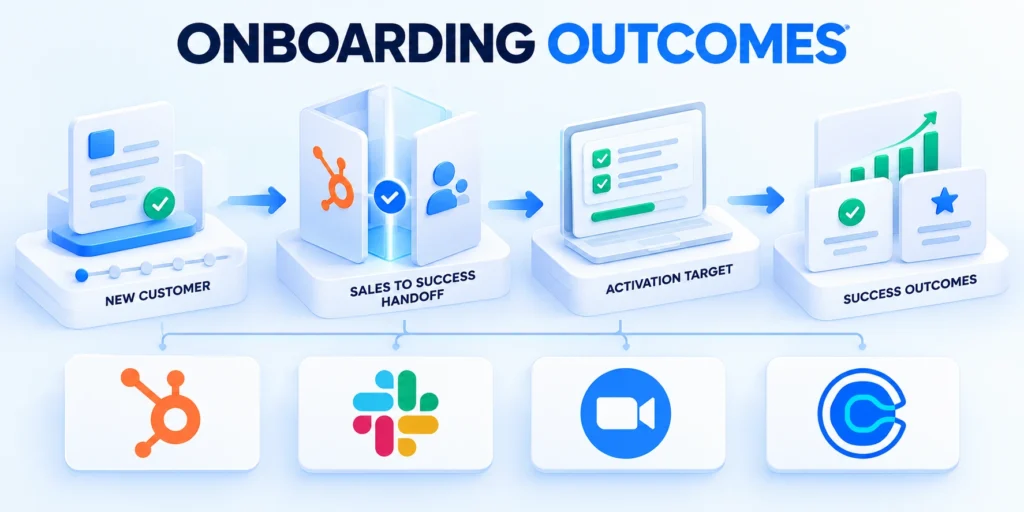
A HubSpot onboarding workflow should start only after a customer commits and the commercial handoff contains dependable context.
Define what “onboarded” means for this product: a verified first outcome, completed implementation milestone, or another customer-visible result.
Set a measurable finish line
Choose one primary outcome such as time to first value, successful go-live, completion of a defined setup milestone, or activation of a core workflow.
Pair the outcome with leading checkpoints. A kickoff held, data imported, or admin trained may indicate progress, but none alone proves customer value.
Define the outcome and handoff
Write an explicit start condition. For example, a deal is Closed Won, required fields are complete, and a handoff owner has accepted responsibility.
Define exclusions before automation. Existing customers, renewals, partner-led accounts, professional-services projects, and canceled deals may need separate journeys.
Set the finish line
Document the boundary between sales, implementation, customer success, support, and the customer. A workflow cannot repair an undefined operating agreement.
For each milestone, define evidence that can be recorded: completed property, approved integration, validated user action, or customer-confirmed acceptance.
Document boundaries
Do not treat an email open or task completion as adoption. Those are activity signals, not proof that a customer achieved the intended outcome.
Set an expected range for milestone timing, but allow exceptions. Contract scope, integrations, security review, and customer availability can change the schedule.
Use these actions to document boundaries:
Outcome: state the customer result, its evidence, and the person accountable for confirming it.
Boundary: record the handoff owner and required information before the next team accepts it.
- Define the escalation path when required handoff evidence is missing.
Map the customer journey and assign handoff owners

Automation works best when it mirrors a real service process. Map the customer’s route from signature to a stable operating state before building branches.
Include customer actions, internal work, dependencies, and decisions. A workflow map should show where a person must review context instead of blindly advancing a record.
Make the journey observable
A common sequence is closed-won handoff, internal review, kickoff, access and data preparation, implementation, validation, launch, adoption check, and transition to ongoing success.
Adapt the sequence to the product. A self-serve implementation may need a guided activation journey; a complex enterprise rollout may require security and integration gates.
Map stages and dependencies
For every transition, specify the entry evidence, owner, due window, and exit evidence. Avoid states such as “in progress” without an observable next milestone.
Assign one accountable owner even when several teams contribute. Contributors can receive tasks, but the customer should not discover that everyone assumed someone else owned the next step.
Assign owners
Decide what happens when the customer is unavailable. Pause or reschedule a customer-facing timeline rather than labeling the customer late without context.
Separate onboarding work from support incidents. A serious technical issue may require a ticket and an escalation route while onboarding milestones remain visible.
Test the map
Use a handoff checklist that summarizes goals, purchased scope, stakeholders, technical dependencies, risks, and commitments made during sales.
Test the map with sales, implementation, customer success, and support. Ask each team where the proposed owner, data, or timing would fail in a real account.
Use these actions to test the map:
Draw the customer steps and internal tasks in separate lanes so ownership is visible.
Mark every wait state, exception, and human decision before creating workflow branches.
- Confirm each owner accepts responsibility before automation begins.
Model HubSpot records and onboarding data

HubSpot automation depends on record relationships and property quality. Choose the record that represents the onboarding journey and keep customer context connected to it.
A single onboarding status field is rarely enough. Store milestone dates, owner, segment, risk, and outcome evidence separately where the account’s data model supports them.
Select a record model that fits the work
For a simple process, a company or deal-based workflow may be sufficient. A dedicated ticket or custom object can represent a separate implementation lifecycle when available.
Do not create a second “onboarding deal” merely to get a pipeline unless reporting, ownership, and revenue semantics remain clear to users.
Choose the record type
Associate the relevant company, primary contacts, deal, and implementation record. Confirm that the workflow can access the properties needed for enrollment and actions.
Create a small, governed property set: onboarding status, assigned owner, start date, target milestone date, completed date, risk reason, and next action.
Define required properties
Use controlled values for status and risk categories. Free-text notes remain useful for context, but are difficult to use as dependable workflow criteria.
Define which system owns contract terms, billing, product usage, and support history. Avoid copying sensitive or frequently changing data without a clear purpose.
Protect data quality
Require key handoff fields before the deal enters the post-sale process. Missing context should create a task for completion, not a chain of blank customer messages.
Document property names, allowed values, owners, and downstream dependencies. A property rename or deletion can quietly break filters, reports, and workflow actions.
Use these actions to protect data quality:
Start with essential journey fields; add properties only when a real operational decision requires them.
Test representative associations, including multiple contacts, child companies, and accounts with multiple active projects.
- Set retention rules for properties that contain sensitive onboarding data.
Choose enrollment triggers and prevent duplicate journeys
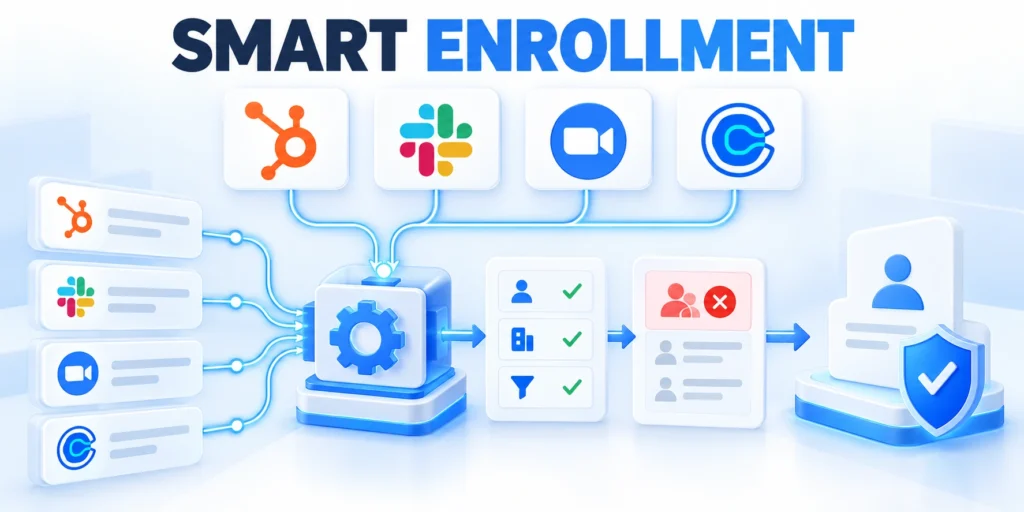
The enrollment trigger determines which records enter automation. A trigger that is too broad can create duplicate work or contact customers before the team is ready.
In HubSpot, workflow enrollment and re-enrollment settings control when records qualify again. Confirm the account’s available workflow types and subscription before designing around a feature.
Make the trigger explicit and idempotent
A deal-based trigger might require deal stage is Closed Won, onboarding handoff status is Ready, and an onboarding record or owner is present.
If the workflow is company-based, define how it handles multiple deals. One company-level journey may be wrong when different products launch on different schedules.
Design enrollment rules
Add suppression criteria for canceled or duplicate deals, existing customers who do not need onboarding, and records missing required consent or contact preferences.
Decide whether re-enrollment is appropriate. A renewal or second implementation may need a new journey, while a property correction should not resend every welcome message.
Control re-enrollment
Use an explicit unique journey identifier or active onboarding status where possible. Before creating records, check whether an equivalent active record already exists.
Set clear exit criteria for completion, cancellation, disqualification, and transfer to another team. Test whether exit criteria can occur before a delayed action runs.
Test exceptions
HubSpot documents that re-enrollment is not automatic by default and depends on selected triggers. Choose each re-enrollment event deliberately.
Use a small test cohort first. Confirm which records enroll, which are suppressed, and how each record behaves after completion or manual unenrollment.
Use these actions to test exceptions:
Test a qualifying deal, incomplete handoff, canceled deal, duplicate, and returning customer.
Log why accounts enter, exit, or re-enter so support can explain automation decisions.
- Add safeguards that prevent simultaneous enrollment in conflicting journeys.
Build the onboarding workflow step by step

Once the journey and record model are clear, configure the workflow in stages. Use the exact menu labels shown in your account because HubSpot interfaces and subscriptions can vary.
A safe first version creates internal tasks and status updates before it sends customer-facing messages or launches large batches of records.
Configure, test, then activate
In HubSpot, open Automation, then Workflows, and create a workflow based on the record type chosen for onboarding.
Set enrollment criteria using the agreed closed-won handoff and required fields. Review whether re-enrollment is enabled and which events permit it.
Configure the workflow
Add a branch for missing owner, missing contact, incomplete implementation scope, or a high-risk account. Route these records to a human review queue.
For eligible records, assign the onboarding owner, set the onboarding status, and create a kickoff preparation task with due date and context.
Add actions carefully
Add a delay only where a real timing dependency exists. A fixed delay should not imply the customer completed a step that has not been verified.
Create a task or notification for each internal milestone, with a direct record link, expected outcome, owner, and escalation path.
Validate before activation
Add a customer email only after content, sender identity, consent, timing, and personalization fields have been checked by the responsible team.
Use a terminal status such as Completed, Paused, or Canceled and ensure each branch reaches a known outcome rather than looping indefinitely.
Use these actions to validate before activation:
Build internal handoff, owner assignment, and tasks first; verify before customer communications.
Use HubSpot testing or controlled records to inspect paths and action values before enrollment.
Review the action history after activation and confirm a human owner receives the expected tasks.
Keep human ownership and customer communication clear
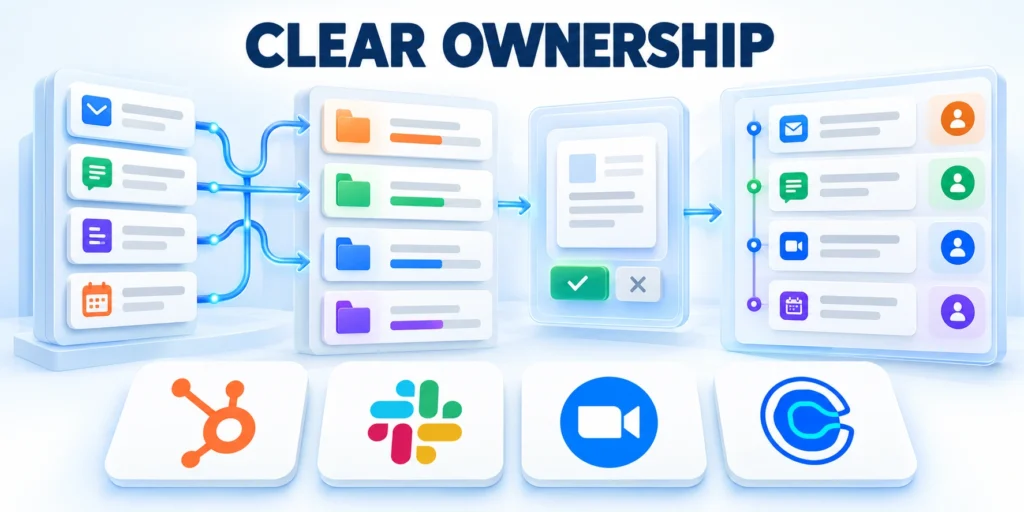
Automation should coordinate predictable work and free people to focus on customer context. It should not make strategic promises or conceal that a handoff is waiting.
Keep a named person accountable for onboarding even when reminders, status changes, and routine task creation happen automatically.
Automate coordination, not judgment
Automate internal notifications when a handoff is ready, a milestone is overdue, a required field is missing, or a risk condition needs a decision.
Include enough context in every task: account, objective, current milestone, blocker, due date, and the next action expected from its owner.
Route tasks and messages
Choose notification channels carefully. Email, in-app notifications, and task queues can become noise if the same event alerts several people repeatedly.
For customer emails, identify the sending person or team, reply destination, and expected response path. Do not promise a delivery date the implementation team has not confirmed.
Keep human review
Use respectful reminders with a clear reason and a simple next step. Avoid treating silence as customer failure when the team may still owe an update.
Keep sensitive internal risk notes out of customer-facing templates. Use a separate reviewed message when the customer needs an explanation or decision.
Provide a pause path
Provide a manual pause or unenrollment route for outages, legal holds, unusual contracts, and sensitive customer situations.
When an owner changes, update the workflow context and open tasks. An automated task assigned to a former employee is not a valid handoff.
Key considerations for provide a pause path include:
Automate routine coordination; reserve commitments, exceptions, and sensitive conversations for accountable people.
Review message templates as part of service, not merely copy stored inside workflows.
- Give customers a clear route to reach the accountable owner.
Measure onboarding progress, time to value, and risk

Measure whether onboarding produces customer progress, not just whether automation ran. Workflow enrollment and completed tasks describe process activity, not customer success.
Combine milestone reliability, elapsed time, exception volume, and customer outcomes. Segment results by complexity so teams do not compare unlike implementations.
Build measures that support improvement
Track the share of eligible customers with a complete handoff, kickoff scheduled, implementation started, first value achieved, and journey completed.
Measure elapsed time between defined events, such as closed-won to accepted handoff or start to verified activation. State whether values use calendar or business days.
Measure process
Report median and distribution when a small group of long projects can distort averages. Show cohort size and observation window alongside the result.
Measure stalled journeys by milestone and reason: customer dependency, missing data, integration problem, capacity constraint, or unresolved scope.
Measure customer outcomes
Audit workflow outcomes: records enrolled, records suppressed, duplicate journeys, actions skipped, errors, and manual overrides.
Compare customer outcomes across implementation patterns carefully. Complexity and product mix can explain differences that a workflow change did not cause.
Use insights responsibly
Use a baseline before rollout and define a review window. A change in completion time is not attributable to automation without a comparable cohort or experiment.
Connect metrics to action owners. If a segment stalls because security review is slow, assign the process owner rather than simply increasing reminder frequency.
Apply these criteria to insights responsibly:
Track process measures and customer outcomes separately; explain how one may influence another.
Use dashboards for leaders and record queues for operators; each audience needs different detail.
- Investigate stalled accounts before changing targets or automation rules.
Use this scorecard to connect onboarding evidence with accountable action.
| Metric | Meaning | Owner action |
|---|---|---|
| Handoff completeness | Required context is present | Reject incomplete handoffs |
| Time to first value | Customer reaches first outcome | Remove confirmed bottlenecks |
| Stalled journey rate | Accounts exceed the threshold | Assign an exception owner |
| Workflow error rate | Actions fail or are skipped | Repair and retest workflow |
Roll out safely, govern changes, and improve
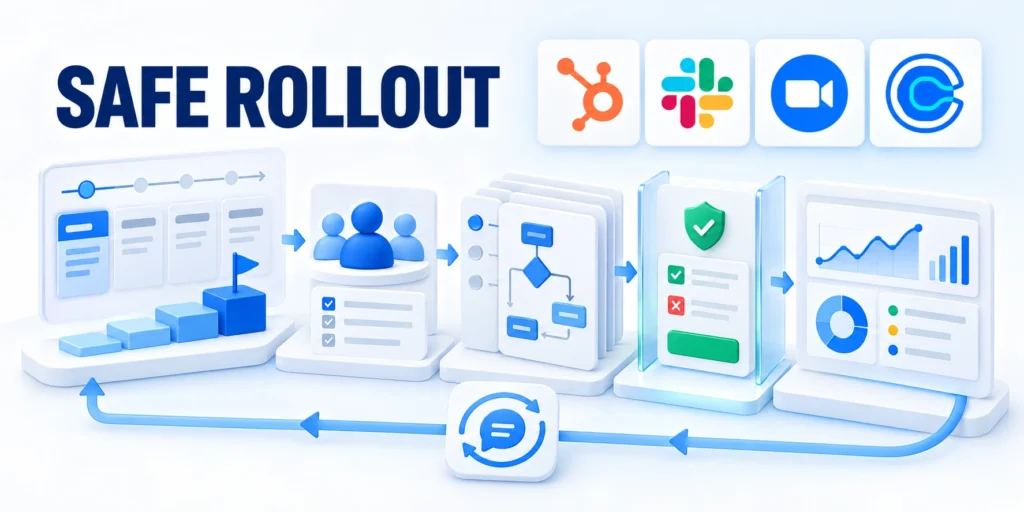
A workflow is production software for a customer process. Start with controlled enrollment, clear rollback steps, and an owner who can pause it quickly.
Review automation whenever service scope, data model, team responsibilities, or HubSpot features change. A previously correct workflow can become unsafe after an operating change.
Use a staged deployment
Document the workflow purpose, owner, enrollment rules, exclusions, action list, exit conditions, customer messages, and dependent properties.
Test with internal records and a small customer cohort. Compare expected and actual actions before widening enrollment.
Test rollout
Monitor workflow history and exceptions during the first cycles. Assign someone to respond when a record follows an unexpected branch.
Keep a rollback plan: pause enrollment, stop pending messages, restore status if safe, and notify affected owners about outstanding tasks.
Protect live records
Before editing a live workflow, review active records and delayed actions. A structural change can affect records already waiting in the sequence.
Use a change log with date, editor, reason, test evidence, and expected impact. Store decisions where operations and customer success can find them.
Govern ongoing changes
Review property access and workflow permissions as team members join or leave. Limit edit rights to trained owners and maintain a backup reviewer.
Set a recurring review cadence based on change risk and volume. Revisit trigger quality, duplicates, task usefulness, customer feedback, and outcome measures.
Key considerations for govern ongoing changes include:
Pause when features or permissions are unavailable; do not substitute a different enrollment model.
Expand only after reviewing a complete test cycle and resolving material exceptions.
- Version workflows and document the evidence supporting every change.
Make onboarding automation an accountable service
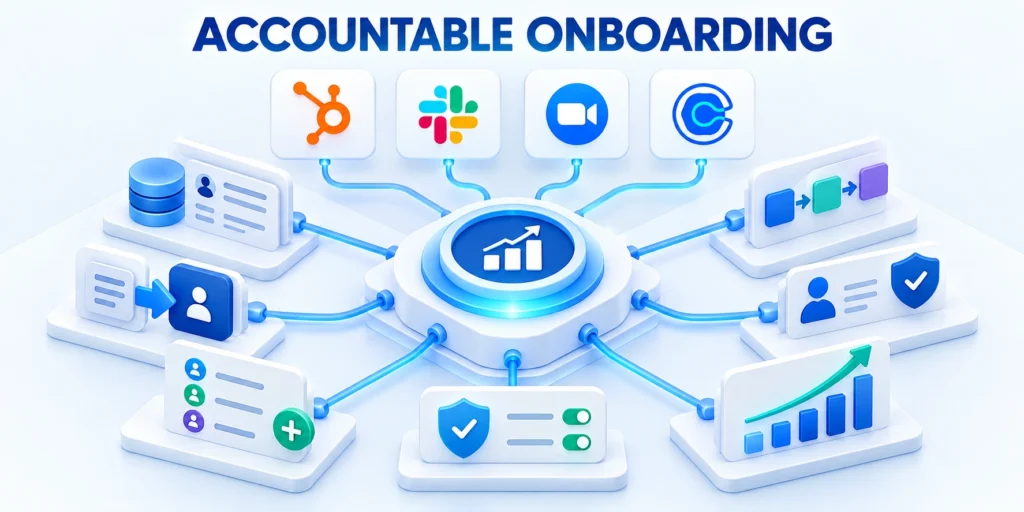
Good onboarding automation makes the right work visible and repeatable while leaving judgment with the people who understand the customer.
The durable result is not a complicated workflow. It is a reliable handoff, observable milestones, appropriate communication, and a measured path to value.
A practical launch checklist
Define the customer outcome, the evidence that proves it, and the event that starts the onboarding journey.
Map owners, customer steps, dependencies, exception routes, and completion criteria before configuring workflow branches.
Verify results
Choose the record model and properties that preserve context without duplicating the commercial record or copying sensitive data unnecessarily.
Test enrollment, suppression, re-enrollment, duplicate prevention, delayed actions, and exit paths with representative records.
Improve the service
Begin with internal coordination, then review customer-facing messages and consent controls before enabling them.
Measure time to milestones and customer outcomes by cohort; use exceptions to improve the service process rather than merely sending more reminders.
Keep ownership clear
For a broader operating model, review how sales, marketing, and customer success coordinate work across the revenue lifecycle.
Read the RevOps playbook for aligning sales, marketing, and customer success.
Related operating resources
The following guide covers related HubSpot workflow foundations, while this article focuses specifically on post-sale onboarding.
Read the HubSpot advanced automation and lead scoring guide.
Check subscription and permission limits
HubSpot’s official documentation notes that workflow features and permissions depend on subscription and account setup. Confirm current availability before building the final design.
Use these actions to check subscription and permission limits:
Start with one defined journey; make outcomes visible and expand only when owners explain results.
Preserve a human path for exceptions so automation supports service instead of obstructing it.
- Review service outcomes with sales, delivery, and customer success.
FAQ
These answers address common implementation decisions for dependable HubSpot onboarding automation.
Can HubSpot automate post-sale onboarding?
Yes, workflows can automate eligible internal tasks, notifications, record updates, and some customer communications, subject to the account’s subscriptions, permissions, and configuration.
What should start a customer onboarding workflow?
Use a verified commercial handoff with required scope, owner, customer contact, and a Closed Won or equivalent event that fits your process.
Should onboarding be a deal-based or company-based workflow?
Choose the record that matches the unit of work. A company may suit one shared journey; separate projects may require another record model.
Can a HubSpot workflow send customer emails?
Some accounts support automated emails through workflows, but eligibility depends on subscription and configuration. Review consent, sender identity, and content before activation.
How do I prevent duplicate onboarding journeys?
Use explicit active-status or journey identifiers, suppression criteria, and a test for existing open journeys before creating another record.
Should records be allowed to re-enroll?
Only when a defined event, such as a new implementation, should start a fresh journey. Property corrections should not replay the whole sequence.
How should stalled onboarding accounts be handled?
Capture a reason, assign an owner, and route to a review queue. Distinguish customer dependency from internal capacity, data, or integration issues.
Which onboarding metrics should leaders monitor?
Track handoff completeness, milestone completion, time to first value, cohort size, stalled reasons, workflow errors, and customer outcomes separately.
How do I change an active workflow safely?
Inspect currently enrolled records and pending actions, test the change on representative records, document the impact, and pause enrollment if necessary.
How often should onboarding workflows be reviewed?
Review after meaningful process or data changes and on a cadence appropriate to volume and risk; inspect exceptions, customer feedback, and outcome trends.
Conclusion

HubSpot onboarding automation succeeds when it protects customer context, clarifies ownership, and helps each account reach a verified first outcome.
The workflow should make service delivery more observable without replacing judgment, hiding exceptions, or treating completed actions as proof of customer value.
Make automation accountable to customer value
Begin with a complete commercial handoff, explicit enrollment conditions, and one measurable finish line that customer success and delivery teams understand.
Connect every automated action to an owner, purpose, and exception path. Remove steps that create activity without advancing the agreed customer outcome.
Use these checks before expanding onboarding automation:
- Confirm the handoff contains required customer context.
- Verify enrollment excludes duplicate active journeys.
- Assign owners for exceptions and stalled milestones.
- Compare customer outcomes with the baseline.
Measure time to first value alongside stalled reasons, manual overrides, and workflow errors. This combination shows where automation helps and where service design needs attention.
Expand only after representative records follow the intended path and accountable owners can explain material exceptions, customer feedback, and differences between cohorts.
Preserve evidence for the next iteration
Keep the workflow specification, test evidence, change history, and operating measures together. Shared documentation prevents assumptions from becoming hidden production rules.
Review the system whenever scope, data, permissions, staffing, or HubSpot capabilities change. A previously reliable workflow can become unsafe after operational changes.
Record these decisions after every review:
- Name the approved workflow change.
- Document evidence supporting the decision.
- Assign the accountable implementation owner.
- Schedule the next outcome review.
A disciplined review cycle keeps automation aligned with the customer journey instead of allowing accumulated rules to dictate how teams serve accounts.
The strongest implementation remains understandable, reversible, and measurable. It supports consistent execution while preserving a clear human path for commitments and unusual situations.






Leave a Reply