

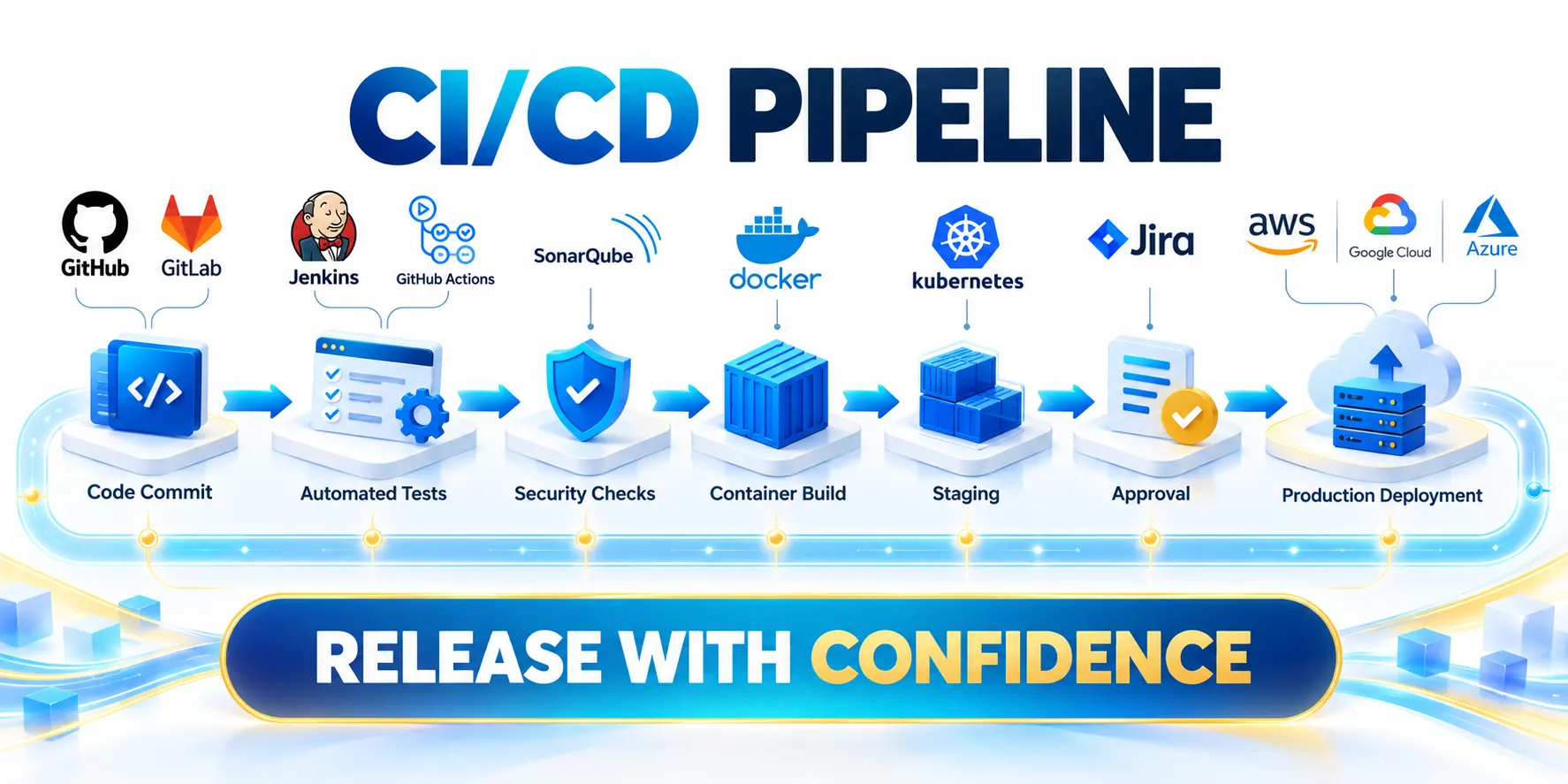
What CI/CD changes for a business application

CI/CD for business apps makes small, reviewed software changes repeatable and provides reliable evidence about their impact earlier.
For a business app, the goal is safer decisions and dependable releases, not simply more deployments or a larger collection of automation tools.
Define the terms in operational language
Use these actions to define the terms in operational language:
- Continuous integration: developers merge small changes frequently and run automated checks to expose defects early.
- Continuous delivery: keep a verified version deployable; approved people or rules control production release.
- With continuous deployment, qualifying changes reach production automatically after checks, supported by monitoring and recovery.
Frequent merges reduce conflict size, while automated checks expose integration defects before they spread across environments or reach customer-facing release decisions.
A team can adopt CI and continuous delivery without automatically deploying every change to customers. These practices support different release decisions.
Connect delivery to business risk
Use the current stage of the SaaS product development lifecycle to prioritize pipeline work. Start with the release failure that most disrupts customers, such as incorrect billing.
Translate that pain into a measure. Examples include failed release rate, time to restore service, change lead time, or the number of manual release steps.
Use these actions to connect delivery to business risk:
- Choose one application and one team before changing the entire portfolio.
- Map the path from approved change to customer-visible result, including manual approvals and handoffs.
- Record a baseline for release frequency, failed changes, recovery time, and lead time.
- Agree which outcomes matter to product, operations, security, and customer support.
Use the baseline to identify the slowest or riskiest handoff. Automating a stable, low-risk step first usually produces clearer evidence than redesigning every tool at once.
Set a Boundary for the Pilot

Use one application, a representative release, and a measurable baseline for a DevOps modernization pilot. Assign a team that can respond when deployments fail.
Before changing production delivery, document dependencies, exclusions, and recovery responsibilities. Agree who approves releases if a nearshore engineering team shares the pipeline.
Use these actions to set a boundary for the pilot:
- Choose a service with accountable owners and an engineering team able to handle pipeline failures.
- List upstream and downstream dependencies, including identity, data stores, vendors, and manual business approvals.
- Identify data sensitivity, uptime expectations, support coverage, and any release windows the business cannot disrupt.
- Record exclusions and workarounds so pilot results are not mistaken for organization-wide outcomes.
For app architecture context, see our guide to B2B web app development and launch. It explains how delivery boundaries affect scalability and launch risk.
CI/CD is a delivery capability and operating agreement. It complements product discovery, architecture decisions, incident ownership, and customer feedback. The pilot should make each responsibility and exception visible.
Choose Representative Delivery Constraints
Select an application that exercises real build, integration, approval, deployment, monitoring, and recovery requirements without exposing the entire portfolio to an untested process.
Document vendor dependencies, release windows, data sensitivity, access reviews, and customer impact so the pilot reflects production decisions rather than an isolated demonstration.
Define Expansion and Stop Conditions
Agree on the evidence required to continue, revise, pause, or stop the pilot before automation changes how production releases are approved.
Include thresholds for failed checks, customer impact, recovery time, unsupported manual work, security exceptions, and operational load during the observation period.
Design a pipeline around a deployable change
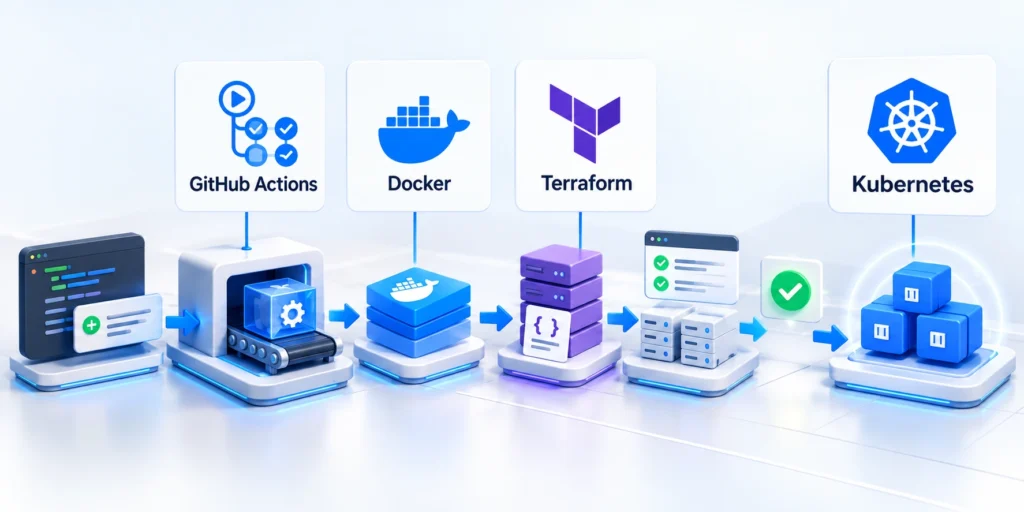
A pipeline is an automated sequence that turns a versioned change into evidence, a release artifact, and, when approved, a deployment.
Keep each step visible and repeatable. Developers should be able to find the failing check, understand its result, and reproduce it locally when practical.
Use a simple starting pipeline
For a Node.js service, a first workflow can install locked dependencies, run tests, build the application, and preserve the successful build output.
This example assumes an existing package-lock.json and scripts named test and build. Adapt those names to the repository.
name: Business app CI
on:
  pull_request:
  push:
    branches: [main]
permissions:
  contents: read
jobs:
  verify:
    runs-on: ubuntu-latest
    steps:
      - uses: actions/checkout@v4
      - uses: actions/setup-node@v4
        with:
          node-version: 22
          cache: npm
      - run: npm ci
      - run: npm test
      - run: npm run build
Apply these criteria to a simple starting pipeline:
- Save as
.github/workflows/ci.yml; verify the repository’s Node version and test flags. - Open a pull request; failures should identify the failing command and log output.
- Review GitHub’s official overview of workflows, events, jobs, and steps before adapting syntax.
Keep the First Pipeline Observable
Record stage duration, failure reason, artifact identity, environment, approval state, deployment result, and recovery action from the first automated run.
Use those records to distinguish slow feedback, unstable tests, environment drift, access failures, and deployment defects before adding more automation.
Separate Source, Artifact, and Environment

The source commit records what the team changed. The artifact is the built, identifiable package that will be tested or deployed.
Do not rebuild different bytes for production after testing another build. Promote the same verified artifact through environments whenever the platform supports it.
Use these actions to separate source artifact and environment:
- Pin runtime versions and dependency installation behavior.
- Attach the commit identifier to the artifact or release record.
- Keep environment-specific values outside the artifact.
- Record who approved a production promotion and when it occurred.
Order pipeline stages for useful feedback
Key considerations for order pipeline stages for useful include:
- Validate changes: check formatting, required files, lockfiles, and configuration before expensive jobs.
- Build once: record runtime and dependency versions, then identify artifacts by source commit.
- Test boundaries: run integration checks against controlled services and synthetic data, not production customer records.
- Publish an artifact: retain it long enough to support promotion, audit, and recovery.
- Deploy to staging: verify the release path and configuration using the production artifact.
- Request approval: display the change, test evidence, release owner, and recovery plan before production promotion.
These records let operations trace a production version back to its source, checks, approval, and rollback candidate without guesswork. They also support later incident review.
Use a separate staging environment when it can reproduce meaningful production behavior. Avoid maintaining extra environments that have no clear test or approval purpose. Match fidelity to tested risks.
Set quality gates that catch meaningful failures

Quality gates should reduce customer and operational risk. Start with checks that are fast, repeatable, and connected to failures the application has actually experienced.
Place quick feedback early and slower checks later. A developer should learn about formatting or unit-test failures before waiting for a full end-to-end suite.
Build a test portfolio, not a test-count target
Unit tests verify small components. Integration tests check boundaries such as databases, queues, identity providers, and payment or CRM APIs.
End-to-end tests exercise a critical customer workflow. Keep the first set focused on revenue, access, data integrity, and business-critical operations.
Follow this sequence to build a test portfolio not a:
- Choose one failure-prone business workflow, such as approving and submitting an order.
- Define the expected result and the data state that must remain unchanged after failure.
- Automate the narrowest test that reliably catches the known defect.
- Run it on every relevant change and keep logs that identify the failed assertion.
- Review flaky tests; stabilize or quarantine them with an owner and expiry date.
A green test suite is evidence, not proof that a system has no defects. Pair automation with monitoring, operational readiness, and representative user acceptance.
Prioritize Checks by Consequence
Start with deterministic checks that protect the most valuable workflows, data boundaries, integration contracts, and recovery assumptions for the selected application.
Add slower or specialized checks when their evidence changes a release decision, rather than copying every available scanner into the critical path.
Add Security and Data Checks Proportionately
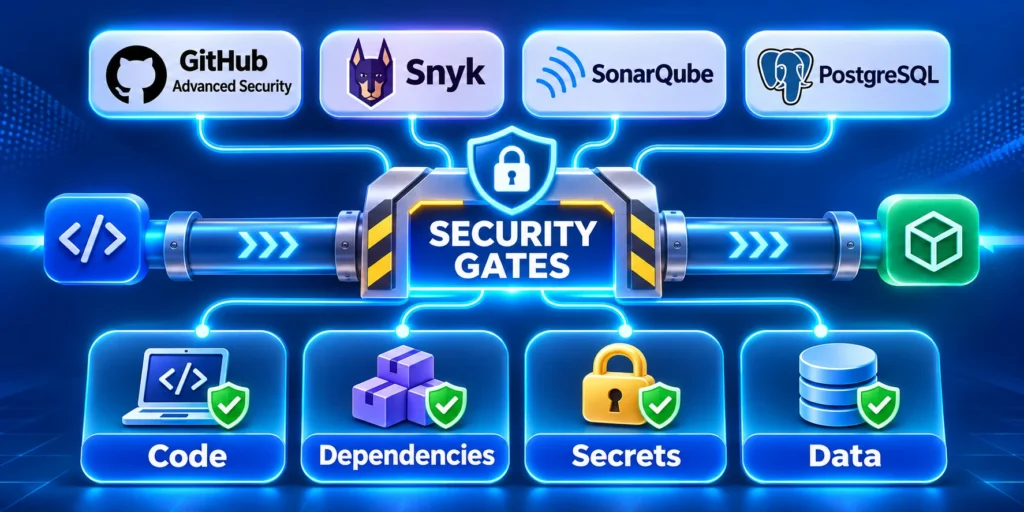
Scan dependencies and application code in the pipeline when the findings are actionable. Establish severity thresholds, owners, and a process for approved exceptions.
Never put production credentials in workflow files or logs. Use the platform’s secret store, grant the minimum required permissions, and rotate credentials after exposure.
Use these actions to add security and data checks proportionately:
- Test permitted and denied actions for every authorization role; login success alone is insufficient.
- Use synthetic or masked records, with retention and deletion rules for test environments.
- Confirm audit logs preserve evidence for every denied action.
Teams protecting financial or health data can also consult our guide to web app security for financial and health data.
Google Cloud’s guidance on designing secure deployment pipelines discusses protecting pipeline identity, artifacts, and release paths according to system risk.
Troubleshoot a failing pipeline without guesswork
Follow this sequence to troubleshoot a failing pipeline without guesswork:
- Identify the first failing job, commit, and environment; later failures may be consequences.
- Compare command output, runtime, dependencies, and configuration with the last successful run.
- Reproduce the failure with the same command and safe test data before changing the pipeline.
- Fix the root cause, rerun checks, and document temporary exceptions with owners and removal dates.
Preserve failed evidence before rerunning. Logs, artifact identifiers, and environment details help distinguish a code defect from an infrastructure or configuration problem.
After correcting the root cause, rerun the same command and retain the result so repeated failures can be compared against verified recovery evidence.
Choose a deployment strategy and recovery path

Deployment risk depends on change size, user impact, data migrations, and the team’s ability to detect and reverse problems.
Select a release pattern that matches those constraints. A sophisticated strategy adds operational work if the team cannot observe or control it.
Compare common rollout patterns
Compare rollout patterns against traffic control, data compatibility, available capacity, observability, customer impact, operational skill, and the time required to recover.
Select the simplest pattern that provides meaningful control for the change, and document any conditions the selected strategy cannot safely handle.
| Pattern | Useful when | Main trade-off |
|---|---|---|
| Rolling | Instances can be replaced gradually | Old and new versions may run together |
| Blue-green | Two production-like environments are affordable | Needs capacity and careful data compatibility |
| Canary | Traffic can be routed to a small cohort | Requires reliable cohort metrics and monitoring |
| Feature flag | Functionality should be deployed before activation | Flags need owners, expiry, and cleanup |
These patterns can be combined. A team might deploy a compatible change gradually, then enable a feature flag for a small customer group.
Make rollback and database changes explicit
Rollback works only when the previous version remains usable with current data, APIs, and background jobs. Test that compatibility before relying on it.
Follow this sequence to make rollback and database changes explicit:
- Write down the trigger for stopping rollout, such as elevated errors or failed transactions.
- Name the person who can pause deployment and the person who owns recovery.
- Keep a known-good artifact and a tested rollback or forward-fix procedure.
- Use expand-and-contract database changes: add compatible fields first, migrate safely, then remove old fields later.
- After recovery, verify business transactions and data integrity, not only server health.
For a high-impact release, rehearse recovery in a representative environment. Record the steps and elapsed time, then fix gaps before production depends on them.
A deployment that cannot be reversed may still be safe, but it needs a tested forward-recovery plan and deliberate customer communication.
Prepare a release decision record
A release record should let an authorized reviewer identify the change, affected services, evidence, owner, stop conditions, communication, and recovery path.
Keep the record with deployment history so incident responders and auditors can verify what was approved without reconstructing decisions from messages.
Use these actions to prepare a release decision record:
- Record the release identifier, commit, artifact, planned window, and services that could be affected.
- State approval evidence: required checks, security exceptions, operational readiness, and customer communication.
- Write down rollout stop conditions and who has authority to pause or reverse deployment.
- Confirm a recovery contact and the location of the tested procedure before production promotion.
Roll out CI/CD in phases and measure the result
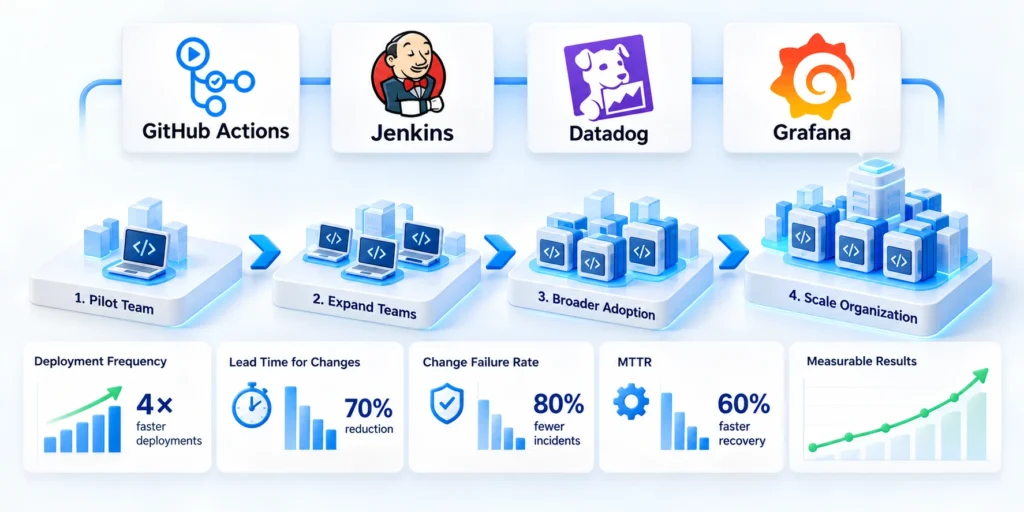
A phased rollout gives the team time to learn where automation helps and where it simply moves risk to another step.
Keep the pilot small enough to support closely, but representative enough to expose real integration, security, and operational constraints.
A practical 30-day pilot
Follow this sequence to a practical 30-day pilot:
- Days 1–5: select the application, baseline, approvals, and business and technical owners.
- Days 6–12: automate builds, unit tests, and selected integration checks for each pull request.
- During days 13–18, publish an identifiable artifact and deploy that same version to staging.
- Days 19–24: rehearse one production-like rollout, alert, pause condition, and recovery path.
- Days 25–30: compare baselines, interview users, document failures, and decide whether to expand.
The dates are a planning example, not a fixed deadline. Adjust them for access reviews, vendor dependencies, regulatory controls, and release windows.
Each phase should end with evidence that supports continuing, adjusting, or stopping the pilot before the next investment.
Track outcomes without creating a vanity dashboard
Use a small set of measures that connect delivery activity to customer and operational outcomes. Review trends alongside incidents and user feedback.
Segment results by application, release type, workflow, and observation period so averages do not hide one unstable service or unusually risky migration.
Use these actions to track outcomes without creating a vanity:
- Change lead time: how long an approved change takes to reach a usable environment.
- Deployment frequency: how often the team releases changes that provide value.
- Change failure rate: how often a release causes a rollback, hotfix, or service impairment.
- Time to restore: how quickly service and business workflows recover after a failed change.
- Customer outcome: whether a targeted workflow becomes more reliable, faster, or easier to complete.
Turn Measures Into Operating Decisions

Delivery measures become useful when they trigger explicit decisions about reliability, bottlenecks, customer impact, recovery readiness, and the next controlled expansion.
Review trends with incidents, release context, support themes, and workflow evidence instead of interpreting deployment volume or speed in isolation.
Key considerations for turn measures into operating decisions include:
- If lead time improves but failures rise, pause expansion and strengthen tests or observability.
- If deployment frequency stays low, inspect approval queues and environment friction before adding tools.
- When restoration is slow, rehearse recovery, improve alert ownership, and retain deployable previous artifacts.
- If customer outcomes remain unchanged, reconsider whether the workflow and measures represent the business problem.
Do not reward teams for deployment volume alone. That can encourage low-value changes and hide customer harm or operational load.
Google Cloud’s DevOps guidance treats delivery performance as a set of capabilities that teams improve over time, rather than a tool purchase.
Define the evidence required for promotion
A production decision needs more than a green build. It should identify the artifact, source commit, environment, test results, change owner, and recovery path.
Define which evidence is mandatory for every release and which checks depend on risk. A routine text change should not copy the controls for a database migration.
Use these actions to define the evidence required for promotion:
- Identify the immutable artifact and source commit.
- Show required test, security, and approval results.
- Record the production owner and release window.
- Link the rollback or forward-fix procedure.
Keep this record with the deployment history. During an incident, responders need the exact release facts without reconstructing them from chat messages or individual memory.
Automated evidence must remain understandable. If only the pipeline author can interpret a gate, the team has created a fragile operational dependency.
Exercise the failure path before expanding
Run a controlled release failure during the pilot. Use a reversible fault, observe detection, and verify that the named owner can pause or reverse deployment.
Measure how long the team takes to understand the alert, select a response, restore service, and confirm that the customer workflow works again.
Use these actions to exercise the failure path before expanding:
- Confirm alerts reach the responsible team.
- Verify recovery uses an available artifact.
- Check data integrity after restoration.
- Capture lessons and assign follow-up owners.
A rehearsal exposes missing access, unclear ownership, stale instructions, and hidden data dependencies. Fix those weaknesses before the pipeline begins making broader production decisions.
Expand automation only when the team can explain both the normal release path and the recovery path with current, tested evidence.
Conclusion

Effective CI/CD joins engineering controls with product priorities, operational ownership, and customer evidence.
Begin with one application, automate its most valuable checks, and make release and recovery decisions visible.
The final decision should reflect these practical priorities:
- Expand when delivery becomes more dependable and operational risk remains manageable.
- Improve noisy checks or unclear recovery before automating more release decisions.
- Record the evidence supporting each expansion or rollback decision.
Connect the Release Pipeline to Mobile Delivery
Coordinate application, platform, store, device, and customer communication requirements so pipeline evidence supports the complete release path rather than only server deployment.
For platform-specific release constraints, review our enterprise mobile app cross-platform strategy.
Preserve Evidence for Every Decision
Keep the artifact, source commit, checks, approvals, rollout state, alerts, recovery actions, and customer verification together with the release history.
That record supports incident response, audits, improvement work, and future decisions about which controls can safely become more automated.
Improve the System Incrementally
Address the bottleneck shown by evidence, whether it is build instability, slow feedback, unclear approvals, environment drift, weak observability, or untested recovery.
Repeat the same measurement after each material change and expand only when reliability, ownership, and customer outcomes remain acceptable.
Keep Human Accountability Visible
Automation can execute checks and deployments, but accountable owners must still interpret exceptions, approve risk, communicate impact, and confirm recovery.
A controlled learning cycle makes those decisions explicit and gives the team current evidence for improving both delivery speed and operational safety.
FAQ
These answers clarify common CI/CD decisions about delivery, deployment, checks, databases, secrets, rollback, pilot evidence, automation, and expansion.
What is the difference between continuous delivery and continuous deployment?
Continuous delivery keeps a verified release ready for production, usually with an explicit release decision. Continuous deployment automatically releases qualifying changes after required checks pass.
Does CI/CD require a cloud platform?
No. CI/CD can run on hosted or self-managed infrastructure. Choose based on security, integration, operational capacity, cost, and the team’s deployment targets.
Which checks should run first?
Start with deterministic build and unit checks, then add integration and critical workflow tests. Prioritize checks that catch known, high-impact failures quickly.
How can a team deploy safely when it has a large database?
Use backward-compatible schema changes, staged migrations, backups, integrity checks, and a tested recovery plan. Avoid assuming that application rollback reverses data changes.
How do leaders know whether the pilot worked?
Compare delivery and recovery measures with the baseline, then check whether a targeted customer workflow improved without unacceptable support or operational burden.
Should every successful pipeline deploy automatically?
No. Use approval gates when risk, regulation, customer impact, or recovery readiness requires an explicit production decision.
How should secrets be handled in a CI/CD pipeline?
Store secrets in an approved secrets service, grant minimal access, rotate credentials, and prevent sensitive values from entering logs or artifacts.
What makes a rollback plan credible?
It identifies the release, owner, trigger, recovery steps, data implications, verification checks, and the time required under realistic conditions.
How can teams reduce flaky pipeline checks?
Measure failure patterns, isolate unstable dependencies, improve test data and environments, and assign ownership instead of normalizing repeated reruns.
When should a CI/CD pilot expand to another application?
Expand after the first team demonstrates repeatable builds, useful checks, controlled releases, observable outcomes, and practiced recovery without excessive support burden.






Leave a Reply