

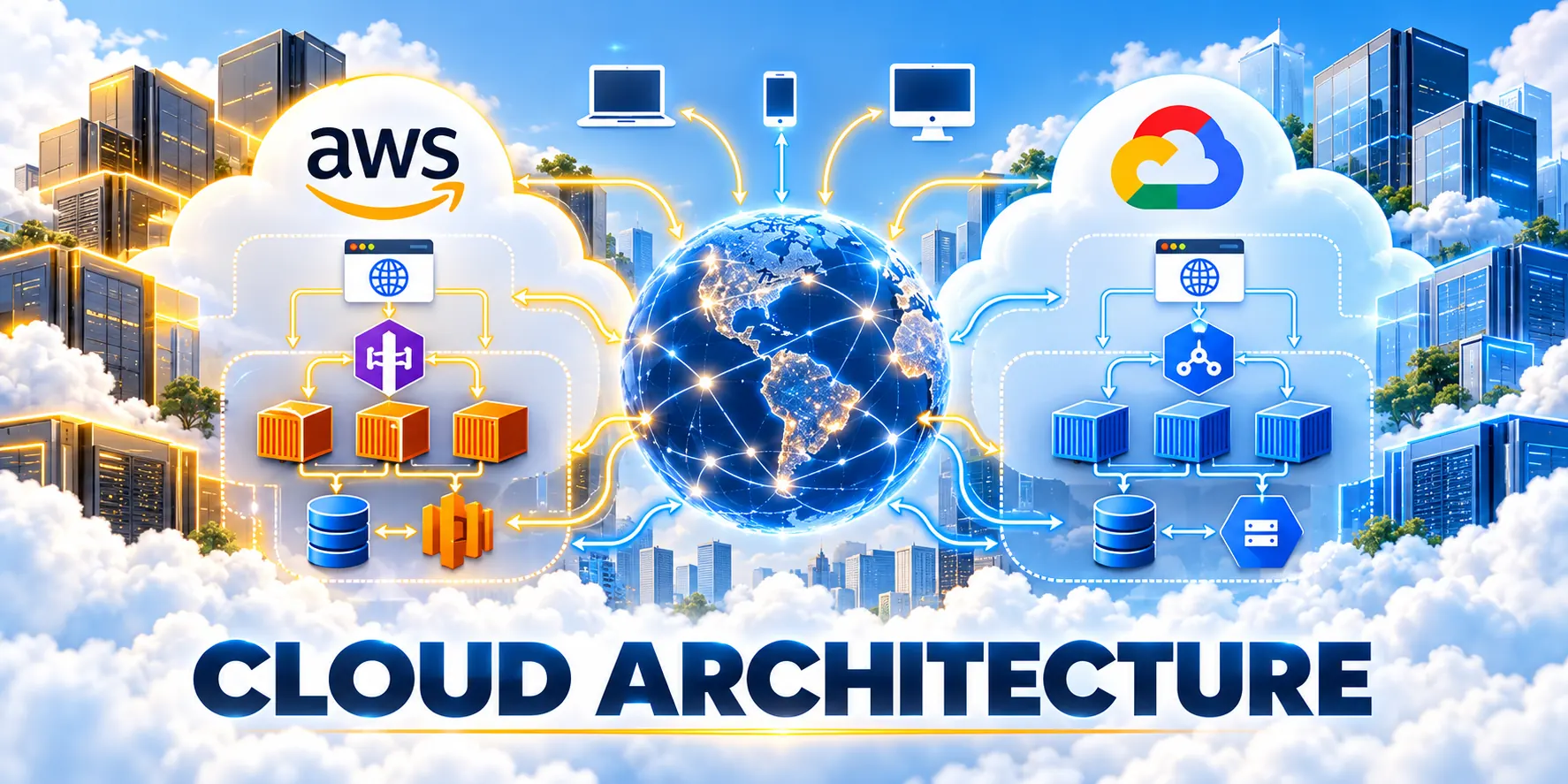
Map Web App Workload: Cloud Requirements
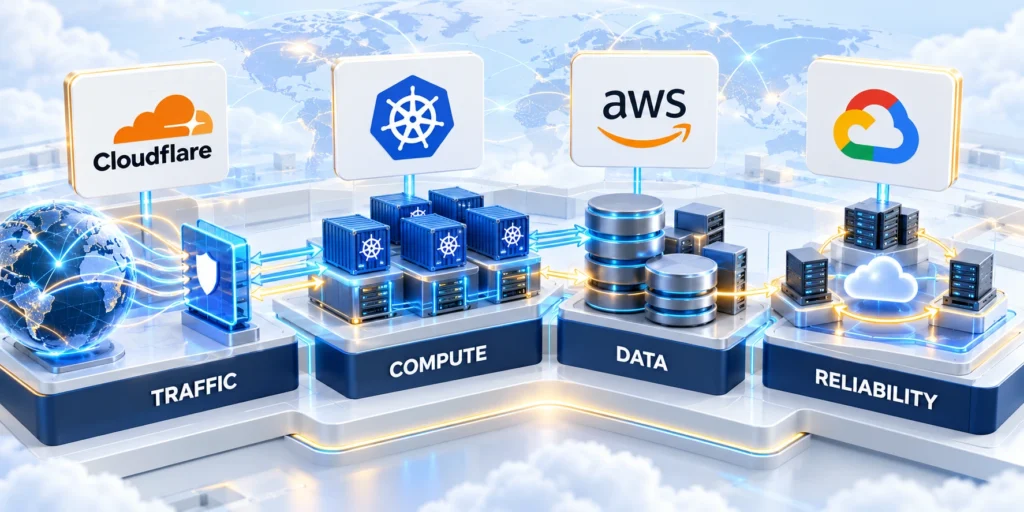
A cloud hosting architecture should follow the workload’s real requirements, not a provider’s product catalog or a popular reference design.
Start with the application’s users, data, traffic, dependencies, service levels, and team capabilities. Those inputs establish which tradeoffs matter.
Define the Decision Boundary
Decide what you are choosing: a new application platform, a hosting destination for an existing system, or a gradual migration from on-premises infrastructure.
These decisions have different constraints. A new build can adopt managed services early; a migration must account for compatibility, data movement, and downtime.
Use these actions to define the decision boundary:
- Name the application and the business workflows in scope.
- Record what must stay on premises or in another cloud, and why.
- List the decision owners from product, engineering, security, finance, and operations.
- Set the time horizon and identify any contract or regulatory deadlines.
- State whether the goal is one provider, hybrid deployment, or a reversible evaluation.
Classify the Workload Before Selecting Services
Describe request patterns, background jobs, stateful components, batch windows, and peak behavior. Distinguish average traffic from short bursts and seasonal demand.
For example, a B2B application with predictable daytime traffic and heavy nightly imports may need different scaling and scheduling choices for each workload.
Use these criteria to classify the workload:
- Separate the web tier, asynchronous jobs, APIs, and scheduled processing.
- Measure request volume, payload size, concurrency, and latency at peak.
- Identify stateful sessions, caches, files, queues, and database transactions.
- Record CPU, memory, storage, and network use from a representative period.
- Document how each workload supports the target business workflow.
For more context on product architecture and scale, see our B2B web application architecture guide.
Identify Data, Residency, and Integration Constraints

Map sensitive data, its owners, retention rules, and the systems that exchange it. A cloud region decision can affect latency, compliance, recovery, and integration design.
Do not assume that choosing a nearby region resolves every legal question. Ask the organization’s privacy and compliance owners to validate the actual data flows.
Use these actions to identify data residency and integration constraints:
- Classify data by sensitivity and business impact.
- List source systems, destinations, transfer frequency, and failure behavior.
- Record residency, encryption, audit, retention, and deletion requirements.
- Measure latency requirements for users, databases, and third-party APIs.
- Identify dependencies that cannot move on the same schedule as the application.
Set Measurable Service Objectives
Translate phrases such as “fast” or “highly available” into measurable service objectives. Define the user journey, measurement window, and acceptable failure budget.
For a customer portal, a team might measure checkout or account-update latency at the 95th percentile and track successful completion during business hours.
| Decision input | Evidence to collect | Architecture consequence |
|---|---|---|
| Traffic pattern | Peak requests, concurrency, burst duration | Scaling model and capacity guardrails |
| Availability need | Critical workflow and tolerated downtime | Failure domains, redundancy, recovery tests |
| Data sensitivity | Classification, residency, retention | Region, access controls, encryption, audit |
| Team capability | On-call skills and platform ownership | Managed-service scope and operational burden |
Account for Team and Operating Constraints
A technically possible architecture can still be a poor fit if the team cannot operate it safely. Include on-call coverage, deployment practices, security ownership, and vendor skills.
Document the skills the organization already has and the capabilities it can realistically build before a deadline. Avoid treating hiring as an immediate substitute for operational readiness.
Review these operating constraints before choosing:
- List who owns infrastructure, application runtime, data, identity, and incident response.
- Confirm coverage for nights, weekends, and regional business hours.
- Estimate the training and platform work needed for each candidate.
- Record vendor contracts, support expectations, and exit requirements.
- Set a review date so assumptions do not become permanent architecture rules.
Compare AWS & Google Cloud Architecture Options
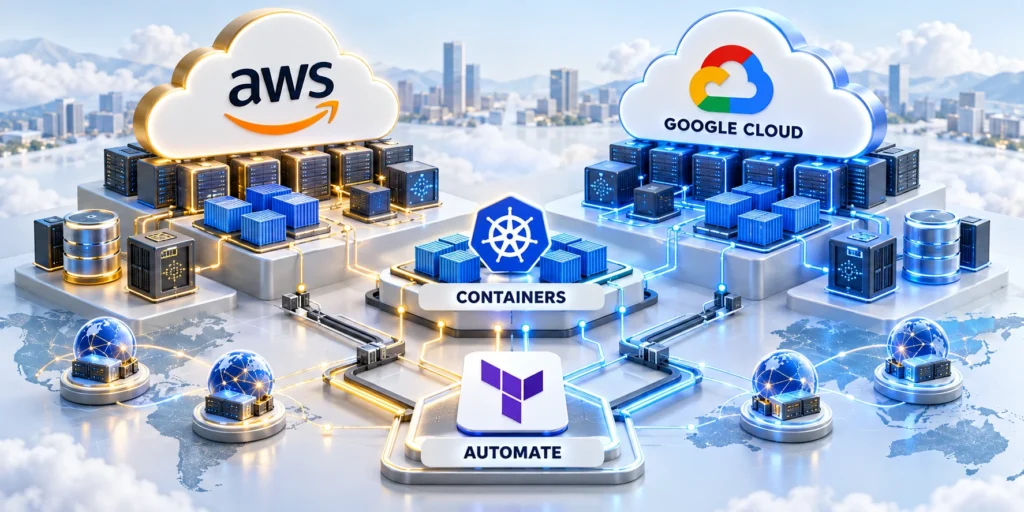
Compare providers by the role each service plays in your architecture and by the operational work it removes or introduces.
Service names are not proof of equivalence. Validate limits, regional availability, networking, integrations, support, and the team’s ability to operate each option.
Map Services by Architectural Role
Begin with capabilities the application needs, then compare provider offerings for those roles. This avoids selecting a service merely because its name resembles a familiar product.
The examples below are starting points for investigation, not a one-to-one product recommendation. Validate current features and constraints in each provider’s official documentation.
| Architecture role | AWS option | Google Cloud option |
|---|---|---|
| Virtual machines | Amazon EC2 | Compute Engine |
| Containers | Amazon ECS or EKS | Google Kubernetes Engine |
| Application runtime | AWS App Runner | Cloud Run |
| Relational data | Amazon RDS or Aurora | Cloud SQL or AlloyDB |
| Object storage | Amazon S3 | Cloud Storage |
| Event processing | Amazon SQS or EventBridge | Pub/Sub or Eventarc |
Choose a Compute Model That Fits the Runtime
Virtual machines provide control over the operating environment but keep patching, capacity, and more lifecycle work with the team.
Containers can standardize packaging, while serverless platforms can reduce infrastructure management for supported workloads. Both still require security, observability, and capacity decisions.
Use these actions to choose a compute model that fits:
- Use virtual machines when applications require operating-system control or compatibility unavailable in managed runtimes.
- Adopt containers when packaging consistency and orchestration needs justify their operational cost.
- Evaluate serverless for event-driven or variable workloads when execution limits and runtime behavior fit.
- Prototype the deployment path, secrets handling, health checks, autoscaling, and rollback.
- Compare the work the team must perform, not only the instance or request price.
Compare Data Services Through Recovery and Change
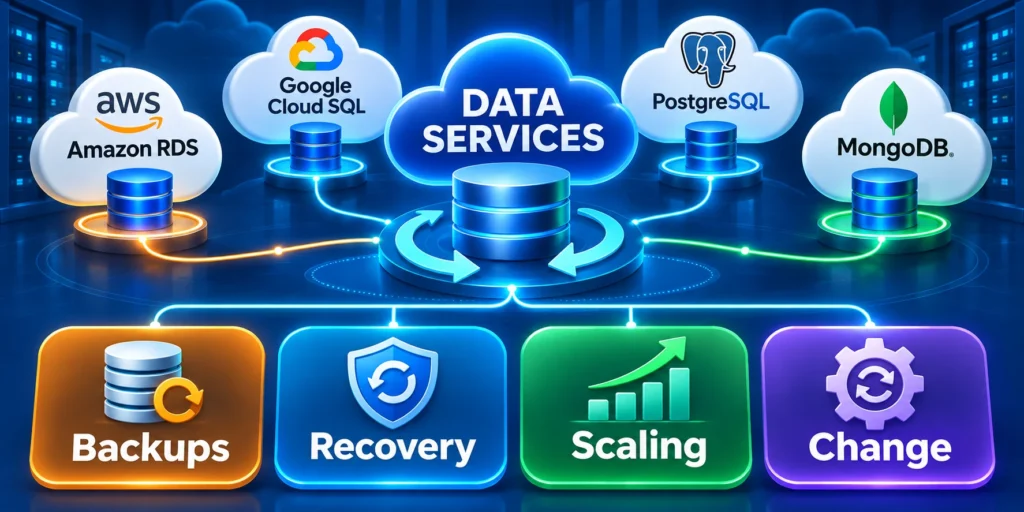
Database fit depends on the data model, transaction patterns, query behavior, recovery needs, and the application’s tolerance for change.
Before selecting a managed database, test restore procedures, schema migration, connection limits, replication behavior, and observability with representative data.
Use these checks to compare recovery and change:
- Capture current database size, growth, read/write mix, and peak connections.
- Identify extensions, stored procedures, drivers, and vendor-specific features.
- Test backup restoration to an isolated environment and time the recovery.
- Rehearse a schema change while the previous application version remains available.
- Estimate migration downtime, validation work, and rollback conditions.
Validate Recovery During Operational Change
Exercise restoration while application configuration, credentials, schemas, and deployment versions differ from the conditions captured by the backup.
Record reconciliation steps, ownership, elapsed time, data loss, customer impact, and the evidence required before reopening writes.
Compare Managed Services with Total Ownership
A managed service can reduce routine operations but may add provider-specific configuration, limits, and exit work. Compare the responsibility boundary for each candidate.
Ask what the provider operates, what the application team must configure, and who responds when an integration or workload fails.
Use these actions to compare managed services with total ownership:
- Review identity integration, logs, monitoring, backup, and support access.
- Record quotas and service limits that could constrain a production workload.
- Assess how infrastructure changes are reviewed and rolled back.
- Identify export formats, data-transfer costs, and dependencies that complicate exit.
- Choose the simplest option that meets the workload’s measured requirements.
Design Secure & Resilient Cloud Network

Security and resilience depend on the complete request path, identity model, data handling, and recovery process across the application.
Use the same workload requirements for both providers, then test the actual configuration. A diagram alone does not establish that controls work.
Trace the Network Path and Trust Boundaries
Map how a request reaches the application, which components can reach data services, and how administrators access production.
Separate public endpoints from internal services where the architecture supports it. Restrict outbound paths when practical and document necessary exceptions.
Map these network paths and trust boundaries:
- Draw the path from user entry through edge, load balancing, application, and data layers.
- Mark public and private endpoints, service-to-service paths, and administrative access.
- Identify where encryption begins and ends for network and stored data.
- Test firewall and routing rules with allowed and denied traffic cases.
- Record ownership and review dates for exceptions.
Apply Least-Privilege Identity and Secret Handling
Give each workload and operator only the access required for its task. Avoid shared administrator credentials and long-lived secrets embedded in deployment files.
Design identity roles around job functions and application components, then test access using the same identities the production workload will use.
Use these actions to apply least-privilege identity and secret handling:
- Separate human access from service identities.
- Use short-lived or managed credentials where the provider and application support them.
- Review role bindings for wildcard permissions and unused access.
- Rotate credentials through a tested process and verify dependent services recover.
- Log privileged changes and route actionable alerts to an owner.
Design for Failure and Recovery

Decide which failures the application must tolerate: process crashes, zone disruption, database errors, dependency outages, or regional loss.
Recovery objectives should reflect business impact. A stricter recovery target can increase cost and complexity, so validate it with the service owner.
Use these actions to design for failure and recovery:
- Define recovery time and data-loss objectives for each critical workflow.
- Document the failure domain covered by each redundancy measure.
- Test health checks, failover, backups, and restoration instead of assuming they work.
- Rehearse a dependency outage and confirm user-facing behavior.
- Record the result, recovery duration, data validation, and corrective actions.
Build Observability Around User Outcomes
Collect logs, metrics, and traces that help operators explain user-visible failures without exposing sensitive data.
Set alerts around service objectives and actionable symptoms. A large dashboard is not useful if alerts have no owner or response procedure.
Use these actions to build observability around user outcomes:
- Track completion and latency for critical user journeys.
- Correlate application errors with deployment changes and dependency health.
- Control log access and retention according to data policy.
- Test alert routing and escalation during a scheduled exercise.
- Document a runbook for the failure modes most likely to affect customers.
Example: Secure a B2B Account Portal
Suppose a portal stores customer records and calls a billing service. Start by mapping browser traffic, authentication, application identities, database access, and outbound billing requests.
Then test that one customer cannot retrieve another customer’s records, that an expired credential fails safely, and that the billing outage does not corrupt account updates.
Test these realistic portal failure scenarios:
- Create a test account for each tenant and verify authorization at the API boundary.
- Simulate a billing timeout and confirm retries do not create duplicate transactions.
- Restore a database backup in an isolated environment and reconcile record counts.
- Review logs for secrets and sensitive customer fields before launch.
Plan Cloud Migration and Cost Governance

Compare providers with the same workload, service objectives, and cost model. Use the cloud consulting scope to define pilot and migration responsibilities.
Prefer a bounded pilot with measurable outcomes over a broad migration estimate based on list prices alone.
Estimate Total Cost with Comparable Assumptions
Include compute, storage, database, network transfer, support, monitoring, backup, licensing, and the staff time needed to operate the system.
Use each provider’s calculator with the same traffic, retention, availability, and growth assumptions. Recheck estimates when region, service configuration, or workload volume changes.
Use these actions to estimate total cost with comparable assumptions:
- Separate predictable baseline demand from bursts and seasonal peaks.
- Include data transfer between regions, services, and the internet.
- Model backups, replicas, logs, support, and non-production environments.
- Run low, expected, and high usage cases; label each assumption.
- Review AWS using the AWS Pricing Calculator and Google Cloud using its pricing calculator.
- Set budgets or alerts and assign an owner to review actual spend.
Run a Pilot That Can Change the Decision
Choose a representative workload that exercises a meaningful risk, such as a database-dependent user journey or a background processing queue.
Set a baseline first. Compare user latency, error rates, recovery behavior, operator effort, and total cost under comparable conditions.
Follow this sequence to run a pilot that can change:
- Capture current performance, availability, workload volume, and operating effort.
- Build one candidate path with infrastructure-as-code and version-controlled configuration.
- Run representative traffic, security checks, backup restoration, and failure exercises.
- Record actual usage and map it to the cost assumptions.
- Decide to continue, adjust, or stop based on the agreed success criteria.
Choose a Migration Pattern and Rollback Boundary
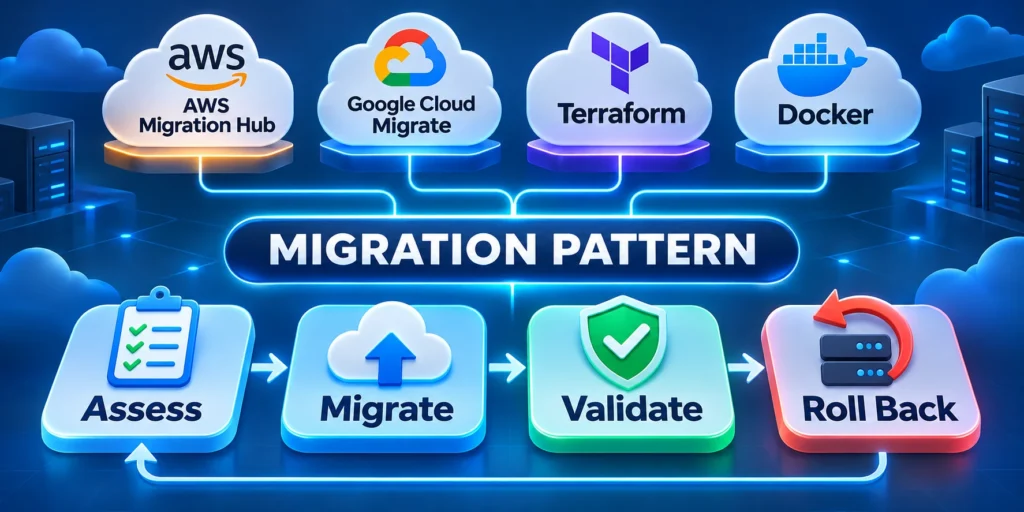
Some applications can move as a unit; others need staged migration by service, tenant, or data domain. The right sequence depends on coupling and downtime tolerance.
Plan how data stays consistent while old and new paths coexist. Set a clear point after which rollback requires a forward fix rather than a simple switchback.
Use these actions to choose a migration pattern and rollback:
- Inventory application and data dependencies before selecting a migration wave.
- Test data replication, reconciliation, and cutover timing with a non-production copy.
- Define who can approve a cutover and which metrics trigger a rollback.
- Keep a tested recovery copy and document how to restore service.
- Retire temporary compatibility paths only after the new path is stable.
Control Coexistence During the Transition
Define which environment owns each write, event, scheduled job, and customer workflow while old and new paths operate together.
Prevent duplicate processing through explicit routing, idempotency, reconciliation, and monitoring that distinguishes traffic by migration wave.
Retire Temporary Migration Controls Deliberately
Keep compatibility routes, replication, recovery copies, and elevated monitoring until stability criteria remain satisfied for the agreed observation period.
Assign owners and dates for removing temporary access, infrastructure, data copies, alerts, and vendor commitments after final validation.
Verify Cutover Decision Evidence
Before approval, compare production readiness, reconciliation results, rollback timing, open defects, support coverage, and customer communication against the agreed cutover criteria.
Record the decision, evidence, accountable approver, observation window, and immediate recovery actions so operators can respond without reconstructing migration assumptions.
Define Workload and Data Boundaries

Map users, services, data classes, regions, integrations, latency, availability, recovery, retention, and ownership before selecting provider services.
A provider comparison is useful only when both candidate designs satisfy the same documented workload and governance requirements.
Compare Identity and Access Operations
Test workforce access, service identities, least privilege, temporary elevation, key management, audit logs, separation, and emergency recovery.
Include the team’s ability to review and operate the chosen controls, not only the number of security features available.
Model Reliability and Failure Domains
Identify regional, zonal, service, network, dependency, deployment, and data failures, then define detection, degradation, recovery, and communication.
Do not assume multi-region architecture improves resilience without testing data consistency, failover, operational access, and return to normal service.
Include Platform and People Costs
Count engineering, operations, security, support, training, tooling, data transfer, observability, backups, environments, commitments, and exit work.
Separate usage assumptions from contract discounts and show sensitivity when traffic, storage, regions, support, or architecture changes.
Plan Portability and Exit Conditions
Export representative data, configuration, identities, logs, images, and backups, then document reconstruction, timing, cost, and unsupported dependencies.
Portability does not require avoiding managed services; it requires understanding dependencies, value, alternatives, ownership, and a credible transition path.
Model Failure Domains Explicitly
Map which regional, zonal, network, identity, data, deployment, and vendor failures each design tolerates, detects, contains, and restores.
Architecture diagrams should identify dependencies and recovery assumptions instead of implying that managed services automatically provide end-to-end resilience.
Validate Portability Claims With Evidence
Test exports, infrastructure definitions, observability, identity mappings, data formats, build pipelines, and representative recovery procedures before treating portability as a benefit.
Portability has value when it reduces a plausible business risk enough to justify added abstraction, duplicated capability, and ongoing operational complexity.
Confirm these boundaries before approving the architecture:
- Workload ownership and supported customer journeys.
- Identity roles and emergency access paths.
- Data location, retention, recovery, and deletion.
- Provider dependencies and credible exit conditions.
Conclusion

A defensible cloud decision starts with workload evidence, operating constraints, recovery needs, and accountable ownership rather than provider popularity.
AWS and Google Cloud can both support demanding applications, but the better architecture depends on tested requirements and explicit tradeoffs.
Preserve the Evidence Behind the Choice
Keep workload measurements, pilot results, cost assumptions, security tests, recovery exercises, service limits, and accepted risks with the architecture record.
That evidence lets future reviewers distinguish deliberate tradeoffs from undocumented defaults when teams, providers, volumes, or obligations change.
Turn the Decision Into Operating Practice
Assign owners for platform changes, cloud cost reviews, access, incidents, backups, recovery tests, vendor support, and architecture exceptions.
Use infrastructure definitions, deployment records, observability, and runbooks to keep the implemented system aligned with the approved design.
Carry these commitments into ongoing cloud operations:
- Measure critical workflows against agreed service objectives.
- Review access, cost, reliability, and recovery evidence.
- Test changes with representative production conditions.
- Revisit assumptions after material business changes.
Revisit the Architecture When Evidence Changes
Schedule periodic reviews, but also trigger them after major growth, incidents, regulatory changes, provider retirements, acquisitions, or new integration dependencies.
Update the architecture when new evidence changes the tradeoff, then preserve the reason, migration boundary, validation result, and recovery plan.
Keep Portability Proportional to Business Risk
Invest in portability where it protects a plausible transition, continuity, negotiation, or compliance need that the organization can explain.
Avoid adding abstraction solely to appear provider-neutral when it increases complexity without improving a tested business outcome.
FAQ
These answers clarify common decisions about providers, regions, costs, services, migration, recovery, portability, and architecture reviews.
Is AWS always more suitable for enterprise applications?
No. Suitability depends on workload needs, integrations, skills, support, risk, and cost assumptions. Compare the actual architecture rather than relying on a provider-wide ranking.
Is Google Cloud better for data-heavy web applications?
Not automatically. Identify the data services and processing patterns required, then test performance, governance, integration, recovery, and operating effort with representative workloads.
Should a business use both AWS and Google Cloud?
Use multiple providers only when a clear business or technical requirement outweighs added identity, networking, monitoring, skills, security, and cost complexity.
How do we compare cloud costs fairly?
Use the same workload, region assumptions, availability, data transfer, retention, support, and growth cases in both calculators. Validate the estimate against pilot usage.
What should we migrate first?
Start with a bounded workload that exercises a real dependency and has a clear rollback path. Avoid choosing solely because it appears easy to move.
Should cloud regions match customer locations?
Choose regions from latency, residency, service availability, recovery, support, cost, integration, and contractual requirements.
How are managed services compared?
Compare capability fit, limits, operations, security, reliability, portability, pricing, skills, support, and failure behavior for the workload.
Can calculators predict the final bill?
No. They model assumptions; validate with representative usage, monitoring, invoices, commitments, growth, and unexpected data-transfer paths.
Should backups use another provider?
Use independent recovery when risk justifies it, while testing security, consistency, restoration, ownership, retention, and operating complexity.
When should architecture be reviewed again?
Review after material workload, scale, regulation, team, provider, service, reliability, cost, or business-continuity changes.






Leave a Reply