

Decide Whether to Transition Now
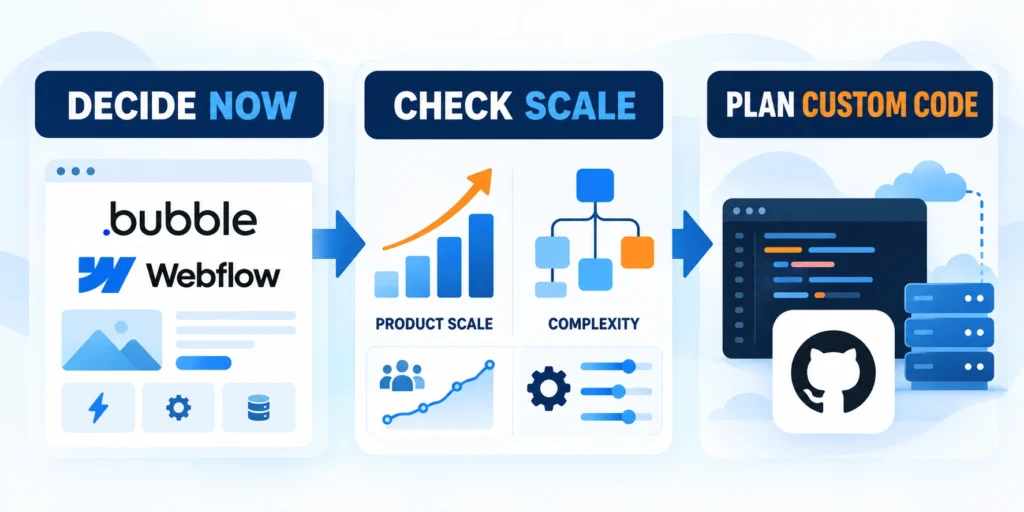
A no-code to custom code transition makes sense only when the MVP still validates the customer problem, supports the core workflow, and can be operated safely by the current team.
Consider custom code when a repeated constraint creates measurable customer harm, delivery risk, or operating cost that outweighs a migration.
Separate product evidence from technical discomfort
Teams often want a rewrite because the prototype feels messy. That alone is weak evidence. First identify a real user outcome the current platform cannot support reliably.
Write the problem as a testable statement: “When account volume reaches a defined range, the current workflow misses updates and requires manual reconciliation each week.”
Look for measurable costs
Then connect the constraint to business impact. Count affected users, support cases, time spent, delayed revenue, error rates, or contractual risk.
Do not treat a feature request as proof that the platform has failed. A product may need a better workflow, data model, or operating rule instead.
Assign accountable ownership
The transition also needs an accountable owner. Someone must own the product boundary, code, deployment, support, security updates, and recovery process after launch.
If no team can maintain the custom system, a managed no-code platform may remain the more sustainable choice even when it has limits.
Use a staged decision, not a rewrite deadline
Set a review date and decide whether to stay, pilot, or migrate. The SaaS product development lifecycle guide helps place that decision alongside validation and scaling milestones.
For example, set a pilot trigger when two independent workflows need the same unsupported integration and manual handling exceeds a measured weekly threshold.
Record a baseline before changing the system
Record the current baseline before changing anything. Capture the workflow’s completion rate, failure rate, cycle time, support volume, and operating cost.
Those measures let the team compare the pilot with the real MVP instead of comparing it with an idealized architecture.
Connect the decision to an implementation plan
Use the B2B web application architecture guide when defining ownership, service boundaries, and launch controls for the custom workflow.
Translate each approved constraint into a bounded deliverable, acceptance signal, owner, dependency, and rollback condition before estimating the broader migration.
Document these inputs before estimating migration work:
- Validated constraint and affected workflow
- Named owner and decision maker
- Required evidence and acceptance signal
- Dependencies, risks, and rollback condition
Compare No-Code and Custom-Code Operating Tradeoffs
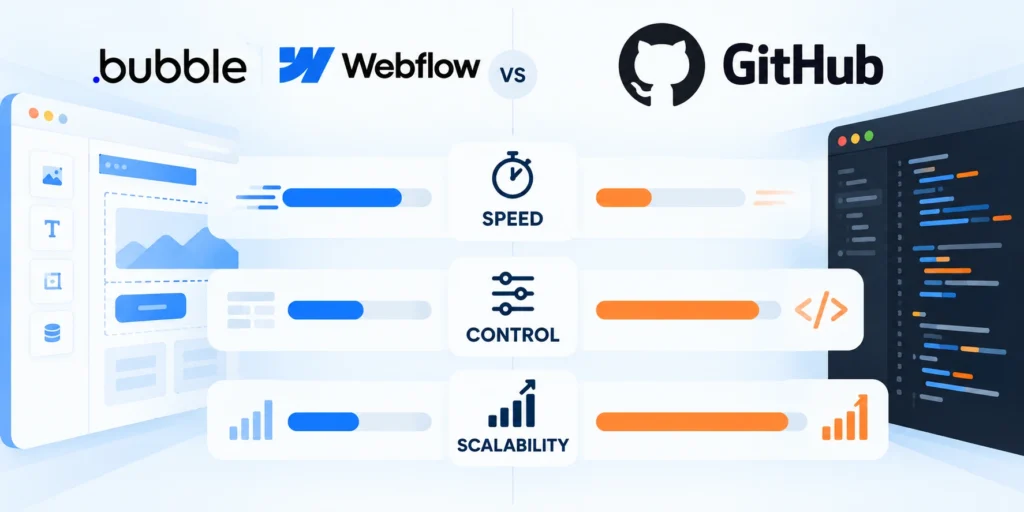
Compare the operating model, not just the build experience. The real choice includes hosting, data access, upgrades, security, support, and who responds when a workflow fails.
No-code platforms can speed up experiments and reduce infrastructure work, while custom code can provide more control over behavior and deployment boundaries.
Compare the work the team will own
| Decision area | No-code MVP | Custom-code platform |
|---|---|---|
| Initial change | Often quick for supported workflows and connectors | Needs design, tests, and deployment |
| Operations | Platform handles much of the runtime | Team owns hosting, monitoring, and recovery |
| Data access | Depends on APIs, exports, and plan features | Team selects the data model and interfaces |
| Change control | Platform releases shape the process | Team controls release cadence but must operate it |
| Portability | Logic may depend on the vendor runtime | Code is portable; data still needs migration |
| Staffing | Product builders can maintain supported flows | Engineers and operators must own the custom system |
Treat this table as a starting point, not a universal ranking. Product capabilities and plan restrictions vary, so verify the exact features used by the current app.
Bubble explains that its users can export their data, but the application logic must be rebuilt when moving off the hosted platform; see its application and data ownership guidance.
Check hosted dependencies separately
Webflow’s code export includes site files, while the current documentation lists CMS, accounts, ecommerce data, and several hosted functions as excluded; review its code export scope.
Classify every dependency as exportable, replaceable, retained, or unknown, then test the unknown items before selecting the first migration slice.
Estimate total cost and operational responsibility
List current recurring fees, paid plugins, manual work, platform-specific consulting, and support burden. Then estimate the custom system’s implementation and ongoing ownership separately.
Include hosting, database operations, observability, security patches, backups, incident response, accessibility work, and compatibility maintenance.
Compare realistic operating scenarios
Use ranges rather than a single confident estimate. State assumptions such as traffic, team availability, integration count, data volume, and support hours.
Compare at least three options: stay and improve, extend the no-code app through supported APIs, or migrate one bounded workflow to custom code.
Avoid speculative cost claims
Do not count a platform’s future growth costs as certain unless current usage data shows the expected growth path.
Model costs from observed usage, staffing, support, and vendor limits, documenting ranges and assumptions that the team can revisit after the pilot.
Base the comparison on these observable cost drivers:
- Current vendor fees and paid extensions
- Observed support and manual-work hours
- Expected engineering and operations ownership
- Hosting, monitoring, security, and recovery costs
Set Migration Triggers and a Readiness Score
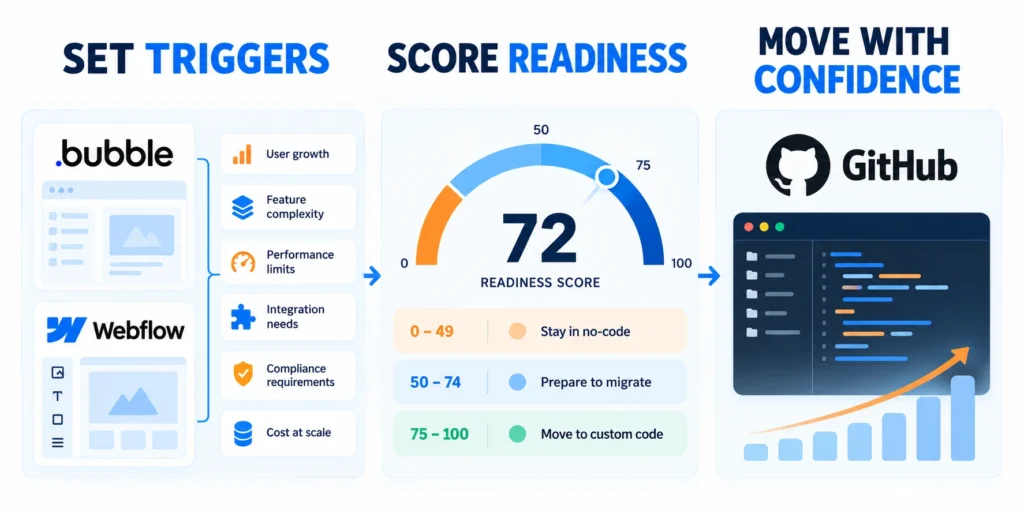
Before building, confirm that the problem is repeated, measurable, and important enough to justify new operational responsibility.
A migration is ready when the team can explain what moves, what stays, how success is measured, and how the system returns to a safe state.
Score readiness with evidence
Rate each area as ready, uncertain, or not ready. Attach an owner and a concrete piece of evidence to each rating.
| Readiness area | Evidence to collect | If evidence is missing |
|---|---|---|
| User need | Repeated issue or validated demand | Interview users before coding |
| Platform constraint | Reproducible limit or costly workaround | Test supported configuration and APIs first |
| Business impact | Baseline for time, errors, or revenue | Instrument the current workflow |
| Data access | Export, API, field map, and ownership confirmed | Request access and test a sample safely |
| Team ownership | Named product, engineering, and support owners | Assign accountable owners before launch |
| Recovery | Backup, rollback, and restore owner documented | Prove recovery in a test environment |
If user need is proven but technical assumptions remain, use a reversible pilot. Bring its results into the custom application development scope.
Pause when an essential prerequisite is missing
Wait when the team cannot export required data, define the business rules, or provide a reliable owner for production support.
Resolve the missing prerequisite through a time-boxed investigation, then repeat the readiness review with evidence instead of relying on schedule pressure.
Define decision gates before committing scope
Write three explicit gates: approve discovery, approve the pilot, and approve broader migration. Each gate needs evidence and a named decision maker.
At discovery, approve only the workflow map, data inventory, target boundary, risk review, and a pilot estimate.
Set clear approval evidence
At pilot approval, require a tested slice, access controls, observability, data reconciliation, user acceptance criteria, and a recovery procedure.
Before expansion, require evidence that the slice met user and reliability goals during the agreed observation period.
Protect the schedule from unknowns
Do not promise a launch date for the full migration until the pilot exposes integration, data quality, and support work.
Reserve explicit discovery capacity for undocumented integrations, inconsistent records, access delays, and support procedures that surface during realistic testing.
Track these uncertainties before committing the launch date:
- Undocumented integrations and hidden automations
- Incomplete data ownership or field definitions
- Unproven exports, permissions, and credentials
- Unassigned production support responsibilities
Map Workflows, Data, and Dependencies
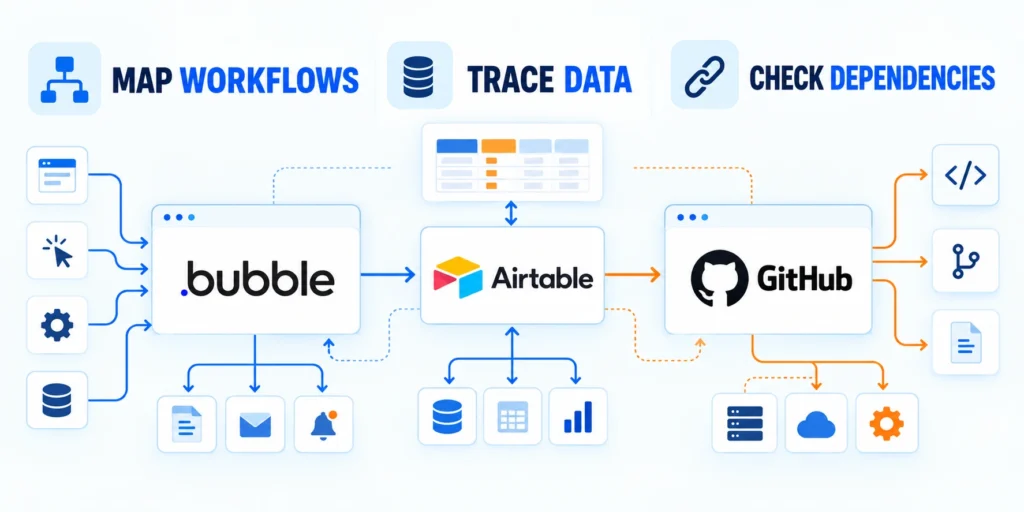
Inventory the application as users experience it. A visual page list misses hidden automations, admin workflows, scheduled jobs, and integrations.
For each workflow, record its trigger, user, business rule, data read or changed, external systems, failure behavior, and owner.
Build a workflow and data inventory
Start with one representative workflow from sign-up through the final business outcome. Include the normal path and important exceptions.
Document every field used in decisions. Record its meaning, format, source of truth, required status, retention need, and whether it contains personal data.
Validate the source of truth
Identify duplicate or derived fields before migration. A field named “status” may represent several different business states across pages and integrations.
Use a mapping sheet with source field, target field, transformation, validation rule, owner, and handling for blank or invalid values.
Keep secrets out of migration records
List integration credentials and owners without copying secret values into the migration document. Rotate credentials through the approved secret-management process.
Store only secret references, rotation dates, environments, and accountable owners in planning artifacts so reviewers can verify control without exposing credentials.
Define a stable boundary for the first custom workflow
Choose a workflow that has clear inputs and outputs. The new code should communicate through an explicit interface instead of depending on the no-code platform’s internal page structure.
Agree on event names, identifiers, timestamps, and versioning before one system sends production data to another.
Keep event contracts small and explicit
For a CRM milestone event, a minimal contract might look like this:
{

  "event_id": "generated-unique-id",

  "event_type": "lead.qualified",

  "occurred_at": "2026-10-23T12:00:00Z",

  "record_id": "crm-record-id",

  "schema_version": 1

}
Include only fields required by the receiving workflow, validate the schema at the boundary, and reject incompatible versions with an observable error.
Keep Event Processing Safe
Use synthetic identifiers in examples and test data. Do not place names, email addresses, access tokens, or other personal data in logs by default.
Keep rules in one authoritative system during the pilot. If both applications can update the same field, define conflict resolution and idempotency first.
Plan for failure and data protection
Document how the team will handle timeouts, retries, duplicate events, partial failures, and delayed updates.
Assign each failure a retry rule, owner, alert, reconciliation method, and safe terminal state before production traffic reaches the integration.
Define handling for these predictable integration failures:
- Timeouts and unavailable dependencies
- Duplicate or out-of-order events
- Invalid fields and partial updates
- Unauthorized access and exposed personal data
Move One Vertical Slice to Custom Code

Move one complete user outcome rather than building a new platform shell. A narrow slice tests architecture, delivery, support, and user behavior together.
Choose a workflow with measurable value, limited dependencies, a clear data owner, and a manageable rollback path.
Build a pilot that proves operations as well as code
Set an acceptance test from the user’s perspective. For example: an authorized operator submits a qualified lead, sees the expected confirmation, and the CRM receives one correctly mapped record.
Require operators to trace a request, identify failure causes, restore service, and explain the customer impact without depending on the original builder.
Test meaningful failure cases
Define expected behavior for missing fields, duplicate submissions, expired credentials, downstream outages, and user permission failures.
Write automated tests for business rules and interface contracts. Add a small end-to-end test for the full workflow in a non-production environment.
Keep the pilot focused
Keep feature scope narrow. Do not add reporting, role redesign, account migration, and unrelated product improvements to the pilot unless they are essential to prove the selected workflow.
Record deferred requests separately and accept only changes required for safety, legal compliance, measurement, or the selected user outcome.
Number the migration steps and define proof of success
Follow this sequence to number the migration steps and define:
- Freeze the workflow’s current requirements and record the baseline measures.
- Export a small, approved sample of records and map each required field.
- Implement the new slice behind an access-controlled route or feature flag.
- Test normal, invalid, duplicate, delayed, and failed requests in staging.
- Reconcile source and target records, then obtain user acceptance from named representatives.
- Release to a small cohort, monitor the agreed signals, and keep rollback available.
The expected result is one complete workflow with the same intended business outcome, traceable events, and no unexplained record differences.
Assign evidence to every step so the team can distinguish completed work from activity that has not yet demonstrated a reliable outcome.
Diagnose before expanding
If the outcome does not appear, check credentials, field mapping, timestamps, permissions, retries, and the source record before expanding rollout.
Treat unexplained differences as release blockers, reproduce them with controlled data, and document the correction before increasing the cohort.
Keep the old application useful during the pilot
The no-code MVP remains the working product for users outside the pilot. Avoid deleting pages or changing shared data until the new path is proven.
Add only the integration point needed for the slice. Keep the boundary documented so future features do not become coupled to both platforms.
Use incremental replacement
Google Cloud describes the strangler pattern as incrementally shifting functionality while the monolith continues serving existing behavior; its re-architecting guide illustrates this approach.
Route only one bounded capability through the new path, observe its behavior, and preserve the legacy route until acceptance and recovery evidence remain stable.
Run Old and New Systems Safely in Parallel
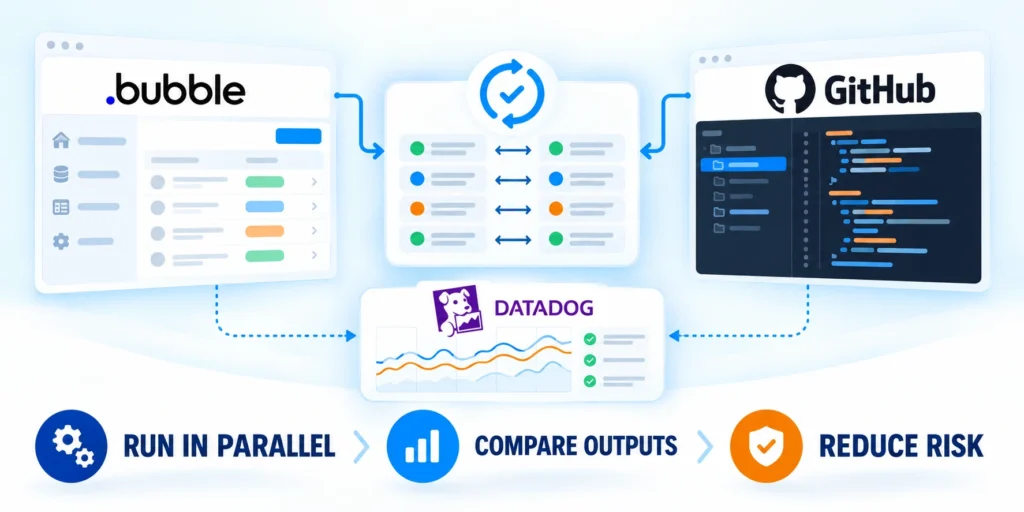
Parallel operation lowers cutover risk only when the team controls who uses each path and which system owns each write.
Choose one system of record for every field. Avoid dual-writing to two databases unless there is a tested idempotency and reconciliation design.
Limit exposure and make rollback actionable
Use a feature flag, routing rule, or explicit cohort to limit pilot access. Record who can turn it off and what signal triggers rollback.
Set observable thresholds before release. Examples include error rate, completion rate, response time, duplicate records, and unresolved support cases.
Keep changes traceable
Keep a short decision log during rollout. Record release time, cohort size, known issues, metric changes, and who approved the next step.
Link each release decision to the relevant build, configuration, migration batch, observed metrics, and rollback status for later review.
Prove rollback before production
Test rollback before production. Confirm the old workflow remains usable, new writes do not corrupt legacy records, and users can complete the task after switching back.
Do not promise zero downtime unless the architecture and service guarantees actually support it. State the expected maintenance window and user impact honestly.
Reconcile data instead of assuming the sync worked
Compare record counts and key fields across systems using an agreed time window. Investigate differences instead of automatically overwriting one side.
Use stable identifiers and field-level comparisons, recording every exception with its cause, disposition, and accountable reviewer.
Reconcile each outcome
Check created, updated, skipped, rejected, and duplicate records separately. A matching total count can still hide missing or misclassified records.
For sensitive data, confirm access rules, retention, deletion handling, logging, and the legal basis for transferring each field.
Keep human review where risk demands it
Keep a human review step where a wrong automated decision could affect a customer or a regulated process.
Define the reviewer, decision threshold, response time, escalation path, and audit evidence so manual control remains dependable at production volume.
Require review for these higher-impact migration decisions:
- Irreversible record changes or deletions
- Customer eligibility or service decisions
- Exceptions involving regulated or sensitive data
- Conflicts without an authoritative system outcome
Measure Cutover and Retire the No-Code App
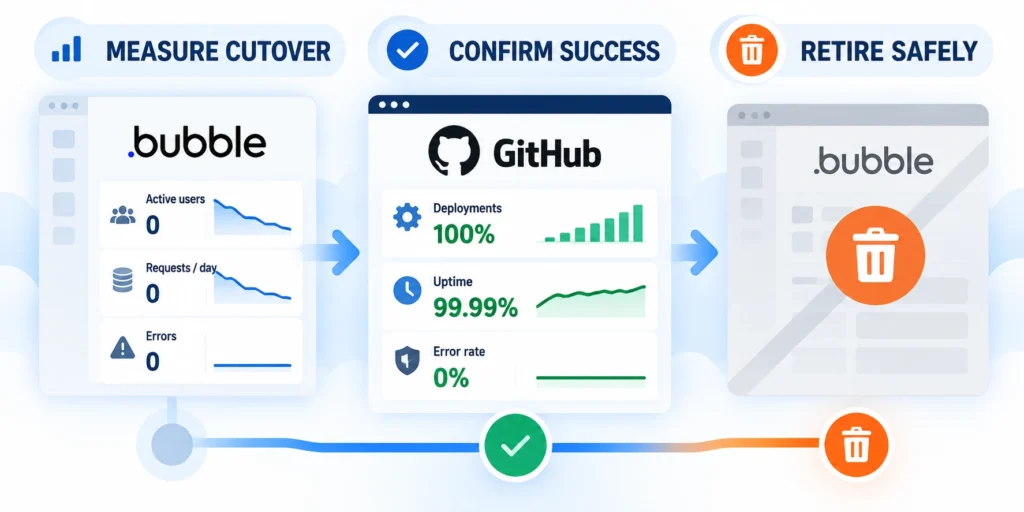
Expand only after the pilot demonstrates the intended outcome under realistic use and the team can support the new workflow.
Set an observation window that covers normal operating conditions, including peak usage, staff handoffs, and routine maintenance.
Review outcomes against the baseline
Compare user completion, error rate, response time, manual effort, support volume, and data quality with the original baseline.
Ask users whether the new path reduces the actual friction that justified the work. A technically successful deployment can still fail the product need.
Include transition costs
Review costs using actual usage and support effort. Include both platforms while they overlap, and do not hide migration work in an unspecified future budget.
When results miss the agreed thresholds, pause expansion. Fix the cause or restore the previous path before migrating another workflow.
Retire the legacy workflow with a checklist
Follow this sequence to retire the legacy workflow with a:
- Confirm all required workflows have an approved replacement and named owner.
- Reconcile and archive required records under the organization’s retention rules.
- Update links, integrations, support instructions, and user access paths.
- Notify affected users and publish a recovery contact for the cutover period.
- Disable the old workflow only after the decision owner signs off on evidence.
- Keep a recoverable export and a documented decommissioning date.
Remove unused credentials and integrations after confirming no remaining workflow depends on them. Record what was removed and by whom.
Complete decommissioning only after users, integrations, records, support procedures, and recovery evidence have named owners and verified outcomes.
Retain required records
Do not delete the MVP database or account simply because traffic moved. Preserve data and audit history for the required retention period.
Apply documented retention and deletion rules to exports, backups, logs, and vendor accounts rather than keeping every artifact indefinitely.
Govern Architecture and Platform Ownership

A custom platform replaces vendor constraints with choices the organization must govern. Define those choices before teams create services, databases, queues, and deployment paths independently.
The target architecture should support validated workflows while remaining understandable to the people who will release, monitor, secure, and recover it.
Choose boundaries around business ownership
Group capabilities by accountable business outcomes and data ownership. Avoid copying the no-code page structure into services that share unclear responsibilities.
A boundary is useful when one team can explain its rules, interfaces, records, failure behavior, and release decisions without coordinating every minor change.
Evaluate each proposed boundary using these ownership signals:
- One accountable product and technical owner
- Clear source of truth for records
- Explicit interfaces and versioning rules
- Independent monitoring and recovery evidence
Standardize the platform decisions that repeat
Create approved defaults for authentication, authorization, logging, secrets, deployment, observability, backups, and dependency updates before multiple teams implement inconsistent solutions.
Document when a team may depart from a default, who approves the exception, and which evidence proves the alternative remains supportable.
Establish these shared platform decisions before expansion:
- Runtime and deployment ownership
- Identity, permissions, and secret storage
- Logs, metrics, traces, and alert routing
- Backup, restore, and dependency maintenance
Review the architecture after the first production slice. Keep decisions supported by evidence, and revise assumptions that increased delivery or operating friction.
Record approved standards in accessible engineering guidance, then verify that each new slice follows them or carries a reviewed exception with an owner.
Plan Support and Operational Handover

Migration is incomplete when only the development team can operate the replacement. Support, operations, and business owners need actionable procedures before rollout expands.
The handover should demonstrate how teams detect problems, assess customer impact, communicate status, restore service, and reconcile affected records.
Prepare support before increasing exposure
Give support teams the workflow map, expected statuses, known failure modes, customer-safe explanations, escalation contacts, and tools needed to investigate common incidents.
Test the material with realistic cases. If support cannot identify the responsible system or owner, the migration boundary is not operationally ready.
Provide these support assets before broader rollout:
- Workflow status and customer-impact guide
- Known failure symptoms and first checks
- Escalation owners and response expectations
- Recovery, reconciliation, and communication steps
Prove the operating model through exercises
Run a controlled incident exercise involving engineering, operations, support, and the business owner. Measure detection, diagnosis, decision, recovery, and communication times.
Use the exercise to correct unclear alerts, missing access, stale documentation, unowned decisions, and recovery steps that depend on unavailable individuals.
Exercise these scenarios before retiring the old workflow:
- Downstream service becomes unavailable
- Credentials expire during normal processing
- Records differ between source and target
- Rollback restores service but requires reconciliation
Keep handover evidence current after launch. Update procedures whenever interfaces, owners, alerts, recovery methods, or user-impact expectations change.
Schedule a post-launch review with every operating role, capture unresolved gaps, and assign improvements before the next workflow enters migration.
Conclusion
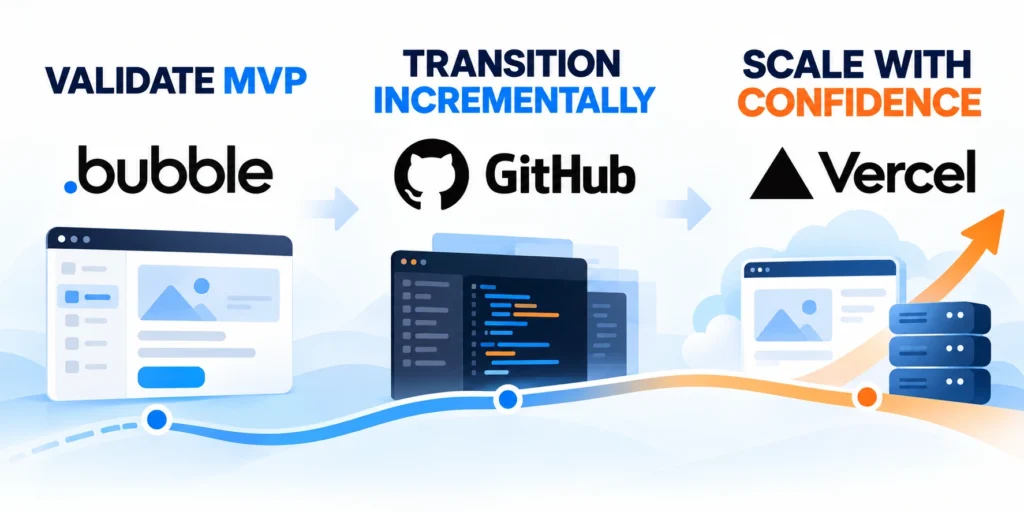
Treat the no-code MVP as product evidence, not disposable scaffolding. Preserve validated outcomes while replacing only constraints that justify custom ownership.
Start with one measurable problem, one accountable team, and one reversible workflow. Expand after user, data, reliability, support, and recovery evidence remain stable.
Connect migration decisions to platform strategy
Choose the target architecture around validated channels, shared services, release ownership, and operating constraints instead of treating custom code as the goal.
Keep boundaries explicit so product teams can improve workflows without recreating vendor lock-in inside tightly coupled internal systems.
Use these principles to guide each migration decision:
- Move a bounded, measurable user outcome
- Assign data, integration, and support ownership
- Preserve rollback until acceptance criteria pass
- Reconcile records before expanding exposure
- Retire legacy paths through documented evidence
Review evidence before expanding the migration
Compare the new workflow with the original baseline for completion, errors, response time, manual effort, support demand, cost, and data quality.
When evidence misses the agreed threshold, pause expansion and correct the cause. A delayed decision is safer than scaling an unexplained failure.
Confirm these outcomes before approving another migration slice:
- Users complete the intended workflow reliably
- Operators detect and recover expected failures
- Records reconcile without unexplained differences
- Support teams follow current procedures independently
- Ownership and operating costs remain acceptable
For the broader framework, read Enterprise Mobile App Development: Cross-Platform Strategy.
A disciplined transition preserves product learning while giving the organization time to develop the ownership required for a dependable custom platform.
FAQ
These answers address common planning, migration, testing, and ownership questions for teams replacing validated no-code products with custom-code platforms.
Should every successful no-code MVP eventually become custom code?
No. Keep the platform while it meets user needs and the team can operate it responsibly. Migrate only when evidence supports the added ownership and cost.
Can I export a no-code app and run it on my own server?
That depends on the platform. Bubble states that its application logic cannot be exported to run elsewhere; its data can be exported through supported options.
Is a full rewrite faster than moving one workflow at a time?
A full rewrite may appear simpler, but it increases the amount of unproven behavior replaced at once. A vertical slice tests the target design sooner.
What should move first?
Choose a workflow with proven user value, a clear boundary, measurable success, manageable dependencies, and a recovery path.
How long should the no-code app remain available?
Keep it available until the replacement meets agreed reliability, user, data, and support thresholds. Set the decision using evidence, not a fixed calendar date.
How should data be migrated from a no-code platform?
Inventory entities, identifiers, relationships, files, permissions, and audit history. Export a test dataset, map transformations, and reconcile counts before moving production records.
Keep the source read-only during final cutover when practical. Preserve a rollback copy and document which system owns each record after migration.
How can teams avoid feature-parity traps?
Prioritize validated workflows and business outcomes instead of recreating every screen or workaround. Retire unused behavior after confirming that users no longer depend on it.
Record intentional differences in the migration plan. This prevents missing features from being confused with deliberate product simplification.
What should be tested before cutover?
Test critical journeys, permissions, integrations, data reconciliation, notifications, reporting, performance, backups, and rollback. Use representative users and production-like volumes where safe.
Define observable acceptance criteria before testing. A successful deployment should demonstrate both correct behavior and recoverability when a dependency fails.
How should integrations be transitioned?
Document contracts, credentials, owners, rate limits, retries, and failure handling. Move one bounded integration path at a time when dependencies allow.
Use idempotency and reconciliation to prevent duplicates during parallel operation. Monitor both systems until the new path proves stable.
Who should own the migration?
Assign one accountable product owner and named technical, data, security, support, and business owners. Each migration decision needs a clear approver and completion evidence.
Keep ownership visible after launch. The custom platform adds ongoing responsibilities for monitoring, releases, incidents, privacy, and vendor dependencies.







Leave a Reply