

How React Native Works
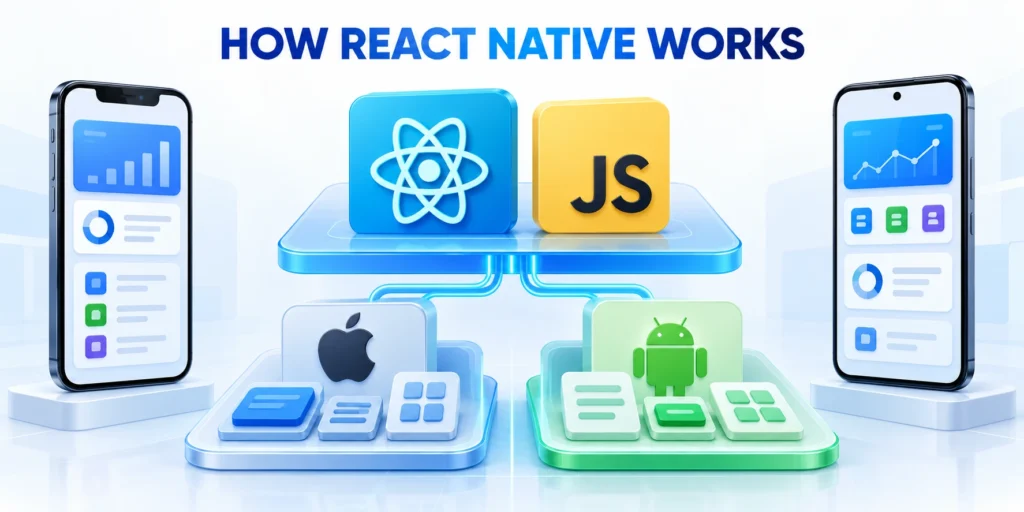
React Native lets teams build interfaces with React concepts while rendering supported interface primitives through native platform components. However, behavior remains platform-specific even when teams share JavaScript or TypeScript code.
Its current architecture changes how JavaScript communicates with native code. Therefore, teams should evaluate the exact framework version and libraries they intend to ship.
Key considerations for components and platform behavior include:
- A React component describes a piece of interface and behavior.
- Design native-feeling interfaces while sharing appropriate business rules.
- Treat shared code as a starting point.
- Test platform behavior independently.
Key considerations for native integration and ecosystem include:
- Use maintained libraries or native modules for operating-system capabilities.
- Verify platform support, licensing, security, and framework compatibility.
- Reject packages without managed-device support.
- Decide whether Expo fits React Native governance and deployment.
- Record effects on builds and native customization.
Key considerations for where react native often fits include:
- The organization can draw on React or TypeScript expertise in design, testing, or business logic.
- Native platform controls offer meaningful usability or accessibility advantages for the required interface.
- Required native modules are available, maintained, and compatible with support commitments.
- Delivery teams can handle platform-specific testing and occasional native engineering work.
For broader product-level planning, see the enterprise mobile app strategy guide.
That guide covers platform strategy; this comparison focuses on framework choice and its operating consequences.
How Flutter Works

Flutter provides a Dart-based framework with a composable widget model and its own rendering pipeline. In turn, teams can share much of their interface and application code.
Because Flutter draws much of its interface through its engine, teams can control visual presentation consistently across supported platforms.
Key considerations for widgets rendering and platform adaptation include:
- In Flutter, widgets describe interface configuration.
- Consequently, this structure can make a design system cohesive across devices.
- The framework includes Material and Cupertino libraries.
- Validate adaptive behavior on both platforms.
- Profile complex rendering on target devices.
- Document custom widget ownership and testing.
- Test plugin behavior across supported platforms.
Key considerations for connecting platform features include:
- Flutter packages provide common capabilities.
- The integration surface therefore includes Dart and native code.
- Platform setup differs by target.
- This matters for distributed teams, build agents, release ownership, and contingency planning.
Key considerations for where flutter often fits include:
- A highly controlled, consistent interface across devices is a product priority.
- Engineers are comfortable adopting Dart and Flutter’s widget, rendering, and package conventions.
- Platform integration and the required development environments have clear owners.
- A distinctive visual design system is a strategic asset.
For system-level choices beyond a mobile client, compare boundaries with this B2B web application architecture guide.
Keep the mobile framework decision separate from backend architecture; the client should consume stable, documented service contracts.
Framework Decision Criteria
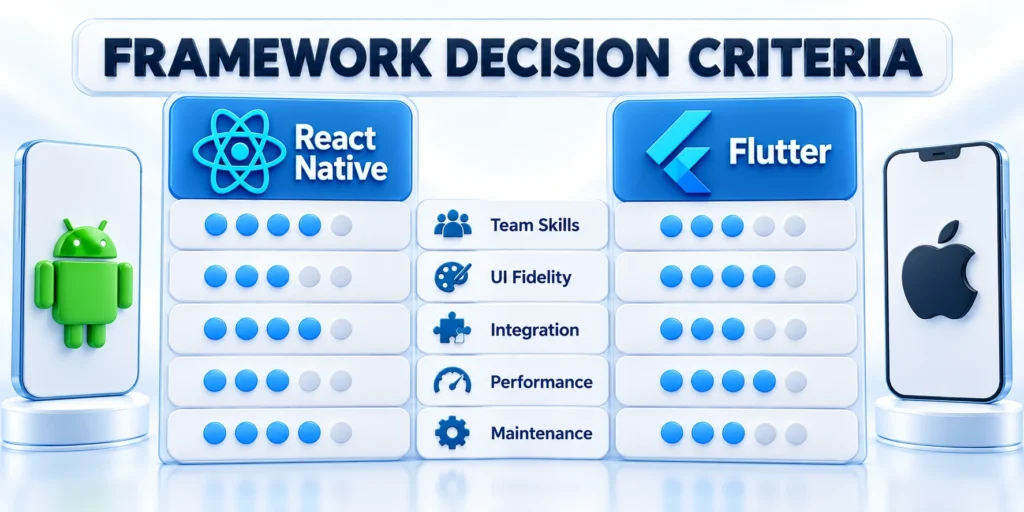
The decision is not a contest between one universal winner and one inferior option. It is a fit assessment across product requirements, delivery constraints, and team capability.
Then evaluate costs that recur after launch: upgrades, native integration, device coverage, accessibility, security review, and ownership of release pipelines.
Compare the framework models directly
Begin with architectural differences that affect interface behavior, platform integration, testing, and the skills required for everyday maintenance.
Use the same product requirements for both candidates so terminology and showcase applications do not replace evidence from the intended workflow.
Key considerations for a practical comparison include:
- Interface: React Native maps native views; Flutter uses its rendering system.
- Languages: React Native uses JavaScript/TypeScript; Flutter uses Dart widgets.
- Integration: React Native uses native modules; Flutter uses packages, channels, and plugins.
- Design consistency: native controls follow platforms; custom rendering preserves unified design.
- Delivery ownership: Both paths require native build and release knowledge alongside framework-specific skills.
- Accessibility: test screen readers, scaling, contrast, and input methods deliberately.
Compare the framework models across these criteria:
| Criterion | React Native | Flutter |
|---|---|---|
| Interface model | Native platform views | Framework rendering engine |
| Primary language | JavaScript or TypeScript | Dart |
| Native access | Native modules | Channels and plugins |
| Design emphasis | Platform conventions | Cross-platform consistency |
Evaluate ownership and hard requirements
Estimate the effort required after launch, including native exceptions, release infrastructure, accessibility verification, upgrades, incidents, and supported-device testing.
Apply non-negotiable requirements as filters before scoring preferences, and reject an option only when evidence demonstrates an unacceptable constraint.
Use these actions to estimate total ownership not initial coding:
- Staff production operations with specialists for tooling, security, and releases.
- Estimate lifecycle effort.
- Separate one-time conversion work from recurring work.
- Consider the opportunity cost of learning a new language or UI paradigm.
Use these actions to apply hard requirements as filters:
- List required device APIs, minimum operating-system versions, and supported hardware before choosing.
- Identify non-negotiable accessibility, offline, security, or deployment requirements.
- Reject an option only when a demonstrated constraint cannot be met at acceptable cost.
- Score remaining tradeoffs with product owners and engineers using the same evidence.
Validate skills and dependency resilience
Compare the people who can diagnose platform failures, maintain native integration, and ship emergency fixes after the original implementation team changes.
Review critical packages as operating dependencies with owners, upgrade paths, security monitoring, replacement options, and documented support boundaries.
Use these actions to ask what native means for this:
- Stakeholders may use “native” to mean a native package.
- In practice, these are different requirements.
- A screen that should feel platform-consistent may be satisfied by standard controls.
- Avoid treating a framework label as a performance guarantee.
- When a screen is performance-sensitive, profile the complete user journey.
Use these actions to compare skills and staffing realistically:
- Count engineers who can support each option after the initial team changes.
- A familiar language can reduce ramp-up time.
- Ask whether the organization can investigate a crash.
- If expertise is limited, the pilot should include a handoff exercise.
Use these actions to compare dependency risk and upgrade paths:
- Frameworks depend on community and vendor packages.
- Do not confuse the number of packages with maturity.
- Create a sample upgrade plan during the pilot.
- Record who will monitor advisories and how quickly the organization can ship a fix.
Enterprise App Requirements
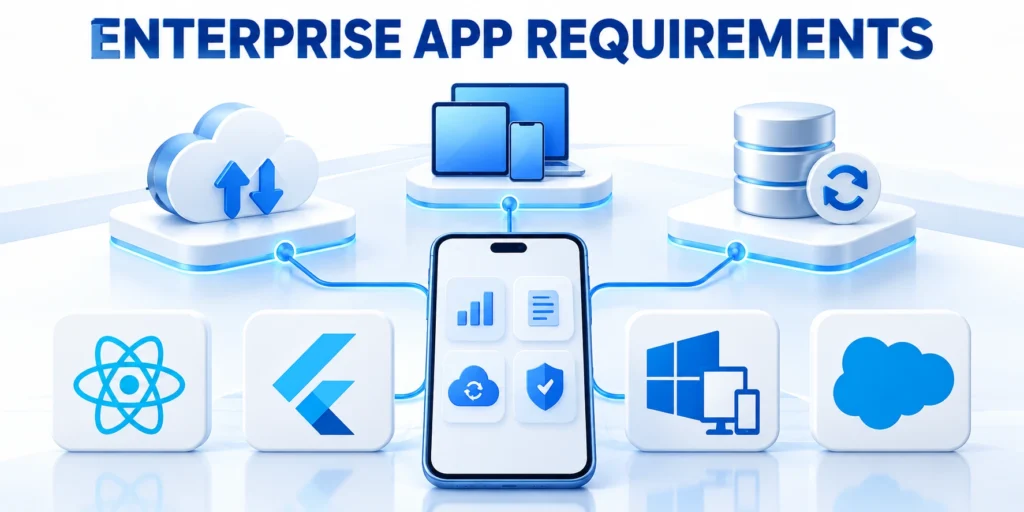
Enterprise apps serve multiple roles, devices, networks, and data policies. Although a framework can support the interface, product architecture must address the operating environment.
First, document requirements with IT, security, compliance, and users before comparing packages or implementation details.
Protect identity and offline data
Define authentication, authorization, token handling, local storage, synchronization, and recovery around real user roles and network conditions.
Test access removal and interrupted workflows on representative devices because framework support alone does not establish secure or reliable behavior.
Key considerations for identity authorization and sensitive data include:
- Use the organization’s identity provider and a reviewed authentication flow.
- Define roles and authorization on the server.
- Specify how tokens are stored, refreshed, revoked, and invalidated when devices are lost.
- Classify data by sensitivity and decide which fields can be cached locally.
Key considerations for offline operation sync and reliability include:
- Field teams may work in basements, warehouses, remote locations, or travel corridors.
- Design local state, conflict handling, retry behavior, and idempotent writes.
- Test interruptions during uploads and authentication renewal.
Verify accessibility and supply-chain controls
Use representative assistive technologies, devices, operating-system versions, and management policies when validating the interface and distribution model.
Inventory direct and transitive dependencies so maintainers, licenses, vulnerabilities, native build requirements, and replacement options remain visible.
Key considerations for accessibility and device coverage include:
- Specify supported screen readers, text-size ranges, contrast, keyboard or switch input, and accessible names.
- Choose representative devices by operating-system version, screen size, hardware capability, and management policy.
- Coordinate certificates, access controls, and distribution with platform owners.
Key considerations for security and supply-chain review include:
- Inventory direct and transitive dependencies.
- Use static analysis, dependency scanning, secret detection, and release signing in the build pipeline.
- Plan how a critical library vulnerability is triaged, fixed, retested, and released.
Govern service contracts and releases
Keep authorization and domain rules in trusted services while documenting compatibility, errors, pagination, retries, and supported client versions.
Assign owners for signing, approvals, distribution, diagnostics, incidents, and operating-system support before the application enters production.
Key considerations for backend boundaries and data contracts include:
- Keep domain rules and authorization in trusted services; mobile validation cannot secure APIs.
- Document request schemas, error behavior, pagination, versioning, and retry semantics.
- Prefer explicit compatibility rules for old clients.
- Monitor API failures by client version and platform.
Use these actions to release governance and support:
- Map who approves app builds, manages signing credentials, publishes internal releases, and handles production incidents.
- Define supported operating-system versions and an upgrade policy.
- Prepare diagnostics that protect sensitive information.
- Track security issues and failed offline actions as owned incidents.
Pilot and Rollout

A focused, evidence-led pilot can reveal integration and workflow costs that a feature checklist misses. Keep the experiment small enough to compare fairly.
For a fair comparison, use one representative workflow and the same acceptance criteria for each candidate. Avoid building two unrelated demonstrations.
Define representative pilot evidence
Select a bounded workflow that exercises interface quality, native integration, security, accessibility, offline behavior, and the production build process.
Agree on acceptance evidence before implementation so teams compare delivered behavior instead of defending whichever prototype appears more polished.
Use these actions to select a meaningful slice:
- Choose a workflow that exercises the product’s real risks.
- Include one visually important screen and one device capability that could require native integration.
- Use the same backend contract.
- Set a boundary around the pilot.
Use these actions to define acceptance evidence:
- Functional: users complete the workflow and recover from invalid input or expired sessions.
- Platform: the same requirements pass on representative iOS and Android devices.
- Accessibility: key tasks work with screen readers, text scaling, and required input methods.
- Reliability: queued work and retries preserve data without duplicate actions.
- Security: secrets remain server-side, sensitive data follows storage policy, and logs exclude protected values.
- Operations: engineers build, test, sign, distribute, and diagnose a release using documented steps.
Set measurable thresholds with stakeholders. For example, track completion rate, maximum recovery time, crash-free sessions, and acceptable test coverage.
Avoid arbitrary performance numbers. Instead, measure the current user experience or define thresholds from product requirements and target hardware.
Exercise change and make the decision
Keep staffing, backend contracts, acceptance criteria, and measurement consistent, then introduce one representative change after the initial workflow succeeds.
Review the results with engineering, product, security, accessibility, and operations before choosing the delivery model the organization can support.
Use these actions to keep the comparison fair:
- Use engineers with comparable experience and give each team the same service contracts.
- Record where work is blocked.
- Track delivered behavior, defects, performance measurements, build reliability, accessibility findings, and estimated maintenance effort.
- Use a shared issue log and decision rubric.
Use these actions to exercise a production-like change:
- Introduce one small requirement change after the first workflow works.
- Observe how each implementation changes across interface, state, tests, API calls, and platform-specific behavior.
- This reveals coupling that a first build may hide.
- Have an independent engineer update dependencies and execute the release process.
Use these actions to review and decide:
- Review evidence with engineering, product, security, and operations.
- If both options satisfy requirements, choose the one the organization can own reliably.
- Keep the prototype disposable unless its architecture and security controls receive a separate production review.
- Document assumptions, rejected tradeoffs, open risks, and reevaluation conditions.
Compare Governance and Supply-Chain Risk

Framework selection affects more than interface code. Review how the team approves packages, responds to vulnerabilities, updates toolchains, and supports operating-system changes.
Inventory direct and transitive dependencies in both pilots. Record maintainer activity, license, release cadence, supported platforms, native build requirements, and replacement options.
Model Dependency Failure
Choose one important library and simulate its abandonment or incompatibility. Estimate the work required to replace, fork, isolate, or remove it.
Include authentication, storage, analytics, notifications, accessibility, device management, and observability. These integrations often carry more lifecycle risk than visual components.
Use these actions to model dependency failure:
- Record every critical package and accountable owner.
- Check licenses before approving internal distribution.
- Monitor security notices and supported versions.
- Document a replacement for fragile dependencies.
- Verify native build requirements on every target.
- Test package upgrades before framework releases.
- Measure recovery effort after dependency failure.
- Keep approved versions visible to delivery teams.
- Review abandoned packages before each major release.
- Retain replacement options for critical integrations.
Plan Framework Upgrades
Upgrade each pilot through one representative release step. Measure code changes, native project changes, dependency conflicts, test failures, build time, and deployment work across supported platforms and production build environments.
A framework with rapid feature delivery may still be unsuitable when upgrades require scarce specialists or disrupt regulated release controls during security update windows and scheduled release periods.
Evaluate Security and Device Management

Start from the company’s identity, device, data, and network controls. Confirm that either framework can integrate without weakening supported platform protections.
Test sign-in, token storage, certificate handling, local encryption, clipboard behavior, screenshots, logging, and remote access removal using representative managed devices.
Keep Sensitive Data Boundaries Explicit
Document which data can remain on the device, how long it persists, and what happens after logout, account removal, device loss, or policy change.
Verify that diagnostics exclude secrets and unnecessary customer information. Cross-platform convenience should not make logs or cached state harder to govern.
Use these actions to keep sensitive data boundaries explicit:
- Use platform-backed secure storage correctly.
- Clear protected data after access removal.
- Test authorization after deep links and notification entry points.
- Restrict diagnostic data by purpose.
- Revoke sessions on managed-device policy changes.
- Verify certificate handling in production-like networks.
- Test screenshot and clipboard restrictions explicitly.
- Exercise remote access removal on real devices.
- Protect signing credentials with reviewed ownership.
- Document emergency distribution and rollback procedures.
Exercise Enterprise Distribution
Rehearse signing, build approval, internal distribution, store review, phased release, rollback, and emergency correction. Include actual owners and document backups before launch across every supported production distribution path.
Confirm compatibility with mobile device management, application protection, single sign-on, and required compliance evidence before treating either pilot as viable across supported business units and emergency response procedures.
Calculate Lifecycle Cost With Evidence
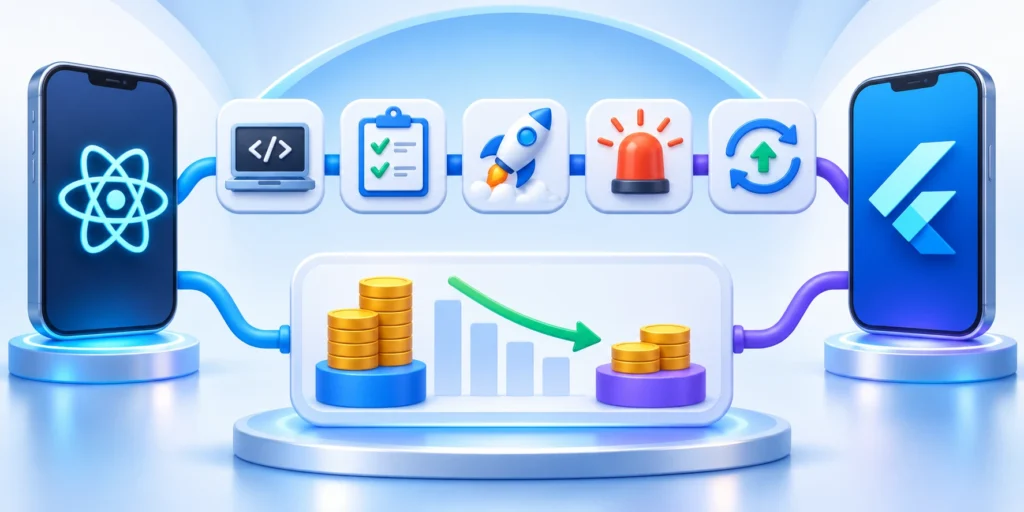
Compare the cost of building, testing, releasing, observing, supporting, and upgrading the same workflow through documented ownership. Do not base the decision only on initial code reuse.
Include specialist availability, native exceptions, automated testing, design-system work, accessibility verification, build infrastructure, incidents, and dependency maintenance.
Use a Scenario-Based Estimate
Estimate a normal release, a platform policy change, a critical dependency update, and one native integration. Apply the same assumptions to both frameworks.
Record uncertainty ranges instead of false precision. A small measured pilot provides better evidence than a confident estimate built from unfamiliar technology.
Apply these criteria to a scenario-based estimate:
- Separate shared work from platform-specific work.
- Include testing and release ownership.
- Price upgrade and incident scenarios.
- Review estimates with delivery teams.
- Include native specialists and platform exceptions.
- Estimate accessibility regression and remediation effort.
- Model build infrastructure and signing maintenance.
- Compare upgrade effort across supported operating systems.
- Include observability, support, and incident diagnostics.
- Record uncertainty ranges for unfamiliar work.
Make the Decision Reversible
Document the chosen framework, evidence, rejected risks, assumptions, and review triggers. Keep business logic and service contracts separated from framework-specific interface code to reduce future migration and ownership complexity.
Revisit the decision when platform strategy, team capability, critical integrations, security requirements, or product scope changes materially, or lifecycle evidence contradicts ownership assumptions documented during the comparative pilot review.
Plan Team Capability and Long-Term Ownership

Map the skills needed for interface work, native integration, testing, release engineering, security, accessibility, observability, and incident response. Compare them with available staff and partners.
Do not treat JavaScript, TypeScript, or Dart familiarity as complete readiness. Teams also need platform behavior, build tools, signing, stores, and device diagnostics.
Test Knowledge Transfer
Have an engineer who did not build the pilot set it up, fix a defect, add a small feature, run tests, and prepare a release.
Record missing documentation, hidden access, unclear conventions, fragile scripts, and specialist dependencies. Correct them before estimating the production team.
Use these actions to test knowledge transfer:
- Document local setup and required access.
- Automate repeatable build and test steps.
- Explain native project boundaries.
- Keep release ownership explicit.
Design an On-Call Path
Define who investigates crashes, failed authentication, synchronization errors, platform regressions, and store rejection. Include escalation to backend, security, and vendor owners.
Ensure diagnostics identify framework, application, native module, service, and device conditions without collecting unnecessary sensitive data.
Protect Delivery Continuity
Avoid concentrating build credentials, release knowledge, or critical native expertise in one person. Use reviewed access, shared runbooks, and rehearsed backup ownership.
Review staffing assumptions against the product roadmap. A framework fit can change when offline work, hardware access, graphics, accessibility, or regulated controls expand.
Compare Accessibility Implementation in Both Pilots
Build the same critical workflow with semantic labels, logical focus, text enlargement, contrast, reduced motion, keyboard access, and screen-reader support.
Test on representative Android and iOS devices with platform assistive technology. Do not infer accessibility from component names or a successful automated scan.
Exercise Dynamic Content
Verify loading, errors, validation, updates, dialogs, navigation changes, and asynchronous results. Users need timely status without losing focus or entered information.
Include long records, empty states, translated labels, large text, and external keyboards. Compare the corrective effort required in each framework.
Use these actions to exercise dynamic content:
- Check names, roles, values, and states.
- Verify reading and focus order.
- Test text scaling without clipped actions.
- Confirm errors identify their fields.
Measure Regression Coverage
Automate stable semantic checks where useful, then retain manual scenarios for complete tasks. Framework upgrades can change accessibility behavior without visible layout differences.
Assign accessibility defects the same ownership and release priority as other functional failures. Record platform, assistive technology, build, scenario, and observed result.
Include Accessibility in the Decision
Compare how easily the team creates correct semantics, tests platform behavior, fixes defects, and preserves support through reusable components.
Reject a pilot that requires fragile workarounds for critical tasks. Accessibility must remain supportable through ordinary product changes and framework upgrades.
FAQ
These answers summarize practical React Native and Flutter decisions about performance, hiring, native integration, accessibility, offline workflows, and production readiness.
Is React Native or Flutter better for most B2B apps?
Neither is universally better. Choose based on required device integrations, interface behavior, team skills, support expectations, and evidence from a comparable pilot.
Does React Native always use native UI components?
React Native provides native components for supported interface primitives, but applications also depend on JavaScript code and native modules. Verify each library and component used.
Does Flutter compile to native apps?
Flutter packages mobile apps for target operating systems and uses its framework and engine for much of the UI. Platform setup and integration still matter.
Which framework is faster?
Performance depends on workload, device, implementation, and measurement. Benchmark representative screens and interactions on target hardware instead of relying on generic claims.
Can an enterprise app mix cross-platform and native code?
Yes. Both approaches support platform-specific integration, but the boundary needs clear ownership, documented interfaces, and tests across supported operating systems.
Which framework is easier to hire for?
Availability varies by market and team. Compare current hiring data, internal skills, onboarding time, and the ability to support native integration after launch.
Can React Native or Flutter support offline workflows?
Yes, but the framework does not design synchronization automatically. Define local storage, conflict handling, retries, security, and recovery around the business workflow.
How should accessibility affect the choice?
Test representative screens with screen readers, text scaling, keyboard or switch input, contrast requirements, and the actual devices your users depend on.
Should a prototype become the production app?
Only after a separate production review covers architecture, security, testing, observability, documentation, ownership, release controls, and the risks deferred during the pilot.
When should the framework decision be revisited?
Revisit it when device requirements, platform policies, team capacity, dependency support, performance evidence, or the long-term product operating model changes materially.
Conclusion
React Native and Flutter can both support serious B2B mobile products. Because their models differ, choose from product evidence rather than popularity.
Validate the hardest workflow, device capability, accessibility need, and operating constraint before committing to a long-term platform.
The final decision should reflect these practical priorities:
- Start with users, security requirements, and supported devices.
- Test the hardest workflow on representative hardware.
- Apply identical evidence criteria to both pilots.
- Measure native integration and release ownership.
- Include accessibility and offline recovery scenarios.
- Estimate recurring upgrades and incident response.
- Verify knowledge transfer beyond the pilot team.
- Review dependency health and replacement options.
- Keep service contracts independent from interface frameworks.
- Record conditions requiring platform reevaluation.
A sound choice is the framework the organization can secure, release, diagnose, upgrade, and support after the original specialists move to other work.
Use pilot evidence to expose operating costs and constraints early. Avoid selecting a framework because one language, benchmark, or showcase appears more fashionable.
Confirm these ownership conditions before final approval:
- Named owners manage builds and signing.
- Support can reproduce device-specific failures.
- Security receives dependency and release evidence.
- Product accepts documented interface tradeoffs.
- Accessibility remains part of release acceptance.
Revisit the decision when product scope, supported platforms, critical integrations, team capability, or regulatory requirements materially change the evidence behind the original choice.
The objective is not maximum shared code. It is a maintainable delivery model that serves users reliably across the supported mobile environment.





Leave a Reply