


What AI Prospecting Tools Actually Do

AI sales prospecting tools can reduce research and preparation work, but they do not automatically create qualified demand or reliable customer data.
The useful question is whether a tool improves a defined sales decision while preserving relevance, accuracy, and human accountability.
Separate research, prioritization, and outreach
Prospecting includes several jobs: choosing accounts, identifying likely buyers, researching a relevant trigger, prioritizing follow-up, and preparing an opening message.
However, a single platform may support only some of these jobs. Map each feature to its actual workflow before comparing vendor claims.
Use these actions to separate research prioritization and outreach:
- Research: assemble account and contact context from permitted sources.
- Prioritization: rank records using fit, intent, timing, or existing engagement.
- Preparation: summarize evidence and draft a message for a seller to review.
- Execution: enroll approved contacts in a sequence or create a CRM task.
These outputs serve different purposes. A researched account is not necessarily a qualified opportunity, and a drafted email is not evidence of buyer interest.
Distinguish assistance from autonomous execution
A research assistant can summarize evidence for review, while an agent may select records, write CRM fields, or initiate an approved action independently during live work.
Evaluate permissions, approval, logging, recovery, and buyer impact according to the actual action and resulting workflow instead of the vendor’s product label or category name.
Define the Problem Before Selecting a Tool
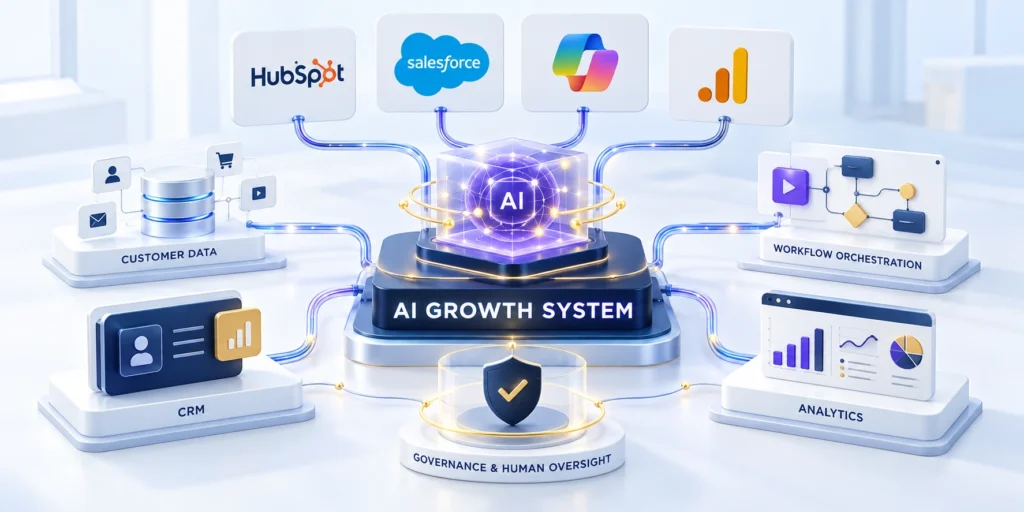
First, identify a bottleneck that sales leaders can observe, such as time spent researching accounts or missing context during first outreach.
Then describe the current process in plain terms: who does the work, what data they use, where handoffs fail, and what decision follows.
Describe the bottleneck through these observable examples:
- “Reps spend 18 minutes researching each target account.”
- “Forty percent of accepted leads lack a current owner or next step.”
- “Managers cannot see why recommended accounts were rejected.”
Each statement suggests a different solution. Research automation may help the first; CRM hygiene or routing may matter more for the second.
Match the tool to the sales motion
Use the B2B demand generation guide when the problem starts earlier, with audience, offer, qualification, or campaign handoffs.
Keep the tool decision narrow: choose one sales motion and one workflow improvement that can be measured over a defined period.
Set a measurable acceptance boundary
Define the baseline, sample, test window, and minimum improvement. Apply the same acceptance criteria when commissioning AI automation for prospecting workflows.
Separate process improvement from pipeline outcomes because faster research does not prove that the resulting accounts, contacts, or messages are more useful.
Record exclusions before vendor demonstrations
List workflows, data, contacts, and actions that remain outside the pilot because they create unnecessary risk or cannot be evaluated reliably.
These boundaries prevent a broad demonstration from quietly becoming approval for automated outreach, unrestricted CRM access, or unsupported enrichment.
Compare AI Prospecting Tool Categories

Although vendors use similar AI language, their products perform different jobs. Compare the data source, task completed, and system of record rather than the label.
For example, a research assistant may summarize an account without finding new contacts or sending any messages.
CRM-native assistants and agents
These tools work beside CRM records, sales activities, and account histories. Their strength is context already connected to the seller’s workflow.
They may summarize records, surface changes, recommend next steps, or research leads. Their usefulness depends on complete fields, consistent stage definitions, and permissions.
Key considerations for crm-native assistants and agents include:
- Good fit: teams already operating in one CRM with reasonably consistent records.
- Trade-off: recommendations inherit gaps, duplicates, and outdated CRM data.
- Check: whether the feature reads and writes the exact objects your team uses.
Professional-network discovery tools
These products help sellers identify people, follow account changes, find relationships, and prepare relevant introductions through a professional network.
They can complement a CRM when account coverage or decision-maker discovery is the bottleneck. They do not replace CRM ownership, qualification, or revenue reporting.
Key considerations for professional-network discovery tools include:
- Good fit: account-based selling that requires role discovery and relationship context.
- Trade-off: features, integrations, and AI access can vary by subscription and account rollout.
- Check: sync behavior, seat requirements, usage permissions, and where notes are stored.
Research, data, and sales-engagement platforms
Specialist tools may enrich company records, detect buying signals, identify contacts, summarize public information, or coordinate multichannel follow-up.
These tools may offer broader data coverage or specialized workflows. Costs, source transparency, integration effort, and governance deserve closer review.
Key considerations for research data and sales-engagement platforms include:
- Good fit: a documented gap the current CRM and network tools do not solve.
- Trade-off: another vendor can add records, permissions, renewals, and data flows to manage.
- Check: provenance, freshness, suppression handling, export rights, and total contract cost.
Do not buy several overlapping products before testing one workflow. A second tool is justified when it fills a proven gap.
Compare Representative AI Prospecting Platforms

These examples illustrate distinct workflows, not a universal ranking. Product availability, plans, regional access, and feature names can change.
Use the official feature documentation and a hands-on pilot to confirm what your account can actually use.
HubSpot Breeze Prospecting Agent
HubSpot describes its Prospecting Agent as a way to identify fit companies using real-world triggers, source contacts, and guide outreach through selling profiles.
The official setup requires specific subscriptions, permissions, enabled data settings, and HubSpot Credits for the agent. Confirm those conditions before estimating cost.
Key considerations for hubspot breeze prospecting agent include:
- Potential advantage: prospect research and outreach guidance sit within the HubSpot workflow.
- Potential disadvantage: eligibility and credit consumption can affect operating cost.
- Evaluate: record quality, play controls, source evidence, credit use, and seller review time.
Review HubSpot’s current Prospecting Agent setup guide for account requirements and the latest behavior.
Then verify the feature inside your own portal. Documentation does not prove that a specific subscription or setting is enabled.
Salesforce Agentforce Prospecting
Salesforce describes Agentforce Prospecting as generating prioritized contacts and accounts, using customer data and research context, then assigning prospects to sellers.
Its documented workflow includes reviewing agent-generated summaries and approving or rejecting prospects. That review step is useful for testing quality before expanding automation.
Key considerations for salesforce agentforce prospecting include:
- Potential advantage: prospect recommendations can draw on sales activity and account context in Salesforce.
- Potential disadvantage: configuration and data-model fit may require Salesforce administration.
- Evaluate: source visibility, approval controls, assignment rules, and handling of existing contacts.
See Salesforce’s Agentforce Prospecting documentation for the feature’s current workflow and setup links.
Ask the vendor to demonstrate your own account structure, permissions, and duplicate rules rather than a generic sample environment.
LinkedIn Sales Navigator AI features
Sales Navigator combines advanced search, saved leads and accounts, recommendations, relationship context, alerts, and AI-assisted research or messaging features.
LinkedIn’s documentation notes that plans differ and some AI features can depend on administrator settings or phased availability.
Key considerations for linkedin sales navigator ai features include:
- Potential advantage: professional-network context helps with buyer discovery and account relationships.
- Potential disadvantage: capabilities and CRM integration vary by plan and deployment.
- Evaluate: lead coverage, data freshness, seat access, CRM sync, and the seller’s review process.
Check LinkedIn’s AI-assisted feature administration guide and plan documentation before promising access to a feature.
For many account-based teams, this category supplements rather than replaces the CRM and sales-engagement system.
Run the Same Test Across Platforms

Use one representative sample, shared instructions, and identical success definitions so product differences remain visible and attributable.
Document unavailable features separately instead of lowering a score for capabilities excluded by the purchased edition or current configuration.
Use these actions to run the same test across platforms:
- Compare identical account records and buying roles.
- Note evidence quality, contact accuracy, review time, and next actions.
- Separate configured features from features unavailable in your subscription.
Compare evidence at each decision stage
Review what each platform found, which source supported it, how current the evidence was, and what action the seller received.
Record corrections and rejected recommendations because aggregate accuracy can hide errors that make individual outreach irrelevant or inappropriate.
| Test stage | Evidence | Decision |
|---|---|---|
| Account research | Source and date | Accept or correct |
| Role discovery | Verified employment | Keep or reject |
| Message draft | Supported context | Edit or discard |
| CRM action | Owner and status | Write or suppress |
Reconcile results before scoring
Have sales and operations review disagreements against authoritative sources, then preserve the reason for every material correction or rejection.
Score only comparable evidence and disclose missing observations so a polished interface cannot outweigh weak data or unsafe workflow behavior.
Repeat failures before drawing conclusions
Retest material errors with unchanged inputs to determine whether the failure is consistent, intermittent, configuration-specific, or caused by missing source data.
Record the product version and test date because model, integration, and plan changes can alter results after the evaluation.
Build an AI Prospecting Evaluation Scorecard

To make trade-offs visible, use a scorecard that prevents an impressive demo from outweighing poor data fit or high operating cost.
Choose criteria before the demo, use the same sample records, and require evidence for each score.
Use criteria that match the sales workflow
Apply these criteria to criteria that match the sales workflow:
- Workflow fit — 25%: does the tool solve the documented bottleneck without unnecessary steps?
- Data quality — 20%: are sources, dates, confidence, and missing fields visible?
- CRM integration — 15%: are records, ownership, permissions, and duplicate rules handled?
- Governance — 15%: can admins control access, review, logging, retention, and automation?
- Adoption — 10%: can sellers understand, correct, and use the output during real work?
- Cost — 10%: what are subscription, credits, seats, implementation, and support costs?
- Measurement — 5%: can the team trace output to a decision and observed result?
Rate each criterion from zero to five, where zero means unsupported and five means demonstrated with your own representative records.
Calculate a weighted score as (rating ÷ 5) × criterion weight, then add the criterion results.
Make advantages and disadvantages explicit
A tool that fits the existing CRM may reduce implementation work but offer narrower external research than a specialist platform.
A data-rich specialist may surface new contacts but introduce another contract, system, and quality-control process.
Use these actions to make advantages and disadvantages explicit:
- Write the strongest supported advantage for each option.
- Record the most important limitation and the condition that would make it costly.
- Separate confirmed capabilities from roadmap statements and sales promises.
- Mark missing evidence as unknown, not as a neutral or passing score.
Do not name an overall winner when the criteria are incomplete. A category-fit decision is more useful than an unsupported “best tool” ranking.
Connect Tool Selection to Enablement Measures

Compare the scorecard with the CRM sales enablement metrics guide so pilot measures connect to observable team decisions.
Document the evaluation owner, sample size, date, product tier, and configuration. Repeat only checks affected by a changed plan or workflow.
Measure adoption as controlled behavior
Track whether sellers review evidence, correct records, reject weak recommendations, and complete the intended next step within the normal workflow.
Login counts and generated drafts show activity, but they do not demonstrate trustworthy usage, better decisions, or reduced administrative work.
Evaluate enablement through these observable behaviors:
- Recommendations reviewed with supporting evidence.
- Incorrect records corrected with a reason.
- Qualified next steps completed on time.
- Suppression and ownership rules followed.
- Managers can explain observed workflow changes.
Connect process measures to downstream quality
Compare accepted records, relevant responses, meetings held, qualified progression, and seller time against a stable baseline and comparable cohort.
Preserve other campaign and market influences so the team does not attribute every later opportunity to one prospecting feature.
Review cost beside measurable use
Combine licenses, credits, enrichment, implementation, administration, review time, support, and switching effort into the operating-cost comparison.
Relate that cost to reviewed accounts and accepted outcomes rather than generated volume, feature count, or vendor estimates alone.
Use manager review to interpret adoption
Managers should sample accepted, corrected, and rejected recommendations to distinguish useful adoption from compliance with a required workflow.
Use that evidence to improve instructions, permissions, training, and source mapping before expanding seats or automated actions.
Run a 30-Day AI Prospecting Pilot

After shortlisting tools, a short pilot tests workflow fit before the company expands seats, data access, or automated outreach.
Use a defined segment, a named owner, a baseline, and stop conditions that protect prospects and sales capacity.
Prepare the baseline and sample
Choose one product, segment, and sales motion. Exclude edge cases that require a separate process or specialized permissions.
Use a representative sample of accounts with known outcomes. Remove or mask data that the pilot does not need.
Follow this sequence to prepare the baseline and sample:
- Days 1–5: define the bottleneck, baseline measures, sample, owner, and human approval rules.
- Days 6–10: configure permissions, CRM mappings, prompts or selling profiles, and suppression rules.
- Pilot days 11–20: let a small group use recommendations, recording corrections and review time.
- Days 21–30: reconcile records, compare measures, gather feedback, and decide to stop or expand.
For each recommendation, retain enough context to answer who reviewed it, what evidence was available, and what action followed.
Measure time, quality, and outcomes separately
Measure process efficiency through research and review time. Separately, assess quality through accepted recommendations and verified contact accuracy.
Finally, follow business outcomes, including positive replies, qualified meetings, or opportunity progression, over a window that matches the sales cycle.
Use these actions to measure time quality and outcomes separately:
- Median minutes spent preparing each account.
- Share of recommended records accepted, corrected, or rejected.
- Rate of verified role, company, and trigger information.
- Share of drafted messages materially edited before use.
- Positive replies, meetings held, and qualified next steps.
- Cost per reviewed account, including credits and seller time.
Example: if 200 account reviews fall from 20 minutes to nine minutes each, the observed time difference is 2,200 minutes.
That is about 36.7 hours before review effort and platform cost. It is a workload estimate, not proof of revenue impact.
Set stop and expansion rules in advance
Pause the pilot if contact accuracy is poor, suppression rules fail, sensitive data appears unexpectedly, or sellers cannot review outputs responsibly.
Expand only when quality, adoption, and cost fit the stated use case. Preserve a comparison group when the sample and sales cycle support one.
Use these actions to set stop and expansion rules in:
- Require an owner for every unresolved data-quality issue.
- Keep automated sending off until message review and suppression handling work.
- Share results with sales, RevOps, IT, and privacy stakeholders.
- Record which settings changed so later results remain interpretable.
Govern AI Prospecting and Drive Adoption

Before the pilot begins, define what the tool can access, what it may create, who approves actions, and how errors are corrected.
Define those controls before connecting production data or allowing messages to leave the company.
Limit access and preserve accountability
Key considerations for limit access and preserve accountability include:
- Grant access only to the CRM objects and records needed for the pilot.
- Use role-based permissions for settings, billing, exports, and message approval.
- Keep a record of source evidence, generated output, reviewer, and action.
- Use approved suppression and opt-out rules before outreach.
- Set a process to correct wrong records and remove stale recommendations.
Have the accountable privacy or security owner review data flows and contract terms for the deployment context.
Do not assume that a vendor’s default settings meet your organization’s retention, access, or regional requirements.
Treat generated claims as leads for verification
An AI-generated reason to contact a prospect can be outdated, misattributed, or based on an ambiguous signal.
Require a seller to verify the company, role, trigger, and relevance before using a claim in outreach.
Use these actions to treat generated claims as leads for:
- Reject messages that cite a trigger the seller cannot confirm.
- Remove personal details that are unnecessary to the business conversation.
- Do not treat inferred interest as consent or confirmed purchase intent.
- Record corrections so administrators can improve instructions and source mapping.
Training should include a real incorrect recommendation and show how to reject it, correct the CRM, and escalate a repeated error.
Build adoption around seller control
Sellers adopt tools when the output removes friction without taking away control of customer judgment.
Show how to review evidence, edit a draft, reject a lead, and record a reason in the same workflow.
Use these actions to build adoption around seller control:
- Appoint a sales champion and an administrator for the pilot.
- Publish a short guide with approved use cases and prohibited shortcuts.
- Hold a weekly review of corrections, time saved, and useful recommendations.
- Update playbooks when the team changes its qualification criteria.
Adoption is not the number of AI-generated records. It is consistent use that supports better, documented sales decisions.
Evaluate vendor change and exit risk
AI sales products can change models, limits, integrations, and feature behavior. Document which workflow depends on each capability before the team treats it as permanent infrastructure.
Ask how administrators export records, prompts, approved knowledge, corrections, and usage logs. A usable exit path reduces operational risk when price, quality, or strategy changes.
Use these actions to evaluate vendor change and exit risk:
- Record renewal dates and usage commitments.
- Identify proprietary fields and non-exportable configuration.
- Test administrator access recovery and ownership transfer.
- Document the manual fallback for critical workflows.
- Assign responsibility for vendor and model change reviews.
Review release notes against the pilot’s acceptance criteria. Re-test recommendations, CRM writes, suppression handling, and permissions after a material vendor or integration update.
Include a pause procedure in the operating guide. Sellers should know how to continue safely when the tool is unavailable or no longer meets the approved controls.
Conclusion
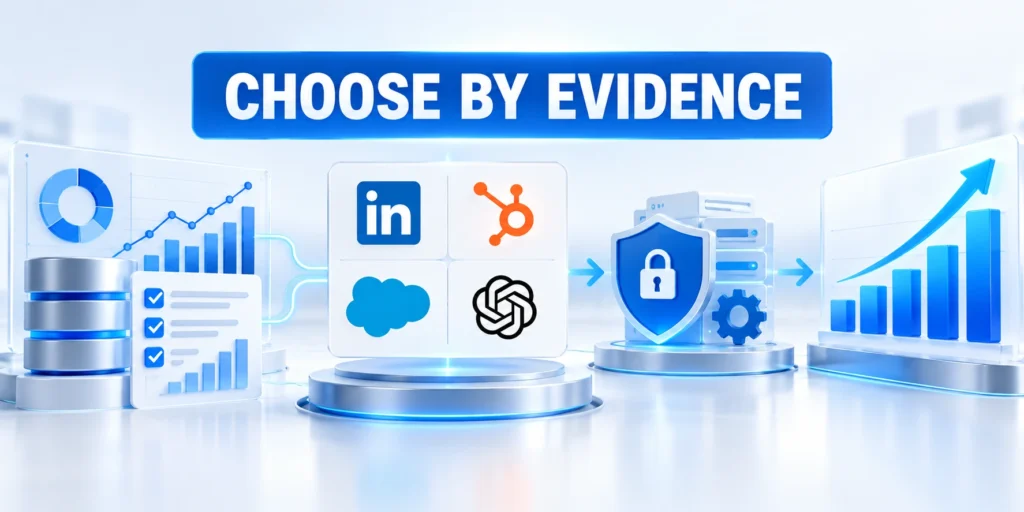
The right AI prospecting tool improves a defined workflow with reliable evidence, manageable operating cost, and clear human accountability.
Choose a narrow pilot, document permitted access, and measure process, quality, adoption, and business outcomes separately.
Choose evidence before feature volume
Compare platforms with representative records, common instructions, current product access, and acceptance criteria agreed before the demonstration.
Preserve corrections, unavailable features, configuration differences, and unresolved questions so decision makers can interpret every score responsibly.
A defensible selection should confirm these conditions:
- The workflow bottleneck is observable and material.
- Required data is permitted and reliable.
- Sellers retain review and correction control.
- Integration behavior is tested with real structure.
- Operating cost matches demonstrated improvement.
Expand only after controlled learning
Scale when quality thresholds hold across a larger sample and the team can support permissions, monitoring, correction, rollback, and vendor changes.
Stop or redesign the pilot when the tool shifts effort without improving useful evidence, seller decisions, buyer relevance, or measurable outcomes.
Connect prospecting to the wider workflow
Prospecting performance depends on audience strategy, offers, CRM definitions, sales capacity, campaign handoffs, and the organization’s broader automation controls.
For the wider framework, read AI in B2B Marketing: Automating Workflows and Analytics.
Keep a reversible operating path
Document how sellers continue essential work when the tool is unavailable, restricted, inaccurate, or no longer economically justified.
A tested fallback protects customer experience and preserves negotiating leverage when product terms, integrations, or strategy change.
FAQ
These answers clarify workflow fit, review, measurement, permissions, data quality, cost, correction, and responsible expansion.
Do AI prospecting tools replace sales development representatives?
No. They can reduce research and administrative work, while people still qualify context, choose whether to contact, and build buyer trust.
Can an AI prospecting agent find new contacts automatically?
Some products source or recommend contacts; others summarize existing CRM records. Confirm supported sources, plan requirements, and review controls.
Should AI send prospecting emails without human review?
Begin with human review. Consider automation only after contact accuracy, relevance, suppression handling, and message quality are demonstrated.
How should a company compare tools from different categories?
Compare each option against the same business bottleneck and sample records. Score category-specific strengths separately from the shared evaluation criteria.
Which metrics show whether a pilot worked?
Review research time, verified data quality, seller corrections, qualified responses, cost, and downstream outcomes. Match the measurement window to the sales cycle.
What data should a sales AI tool be allowed to access?
Grant only the CRM fields, approved knowledge, and communication history required for the use case. Review permissions whenever the workflow or vendor integration changes.
How can teams test contact and company data quality?
Use a representative sample, verify records against authoritative sources, record error types, and compare coverage and freshness. Do not rely on a vendor’s aggregate accuracy claim.
What should happen when the AI recommendation is wrong?
The seller should reject or correct it, preserve the reason, and escalate repeated errors. Administrators can then adjust instructions, permissions, sources, or routing.
How should AI tool costs be compared?
Include licenses, usage limits, enrichment, integrations, administration, review time, and switching costs. Compare the total against the measured workflow improvement, not feature count.
When is a pilot ready to expand?
Expand only after the tool meets predefined quality, safety, adoption, and outcome thresholds. Confirm that support, monitoring, permissions, and rollback ownership can scale with usage.






Leave a Reply