

Decide Whether a Custom Object Is Necessary

A custom CRM object gives a business a structured record type for information that standard contacts, companies, deals, activities, or tickets cannot represent cleanly.
Good custom CRM object design starts with a business decision, not a request to add another database table or form.
Write the use case before opening the CRM setup
Document the owner, evidence, decision boundary, and expected result before opening the CRM configuration.
Define the proposed custom object through these facts:
- Define the entity and the lifecycle it follows.
- Name the people or teams that create and own each record.
- List the relationships and the report or workflow that depends on them.
- Example: separate subscriptions when each has distinct products, dates, status, billing, and ownership.
Test write the use case before opening the crm setup with representative customers, workflows, exceptions, and operating conditions before expanding the decision.
Compare a custom object with simpler options
Compare simpler CRM structures through these choices:
- Use a standard object for a person, organization, deal, support issue, or represented activity.
- Add a property for an existing record fact, such as segment or contact role.
- Use an association when the relationship needs no independent fields, owner, lifecycle, or report.
- Create a custom object when distinct repeated entities need fields, relationships, permissions, and work steps.
Test compare a custom object with simpler options with representative customers, workflows, exceptions, and operating conditions before expanding the decision.
| Need | Usually start with | Example |
|---|---|---|
| Describe a person or organization | Contact or company | Buyer role, account region |
| Track a potential purchase | Deal or opportunity | Amount, stage, close date |
| Store one additional fact | Property or field | Contract tier on a company |
| Track a recurring independent entity | Custom object | Subscription or implementation project |
| Capture an interaction | Activity, task, note, or event | Customer meeting or review |
HubSpot recommends checking whether a standard object and its properties can handle the need, and whether a custom design would duplicate existing data.
Model Entities, Relationships, and Lifecycle
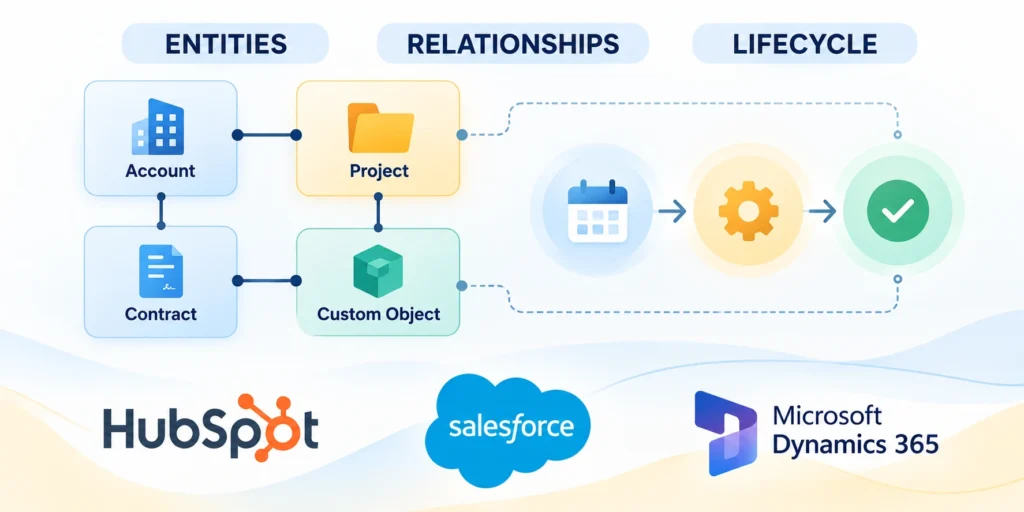
A useful model separates the entity from the people, accounts, transactions, and events associated with it.
Clear ownership prevents the same business fact from being copied into unrelated records and drifting over time.
Draw the records and cardinality
Start with a small diagram showing each record type and how many related records one record may have.
Map entity relationships through these examples:
- Company → subscription: one company to many subscriptions.
- Subscription → product: one subscription may include multiple products.
- Product → subscription: one product may appear in many subscriptions.
- Subscription-contact relationship: record the contact’s role when it changes the process.
- Contract-product relationship: use junction records when contracts and products have many-to-many relationships.
A company may have many subscriptions, while each subscription belongs to one billing company and may involve several contacts.
Microsoft Dataverse describes one-to-many and many-to-many relationships, and explains that relationship behavior affects related records during operations such as deletion or reassignment.
Verify relationship behavior before configuration
Review the Dataverse relationship documentation before choosing cascading behaviors.
Test reassignment, deletion, restoration, duplicate matching, and missing parent records with representative permissions before approving the relationship model.
Define lifecycle states as observable outcomes
Define lifecycle states through these operating rules:
- Choose states for meaningful conditions, such as planned, active, suspended, renewal pending, and ended.
- Define each state’s entry condition, allowed transition, accountable owner, and required evidence.
- Keep this status separate from opportunity stage, customer lifecycle, and support ticket status.
Test define lifecycle states as observable outcomes with representative customers, workflows, exceptions, and operating conditions before expanding the decision.
For CRM-wide ownership and definitions, see the CRM data governance guide.
Turn Business Logic Into Clear Rules
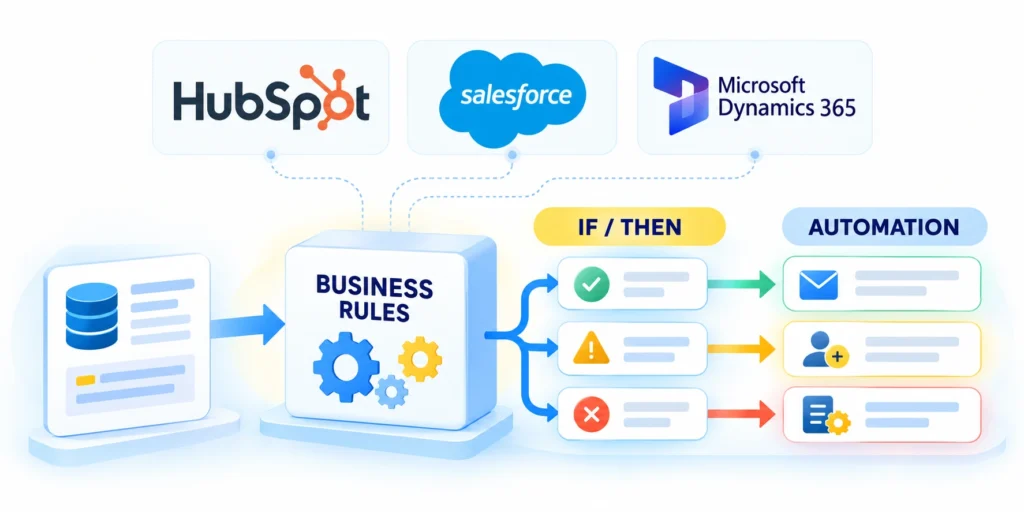
Custom objects support business logic only when teams define rules that people can understand and systems can enforce.
Document the rule in plain language before implementing a validation, workflow, formula, or integration.
Write each rule as a condition and outcome
Specify business logic through these rule components:
- State the trigger and response: act, assign an owner, or show a corrective message.
- Example: require a renewal date for active subscriptions and preserve end dates for ended records.
- Define handling for missing values, duplicates, exceptions, imports, and integration updates.
| Condition | System response | Exception owner |
|---|---|---|
| Status changes to Active | Require start date and billing account | Subscription operations |
| Renewal is within 60 days | Create a review task for the account owner | Revenue operations |
| Status changes to Ended | Require end date and reason | Customer success |
| Related company is missing | Stop activation and show a corrective message | CRM administrator |
Microsoft Dataverse business rules can set or clear values, set defaults, and validate data with error messages, subject to scope and interface limitations.
Its business rule guide documents these capabilities and notes that some actions differ across app types.
Keep calculations and automation in the right layer
Define the owner, evidence, decision boundary, and expected result for keep calculations and automation in the right layer in CRM custom object design.
Choose the implementation layer through these guidelines:
- Use a formula for deterministic same-record values when native calculation supports them.
- Use automation to update related records, notify a team, schedule work, or create a follow-up.
- Consider external services or custom code only when native features cannot meet documented requirements.
- Document each automation’s trigger, actions, permissions, retry behavior, duplicate protection, and failure owner.
Test keep calculations and automation in the right layer with representative customers, workflows, exceptions, and operating conditions before expanding the decision.
Define Fields, Relationships, and Ownership
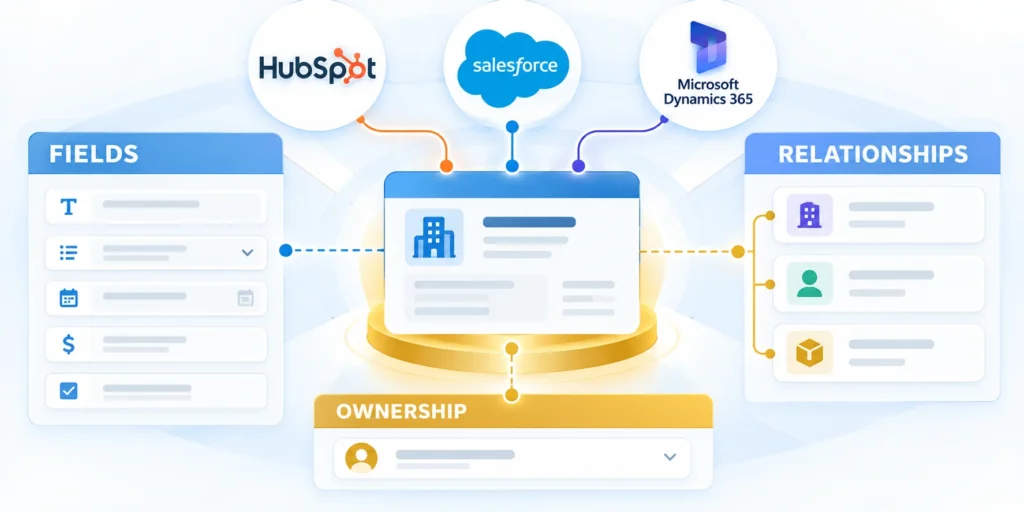
Write a field dictionary before creating a large set of properties or importing records.
It gives administrators, analysts, and users one agreed meaning for each field and relationship.
Specify the identity and data types
Define object fields through these data decisions:
- Choose a searchable name users recognize, such as a contract number or subscription name.
- Use a stable external identifier for cross-system matching and document its system of record.
- Choose field types according to entry, validation, filtering, calculation, and reporting needs.
| Field | Type | Rule |
|---|---|---|
| Subscription ID | Text or record ID | Unique and stable |
| Plan | Controlled choice | Use approved values |
| Start date | Date | Required when active |
| Renewal date | Date | After start date |
| Monthly amount | Currency | Include currency |
| Billing company | Relationship | Required before activation |
Salesforce recommends establishing object relationships before adding all fields, layouts, and related lists.
Its custom object creation documentation also calls out naming, record name type, access, and sharing considerations.
Configure the object in dependency order
Test configure the object in dependency order with representative customers, workflows, exceptions, and operating conditions before expanding the decision.
Configure dependencies through this controlled sequence:
- Confirm the object label, record name, owning team, and stable identifier.
- Create the parent and child relationships before layouts and related lists.
- Add only approved fields, choosing types and required conditions from the field dictionary.
- Define controlled values, defaults, validation conditions, and clear error messages.
- Set record visibility and role permissions before inviting users to create records.
- Build layouts, views, and related lists around the tasks each role performs.
- Add reports and automations after testing their definitions and duplicate protection.
- Record the final configuration, owner, dependencies, and change process in the CRM catalog.
Build the record type in an order that limits rework when relationships, access, and user-facing behavior depend on earlier choices.
Create a compact, governed definition
Test create a compact, governed definition with representative customers, workflows, exceptions, and operating conditions before expanding the decision.
A practical definition can begin as a controlled spreadsheet, a data catalog entry, or a CRM design record.
{
  "object": "Subscription",
  "primary_key": "Subscription_ID",
  "owner": "Subscription Operations",
  "relationships": {
    "billing_company": "Company: one company to many subscriptions",
    "products": "Product: many-to-many through subscription line"
  },
  "required_when_active": ["Start_Date", "Renewal_Date", "Billing_Company"],
  "system_of_record": "CRM"
}
Govern the object definition through these safeguards:
- Treat as a design sketch, not an API payload; use internal names and relationship types.
- For shared fields, define names, values, null handling, time zone, and update ownership.
- Review internal names before activation because downstream integrations can make later changes costly.
Set Permissions, Automation, and Reporting

A custom object is incomplete when users can create records but cannot see, update, or report on them correctly.
Design permissions and reporting with the data model, not as last-minute setup.
Grant the minimum useful access
Define the owner, evidence, decision boundary, and expected result for grant the minimum useful access in CRM custom object design.
Test permissions through these access decisions:
- Map each role to required actions: read, create, edit, delete, export, approve, and administer.
- Define whether users see all records, owned records, or company- and team-shared records.
- Test with representative accounts, including one that must be denied access to sensitive records.
Test grant the minimum useful access with representative customers, workflows, exceptions, and operating conditions before expanding the decision.
Build automation around a stable lifecycle
Build lifecycle automation through these controls:
- Trigger work from a meaningful state transition or event, not every field edit.
- Create one renewal task when subscriptions enter renewal windows; prevent duplicates on later updates.
- Record the automation creator and recovery for missing owners, failed actions, or date changes.
Test build automation around a stable lifecycle with representative customers, workflows, exceptions, and operating conditions before expanding the decision.
Review the CRM workflow audit guide before connecting a new object to existing automations.
Design reports with explicit definitions
Specify the population, date field, grouping, filters, and exclusions for each metric.
For renewal rate, define whether the denominator includes only eligible subscriptions and how cancellations, pauses, and partial renewals count.
| Report question | Definition to document |
|---|---|
| Which subscriptions renew soon? | Active status, date window, owner |
| What is renewal rate? | Eligible cohort, renewals, exclusions |
| Where do records stall? | State, transition date, owner |
| Which plans generate support work? | Product, issue, reporting period |
Relate the new object to accounts, opportunities, or activities only when those links support an actual operational or analytical need.
Test the Data Model and Migrate Safely
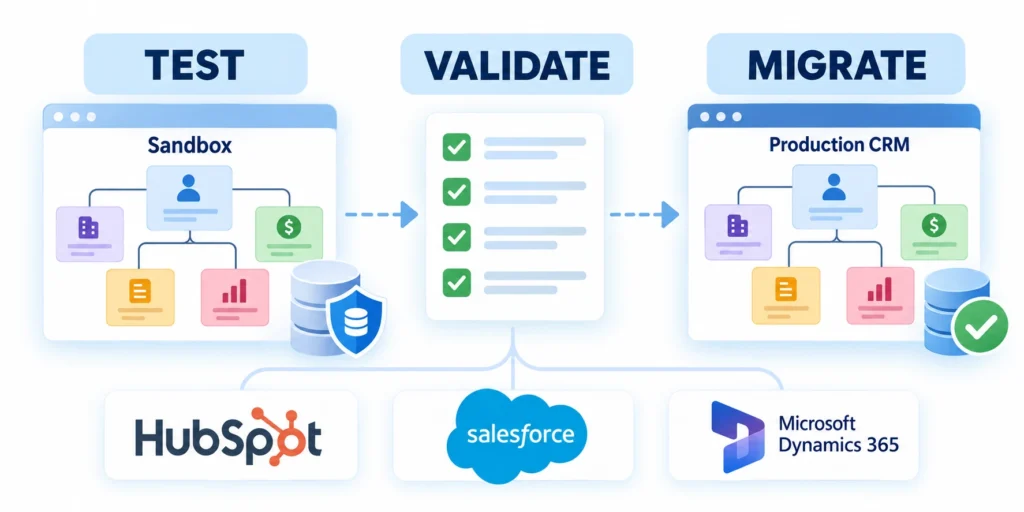
Test records, relationships, validation, access, automation, and reports before importing a full dataset.
Use realistic examples that include ordinary, incomplete, duplicate, and exception cases.
Run a representative test matrix
| Scenario | Expected result | Evidence |
|---|---|---|
| Active record has all required fields | Save succeeds and relationships resolve | Record ID and related company |
| Active record has no renewal date | Validation explains what to fix | Visible error and unchanged state |
| Duplicate external ID is imported | Import rejects or matches by documented rule | Import log and duplicate report |
| Unauthorized role opens record | Restricted data remains unavailable | Permission test result |
| Renewal date changes | Automation updates one open task | Task history and no duplicate |
Confirm that a user can find a record, understand its state, update allowed fields, and complete the next action.
If the expected result does not occur, inspect relationship mappings, permissions, field types, workflow criteria, and duplicate rules.
Prepare a reversible import
Clean source data, map fields, normalize choice values, and create a stable external key for matching records.
Prepare migration through these reversible controls:
- Back up the source export and record its date.
- Keep an import map with source and destination fields.
- Import parent records before dependent child records.
- Record rejected rows and correct the source rather than guessing.
- Define how to pause or reverse the migration if checks fail.
Import a small sample first, then reconcile counts and inspect representative records before proceeding.
Validate imported records through these comparisons:
- Reconcile source and destination counts by lifecycle state, owner, and relationship, not only total rows.
- Use a stable external ID for upserts so retries update matches instead of creating duplicates.
- Retain rejected-row reports and timestamped exports; pause when counts, ownership, or associations miss tolerances.
Do not use a destructive relationship behavior until owners confirm what should happen to dependent records when a parent is deleted.
Deploy, Monitor, and Govern the Custom Object
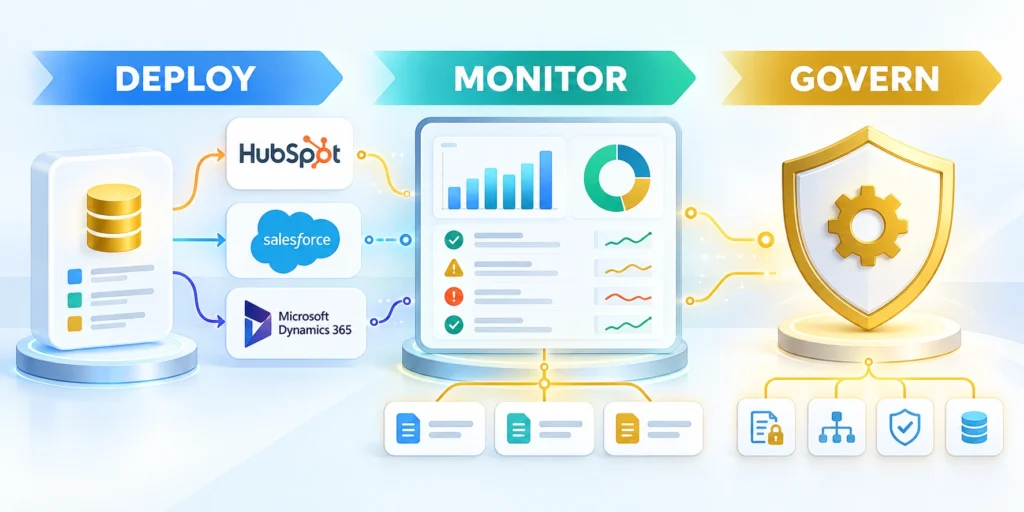
Release the object in stages so users can learn the workflow and administrators can detect data issues before broad adoption.
Assign an accountable business owner, data steward, CRM administrator, and technical owner for connected systems.
Use a controlled launch sequence
Define the owner, evidence, decision boundary, and expected result for use a controlled launch sequence in CRM custom object design.
Launch the custom object through these stages:
- Approve the business definition, fields, relationships, permissions, and lifecycle states.
- Configure and test the object in a nonproduction environment when available.
- Load a small pilot set and check reports, automation, and user access.
- Train the pilot group with examples of valid and invalid records.
- Expand only after owners accept data quality and operational results.
Protect deployment through these rollback controls:
- Document dependencies: integrations, workflow triggers, reports, permissions, and migration jobs.
- Define rollback steps that pause automation, protect records, and restore a known-good configuration where feasible.
- Set launch thresholds for field completeness, duplicate rate, and unresolved permission failures.
- Name who pauses imports or automation, the incident reporting route, and resumption criteria.
- Review weekly samples until data quality and workflow volume remain stable through the monitoring period.
Test use a controlled launch sequence with representative customers, workflows, exceptions, and operating conditions before expanding the decision.
Monitor quality and revise deliberately
Monitor object health through these quality signals:
- Monitor required-field completeness, duplicate rates, rejected imports, ownerless records, and automation failures.
- Review sample records with users to determine whether fields clarify work or add friction.
- Change names, field meanings, and relationships through a documented process to protect reports and integrations.
Test monitor quality and revise deliberately with representative customers, workflows, exceptions, and operating conditions before expanding the decision.
For the broader implementation sequence, connect this design to the enterprise CRM implementation guide.
Plan Integration Contracts and Failure Handling
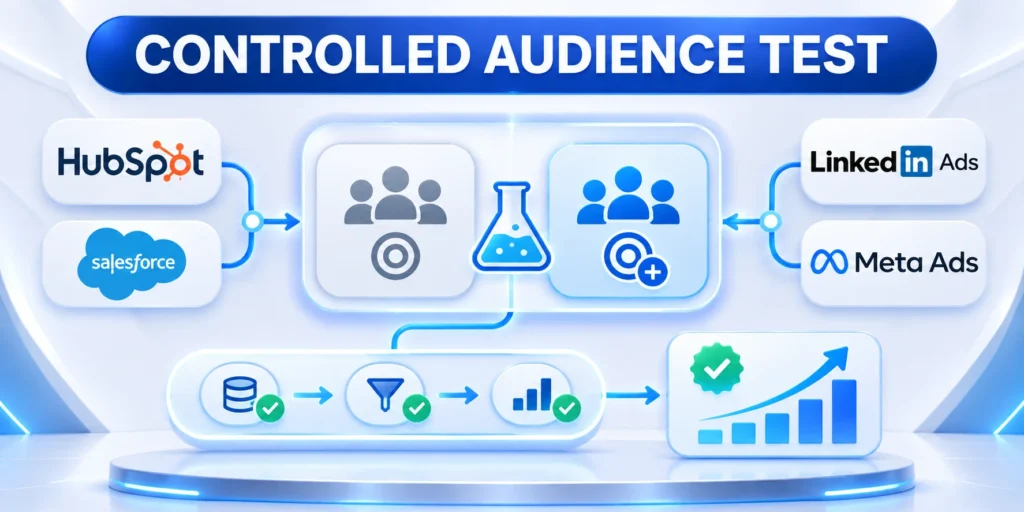
A custom object often exchanges data with billing, product, support, analytics, or data platforms. Define the contract before connecting production records.
Specify systems of record, identifiers, field meanings, allowed values, relationship dependencies, timestamps, null handling, ownership, and permitted update directions.
Design idempotent synchronization
Use stable identifiers and documented upsert behavior so retries update the intended record instead of creating duplicates or replacing unrelated customer data.
Define integration behavior through these controls:
- System of record
- Stable identifier
- Update direction
- Retry policy
- Failure owner
Reject or quarantine records that lack required parent relationships. Preserve the original payload and error context needed for safe correction and replay.
Handle lifecycle and deletion semantics
Define how activation, suspension, renewal, cancellation, archival, restoration, and deletion move between systems without erasing required history or violating retention rules.
Use explicit tombstones or status transitions when hard deletion would create orphaned relationships. Test delayed events, duplicates, reordering, and partial outages.
Monitor schema compatibility
Alert owners when fields, types, choices, permissions, or relationship rules change. Contract tests should fail before incompatible updates corrupt synchronized records.
Version mappings and transformations. Coordinate releases across CRM administrators, integration owners, data teams, and downstream report consumers before activating breaking changes.
Test recovery before production incidents
Simulate timeouts, invalid payloads, unavailable parents, expired credentials, duplicate delivery, and delayed events. Confirm alerts reach the accountable operator with sufficient diagnostic context.
Practice safe replay from a quarantined record set. Reconciliation should prove that retries neither duplicate records nor overwrite newer authoritative values.
Control Schema Changes and Object Retirement

Custom objects become shared products once workflows, reports, integrations, permissions, and users depend on them. Treat every schema change as an operational release.
Require a purpose, owner, affected dependencies, migration plan, test evidence, rollout sequence, rollback condition, and communication plan for material changes.
Review the dependency graph first
Search forms, imports, formulas, validation, workflows, reports, dashboards, APIs, exports, permissions, documentation, and training before renaming or removing fields.
Approve schema changes through these checks:
- Business purpose
- Named owner
- Dependency review
- Migration evidence
- Rollback condition
Prefer additive, reversible changes when feasible. Run old and new fields in parallel long enough to reconcile values and update every dependent consumer.
Retire unused structures safely
Confirm that no active workflow, report, integration, compliance need, or user decision still depends on the object before disabling creation or beginning archival.
Export required history, preserve identifiers, stop automation, revoke unnecessary access, document the final state, and monitor for failed dependencies after retirement.
Measure whether complexity remains justified
Review record volume, field completion, duplicate rate, workflow usage, report adoption, support burden, automation failures, and business decisions enabled by the object.
Simplify fields and relationships that create friction without improving work. A smaller governed model is often safer than a broad schema nobody understands consistently.
Preserve evidence through retirement
Document final owners, exports, retention decisions, disabled workflows, revoked permissions, and downstream migrations. Keep a traceable record of why the structure was retired.
Monitor failed jobs, reports, and user requests after shutdown. Restore only through the approved rollback path when an overlooked dependency materially affects operations.
FAQ
These answers clarify CRM custom object selection, ownership, fields, permissions, synchronization, testing, automation, lifecycle governance, and safe retirement decisions.
When should a CRM team create a custom object?
Create one when a distinct entity needs repeated records, its own lifecycle and fields, meaningful relationships, and dedicated operational reporting.
Can a custom object replace a standard CRM object?
Usually not. Standard objects often power native functions that custom objects do not inherit, such as built-in activity, marketing, or sales features.
Should every business rule become an automation?
No. Keep deterministic calculations in supported formulas and automate only actions that need to update records, assign work, or notify users.
What should be tested before importing records?
Test identifiers, required fields, relationships, duplicates, permissions, automation, report filters, and exception handling with a small sample.
Do CRM platforms limit custom objects?
Limits and feature availability depend on the platform, edition, and subscription. Confirm current account limits before designing around a custom object.
For the broader framework, read RevOps Playbook: Aligning Sales, Marketing, and Customer Success.
Who should own a custom CRM object?
A business owner should own its purpose and lifecycle, supported by data, platform, integration, security, and reporting owners.
How many fields should a custom object have?
Use only fields needed for decisions, obligations, workflow, reporting, or reliable integration. Add complexity after evidence shows a current requirement.
How should custom object permissions be tested?
Test every role’s create, read, update, delete, export, relationship, and sensitive-field access with normal and exceptional records.
Can a custom object synchronize with another system?
Yes, when ownership, identifiers, direction, timing, conflict rules, retries, monitoring, and recovery are explicit and tested.
When should a custom object be retired?
Retire it when the represented process ends or moves, after preserving required history and removing dependent workflows safely.
Conclusion

Create a custom CRM object only when a distinct repeated entity needs its own fields, relationships, lifecycle, permissions, reporting, and accountable operating process.
Compare standard objects, properties, associations, and activities first. Unnecessary objects increase configuration, integration, reporting, training, and data-quality costs.
Prove one business entity before expansion
Define the entity, identity, owner, relationships, lifecycle states, allowed transitions, evidence, permissions, reports, automations, and decisions that depend on the model.
Use these final custom object controls:
- Clear entity
- Stable identity
- Owned lifecycle
- Tested access
- Reversible change
Build a small representative pilot. Test ordinary records, missing values, duplicates, denied access, relationship changes, failed automation, retries, and reversible imports.
Govern the object as an operational product
Assign business and technical owners, document dependencies, monitor completeness and failures, review usage, and route exceptions to people who can correct the source safely.
Change fields, choices, relationships, permissions, and automation through versioned releases. Preserve history and coordinate every dependent integration or report.
Retire complexity when value disappears
Measure whether the object continues to support relevant workflows and decisions. Remove unused structures only after dependency review, migration, archival, and rollback planning.
A durable CRM model remains understandable, testable, and reversible. It supports real work without forcing every business fact into a structure that users cannot govern.
Keep decisions visible to future administrators
Record the business purpose, boundaries, owners, dependencies, validation evidence, release history, and retirement criteria in the CRM catalog alongside the implemented configuration.
Future changes should begin from that evidence instead of reverse-engineering undocumented fields and automation. Clear stewardship reduces accidental complexity and unsafe cleanup.





Leave a Reply