


What Makes Enterprise Long-Tail Keywords Valuable
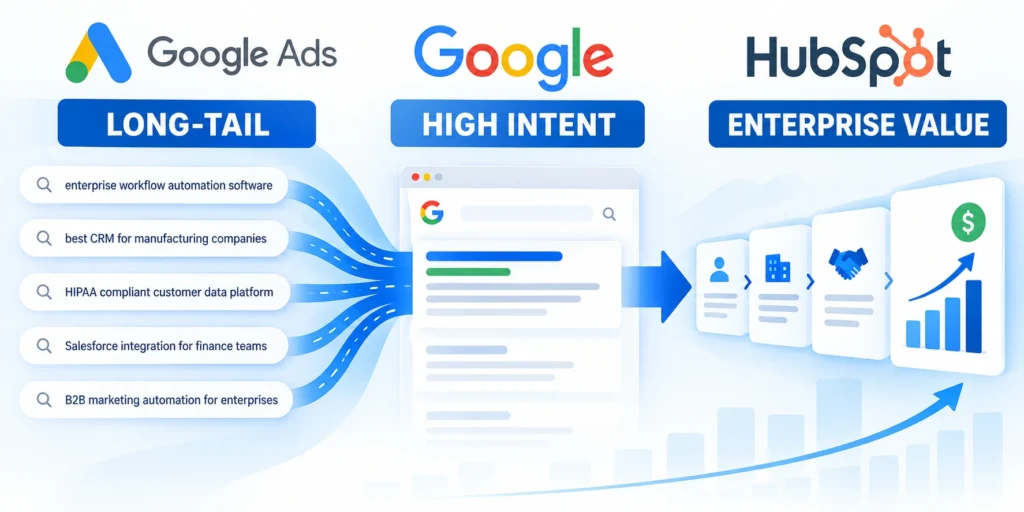
Long-tail enterprise keywords describe a narrow need, constraint, industry, platform, or buying situation. They can reveal useful intent without guaranteeing traffic or sales.
For example, a query about migrating a regulated company’s CRM carries more context than a broad search for CRM software. The difference changes what an ad should promise.
Specific phrases expose buying constraints
Enterprise buyers often include an integration, compliance need, deployment model, company size, or transition risk in their research. Those modifiers can identify a relevant problem.
A phrase such as “enterprise CRM migration services” still needs qualification. It may come from a buyer, student, job seeker, consultant, or competitor.
Search length alone does not prove intent
A long query can be informational, irrelevant, or too rare to evaluate. A shorter query can still be valuable when the offer and landing page fit its meaning.
Treat specificity as a source of hypotheses, not a shortcut to conversion. Judge the search against buyer fit, sales evidence, economics, and delivery capability.
Define a useful outcome before collecting keywords
Start with a service, audience, and business outcome. For example: generate qualified enterprise inquiries for a CRM migration practice serving multi-location manufacturers.
This definition keeps research focused on searches the company can satisfy. It also gives sales a clear standard for judging lead quality after launch.
Define these boundaries before expanding the keyword list:
- Target account and buyer role
- Supported problem and enterprise constraint
- Desired customer and pipeline outcome
- Excluded needs, regions, and offers
Find Real Search Language

Build a keyword set from customer language and observed demand. Do not start by expanding every broad term into hundreds of speculative variations.
Useful inputs include sales-call notes, CRM opportunity reasons, support questions, internal site searches, product terminology, and the account’s actual Google Ads queries.
Use Keyword Planner for ideas, not promises
In Google Ads, open Tools > Planning > Keyword Planner, then choose Discover new keywords. Start with a few terms that reflect the offer.
Set the target geography and language before interpreting results. You can also add a relevant website, then review suggestions and refine them by theme.
Check estimates and access
Keyword Planner provides estimates from historical activity and campaign assumptions. Its forecast is not a guarantee; bids, budgets, seasonality, ad quality, and buyer behavior affect results.
Some basic Planner features require billing information in the Google Ads account. If access is limited, use existing query data and document the research gap.
Use these actions to check estimates and access:
- Confirm account billing access.
- Set geography and language.
- Compare estimates with real query data.
Mine the search terms that triggered ads
Open Campaigns > Search terms in Google Ads and set a date range that includes enough activity to review. Inspect the actual query beside its matching keyword.
The Search terms report can reveal useful queries and irrelevant searches. Low-volume or privacy-protected activity may not appear individually.
Create a buyer-language worksheet
Record one candidate query per row in a working spreadsheet. Include its source, audience, problem, buying stage, geography, and evidence quality.
Follow this sequence to create a buyer-language worksheet:
- Collect phrases from sales conversations and CRM notes.
- Remove personal information before sharing or combining records.
- Group synonyms that express the same business need.
- Mark phrases that describe an excluded product, service, or customer.
- Compare the list with Keyword Planner and account search terms.
- Keep the source and review date beside each phrase.
For additional campaign structure and pipeline measurement, see the B2B Google Ads playbook after defining the query set.
Prioritize Long-Tail Queries by Commercial Intent
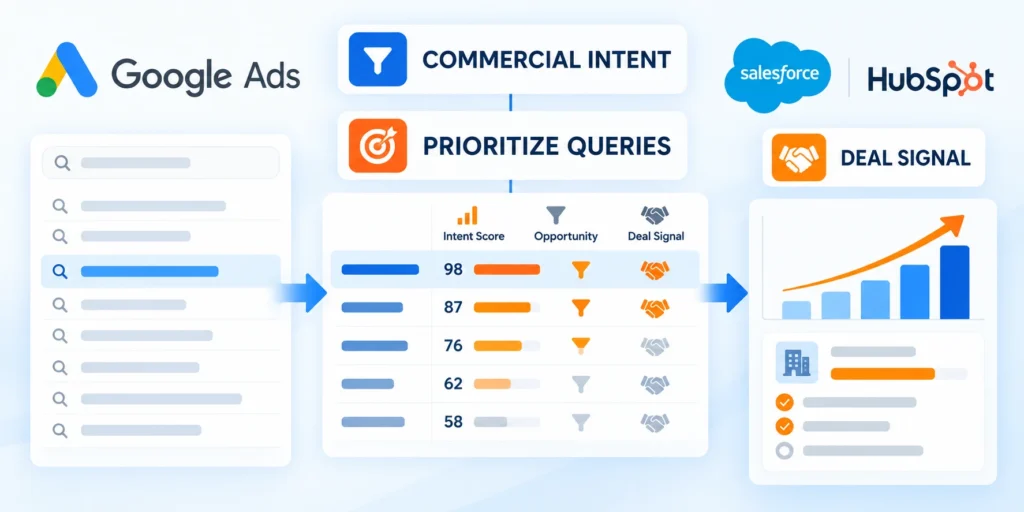
Rank candidates by how well they describe a problem the business solves, not by phrase length. Add sales stage, product fit, and evidence to the decision.
A practical first score can use three categories: strong fit, uncertain fit, and poor fit. Keep the reasons visible so reviewers can challenge subjective assumptions.
Separate research from vendor evaluation
Queries asking how a process works may support education but not immediate sales contact. A comparison or implementation query may indicate an active evaluation.
Do not treat words such as “best,” “cost,” or “consultant” as automatic buying signals. Check whether the search still matches the service and target account.
Estimate value with an explicit funnel
Use the company’s own conversion data when available. A simple planning model multiplies eligible clicks by the observed conversion rate, then by qualified-lead and opportunity rates.
Define each funnel stage, eligible population, attribution rule, conversion window, economic input, and owner before multiplying volumes into a directional opportunity estimate.
Calculate a directional pipeline estimate
Expected qualified opportunities = eligible clicks × conversion rate × qualified-lead rate × opportunity rateFor example, 100 eligible clicks at a 4% form rate produce four leads. If half qualify and one-quarter of qualified leads become opportunities, that is 0.5 expected opportunities.
This is an estimate, not a promise of half an actual opportunity. Small samples vary, attribution can be incomplete, and long sales cycles delay outcomes.
Interpret the estimate carefully
Treat the calculation as a scenario built from assumptions, not a forecast that the platform or keyword volume guarantees.
Show lower and upper cases for qualification, close rate, contract value, timing, and contribution so stakeholders can see which assumption drives the result.
Document these assumptions beside every directional estimate:
- Eligible search volume and account fit
- Lead qualification and opportunity conversion
- Sales cycle and expected contract value
- Contribution, timing, and confidence range
Score Query Themes with Explicit Evidence
A scoring model helps teams compare themes consistently, but only when its criteria reflect supported offers, buyer constraints, account fit, economics, and sales evidence.
Set the rule before reviewing favored keywords so volume, familiarity, or platform recommendations do not override the agreed commercial requirements.
Use a qualification table
| Signal | Question | Action |
|---|---|---|
| Service fit | Can the team deliver this exact need? | Keep only supported offers. |
| Buyer fit | Does the query match the target account and role? | Prioritize relevant segments. |
| Buying stage | Is the person exploring, comparing, or selecting? | Match the page and CTA. |
| Evidence | Do CRM or query records support the hypothesis? | Test cautiously when uncertain. |
Score query themes using evidence that distinguishes research, solution exploration, vendor evaluation, implementation planning, and excluded or unsupported needs.
Keep the table compact and record the reason behind each score so later reviewers can reproduce the classification.
Set the scoring rule before reviewing terms
Agree on what strong, uncertain, and poor fit mean before the team scores a list. This reduces subjective changes made to defend a preferred keyword.
For example, strong fit may require a supported service, target account, and clear next step. Uncertain terms can enter a capped test only when tracking is ready.
Use these actions to set the scoring rule before reviewing:
- Keep the evidence and reviewer beside each score.
- Revisit uncertain terms after search-term and CRM data accumulate.
- Exclude a term only when its intent conflicts with the actual offer.
Score every query theme using these shared criteria:
- Supported problem and solution fit
- Buyer stage and enterprise specificity
- Account value and delivery viability
- CRM and sales evidence quality
Organize Keywords into Campaigns and Ad Groups

Group queries when they share an offer, buyer problem, and landing-page destination. A longer phrase does not automatically need its own campaign or ad group.
Keep themes separate when the audience, economics, service, or message differs enough to require a distinct budget or sales handoff.
Build around a consistent solution
For a CRM services firm, one campaign might address enterprise CRM migration. Ad groups could separate Salesforce transitions, data cleanup, and multi-region rollout.
That structure helps align a query with a clear ad and a relevant page. It also keeps reporting useful without creating dozens of tiny groups.
Check overlap in the account
Use the Google Ads account audit checklist when reviewing existing groups, overlap, and wasted spend.
Use negative keywords, campaign exclusions, search-term evidence, and clear theme boundaries to prevent internal competition and contradictory landing-page promises.
Choose match types as controls, not guarantees
Google’s current keyword matching uses meaning and intent, not only identical text. Exact match can include searches with the same meaning, while phrase and broad match can reach wider variations.
Google explains the syntax and behavior in its keyword matching options guide. The syntax does not promise literal-only matching.
Use these actions to choose match types as controls not:
- Exact match uses square brackets, such as
[enterprise crm migration]. - Phrase match uses quotation marks, such as
"enterprise crm migration". - Broad match uses the phrase without punctuation, such as
enterprise crm migration.
Expand only when measurement is ready
Start with a controlled set suited to available conversion data and budget. Broader matching may discover useful queries, but it can also expose irrelevant demand.
Broaden when conversion tracking reflects qualified outcomes, the landing page fits the likely searches, and the team can review query quality regularly.
Keep campaign groups meaningful
Avoid splitting keywords into separate groups only to force different bids or copy. Use campaign and ad group boundaries that correspond to real business decisions.
Retain a group only while its queries share one business problem, buyer stage, solution promise, landing experience, and measurable sales outcome.
Align Search Terms, Ads, and Landing Pages

Each ad should address the problem implied by its query group. The destination should continue the same conversation and make the next useful action clear.
Do not send every long-tail search to the home page. A narrow query deserves a page that confirms the relevant service, audience, proof, and constraints.
Write the promise from the query intent
For a migration query, describe the migration scope, supported platforms, risk controls, and assessment process. Do not claim certifications, integrations, or guarantees the firm cannot substantiate.
Use the same buyer language in the heading and ad where it fits naturally. State one primary CTA, such as requesting a migration review or sharing current system requirements.
Check the destination against the search
Use these actions to check the destination against the search:
- Confirm the page names the service and audience the query implies.
- Show relevant evidence, scope, limitations, and next steps.
- Remove claims the delivery team cannot substantiate.
- Test the form, confirmation, CRM routing, and mobile layout before launch.
Review whether the landing page answers the query’s constraint, supports the advertised promise, and gives the intended enterprise visitor a credible next step.
Avoid sending every long-tail query to one generic page when the business problem, buying stage, proof, or conversion path materially differs.
Apply negative keywords with context
Exclude searches that clearly fall outside the offer, such as jobs or training when the business sells consulting only. Confirm the term’s context before blocking it.
Negative keywords behave differently from positive matching. Review the account’s current settings and test a narrow list before applying broad exclusions across campaigns.
Validate the lead path before launch
Follow this sequence to validate the lead path before launch:
- Search the keyword manually and check whether the result reflects the intended need.
- Confirm the ad names a supported outcome and avoids unsupported promises.
- Open the destination on desktop and mobile; confirm message, form, and CTA match.
- Submit a test lead and confirm it reaches the correct CRM owner.
- Record the query group, page, conversion event, and responsible reviewer.
After launch, inspect actual search terms and add negatives selectively. Do not discard a relevant query solely because it differs from the original keyword wording.
Test tracking, form behavior, routing, qualification, ownership, CRM fields, consent, alerts, and follow-up with representative records before spending against the theme.
Control Enterprise Search Budget and Bidding

Long-tail enterprise themes may have low volume, delayed conversions, and uneven auction activity, so budget and bidding need evidence windows that match the sales process.
Protect the test from premature scaling while preserving enough exposure to learn whether queries, ads, landing pages, and qualification rules work together.
Set a bounded learning budget
Choose a maximum test spend, duration, geography, audience, keyword scope, and expected evidence milestone before the first auction occurs.
The budget should be large enough to observe relevant searches but small enough to pause without disrupting the wider demand-generation plan.
Define these controls before releasing search budget:
- Maximum spend and observation window
- Eligible themes and excluded traffic
- Qualification and pipeline milestones
- Pause authority and diagnostic owner
Use bidding as a controlled hypothesis
Choose bidding from conversion maturity and reliable value data. Confirm that the available budget supports campaign constraints instead of copying a universal recommendation.
When automated bidding uses weak or mixed conversion signals, it can optimize toward easier actions that do not represent enterprise opportunity quality.
Review these conditions before changing the bidding strategy:
- Conversion action reflects qualified value
- Tracking and CRM imports reconcile
- Budget supports the learning period
- Search-term quality remains observable
Change one major control at a time when practical, then record the effective date so performance comparisons do not mix different bidding and targeting conditions.
Keep rollback settings and prior budgets available until the new approach produces stable evidence across search terms, qualified leads, and downstream opportunity outcomes.
Measure Qualified Pipeline and Improve Query Coverage

Clicks and form submissions are early signals, not final proof of enterprise demand quality. Connect campaign activity to qualified leads, opportunities, and eventual revenue.
Before comparing query groups, confirm that source attribution, CRM stages, conversion events, and reporting windows use consistent definitions.
Create a review rhythm that matches the sales cycle
Review search terms frequently enough to catch waste, then assess lead quality over a window that reflects sales-cycle timing. Do not judge an enterprise campaign after a few days.
Ask sales which inquiries match the ideal account, which problems they raise, and where prospects disengage. Feed those observations back into query groups and landing pages.
Track quality beyond form completion
Separate inquiry, qualified lead, opportunity, and closed revenue. A longer phrase may generate few leads but stronger opportunities, or no useful outcomes at all.
For CRM-to-ad reporting, follow the site’s guide to tracking offline CRM conversions; align the conversion event with sales qualification.
Diagnose Coverage Gaps Before Expanding
Identify missing query themes from relevant search terms, sales conversations, CRM notes, lost opportunities, customer questions, and supported enterprise constraints.
Do not add coverage solely because a tool suggests volume; confirm the business can answer the query with an eligible offer and credible destination.
Review these gaps before creating new keyword groups:
- Relevant searches excluded from current themes
- Qualified needs lacking a suitable landing page
- Sales evidence for unsupported buyer constraints
- Negative keywords blocking valid enterprise demand
- Regions or roles with distinct search language
Make Keyword Decisions from CRM Evidence

Enterprise keywords often mature slowly, so advertising metrics alone can reward themes that create activity without producing qualified opportunities or viable customer economics.
Connect search terms and campaign cohorts to CRM stages, sales feedback, revenue evidence, and decision windows before interpreting performance.
Decide whether to keep, refine, or pause a theme
| Evidence | Likely response | Next check |
|---|---|---|
| Relevant queries, qualified leads | Maintain or test measured expansion. | Opportunity quality and budget capacity. |
| Relevant queries, weak lead quality | Refine offer, audience, form, or page. | Sales feedback and qualification fields. |
| Irrelevant searches, few conversions | Add targeted negatives or tighten coverage. | Check for valid variations before excluding. |
| Too little evidence | Hold assumptions and run a bounded test. | Spend, time, volume, and attribution limits. |
Define test limits before spending: a budget, review date, minimum tracking quality, and a threshold for qualified activity. These are management choices, not universal benchmarks.
Compare qualified pipeline, sales feedback, search-term relevance, cost, conversion maturity, and landing-page evidence before changing bids or expanding keyword coverage.
Keep a decision log for each test
Record the hypothesis, query theme, match type, destination, budget cap, owner, and review date. A short log makes it possible to explain why coverage changed.
At review, note what the search terms revealed, which leads qualified, and what sales learned. Keep the next action specific: retain, refine, expand, or pause.
Record these outputs after every keyword-theme review:
- Query scope and campaign version
- Search terms and negative decisions
- Qualified pipeline and sales feedback
- Keep, refine, pause, or expand action
Use CRM evidence to answer these decision questions:
- Qualified opportunities created by the theme
- Sales confirmation of relevant buyer needs
- Customer economics supporting continued spend
- Reliable exclusions and lead routing
FAQ
These answers clarify common enterprise long-tail keyword questions involving cost, ad groups, match types, expansion, negatives, conversion goals, landing pages, pauses, and review cadence.
Are long-tail enterprise keywords always cheaper?
No. Cost depends on auction competition, geography, demand, relevance, and account conditions. Specific wording alone does not determine a lower CPC or better return.
Should every long-tail keyword get its own ad group?
No. Group phrases when they share an offer, buyer need, and landing page. Split them only when a real messaging, budget, audience, or reporting decision requires separation.
Does exact match mean identical wording only?
No. Google Ads can match exact keywords to searches with the same meaning or intent. Review actual search terms instead of assuming punctuation enforces literal-only matching.
How many long-tail keywords should a campaign contain?
There is no universal count. Start with the themes supported by your offer, landing pages, budget, and conversion data, then expand from observed search terms.
When should I add broad match?
Consider broader coverage when qualified conversion tracking is reliable and the account can review search quality. Start with a controlled test and monitor qualified outcomes.
How should negative keywords be used?
Add negatives from verified irrelevant search terms, not assumptions alone. Choose campaign or ad-group scope according to where the exclusion should apply.
Review match behavior before saving broad exclusions. An overly general negative can block valuable enterprise variations and reduce useful discovery.
What conversion should enterprise campaigns optimize?
Use a qualified business outcome such as an accepted opportunity when volume and integrations support it. Keep weaker form submissions visible for diagnosis.
Document the conversion window, deduplication, offline-import process, and value rules. Optimization quality depends on reliable feedback from the sales process.
How should landing pages support long-tail keywords?
Match the page to the buyer problem, service scope, industry context, proof, and next step expressed by the keyword theme.
Do not create near-duplicate pages for every phrase. Split pages only when search intent, offer, evidence, or decision path meaningfully differs.
When should a keyword theme be paused?
Pause or constrain a theme when it repeatedly produces irrelevant searches, unqualified pipeline, poor economics, or insufficient conversion evidence within the approved test budget.
Check tracking, landing-page alignment, geography, device, audience, and sales follow-up before treating the keyword itself as the only cause.
How often should search terms be reviewed?
Review more frequently after launch or major changes, then adopt a stable cadence based on spend, query volume, risk, and sales-cycle length.
Record actions and outcomes. Search-term review should improve keyword coverage, negatives, ads, landing pages, and qualification feedback instead of becoming a deletion exercise.
Conclusion

Enterprise long-tail keywords create value when query meaning, account fit, supported offers, campaign structure, landing evidence, qualification, and sales outcomes remain aligned.
Specific wording is not proof of purchase intent. Treat every keyword theme as a bounded hypothesis that must earn broader coverage through reliable commercial evidence.
Scale only what the data supports
Start with a narrow theme, transparent scoring, controlled match types, relevant creative, a credible landing path, and conversion actions that represent qualified progress.
Review search terms and CRM outcomes together so low-cost activity cannot hide irrelevant demand, routing failures, delayed sales response, or weak customer economics.
Require these signals before expanding keyword coverage:
- Search terms match the supported problem
- Landing pages fulfill the campaign promise
- Qualified opportunities appear in CRM
- Sales feedback confirms buyer relevance
- Customer economics support continued spend
Use a staged testing cadence
Change one major targeting, bidding, creative, or landing variable at a time when practical, preserving effective dates and prior settings for comparison and recovery.
Pause themes when evidence remains insufficient, costs exceed approved limits, relevance deteriorates, or downstream teams cannot support the resulting demand.
Record these decisions after every enterprise search review:
- Keep, refine, pause, or expand outcome
- Evidence and limitations behind the decision
- Budget, owner, and observation window
- Next test and recovery condition
For the broader operating context, review the B2B demand generation strategy guide.
This discipline builds durable query coverage without confusing keyword specificity, platform optimization, or early engagement with proven enterprise pipeline value.






Leave a Reply