

Set the Audit Scope and Measurement Baseline

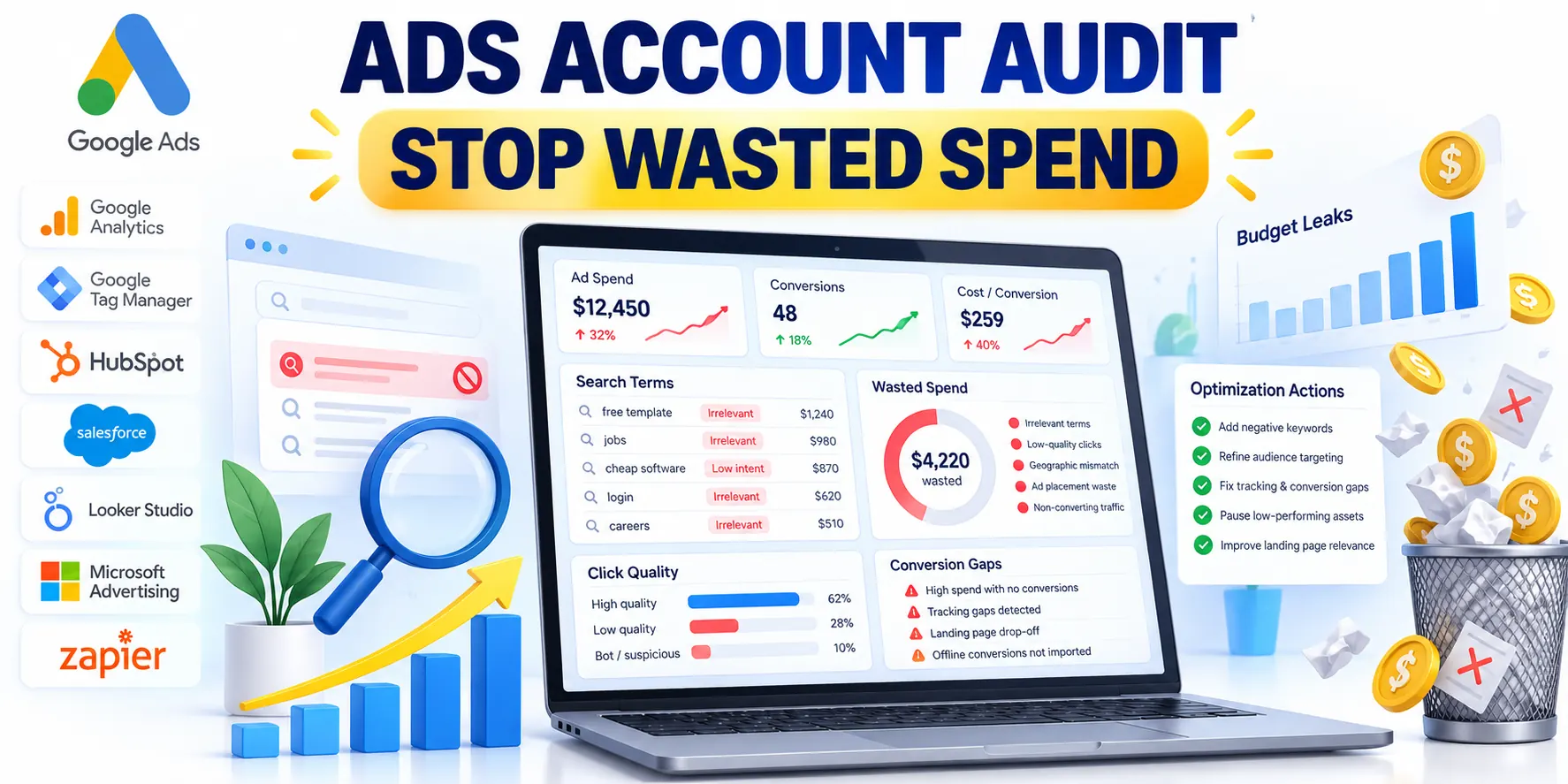
A B2B Google Ads account audit should answer a business question: which spend is unlikely to create qualified pipeline, and why?
Start by agreeing on the goal, sales cycle, audit period, and CRM outcome that represents a useful lead for this company.
Set the scope before opening reports
List the account, campaigns, markets, products, and date range included. Record exclusions, such as paused campaigns or a recent tracking migration.
Choose a comparison period with similar seasonality and enough time for leads to mature. A short window can make ordinary conversion delay look like failure.
Account for timing and known changes
Compare dates consistently and annotate major launches, price changes, site outages, and CRM changes that could affect results.
Without these annotations, reviewers can blame media decisions for performance changes caused by operations, pricing, tracking, or market conditions.
Define waste in business terms
Waste is not simply spend without a recorded conversion. It is spend that cannot plausibly support the agreed goal, after data quality and conversion delay are considered.
Separate confirmed waste from uncertain spend. Irrelevant search queries are stronger evidence than a small campaign with limited, immature data.
Use these categories to classify every finding:
- Confirmed mismatch: the query, location, audience, or offer is outside the intended market.
- Measurement risk: conversion events are missing, duplicated, misclassified, or disconnected from CRM outcomes.
- Performance concern: relevant traffic spends without qualified outcomes after adequate time and volume.
- Unresolved: the available sample or tracking cannot support a reliable conclusion.
Build a baseline that includes lead quality
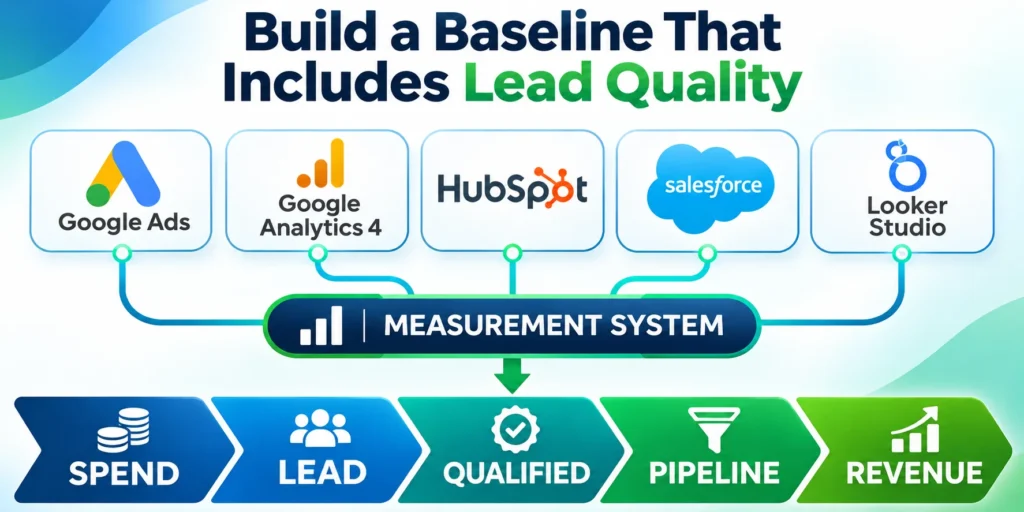
Export cost, clicks, search impressions, conversions, and conversion value at campaign level. Add CRM leads, qualified leads, opportunities, wins, and revenue when available.
Use the same attribution definitions throughout the review. A form submission, sales-accepted lead, opportunity, and closed customer are different outcomes.
Reconcile these baseline signals before comparing campaigns:
- Spend by campaign and billing period
- Leads deduplicated in the CRM
- Qualified opportunities with consistent stages
- Revenue matched to mature acquisition cohorts
Compare media cost with pipeline cost
Calculate cost per qualified lead and cost per opportunity beside cost per click. These measures help distinguish cheap traffic from commercially useful traffic.
For example, a campaign can have a low click cost and still consume budget if its visitors rarely match the target account or buyer role.
| Signal | Primary evidence | Audit action |
|---|---|---|
| Spend | Billing and cost reports | Reconcile totals |
| Lead | Form and CRM records | Remove duplicates |
| Qualified | Lifecycle stage | Compare campaign quality |
| Revenue | Closed outcomes | Validate value feedback |
Set an economic reference, not a universal benchmark
Use the company’s allowable acquisition cost and actual funnel rates to estimate an acceptable qualified-lead cost. Do not borrow an unrelated industry average.
If an acceptable customer acquisition cost is $6,000 and one in ten qualified leads becomes a customer, the illustrative lead ceiling is $600.
Keep economic thresholds provisional
This is a planning reference, not proof that every lead above $600 is waste. Check sample size, lead quality, deal value, and sales-cycle timing.
Update the estimate when close rates or margins change. If the sales team uses different qualification rules, reconcile those definitions before comparing campaigns.
Find Spend That Misses Search Intent
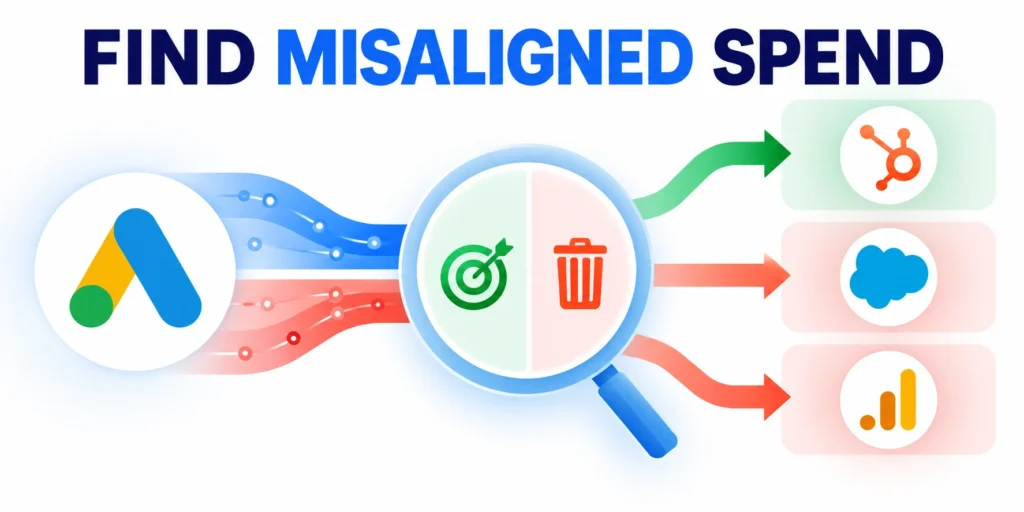
Search-query review is one of the clearest ways to identify budget reaching people who are not looking for the advertised B2B solution.
Review actual searches with cost and downstream quality together. The Google Ads search terms report explains which queries triggered ads and how match types relate.
Inspect queries by intent and business fit
Open Campaigns, then Insights and reports, then Search terms. Set the audit date range and add cost, conversions, conversion value, and match type columns.
Group queries into buyer intent, research intent, job-seeking, education, consumer, competitor, and unrelated categories. Adapt these groups to the offer.
Judge relevance before judging conversion count
Do not exclude a query merely because it differs from the keyword wording. Read the actual request and confirm whether the offer can answer it.
Google withholds some low-volume search terms for privacy. A missing query in this report does not prove that no other searches occurred.
Use the report with its limitations in mind
Use the Google Ads search terms report documentation for report definitions and limitations.
Compare the report with CRM outcomes because a low-volume query can still create an opportunity after the advertising interface stops attributing activity.
Classify before adding negative keywords
Mark each candidate as clearly irrelevant, potentially relevant, or unresolved. Record the query, cost, campaign, reason, proposed action, and owner.
Apply these checks before adding negative keywords:
- Exclude a clearly unrelated term when it conflicts with the product, audience, or geography.
- Check whether a phrase is relevant in another campaign before applying an account-level exclusion.
- Use the narrowest negative-keyword scope that solves the documented mismatch.
- Review close variants, spelling, and match behavior rather than adding a long list of near-duplicates.
- Recheck query quality after the change to catch useful traffic accidentally blocked.
For example, a B2B software vendor may exclude consumer troubleshooting searches but retain “implementation partner” queries that signal a buying project.
Connect query findings to the account structure
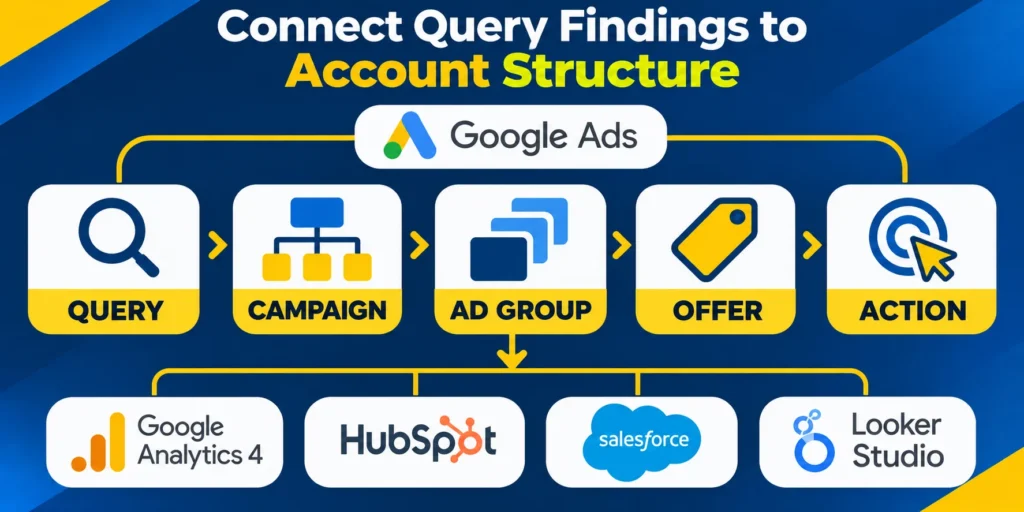
Check which keyword and ad group matched each query. Broad matching can surface useful discovery traffic and unrelated searches, so evaluate actual outcomes.
Separate high-intent, comparison, and educational themes when their offers or landing pages differ. Avoid splitting campaigns solely to create more rows.
Map each query pattern to its smallest responsible control:
- Keyword match type for recurring ambiguity
- Ad group for mismatched offer themes
- Campaign for geographic or budget constraints
- Landing page for expectation gaps
Turn patterns into narrowly scoped actions
For broader campaign planning, compare the findings with the B2B Google Ads guide to qualified pipeline.
Review search partners, locations, devices, and schedules when the account has enough data. Use the dimensions to find a specific mismatch, not to chase random fluctuations.
Apply exclusions at the right level
Document the targeting level where a change belongs. A useful exclusion for one campaign can block valuable searches if applied account-wide.
Test proposed exclusions against close variants and valuable phrases so a narrow correction does not suppress relevant demand elsewhere in the account.
Confirm structural changes with downstream evidence
Review whether the proposed account change improves offer alignment, reporting clarity, qualified pipeline, and clear ownership without hiding useful discovery demand.
Define the expected effect and rollback signal before implementation. This prevents a tidy account structure from becoming the objective instead of business performance.
Verify Conversion Signals and Lead Quality

Before cutting spend, confirm that Google Ads is receiving the signals used to judge campaign value and guide automated bidding.
Trace one real lead from click through form, CRM record, qualification, opportunity, and sale. Compare the identifiers and timestamps available at each step.
Verify these signals before changing optimization goals:
- Primary actions represent meaningful business outcomes
- Secondary actions remain excluded from bidding
- CRM imports use stable identifiers and timestamps
- Values reflect consistent lifecycle definitions
Audit conversion actions and bidding goals
Open Goals, then Conversions, and review each action’s source, status, count setting, value, and whether it is used for bidding.
Distinguish primary actions used for optimization from secondary actions retained for observation. A page view should not silently represent a qualified lead.
Look for duplicate or premature events
Check for duplicate events, thank-you-page reloads, test submissions, and events that fire before a meaningful action is complete.
Compare conversion totals with form records and CRM records using the same dates and attribution windows. Explain expected differences before calling them errors.
Check imported offline outcomes
If the business imports CRM milestones, verify the source, upload schedule, accepted records, match rate, and recent diagnostics.
Compare imported qualified leads and sales with CRM totals. Differences can reflect consent, click identifiers, timing, deduplication, or attribution rules.
Protect bidding from broken signals
Use the offline CRM conversion tracking guide when the gap depends on imported sales milestones.
Do not increase bids or remove a campaign based on a broken conversion action. Fix the measurement path, then allow enough time for corrected data.
Use quality stages instead of one inflated conversion count
Map stages such as inquiry, marketing-qualified lead, sales-accepted lead, opportunity, and customer to separate events or CRM reporting.
Review each campaign’s progression between stages. A campaign with fewer form fills may produce more accepted opportunities and deserve continued investment.
Allow for delay and small samples
Document lag between a click and a qualified outcome. Recent cohorts may look weak because sales has not finished reviewing them.
Where sample sizes are small, report counts and uncertainty plainly. Avoid claiming statistical certainty from a handful of leads.
Wait for enough evidence before declaring a winner
When a campaign has few mature opportunities, continue observing or design a controlled test instead of declaring a winner from noisy data.
Document the minimum mature sample before comparison, then revisit the decision after late CRM outcomes have entered the same reporting window.
Review Campaign Structure, Bidding, and Budget Exposure

After confirming query and measurement quality, inspect how campaigns divide budget and whether each landing page fulfills its ad promise.
Keep findings specific to the account. A complex structure is not automatically wasteful, and a simple structure is not automatically efficient.
Review these controls before reallocating campaign budgets:
- Campaign objective matches the intended offer
- Budget supports meaningful conversion volume
- Bidding uses reliable primary signals
- Networks and locations match service coverage
Check campaign purpose and budget allocation
For every campaign, write down its audience, offer, goal, geography, budget, bid strategy, and conversion actions. Flag campaigns with conflicting purposes.
Compare budget share with qualified pipeline share, while accounting for deal size, sales cycle, and attribution differences.
Look for constraints before moving budget
Look for budgets concentrated in low-intent themes while eligible high-intent campaigns repeatedly lose meaningful coverage. Confirm the cause before reallocating.
Check whether a campaign is limited by budget, rank, policy, or targeting. Those conditions call for different fixes and may not mean the spend is wasteful.
Review bidding against the signal available
Check that automated bidding optimizes toward the intended primary actions and values. A strategy cannot repair inaccurate conversion definitions.
Review recent changes, learning periods, target settings, and conversion delay. A sudden bid adjustment during a short sample can create misleading comparisons.
Treat platform suggestions as hypotheses
Read Google’s account recommendations as suggestions based on account history, settings, and trends—not as guaranteed performance improvements.
The official Google Ads recommendations documentation explains that estimates do not predict campaign results.
Use bidding detail when the signal is trustworthy
For bid-specific analysis, use the Google Ads bidding guide for high-ticket services after validating the conversion goals.
If the signal remains sparse, use a controlled experiment or manual bidding period instead of asking automation to infer value from unstable events.
Test the whole landing-page journey

Open representative ads and follow their destination URLs on desktop and mobile. Confirm that the page matches the query, audience, and advertised offer.
Check whether the promised service is visible, the form works, required fields are reasonable, and the next step is understandable.
Follow these checkpoints during each representative test:
- Ad promise matches landing-page content
- Page loads without disruptive redirects
- Form accepts and confirms valid submissions
- CRM receives the correct source details
- Analytics records the intended conversion event
Test measurement on the live journey
Inspect load failures, redirects, broken forms, consent behavior, and confirmation events. A tracking mismatch can make a working page appear unproductive.
Use a simple test submission and verify the resulting CRM record. Remove test data from reporting or mark it clearly before comparing outcomes.
Review location, device, schedule, and network settings
Compare qualified outcomes across locations, devices, hours, and networks only where the sample supports a useful decision.
Check whether targeting matches where the company can sell and serve. Location presence settings and exclusions should reflect actual service coverage.
Avoid exclusions based on isolated swings
Do not make broad exclusions from one poor day. Confirm the pattern, inspect lead quality, and consider whether the affected group serves a strategic role.
Write down the evidence threshold and review date before making a large cut. This makes it easier to reverse a decision when new data changes the picture.
Prioritize Fixes and Monitor Results

An audit is useful when findings become controlled changes with an owner, a reason, and a measurable follow-up.
Separate urgent tracking repairs from optimization ideas. Record uncertain items instead of turning them into immediate budget cuts.
Rank actions by evidence, impact, and risk
Score each finding informally across potential spend affected, confidence in the evidence, expected pipeline impact, effort, and reversibility.
Prioritize findings using these practical action groups:
- Fix measurement first: repair missing or duplicated conversion signals before comparing automated bidding performance.
- Remove clear mismatches: address queries, locations, or placements that plainly cannot serve the offer.
- Improve message and destination: align ads with the real buyer problem and landing-page action.
- Reallocate cautiously: move budget only when qualified outcomes support the destination campaign.
- Investigate uncertain groups: collect more evidence where the sample or tracking is insufficient.
Make one meaningful change at a time when practical. If several changes must ship together, label the result as combined rather than attributing it to one edit.
Create a change log and follow-up plan
Record the date, campaign, original condition, change, rationale, owner, expected signal, and review date in a shared change log.
Use Google Ads Change history to review account, campaign, and ad-group changes alongside performance timelines.
Set a meaningful measurement window
Compare equivalent periods and allow for conversion delay. Monitor qualified leads, opportunities, cost, and revenue—not just clicks or platform optimization score.
If results move unexpectedly, check whether spend, traffic mix, tracking, website behavior, or sales processing changed during the same window.
Use each audit to improve the next one
A disciplined account review should reduce avoidable spend while preserving relevant demand. Revisit the audit when goals, offers, tracking, or markets change.
Keep a short record of what was confirmed, what remains uncertain, and which question the next review should answer.
Reconcile Spend With Billing and Change History
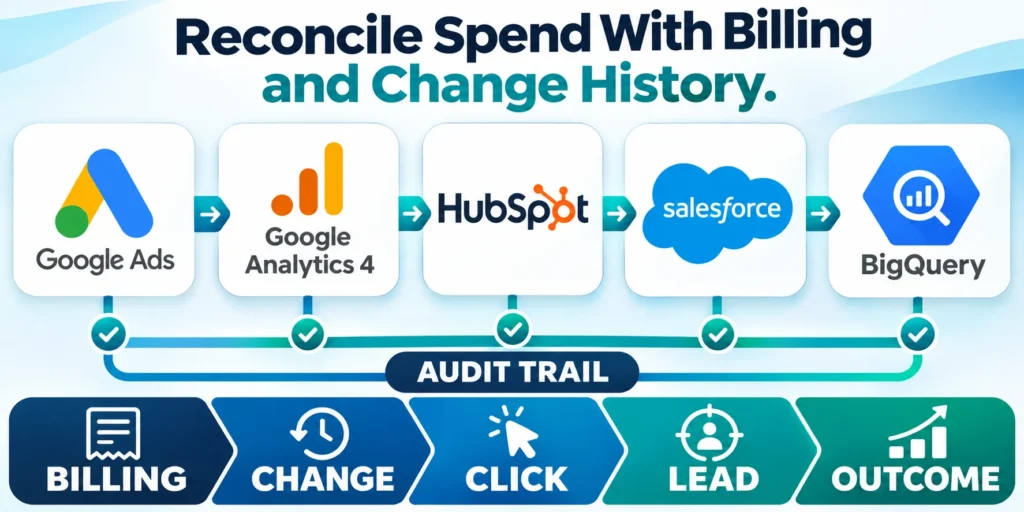
Compare account spend, invoices, budgets, automated rules, recommendations, and recent changes before attributing a cost increase to traffic quality alone.
A review should identify when the change occurred, who or what made it, which campaigns were affected, and whether the effect persists.
Reconcile these records before diagnosing wasted spend:
- Invoice totals against reported account cost
- Budget changes against the change history
- Automated rules against unexpected delivery shifts
- CRM outcomes against click and conversion dates
Segment Search Terms by Business Meaning
Classify representative queries by offer fit, intent, customer type, geography, ambiguity, and stage instead of judging isolated words without context.
Use negative keywords carefully; an apparently irrelevant token may belong to a valuable phrase, while a relevant term may still attract unsuitable demand.
Audit Conversion Actions and Values
List every primary and secondary action, source, counting method, window, value, attribution setting, import delay, and campaign optimization role.
Remove duplicate or misleading goals from bidding decisions only after confirming which systems rely on them and preserving evidence for comparison.
Trace Offline Outcomes Back to Clicks
Test identifiers, consent, CRM mapping, lifecycle timestamps, deduplication, upload cadence, value updates, failures, and reconciliation using representative lead journeys.
Low imported volume can reflect a technical break, long sales cycle, eligibility rule, or genuine quality problem; investigate these causes separately.
Review Network and Placement Exposure
Confirm search partners, display expansion, locations, languages, devices, schedules, audience settings, and exclusions match the documented acquisition strategy.
Evaluate settings with qualified outcomes and sufficient volume; broad reach is not inherently waste, and narrow reach is not inherently efficient.
Prioritize Changes by Evidence and Reversibility
Rank findings by expected business impact, confidence, implementation risk, learning value, and time required to observe a credible result.
Change a bounded set at once, annotate the account, preserve the baseline, and define rollback conditions before allowing automated optimization to learn again.
FAQ
These answers address common questions about diagnosing wasted spend while preserving reliable measurement, useful demand, and controlled account learning.
How often should a B2B Google Ads account be audited?
Review account health regularly and after material changes. Match performance windows to the sales cycle and conversion delay instead of forcing one universal schedule.
What counts as wasted spend in B2B search advertising?
Spend is clearly wasteful when it reaches irrelevant queries or audiences. Weak results need more context about tracking, lead quality, sample size, and timing.
Should I pause every keyword with no conversions?
No. Check spend, intent, conversion delay, CRM quality, and the number of meaningful opportunities before pausing a keyword or campaign.
Why do Google Ads conversions differ from CRM totals?
Attribution windows, consent, click identifiers, import timing, deduplication, and definitions can create differences. Reconcile equivalent events and periods before diagnosing a fault.
Can Google’s recommendations identify wasted spend automatically?
Recommendations can surface opportunities, but they do not know every sales constraint. Validate each suggestion against account evidence, CRM outcomes, and business economics.
Should every irrelevant query become a negative keyword?
No. Review phrase context, match behavior, volume, intent, and impact before excluding potentially valuable related demand.
How is wasted spend defined for long sales cycles?
Use qualified outcomes, conversion delay, sales effort, value, and evidence quality rather than immediate lead volume alone.
Can Google Ads recommendations be applied automatically?
Only within approved governance, because each recommendation must fit objectives, constraints, evidence, risk, and measurement design.
What should be audited after tracking changes?
Recheck consent, tags, goals, values, deduplication, attribution, imports, CRM mapping, bidding use, and representative journeys.
When should an audit change bidding?
Change bidding after conversion evidence, economics, volume, delay, constraints, and rollback conditions are sufficiently understood.
Conclusion
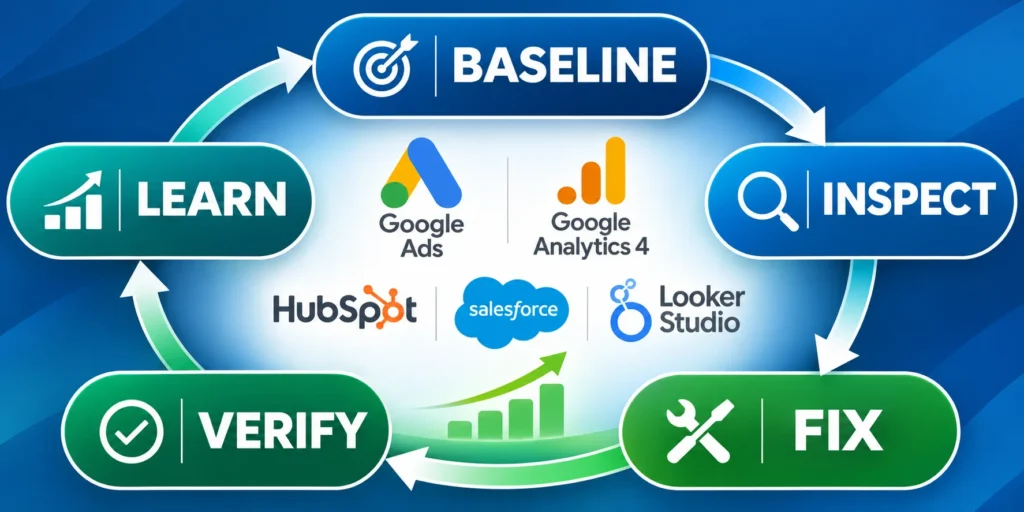
A useful Google Ads audit distinguishes confirmed waste from uncertainty, measurement failure, conversion delay, and strategically important demand that needs more evidence.
The outcome is not a larger change list. It is a prioritized record connecting spend, search intent, conversion quality, account controls, and CRM outcomes.
Turn findings into controlled action
Start with corrections supported by direct evidence, such as irrelevant queries, broken events, unsupported locations, or landing-page failures that prevent a valid evaluation.
Sequence broader bidding and budget changes after measurement is trustworthy. Preserve the baseline and isolate variables so later results remain interpretable.
Use this order when implementing audit findings:
- Repair broken measurement and attribution
- Exclude confirmed irrelevant demand carefully
- Align campaigns with offers and markets
- Improve landing-page journey continuity
- Adjust bidding after signals stabilize
Protect the next learning cycle
Record the owner, change date, affected scope, expected effect, review window, and rollback condition for every material action.
Reconcile mature CRM outcomes at the scheduled review. Keep effective changes, reverse harmful ones, and carry unresolved questions into the next audit baseline.
Review results against mature outcomes
Compare the post-change period with equivalent cohorts after allowing the normal sales delay. Separate measurement repairs from genuine shifts in demand quality.
The next audit should begin from this reconciled evidence, not a fresh assumption. That continuity makes repeated reviews faster, safer, and reliably more useful.








Leave a Reply