


Map CRM fit to the B2B operating model

HubSpot vs Salesforce is not a universal winner question; the right choice depends on how your B2B teams sell, serve, and govern customer information.
Choose around operating needs, not brand reputation. A platform that fits current workflows but cannot support planned complexity creates costly rework later.
Start with the work customers experience
Map how an account moves from first interaction through qualification, opportunity, onboarding, renewal, and support. Include handoffs between departments.
For each stage, identify the owner, information needed, decision made, and system of record. This reveals whether your problem is process, data, or software.
Use these actions to start with the work customers experience:
- Pick one high-value journey, such as inbound lead to qualified opportunity.
- Record the systems and spreadsheets people use at every handoff.
- Measure current delay, rework, missing data, or forecast disagreement.
- Define the business result the CRM must improve within a realistic period.
Separate requirements from preferences
Label each requirement as essential, valuable, or optional. Require evidence for essential items, such as a regulatory control or a documented workflow.
A preference is not a requirement simply because a team is accustomed to a legacy screen. Test whether changing the process could remove the need.
Example: translate operating differences into requirements
A growing services firm may need account hierarchies, recurring revenue tracking, and project handoffs. A smaller software company may prioritize fast qualification and marketing-to-sales context.
For an implementation sequence, see the related guide to enterprise CRM strategy, migration, and adoption.
Assign accountable process owners
Name one business owner for each core workflow and a data steward for each important object. IT can configure the system, but business leaders own definitions.
Without decision ownership, every team may request a different pipeline, field, or automation. The result is a system that records activity without creating consistent operations.
Compare platforms using practical decision criteria
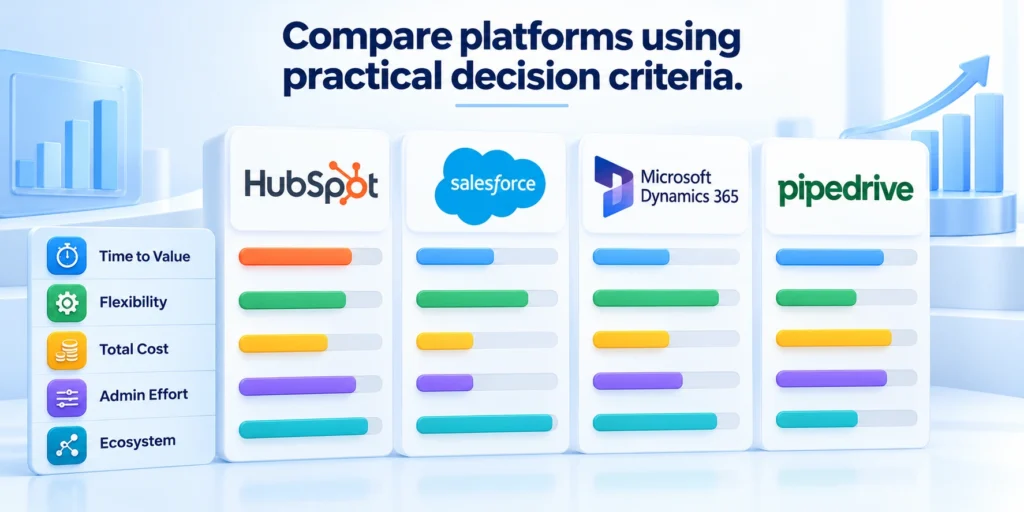
Do not compare feature checklists in isolation. Score each platform against the same real workflows, user roles, data requirements, and operating constraints.
Capabilities vary by product edition, add-on, and contract. Confirm availability in current vendor documentation and a configured demonstration before treating a feature as included.
Compare platforms through these repeatable evaluation controls:
- Use identical workflows, roles, and sample records.
- Require configured evidence for essential capabilities.
- Record exceptions, dependencies, and manual workarounds.
- Separate product limits from implementation choices.
Use a weighted scorecard
Choose five to eight criteria that could change the decision. Weight them by business impact, then score each vendor using evidence from a scripted workflow.
Document scoring guidance before demonstrations so evaluators interpret evidence consistently and cannot change weights after seeing preferred results.
| Decision area | What to test | Evidence to record |
|---|---|---|
| Workflow fit | Can users complete the defined journey? | Steps, exceptions, and handoffs |
| Data model | Can key relationships be represented cleanly? | Objects, fields, ownership, and history |
| Administration | Who can safely maintain rules and access? | Skills, permissions, and change process |
| Integration | Do critical systems exchange reliable data? | Failure handling, monitoring, and owner |
| Adoption | Can each role do its work with minimal friction? | Task completion, feedback, and training needs |
Test exceptions, not just the happy path
Demonstrate an account with several subsidiaries, a deal that changes owner, a renewal with service history, and a record that needs restricted access.
Ask how users correct errors and administrators audit changes. If prospecting depends on Sales Navigator CRM integration, test what happens when synchronization fails.
Record hidden workarounds
Capture workarounds and manual steps. A polished demo can hide them, while a realistic scenario exposes where the platform or implementation design needs extra effort.
Assign every workaround an owner, frequency, failure consequence, and estimated labor cost before accepting it as part of the operating model.
Keep the evaluation comparable
Give each vendor the same sample data, user roles, workflow script, and time to prepare. Separate product limitations from configuration choices.
Ask internal users to score usability independently before discussing results. This reduces the influence of a senior sponsor’s preference or a persuasive demonstration.
When HubSpot is a stronger fit

HubSpot may suit teams that want connected marketing, sales, and customer workflows with a relatively approachable experience and a clear path to adoption.
That general fit is not a guarantee of lower cost or simpler administration. Validate the exact capabilities, permissions, automation, and limits your design requires.
Validate HubSpot against these operating conditions:
- Marketing and sales share customer context.
- Standard objects support required relationships.
- Permissions match sensitive data boundaries.
- Available administrators can govern planned automation.
Look for a connected go-to-market workflow
Consider HubSpot when marketing and sales need shared customer context, consistent lead handoffs, and coordinated activity tracking in one operating environment.
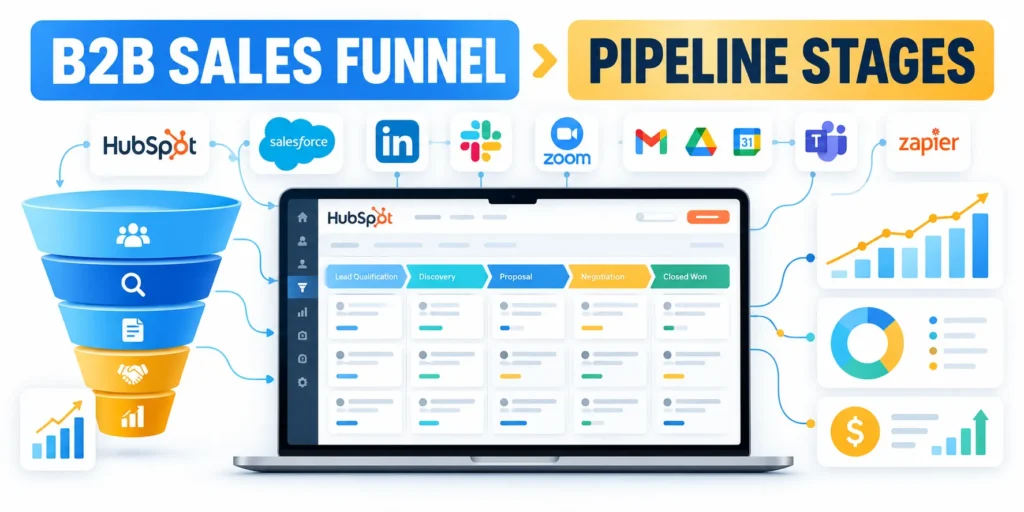
Use contact records, tasks, activities, and reports to test a complete workflow. In the pilot, configure representative HubSpot pipeline stages and test how deals move between them.
Verify edition and plan limits
Confirm which hubs, seats, and subscription tiers supply every required capability. The phrase “included in the platform” does not prove a feature is available in your proposed plan.
Record usage limits, upgrade triggers, renewal assumptions, and administrative dependencies because each can change the long-term fit and cost.
Check the model against your process complexity
List the record types and relationships your teams actually need. Identify whether standard objects are sufficient or whether custom objects and advanced automation are essential.
For example, a firm that sells a few repeatable service packages may fit a straightforward company, contact, deal, and ticket structure.
Example: test specialized relationships
A firm tracking complex product entitlements, partner networks, or multi-stage delivery may need additional modeling and governance. Verify those needs in a proof of concept.
Use representative records and exceptions because a simplified demonstration may conceal relationship, permission, reporting, or automation constraints.
Evaluate access and administration early
Map sensitive fields, teams, territories, and approval points. Verify that the intended edition supports the access model before importing confidential records.
HubSpot’s permissions documentation lists object-level controls and plan-dependent capabilities. Ask an administrator to demonstrate the roles you need in a trial or sandbox.
Where HubSpot can be less suitable
It may be a weaker fit when your evaluation depends on highly specialized object relationships, deeply tailored business processes, or organization-wide governance beyond the selected edition.
Do not assume an apparent gap is permanent. Ask whether configuration, an approved integration, or a higher tier addresses it, then include the resulting cost and maintenance.
Validate the gap before deciding
See our CRM data governance guide for criteria on ownership and record quality.
Confirm the gap with configured evidence, then compare remediation cost, operating effort, and user impact before rejecting the platform.
When Salesforce is a stronger fit

Salesforce may fit organizations with complex sales operations, specialized relationship models, broad integration needs, or a mature administration capability.
Flexibility is useful only when teams govern it. More options can increase configuration, testing, documentation, and support work if ownership is unclear.
Test complex account and opportunity scenarios
Use representative cases such as parent and subsidiary accounts, channel partners, multiple revenue motions, and opportunities with different approval rules.
Salesforce’s Sales Cloud materials describe account and opportunity data, activity management, reporting, and sales workflows. Verify the exact edition and architecture needed for your processes.
Test the release process
Have administrators show how a change moves from request through sandbox testing, approval, release, and post-release monitoring.
Measure the required roles, elapsed time, test evidence, rollback options, and communication burden for one representative change.
Budget for a platform owner
A configurable system needs someone responsible for standards, permissions, data quality, release management, and the backlog of improvement requests.
If that role is absent, the organization may accumulate fields, duplicate automation, and local workarounds. Assign capacity before rollout, including backup coverage.
Avoid customization as a substitute for decisions
Before building a custom object or automation, document the business rule, accountable owner, affected roles, exception path, and future maintenance responsibility.
Prefer the simplest design that satisfies a validated requirement. A standard process that users understand is often more reliable than a feature-rich model nobody maintains.
Key considerations for avoid customization as a substitute include:
- Reject fields that do not support a decision, control, or useful analysis.
- Require an owner and test case for every material automation.
- Review integrations for monitoring, retry behavior, and failure alerts.
- Document what can be changed safely and who approves it.
Where Salesforce can be less suitable
It can be excessive for a team that needs only a small standard pipeline and has no capacity for platform administration or release governance.
That does not mean Salesforce is inherently difficult. Complexity depends on product scope, implementation choices, data design, and ongoing operating discipline.
Calculate total cost and operating effort

Compare total operating cost across a consistent period, such as three years. Subscription price alone misses implementation, data work, integrations, and internal capacity.
Build one cost model for each platform using the same number of users, required functions, support assumptions, and growth scenarios.
Include direct and internal costs
Request a written estimate for subscriptions, seat types, add-ons, storage, support, and renewal terms. Confirm assumptions with each vendor because packaging changes.
Estimate implementation services, data profiling, cleanup, migration, integration build, testing, training, and ongoing administration.
Count internal project labor
Include time from sales, marketing, service, finance, security, and IT. Their work is a real project cost even when it does not appear on a vendor invoice.
Estimate hours by role and phase, then include the opportunity cost of delayed customer, revenue, or operational work.
Model adoption and maintenance
Estimate the effort to train new hires, support users, review data quality, update permissions, and test platform changes.
Ask what happens when a key administrator leaves. A low initial quote can hide dependence on specialized contractors or undocumented configuration.
Stress-test future growth
Compare a base case with a growth case. Add users, territories, integrations, and data volume so the decision reflects the organization you expect to operate.
Test the pricing and administration effect of realistic growth instead of assuming today’s configuration remains sufficient throughout the evaluation period.
Use a transparent comparison
Follow this sequence to use a transparent comparison:
- Write the required scope and assumptions on one page.
- Get vendor estimates for the same roles and processes.
- Add implementation and internal operating hours separately.
- List excluded capabilities, optional add-ons, and renewal dependencies.
- Stress-test the total against moderate growth and one integration change.
Keep the calculation editable. When a vendor changes a quote or a requirement changes, decision-makers should see exactly which assumption moved.
Require reviewers to cite the source and date behind every material assumption so later changes remain traceable.
Treat reversibility as a cost factor
Document data export options, contract exit terms, integration dependencies, and the work required to change platforms later.
Portability does not remove switching cost, but a clear data dictionary and disciplined exports reduce avoidable surprises.
Run a pilot before committing to migration
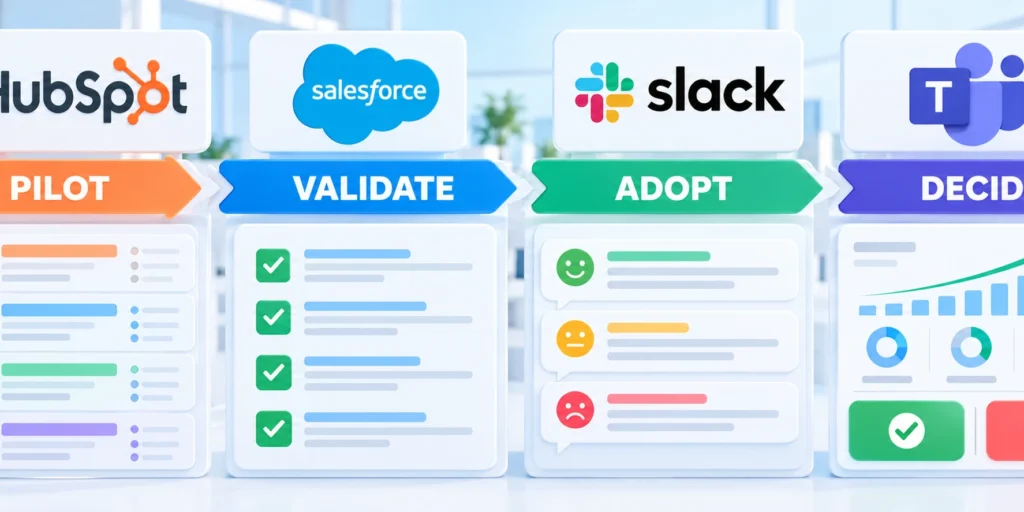
A short, bounded pilot can test whether the selected platform supports real work before the company commits to broad migration and rollout.
Choose a representative team and workflow, not only enthusiastic early adopters. Define exit criteria before configuration begins.
Use a staged proof of concept
Follow this sequence to use a staged proof of concept:
- Select one business journey with a measurable current-state baseline.
- Load a small, approved data sample with realistic exceptions.
- Configure only what the pilot needs and document every deviation.
- Ask role-based users to complete the workflow without coaching.
- Record errors, task time, data quality, and user feedback.
A successful pilot proves a specific design under defined conditions. It does not prove every department, integration, or historical record is ready.
Preserve the configuration and evidence so failed scenarios can be corrected and retested under the same conditions.
Set go, pause, and stop criteria
Agree on a minimum acceptable completion rate, critical data checks, security approvals, and unresolved defect severity before the pilot starts.
If a critical control fails, pause expansion. Identify the cause, correct it, repeat the affected scenario, and document the decision.
Plan migration and adoption together
Profile source data before mapping fields. Decide which records move, which are archived, who resolves duplicates, and how users report an incorrect record.
Give each role practice on its actual tasks. Train managers to coach workflow behavior and review exceptions, not merely to count logins.
Make the selection decision explicit
Choose the platform that passes essential workflow, security, data, and support requirements with the lowest sustainable operating burden.
Record the scorecard, assumptions, unresolved gaps, owner, and review date. Revisit the decision if company size, sales motion, or governance needs change.
Record the decision and review date
For cross-functional operating ownership, see the RevOps alignment playbook.
Keep the decision record accessible so future owners can distinguish tested evidence, accepted constraints, and assumptions that require another review.
Compare administrative capacity and change demand
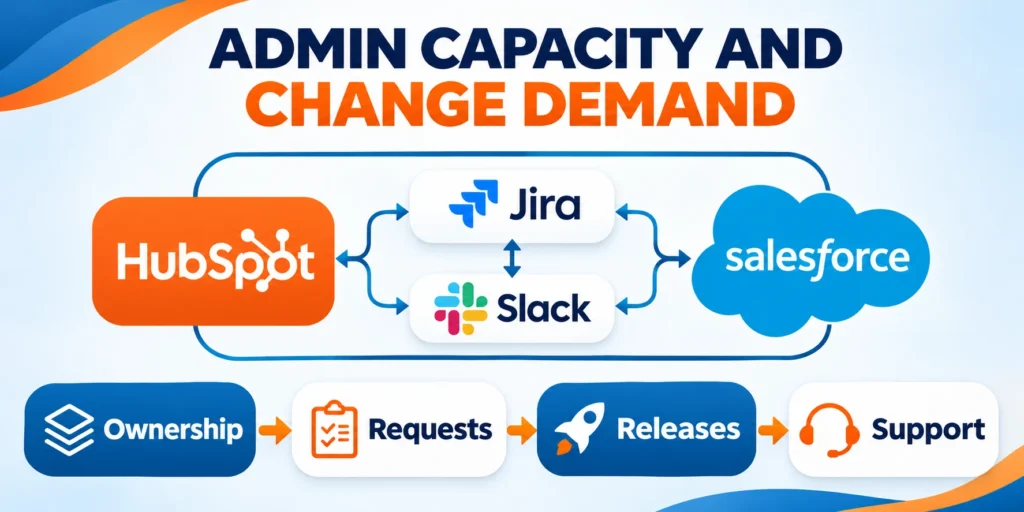
Estimate the ongoing work for configuration, data, access, integrations, reporting, releases, user support, training, and governance under the proposed design.
Use expected change volume and complexity, not vendor reputation. A lightly configured platform and a highly customized platform require different operating models.
Exercise representative change requests
Implement one field change, routing rule, approval, report, integration update, permission adjustment, and data correction in each pilot.
Measure analysis, configuration, testing, documentation, release, and support. Include the business owner’s time, not only administrator effort.
Use these actions to exercise representative change requests:
- Use equivalent business requirements.
- Record every role and dependency.
- Test rollback and communication.
- Price recurring operational work.
Review ecosystem dependency
Inventory marketplace apps, custom code, consultants, connectors, and vendor-specific skills. Identify renewal, support, security, and replacement risks.
Prefer supported standard capabilities when they meet the need. Approve customization only with a measurable benefit, owner, tests, and retirement path.
Estimate the sustainable operating model
Translate measured change effort into monthly capacity for administration, analysis, testing, documentation, training, support, security, data quality, and integration ownership.
Include backup coverage and vendor escalation because a platform depending on one specialist creates operational and continuity risk.
Compare demand with available capacity
Forecast routine requests, regulatory changes, product launches, territory updates, acquisitions, and integration maintenance across the evaluation period.
Select the platform whose expected demand can be governed by accountable people without accumulating unsafe shortcuts or an unmanageable backlog.
Test data portability and exit conditions
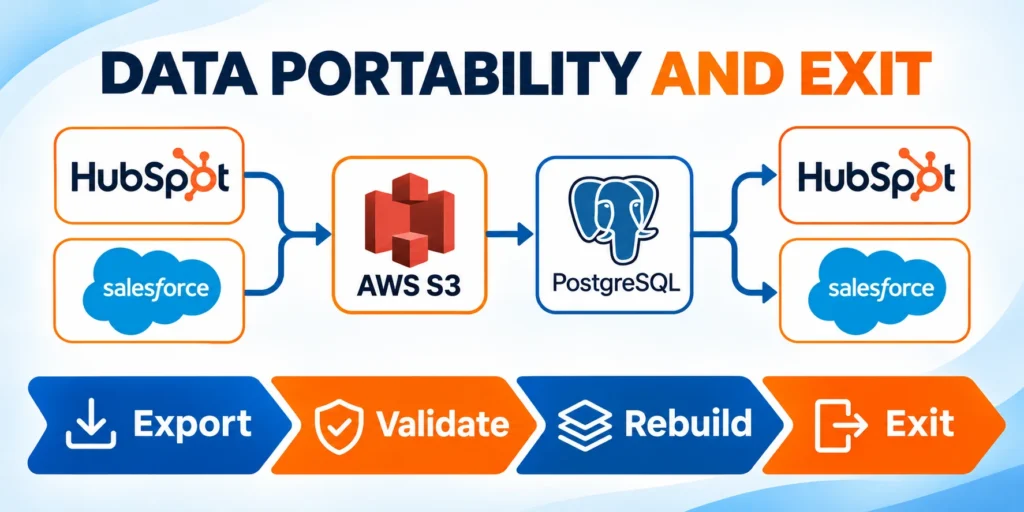
Export representative accounts, contacts, activities, relationships, files, permissions, and history. Confirm formats, identifiers, limits, and reconstruction requirements.
Document which capabilities or data structures cannot move directly. Include archival, retention, consent, and access obligations in the exit plan.
Set review triggers
Revisit the choice when business processes, user count, data complexity, integration demand, regulation, service model, or platform economics change materially.
Do not migrate because another platform appears newer. Require evidence that the expected benefit exceeds implementation and disruption risk.
Validate portability with these reconstruction checks:
- Export governed records with stable identifiers.
- Rebuild relationships outside the source platform.
- Reconcile files, history, permissions, and totals.
- Document losses, transformations, and accountable owners.
Verify a rebuild outside the source
Load the export into a neutral test environment and reconstruct representative accounts, contacts, opportunities, activities, attachments, relationships, and ownership history.
Compare counts, keys, timestamps, currencies, deleted records, permissions, and attachment integrity against controlled source reports.
Price the complete exit path
Estimate extraction, transformation, storage, validation, legal retention, user access, integration replacement, parallel operation, training, and contract termination effort.
Portability is credible only when owners can explain what moves, what changes, what remains archived, and how business continuity is protected.
Confirm continuity during transition
Define synchronization, read-only access, reconciliation, support, rollback, and ownership while the old and new platforms operate together.
End parallel operation only after accountable owners accept migrated records, integrations, reporting, retention, and unresolved exceptions.
Validate reporting and forecasting definitions

Build equivalent reports from the same sample data and written definitions. Compare stages, dates, ownership, currency, probability, products, renewals, and historical changes.
A polished dashboard cannot resolve conflicting business definitions. Agree on the question, population, source, calculation, refresh, and accountable owner first.
Test manager workflows
Ask managers to inspect pipeline, identify missing information, review changes, update assumptions, and explain a forecast without relying on hidden spreadsheets.
Measure trust, correction effort, delay, and unsupported workarounds. Include regional, product, and account hierarchies expected in the operating model.
Use these actions to test manager workflows:
- Use one governed data sample.
- Document every metric definition.
- Test history and ownership changes.
- Reconcile totals with source records.
Plan definition changes
Version stage and metric definitions, annotate reporting breaks, and preserve comparable history where possible. Communicate changes before teams act on new numbers.
Price the ongoing governance effort in both platforms. Reporting quality depends on operating discipline as much as software capability.
Reconcile forecasts with operating decisions
Ask leaders to explain which actions follow from each metric, forecast category, confidence level, aging threshold, and exception report.
Remove reports that lack an owner or decision because additional dashboards can increase disagreement without improving planning.
Govern every reporting dependency
Document source fields, transformations, refresh schedules, filters, currencies, fiscal calendars, access rules, and downstream tools for each decision-critical report.
Assign business and technical owners. For custom objects or integrations, review the CRM development and consulting scope before choosing a partner.
Conclusion

The better CRM is the platform that supports validated workflows, data relationships, access controls, reporting definitions, and operating capacity with sustainable effort.
HubSpot and Salesforce can both succeed when teams define requirements, test realistic exceptions, govern changes, and preserve evidence behind the decision.
Choose from evidence, not reputation
Use identical workflows, sample records, roles, and acceptance criteria so differences reflect platform fit instead of demonstration style.
Document limitations, workarounds, dependencies, edition assumptions, and unresolved risks before comparing scores or total operating cost.
Protect the operating model
Assign accountable owners for workflows, data definitions, permissions, integrations, reporting, releases, training, support, and review triggers.
A capable platform becomes unreliable when nobody owns changes, exceptions, data quality, or the consequences of local customization.
Carry these controls into the final decision:
- Approve essential requirements before vendor demonstrations.
- Test representative workflows and failure conditions.
- Price implementation and recurring operating capacity.
- Verify export, reconstruction, and exit obligations.
- Record owners, assumptions, risks, and review triggers.
Treat selection as a reviewable decision
Keep the scorecard, pilot results, cost model, data dictionary, security evidence, architecture, and decision record accessible to future owners.
Review the choice when processes, scale, regulation, integrations, service expectations, staffing, or platform economics change materially.
Proceed through a bounded rollout
Expand from the pilot only after acceptance evidence confirms users, data, integrations, controls, support, recovery, and governance are ready.
Preserve rollback and escalation paths until accountable owners accept the migrated workflows and remaining limitations.
FAQ
These answers clarify common decisions about CRM fit, cost, pilots, integrations, portability, administration, and review timing.
Is HubSpot or Salesforce better for a B2B technology company?
Neither is universally better. HubSpot may fit connected marketing and sales teams seeking an approachable workflow; Salesforce may fit more complex models with strong administration.
Test both against the same processes, users, data, and operating budget before deciding.
Can a growing company start with HubSpot and switch later?
It can, but migration takes planning. Keep a data dictionary, document integrations, define ownership, and review portability before the system becomes difficult to unwind.
Switch only when measurable requirements justify the cost and disruption.
Does Salesforce require a dedicated administrator?
Complexity varies with scope and configuration. Any CRM needs accountable ownership for access, data quality, releases, user support, and process changes.
Estimate the capacity required for your design rather than assuming one product needs no administration.
How should a company compare CRM pricing?
Use a written multi-year model with equivalent users, required functions, implementation, integrations, internal labor, training, and renewal assumptions.
Reconfirm current vendor quotes and edition limits before signing because packaging and prices can change.
What should a CRM pilot prove?
It should show that representative users can complete an important workflow with reliable data, appropriate access, manageable effort, and clear support ownership.
Document the limits of the pilot and keep separate acceptance criteria for migration, integrations, security, and wider rollout.
Which CRM is easier to integrate?
It depends on required systems, data ownership, APIs, connectors, security, monitoring, and team skills. Test the actual integrations.
How should data portability be compared?
Export representative data and relationships, then assess formats, identifiers, files, history, permissions, limits, and reconstruction work.
Can both CRMs support complex B2B accounts?
Both can support B2B processes, but the required configuration, editions, extensions, administration, and user experience may differ.
What should be included in CRM total cost?
Include licenses, implementation, apps, integrations, data work, administration, training, support, testing, upgrades, and migration or exit costs.
When should a CRM choice be reconsidered?
Reconsider after material process, scale, data, integration, regulatory, operating-model, or economic changes supported by evidence.







Leave a Reply