


Model taxonomy around buyer tasks and product families

A B2B taxonomy must help buyers solve operational tasks while giving search engines a stable map of product relationships.
Begin with demand, catalog data, and sales language. Do not copy an internal inventory hierarchy that customers cannot understand.
Start from the buying job
Interview sales, support, product specialists, and customers. Record how buyers describe equipment, applications, specifications, replacements, and compatible components.
Compare those terms with search queries and internal site searches. Repeated patterns reveal useful category boundaries and missing landing pages.
Use these actions to start from the buying job:
- Identify the business task or application.
- Define the broad product family that solves it.
- Separate meaningful subfamilies by function.
- Record specifications used during evaluation.
- Map accessories, replacements, and compatible products.
- Assign an owner for every taxonomy branch.
Set rules for category depth
When using programmatic SEO for category pages, require sufficient inventory and distinct buyer value before making each category indexable.
Very deep trees increase clicks and maintenance. Very broad categories hide specialist inventory and weaken relevance for precise B2B searches.
| Taxonomy level | Buyer decision | Index when |
|---|---|---|
| Family | Select equipment class | Demand and inventory are substantial |
| Subfamily | Choose operating method | The distinction changes evaluation |
| Application | Solve an industry problem | Content and products satisfy the task |
| Attribute combination | Meet a precise requirement | Unique demand justifies a page |
Document inclusion and naming standards
Define which products belong in each category and how names are formed. A controlled vocabulary prevents parallel branches with equivalent meanings.
Keep customer-facing labels concise. Store synonyms for search, redirects, internal search, and editorial guidance instead of creating duplicate categories.
Separate categories, attributes, and filters
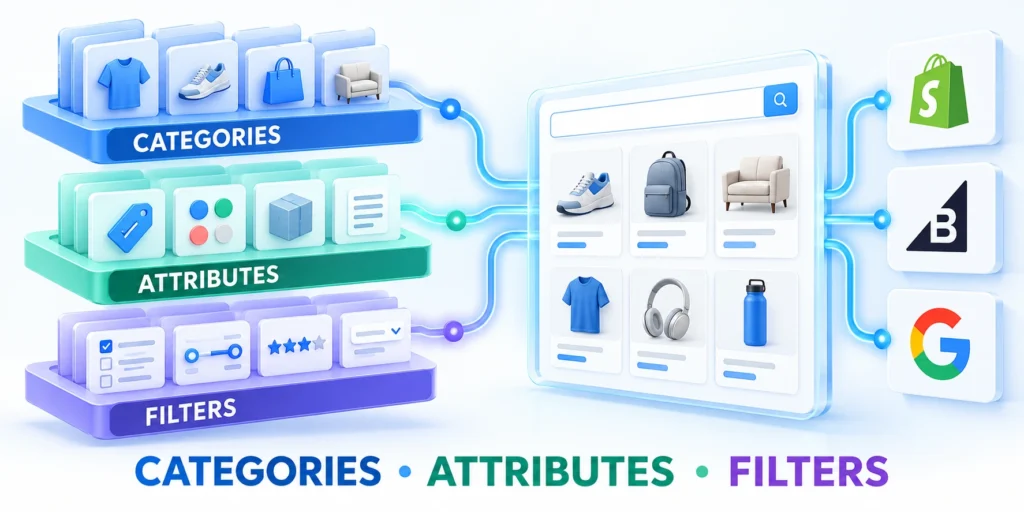
Categories define durable catalog groups. Attributes describe product properties, while filters let buyers combine those properties during discovery.
Using one mechanism for every distinction creates duplicate pages, inconsistent data, and filters that cannot scale across suppliers or regions.
Choose the correct taxonomy object
Use a category when buyers recognize a stable product class and expect a landing page with products, guidance, and internal links.
Use a global attribute for repeatable specifications such as voltage, pressure, material, capacity, certification, or connection type.
Apply these actions to choose the correct taxonomy object:
- Categories support hierarchy and navigation.
- Attributes support comparison and product variation.
- Filters combine attributes for discovery.
- Tags support limited cross-group associations.
- Custom fields store operational data without creating archives.
- Landing pages target approved high-value combinations.
Normalize attribute values
Choose one unit, spelling, capitalization, and format for each property. Preserve source values separately when procurement or integration systems need them.
Map equivalent values before import. Otherwise, buyers encounter fragmented filters and search engines discover near-identical archive pages.
| Data problem | Catalog effect | Correction |
|---|---|---|
| Mixed units | Separate filter values | Convert to one display standard |
| Supplier synonyms | Duplicate concepts | Map to a controlled term |
| Missing values | Incomplete results | Require or explicitly mark unknown |
| Free-text specifications | Unusable facets | Extract validated structured values |
Decide which filters deserve landing pages
Most filter combinations should help users without becoming indexable destinations. Index only combinations with distinct demand, inventory, and useful supporting content.
Maintain an explicit allowlist. The rule should consider demand, product count, uniqueness, business value, and maintenance ownership.
Design crawlable navigation and internal links
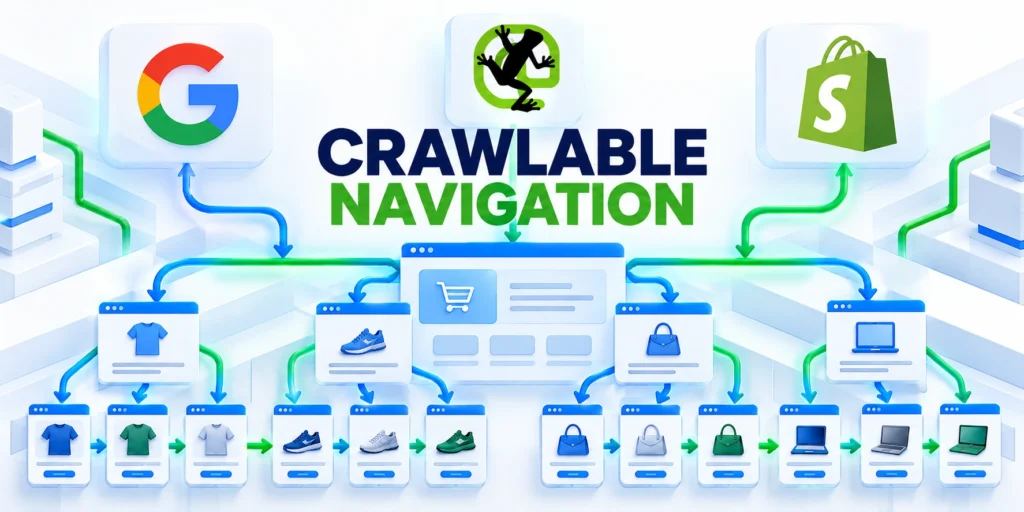
Google recommends linking from menus to categories, subcategories, and products so crawlers can reach the catalog without submitting a search form.
Navigation should also support real procurement paths. Buyers may enter through a product, application, brand, replacement, or technical guide.
Create a complete discovery path
Use standard anchor elements with descriptive labels. Do not depend solely on JavaScript events, internal search, or filtered interfaces for discovery.
Connect the enterprise B2B SEO strategy to catalog priorities, so important categories receive meaningful internal links.
Follow this sequence to create a complete discovery path:
- Link primary product families from stable navigation.
- Link subfamilies from their parent categories.
- Expose every indexable product through category links.
- Add breadcrumbs that reflect the chosen hierarchy.
- Connect technical guides to relevant category pages.
- Link complementary and replacement products contextually.
- Include approved URLs in XML sitemaps.
Prioritize strategic pages
Internal links communicate relationships and relative importance. Give high-value categories direct paths from strong navigation, guides, campaigns, and related products.
Avoid sitewide links to every taxonomy term. Excessive navigation dilutes usability and creates crawl paths toward thin or redundant archives.
Handle pagination and infinite loading
Each product in an indexable category needs a discoverable URL. Infinite interfaces should provide crawlable paginated links or another reliable discovery path.
Keep pagination signals consistent. Test whether crawlers can reach deeper inventory without cookies, forms, scrolling, or client-side interaction.
Control faceted URLs and canonical signals

Faceted navigation can generate thousands of URLs from a modest catalog. Uncontrolled combinations consume crawl resources and duplicate nearly identical product sets.
Define URL, canonical, linking, and indexation behavior for every filter type before expanding the interface or importing new attributes.
Classify every parameter
Parameters may change product identity, filter the result set, sort items, change presentation, preserve tracking, or carry session state.
Each class needs a consistent rule. Mixing identity and tracking logic produces unstable canonicals and duplicate URLs in internal links.
| URL behavior | Typical example | Default treatment |
|---|---|---|
| Product identity | Unique variant | Index only when independently valuable |
| Approved landing page | High-demand specification | Self-canonical and internally linked |
| Utility filter | Temporary narrowing | Keep usable but outside index targets |
| Sort or view | Price order or grid | Canonical to the stable result page |
| Tracking | Campaign parameter | Remove from internal links |
| Empty combination | No matching products | Noindex or appropriate not-found response |
Use canonical signals consistently
Indexable category and product pages should use stable, self-referencing canonicals. Sitemaps and internal links should point to the same preferred URLs.
Canonical tags are signals, not substitutes for governance. Stop generating useless paths, remove tracking parameters, and avoid linking duplicate combinations.
Prevent crawl traps
Block impossible combinations in the interface and API. Limit multi-select dimensions that create endless permutations without distinct buyer value.
Monitor new parameter patterns after releases. A single filter change can multiply crawlable URLs across every category and market.
Apply these controls to every parameter class:
- Define its buyer and catalog purpose.
- Choose one stable canonical treatment.
- Monitor unexpected crawl pattern growth.
Optimize category and product templates

Templates must support comparison, qualification, and procurement. Product grids alone rarely answer the technical and commercial questions behind complex B2B searches.
Build modular fields from reliable catalog data. Allow specialists to add unique guidance where a category or product needs deeper explanation.
Build useful category pages
Explain the product family, common applications, selection criteria, important specifications, and differences between subfamilies before presenting detailed filters.
Show inventory accurately and link to supporting guides. Avoid generic introductions repeated across hundreds of categories.
Use these actions to build useful category pages:
- Concise category purpose and application context
- Clear subcategory and filter options
- Product count and availability expectations
- Selection criteria and compatibility guidance
- Links to relevant technical resources
- A conversion path suitable for business buyers
Strengthen product detail pages
Use exact product names, identifiers, specifications, approved applications, media, availability, documentation, compatible items, and inquiry options.
Separate verified facts from marketing claims. Explain units and tolerances so buyers can compare products without contacting sales for basic information.
Manage discontinued and unavailable products
Keep a discontinued page when it still helps customers find documentation, replacements, or compatible products. State availability honestly and link the successor.
Return a permanent redirect only when a true replacement satisfies the same intent. Otherwise, preserve useful history or return an appropriate not-found response.
Review template integrity after catalog changes
Review templates after catalog, pricing, inventory, or schema changes. Confirm that buyers and crawlers still receive consistent product identity, availability, and next-step guidance.
Test representative categories and products across devices, markets, and availability states. For a WordPress catalog, include those templates in the technical SEO review.
Map product variants and structured data

Variants need stable relationships between the parent product, selectable configurations, unique identifiers, URLs, prices, availability, and structured data.
Choose a single-page or multi-page model according to search demand, content differences, inventory systems, and the ability to maintain accurate signals.
Define parent and variant identities
Assign a durable parent identifier and a unique SKU or equivalent identifier to each sellable variant. Keep those values synchronized across systems.
Google supports ProductGroup relationships using properties such as productGroupID, variesBy, hasVariant, and isVariantOf alongside Product data.
Use these actions to define parent and variant identities:
- Record the parent product group identifier.
- Assign a unique identifier to every variant.
- Define the properties that create variants.
- Provide a direct URL for selectable configurations.
- Keep price and availability current.
- Match visible content with structured data.
Choose a canonical model
Single-page variant selectors generally use one canonical parent URL. Variant parameters should preselect the correct image, price, availability, and purchasing state.
Multi-page variants may remain self-canonical when each page is independently useful. Each page needs complete, self-contained markup and accurate visible information.
Validate rendered output
Test the initial HTML, rendered markup, variant URLs, offers, availability, and identifiers. Dynamic changes must remain consistent with what users see.
Run validation after template, feed, pricing, or catalog changes. Structured data errors often originate in synchronization rather than the markup template itself.
Monitor crawl, indexation, and taxonomy changes

Taxonomy SEO is an operating discipline. Catalog growth, imports, filters, regional launches, and product retirement continually change the crawlable surface.
Combine search data, crawl evidence, catalog records, analytics, and sales feedback. No single report explains whether a taxonomy serves buyers correctly.
Track a focused control set
Measure indexable URLs by template and taxonomy branch. Compare those totals with approved targets and actual catalog inventory.
Investigate sudden growth, declines, duplicates, empty pages, redirect chains, orphaned products, canonical conflicts, and parameter patterns.
Use these actions to track a focused control set:
- Indexable URLs by page type
- Crawl requests by parameter pattern
- Orphaned products and categories
- Empty or thin result pages
- Canonical and sitemap inconsistencies
- Internal search terms with no useful destination
- Organic entries and qualified actions by category
- Catalog changes awaiting redirects or review
Use change control for taxonomy releases
Propose taxonomy changes with affected URLs, data mappings, redirects, navigation updates, structured data effects, ownership, testing, and rollback steps.
Test representative categories before a broad rollout. Confirm filters, canonicals, links, sitemaps, analytics, and product feeds after deployment.
Follow this sequence to use change control for taxonomy releases:
- Capture the current URL and taxonomy inventory.
- Map old terms to approved new terms.
- Prepare redirects only for true equivalents.
- Update navigation, feeds, and internal links.
- Validate templates and structured data.
- Release a limited branch or market first.
- Monitor crawl and conversion signals.
- Expand only after evidence supports the change.
Assign long-term ownership
SEO, merchandising, product data, engineering, and sales should share a decision record. One owner must resolve conflicts and approve new indexable concepts.
Review branches on a schedule based on catalog volatility. Retire unsupported terms without breaking useful URLs or losing customer documentation.
Govern taxonomy through accountable buyer journeys

Enterprise taxonomies require one accountable decision model across merchandising, product data, engineering, SEO, sales, and support. Shared input cannot replace a named owner.
Governance should protect real buyer tasks, stable product distinctions, and maintainable index targets. Test proposed changes through the public journey before approving a catalog-wide release.
Establish taxonomy ownership and change controls
Complex B2B catalogs change continuously as product lines, specifications, regions, and availability evolve. Without ownership, useful category structures drift into duplicate paths, inconsistent labels, and unreviewed indexable pages.
Assign one accountable owner for the taxonomy model and include merchandising, product, engineering, SEO, and sales stakeholders in material changes. Their decisions affect both findability and commercial clarity.
Key considerations for establish taxonomy ownership and change include:
- Define which team can create, rename, merge, or retire a term.
- Document the customer task served by every indexable category.
- Require an SEO review before introducing a new filter URL pattern.
- Keep a redirect decision for every retired indexable route.
Test taxonomy changes against real buyer journeys
A technically clean taxonomy can still fail buyers if it reflects internal catalog language instead of procurement, engineering, or operations tasks. Test navigation with the questions customers actually ask.
Review the journey from a broad category through filters, product detail, documentation, and a commercial action. Identify dead ends, ambiguous terms, and forced restarts.
Follow this sequence to test taxonomy changes against real buyer:
- Select representative buyer tasks and industries.
- Locate the expected solution using the public navigation.
- Check whether filters preserve the meaningful category context.
- Confirm that variants lead to a clear product decision.
- Record terms that customers misunderstand or abandon.
Use indexation signals to prioritize cleanup
Prioritize taxonomy maintenance by business and search impact. Start with indexed pages that attract impressions but fail to help a qualified visitor progress toward a product, quote, or technical evaluation.
Then investigate pages receiving crawl activity without a unique purpose. Consolidate only when the buyer task and product scope are genuinely the same, preserving useful alternatives where intent differs.
Apply these criteria to indexation signals to prioritize cleanup:
- Run a monthly review and record decisions affecting engineering, content, search, and revenue paths.
- Compare crawl changes with releases, redirects, and template updates.
- Assign owners to investigate material indexation anomalies.
Control taxonomy releases, crawling, and measurement

A taxonomy release can change URLs, navigation, feeds, analytics, redirects, structured data, internal search, and integrations simultaneously. Treat it as an architecture change.
Map dependencies, test representative crawl paths, preserve durable identifiers, and define rollback conditions before rollout. Measurement continuity matters as much as technical correctness.
Map taxonomy dependencies before each release
A taxonomy term can affect navigation, URLs, product feeds, analytics, redirects, structured data, internal search, and external integrations. Record these dependencies before renaming or merging anything.
Assign an owner to every affected system and define the sequence for updates. This prevents a correct catalog change from creating broken search paths elsewhere.
Use these actions to map taxonomy dependencies before each release:
- Inventory affected URLs.
- Identify feed mappings.
- Review analytics dimensions.
- Confirm redirect ownership.
- Test integration consumers.
Validate faceted navigation with controlled crawl tests
Test representative categories with common filters, empty combinations, pagination, sorting, and regional availability. Verify which URLs become links and which remain utility states.
Compare the resulting crawl surface with the approved allowlist. Unexpected parameter combinations should trigger investigation before a pattern spreads across the entire catalog.
Use these actions to validate faceted navigation with controlled crawl:
- Crawl without cookies.
- Inspect canonical targets.
- Count parameter patterns.
- Check empty results.
- Confirm sitemap consistency.
Connect taxonomy governance to technical architecture
Define rendering, canonicals, and redirects. For a headless WordPress catalog, review how the frontend renders taxonomy URLs whenever the content model changes.
Use our technical SEO architecture guide for large web applications to align catalog governance with platform controls.
Use these actions to connect taxonomy governance to technical architecture:
- Define rendering behavior.
- Preserve stable URLs.
- Test crawl paths.
- Monitor release effects.
- Document rollback conditions.
Define a lifecycle for deprecated taxonomy terms
Retired terms need an explicit outcome. Decide whether each one maps to an equivalent category, remains as historical guidance, or should return a not-found response.
Keep the decision tied to buyer intent and product scope. Similar labels do not justify redirects when the destinations answer different procurement questions.
Use these actions to define a lifecycle for deprecated taxonomy:
- Record the retired term.
- Identify affected products.
- Evaluate a true equivalent.
- Update navigation and feeds.
- Monitor residual demand.
Review external links and saved customer documentation before removing a route. A useful historical page may support service, replacement, or compliance work after sales end.
Preserve measurement through taxonomy changes
Renames and merges can break reporting continuity when analytics dimensions follow labels instead of durable identifiers. Preserve stable IDs and document every material mapping change.
Annotate release dates in search, analytics, merchandising, and revenue reports. This helps teams distinguish real demand changes from a new category structure.
Key considerations for preserve measurement through taxonomy changes include:
- Keep durable category IDs.
- Map old and new labels.
- Annotate release dates.
- Preserve historical reports.
- Review qualified conversions.
Compare discovery, product engagement, quote requests, and qualified opportunities before and after release. Do not approve a taxonomy solely because crawl metrics improved.
Conclusion
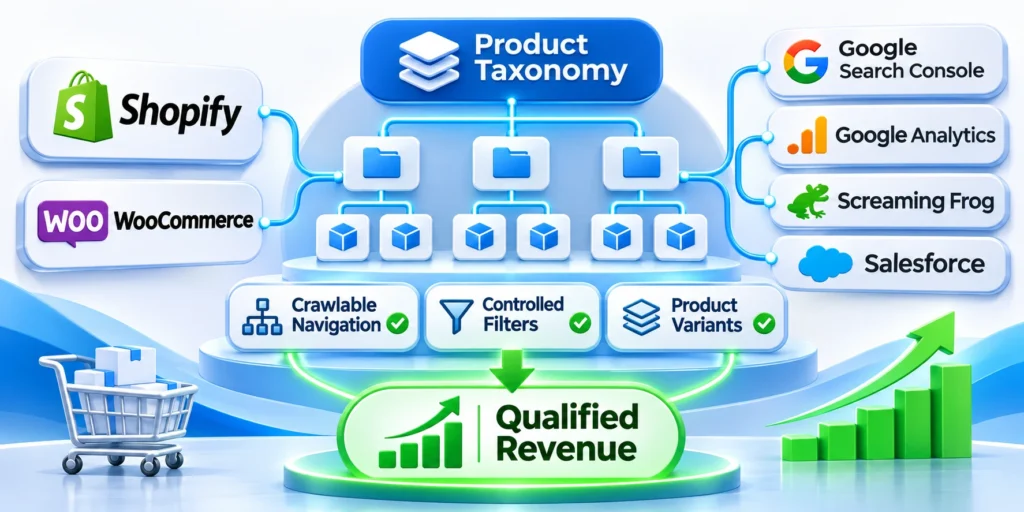
Enterprise e-commerce SEO depends on a taxonomy that represents buyer tasks, catalog truth, and stable technical behavior. Categories, attributes, and filters need distinct purposes.
A useful model guides customers toward products while limiting duplicate index targets and uncontrolled crawl paths. Search visibility should support qualified evaluation, not inflate URL counts.
Operate taxonomy as a governed product system
Define naming, inclusion, hierarchy, and indexation rules before adding new terms. Normalize attribute values and preserve durable identifiers across suppliers, markets, and reporting systems.
Assign one accountable owner and involve merchandising, product, engineering, SEO, sales, and support when changes affect buyer journeys or platform behavior.
Confirm these controls before approving taxonomy changes:
- Document the buyer task and product scope.
- Choose category, attribute, or filter deliberately.
- Define crawling and canonical behavior.
- Map URLs, feeds, analytics, and redirects.
- Assign release, monitoring, and rollback owners.
Test representative journeys through navigation, filters, product details, documentation, and conversion actions. Record ambiguous terms, dead ends, empty combinations, and forced restarts.
Validate templates, variants, structured data, pagination, and rendered links. On WordPress, use the WordPress security protocol to review access controls for buyer-only catalog content.
Measure commercial and search consequences together
Monitor crawl demand, index coverage, impressions, product engagement, quote requests, and qualified opportunities. Technical gains matter only when the resulting pages help real buyers.
Annotate taxonomy releases across search, analytics, merchandising, and revenue reports. Preserve prior mappings so teams can distinguish structural changes from genuine demand movement.
Use these outcomes during every scheduled review:
- Relevant category discovery and engagement
- Controlled parameter and crawl pattern growth
- Stable product and variant identification
- Successful navigation toward commercial actions
- Preserved reporting across taxonomy releases
Retire terms according to intent and product equivalence, not label similarity. Preserve useful historical guidance when customers still need replacements, specifications, service, or documentation.
A durable taxonomy becomes shared infrastructure for discovery, merchandising, integrations, and measurement. Governance keeps that infrastructure useful as products, markets, and buyer language evolve.
FAQ
These answers summarize common decisions for enterprise teams managing complex product taxonomies, faceted navigation, variants, and search visibility.
How many category levels should a B2B portal use?
Use the fewest levels that preserve meaningful product distinctions. Every level should support navigation, content, inventory, and an identifiable buyer decision.
Should every filter combination be indexed?
No. Index only combinations with distinct demand, stable inventory, unique value, and ownership. Keep utility filters usable without making them search targets.
Are categories or attributes better for SEO?
They serve different purposes. Categories express durable hierarchy, while attributes describe specifications. Approved attribute combinations can become dedicated landing pages.
Should product variants share one URL?
It depends on demand and implementation. One page suits closely related selections; separate pages suit variants with independently useful content and complete markup.
What should happen when a category becomes empty?
Remove it from navigation and indexing targets. Return an appropriate not-found response or preserve useful guidance only when it still serves users.
How should taxonomy synonyms be handled?
Map synonyms to one controlled customer-facing term. Use alternatives for search, redirects, internal search, and editorial guidance instead of creating duplicate category branches.
When should a filtered page become a landing page?
Promote it only when demand, inventory, content, business value, and maintenance ownership justify a stable page with a clear purpose.
How should discontinued products affect taxonomy?
Preserve useful documentation and replacement paths when demand remains. Remove empty navigation branches and redirect only when a true equivalent satisfies the same intent.
Can internal search replace crawlable navigation?
No. Search can support discovery, but indexable products and categories still need standard crawlable links through navigation, breadcrumbs, guides, or related items.
Who should approve taxonomy changes?
Assign one accountable owner and involve merchandising, product data, engineering, SEO, and sales when changes affect URLs, feeds, navigation, or commercial meaning.





Leave a Reply