

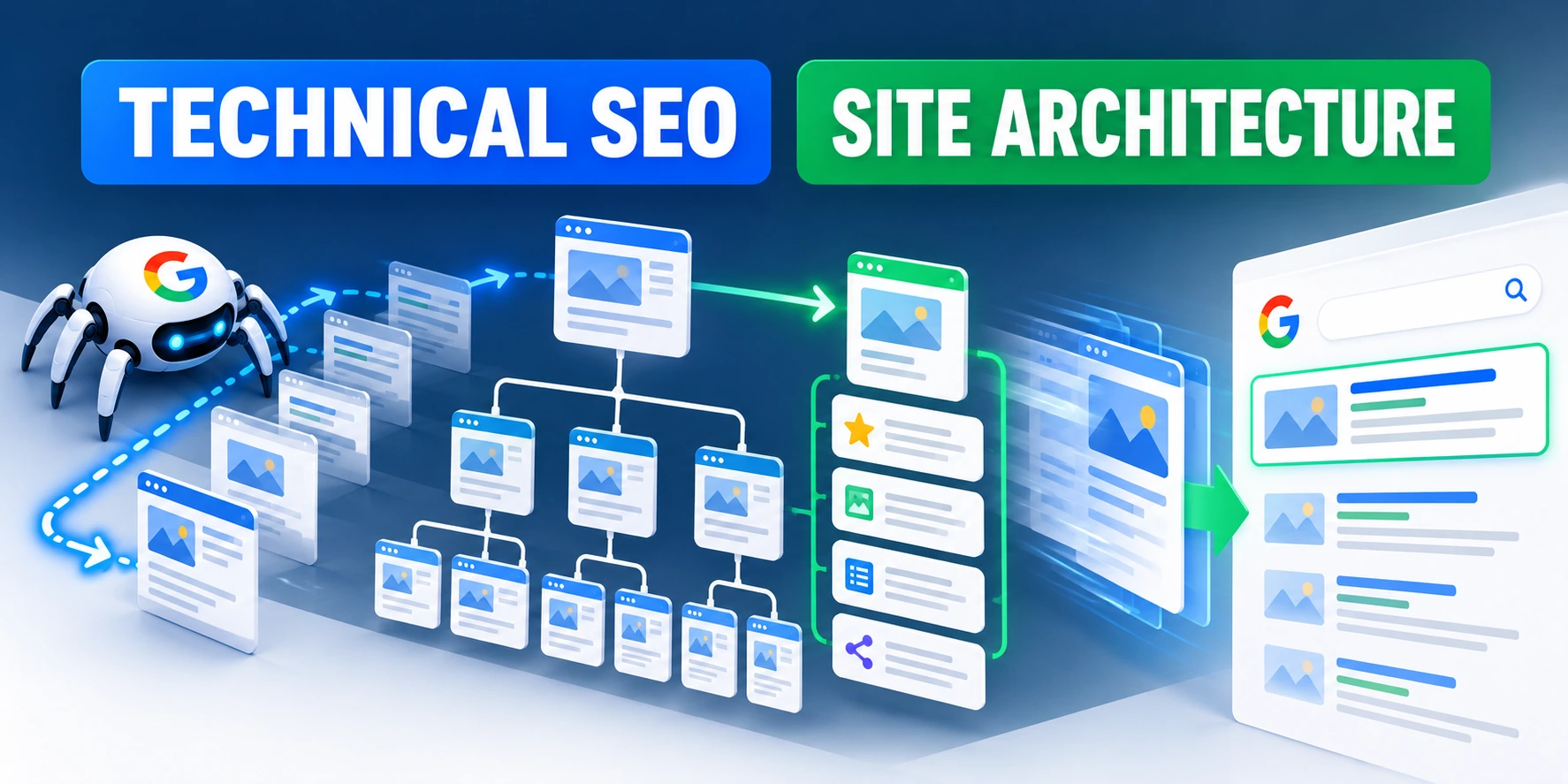
Treat Technical SEO as an Architecture Concern
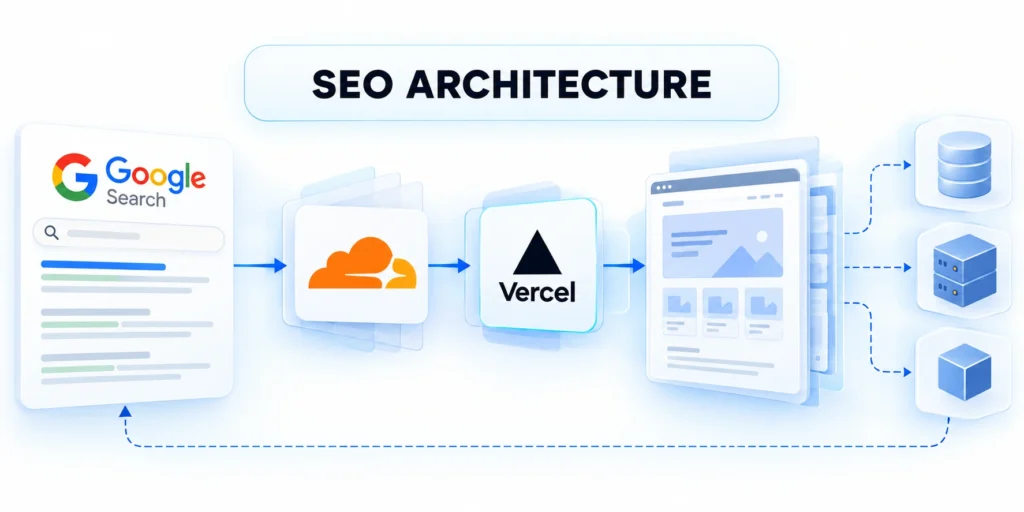
Technical SEO architecture is the set of application, URL, rendering, and content-delivery decisions that determine whether search systems can find and understand useful pages.
It matters most when a web application has many routes, frequently changing data, multiple rendering layers, or product experiences hidden behind client-side interactions.
Separate the search pipeline into observable stages
Teams often say a page is “indexed” when they only checked that it opens in a browser. That skips important stages.
Evaluate each search stage through these questions:
- Discovery: Does an internal link or sitemap expose the canonical URL?
- Fetching: Does the server return the expected response without authentication, blocking, or a redirect loop?
- Rendering: Does the rendered document expose the main text, links, metadata, and structured data?
- Indexing: Are canonical, robots directives, content quality, and duplicate relationships consistent?
Use four distinct questions: can a crawler discover the URL, fetch it, render essential content, and decide to include it in an index?
A page can pass one stage and fail another. A successful HTTP response does not prove that the page is indexable, selected as canonical, or eligible to appear in results.
Model the application as a family of page types
Do not begin by auditing every URL individually. Identify templates and route families, then sample URLs that exercise their important states.
A B2B application may expose product pages, documentation, customer stories, category pages, resource listings, localized pages, and account-only screens.
| Page family | Search purpose | Architecture question |
|---|---|---|
| Public product or solution page | Explain a product capability or fit | Is primary copy present in rendered HTML? |
| Documentation page | Answer a task-specific technical question | Are locale, version, and canonicals explicit? |
| Filtered listing | Help users narrow a large collection | Which filter combinations deserve stable URLs? |
| Authenticated workspace | Serve a signed-in customer | Should this remain private and undiscoverable? |
Assign an owner to each template family. Product engineering owns route behavior; content owners maintain page meaning; SEO and analytics teams define discovery and validation requirements.
| Route family | Owner | Release evidence |
|---|---|---|
| Public product pages | Product engineering and content | Rendered copy, canonical, internal links |
| Documentation | Developer education | Locale, version, navigation relationships |
| Filtered collections | Product and SEO | Approved combinations and route count |
| Authenticated workspace | Security and application engineering | Access controls and absence from public discovery |
| Retired or migrated routes | Content operations | Destination, response status, and sitemap cleanup |
Agree on success without promising rankings
Technical work can make important pages accessible and easier to interpret. It cannot guarantee crawling, indexing, rankings, or traffic.
Measure controllable outcomes first: canonical URLs returning the intended status, render tests finding key content, internal links resolving, and unwanted route growth being contained.
Connect architecture work to the content program
For the business-level content program, use the related enterprise B2B SEO strategy guide alongside this architecture-focused implementation plan.
Use shared route definitions and page roles so content planning never assumes discovery, rendering, or indexation behavior that the application does not provide.
Inventory Crawlable Routes and Page States

A route inventory reveals which URLs the application can produce, which ones have lasting value, and which ones are merely temporary interface states.
Before changing robots rules or canonical tags, compare route definitions with live links, XML sitemaps, analytics, server logs, and the product’s intended public pages.
Create a route catalog from the source of truth
Use the router, CMS, or product data model to list public route patterns. Avoid relying only on a crawler, because inaccessible pages may never be discovered.
Build the route inventory through these sources:
- Export route patterns from the application router or content system.
- Sample production URLs from server logs, Search Console, analytics, and XML sitemaps.
- Normalize paths and query parameters before counting unique page identities.
- Compare the discovered set with approved public page families.
- Classify exceptions and assign an owner rather than applying a sitewide rule blindly.
For each route family, record its owner, template, data source, locale, authentication requirement, expected response, canonical pattern, and whether it belongs in a sitemap.
A useful catalog might show that thousands of filter combinations map to a few curated landing pages, while a small set of localized product pages deserves independent URLs.
Distinguish canonical pages from application state
Not every URL-like state should become a crawlable page. A selected tab, open modal, table sort, or temporary search query may only change presentation.
Promote a state to a durable route when it has a stable audience need, useful standalone content, and a clear long-term owner.
| State | Usually durable? | Decision to document |
|---|---|---|
| Category with unique copy and stable demand | Potentially | Create a route, links, and distinct content. |
| Sort order such as price ascending | Usually not | Keep as user state unless it has search value. |
| Documentation version | Often | Define supported versions and their relationships. |
| Session identifier or temporary token | No | Exclude from links and canonical URLs. |
Explain exceptions in the catalog. A future engineer should understand why a route is indexable, consolidated, blocked, or private without reconstructing a decision from old chat logs.
Write a route contract teams can reuse

A reusable route contract turns application behavior into explicit expectations for ownership, access, response status, canonical identity, rendering, discovery, testing, and maintenance.
Document each route contract through these fields:
- Record each stable URL pattern, owner, and the application state it represents.
- List required data and templates; classify each route as public, localized, or authenticated.
- Set expected response behavior, canonical handling, indexability, and sitemap eligibility for the route family.
- Separate query parameters that change page content from tracking parameters that do not.
- Add representative URLs to automated tests and name the team responsible for maintaining them.
- Document exceptions with reasons, approvers, and review triggers instead of temporary chat decisions.
- Revisit the contract when filters, locales, user roles, or catalog structure changes.
Teams can review one contract during design, implementation, release, incident response, and retirement instead of reconstructing intent from code or conversations.
Use logs and Search Console as complementary evidence
Application logs show requests reaching your infrastructure, including bot requests your analytics client may miss. Search Console reports Google-specific examples and processing outcomes.
Neither is a complete inventory. Logs contain non-search traffic and may omit requests handled by a CDN; Search Console samples and groups URLs.
Turn combined evidence into a repeatable sample
Combine sources to identify repeated requests to unimportant parameter combinations, important pages never requested by crawlers, and status-code changes after releases.
For a large application, retain a stable sample of representative URLs per template and route state. That sample makes release comparisons repeatable.
Build representative samples through these route selections:
- Select one valid URL from every public template family.
- Add edge cases: locale, filter, retired route, and migrated URL.
- Record expected status, canonical, primary content, and sitemap eligibility for each sample.
- Keep samples stable unless the product adds or retires a route family.
Test route families through these representative states:
- Build a matrix of public, filtered, empty, expired, and authenticated page states.
- Record each route type’s status, canonical, robots instruction, and sitemap eligibility.
- Fetch representative parameterized and clean URLs; compare responses, rendered states, and internal links.
- Confirm missing records return not-found responses instead of success statuses with error messages.
- Repeat the matrix after routing, framework, or content-model changes; retain owners and sample URLs.
Make Primary Content Available During Rendering

Search systems may process JavaScript, but rendering adds work and can fail when essential content depends on fragile client-side conditions.
Choose a rendering approach that exposes the page’s main content, crawlable links, and metadata reliably for users and automated clients.
Choose rendering per page family
Server-side rendering creates HTML on the server for a request. Static generation prepares pages ahead of time; client rendering builds content in the browser.
Many applications combine these methods. A public product page may use server-rendered content while a signed-in dashboard updates after authentication.
| Approach | Potential benefit | Operational consideration |
|---|---|---|
| Server-side rendering | Primary HTML can be available in the response | Test cache variation, latency, and dependencies. |
| Static generation | Predictable delivery for stable public content | Prevent stale pages during revalidation. |
| Client-side rendering | Rich interactions after the application loads | Ensure scripts expose essential text and links. |
| Hybrid rendering | Routes may use different delivery strategies | Keep routing and metadata consistent. |
Do not select a framework based on SEO labels alone. Measure content availability, cache behavior, release complexity, and user experience in the actual application.
Test raw HTML and rendered output
Fetch a representative page without executing JavaScript, then inspect the rendered result in a crawler-compatible test environment.
Validate rendered availability through these direct checks:
- Verify the raw response status and content type.
- Search the raw HTML for the main text and primary links.
- Render the page and compare key fields with the source response.
- Review console and network failures that could remove primary content.
- Repeat with a slow or failed API dependency where that failure is realistic.
Confirm that the title, canonical, main heading, core copy, navigation links, and structured data agree. Check that the browser is not showing a message absent from the rendered page.
If important content appears only after a JavaScript call, identify the dependency and test its availability, cache rules, and error handling.
Keep links and metadata independent of transient state
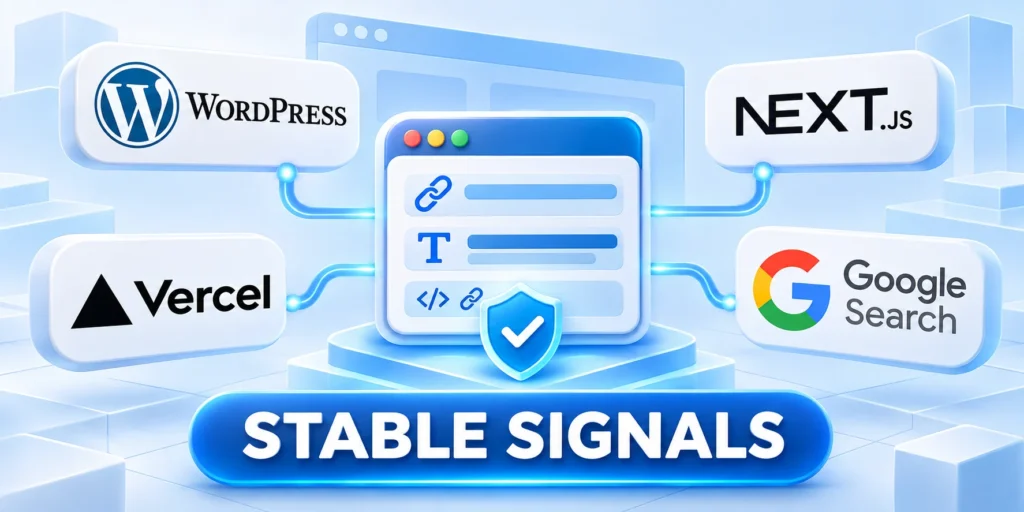
Use ordinary anchor elements with meaningful destinations for links users and crawlers should follow. A clickable element with only an event handler may not expose a crawlable URL.
Set page titles, descriptions, canonical URLs, and social metadata from the same route data used to render the page.
Keep route identity consistent during client-side navigation
During navigation, keep the browser address and history synchronized. Never retain metadata or visible content from the previous page.
Update history, titles, canonicals, headings, and shareable URLs together when navigation changes the page identity without a full document request.
Protect rendering-critical resources
Do not block scripts or stylesheets that are necessary to understand primary content or links. Review robots rules against the rendering dependency graph.
Remove unnecessary bundles, but preserve resources required to display page meaning. An optimization that hides the page from a crawler is not a successful performance improvement.
Diagnose missing primary content through these comparisons:
- Compare raw and rendered pages to identify fields available only after JavaScript.
- Check supporting network requests for errors, blocked access, timeouts, and cache differences.
- Test direct page loads because in-app navigation may handle routes differently.
- Provide server-rendered content or a reliable rendering path for the page’s essential text and links.
- Repeat the test after deployment and save a representative route as a regression check.
Verify server responses through these direct checks:
- Fetch representative raw HTML; confirm the main title, essential copy, and important links.
- When client rendering is required, verify content and links appear reliably.
- Test crawler-like requests without relying on browser authentication, cookies, or delayed APIs.
- Check multiple templates and empty states; fix rendering paths when content disappears.
Preserve stable document signals
Essential links and metadata should remain available when optional client state, personalization, delayed APIs, or interaction-specific components fail to initialize.
This independence protects route identity and discovery while giving users and crawlers a stable document before enhancements become available.
Design URL and Faceted Navigation Rules
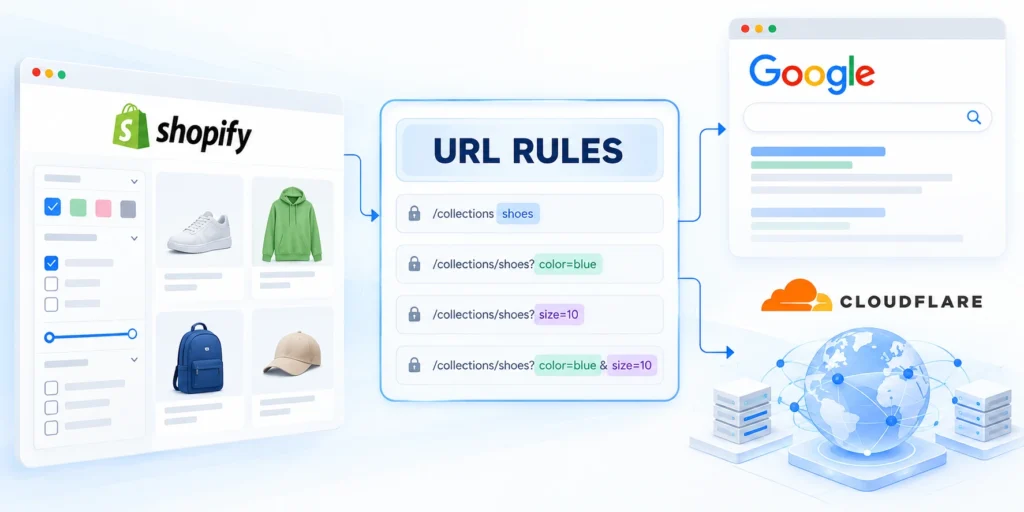
URL rules define which states can be requested, linked, cached, measured, and treated as separate page identities.
Large applications need a deliberate contract for path segments, query parameters, localization, pagination, sorting, and filtering before those patterns spread across components.
Establish one stable URL form
Choose consistent casing, trailing-slash behavior, language prefixes, and parameter names. The server should resolve alternate forms predictably rather than creating accidental duplicates.
Stabilize public URLs through these routing decisions:
- Define which parameters change page meaning and which only change presentation.
- Normalize parameter order if order does not alter results.
- Remove tracking parameters from canonical output and internal navigation where appropriate.
- Use a stable redirect for obsolete paths instead of serving equivalent pages at many addresses.
Use descriptive path segments where they clarify a page’s identity. Avoid putting session tokens, timestamps, campaign IDs, or user-specific data in canonical public URLs.
For example, a product route might remain `/platform/analytics/`, while a temporary sort state uses `?sort=recent` only if the experience requires a shareable state.
Prevent filter combinations from creating an unbounded URL space
Faceted navigation lets users combine filters such as industry, region, feature, and size. If every combination creates a crawlable URL, the number of routes can grow rapidly.
Decide which combinations deserve standalone landing pages based on user demand, distinct content, and a stable business purpose.
| Filter state | Possible treatment | Reason to choose it |
|---|---|---|
| Curated “CRM for financial services” collection | Stable landing page with unique copy | Distinct audience need with a responsible owner. |
| Arbitrary combination of five filters | Keep as product state; avoid internal crawl paths | Combinations are numerous and rarely distinct. |
| Search query with user-entered words | Usually not a public indexable route | Queries may be temporary, unbounded, or low-value. |
Google’s faceted-navigation guidance describes overcrawling risks and options. Apply its recommendations only after identifying which filtered pages should remain discoverable.
Decide which filters deserve permanent routes

Permanent filter routes need distinct demand, useful standalone content, stable inventory, a durable owner, and a clear relationship with the unfiltered collection.
Evaluate permanent filters through these route criteria:
- List filter dimensions and combinations users need to share or revisit.
- Keep combinations with distinct content, stable demand, and a named owner.
- Link approved landing pages from navigation; exclude transient selections from crawl paths.
- Test representative combinations for duplicate copy, canonical consistency, response status, and internal links.
- Review route growth after releases that add a filter, locale, or product category.
Most combinations should remain interaction state when they only reorder, narrow, or personalize the same underlying result set.
Do not treat robots.txt as a universal cleanup tool
Robots rules control crawling, not whether a URL exists or can be linked. A blocked URL may remain known through links and may not expose its canonical or noindex directive.
Choose the control that matches the goal: reduce unnecessary links, consolidate duplicates, use noindex on pages that may be fetched, or block crawling when fetching is unwanted.
Avoid conflicting crawl and index signals
Do not combine controls blindly. A robots.txt block can prevent crawlers from seeing a page-level noindex instruction, so the implementation must match the desired result.
Test the combined effect of status, robots controls, canonical output, links, and sitemaps instead of approving each signal in isolation.
Make pagination and incremental loading addressable
When a collection spans multiple pages, each page should have a stable URL and links to adjacent pages that users and crawlers can follow.
Infinite scroll can improve interaction, but it should not be the only way to reach older content. Provide crawlable pagination or an equivalent sequence of links.
Validate representative pagination states
Test the first page, a middle page, and the final page. Confirm each response has useful content, a correct canonical, and navigation that does not depend on a mouse event.
Include the first, middle, final, empty, and out-of-range states so addressability and recovery behavior remain explicit.
Control Indexation with Consistent Page Signals

Page status, robots directives, canonical declarations, redirects, and visible content should tell a coherent story about each route.
When signals conflict, crawlers may choose a different canonical or indexing outcome than the product team intended.
Return the status that matches the page state
Use a successful response for a page that exists and is intended to work. Use a permanent redirect when a resource has moved and a replacement is appropriate.
Return not-found status for removed pages without a meaningful replacement. Avoid serving an error message with a successful status because it can be interpreted as a soft error.
| Observed state | Expected behavior to evaluate | Release check |
|---|---|---|
| Active public page | Successful response and useful main content | Confirm status, title, canonical, and content. |
| Moved page with direct replacement | One-hop permanent redirect | Remove old internal links after redirecting. |
| Deleted page without replacement | Not found or gone response | Remove retired URLs from sitemaps and links. |
| Private customer page | Authentication and access controls | Verify private routes have no public signals. |
HTTP behavior follows the semantics of the standard; consult the relevant section of RFC 9110 when designing status and redirection behavior.
Define the intended index state
For each route family, state whether pages should be indexed, consolidated, redirected, removed, private, or temporarily excluded before selecting an implementation signal.
Document index-state decisions through these fields:
- Name the route family and owner.
- Record the intended public page identity.
- Align status, directives, and canonical output.
- Set a representative verification sample.
Review exceptions when inventory, locale, permissions, templates, or business ownership change, because an old signal can become incorrect without a code defect.
Review exceptions after change
Recheck sampled routes after releases that alter templates, permissions, localization, inventory, routing, or response behavior.
Close each exception with an owner, evidence, review date, and the condition that would reopen the decision.
Use canonical URLs to consolidate equivalent pages

Canonical signals help search systems interpret equivalent page variants, but they cannot repair uncontrolled URL generation or contradictory internal discovery paths alone.
A canonical link is a signal about the preferred URL among duplicate or substantially similar pages. It is not a substitute for a sound route model. Document that route decision.
Align canonical behavior through these route controls:
- Choose self-referencing canonicals for distinct pages intended to be indexed.
- Consolidate parameter variants only when they are genuinely equivalent.
- Do not canonicalize unrelated pages to a broad category merely to reduce URL counts.
- Verify localized or versioned pages against their intended alternate relationships.
Emit an absolute canonical that matches the intended page identity. Keep internal links, sitemap entries, redirects, and canonical output aligned where the page is meant to stand alone.
For example, a tracking parameter that does not change page content can point to the clean URL, while a unique product variant may need its own route.
| Scenario | Expected signal | How to verify |
|---|---|---|
| Distinct product page | Stable route and self-canonical | Compare page identity and internal links |
| Tracking-only parameter | Canonical points to clean equivalent | Fetch both URLs and compare intended content |
| Duplicate legacy path | Redirect to the relevant replacement | Check status, destination, and redirect chain |
| Private workspace page | Authentication remains required | Test access without a signed-in session |
| Removed page without replacement | Intentional not-found or gone response | Check that links and sitemap no longer promote it |
Remove duplicate creation at the source
Identify which application behavior creates alternate URLs, then reduce unnecessary links, parameters, route aliases, and inconsistent normalization before relying on canonical output.
Monitor whether duplicate families continue growing after the architectural change, because a canonical signal does not eliminate crawler workload or maintenance cost. Compare representative templates after every production release cycle.
Combine noindex and robots rules deliberately

A noindex directive must be visible to a crawler that is allowed to fetch the page. Blocking that page from crawling can hide the directive.
Test the rendered robots metadata, HTTP headers, and robots.txt together. Check staging restrictions separately from production rules so deployment settings do not leak.
Keep private content behind access controls
For content behind a login, access control is the primary security boundary. Search directives are not a replacement for authentication or authorization.
Verify unauthenticated requests cannot retrieve sensitive content and that public navigation, sitemaps, canonicals, or caches do not expose private routes.
Treat migrations as URL changes, not only code changes
Before a redesign, route migration, or CMS move, export old URLs and map each to a valid destination or an intentional removal response.
Test redirects in staging and production. Monitor chains, loops, unexpected destinations, and important pages returning different status codes than planned.
Choose redirect destinations that preserve intent
Keep redirects for moved content useful to visitors. Sending every discontinued path to the homepage can create a confusing experience and does not preserve the original intent.
Prepare migrations through these mapped route fields:
- Export the old path, current response, intended destination, and page owner.
- Map equivalent pages to their closest replacement and leave unrelated paths as intentional removals.
- Check for loops, chains, wrong locale destinations, and redirects that erase product context.
- Keep high-value URLs in a sample for comparison after release.
Reconcile route signals through these explicit comparisons:
- Compare status, robots directives, canonicals, sitemaps, and internal-link targets for each route family.
- Investigate contradictions, including redirected sitemap URLs or blocked canonical targets.
- Validate staging templates, then sample production responses after release.
- Document exceptions and purposes; unexplained exceptions can become persistent indexing problems.
Reject broad redirects to a homepage when a removed resource has no equivalent destination, because the response obscures both user intent and migration evidence.
Choose one coherent control path
Robots controls and noindex directives solve different problems and can conflict when blocking prevents crawlers from observing a page-level instruction.
Choose controls from the intended access, discovery, crawling, indexing, consolidation, and retirement outcome for each route family.
Build Navigation, Links, and Sitemaps for Discovery

Search discovery depends on crawlable paths to important pages, not merely on a list of URLs stored somewhere in the application.
Design internal navigation, contextual links, pagination, and XML sitemaps as coordinated discovery systems with clear ownership.
Use links that expose real destinations
Use semantic links for navigation between public pages. Give each link a meaningful destination and descriptive text that makes sense out of context.
Expose real destinations through these link patterns:
- Link from stable category or hub pages to important children.
- Link from related articles to the most relevant supporting pages.
- Keep navigation links in the rendered document and use actual destinations.
- Remove links to obsolete routes after redirects or content retirement.
Do not make search boxes, form submissions, or event-only controls the only route to important content. Crawlers generally do not behave like users filling arbitrary application forms.
Measure click depth as a diagnostic, not a universal ranking formula. A deeply buried page may signal weak information architecture even when it appears in a sitemap.
Generate sitemaps from approved canonical URLs
An XML sitemap helps communicate which URLs a site considers important and eligible for discovery. It does not force crawling, indexing, or ranking.
Generate reliable sitemaps through these publication rules:
- Include intended public canonical pages that return the expected response.
- Exclude redirects, errors, private pages, and URLs intentionally marked noindex.
- Update modification timestamps only when meaningful content changes.
- Split large inventories into sitemap files and a sitemap index when appropriate.
Generate entries from the same content and route source that determines publication status, locale, canonical URL, and indexability.
Compare sitemap URLs with internal links and route inventory. A sitemap should not become a dumping ground for every URL the application can generate.
Retest discovery after structural change
Review discovery evidence after navigation, template, locale, content-model, or publication-status changes.
Use the same route samples to distinguish an intentional path change from a new orphan or an unexpected exclusion.
Trace discovery from a user journey

A discovery trace follows ordinary links from stable navigation or hub pages to a valuable destination without relying on searches, forms, or scripted interactions.
Trace discovery through these representative journey checks:
- Start at a stable navigation page and follow links toward a high-value destination.
- Confirm each link opens a direct destination, rather than a click-only interface state.
- Compare the destination with the canonical URL and sitemap entry.
- Repeat for product, documentation, localized, and paginated routes.
- Fix missing key pages through navigation or route rules, not unrelated sitemap entries.
The exercise reveals orphaned pages, misleading anchors, excessive depth, client-only controls, and alternate routes that dilute canonical identity.
Make localization and version relationships explicit
For localized pages, ensure every version is genuinely localized and has a stable URL. Language selection should not rely only on cookies or a client-side control.
Where alternate-language annotations are used, confirm every page references the appropriate counterpart and that the target page reciprocates consistently.
Keep documentation versions discoverable
For documentation versions, decide which releases remain useful. Keep supported historical versions accessible when customers need them, and identify the current version clearly.
Connect supported versions through explicit navigation and canonical rules while retiring unsupported versions with documented response behavior.
Find orphaned and unexpectedly excluded pages
An orphan is a page with no useful internal route to reach it. It may still appear in a sitemap, but visitors cannot naturally discover it.
Resolve orphaned pages through these ownership actions:
- Assign an owner to add contextual links for important orphaned pages.
- Correct templates that create unexpected exclusions or route errors.
- Remove stale sitemap entries for retired URLs.
- Document why a page intentionally remains inaccessible or private.
Compare the approved page catalog with crawl data and sitemap output. Investigate pages that are important but have no internal links, and URLs receiving requests despite being retired.
Record the discovery path
Capture the starting page, link labels, intermediate hubs, final canonical destination, route depth, and any interaction required to reveal each link.
Compare the recorded path with the sitemap and approved page catalog to expose valuable destinations that depend on hidden or unstable navigation.
Connect Performance to Technical SEO Observability

Performance affects usability and can constrain how efficiently pages are fetched and rendered, but speed alone does not guarantee search visibility.
Track user experience, server reliability, rendering failures, and crawler behavior together so engineering can connect regressions to releases.
Measure real-user experience and technical delivery separately
Real-user performance data reflects device, network, and page experience variation. Lab testing helps reproduce a page under controlled conditions.
Compare performance through these route-level signals:
- Track page-template performance rather than only the homepage.
- Separate server response time from client rendering and interaction delays.
- Measure key routes on realistic mobile devices and networks.
- Investigate changes by release, template, region, and major dependency.
Use both views. A synthetic test can catch a large script regression before release, while field data shows how representative users experience the application.
Set budgets based on user needs and the service’s real constraints. Avoid treating one synthetic score as proof that every user or crawler sees the same experience.
Monitor crawler requests as infrastructure signals
Group verified crawler requests by route family, status, response time, and parameter pattern. Do not assume every request with a familiar user-agent string is authentic.
Compare useful crawl paths with noise: repeated filters, long redirect chains, missing assets, server errors, and pages that are deliberately private.
| Signal | Possible interpretation | First check |
|---|---|---|
| High request volume for parameter variants | URL space or internal links may be too broad | Group normalized URLs and inspect filters. |
| Important routes rarely requested | Discovery paths or sitemap may be incomplete | Check canonicals, navigation, and sitemaps. |
| Latency spikes on one template | Data dependency or cache behavior may have changed | Compare application and CDN telemetry by release. |
| Increase in redirects or errors | Routing or deployment may be inconsistent | Test representative old and new URLs. |
Google’s crawl guidance describes crawl capacity and demand as site-dependent. Do not assume every site has a fixed quota that can be increased through a single setting.
Build actionable alerts instead of noisy dashboards
An alert should identify the affected route family, expected behavior, observed change, and responsible team.
Set thresholds around material regressions: a sudden increase in server errors, missing canonical tags across a template, failed rendering dependencies, or a sitemap publishing invalid URLs.
Reconcile platform reports with direct tests
Review Search Console as an additional diagnostic. Its reports may group examples, lag deployments, or show selected URLs, so reconcile findings with direct tests and server evidence.
Investigate alerts through these ordered evidence steps:
- Identify the affected route family and compare it with a known-good release sample.
- Check server and CDN status, latency, redirects, caching, and rendering dependencies together.
- Reproduce one affected URL directly and confirm whether canonical and primary content match expectations.
- Assign the action to the team that owns the changed route, template, or data dependency.
- Close the alert after deployment when the same sample returns the expected behavior.
Use representative requests and rendered output to explain differences between crawler reports, analytics, monitoring, and the application’s current release state.
Test Search Behavior Across Environments

Search behavior can diverge across local, preview, staging, and production environments because routing, data, access, caching, rendering, and deployment controls differ.
A reliable validation plan therefore compares the same representative routes across environments while preserving expected differences and preventing test systems from becoming publicly discoverable.
Define environment-specific expectations
Document which hostnames are public, which require authentication, how robots directives differ, and which production integrations are intentionally unavailable during testing.
Define each environment through these controls:
- Name the public and restricted hostnames.
- Record expected status and access behavior.
- Prevent test URLs from entering public links.
- Match production rendering where evidence matters.
Do not copy production indexation settings into a preview environment without reviewing access, canonical output, internal links, sitemap exposure, analytics, and external integrations.
Compare the same route evidence
Run the same route sample against preview and production, then compare response status, content type, canonical, robots directives, headings, primary copy, links, and structured data.
A difference is acceptable only when it is intentional, documented, and isolated from the evidence needed to approve the release.
Protect preview systems
Prefer authentication or network controls for private previews, because robots directives alone do not provide access control or guarantee that test URLs remain undiscovered.
Remove temporary public links, sitemap entries, canonical references, and analytics noise before closing the release record.
Validate production parity deliberately
Match the production routing, rendering, content model, headers, and deployment configuration closely enough to test the evidence required for release approval.
Document differences that remain intentional, including authentication, analytics, external services, data volume, caching, and robots controls.
Repeat tests after deployment
Run the approved route sample against production immediately after release and compare it with the preview evidence.
Escalate unexplained differences before expanding the rollout or closing the change record.
Implement and Release Technical SEO Changes Safely

Technical SEO improvements are safest when expressed as requirements, automated checks, sampled routes, and an owned release plan.
Start with one route family, prove the behavior in staging, and expand only after the team can observe the result and recover from failure.
Write acceptance criteria for the template
Turn ambiguous requests such as “make this SEO-friendly” into observable requirements that engineering and content teams can verify.
| Requirement | Example acceptance check |
|---|---|
| Public route can be fetched | Public response has expected status and type. |
| Main content is available | HTML contains intended heading and primary text. |
| Canonical identity is stable | Canonical matches the approved route family. |
| Navigation is crawlable | Child pages have direct destination links. |
| Private states stay private | Private routes require access; no public signals. |
Write expected values for the route sample before release. This makes a failed check actionable instead of requiring reviewers to infer the desired behavior.
Run a pre-release route test
Maintain representative URLs for every critical template, including meaningful variants, pagination patterns, and edge cases.
Check response status, page output, and canonical behavior against a safe staging route your team owns before approving release.
Validate each route through these release checks:
- Confirm the expected HTTP status and content type.
- Compare rendered output and canonical behavior with approved expectations.
- Record the environment, version, reviewer, and resolution before release.
curl -sS -D headers.txt -o page.html https://staging.example.com/platform/analytics/
grep -E "^HTTP/|^content-type:" headers.txt
grep -o 'rel="canonical"[^>]*' page.html
Run commands in a controlled environment with no secrets in shell history. Confirm the response, content, and canonical manually or through a maintained test harness.
Record the environment, application version, route family, expected evidence, actual result, reviewer, and resolution before release approval.
Separate release evidence from assumptions
Attach representative responses, rendered checks, route mappings, expected signals, reviewer decisions, and unresolved exceptions to the release record.
Evidence should be reproducible by another owner without relying on a dashboard screenshot or the memory of the implementation team.
Roll out in stages and define recovery
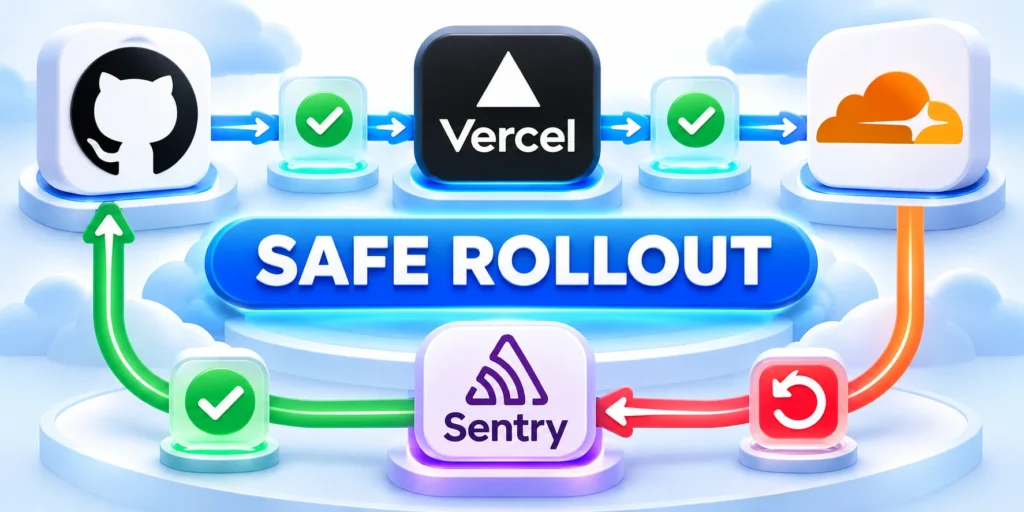
A staged rollout limits the number of route families, templates, locales, and users exposed before evidence confirms that expected behavior survived deployment.
Deploy route or rendering changes to a limited set of page families when the architecture allows it. Keep the previous routing behavior available until validation succeeds.
Stage releases through these recovery controls:
- Capture baseline route, status, canonical, render, and sitemap samples.
- Deploy the change to staging and compare each sample with acceptance criteria.
- Release to a small route family or traffic cohort where feasible.
- Monitor errors, redirects, rendering, crawl requests, and customer-visible behavior.
- Expand after the owner confirms expected results; roll back or forward-fix if checks fail.
Before a migration, export the old URL map, expected status, destination, canonical, and owner. Preserve a recoverable configuration or a forward-fix plan.
Do not use indexing requests as a substitute for fixing server behavior. Search systems decide when to revisit URLs, and processing time varies.
Use a release acceptance matrix
Apply release acceptance through these route states:
- Check successful, removed, redirected, localized, and filtered routes.
- Compare each route’s status, canonical, main content, internal links, and sitemap eligibility.
- Test direct requests and navigation paths to expose server-side defects hidden client-side.
- Record variances with owners; choose rollback, forward fixes, or documented intentional changes.
- Retest the same samples after rollout and preserve the outcome with the release record.
A release matrix compares representative route states against explicit evidence so reviewers can distinguish a local defect from a template-wide regression.
Apply release acceptance through these route states:
Choose an evidence-based expansion gate
Expand only after sampled routes preserve expected status, canonical identity, primary content, links, directives, structured data, and error behavior under production conditions.
Stop expansion when failures share a template, routing rule, data dependency, cache layer, or deployment change that could affect the remaining cohort.
Review an example release failure

Suppose a JavaScript router changes product paths during a redesign. Users can still navigate, but a crawler sample begins returning the shell page for every product.
The initial clue might be a successful status, which looks healthy. A deeper test finds identical titles, missing product copy, and canonical tags pointing to the application root.
Contain the incident and add a regression check
Pause expansion, restore the prior route mapping or deploy a verified server-rendering fix, then rerun the exact sample. Confirm content, status, and canonical before resuming.
Record the cause and add a regression test. This turns a one-time incident into a repeatable protection for the next release.
Assign ownership after launch
Every route family needs an owner for content lifecycle, technical behavior, and incident response. Shared ownership without a named decision-maker often leaves defects unresolved.
Review route rules when the product adds locales, filters, authentication states, major content types, or a new rendering framework.
Constrain releases through these rollback controls:
- List affected templates, URL patterns, and expected changes before deployment.
- Capture representative responses as a pre-release baseline.
- Test redirects, canonical tags, metadata, and structured data on changed routes.
- Include one unaffected route to detect template regressions.
- After release, fetch the same URLs and compare actual responses with the plan.
- Monitor server errors and unexpected redirect chains.
- Use the documented rollback path when a release causes broad inconsistency.
- Record final state and update route rules to prevent recurrence after deployment.
Define release acceptance thresholds
A release gate needs explicit failure thresholds. Decide which missing titles, canonical mismatches, status changes, rendering gaps, or broken links stop deployment and which create follow-up work.
Tie every threshold to a route sample and owner. This prevents one isolated warning from blocking all releases while serious template-wide regressions remain hidden in averages.
Retire obsolete routes deliberately
Route retirement should begin with inventory evidence, replacement intent, traffic dependencies, and ownership. Decide whether to redirect, return not found, preserve an archive, or restrict access.
Update internal links, sitemaps, navigation, canonicals, and monitoring together. Leaving one system unchanged can recreate discovery paths and make a completed retirement look like an indexing defect.
Version route contracts with the application
Store route contracts beside deployment documentation or tests, using a reviewable version. Changes to templates, locales, filters, permissions, or content models should update the same contract.
During code review, compare the proposed route behavior with that contract. A visible difference invites a deliberate decision before production rather than an emergency interpretation afterward.
Conclusion

Large web applications need technical SEO decisions embedded in routing, rendering, content operations, and release checks.
Carry these controls into every release:
- Assign clear owners to route families and content lifecycle.
- Use measured evidence to prioritize fixes and confirm outcomes.
- Make searchability part of release delivery rather than a final audit.
Start with route families, expose valuable pages through stable links, keep signals consistent, and test behavior before and after deployment.
Preserve evidence for the next release
Store the approved route sample, expected signals, test date, application version, and owner with the release record. This evidence separates intentional changes from regressions during later investigations.
When a defect is corrected, rerun the same sample and keep both results. Teams can then verify recovery, explain decisions, and convert the incident into a durable regression test.
Connect evidence to governance
A release gate can record sampled routes, expected status, canonical targets, rendered text, and a named rollback owner, making regression checks repeatable across application releases.
For a focused companion topic, read Technical SEO Audit Checklist for Custom React and Next.js Sites.
Keep architecture evidence maintainable
Treat route samples, contracts, migration maps, rendering checks, and acceptance thresholds as maintained operational assets rather than temporary audit artifacts.
Review the evidence when frameworks, routing, locales, permissions, templates, data sources, or ownership change.
Maintain the operating record through these actions:
- Version route contracts with application changes.
- Retest representative states after deployments.
- Assign owners to unresolved exceptions.
- Retire evidence that no longer matches production.
Use incidents to improve prevention
When an incident reveals a missing test or ambiguous contract, add the smallest durable control that would have detected the same failure before release.
Preserve the failing and corrected samples so future reviewers can verify the control against real evidence.
FAQ
These answers clarify recurring technical SEO architecture, rendering, discovery, indexing, migration, sitemap, pagination, and performance decisions for large web applications.
1. Does Google index every JavaScript application?
No. Google can render JavaScript, but discovery, fetching, rendering resources, application errors, and indexing decisions still affect the outcome. Test actual URLs. Use repeatable route samples across releases.
Compare server HTML with rendered content, status, canonical, and internal links. Repeat the sample after framework, routing, authentication, or deployment changes that affect crawler access.
2. Should every application page use server-side rendering?
No. Choose per page family. Server rendering can expose content earlier, while static or hybrid approaches may fit stable public pages. Measure delivery and maintenance tradeoffs. Review the choice periodically.
Select rendering through evidence: content criticality, change frequency, performance, infrastructure cost, and failure behavior. Confirm the chosen method exposes essential text and links reliably.
3. Is a sitemap enough to make a page discoverable?
No. A sitemap helps communicate URLs, but it does not guarantee crawling or indexing. Important pages should also have useful internal links and correct responses. Measure real discovery paths.
Treat sitemaps as one discovery input. Trace whether menus, hubs, category pages, and contextual links lead crawlers and users to the same approved canonical destinations.
4. Should filter pages be blocked in robots.txt?
Not automatically. First decide which combinations should be standalone pages. Control unnecessary crawl paths carefully, because blocking can hide page-level signals. Preserve access to important signals before rollout.
Blocking a parameter pattern can reduce crawling, but it also prevents crawlers from seeing page-level directives. Test the consequences before changing robots rules across route families.
5. Does canonicalization remove duplicate URLs from crawling?
A canonical is a consolidation signal, not an immediate crawl block. Avoid generating unnecessary duplicate links and align canonicals, internal links, redirects, and sitemaps. Verify consistency after releases.
Canonical targets should return usable content and consistent status. Monitor duplicate creation at its source, especially filters, tracking parameters, pagination, locale variants, and client-side state.
6. When should a page return 404 instead of redirecting?
Return a not-found response when the resource is removed and no meaningful replacement exists. Redirect when a closely relevant destination preserves the user’s intent. Document the decision.
Use 410 only when removal is intentional and permanent, according to the response strategy. Keep 404 behavior consistent, useful to users, and absent from canonical sitemaps.
7. Can infinite scroll replace pagination?
It can improve interaction, but older content should remain reachable through stable URLs and crawlable links. Test route access without scrolling or executing arbitrary actions. Keep access testable.
Provide paginated URLs or another addressable sequence beneath the interaction. Confirm older items remain reachable through ordinary links without requiring scrolling, clicks, or session state.
8. How often should a large application submit its sitemap?
Keep the sitemap accurate as content changes. It does not schedule real-time crawls. Use Search Console to inspect processing and discovered URLs. Submit again after material corrections.
Regenerate sitemaps from the approved URL inventory, not arbitrary request logs. Validate changed entries, last-modified values, status codes, canonicals, and exclusions before submission.
9. Do Core Web Vitals guarantee better rankings?
No. Performance supports usability and reliable delivery, but a strong metric does not guarantee rankings. Monitor user experience alongside content and technical accessibility. Treat them as one signal.
Investigate regressions because they may indicate rendering, asset, server, or template problems that also affect crawling. Prioritize fixes by user impact and affected route scope.
10. What should be checked after a URL migration?
Check old-to-new mappings, redirect chains, response statuses, canonicals, internal links, sitemap output, rendered content, and server errors across representative route families. Preserve evidence before cleanup.
Sample old and new route families, including edge cases. Confirm redirect destinations preserve intent and that analytics, hreflang, structured data, and external references remain coherent.








Leave a Reply