


Plan HubSpot API Integrations Around Business Outcomes

A custom HubSpot API integration should move a defined business event into a trustworthy workflow, not merely connect two systems because an API is available.
Start by naming the decision, record, owner, and timing the integration must support; this keeps scope testable and limits unnecessary data movement.
Define the event and source of truth
Write one sentence describing the trigger and expected outcome: for example, a qualified lead in a product database becomes a HubSpot contact.
Then decide which system owns each field. If HubSpot owns lifecycle stage while billing owns subscription status, document that distinction before coding.
| Pattern | Use it when | Main trade-off |
|---|---|---|
| One-way push | One system owns the record | Simple, but changes flow one direction |
| One-way pull | HubSpot is the reporting destination | Easy to reason about; updates may lag |
| Two-way sync | Both teams edit shared fields | Needs conflict and ownership rules |
Turn the business goal into an integration contract
List the trigger, allowed records, fields, destinations, expected delay, and recovery owner. This small contract becomes the source for implementation and testing.
For a broader framework on API boundaries, contracts, and failure paths, see the custom API development and integration playbook.
Write an acceptance test for the contract
Keep the contract specific: “sync every qualified lead within two minutes” is testable; “keep HubSpot updated” is not.
Follow this sequence to write an acceptance test for the:
- Choose one business event and define its exact source.
- Set field ownership and specify which system may overwrite each value.
- Set a measurable freshness target and a named operational owner.
- Record exclusions, such as archived, unsubscribed, or incomplete records.
Include expected writes, unchanged fields, duplicate handling, freshness, failure behavior, and the evidence an accountable owner will review.
Choose the Right HubSpot Authentication Model

Authentication controls which HubSpot account and records an integration can access, so choose it from the deployment model and required capabilities.
For one organization, a server-side credential may suit a private system integration; a product installed by multiple customers usually needs OAuth authorization.
Match the credential to the installation model
A single-account integration can use the account’s supported system-to-system credential, with only the required scopes. Never expose it in browser JavaScript.
A multi-account app needs each customer to authorize access. OAuth gives the app delegated access and requires secure token storage and refresh handling.
Key considerations for match the credential to the include:
- Single HubSpot account: use the current credential option supported for your account and feature requirements.
- Multiple customer portals: use a public app with OAuth and store tokens per installation.
- Webhook requirement: confirm the chosen app type supports the webhook subscriptions your design needs.
- Uncertain scope: begin read-only; add write access only when a real use case requires it.
Configure and protect credentials
Store credentials in a server-side secret manager or protected environment configuration. Keep separate credentials for development, staging, and production.
Do not place tokens in source control, URLs, browser storage, analytics events, screenshots, or ordinary application logs.
Follow this sequence to configure and protect credentials:
- Identify the objects and operations the integration will use.
- Grant only the scopes needed for those operations.
- Store the credential outside client-side code and restrict access to the runtime.
- Test revocation and rotation before relying on the integration in production.
For a multi-account OAuth app, follow HubSpot’s current token-management guidance rather than hard-coding token lifetimes.
Map CRM Records, Fields, and Ownership Rules
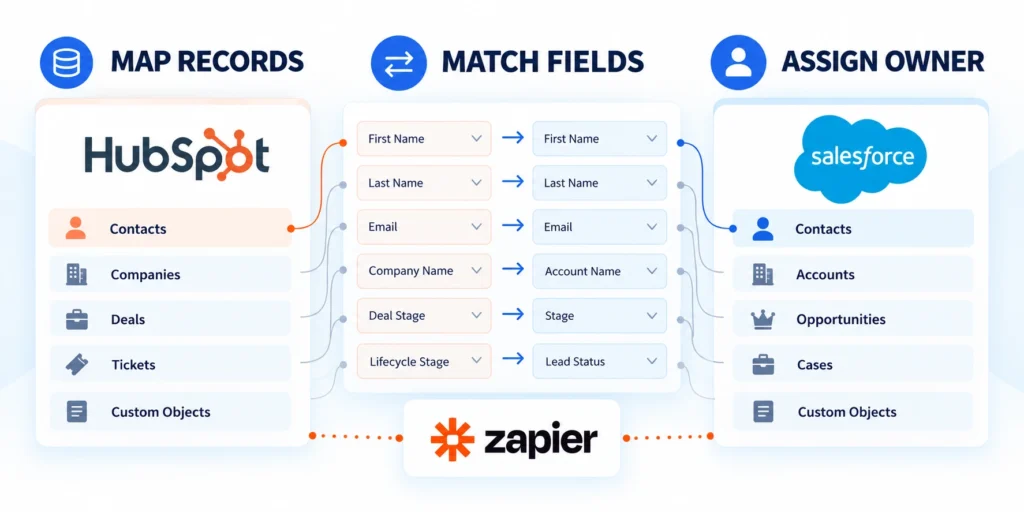
Field mapping is a data contract between systems: it defines how a source value becomes a HubSpot object property without losing meaning.
Map objects and relationships before writing code; otherwise, a valid API request can still create duplicate, incomplete, or misleading CRM records.
Create a field crosswalk
For each source field, record its HubSpot property, format, owner, transformation, validation, and behavior when the source value is blank.
| Source field | HubSpot property | Rule to define |
|---|---|---|
| work_email | Normalize and validate before create | |
| plan_code | custom property | Map approved source values |
| account_key | company property | Use a stable external identifier |
| renewal_date | date property | Agree on timezone and date format |
Check HubSpot property definitions for the target account before sending writes. Labels that look alike can still have different internal property names or validation rules.
Prevent duplicates and define conflict behavior
Choose a stable matching key, such as a normalized email or a dedicated external ID. Do not assume a display name uniquely identifies a person or company.
Decide whether an existing record is updated, ignored, or sent for review. Document how the integration handles changed email addresses and merged records.
Key considerations for prevent duplicates and define conflict include:
- Normalize case and whitespace before matching strings.
- Use a dedicated external ID when a source system provides one reliably.
- Keep a durable mapping from source record ID to HubSpot object ID.
- Define which side wins when both systems update the same field.
- Send ambiguous matches to a review queue instead of guessing.
When the project includes a wider CRM rollout, align ownership with the enterprise CRM implementation guide.
Keep the integration’s mapping versioned. A reviewable change log helps operations explain why a record changed and when a transformation took effect.
Build Against the Current HubSpot API
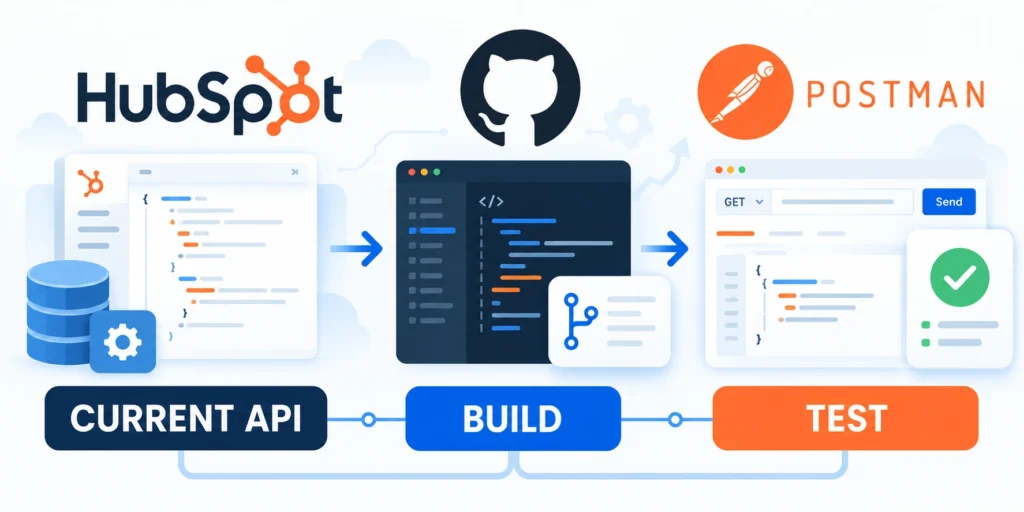
HubSpot documents date-based API versions; new integrations should use a version shown in the current reference and plan upgrades deliberately.
As checked on October 23, 2026, the current API reference is labeled 2026-09. Confirm the selected version and endpoint before production changes.
Use the documented endpoint and request shape
The example below creates a contact with an email and first name. Replace sample values with validated data and property names available in your HubSpot account.
curl --request POST   --url "https://api.hubapi.com/crm/objects/2026-09/contacts"   --header "Authorization: Bearer $HUBSPOT_ACCESS_TOKEN"   --header "Content-Type: application/json"   --data '{

    "properties": {

      "email": "alex@example.com",

      "firstname": "Alex"

    }

  }'
Set HUBSPOT_ACCESS_TOKEN in the server environment before running the command. Never substitute a real token into an article, ticket, or shell history.
Choose the right object operation
The Contacts API documents create, retrieve, update, batch, and association operations. Check the exact request schema for the endpoint you intend to call.
Match each required business action to the documented HubSpot operation, then verify permissions and response behavior in a controlled account.
Handle the response as part of the workflow
On success, store the returned HubSpot object ID alongside the source record ID. That mapping makes later updates and reconciliation safer.
On failure, capture the HTTP status, HubSpot error category, correlation identifier, and source event ID; omit tokens and sensitive payload fields.
Follow this sequence to handle the response as part of:
- Read the latest version-specific endpoint documentation.
- Validate required fields and property formats before sending.
- Send the request from a trusted server using TLS.
- Persist the returned object ID only after confirming success.
- Record a redacted result that support staff can trace safely.
See HubSpot’s Contacts API guide and versioned API reference for the current contracts.
Handle Pagination, Batches, and CRM Associations

Production integrations often process more records than one response can contain, so pagination and checkpointing must be part of the design.
Read every page using the returned cursor, persist progress, and make each processing step safe to resume after a timeout or deployment.
Process pages without skipping records
HubSpot object APIs return paging information when additional records are available. Treat the cursor as opaque and follow the documented endpoint behavior.
Follow this sequence to process pages without skipping records:
- Request a bounded page with only the properties the job needs.
- Process each result and persist its outcome before requesting the next page.
- Save the next cursor with the job checkpoint.
- Resume from that cursor after a recoverable interruption.
- Stop only when the API response contains no next-page cursor.
A checkpoint should include the job ID, cursor, last successful time, and counts for read, created, updated, skipped, and failed records.
Use batches and associations intentionally
Batch endpoints reduce request overhead for suitable workloads, but they do not remove the need to handle item-level errors or partial success.
Associations connect related CRM objects, such as a contact and its company. Create or verify the relationship after the records exist.
Apply these criteria to batches and associations intentionally:
- Use batches when records share the same operation and validation path.
- Keep a per-record result so one rejected item does not hide successful items.
- Persist object IDs before association calls, then retry missing relationships safely.
- Limit requested properties to reduce payload size and unnecessary exposure.
- Compare source and destination counts after each import or backfill.
For a large backfill, test a small representative sample first, then increase volume in measured stages.
Choose Webhooks or Scheduled Polling
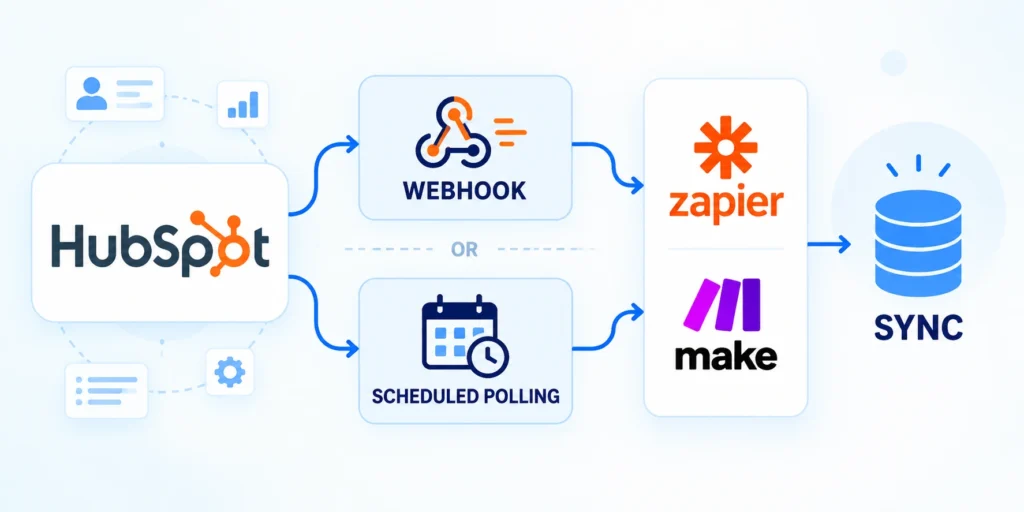
Webhooks deliver subscribed events to your endpoint when changes occur; polling asks HubSpot for updates on a schedule.
Choose from the freshness target, endpoint reliability, event coverage, and operational capacity rather than assuming one method fits every integration.
Compare delivery patterns against the requirement
| Approach | Good fit | Operational requirement |
|---|---|---|
| Webhook | Near-real-time reactions | Secure, highly available receiver |
| Polling | Scheduled reconciliation | Cursor, cadence, and quota control |
| Hybrid | Fast changes plus repair | Deduplication and periodic comparison |
HubSpot’s webhook setup sends event payloads to a configured endpoint, where the receiving app should process the event and acknowledge it with a successful response.
Document acceptable delay, event volume, outage tolerance, reconciliation cadence, and endpoint availability before selecting either delivery pattern.
Make webhook handling safe to repeat
Webhook delivery can be delayed, duplicated, or retried. Put the event into a durable queue, acknowledge promptly, and process it idempotently.
Follow this sequence to make webhook handling safe to repeat:
- Require HTTPS and validate HubSpot’s request signature according to the app’s current documentation.
- Check that the event targets an object and subscription your integration supports.
- Record a stable event or object identifier for deduplication.
- Queue the work, then return a 2xx response after accepting it safely.
- Reconcile periodically so missed events do not leave records permanently stale.
Use polling when event delivery is unavailable or a scheduled reconciliation is enough; keep page size and frequency within documented limits.
Review HubSpot’s webhook configuration documentation for the supported subscription model and current delivery expectations.
Handle Errors, Retries, Rate Limits, and Secrets

Reliability depends on treating API responses as actionable signals, not simply retrying every failed request until something appears to work.
Separate permanent data or permission problems from temporary service and rate-limit responses; route each category to an appropriate recovery path.
Classify the response before deciding to retry
| Signal | First check | Safe response |
|---|---|---|
| 401 | Credential validity | Refresh or rotate through the supported flow |
| 403 | Account access and scopes | Correct authorization; do not loop retries |
| 429 | Rate-limit response headers | Pause as directed, then retry with backoff |
| Validation error | Property and input format | Fix the data or mapping before resubmitting |
HubSpot’s error guidance describes common authentication, authorization, validation, and rate-limit responses. Use endpoint-specific documentation for any additional status.
Separate transient availability and rate-limit responses from invalid data, missing permissions, and unsupported operations that require correction rather than repetition.
Retry without creating duplicates
Use bounded retries with exponential backoff and jitter for transient failures. Respect a server-provided retry delay when the response includes one.
Before retrying a create operation, determine whether the first request may have succeeded despite a lost response.
Key considerations for retry without creating duplicates include:
- Use a stable external ID or existing object mapping to detect a prior create.
- Do not retry malformed requests, missing scopes, or invalid property values unchanged.
- Move exhausted records into a reviewable dead-letter queue with redacted diagnostics.
- Alert on repeated failures by category, not on each individual retry.
Protect secrets and personal data
Keep access tokens out of logs and mask personal data that support staff do not need to diagnose a failure.
Restrict secret access to the integration runtime, rotate exposed credentials immediately, and document the owner responsible for rotation.
Keep operational evidence useful and safe
Follow the OWASP Secrets Management guidance for credential lifecycle and the HubSpot API error reference for response categories.
Retain correlation identifiers, timestamps, outcomes, retry counts, and redacted error categories long enough to investigate failures and demonstrate reconciliation.
Govern Integration Ownership and Change
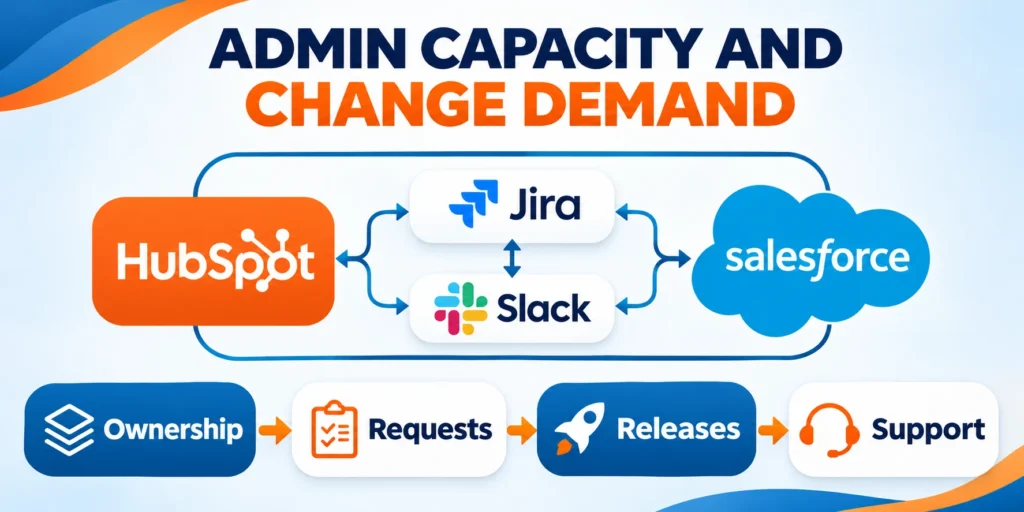
A reliable integration needs business, technical, data, security, and support ownership that remains visible after the initial implementation team moves on.
Governance should make routine changes faster by defining who may approve scopes, properties, mappings, credentials, releases, exceptions, and recovery decisions.
Assign ownership for every integration boundary
Name an accountable owner for each source, destination object, synchronized field group, credential, scheduled job, webhook endpoint, and reconciliation queue.
Record backups for critical roles and establish escalation when ownership changes, because unattended integrations often fail after teams reorganize or vendors change behavior.
Assign these responsibilities before production activation:
- Business outcome and acceptance owner
- Source and destination data owners
- Credential and security control owner
- Runtime, monitoring, and recovery owner
- Support and reconciliation queue owner
Control changes through contracts and evidence
Review field contracts, scopes, endpoints, rate limits, transformations, retry policies, and alert thresholds whenever either connected system changes.
Test the affected workflow with representative records, compare expected outcomes, and preserve a rollback path before increasing production exposure.
Require these checks for every material integration change:
- Documented requirement and affected boundary
- Updated contract and security review
- Representative regression and failure tests
- Deployment, monitoring, and rollback plan
- Post-release reconciliation and accountable approval
Keep the decision record concise but durable. Link the change to its evidence, release, observed result, exceptions, and owner responsible for follow-up.
Schedule periodic ownership reviews so abandoned credentials, undocumented properties, obsolete mappings, and unresolved reconciliation items do not accumulate silently.
Test, Deploy, and Monitor the Integration

Test the data contract and failure behavior before connecting the integration to live customer or sales operations.
A successful request proves only that one call worked; a production-ready integration also handles retries, duplicates, partial batches, and recovery.
Build a practical test matrix
Use a development portal or non-production dataset with representative records, including missing fields, duplicate keys, unusual characters, and associations.
Use these actions to build a practical test matrix:
- Valid create: one eligible record creates the expected HubSpot object.
- Repeat event: replaying the same input does not create a duplicate.
- Invalid field: the record is rejected with a useful, redacted reason.
- Expired credential: the system follows its configured reauthorization or refresh path.
- Rate limit: the job pauses and resumes without dropping its cursor.
- Partial batch: successful items remain recorded while failures are recoverable.
- Association: related records connect to the intended object IDs.
- Reconciliation: a comparison identifies missing or changed records.
Run the matrix with representative records, permissions, associations, and failure states, then preserve expected results for regression testing after changes.
Roll out in controlled stages
Start with a small, reversible pilot. Compare created, updated, skipped, and failed counts against the source before increasing volume.
Keep a rollback plan that stops new writes, preserves the event queue, and lets operators reconcile the affected records.
Follow this sequence to roll out in controlled stages:
- Run tests against a limited sample and inspect record-level outcomes.
- Enable production access for one workflow or team.
- Monitor error rates, processing delay, duplicate detection, and queue depth.
- Increase traffic only after counts and ownership rules reconcile.
- Document a pause switch and the person authorized to use it.
Define an observable success condition, such as “95% of eligible changes reach HubSpot within five minutes, with zero duplicate contacts.”
Review that measure with sales operations and the technical owner after launch; revise the workflow when the business process changes.
Maintain a Field Contract
For every synchronized field, record ownership, format, allowed values, null behavior, transformation, validation, and conflict resolution.
Review the contract before changing CRM properties or source schemas, then test representative existing and new records.
Reconcile Beyond Successful Requests
A successful API response does not prove both systems agree. Compare counts, identifiers, values, associations, deletions, and update timestamps.
Assign discrepancies to an accountable queue and preserve enough evidence to correct them without repeating successful writes.
FAQ
These answers address common HubSpot API integration decisions involving authentication, connectors, duplicates, delivery patterns, versions, failures, deletions, logs, and operational pauses.
Should every HubSpot integration use OAuth?
No. A single-account system may use a supported account credential; a multi-customer app generally needs OAuth authorization for each installed account.
Should I build a custom integration or use a connector?
Use a connector when its mapping, timing, security, and failure controls meet requirements; build custom logic when those controls remain insufficient.
How do I avoid duplicate HubSpot records?
Choose a stable matching key, persist source-to-HubSpot identifiers, define conflict behavior, and make event processing idempotent before enabling automatic retries.
Are webhooks always better than polling?
No. Webhooks suit low-latency updates, while polling can support scheduled reconciliation or environments that cannot reliably receive external events.
Which API version should a new integration use?
Use the current documented version for the required API group, confirm its support window, and schedule tested upgrades instead of changing paths blindly.
How should HubSpot rate limits be handled?
Respect response guidance, apply bounded retries with jitter, preserve cursors and checkpoints, monitor queue age, and reconcile records after recovery.
What should happen after a partial batch failure?
Record successful items, isolate failures, preserve idempotency keys, correct the cause, and retry only unresolved records with traceable outcomes.
How are deleted records synchronized?
Define authoritative deletion, retention, archival, reconciliation, and downstream behavior before enabling destructive synchronization between systems.
Should integration logs contain contact data?
Log only necessary identifiers and redacted diagnostics, with access, retention, monitoring, and deletion controls appropriate to the information risk.
When should an integration be paused?
Pause after uncontrolled duplicates, authorization failures, data corruption, growing unreconciled queues, or absence of accountable owners for safe recovery.
Conclusion
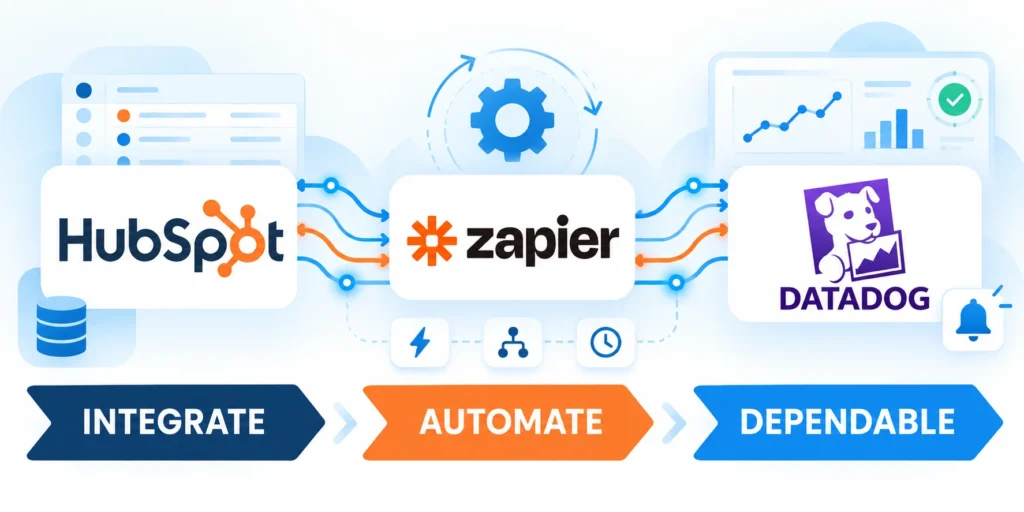
A dependable HubSpot integration begins with a measurable business event, explicit field ownership, a documented contract, and a bounded workflow the organization can support.
Build authentication, security, deduplication, reconciliation, recovery, and monitoring into the first release because these controls become harder after records and dependencies expand.
Prove reliability before increasing integration volume
Start with representative records and validate expected creates, updates, associations, retries, failures, and duplicate handling before allowing broader production traffic.
Compare source and HubSpot outcomes using stable identifiers and field contracts, then resolve unexplained differences before another workflow joins the integration.
Require these signals before expanding production volume:
- Expected records and associations reconcile
- Retries remain safe and traceable
- Errors reach accountable operational queues
- Freshness and queue depth stay acceptable
- Recovery procedures work under controlled tests
Operate the integration as a business process
Review ownership, contracts, scopes, credentials, metrics, alerts, and reconciliation queues whenever connected systems or business rules change.
Measure the business outcome alongside technical health so teams can detect an apparently successful integration that produces stale, incomplete, or misleading CRM data.
Maintain these controls throughout the integration lifecycle:
- Current field and event contracts
- Least-privilege credentials and rotation
- Versioned releases with rollback plans
- Monitored failures and reconciliation backlogs
- Named business and technical owners
For the broader governance framework, read CRM Data Governance: Building a Single Source of Truth.
This operating discipline turns API connectivity into a controlled capability that supports trustworthy automation, reporting, and customer workflows.







Leave a Reply