

Choose Between OIDC and SAML
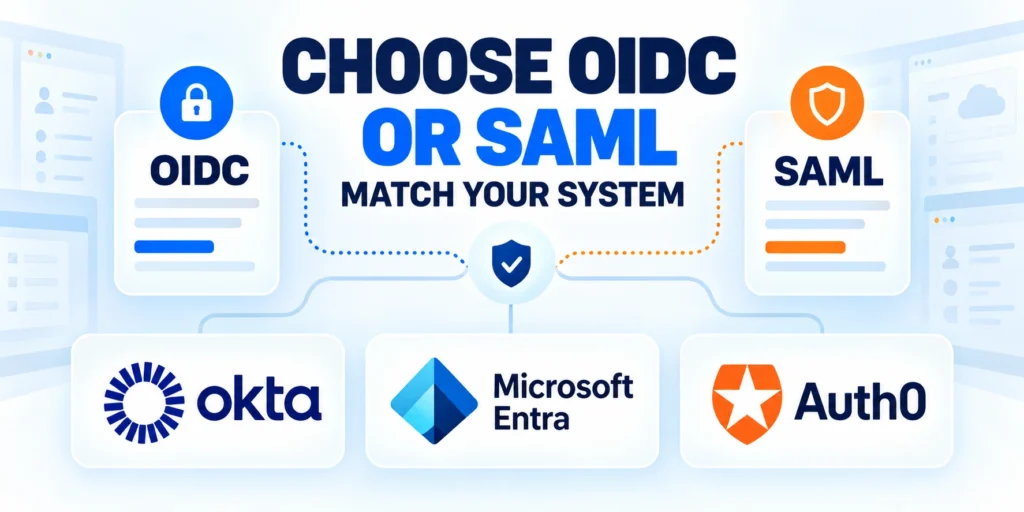
This SSO implementation guide shows how a person can authenticate through an identity provider and reach a separate business application without another password prompt.
For a custom application, the first design decision is usually whether OpenID Connect or SAML 2.0 fits the customer environment.
Use OIDC for modern application sign-in
OpenID Connect adds an identity layer to OAuth 2.0 and commonly represents signed identity information as JSON Web Tokens.
It is often a practical default for new web applications, mobile clients, and APIs when the chosen provider supports it.
Apply these criteria to oidc for modern application sign-in:
- Choose OIDC when the stack has maintained client libraries and providers expose compatible discovery metadata.
- Use authorization code flow for servers; public clients should follow current provider PKCE guidance.
- Confirm the provider issues needed identity claims without mutable profile fields.
The OpenID Foundation’s OIDC Core specification defines authentication requests, ID tokens, claims, and validation requirements.
Use SAML when enterprise federation requires it
SAML 2.0 remains common in enterprise environments with established service-provider and identity-provider integrations.
It exchanges XML-based messages and assertions, and administrators may already have tested SAML configurations for workforce applications.
Apply these criteria to saml when enterprise federation requires it:
- Choose SAML when customers require it, use mature SAML platforms, or lack another supported integration.
- Plan for metadata exchange, entity identifiers, assertion consumer service URLs, certificate rollover, and attribute mapping.
- Use a maintained SAML library that validates signatures, issuer, audience, destination, timing, and request correlation.
Microsoft’s SAML versus OIDC decision guide compares formats, application fit, and configuration trade-offs.
Do not support both protocols just to make a feature checklist longer. Add a second protocol when customer demand, compatibility, or a documented security requirement justifies its maintenance cost.
Make the protocol decision explicit
Record the protocol, identity provider, client type, customer boundary, and reason for the choice in the integration brief.
A protocol choice affects maintenance work as well as implementation. Supporting additional providers can increase testing, configuration, certificate, and troubleshooting needs.
Confirm the tenant boundary
If the application serves several organizations, confirm which tenant can issue an identity and how the application will identify that tenant.
Do not infer tenant access from a broad email domain. Verify the organization’s identity-provider configuration and application assignment.
Design the SSO Architecture
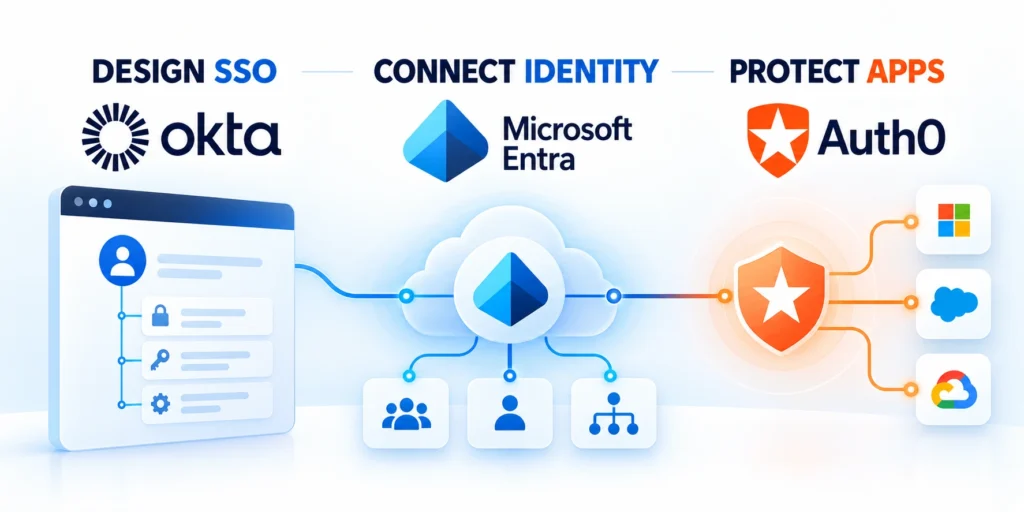
Decide which component owns authentication, which component creates the application session, and which data crosses each boundary.
The identity provider verifies the user; the application must still decide whether that identity is allowed into its own service.
Separate authentication from application authorization
A successful external sign-in proves an identity assertion under a particular issuer and audience; it does not grant every application permission.
Keep a clear boundary between the identity provider’s claims and the application’s roles, tenant membership, and resource permissions.
Follow this sequence to separate authentication from application authorization:
- The user starts sign-in; the application creates short-lived state and redirects to the identity provider.
- The identity provider authenticates the user and returns the response to the registered callback endpoint.
- Your application validates the response using a maintained protocol library and configured issuer metadata.
- The application maps the verified identity to a local account or an approved provisioning workflow.
- The application creates its own session with appropriate expiration, renewal, and logout behavior.
- Each protected resource checks application authorization policy, not merely browser cookie presence.
Do not put client secrets, signing keys, or long-lived tokens in browser code, query strings, screenshots, or source control.
For each integration, document the provider, tenant, client identifier, callback, issuer, key-discovery method, claim mapping, session lifetime, and support owner.
Choose the correct client type
A confidential server application can protect credentials in its backend; a public client cannot keep a shared secret private.
Browser-only and native applications need flows designed for public clients. A bundled secret must not be treated as confidential.
Use these actions to choose the correct client type:
- Use a server callback when the backend safely exchanges authorization codes and maintains application sessions.
- For single-page or native clients, follow the provider’s supported authorization-code and PKCE configuration.
- Keep redirect URIs exact and environment-specific; avoid wildcard callbacks that accept attacker-controlled destinations.
Plan how the application behaves when the identity provider is temporarily unreachable. Communicate the outage clearly without silently bypassing authentication.
Define which application session is created after login and how it is terminated. An identity-provider session and an application session are related but distinct.
Keep trust boundaries visible
Separate the browser-facing endpoints from secrets and token validation performed on the server when the architecture allows it.
A callback is a security-sensitive endpoint. It should accept responses only for a configured provider and a login request initiated by the application.
Assign owners to trust boundaries
List the trust boundaries in a short architecture record: browser, application server, identity provider, customer tenant, user directory, and downstream APIs.
Assign an owner for each boundary. The application team may control its session, but the customer administrator may control users, groups, claims, and provider availability.
Configure the Identity Provider and Application

Configure the identity provider and application from one integration record so their identifiers, callbacks, and claims stay aligned.
Use a non-production tenant first, and record each environment’s values without copying production secrets into development.
Register the application and callback
Create an application registration in the identity provider, select the correct application type, and obtain its client identifier.
Register the exact HTTPS callback URL that handles the provider response, plus separate callbacks for approved test environments.
Follow this sequence to register the application and callback:
- Set the application name and intended tenant or customer boundary.
- Choose the supported OIDC or SAML protocol and the appropriate client type.
- Register exact sign-in and, if supported, sign-out return URLs.
- Request only identity scopes and claims required for the sign-in experience.
- Store confidential credentials in the approved secret manager and restrict who can retrieve them.
- Record the configuration owner and the process for certificate or secret rotation.
Redirect matching should be exact. A broad wildcard can send authorization responses to an unintended endpoint.
Keep development, staging, and production registrations distinct when that improves separation and reduces cross-environment access.
Validate the setup before production
Use a provider test tenant and nonproduction application registration before adding customer production identifiers, assignments, claims, certificates, or credentials.
Verify callback matching, issuer metadata, account assignment, claim mapping, denied access, rotation procedures, logout behavior, and the documented support owner.
Configure metadata and claims deliberately
For OIDC, use the provider’s discovery document and published signing keys through a maintained client library.
For SAML, exchange trusted metadata through an authenticated administrative process and verify entity identifiers and certificate changes.
Use these actions to configure metadata and claims deliberately:
- Request stable identifiers and only the profile attributes the application uses.
- Define how email, display name, groups, and tenant information are handled when absent or changed.
- Do not use email as a permanent account key without a verified account-linking policy.
- Allow only expected issuers, audiences, callback destinations, and signing algorithms supported by the selected library.
Microsoft documents custom OIDC setup and tenant considerations in its Entra ID configuration guide.
Keep a configuration table for every customer integration. Record the owner, environment, protocol, issuer, client identifier, callback, test date, and next certificate or secret review.
Keep secrets out of configuration records
Do not copy private keys or client secrets into integration tables, tickets, screenshots, chat messages, or source repositories.
Store only a reference to the approved secret-manager entry, access owner, rotation schedule, environment, and emergency revocation procedure.
Implement the Login Flow and Callback
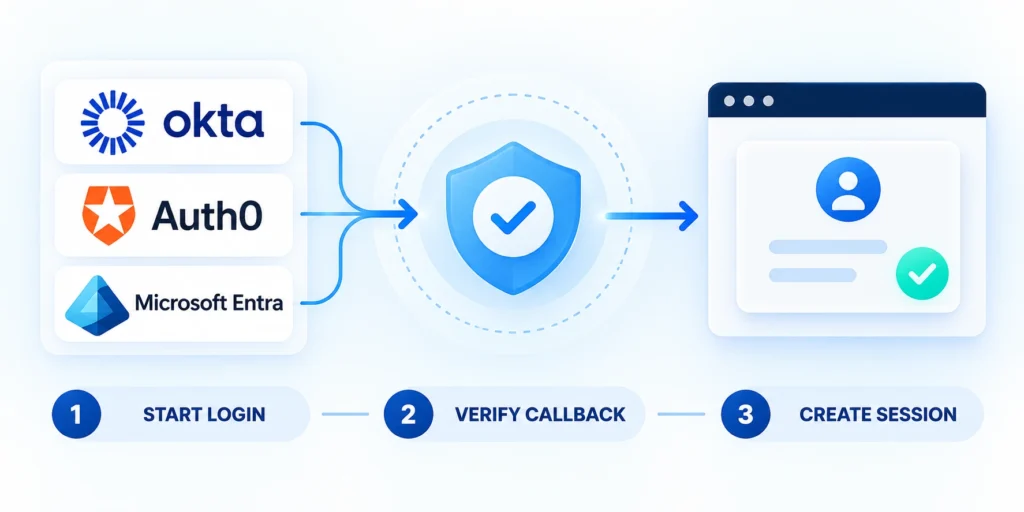
Use a maintained protocol library rather than building token parsing, signature verification, or XML security by hand.
The login endpoint should initiate a verified flow, and the callback should accept only a response bound to that request.
Use state, nonce, and PKCE where the flow requires them
Generate unpredictable request values, associate them with the initiating browser session, and expire them after a short interval.
OIDC uses state to preserve request context and mitigate request forgery; nonce binds an ID token to the authentication request.
Treat the flow as an implementation checklist
The flow below is a checklist, not runnable code. Follow the current API and security guidance for the protocol library you select.
Login request:
  create random state and nonce
  create PKCE verifier and challenge when required
  store request values in a short-lived server-side session
  redirect only to the configured identity provider

Callback:
  match and consume the stored state
  exchange the authorization code through the trusted client library
  validate token signature, issuer, audience, expiry, and nonce
  map the verified identity to an application account
  create a protected application session
Use the OpenID Foundation’s authorization-code validation sequence as a protocol reference, then follow your provider’s current setup guide.
Validate the response before creating a session
Do not create an application session merely because the callback contains a token-shaped string or a familiar email address.
Require the selected protocol library to validate the signature and the expected issuer, audience, expiry, and request correlation.
Use these actions to validate the response before creating a:
- Reject unexpected issuers, client identifiers, redirect destinations, expired responses, and reused request state.
- Validate SAML signatures and assertion conditions using maintained libraries configured for the intended service provider.
- Protect callback endpoints from open redirects and avoid logging complete authorization codes, tokens, or assertions.
- Rotate application session identifiers after sign-in and set appropriate secure cookie attributes.
- Return generic useful errors while preserving safe diagnostic identifiers in restricted server logs.
OWASP recommends OIDC for authentication and token validation by the relying party in its Authentication Cheat Sheet.
Manage Sessions, Logout, and Reauthentication
Identity-provider and application sessions are related but distinct. A successful provider logout does not automatically prove that every application session ended.
Define local expiration, renewal, revocation, concurrent-device behavior, and reauthentication before promising a single logout experience to customers.
Define local and provider logout behavior
Terminate the application’s server-side session, rotate or revoke relevant tokens, clear protected cookies, and return users only to registered destinations.
Test these logout and expiration cases:
- Local logout with provider session active.
- Provider logout with application session active.
- Expired session during a protected action.
- Concurrent sessions on multiple devices.
- Incomplete or failed provider response.
Use the provider’s supported endpoint only when configured for that behavior. Do not invent a cross-application logout promise the integration cannot verify.
Set session lifetime from application risk
Choose idle and absolute expiration according to data sensitivity, user workflow, device context, recovery capability, and customer requirements.
Require stronger assurance for these events:
- Changing privileged roles or security settings.
- Viewing or exporting sensitive records.
- Linking a new federated identity.
- Using administrative recovery access.
- Completing high-impact business transactions.
Use reauthentication or step-up authentication for sensitive operations instead of extending a long-lived session beyond its approved risk boundary.
Set session lifetime and reauthentication
Use the provider’s supported logout endpoint and registered return URL only when the integration is configured for that behavior.
Set session expiration according to application risk and user experience. For sensitive operations, consider reauthentication or step-up authentication instead of relying on a long-lived sign-in.
Map Claims, Accounts, and Provisioning

After authentication, map the verified identity into a local account model with explicit tenant, role, and access rules.
Define this mapping before launch, because identity-provider claims may be renamed, omitted, or changed by an administrator.
Use stable identifiers for account matching
For OIDC, a federated identity is normally identified by the issuer and subject pair, rather than by email alone.
The email claim can change, be reassigned, or be absent; use it as a contact attribute only under a verified policy.
Apply these criteria to stable identifiers for account matching:
- Store issuer and stable subject together.
- Require verified action before identity linking.
- Define duplicate-account handling and recovery.
- Separate identity from organization membership.
- Reject unexpected issuer and tenant pairs.
- Audit changes to federated associations.
- Protect recovery from account takeover.
- Expire abandoned linking attempts promptly.
- Review privileged mappings on schedule.
- Log safe identifiers for investigation.
Do not grant administrator access because a claim contains a broad group name or an email domain that looks internal.
Map each external group or role through an explicit allowlist, and make the default outcome deny access until the mapping is approved.
Govern group and role mappings
Translate external groups into explicit application roles through an approved allowlist, and deny access when no current mapping exists.
Review these mapping controls on schedule:
- External group and provider tenant.
- Approved application role and scope.
- Mapping owner and review date.
- Default outcome for unknown groups.
- Audit evidence for privileged changes.
Test renamed, removed, duplicated, and nested groups. A familiar label must never grant access without a verified provider, tenant, and approved role mapping.
Choose Account Provisioning and Lifecycle Controls

Authentication creates no durable entitlement by itself. Define how accounts begin, change, reconcile, suspend, recover, and end across the identity provider and application.
Choose a lifecycle model that matches customer administration, tenant separation, group governance, support capacity, and the consequences of stale access.
Compare provisioning approaches
Just-in-time provisioning can simplify pilots, while directory synchronization supports planned account changes but introduces connectors, mappings, retries, and reconciliation.
Use the comparison to document operational ownership:
| Approach | Best fit | Main control |
|---|---|---|
| Just-in-time | Small controlled pilots | Minimal default access |
| Directory sync | Managed enterprise lifecycle | Reconciliation and failure handling |
| Manual approval | Exceptional privileged access | Named reviewer and expiry |
| Provisioning API | Automated customer administration | Scoped credentials and audit trail |
| Hybrid model | Mixed customer requirements | Clear source of authority |
Do not treat creation as the whole lifecycle. Define responses when users leave groups, change tenants, lose assignments, or become disabled.
Reconcile identities and entitlements
Compare expected provider assignments with local accounts, tenant memberships, roles, and recent activity on a defined schedule.
Investigate these reconciliation findings promptly:
- Disabled identities retaining application access.
- Accounts missing expected tenant membership.
- Unmapped groups granting no approved role.
- Duplicate identities linked to one person.
- Privileged recovery access without expiry.
- Assignments missing from the provider.
- Stale sessions after account suspension.
- Tenant transfers without reviewed authorization.
- Directory failures delaying deprovisioning.
- Orphaned accounts without accountable owners.
Document the difference between removing an assignment, disabling the provider identity, suspending local access, and deleting the application account.
Test Security and Roll Out in Stages

Test the full sign-in and access lifecycle in a non-production environment before making SSO the default for a customer group.
Include expected sign-ins, denied users, changed claims, expired sessions, provider outages, and recovery procedures.
Build a test matrix around failure cases
A successful login test proves only one path. Security and support depend on predictable behavior when configuration or identity data is wrong.
Record expected results for each case, the account and tenant used, the protocol response, and the application action.
Use these actions to build a test matrix around failure:
- Test authorized and unprovisioned users.
- Test disabled users and missing claims.
- Reject untrusted issuers and audiences.
- Exercise reused and mismatched callbacks.
- Test group and tenant changes.
- Exercise concurrent and expired sessions.
- Verify logout across supported scenarios.
- Test identity-provider service disruption.
- Exercise certificate and secret rotation.
- Verify monitored administrative recovery.
Review server logs for correlation identifiers and failure categories, then confirm secrets and tokens are not recorded in plaintext.
Use the provider’s current test tenant and preserve each account, tenant, expected result, observed result, log identifier, owner, and remediation.
Test certificate and recovery failures
Exercise expiring certificates, unavailable discovery metadata, incorrect signing keys, revoked credentials, provider outages, and failed administrative recovery before wider rollout.
Record these outcomes for each failure:
- User-facing message and safe next step.
- Alert, log identifier, and responsible owner.
- Recovery action and required authorization.
- Rollback path and confirmation signal.
- Customer communication and support procedure.
Confirm that recovery does not bypass tenant or role checks. Emergency access must remain limited, monitored, expiring, and independently reviewed.
Monitor SSO and Expand Rollout Safely

Start with a known internal group or customer pilot, preserve the existing safe access path, and assign application and identity-provider support owners.
Expand only after test evidence, monitoring, support procedures, account recovery, and customer administration work under realistic conditions.
Measure identity and application outcomes
Track successful sign-ins, failure categories, denied authorization, account-linking exceptions, claim changes, provider availability, session problems, and recovery-path use.
Review these rollout signals with both owners:
- Sign-in success by provider and tenant.
- Configuration and claim-mapping failures.
- Unauthorized and unprovisioned account attempts.
- Help requests and recovery events.
- Certificate or secret expiry risk.
Use restricted correlation identifiers for diagnosis without logging complete tokens, assertions, authorization codes, secrets, or unnecessary personal information.
Expand through reversible stages
Capture the current account and recovery process, enable a limited group, review evidence, correct defects, and rerun every affected test.
Use these controls for each expansion stage:
- Name the eligible users and tenants.
- Publish setup and recovery instructions.
- Define stop conditions and rollback.
- Review monitoring and support evidence.
- Approve remaining risks before expansion.
Keep recovery access limited, monitored, and regularly tested. Never preserve a shared emergency password as a permanent bypass around authorization controls.
For wider release planning, see the SaaS product-development lifecycle guide.
Protect the recovery path
Do not use a shared emergency password as a permanent fallback. Recovery access should be limited, monitored, and regularly tested.
Revisit keys, certificates, redirect registrations, group mappings, and ownership whenever the customer or application changes.
FAQ
These answers clarify common SSO protocol, identity, authorization, provisioning, session, recovery, certificate, tenant, and monitoring decisions.
Is OAuth 2.0 the same as single sign-on?
No. OAuth 2.0 is an authorization framework for delegated access; OpenID Connect adds an identity layer commonly used for sign-in.
Should a new business application support both OIDC and SAML?
Only when customer requirements or integration evidence justify both. Each protocol adds configuration, testing, support, and security work.
Can the application use an email address as the SSO account ID?
Do not rely on email alone as a permanent identity key. Use the protocol’s stable identifier and define a verified account-linking process.
Does successful SSO automatically authorize a user?
No. The application must separately map the verified identity to tenant membership, roles, and permissions using explicit rules.
What should happen if the identity provider is unavailable?
Show a safe, useful error and follow the documented recovery path. Do not silently bypass authentication or weaken authorization.
How should SSO certificates be rotated?
Plan overlapping validity, ownership, monitoring, non-production testing, communication, rollback, and confirmation before the old certificate expires.
Can SSO accounts be provisioned automatically?
Yes, when approved lifecycle rules validate tenant, role, identity, entitlement, deprovisioning, and exception handling before access begins.
How should tenant selection work after sign-in?
Use verified membership and explicit authorization. Never trust a tenant identifier supplied by the browser without server-side checks.
Should SSO logout end every session?
Define local and provider logout behavior explicitly, then test concurrent devices, expired sessions, and incomplete provider responses.
What SSO events should be monitored?
Monitor successes, failures, denied authorization, account linking, claim changes, certificate expiry, provider outages, and recovery use.
Conclusion
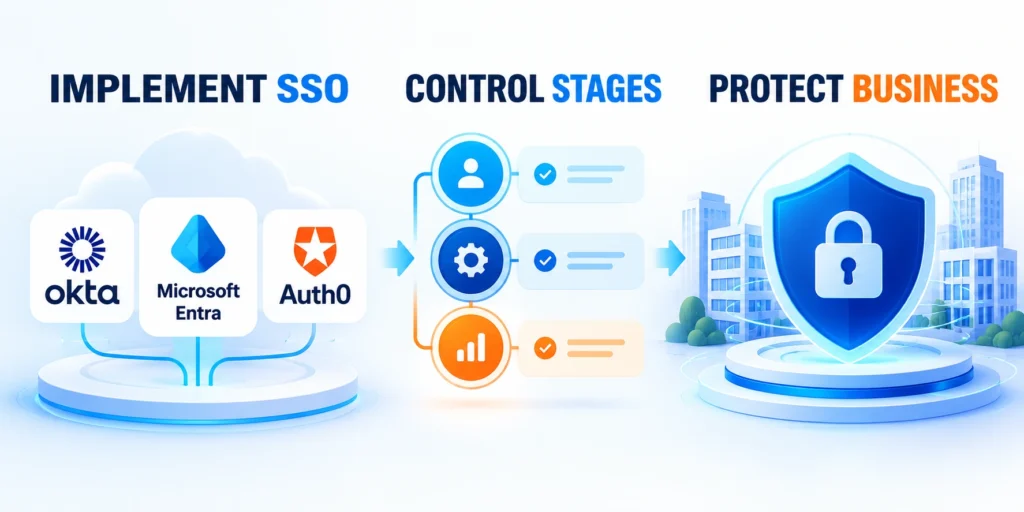
A reliable SSO implementation aligns the protocol, provider configuration, verified identity, local authorization, tenant boundaries, session behavior, and account lifecycle.
Begin with one supported environment, test expected and failed paths, preserve recovery, and expand only when application and identity owners accept the evidence.
Keep identity controls operational
Maintain configuration, keys, certificates, redirect registrations, claim mappings, tenant assignments, account reconciliation, session controls, monitoring, and support ownership throughout the integration.
Review these artifacts after material changes:
- Protocol and provider configuration record.
- Approved issuer, audience, and callbacks.
- Claim, tenant, and role mappings.
- Provisioning and deprovisioning evidence.
- Session, recovery, and rollback procedures.
- Certificate and secret rotation schedule.
- Monitoring and support ownership.
Schedule reviews before certificates or secrets expire. Reopen the architecture record when customers, providers, libraries, claims, or authorization requirements change.
Use evidence before expanding access
Confirm that the selected users can sign in, receive only approved access, recover safely, and receive useful support without bypassing controls.
Require these results before wider rollout:
- Expected and failed sign-in tests pass.
- Tenant and role isolation remains correct.
- Account removal revokes application access.
- Monitoring identifies actionable failure categories.
- Rollback restores a safe access path.
- Recovery access remains limited and audited.
- Support resolves representative customer failures.
SSO reduces password friction only when identity assertions connect to explicit application controls. Treat federation as a maintained security boundary, not a one-time login feature.






Leave a Reply