

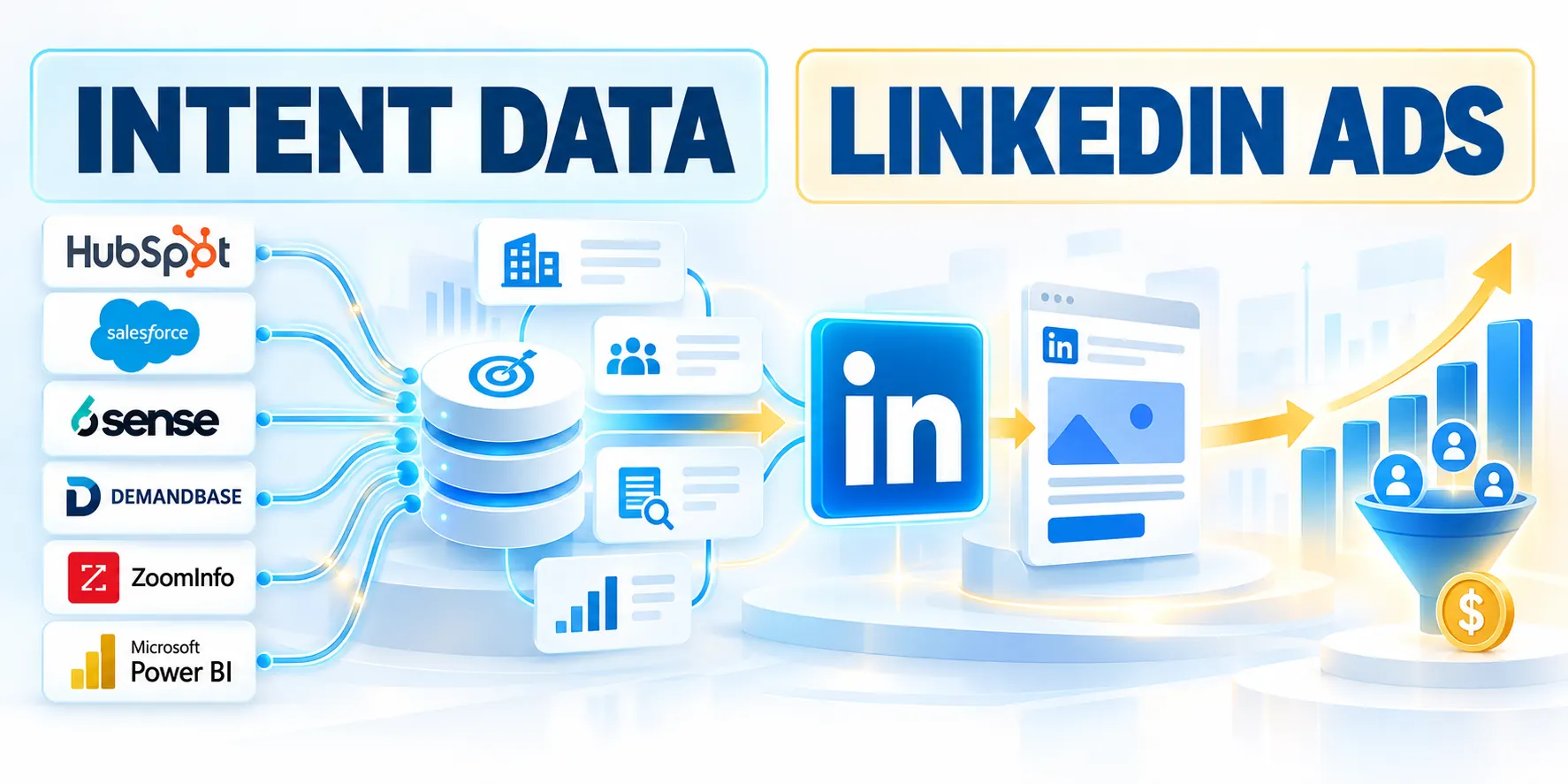
Intent Signal Limitations

Intent data for LinkedIn Ads is evidence that an account may be researching a business topic. It helps prioritize attention, but does not prove a person is ready to buy.
For LinkedIn Ads, the practical use is account selection: identify organizations worth reaching, then use LinkedIn’s professional targeting to reach relevant roles.
Separate signal types before combining them
First-party signals come from your own properties, such as a pricing-page visit, webinar registration, or repeated product-page activity.
Third-party intent providers infer company interest from research activity across external sources. ZoomInfo markets intent alongside company and contact intelligence, but the signal remains an account-level clue.
Other signals need their own context
Campaign engagement, sales conversations, technology changes, and hiring events are other signals. Each has different freshness, coverage, and privacy implications.
Treat provider, first-party, advertising, and CRM evidence as distinct observations with different collection methods, recency, coverage, and permitted uses.
Use intent as prioritization, not a buying verdict
A research spike can reflect a student, analyst, competitor, consultant, or employee outside the buying group. Do not tell a prospect that you know what they researched.
Instead, use the signal to decide which account deserves a useful message, a relevant educational offer, or a timely sales review.
Apply these safeguards before increasing account priority:
- Confirm documented ICP and offer fit
- Check signal topic and recency
- Look for independent CRM evidence
- Apply customer and opportunity exclusions
Combine signals before prioritizing
Combine provider data with fit, first-party engagement, and CRM history. A strong signal from a poor-fit account should not outrank a qualified account with a confirmed project.
Increase priority only when account fit, relevant topic, recency, exclusions, and independent evidence support the same bounded campaign hypothesis.
Intent Signal Quality
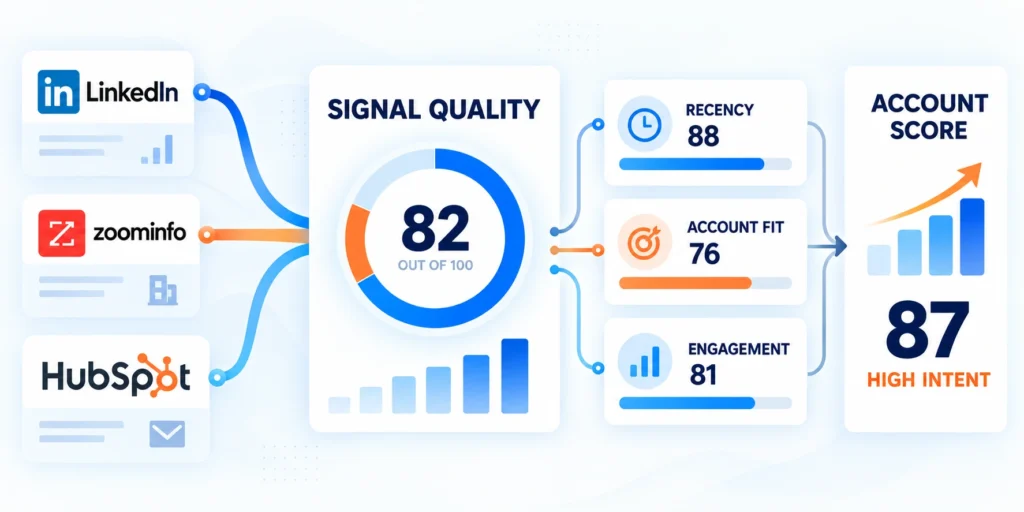
Start with the customer profile and problems your offer can solve. Then choose topics that describe those problems in the language buyers actually use.
This order prevents a common mistake: collecting broad signals first and inventing a campaign around whatever data happens to appear.
Build a usable topic map
Use a small, documented set of topics grouped by buyer problem, solution category, and evaluation activity. Keep synonyms together so reporting does not fragment one concept.
Follow this sequence to build a usable topic map:
- Write the business problem in one sentence, such as reducing inventory errors across distribution centers.
- List category terms buyers may research, including warehouse management systems and inventory accuracy software.
- Add solution and evaluation terms only when tied to real use cases, not popularity.
- Exclude ambiguous terms that refer to unrelated industries, consumer products, or broad academic research.
- Ask sales to review the list against recent opportunities and lost-deal notes.
- Record the topic owner, review date, and reason for each inclusion or exclusion.
For example, a company selling warehouse software might monitor “warehouse management system” and “inventory accuracy,” while excluding generic “logistics” unless the buyer context is clear.
Set fit and exclusion rules
Define firmographic boundaries before exporting accounts: geography, industry, operating model, company size, and any required technology or regulatory conditions.
Write exclusions just as clearly. Remove customers, active opportunities, competitors, students, unsupported regions, and accounts that sales has marked unsuitable.
Establish a baseline before activation
Keep a control group or baseline where possible. Without one, increased clicks after activation may reflect seasonality, an unrelated campaign, or a market event.
Record eligible accounts, existing engagement, current pipeline status, exclusions, and measurement windows before exposing the cohort to a new campaign.
ZoomInfo Account Review

ZoomInfo’s product materials describe intent as research behavior associated with companies and topics. Treat that output as directional evidence and verify the account against your own qualification rules.
Product labels and available fields can differ by plan and interface version. Use the fields your account actually exposes; do not assume every subscription includes identical filters or exports.
Review an account before exporting it
Use this repeatable review for each account cohort, adapting the exact screen labels to your ZoomInfo edition:
Follow this sequence to review an account before exporting it:
- Open the relevant account or intent report; select the topic group documented by marketing operations.
- Use a recent supported time window; never compare fresh and old signals as equivalent.
- Check whether the company matches the ICP, including region, industry, size, and operating model.
- Review topic activity; remove accounts whose interest is unrelated to the product use case.
- Compare first-party engagement, CRM stage, open opportunities, and customer status when available.
- Export activation fields only: company, domain, country, and the agreed internal account key.
Use a fictional example: Northstar Components researches supply-chain planning, matches your industrial ICP, and recently downloaded a planning guide. It merits review, not an automatic “ready to buy” label.
| Check | Question | Action |
|---|---|---|
| Fit | Can the account use the offer? | Keep accounts inside the ICP |
| Topic | Does research match a solvable problem? | Map topic to a use case |
| Freshness | Is the signal recent enough? | Apply one lookback window |
| Context | Does CRM evidence support it? | Raise priority with corroboration |
| Disposition | Should ads reach the account now? | Apply customer and deal exclusions |
LinkedIn Matched Audience Setup

LinkedIn Matched Audiences can use company lists as targeting selections. The platform recommends its current Campaign Manager template; use that template rather than relying on an old saved CSV.
LinkedIn’s current help guidance says a company list needs at least a company name or website, and that a Company Page URL can improve matching.
Prepare and upload the company list
Follow this sequence to prepare and upload the company list:
- In Campaign Manager, open Audiences and create a company-list audience for the correct ad account.
- Download the account’s company-list CSV template; preserve column names and required structure.
- Clean company names and domains, remove duplicates, and include LinkedIn Company Page URLs when available.
- Upload the file, name the audience, and record its source, owner, date, and purpose.
- Wait for usable audience status; never attach still-processing lists to live campaigns.
- Check matched size and exclusions; the audience must meet LinkedIn’s active-ad-set minimum.
LinkedIn documents a 300-member-account minimum for an ad set. A company file with 300 rows is not necessarily 300 matched members, so use the Campaign Manager estimate.
Normalize company names and domains, remove prohibited or ineligible accounts, document the source and date, and preserve the approved upload version.
Keep the audience purpose specific
Use separate audiences for different topic clusters or funnel actions when the distinction changes the message. Avoid making many tiny segments that cannot reach minimum delivery.
Exclude active customers when acquisition is the goal, and exclude open opportunities when the account team owns the next step. Confirm exclusions with CRM owners before launch.
Related account-based campaign planning
For a broader account-based approach, see the site’s LinkedIn Ads account-based marketing strategy.
Use the broader campaign plan to align buying groups, creative, offer, exclusions, budget, sales coordination, and measurement before increasing audience complexity.
LinkedIn Targeting Layers
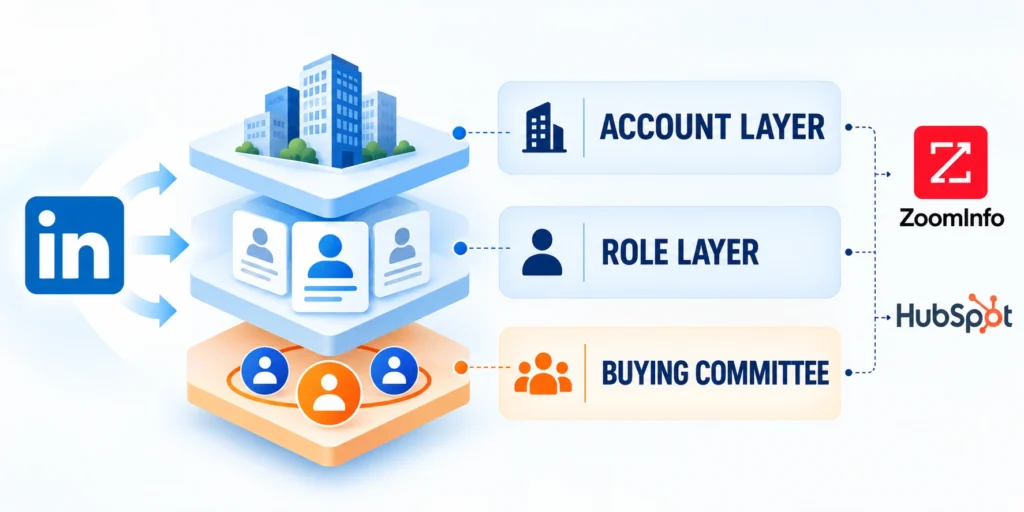
A company list identifies organizations, not the exact committee member who viewed a research topic. LinkedIn’s professional facets help shape delivery to relevant member profiles.
Start with one or two role criteria that matter to the offer. Too many titles, functions, seniority levels, and skills can shrink the audience and obscure performance changes.
Use a controlled audience-build test
Follow this sequence to use a controlled audience-build test:
- Select the validated company-list audience and confirm it is available for the chosen ad account.
- Add relevant professional filters, such as function or seniority, based on the buying group.
- Check estimated size after each filter; remove criteria that reduce reach without improving relevance.
- Preview the audience with sales; confirm roles can influence, evaluate, or use the solution.
- Keep a record of the final targeting logic, exclusions, audience estimate, and campaign objective.
For enterprise security software, an initial test might target IT security decision-makers at validated accounts. A second cell could include practitioners, if the creative and offer differ.
Do not interpret small audience estimates as a data defect automatically. Check list match rate, region, consent-related availability, exclusions, and stacked filters first.
Related enterprise campaign planning
The site’s LinkedIn Ads guide for enterprise contracts covers broader campaign strategy and buying-group considerations.
Keep LinkedIn targeting choices connected to the enterprise campaign objective, buying process, account value, delivery capacity, and evidence required for expansion.
Intent Campaign Mapping

Intent strength should change the next useful message, not trigger an aggressive sales claim. Match the offer to the evidence and the account’s relationship with your company.
Use a simple stage model that marketers, sales, and operations can explain. The labels are prioritization rules, not predictions of an individual member’s private behavior.
| Signal context | LinkedIn approach | Next action |
|---|---|---|
| Broad topic interest | Educational account campaign | Observe engagement without assumptions |
| Topic plus strong fit | Consideration campaign by role | Review CRM context before outreach |
| First-party project evidence | Evaluation offer for buying group | Assign owner and follow SLA |
| Customer or open deal | Suppress acquisition campaigns | Follow ownership and consent |
Keep creative honest and useful
Do not write “we saw you researching” or mention a provider’s signal. The recipient may not know about the account-level inference, and the wording can feel intrusive.
Instead, state the business problem and offer practical help. For example: “Compare three ways to reduce warehouse inventory discrepancies” is more useful than “Your team is looking for inventory software.”
Coordinate with the demand-generation program
Keep the campaign aligned with the wider demand-generation program. The site’s high-intent demand generation guide explains how channel activity can support a coordinated funnel.
Align intent cohorts with existing campaign calendars, content, account ownership, nurture rules, sales capacity, and suppression logic to avoid conflicting customer experiences.
Coordinate these campaign elements before activating the cohort:
- Audience purpose and permitted claims
- Offer, creative, and buying-group roles
- Account ownership and sales capacity
- Suppression, nurture, and measurement rules
How Intent Signals Become LinkedIn Audiences

A reliable program connects intent research, account review, audience activation, campaign reporting, and sales feedback. Assign an owner to every handoff.
Do not automate every signal into an ad audience immediately. Begin with a reviewed cohort, validate its data quality, and expand only when the workflow produces useful outcomes.
Define the operating record
Keep the account-level record in the CRM or another governed source of truth. Use fields your team can maintain consistently rather than creating a different schema for every campaign.
Use these actions to define the operating record:
- Account ID and normalized company domain.
- Intent provider, topic group, signal date, and review date.
- ICP-fit status and reason for inclusion or exclusion.
- Campaign audience name, owner, and activation date.
- Sales disposition, next action, and feedback reason.
- Retention period and deletion or refresh responsibility.
Store the provider topic, signal date, account identifier, match decision, exclusions, campaign cohort, owner, and review outcome without implying individual surveillance.
Run a small pilot before scaling
Follow this sequence to run a small pilot before scaling:
- Choose one product use case, region, topic set, and account cohort.
- Document baseline spend, qualified account engagement, opportunity progression, and sales capacity.
- Launch a limited campaign with one clear offer and a defined review date.
- Ask sales to record account context and disposition using agreed CRM values.
- Review match quality, delivery, pipeline movement, and workload before adding topics or regions.
Keep a rollback path: pause the campaign, remove the audience from active ad sets, and revert any CRM automation that routes accounts incorrectly.
Limit the first cohort, creative set, role targeting, budget, and duration so teams can inspect matching, delivery, engagement, handoffs, and exclusions together.
Intent Measurement Loop
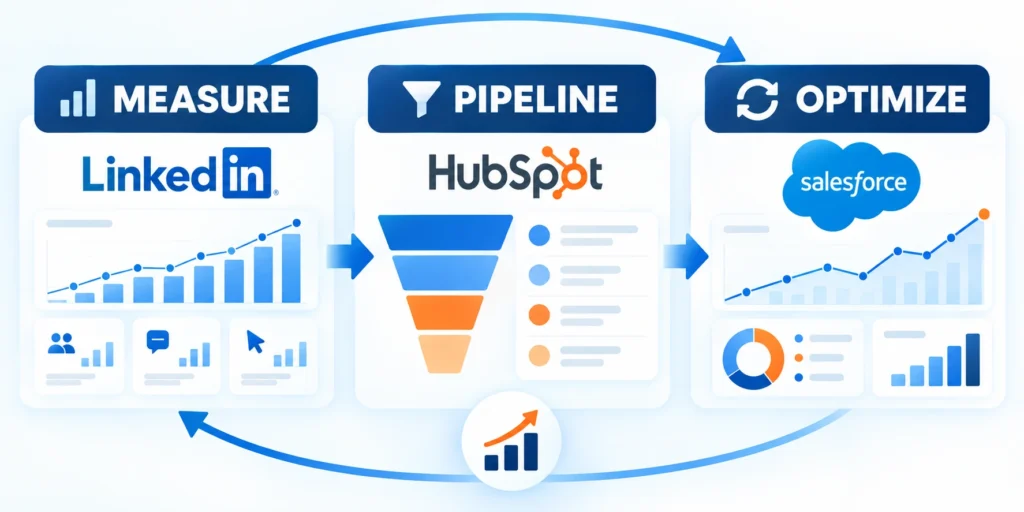
Measure the program at the account and campaign level. Click-through rate alone cannot show whether intent data helped reach better-fit accounts or move real opportunities.
Compare exposed accounts with a reasonable baseline or holdout when volume permits. Control for existing customers, sales activity, campaign overlap, and differences in account fit.
Use a balanced scorecard
| Layer | Example measure | Decision |
|---|---|---|
| Data quality | ICP match and valid accounts | Adjust topics or list cleaning |
| Delivery | Audience size, reach, frequency | Control delivery and exposure |
| Engagement | Account visits and form activity | Evaluate offer relevance |
| Pipeline | Qualified progression by cohort | Assess commercial contribution |
| Operations | Response and feedback completion | Assess operating sustainability |
Define calculations before launch. For example, set the account cohort and attribution window first, then compare the same outcome for exposed and holdout accounts.
Do not credit every opportunity that appears after an ad impression to the campaign. Record other touches and interpret small samples cautiously.
Review and adjust with evidence
At each review, ask whether the topic was meaningful, the accounts fit, the audience matched, the offer helped, and sales could act on the resulting interest.
Change one major variable at a time when possible. If you change topics, creative, targeting, and offer together, you will not know which change affected the result.
Review these signals before changing campaign scope:
- Match quality and audience delivery
- Engagement by approved account cohort
- Qualified progression and sales feedback
- Exclusions, freshness, and operating burden
Refresh targeting and privacy controls
Refresh audiences on a documented schedule, remove stale or disqualified accounts, and respect platform rules and applicable privacy requirements.
Review audience age, account status, consent expectations, exclusions, access, retention, and platform rules before reusing or refreshing any uploaded cohort.
Govern Account Identity and Sales Handoffs
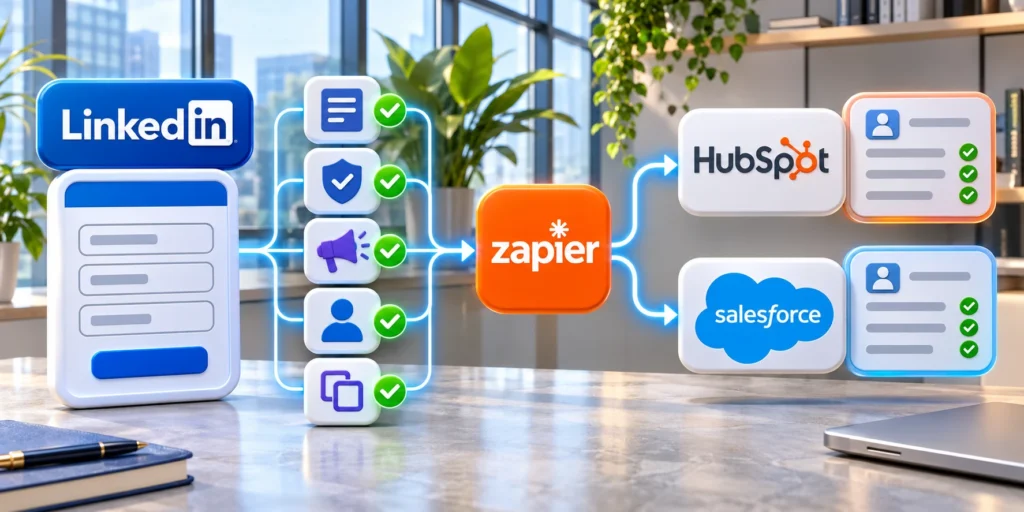
Intent activation depends on matching provider records, LinkedIn audiences, first-party engagement, CRM accounts, ownership, and exclusions without treating uncertain identity as fact.
Govern the match and handoff so marketing and sales can explain why an account entered a cohort, what evidence exists, and which actions remain appropriate.
Define Intent Topics as Testable Hypotheses
For each topic, record the buyer problem, eligible accounts, offer, expected behavior, sales action, expiry, and evidence that would change the decision.
Do not equate a broad research category with purchase readiness. Validate whether the signal predicts relevant engagement within the chosen market and time window.
Reconcile Provider and CRM Account Identity
Match domains, company names, subsidiaries, locations, and stable identifiers before uploading audiences or assigning sales ownership to signaled accounts.
Keep uncertain matches separate and route strategic conflicts to review; a mistaken merge can expose campaigns to customers, competitors, or unrelated organizations.
Protect Audience Freshness and Exclusions
Expire intent cohorts, remove customers and disqualified accounts when appropriate, and refresh opportunity, territory, consent, and suppression data before activation.
Record the audience version used by each campaign so later reviews can distinguish targeting changes from creative, offer, budget, or market effects.
Coordinate Sales Response Without Surveillance Claims
Give sales account-level context, the active message, offer, ownership, and suggested next step without claiming knowledge of a specific person’s private research.
Require representatives to add value through relevant outreach and record outcomes such as wrong account, no project, active need, or existing relationship.
Require these controls before any sales handoff:
- Validated account identity and active owner
- Permitted evidence and customer-safe language
- Documented response timing and fallback
- Feedback reason and next campaign action
Measure Incremental Decision Value
Compare qualified reach, accepted responses, opportunity progression, cost, exclusions, and sales effort against a suitable baseline or holdout where practical.
Intent data is useful only when it improves a real decision enough to justify data, media, operations, privacy, and provider costs.
FAQ
These answers clarify intent-data questions involving identity, LinkedIn audiences, outreach, testing, freshness, first-party evidence, expansion, providers, and campaign stop conditions.
Does ZoomInfo intent identify a specific person?
Intent often works as an account-level research signal. It does not prove which employee researched a topic or whether that person belongs to a buying group.
Can intent data be sent directly to LinkedIn Ads?
Some stacks support integrations, depending on product plan and configuration. A controlled company-list upload through LinkedIn Matched Audiences is practical when permissions allow.
How large must a LinkedIn Matched Audience be?
LinkedIn states that an ad set needs at least 300 member accounts. The number of companies in an uploaded file can exceed or fall short of the final matched-member count.
Should high-intent accounts always receive sales outreach?
No. Check account ownership, open opportunities, customer status, consent, and first-party context. Follow your service-level agreement and use outreach only when it provides a relevant next step.
What should we test first?
Start with one well-defined use case, a small topic set, a qualified account cohort, and one practical offer. Measure account quality and pipeline alongside delivery and engagement.
How long should an intent signal remain active?
Set expiry from observed buying cycles, topic behavior, provider definitions, and validation results; do not keep stale cohorts active indefinitely.
Can intent data replace first-party engagement?
No. Use it as one account-level signal alongside fit, ownership, first-party evidence, sales context, and customer status.
Should intent audiences use lookalike expansion?
Only when the broader audience remains relevant, permitted, measurable, and consistent with the campaign’s offer and account strategy.
How are intent providers evaluated?
Compare coverage, definitions, refresh, identity, privacy, controls, integrations, evidence, cost, support, and performance in a bounded pilot.
When should an intent campaign stop?
Stop after invalid matching, stale data, privacy concern, unusable sales response, unsupported claims, or persistently weak qualified outcomes.
Conclusion
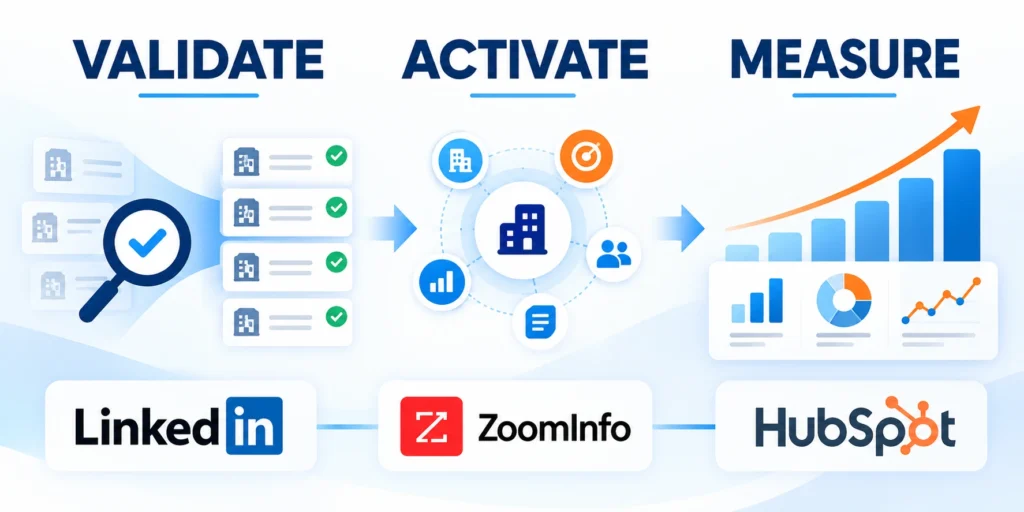
Intent data can improve LinkedIn prioritization when teams treat it as uncertain account-level evidence, combine it with fit and context, and avoid surveillance claims.
The useful operating question is not whether an account is buying, but whether a defined cohort and offer deserve a controlled campaign test now.
Build the audience from governed evidence
Start with documented topics, account-fit rules, recency, identity matching, exclusions, first-party context, ownership, and a clear purpose for every uploaded cohort.
Keep provider, advertising, engagement, and CRM signals distinct so the team can explain limitations and correct a weak assumption without rewriting the entire model.
Require these controls before activating an intent audience:
- Testable topic and campaign hypothesis
- Validated account identity and ICP fit
- Current exclusions and audience purpose
- Honest creative and customer-safe language
- Named owners for measurement and response
Scale only after incremental value appears
Use a bounded pilot to measure list quality, audience delivery, engagement, qualified progression, sales feedback, operating burden, and differences from a credible comparison cohort.
Stop or revise when the audience cannot deliver, exclusions fail, account identity remains unreliable, sales capacity is unavailable, or commercial evidence does not improve.
Review these outcomes before expanding the campaign:
- Accounts match the approved cohort
- Frequency and spend remain controlled
- Engagement supports the chosen offer
- Sales feedback closes the operating loop
- Commercial outcomes justify continued investment
Refresh the model as topics, account status, audiences, platform rules, privacy expectations, offers, sales capacity, and market conditions change.
This discipline keeps intent data useful as a prioritization input while protecting credibility, customer trust, and the quality of LinkedIn campaign decisions.







Leave a Reply