


Define the Access Boundary
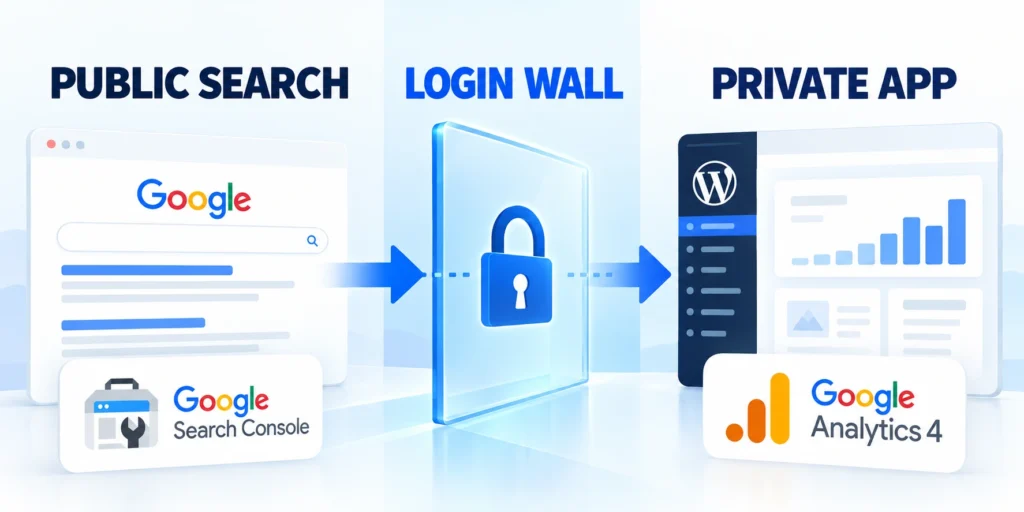
Gated content SEO strategy starts by separating what a search visitor may read from what only an authorized customer may access. Treat discovery and authorization as related but distinct systems.
A login requirement is not an indexing tactic. It is an access control. Search engines cannot usefully index a page whose meaningful content requires credentials they do not possess.
Map routes, data, and access
Map the experience before choosing indexing signals. A landing page, sign-in screen, private dashboard, API, and downloadable file each have different exposure and discovery needs.
Trace each public and protected request through routing, rendering, APIs, storage, caching, files, redirects, analytics, and error handling before assigning its search treatment.
Classify these assets before setting search behavior:
- Public discovery pages and supporting assets
- Low-value public login and recovery routes
- Authenticated dashboards and tenant records
- Protected APIs, exports, files, and previews
Create a route and resource inventory
Start with a route inventory from the application router, sitemap, analytics, and product requirements. Record the intended audience, authentication requirement, business owner, and desired search visibility for each route.
| Resource | Typical access | SEO treatment |
|---|---|---|
| Product or feature page | Public | Index when useful, canonical, and complete |
| Sign-in page | Public shell | Usually noindex if it adds little search value |
| Customer dashboard | Authenticated | Keep private; never expose customer data |
| API response or private file | Authorized request | Enforce authorization on every request |
Include files, APIs, previews, and cached variants. Private content can leak through a public asset URL, permissive endpoint, or shared cache.
For each resource, write a plain-language rule: “Visitors can discover this page, but only authorized accounts can retrieve its report.” This exposes unclear boundaries early.
Translate the boundary into a publishing rule
Do not promise private application content will rank. Explain the product’s value publicly, then direct authorized users to a clear sign-in or conversion path.
For a broader route architecture and crawl planning method, see the technical SEO architecture guide for large web applications.
Separate Public Discovery from Private App Routes

Give search engines stable public URLs for material that genuinely helps prospective users. Keep account-specific workspaces and records behind authorization, even when their route patterns resemble public pages.
A marketing site and app may share a domain or use separate subdomains. Either works when routing, cookies, caching, analytics, and access checks have deliberate boundaries.
Separate route classes explicitly
Group routes by purpose in code and deployment configuration. For example, public documentation can be crawlable while /app/, account exports, and tenant-specific reports require a valid session and permission.
Use these actions to separate route classes explicitly:
- Public discovery: product pages, documentation, templates, and public case studies.
- Public but low-value: sign-in, password reset, and invitation acceptance screens.
- Authenticated: dashboards, saved work, billing details, and customer-specific records.
- Machine interfaces: APIs, webhooks, exports, and files, each with its own authorization rules.
Do not treat a route name as proof of privacy. A route such as /reports/123 remains exposed if the server returns its data to anyone who guesses the identifier.
Likewise, putting an application behind a login page does not protect a public JavaScript bundle, image, generated PDF, or API response. Protect the resource itself at its delivery point.
Protect data requests and public navigation
Resolve the user and tenant on the server before returning private records. A single-page app may render a public shell, but each data request still needs authorization.
Keep navigation useful to both audiences. Public pages explain next steps; app links and analytics must not expose private titles, customer names, or sensitive query strings.
Build Public Preview Pages for Gated Value

A public preview can explain the problem, show a representative sample, describe the method, and state what an account unlocks without exposing restricted or customer-specific material.
Make the preview complete, not a thin doorway. Visitors need original information to judge relevance before submitting details or creating an account.
Design the preview around a specific search need
Choose one audience question and answer it on the public page. Then explain which deeper tool, dataset, template, or workflow requires access, and why that restriction benefits the user.
Follow this sequence to design the preview around a specific:
- State the problem and intended audience in direct language.
- Publish a useful explanation, sample, or limited preview.
- Describe what the gated experience adds and what account is required.
- Link to a clear signup, demo, or sign-in path without hiding the public answer.
- Test the page without cookies and from a fresh browser session.
For example, a benchmarking product could publish its methodology, sample dimensions, and an illustrative result. Customer-level metrics and downloadable account reports stay private.
Show the same substantive public preview to crawlers and unauthenticated visitors. Enforce the same access boundary for every user.
Make the access exchange transparent
Explain the gate near the call to action. State whether registration is free, what information is requested, and whether the user needs a verified account or a specific subscription.
Use the B2B content strategy to connect public previews with related pillar pages. Show a representative sample only when it is safe to disclose.
Collect only the information the offer needs
If a preview collects leads, apply consent and retention practices. Do not require unnecessary personal information just to reveal basic context.
For a related example of gated B2B lead-generation decisions, see the enterprise LinkedIn Ads guide.
Choose Indexing Signals for Login and Public Routes
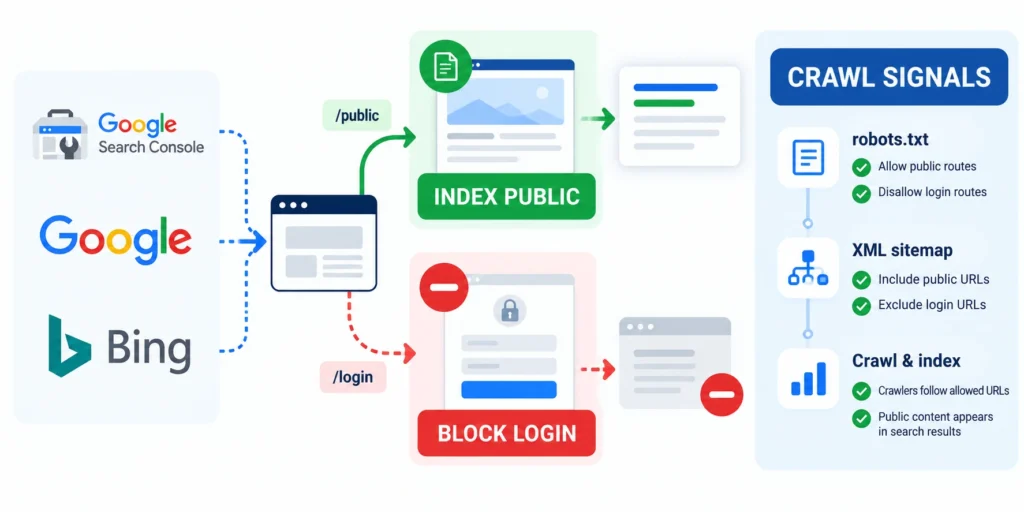
Index only distinct, useful public pages. A search engine must fetch a page before evaluating its content or reading its robots directive.
Choose signals by URL class and verify the response. A sign-in page may add little search value; dashboards remain protected regardless of indexing metadata.
Use robots directives for indexing, not authorization
A public page excluded from results can return noindex. Google must crawl it to read the directive; a robots.txt disallow can hide that instruction.
<meta name="robots" content="noindex, follow">Use this on a public response when exclusion is the goal. A robots tag, hidden link, or obscure URL cannot protect confidential data.
Separate indexing decisions from security controls
For public pages generated through programmatic SEO, check rendered content, canonical URLs, and crawlable links by template. Exclude private app paths from public sitemaps.
Authorization must protect the response even when robots directives, canonicals, sitemaps, links, or search-engine behavior change unexpectedly.
Apply these controls to each protected route class:
- Server-side authentication and authorization
- Private cache and response directives
- Public sitemap and linking exclusions
- Logged-out response verification
Verify the response, redirects, and canonicals
Review redirects and canonicals after login changes. Public product pages should not canonicalize to sign-in, and crawlers should not enter authentication loops.
Fetch representative URLs and use search-engine inspection tools. Confirm status, rendered content, canonical, robots directives, and the logged-out response.
Confirm crawler access with the right tools
Google requires public access for indexing. Bing also emphasizes crawlable, useful pages and clear technical signals.
Test representative public URLs as logged-out users and crawlers, then compare status, rendered content, directives, canonical signals, and linked resources.
Protect Gated Routes, APIs, and Files
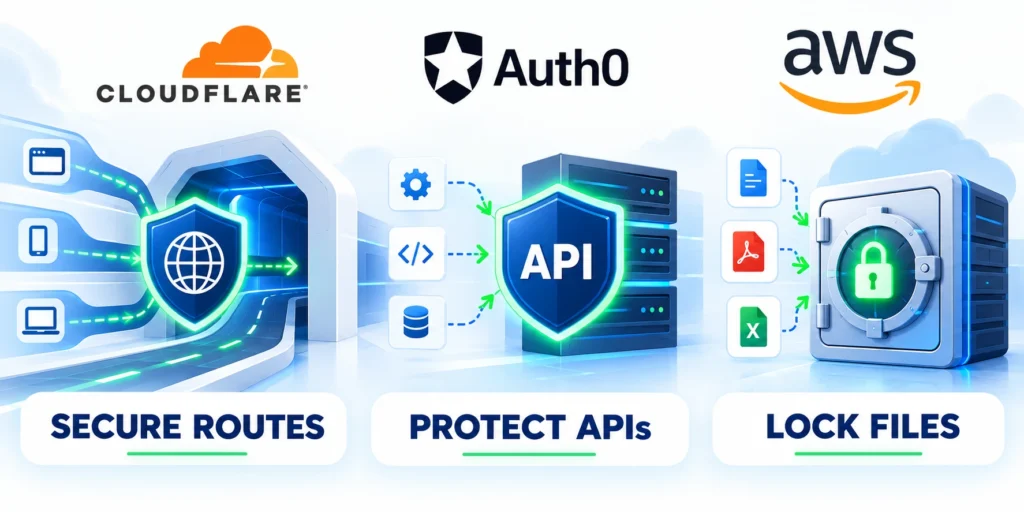
Authentication proves who is making a request; authorization decides whether that identity may access this specific resource. Every private route and data operation needs the second check.
Client-side hiding improves the interface but does not secure data. Enforce permissions on the server for page data, APIs, exports, generated files, and background jobs.
Check identity, tenant, and action on each request
Resolve user and tenant from trusted session or token data, then verify resource ownership. A client-supplied tenant ID alone never grants authorization.
Follow this sequence to check identity tenant and action on:
- Authenticate the request using the application’s supported session or token flow.
- Load the requested resource from the server-side data store.
- Check the user’s permission for the requested action and resource ownership.
- Return only the fields the user is allowed to see.
- Log security-relevant denials without recording secrets or unnecessary personal data.
Use deny-by-default behavior for private functions. If the permission check cannot establish access, return a controlled denial instead of falling through to a permissive response.
For file delivery, avoid public object-storage URLs when the content is restricted. Use an authenticated download endpoint or a short-lived signed URL issued only after authorization.
Control cache scope and session transitions
Review caches too. Do not publicly cache personalized responses under a shared key; verify that cache variation, CDN rules, and logout behavior cannot return one customer’s response to another.
Verify cache keys, private directives, logout behavior, account switching, expired sessions, and shared delivery layers with representative users and tenants.
Protect error responses and tenancy boundaries
Keep errors useful but non-disclosing. A 401 may require authentication; a 403 may indicate insufficient permission. Neither should expose records or another tenant unnecessarily.
Return only safe generic details to unauthorized users while keeping operational diagnostics inside controlled logs available to accountable responders.
Use default denial and verify the rule set
OWASP recommends authorization on every request and default denial. Adapt its guidance to the application’s framework and data model, then test it.
Exercise permissions after role, tenant, endpoint, file, session, framework, or infrastructure changes so inherited access cannot silently broaden.
Test Logged-Out and Logged-In Experiences

Test the same URL as a visitor, an authorized user, and a user without permission. This reveals whether the public discovery layer works while protected data stays inaccessible.
Include APIs and files in the test set. A page can appear locked while an endpoint still returns the record, so verify responses directly in a controlled test environment.
Run a repeatable access test matrix
| Identity | Private record | Expected result |
|---|---|---|
| Logged out | Denied or sign-in | No private payload |
| Authorized tenant user | Allowed by permission | Only permitted fields |
| Wrong tenant or role | Denied | No cross-tenant data |
| Expired session | Reauthentication | No cached private response |
Record the URL, identity state, request method, expected status, and whether the response contains private data. Use synthetic records in staging, and avoid copying production customer details into test logs.
A simple API smoke test can confirm that an unauthenticated caller receives a denial. Use a non-production endpoint and never place tokens or customer information in shell history.
curl -i https://app.example.com/api/reports/demoExercise these identities against every protected resource:
- Anonymous visitor without credentials
- Authorized user in the correct tenant
- Valid user without required permission
- User belonging to another tenant
- Expired, disabled, or revoked session
Check status and response body
Expect a controlled authentication or authorization response and no report body. Some single-page applications return an HTML shell with status 200; in that case, test the API request separately.
Also test invitation links, password resets, logout, session expiry, role changes, and direct file URLs. Security regressions often occur at transitions rather than during the standard signed-in journey.
Retest after infrastructure changes
After routing or CDN changes, retest in a clean session and second tenant. Pause rollout if results differ, then trace the request through app and cache layers.
Repeat anonymous, expired-session, wrong-tenant, and authorized scenarios after changes to caches, CDNs, routing, authentication, storage, analytics, or domains.
Measure Search and Qualified Leads
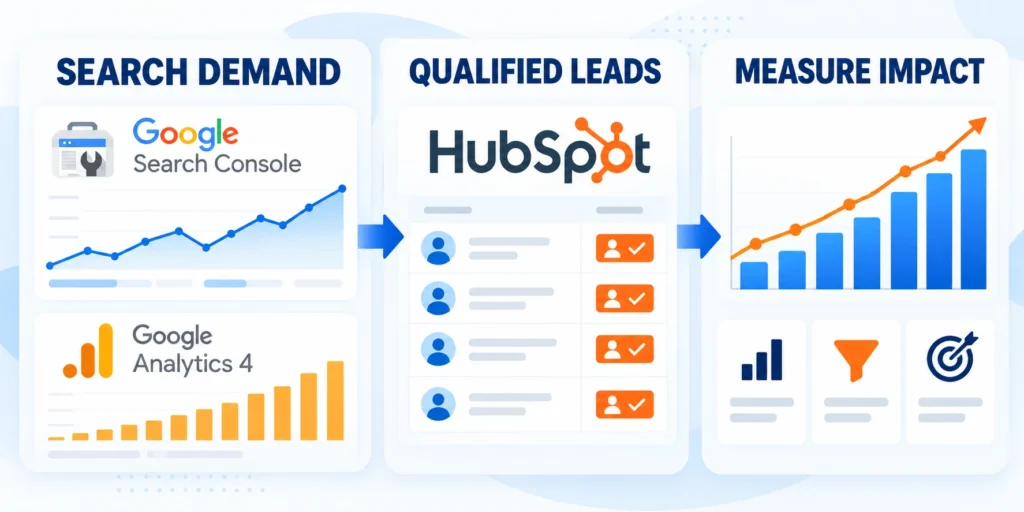
Measure discovery on public pages separately from activity inside the authenticated product. Search impressions do not prove that a gated feature creates qualified demand or customer value.
Define one reporting path from search landing to meaningful business outcome, while protecting user data. Keep access control and consent requirements intact when connecting analytics, CRM, and product events.
Build a privacy-aware measurement plan
Use these actions to build a privacy-aware measurement plan:
- Discovery: impressions, clicks, landing-page engagement, and indexed public URLs.
- Consideration: preview interactions, demo requests, and account creation where consent permits.
- Activation: completion of the first meaningful workflow by an eligible account.
- Quality: qualified opportunities, adoption, retention, and support burden.
- Guardrails: denied access anomalies, accidental indexation, and privacy or consent complaints.
Use aggregated reporting where possible. Avoid placing email addresses, account names, access tokens, report contents, or sensitive query strings in page URLs, analytics events, or public logs.
Define permitted identifiers, consent, retention, access, aggregation, and deletion before connecting public discovery events with CRM or product outcomes.
Connect discovery to product outcomes
Use a consistent campaign identifier across systems, but ensure it grants no access. Attribution describes a visit; it is never an authorization credential.
Compare public-page performance with downstream activation by audience and use case. If traffic rises while qualified activation falls, investigate intent match, preview clarity, and onboarding before expanding gated content.
Assign measurement owners and review dates
Assign owners and review dates. A shared scorecard can connect search, security, and adoption without merging sensitive datasets.
Name who reconciles search, conversion, activation, security, and customer-impact evidence, including the cadence and escalation path for conflicting results.
Keep reporting assumptions visible
Document exclusions and data delays. A private page absent from search may be correct; assess public discovery and conversion rather than indexing customer workspaces.
Record attribution windows, exclusions, delayed events, cohort definitions, consent limits, lifecycle stages, and known gaps beside every decision-facing report.
Define Public and Private Application Contracts

Every route needs a plain contract describing who may discover it, who may request it, which data can leave the server, and which owner approves changes.
Make the contract testable across pages, APIs, files, previews, caches, redirects, errors, and tenant boundaries rather than relying on interface visibility alone.
Define the Public and Private Contract
For every route, state whether anonymous visitors, authenticated users, specific roles, or tenant members may access the response and its supporting files.
Keep the public promise separate from the private payload. Search copy can explain value without reproducing customer data or restricted application output.
Record these decisions for every public or protected route:
- Anonymous, authenticated, role, and tenant access
- Permitted response fields and supporting files
- Public explanation and conversion destination
- Cache, error, preview, and logging behavior
Review Caches and Shared Delivery Layers
Confirm that private responses are not stored in public caches, shared previews, analytics exports, error pages, or content delivery rules.
Test logout, account switching, expired sessions, and tenant changes. A previously authorized response must not remain visible to the next user.
Plan Changes to Gated Routes
When a route moves, preserve authorization first. Then update public explanations, canonical signals, internal links, sitemaps, redirects, and monitoring.
Never redirect a protected resource to a public destination containing equivalent private data. Migration convenience does not change disclosure obligations.
Use Representative Security Tests
Test anonymous access, expired credentials, valid users without permission, users from another tenant, disabled accounts, and direct file URLs.
Check both page markup and network responses. A hidden interface control does not protect an API, export, image, or document endpoint.
Govern Gated Content Changes and Ownership
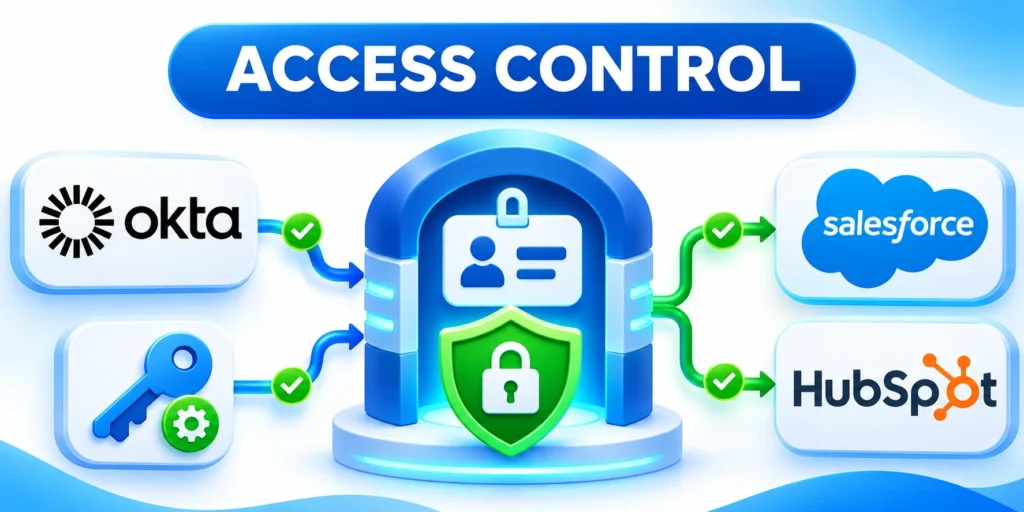
Gated content changes cross SEO, product, security, engineering, legal, analytics, sales, and support responsibilities, so release ownership must be explicit.
Use one change record that connects the public promise, protected resources, indexing signals, test evidence, monitoring, accountable approvers, and rollback path.
Coordinate SEO and Security Ownership
SEO owners define useful public discovery, while security and product owners approve access boundaries. Each change needs both perspectives before release.
Record the decision, evidence, test date, affected routes, and rollback path so later teams can distinguish intentional exclusion from an indexing defect.
Require these owners before approving gated-content changes:
- Public discovery and search signals
- Authorization and tenant boundaries
- Product behavior and customer commitments
- Measurement, monitoring, and incident response
Design Public Pages for Complete Usefulness
A public page should answer a genuine search question without pretending to expose the application. Explain audience, outcome, process, limits, and next step.
Avoid thin sign-in interstitials created only for indexing. They offer little value and can confuse users about what is public.
Keep Structured Data Within Public Evidence
Use structured data only for information visible and supported on the public page. Do not describe private records, features, ratings, or offers inaccurately.
Validate markup after templates change and remove properties that no longer match the accessible content or page purpose.
Separate Authentication From Authorization
Authentication identifies a user; authorization decides whether that user may access the requested tenant, object, action, export, or file.
Test both decisions on every protected route. A valid session must not grant access to unrelated accounts or administrative functions.
Control Error and Preview Responses
Error pages, social previews, browser titles, and notification snippets should not reveal private names, values, filenames, or report contents.
Return useful generic guidance while logging detailed diagnostics in an access-controlled system for authorized operators.
Recheck Delivery Layers After Infrastructure Changes
Recheck access and indexation after CDN, framework, authentication, routing, cache, analytics, storage, or domain changes.
Keep representative automated checks, but include manual scenario review for tenant boundaries, unusual roles, and sensitive exports.
Conclusion

Gated content SEO succeeds when useful public pages earn discovery while private routes, APIs, files, caches, and application data enforce authorization independently.
Indexing directives never replace access control. For a WordPress portal, follow the WordPress security protocol when testing who can reach private responses.
Release public discovery and private access together
Start with a route inventory, explicit access contracts, useful public previews, deliberate indexing signals, server-side authorization, private cache behavior, and representative security tests.
Connect public discovery to qualified outcomes without placing credentials, customer identifiers, restricted content, or sensitive query data into URLs, events, logs, or reports.
Require these controls before releasing gated-content changes:
- Useful public answer and clear next step
- Authorization on every protected request
- Safe cache, preview, and error behavior
- Logged-out and cross-tenant verification
- Named monitoring and rollback owners
Scale only after representative verification
Test anonymous users, expired sessions, valid users without permission, other tenants, direct files, APIs, redirects, shared caches, and infrastructure changes before expanding the pattern.
Monitor indexation, login flows, denied requests, cache behavior, qualified conversion, activation, support burden, privacy signals, and customer impact under one documented review cadence.
Use these decisions after each review cycle:
- Keep controls that match verified behavior
- Correct specific discovery or access gaps
- Pause releases with unresolved exposure risk
- Retest after every affected dependency changes
For the wider crawl and routing context, use the technical SEO architecture guide alongside application security and product requirements.
This operating model keeps public explanations complete, protected systems private, measurement useful, and search growth aligned with the access promises the product can safely fulfill.
FAQ
These answers clarify indexing, robots directives, login pages, public previews, APIs, caches, protected files, accidental exposure, and canonical behavior for gated applications.
Can Google index a page that requires a login?
Google generally needs to access a page publicly to crawl and index its content. Keep customer-only pages behind authorization and publish a separate, useful public page for discovery.
Does robots.txt protect private application routes?
No. Robots.txt gives crawler instructions; it does not authenticate users or prevent direct requests. Enforce authorization on the server for every private page, API, export, and file.
Should a sign-in page use noindex?
Often, if it has little search value. Let crawlers read the public directive, and never use noindex instead of access control.
Can a public preview show part of a gated resource?
Yes, if the sample is intentionally public, useful, and safe to disclose. Do not reveal private customer data, and keep the protected resource inaccessible until the user passes authorization.
How do I test whether an API is actually gated?
Request a non-production resource without credentials, with an expired session, and as a user from another tenant. Confirm the server denies access and returns no protected payload.
Can cached private pages appear in search?
Misconfigured caches can expose responses. Protect private content with authorization, suitable cache controls, and tests across users and sessions.
Should public previews share the private URL?
Prefer a clearly public route with its own purpose and canonical signals. Keep protected endpoints governed by authentication and authorization.
How should gated files be protected?
Authorize every file request or use controlled delivery. An unlisted URL is not protection against discovery or sharing.
What should happen after accidental indexation?
Stop exposure, preserve evidence, correct access and cache controls, assess impact, then update indexing signals and affected stakeholders.
Do authenticated pages need canonical tags?
Canonical tags do not replace access control. Decide public indexing separately and keep private responses inaccessible to unauthorized crawlers and users.







Leave a Reply