


Choose the Modernization Outcome

Legacy software modernization is a business change with technical consequences, not a hosting move by itself.
Start by naming the outcome the organization needs, then choose the smallest change that can deliver it with acceptable risk.
Write a measurable case for change
A useful case explains what the current application prevents, who is affected, and what evidence would show that modernization helped.
For example, a sales portal may take two hours to release a pricing correction because testing and deployment are mostly manual.
Turn Baselines into Testable Targets
That observation can support a target such as releasing approved pricing changes within one business day, with no increase in failed transactions.
Avoid targets such as “move everything to cloud” or “use microservices.” Those describe proposed technology, not customer or operating outcomes.
Use these measures to define modernization outcomes:
- Choose one business workflow that is costly, slow, risky, or difficult to change.
- Record a baseline from tickets, incidents, release logs, or user research.
- Set a target, measurement period, owner, and decision date.
- State constraints such as data residency, downtime, budget, and team capacity.
Know when not to modernize yet
An older system can remain a reasonable choice when it meets its needs, stays supportable, and costs less to operate than a transformation.
If the application is stable but poorly documented, first improve ownership, backups, monitoring, or deployment recovery. These steps can reduce risk before architectural change.
Set an Evidence-Based Reassessment Trigger
Set a reassessment trigger rather than an arbitrary deadline. Examples include vendor end of support, a new compliance requirement, or a sustained rise in incident cost.
Record the evidence required for reassessment so the decision changes when conditions improve, not merely when attention returns.
Assess the Legacy Application
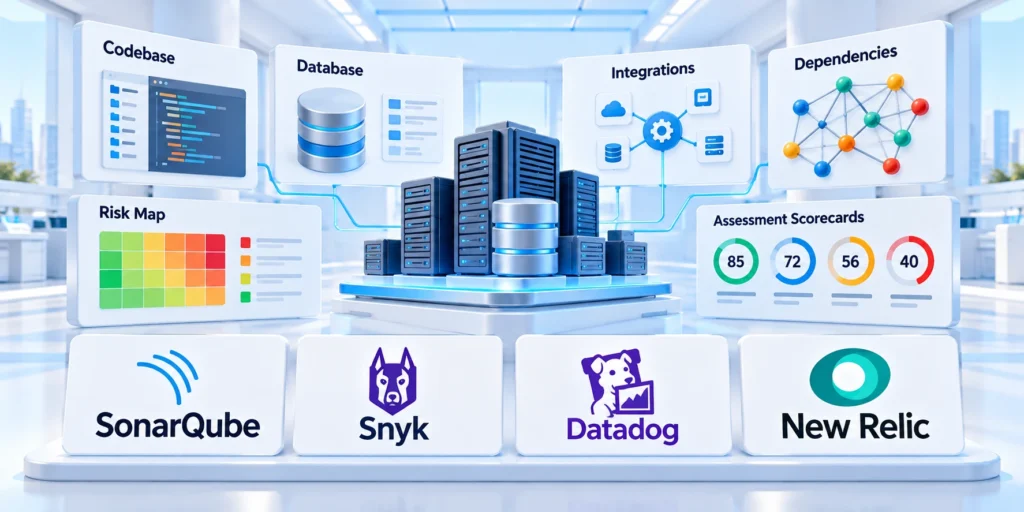
Before selecting a cloud approach, establish how the application behaves in production and which parts create the most meaningful constraint.
This assessment focuses on modernization decisions and migration boundaries.
Map the workload and its owners
Define the workload boundary: user interfaces, APIs, scheduled jobs, databases, files, identity providers, external services, and operational teams.
Trace one important user journey from the first request through every system that reads or changes its data.
Validate the Dependency Map with Owners
For a B2B order portal, that map might include the browser, application server, customer database, pricing service, payment provider, and nightly finance export.
Confirm each boundary with its owner. A diagram based only on repository files may omit manual processes, shared credentials, or vendor-managed components.
Confirm these dependency boundaries with their owners:
- List production components and the team accountable for each.
- Identify data stores, integrations, batch schedules, and authentication boundaries.
- Mark dependencies that cannot tolerate interruption.
- Record source evidence and unresolved assumptions separately.
Review the legacy code audit guide
Measure behavior before changing it
Capture representative traffic, response time, error rates, release effort, support tickets, and recovery time where those records exist.
Use a consistent window, such as the last eight weeks, and distinguish measured values from estimates or interview feedback.
Separate Signal from Noise
A short-lived spike may not justify an expensive redesign. Look for sustained patterns and identify which user journeys contribute to them.
Where telemetry is missing, treat the gap as work. Add low-risk logging or a manual sample before using guesses as a business case.
Check Readiness and Constraints

Cloud migration depends on operational readiness. When scoping cloud and modernization work, confirm who can provision environments, protect secrets, restore data, and respond to alerts.
Check whether the target environment has identity rules, network boundaries, logging, backup policies, tagging, and cost ownership already defined.
Assign Each Readiness Gap
List constraints that could change the plan: regulated data, unsupported runtimes, licensing, latency to a local device, or a vendor contract.
A gap is not automatically a blocker. Assign an owner and decide whether to resolve it before the pilot or include it in the pilot boundary.
Assign these readiness decisions before the pilot:
- Gap owner and required resolution evidence.
- Pilot boundary and accepted temporary constraints.
- Support, security, and recovery responsibilities.
- Review date and escalation conditions.
Review unresolved gaps together because several small constraints can combine into one unsafe pilot boundary.
Prioritize Gaps by Pilot Impact
Resolve gaps that could invalidate security, data integrity, recovery, user acceptance, or the team’s ability to operate the pilot safely.
Defer lower-impact improvements only when owners document the temporary control, observation period, and evidence required before wider migration.
Confirm Operational Ownership
Name who provisions environments, approves access, monitors behavior, restores data, handles incidents, supports users, and records modernization decisions.
Test handoffs during the pilot. If nearshore developers will share delivery, document ownership so the transition can proceed when a specialist is unavailable.
Select a Modernization Path

Different components can require different levels of change, so avoid assigning one migration strategy to the entire application without evidence.
Compare the expected improvement, delivery risk, ongoing operating effort, and time to user value for each realistic option.
Compare each path against these decision factors:
- Business outcome and measurable constraint.
- Dependency, data, and coexistence complexity.
- Recovery, testing, and operating responsibility.
- Transition cost and credible retirement path.
Compare practical options
Rehosting moves a workload with few code changes. It can shorten a data-center exit, but may preserve costly or fragile operating patterns.
Replatforming moves selected components to managed services with limited redesign. It can reduce infrastructure work, but compatibility and service limits need testing.
Match Strategy to Required Change
Refactoring changes code or deployment practices to improve a targeted quality such as release safety, maintainability, or performance.
Apply the strategy to bounded components because one label rarely describes the risk, value, and dependency profile of an entire legacy application.
Evaluate the Architecture Tradeoff
Rearchitecting changes core system boundaries. It may unlock capabilities the current design cannot provide, but requires greater investment and migration coordination.
Include transition and retirement work because target architecture alone does not reveal coexistence cost, coordination effort, or operational exposure.
Consider Retention and Retirement
Retaining or retiring a component can be better than moving it. Keep stable systems when change has little value; retire duplicate capabilities when users no longer need them.
Document owners, review triggers, retention duties, dependencies, and customer consequences so retention does not become unmanaged postponement.
| Approach | Best fit | Main tradeoff |
|---|---|---|
| Rehost | Fast relocation with limited redesign | May preserve operational inefficiency |
| Replatform | Managed value with bounded code changes | Compatibility and platform constraints |
| Refactor | Evidence supports a bounded code change | Requires tests and controlled scope |
| Rearchitect | Current boundaries block required outcomes | Highest change and validation burden |
| Retain or retire | Change lacks value or capability is obsolete | Needs ownership and review triggers |
Modernize by Component, Not by Trend

A product may rehost an internal reporting tool, replatform its customer portal, and refactor a payment integration at the same time.
Split work where components have clear boundaries, independent owners, and testable outcomes. Avoid splitting merely to create more services.
Select a Bounded First Component
A useful first candidate has meaningful business value, limited dependencies, an accountable team, and enough tests to detect important regressions.
If a component has poor tests, first add characterization tests around the behavior users rely on. This creates a safer baseline for later change.
Use incremental replacement when the system must stay live
A gradual replacement pattern can let new and legacy implementations coexist while traffic moves in measured slices.
For a customer portal, a routing layer might send one low-risk workflow to a new service while leaving account administration on the original application.
Control Routing and Data Authority
The team should define how requests are routed, how data remains consistent, which version is authoritative, and how traffic returns if the new path fails.
Set retirement criteria for compatibility routes. When public pages move, include redirects and canonical URLs in the migration’s technical SEO architecture checks.
Use these boundaries to select a migration unit:
- One accountable owner and measurable outcome.
- Known interfaces, data authority, and dependencies.
- Independent validation and practical rollback.
- Credible routing and retirement conditions.
Prefer a component whose migration teaches the team about deployment, data, monitoring, recovery, and coexistence without exposing the entire application.
Design the Cloud Target

Design the target around workload requirements and team capabilities, not a checklist of fashionable cloud services.
Keep the first target simple enough to operate, secure, observe, recover, and change after the migration team has moved on.
Define these target responsibilities before implementation:
- Runtime, deployment, scaling, and patch ownership.
- Identity, network, secret, and data boundaries.
- Reliability objectives and recovery evidence.
- Observability, cost, support, and escalation ownership.
Define the runtime and deployment model
Choose virtual machines, containers, platform services, or serverless components according to runtime compatibility and operational needs.
A managed application platform can reduce infrastructure maintenance, while containers may help standardize packaging across multiple services.
Account for the Operating Burden
Kubernetes adds orchestration capabilities but also requires platform expertise. Do not select it solely because the source application contains several modules.
Document how code is built, deployed, configured, monitored, and rolled back. The team that operates the target should help make these decisions.
Plan identity, network, and data boundaries
Use the organization’s approved identity provider, least-privilege access, and managed secret storage. Avoid embedding credentials in code or deployment artifacts.
Define which services may communicate, where sensitive data can travel, and how administrative access is logged.
Make Data Handling Explicit
For each data store, record the system of record, retention rules, backup method, recovery objective, and migration owner.
Evaluate encryption, residency, and deletion requirements with the organization’s security and legal owners before transferring production data.
Make reliability and cost observable
Choose a small set of service indicators tied to user outcomes: successful task completion, latency, failed requests, data freshness, or recovery time.
Set alerts for actionable conditions, not every infrastructure fluctuation. Each alert needs an owner, a response path, and a runbook or diagnostic step.
Set Actionable Operating Thresholds
Estimate steady-state and peak cost using real workload assumptions. Include network transfer, managed data, monitoring, support, and non-production environments.
Review consumption after the pilot. Keep cost dashboards tied to teams or workloads so unexpected growth has a clear owner.
Migrate Data and Integrations
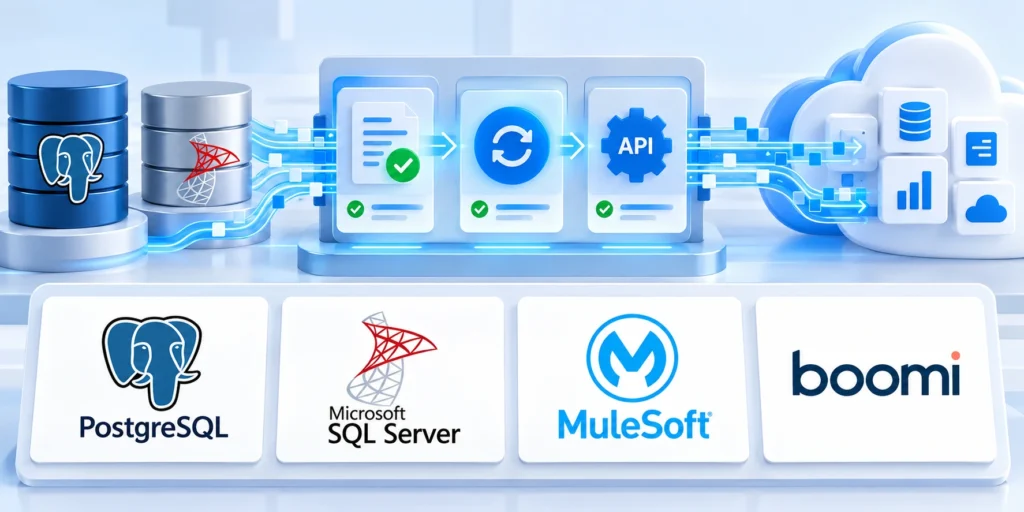
A migration plan should treat data, integrations, users, and operations as one coordinated release rather than separate technical tasks.
Use phases with measurable exit criteria, and keep a tested recovery path until the new workload proves stable under representative conditions.
Plan data migration and reconciliation
Choose an initial data movement method based on dataset size, change rate, downtime tolerance, and consistency requirements.
A one-time export may fit a low-change internal system. A customer-facing application may need repeated synchronization before final cutover.
Reconcile Before Cutover
Define how the team will compare record counts, critical totals, timestamps, and representative relationships after each transfer.
Test duplicate handling, deletions, late updates, encoding, time zones, and records that fail validation. Agree who resolves exceptions.
Reconcile migrated data with these checks:
- Take a recoverable snapshot and record the source version.
- Run a test migration with representative data and sensitive fields protected.
- Reconcile totals and sample records with business owners.
- Repeat the process until the timing and exception rate are acceptable.
- Document the final write freeze, synchronization window, and recovery decision point.
Test the complete user journey
Test through the same entry points that users and integrations will use. A service responding to a health check does not prove that a business task works.
Validate sign-in, permissions, search, create and update operations, notifications, scheduled jobs, exports, and support workflows.
Test Failure Paths with Users
Include normal cases and failure behavior, such as a delayed dependency, expired credential, duplicate request, or temporary database interruption.
Have business users confirm that the migrated workflow produces the right result, not just that the page loads.
Pilot and Cut Over Safely

A bounded pilot tests the new application under realistic conditions before the organization commits every user or workflow.
Set rollout, pause, and recovery decisions in advance so teams can respond to evidence instead of pressure during release.
Gate cutover with these operational checks:
- Acceptance evidence for representative user journeys.
- Reconciled data and verified integration behavior.
- Tested rollback with accountable decision owners.
- Monitoring, support, and legacy retirement readiness.
Use a pilot and staged cutover
Start with a bounded user group, tenant, or low-risk workflow. State the pilot duration, success thresholds, and conditions that pause the rollout.
Route traffic in stages when the architecture supports it. Monitor errors, task completion, support volume, latency, and data consistency after each change.
Prove Rollback Before Expanding
Keep rollback practical: know which version receives traffic, how writes are reconciled, and whether the old system remains able to serve current data.
Do not assume that switching traffic back reverses database changes. Test the recovery sequence and define ownership before launch.
Operate the new workload after launch
Assign ongoing ownership for patching, access reviews, backups, cost review, incident response, and platform upgrades.
Review results against the original baseline after the agreed measurement window. Include migration effort and temporary parallel-running costs.
Retire Legacy Components Deliberately
Retire old infrastructure only after data retention, audit, integration, and recovery requirements are met and owners approve the shutdown.
Record lessons learned in the migration playbook so later workloads can reuse working patterns without copying unsuitable architecture.
Plan the First 30 Days of Modernization

Successful cloud modernization begins with a specific business outcome and a realistic view of the workload, its constraints, and its owners.
Choose a proportionate path, migrate in testable phases, and keep recovery and operations part of the design from the beginning.
A practical first 30 days
Use the first month to create a decision-ready plan rather than promising a full transformation before the system is understood.
Use this sequence for the first month:
- Start week one by choosing a workflow, sponsor, owner, and measurable outcome.
- Map dependencies, data, environments, and operational evidence during week two.
- Compare options and design one bounded cloud target during week three.
- Define the pilot, recovery, cost boundary, and approval criteria during week four.
At the end, proceed only if the evidence supports the investment. Otherwise, refine the scope or resolve a readiness gap first.
Establish a Modernization Decision Baseline
Record current user journeys, integrations, data stores, controls, costs, incidents, deployment constraints, and business outcomes before selecting a target architecture.
The baseline separates measurable improvement from architectural preference and gives stakeholders evidence for sequencing, funding, acceptance, and later benefit reviews.
Map Dependencies Before Extracting Components
Trace calls, shared databases, batch jobs, identity, reporting, files, vendor interfaces, and undocumented operational work across representative business transactions.
A component boundary is credible only when the team understands who owns the data, which behavior must remain compatible, and how failures propagate.
Choose a Migration Unit That Can Be Reversed
Start with a bounded capability whose traffic, data, users, dependencies, and rollback path can be observed without placing the entire operation at risk.
Define exit criteria before implementation, including when to restore the legacy path, pause expansion, or redesign the boundary using evidence from the pilot.
Protect Data Integrity During Coexistence
Assign one authoritative writer for each dataset wherever possible, and document synchronization, reconciliation, conflict handling, retention, and recovery during transitional operation.
Dual writes introduce hidden failure modes; if unavoidable, instrument both paths and test how partial success, delayed events, and replay affect business records.
Modernize Delivery and Operations Together
Version infrastructure, automate repeatable builds, separate environments, manage secrets, define observability, and rehearse releases before moving critical traffic to the new application.
A cloud runtime does not modernize an unsafe delivery process; operating controls must improve alongside code, interfaces, data, and team ownership.
Retire Legacy Scope Deliberately
Track remaining users, integrations, records, reports, licenses, support obligations, audit evidence, and rollback dependencies for every capability scheduled for retirement.
Decommission only after acceptance and retention requirements are met, then remove credentials, routes, infrastructure, and costs that no longer serve an approved purpose.
Conclusion

Legacy modernization succeeds when teams change the smallest justified scope while protecting customer workflows, data integrity, recovery, and operational ownership.
Cloud services provide options, but evidence from the workload, dependencies, pilot, and operating model should determine the modernization path.
Preserve the Decision Evidence
Keep baselines, target outcomes, dependency maps, selected strategies, pilot results, migration records, accepted risks, and retirement obligations together.
This record helps future teams distinguish deliberate tradeoffs from inherited assumptions when requirements, platforms, costs, or ownership change.
Modernize in Reversible Units
Select components with clear interfaces, data authority, owners, testable outcomes, routing controls, and a practical recovery path.
Expand only after evidence confirms the new path operates reliably and coexistence does not create uncontrolled data or support risk.
Carry these controls through every modernization phase:
- Measure current behavior before changing architecture.
- Assign every dependency and readiness gap.
- Pilot migration, recovery, and operating procedures.
- Retire legacy scope only after acceptance.
Connect Delivery and Operations
Improve deployment, observability, access, backup, incident response, cost ownership, and support alongside application or infrastructure changes.
A modern runtime without an operable delivery and recovery system simply moves legacy risk into a different environment.
Close the Legacy Boundary Deliberately
Confirm users, integrations, records, reports, retention, licenses, access, support, and audit requirements before decommissioning a legacy component.
Remove routes, credentials, infrastructure, data copies, and costs only after accountable owners accept the migrated capability and remaining limitations.
FAQ
These answers clarify common modernization decisions about rewrites, prioritization, hybrid migration, downtime, retirement, measurement, coexistence, pilots, and ownership.
Should we rewrite a legacy application before moving it to the cloud?
Not by default. Rehost or replatform when relocation or managed operations meet the goal; refactor only where evidence justifies the added change.
How do we choose which application to modernize first?
Compare business impact, cost of delay, technical risk, dependencies, team readiness, and the feasibility of a bounded pilot.
Can an application use a hybrid architecture during migration?
Yes, when data flows, identity, network access, ownership, and failure behavior are explicit. Treat coexistence as a managed phase with exit criteria.
How can we reduce downtime during a database migration?
Assess change rate and downtime tolerance, test synchronization and reconciliation, rehearse the cloud migration cutover, and define a recovery decision before production migration.
When should we decommission the legacy application?
After owners verify user workflows, data retention, integrations, audit needs, and recovery arrangements, then approve a documented shutdown.
For the broader framework, read Custom API Development and Third-Party Integrations Playbook.
Should every legacy component move to cloud services?
No. Retain, replace, retire, rehost, or modernize each capability according to value, risk, dependencies, cost, and operating evidence.
How is modernization progress measured?
Track user outcomes, reliability, delivery, security, cost, incidents, retired scope, and unresolved dependencies against the documented baseline.
Can old and new applications share one database?
Sometimes temporarily, but ownership, writes, compatibility, reconciliation, rollback, and retirement must be explicit and tested.
When should a migration pilot stop?
Stop when safety, data integrity, acceptance, recovery, cost, or dependency evidence invalidates the approved assumptions or boundaries.
Who owns legacy retirement?
Assign accountable business and technical owners for acceptance, retention, decommissioning, access removal, cost closure, and audit evidence.




Leave a Reply