


Why Low-Volume B2B Keywords Can Be Valuable

B2B keyword research can reveal a specific operational problem, evaluation task, or buying constraint that broad search terms often hide.
Its value depends on buyer fit and business relevance, not a volume estimate alone or a promise of future rankings.
Separate demand size from business value
A monthly estimate describes modeled demand under a tool’s definitions, geography, and time window. It does not measure your conversion rate or market opportunity.
For an enterprise software firm, “warehouse management software” may be broad, while “warehouse management system for cold storage” reveals a more defined context.
Separate demand size from value through these checks:
- Broad demand: more potential searches, but a wider mix of research, education, and purchase intent.
- Specific demand: fewer visible searches, but often a clearer job, constraint, or evaluation question.
- Business value: the fit between that job and the product’s real ability to help.
Do not assume that a longer phrase always converts better. A specific query can still be informational, irrelevant, or too narrow to support a dedicated page.
Use a commercial example
Imagine a B2B cybersecurity provider serving regional banks. “Cybersecurity” is broad, while “managed detection for community banks” expresses a market and service context.
Before choosing the second phrase, the team should confirm that the service supports those banks, that buyers use this wording, and that the page can answer their evaluation questions.
Require evidence for a real audience
A qualified pipeline opportunity may justify content work even when a third-party tool reports limited volume. It does not justify publishing without evidence of a real audience.
Confirm similar language across relevant accounts, roles, or first-party search observations. Record contrary signals before treating the phrase as a repeatable need.
Build a Seed List from Buyer Evidence

Begin with how customers describe their work, not with a generic list of high-volume head terms.
Collect phrases from sources your organization already owns, then record who said them and which buying stage they describe.
Collect words from real buying conversations
Review sales call notes, lost-deal reasons, support tickets, implementation questions, product searches, and customer interviews.
Ask sales and customer success for exact language, not polished summaries. Preserve the customer’s phrasing beside your internal product terminology.
Collect buyer language from these recurring sources:
- What system or process are buyers replacing?
- Which outcome must they improve or protect?
- What integration, compliance, or deployment constraint changes the decision?
- Which alternatives do they compare, and why?
- What question appears before procurement approval?
Remove personal, confidential, and customer-identifying details before using call notes. The research needs patterns and wording, not private records.
Add existing search evidence
In Search Console, examine queries and pages already receiving impressions. Filter to relevant commercial pages and compare query wording with the page’s actual promise.
Use clicks, impressions, click-through rate, and average position as diagnostic signals. These describe observed search performance, not guaranteed future demand.
Read query data in context
Open the official Search Console Performance report guide for the report’s available metrics and query dimensions.
Look for impressions on relevant queries where the page only partially answers the need. That can suggest a content gap, but confirm it against buyer evidence and the current results.
Keep a source trail
Store each seed with its source, date, geography, audience, and confidence. A phrase from three recent sales calls deserves different weight from one unverified brainstorm.
Preserve the original wording beside the normalized candidate. Editors can then revisit context without turning an interpretation into a supposed customer quotation.
| Evidence source | What it can reveal | Useful caution |
|---|---|---|
| Sales conversations | Problems, objections, vendor comparisons | One representative’s wording may not be common |
| CRM opportunity notes | Segment, deal stage, and outcome patterns | Fields may be incomplete or inconsistently defined |
| Support and implementation questions | Operational constraints and recurring setup tasks | Existing customers may not represent new buyers |
| Search Console | Queries that already show or receive clicks | Reflects site visibility and filtered reporting |
Expand and Filter Keyword Candidates

Expand the seed list with tools, then filter it using your product scope and buyer evidence.
Keyword tools can surface ideas and estimates; they cannot decide whether your company should create a page for them.
Use keyword tools for discovery, not verdicts
In Google Ads Keyword Planner, start with several seed phrases and a relevant site URL. Select the market and language that match your intended audience.
Review related suggestions, monthly search estimates, and trend context. Google notes that forecasts depend on campaign inputs and that some very low-volume terms may not be discoverable.
Use Keyword Planner for paid-search estimates
Follow the official Google Ads Keyword Planner instructions for the current discovery and forecast workflow.
Google’s instructions say account setup must be completed to access basic Keyword Planner features. Confirm your account can open the tool before building it into the workflow.
Compare with another discovery source
Bing Webmaster Tools offers keyword ideas, questions, trend information, and filters for geography, language, device, and time period.
Its Keyword Research documentation explains the tool’s related, question, and newly discovered keyword groups.
Create useful modifiers
For each seed, test modifiers that reflect a genuine buyer constraint rather than adding words for their own sake.
Expand candidate phrases with these meaningful modifiers:
- Audience: for manufacturers, regional banks, or multi-location service teams.
- Task: migrate, integrate, audit, compare, automate, or govern.
- Constraint: legacy ERP, data residency, limited staff, or a regulated workflow.
- Evaluation: pricing, implementation, alternatives, security, or return on investment.
- Outcome: reduce reconciliation time, improve qualified pipeline, or shorten onboarding.
Use modifiers only when they describe an actual market or problem. Do not mass-produce every combination of a product name and modifier.
Filter for fit before volume
Remove terms outside the product’s capabilities, target geography, buyer role, or supportable use cases.
Then group close variants that express the same task. A keyword list should represent distinct search needs, not every spelling variation.
Example: combine close variants
For example, “CRM data migration services” and “migrate CRM data to new platform” may belong to one page if results and user needs substantially overlap.
Keep them separate only when buyer tasks, required evidence, or next actions differ enough to support two complete and useful answers.
Classify Intent and Search Results Fit

Before assigning a page, determine what a searcher appears to be trying to accomplish.
Read the result page for the target market and location; query wording alone can hide the format and depth people expect.
Use intent labels as working hypotheses
| Working intent | Example query | Likely useful page |
|---|---|---|
| Problem exploration | why crm records duplicate after migration | Diagnostic guide with causes and checks |
| Solution discovery | crm deduplication workflow for distributors | Practical workflow or solution overview |
| Vendor comparison | crm data quality tools for mid-market teams | Criteria-led comparison with alternatives |
| Implementation | map legacy crm fields before migration | Technical procedure and validation steps |
A single query may carry mixed intent. Choose the dominant need and answer it clearly, while linking to other useful steps when they are genuinely distinct.
Record secondary interpretations and test them against result patterns, buyer evidence, and existing coverage before assigning another destination.
Inspect the actual search results
Search from the target country and language, then note the pages that appear repeatedly near the top.
Inspect these result patterns before assigning intent:
- Are results guides, product pages, comparisons, documentation, or forums?
- Do they target a specific industry, company size, or buyer role?
- Which subquestions and objections appear across several results?
- Does the query lead to mixed audiences or multiple unrelated meanings?
Record the date and location because result pages can change. A manual snapshot is directional evidence, not a permanent ranking forecast.
Compare the results with your site’s existing pages. If the same need is already well served, improve or consolidate the appropriate page instead of creating a competing URL.
Choose one page or separate pages deliberately
Keep close queries together when they share the same audience, outcome, and expected answer format.
Separate them when the buyer task or evidence needs differ materially. Do not create separate pages merely because a tool lists different phrase variants.
Example: separate execution from evaluation
For example, a migration checklist and a vendor-comparison page may deserve separate URLs because one supports execution and the other supports selection.
Link them contextually when evaluation leads to planning, but keep their examples, evidence, and calls to action aligned with their distinct tasks.
Prioritize Terms with a Transparent Score

Use a small scoring rubric to make assumptions visible, not to create a false-precision ranking.
Score each candidate against documented evidence and let a reviewer challenge the assumptions before the team commits to a page.
Score the opportunity from one to five
| Factor | Low evidence | Strong evidence |
|---|---|---|
| Buyer fit | Outside target market | Clear target account and role |
| Commercial relevance | Weak buying-decision link | Direct evaluation or delivery need |
| Problem evidence | Unverified assumption | Repeated customer evidence |
| Ability to help | Little unique value | Strong expertise and process |
| Competition fit | Results are hard to serve | A distinct page fits the need |
Calculate a simple average only when the factors matter similarly. Otherwise, write down weights and explain why business priorities justify them.
Keep search volume in a separate column. A low or unavailable estimate should prompt a cautious evidence review, not an automatic rejection or an invented demand value.
Record these evidence sources beside every score:
- ICP definitions and CRM segments.
- Sales stages, requests, and opportunities.
- Call notes, tickets, and query data.
- Product capabilities and SME evidence.
- Result types and existing coverage.
Apply a worked decision
Suppose “field service CRM for commercial HVAC” has low visible volume, but several target customers describe dispatch and contract-renewal problems.
The team confirms that its CRM supports service scheduling and recurring contracts, and sales identifies real evaluation conversations around those needs.
Use evidence to challenge the score
That candidate may merit a useful page if the result page contains comparable commercial resources and the company can provide concrete, differentiated guidance.
If evidence is thin, keep the phrase in a research backlog. Interview more buyers, check search data over time, and avoid presenting the concept as proven demand.
Keep uncertainty explicit
Volume estimates may be grouped, rounded, unavailable, or based on advertising data. Tool labels and update schedules differ.
Record the tool, market, language, date, range, and any account limitations. Compare trends consistently instead of mixing figures from incompatible settings.
Turn the Shortlist into Pages and Measure Results
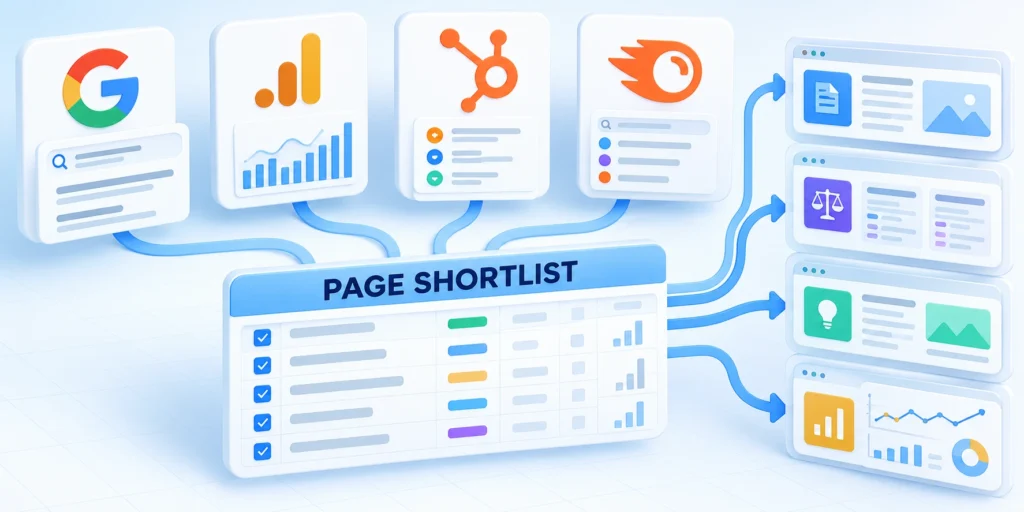
A prioritized phrase is a page hypothesis: a specific audience has a need that your organization can answer well.
Map that hypothesis to a single clear URL, a reader task, evidence, and a practical next step.
Write a one-page content brief
Before drafting, capture the decision the page supports, the primary audience, and the questions the reader needs answered.
Build the content brief through this sequence:
- State the target query family and its working intent.
- Name the buyer role, industry, and relevant constraint.
- List the evidence sources and what remains uncertain.
- Define a distinct promise that existing pages do not already fulfill.
- Outline useful examples, procedures, comparison criteria, and limitations.
- Choose a relevant next step that matches the reader’s stage.
- Identify internal pages that support the decision without duplicating it.
Adapt the brief to these page roles:
- Migration page: include a field-mapping checklist and validation steps.
- Comparison page: explain fit, trade-offs, and evaluation criteria.
- Service page: connect evaluation criteria to a specific implementation path.
Link to related guides only where they help the reader progress. A relevant overview of enterprise B2B SEO strategy can support a broader search program.
A complementary page should answer a different part of the decision, such as how to structure a wider content program around the buyer’s topic.
Connect the page to broader content planning
When the page addresses organization-wide content planning, the guide to B2B topic clusters and information architecture may provide useful context.
Keep the keyword brief focused on its assigned decision. Broader planning links should support the next step without duplicating the page’s primary answer.
Measure outcomes at more than one level
Use leading indicators to diagnose visibility and usability, and business measures to assess whether the page attracts the right audience.
| Level | Example measures | Decision supported |
|---|---|---|
| Search visibility | Relevant impressions, clicks, query mix | Is the page appearing for the intended need? |
| Page engagement | Useful next-page visits, CTA interactions | Does the page help the reader continue? |
| Lead quality | Target-account fit, qualification rate | Does the audience match the business? |
| Pipeline contribution | Accepted opportunities and influenced revenue | Does the topic support meaningful sales work? |
Do not attribute every later conversion to one page. Use attribution rules consistently and consider the complete path, sales cycle, and other campaign activity.
For low-volume pages, allow enough time for meaningful observations. A short period with few impressions cannot distinguish weak demand from limited indexing or an unsuitable page.
Refresh the decision, not just the keyword list
Revisit the page when customer language, product scope, search results, or sales evidence changes.
Preserve useful sections and URLs when they remain accurate. Consolidate only after confirming that pages serve the same intent and that redirects are appropriate.
Coordinate keyword choices with site architecture
For a technical topic, coordinate keyword selection with site architecture and crawlability. The guide to technical SEO architecture for large applications covers those system-level concerns.
After a new page earns relevant query data, use those observations to improve the next research cycle rather than treating the original shortlist as permanent.
Validate Commercial Relevance With Sales Evidence

Review opportunities, objections, discovery notes, proposal questions, and loss reasons to learn which searches represent real buyer decisions.
Keep privacy and access controls intact, and avoid turning isolated sales anecdotes into market-wide demand claims.
Connect signals to a buyer decision
Group recurring language by audience, buying stage, problem, requested outcome, and constraint. Preserve the source record and observation date for later review.
Compare those patterns with relevant query impressions, current pages, and qualified opportunities. A phrase becomes useful when the organization can answer its underlying task.
Review these commercial evidence signals together:
- Repeated discovery questions from target accounts.
- Objections delaying evaluation or approval.
- Proposal requirements linked to delivery scope.
- Loss reasons revealing an unmet decision need.
- Qualified opportunities using consistent language.
Separate patterns from individual anecdotes
One memorable call can suggest a hypothesis, but repeated evidence across representatives, segments, and stages provides a stronger basis for content investment.
Record contradictory evidence instead of hiding it. Different segments may use similar words for different decisions or different words for the same requirement.
Document evidence limits before prioritizing
Note incomplete CRM fields, uneven note quality, restricted records, small samples, and changes in product scope. These limits affect confidence, not merely reporting completeness.
Choose a reversible next step when confidence remains moderate. Update an existing page or test one focused brief before commissioning a broader cluster.
Maintain a Query-to-Page Decision Log
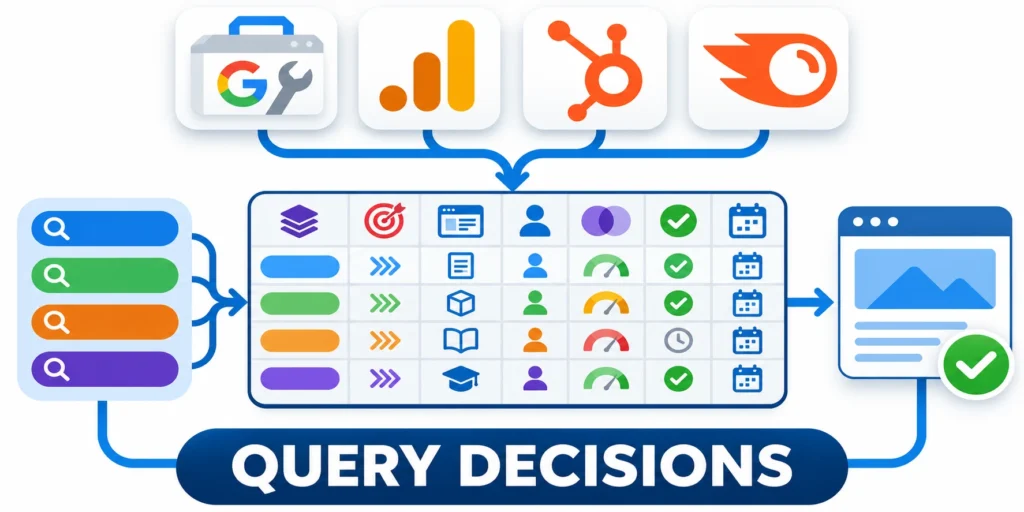
Record the query group, audience, intent, chosen destination, evidence, owner, overlap risk, publication decision, and review date.
This prevents repeated research from creating competing pages for wording variations that need one complete answer.
Define one destination per query family
Assign the primary buyer task before choosing a URL. Close variants usually belong together when their audience, evidence, answer, and next action remain equivalent.
Mark the decision as create, update, combine, defer, or reject. Link the decision to the evidence that made the selected destination appropriate.
Capture these fields in every decision record:
- Query family and buyer task.
- Audience, stage, and relevant constraint.
- Chosen URL and page role.
- Evidence sources and confidence level.
- Overlap risk and excluded scope.
- Owner, status, and scheduled review date.
Review overlap before publishing
Compare the planned answer with existing posts, commercial pages, and drafts. Shared vocabulary alone does not prove overlap; duplicated reader purpose does.
Prefer updating a suitable URL when it can absorb the missing evidence without becoming unfocused. Preserve published slugs unless a separate migration decision is approved.
Preserve the decision history
Keep rejected candidates and their reasons visible. Future research should revisit them only when audience, evidence, products, or search behavior materially changes.
Record later updates beside the original rationale. This creates an auditable trail without treating the first decision as permanently correct.
Use Search Results as Evidence, Not Instructions

Inspect page types, audiences, formats, freshness, sources, and unanswered questions without copying competitors or assuming rankings prove quality.
Choose the format that best serves the buyer and available evidence, even when current results use a different pattern.
Compare result patterns with buyer tasks
Sample representative queries from the family and note whether results emphasize education, comparison, tools, vendor evaluation, implementation, or troubleshooting.
Then compare those patterns with buyer evidence and your proposed answer. Search results reveal competing interpretations, not a mandatory template.
Record these observations during result review:
- Dominant page types, audiences, and reader tasks.
- Recurring evidence, claims, and comparison criteria.
- Important questions current pages leave unresolved.
- Format differences across close query and market variants.
- Recent changes that may affect earlier assumptions materially.
- Missing buyer perspectives supported by available credible documented first-party expertise.
Record uncertainty before acting
Mixed results may indicate blended intent, limited evidence, or unstable interpretation. Test one coherent page instead of creating several speculative destinations.
Document location, language, device, date, and personalization limits when relevant. Recheck the sample when a later decision depends on changed results.
Retire Weak Candidates Deliberately
Remove phrases when intent is irrelevant, evidence remains weak, overlap is unavoidable, or the organization cannot provide a useful answer.
Keep the reason so future research does not repeatedly revive the same unsupported candidate without new evidence.
FAQ
These answers address low-volume evidence, keyword tools, page grouping, research cadence, competitor terms, existing pages, and brief requirements.
Are low-volume B2B keywords worth targeting?
They can be worth targeting when credible buyer evidence, commercial relevance, and your ability to help support a useful page. Low volume alone does not prove value.
How do I find low-volume keywords with no tool data?
Use customer conversations, CRM patterns, support questions, Search Console queries, and related search suggestions. Mark demand as uncertain until evidence improves.
Should every long-tail keyword get its own page?
No. Group phrases when they share the audience, intent, and expected answer. Create separate pages only when the search task differs enough to justify distinct content.
Does Keyword Planner report organic search volume?
Keyword Planner is an advertising research tool. Its estimates and campaign forecasts should not be treated as guaranteed organic clicks or rankings.
How often should a B2B team redo keyword research?
Review it when markets, products, customer language, or observed search performance change. Use a consistent schedule for monitoring, but do not refresh lists without a decision to make.
How should zero-volume keywords be treated?
Treat tool volume as uncertain, then use buyer evidence, search results, first-party data, and service relevance before deciding.
Can one page target several related phrases?
Yes, when they share audience, intent, expected answer, and next step without making the page unfocused.
Should competitor keywords become articles?
Only when the comparison serves a real buyer decision and claims can remain accurate, fair, current, and supported.
How are keywords prioritized for existing pages?
Compare intent fit, current coverage, evidence gaps, business relevance, overlap risk, and the value of updating.
What should a keyword brief record?
Record audience, task, evidence, scope, query group, competing pages, sources, structure, owner, and review assumptions.
Conclusion

Effective B2B keyword research starts with a buyer problem and ends with a useful page, not the largest spreadsheet of phrases.
Combine buyer evidence, search observations, commercial relevance, and delivery expertise before committing a query family to production.
Build a buyer-led shortlist
Start with customer language from permitted sales, CRM, support, and implementation records. Preserve source dates, segments, and uncertainty beside every candidate.
Use keyword tools to expand and compare possibilities, not to replace judgment. Tool volume cannot prove buyer fit, useful intent, or qualified demand.
Complete this review before approving production:
- Confirm a real audience and buyer task.
- Group close phrases by required answer.
- Inspect results for competing intent interpretations.
- Score commercial relevance with recorded evidence.
- Map each family to one suitable destination.
- Set ownership, measures, and review dates.
Measure the page hypothesis
Review relevant impressions, query mix, useful next actions, qualified inquiries, and sales feedback together. Low volume requires longer observation and careful interpretation.
Do not attribute every later opportunity to one page. Apply consistent measurement rules and preserve other campaign, sales-cycle, and account influences.
Keep the research loop governed
Revisit decisions when products, buyer language, search results, evidence quality, or existing coverage changes. Avoid refreshing lists without a defined decision.
Retain supported URLs and useful sections. Consolidate only when pages truly serve the same task and the migration can preserve reader value.







Leave a Reply