

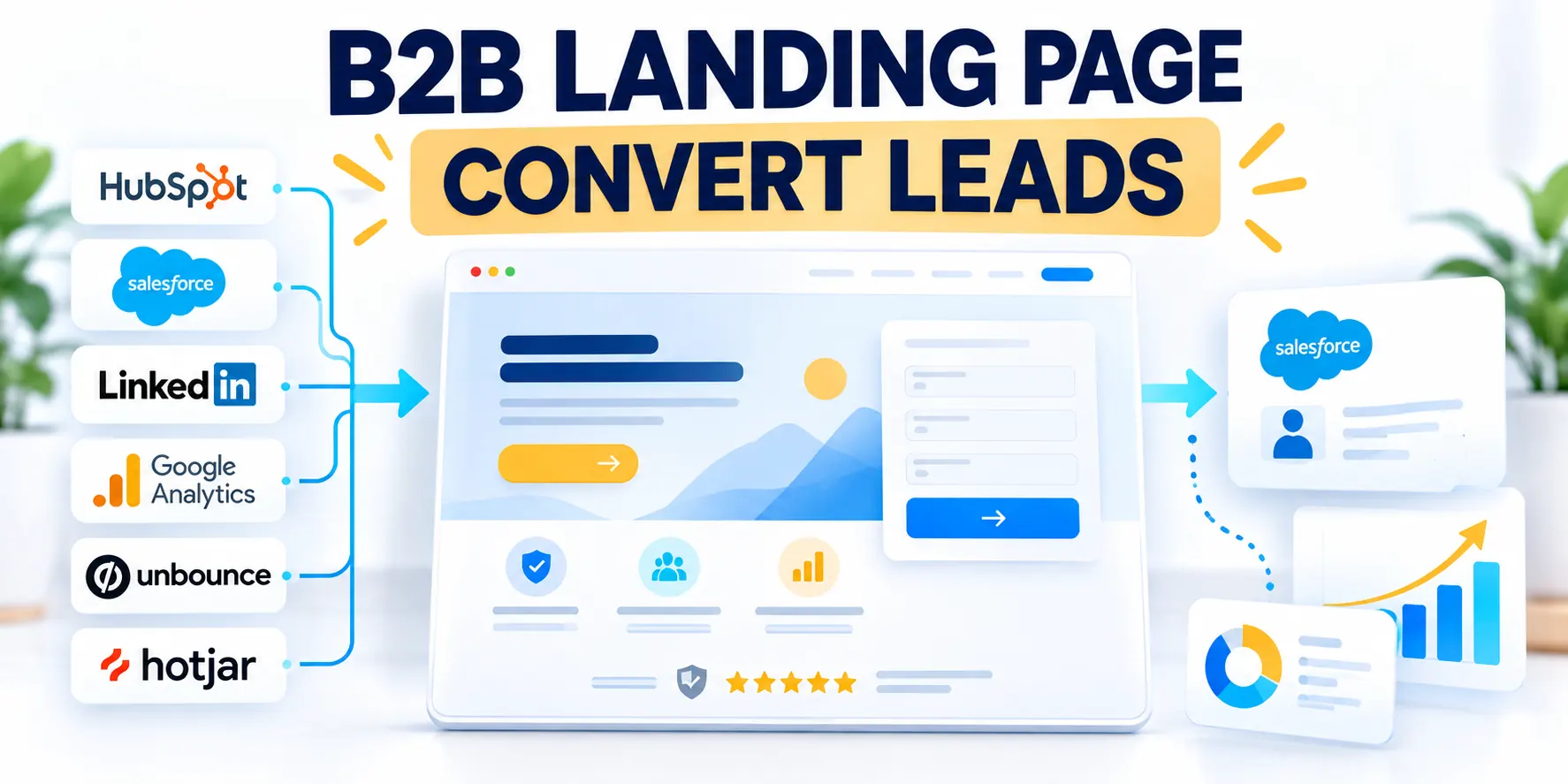
Define the Audience, Offer, and Conversion

A high-converting B2B service landing page starts with a specific buying situation, a relevant offer, and one useful next step.
Before designing the layout, decide whose problem the page addresses and what evidence will make a sales conversation worthwhile.
Choose one primary audience
A service page becomes vague when it speaks to every company, industry, and seniority level at once.
Start with one segment whose problem, buying process, and service requirements are similar enough to support one clear message.
Use these actions to choose one primary audience:
- Role: the person who recognizes the problem or organizes evaluation.
- Company context: size, operating model, systems, or growth stage that changes the service need.
- Trigger: the timely event, such as a launch, migration, expansion, or stalled pipeline.
- Risk: what the buyer fears losing through delay, disruption, poor quality, or an unsuitable vendor.
For example, an enterprise CRM consultancy could target revenue operations leaders replacing disconnected sales systems before a multi-region expansion.
That is more actionable than targeting “businesses that need better CRM.” It points toward the buyer, project trigger, and proof required.
Validate audience evidence with delivery teams
Compare campaign assumptions with sales conversations, delivery constraints, lost opportunities, and current customer evidence before finalizing the audience.
Document excluded projects and unsuitable triggers. Clear boundaries help the page attract buyers the service can support responsibly.
Describe the Service as an Outcome and Scope
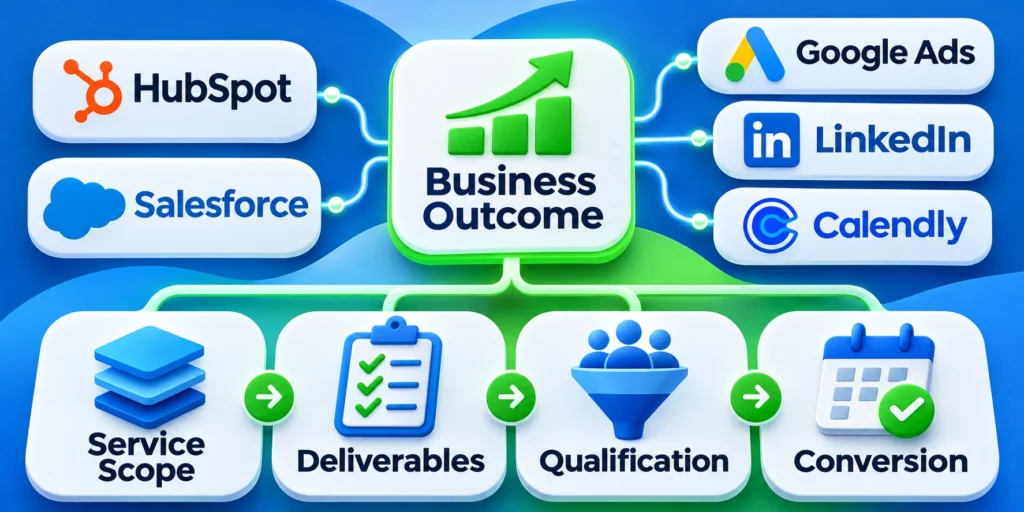
Translate internal service terminology into the change a buyer can evaluate.
“Digital transformation consulting” names a category. It does not explain the deliverable, boundaries, timeframe, or client responsibilities.
Key considerations for describe the service as an include:
- Outcome: what becomes easier, safer, or more measurable.
- Work: the principal activities included in the engagement.
- Boundary: what the service does not promise or include.
- Evidence: what a prospect can review before deciding.
A CRM implementation service might include process mapping, data migration planning, configuration, integration testing, and role-based training.
It may exclude software licensing, custom application development, or ongoing administration. Naming boundaries helps sales qualify fit.
Choose one primary conversion
Define the main action before adding calls to action, form fields, or analytics events.
A high-commitment consulting project may need a discovery call. A lower-risk assessment may suit a brief qualification form.
Use these actions to choose one primary conversion:
- Use “Book a technical assessment” when the next step is a scheduled expert conversation.
- Choose “Request a migration review” when the buyer can submit a concrete project for evaluation.
- Offer “Get the implementation checklist” when the asset helps without requiring a sales call.
Track the submitted action separately from later qualification. A raw form completion is not the same business outcome as an accepted opportunity.
Write down the conversion definition, owner, source system, and qualification rule. This prevents marketing and sales from counting different events as success.
Match the Page to the Ad and Buyer Intent

The page should continue the conversation that began in the ad, referral, email, or campaign.
Good landing page message match lets buyers assess the service they clicked to see. A different offer makes them reconcile the mismatch first.
Map each campaign to a page promise
List campaign themes and expected problems; CRM migration, implementation support, and process redesign often merit distinct pages because buyers ask different questions.
Google Ads describes landing page experience through information usefulness and relevance, ease of navigation, and whether the page meets visitor expectations; see its landing page definition.
Use these actions to map each campaign to a page:
- Record the source, campaign promise, audience, service, and intended conversion.
- Use one destination for themes that share the same buyer problem and next step.
- Create a separate destination when the offer, proof, or qualification path materially changes.
- Remove navigation or links that send campaign traffic into an unrelated service journey.
Preserve the campaign promise
Carry the audience, problem, service, evidence, and next step from the ad into the opening message without introducing a broader offer.
Use separate destinations when campaigns require materially different proof, scope, qualification, or follow-up rather than forcing every visitor through one generic page.
Remove unrelated decision paths
Keep navigation and secondary links only when they support the same buying decision or answer a genuine alternate need.
Measure departures that interrupt the intended journey. A high click count cannot compensate for traffic sent into unrelated services or content.
Write a Specific Message and Primary Action

The headline should identify the service and the buyer-relevant outcome. The supporting line should clarify scope or approach.
Prefer concrete service language over vague phrases such as “unlock your potential” or “transform your business.”
Use these actions to write a specific headline and supporting:
- Headline: “Move sales data without losing ownership or reporting continuity.”
- Supporting line: “We map sources, test field rules, and stage cutover with your operations team.”
- Proof point: show evidence that supports the promised migration outcome.
Do not imply guaranteed revenue, migration accuracy, or delivery dates unless the business can substantiate those claims and explain their conditions.
Keep one action visually dominant
Give the primary action a consistent label and position it where a buyer can act after understanding the offer.
A repeated button may appear after the service explanation and proof, but every instance should lead to the same next step.
Use these actions to keep one action visually dominant:
- Prefer “Request a CRM migration review” to a vague “Submit.”
- Explain what happens after the click, including project-fit review and proposed follow-up.
- Offer a secondary path only for a real alternate need, such as a case study.
Test message comprehension before launch
Ask representative buyers to identify the service, audience, outcome, scope, proof, and next step without explanation from the page team.
Revise vague or conflicting language when participants interpret the promise differently from sales and delivery owners.
Structure the Page Around the Buying Decision

Organize the page so a buyer can understand the service, judge its credibility, and decide whether to continue.
Use the order that answers real buyer questions; a long template is not a substitute for relevant information.
Build a page outline before choosing sections
For a complex B2B service, a practical outline can move from problem to approach, evidence, delivery, fit, and next action.
Use these actions to build a page outline before choosing:
- Opening: service, audience, outcome, and primary action.
- Problem: the operational issue or risk the service addresses.
- Approach: the work, sequence, deliverables, and client involvement.
- Proof: relevant evidence that supports the claims.
- Fit: suitable projects, constraints, exclusions, or requirements.
- Action: what the visitor submits or schedules and what happens next.
Change the order when audience research shows a different concern comes first. A regulated buyer may need security and governance details earlier.
A small company comparing implementation partners may need scope boundaries and delivery ownership before reviewing technical architecture.
Order sections by buyer uncertainty
Place the information needed to understand the offer before proof, qualification, and action. Move risk or governance earlier when research shows it blocks evaluation.
Use analytics and interviews to identify where qualified visitors hesitate, leave, or seek clarification from sales.
Keep the outline proportionate
Give complex services enough space to explain delivery and risk without repeating the same promise across multiple decorative sections.
Remove history, features, and credentials that do not help the intended buyer evaluate fit, evidence, scope, or the next step.
Show Engagement Scope and Answer Objections
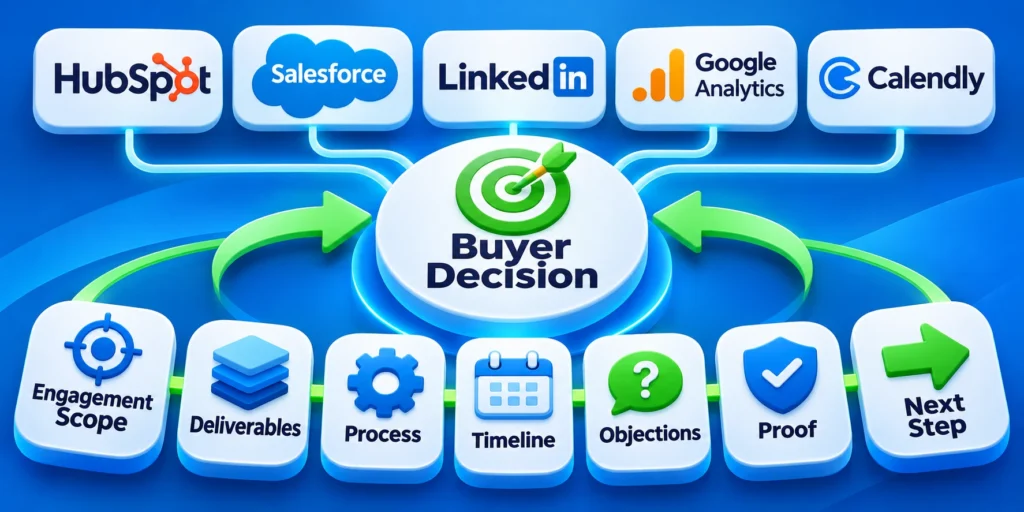
Name tangible deliverables instead of relying on broad service labels.
“Strategic consulting” might mean a workshop, a process map, a technical assessment, an implementation plan, or ongoing advisory support.
Key considerations for show what the engagement includes include:
- Describe the output the client receives.
- State which roles participate and what information they provide.
- Explain how decisions are made and how changes to scope are handled.
- List dependencies the client controls, such as access to systems or subject-matter experts.
For a service launch, an example deliverable could be a prioritized implementation backlog, a risk register, and a documented acceptance plan.
Only include artifacts the provider actually delivers. A detailed list creates expectations that sales and delivery teams must be able to meet.
Answer objections where they arise
Put the answer near the section that raises the concern instead of hiding every response in an FAQ.
If the page describes a platform migration, explain how current systems, dependencies, and cutover risks are assessed.
Key considerations for answer objections where they arise include:
- “Will our team be involved?” Explain the client roles and review points.
- “Can you work with our existing platform?” Name supported scope only when confirmed.
- “How will we know if the work is complete?” Describe acceptance evidence.
- “What happens if requirements change?” Summarize the change-control process.
Keep the page focused on the decision. A long company history or unrelated feature catalog can make the service harder to evaluate.
For broader conversion strategy, see the site’s B2B conversion rate optimization guide.
Show Credible Proof and Design the Lead Form

Proof should help the target buyer assess whether the provider can handle a comparable problem.
The form should collect enough information to respond usefully, without turning first contact into an unnecessary procurement questionnaire.
Use evidence that can be explained
A case study is stronger when it identifies the starting situation, work performed, constraints, and measurable result.
Give enough context for a buyer to understand whether the example resembles their own organization.
Apply these criteria to evidence that can be explained:
- Specify the industry or operating context when permission allows.
- Distinguish client results from the provider’s activities.
- State the measurement period and baseline when reporting a numerical change.
- Describe material conditions, such as budget, team participation, or technical scope.
If client confidentiality prevents naming a company, describe the case anonymously and disclose the limits of the evidence.
Do not invent testimonials, certifications, customer counts, performance lifts, or partnerships. An unsupported badge can damage trust rather than strengthen it.
Match proof to the service claim
Use evidence that demonstrates the promised capability, method, delivery context, or outcome without implying results outside the documented conditions.
Explain anonymized evidence sufficiently for buyers to judge relevance while preserving client permission, confidentiality, and factual accuracy.
Connect proof to qualification
Place proof near the related claim and ask only for information required to route, prepare, or evaluate the next conversation.
Remove fields that sales does not use. Unnecessary questions add friction, increase privacy obligations, and weaken trust without improving decisions.
Choose Form Fields by Decision Value
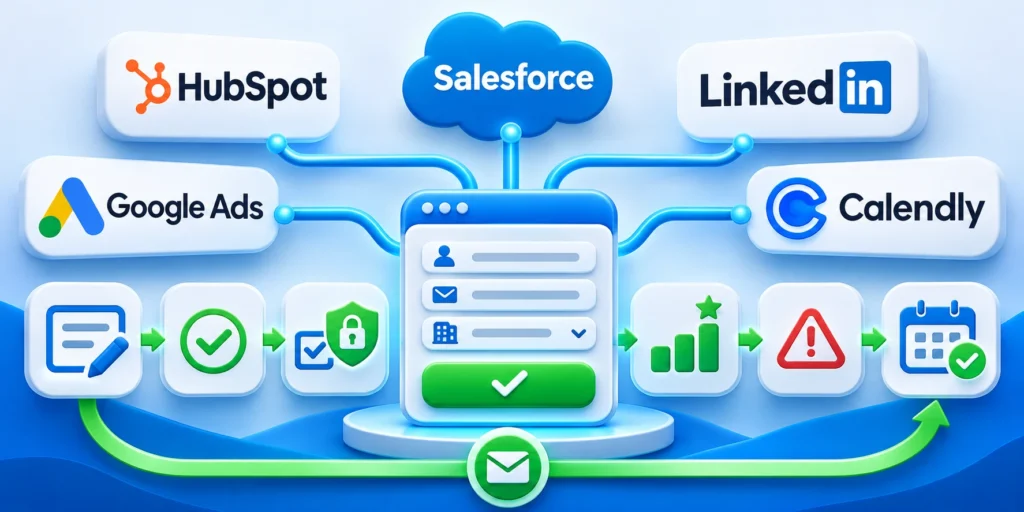
Ask only for information that changes routing, preparation, or the next conversation.
For a first CRM implementation inquiry, name, work email, company, and a brief project description may support an initial response.
Use these actions to choose form fields by decision value:
- Make essential routing fields required and explain why they are needed.
- Keep budget, phone, and detailed platform inventories optional unless they change the service path.
- Use a short prompt such as “What system or process are you evaluating?”
- Do not request sensitive data through a general marketing form.
When more discovery is necessary, gather it in a scheduled conversation or a later qualification step.
That approach separates initial contact from detailed assessment while giving the sales team a useful starting point.
| Field | Decision value | Main risk |
|---|---|---|
| Business email | Supports account follow-up | Personal addresses may be valid |
| Company | Helps identify account context | Names may be inconsistent |
| Service need | Routes relevant expertise | Options can bias responses |
| Project timing | Supports preparation and priority | Timing can change |
Make labels, errors, and follow-up explicit
Place a visible, descriptive label beside each input and explain unusual formats before submission.
WCAG says forms need labels or instructions and detected errors need text; see W3C guidance on labels and error identification.
Use these actions to make labels errors and follow-up explicit:
- Use “Work email” rather than an unlabeled field that only has placeholder text.
- Show the field that needs correction and state how to fix it.
- Confirm successful submission with a next-step message.
- Explain who will contact the person and through which channel.
Connect the form to a named CRM owner, source campaign, timestamp, consent record, and response workflow.
Test the full handoff with a sample submission. Confirm field mapping, duplicate handling, assignment, notification, and the response path before campaign traffic depends on it.
Measure the Live Page and Improve It

Launch with a measurement plan that follows the buyer from visit through sales qualification.
Optimize toward an outcome the business values, not a higher count of low-intent submissions.
Instrument the decision path
Record a small set of events with clear definitions and owners.
Key considerations for instrument the decision path include:
- Landing view: the page loads for a campaign visitor.
- Primary action: the visitor selects the main CTA.
- Form completion: a valid inquiry reaches the confirmation state.
- Sales acceptance: the responsible team confirms the lead meets agreed criteria.
- Opportunity: the CRM records a qualified sales process with an owner and next step.
Use consistent campaign parameters and preserve source details in the CRM when the implementation supports it.
Review counts alongside quality. If form completions rise but sales acceptance falls, the page may be attracting the wrong expectation or audience.
Review performance and usability after release
Check the page on common phone and desktop sizes, then submit the form using a test record.
Confirm that headings, buttons, consent information, labels, error messages, and confirmation content remain understandable when the layout narrows.
Use these actions to review performance and usability after release:
- Check that the main service and next step are visible without hunting through unrelated content.
- Verify all links, form notifications, CRM values, and thank-you behavior.
- Compare page load and interaction data with the team’s chosen performance targets.
- Review qualified lead rate and sales feedback by campaign and audience.
Current Core Web Vitals guidance sets “good” thresholds at LCP ≤2.5 seconds, INP ≤200 milliseconds, and CLS ≤0.1.
Assess field data at the 75th percentile separately for mobile and desktop; a single lab run cannot represent every visitor.
Improve one diagnosed weakness at a time
Start with a specific observation, such as visitors clicking the CTA but abandoning the form before completion.
Inspect the form on the affected device, reproduce the problem, and identify whether friction comes from field burden, clarity, trust, or technical failure.
Key considerations for improve one diagnosed weakness at include:
- State the observed issue and the affected audience.
- Change the smallest page element that could address the issue.
- Define the primary outcome and a guardrail such as sales acceptance.
- Record dates, traffic source, version, and any concurrent campaign changes.
Do not attribute every change in lead volume to page design. Budgets, targeting, sales follow-up, seasonality, and offer changes can affect results.
For a separate guide to controlled experimentation, see A/B testing strategies for paid lead generation pages.
Align the Page With Sales Capacity
Set response expectations, routing, coverage, qualification, and scheduling around the team that will actually handle inquiries from the campaign.
When capacity is limited, narrow targeting or adjust the offer instead of generating demand that receives slow or unsuitable follow-up.
Protect Message Continuity
Repeat the essential audience, problem, outcome, proof, scope, and next-step logic from the ad without copying every phrase mechanically.
If the landing page changes the offer or commitment, treat performance as a journey change rather than a page-only result.
Design Forms for Useful Qualification
Ask only for information that changes routing, preparation, eligibility, or consent, and explain why sensitive or unusual details are needed.
Validate errors accessibly, preserve entered values when safe, confirm receipt accurately, and provide another contact path for blocked users.
Govern Proof and Claims
Record the source, scope, date, approval, limitations, and permitted use for testimonials, results, certifications, comparisons, and performance numbers.
Remove or qualify proof when the service, evidence, market, customer permission, or methodology no longer supports the published claim.
Reconcile Conversion With Revenue Quality
Connect form completion to acceptance, discovery, opportunity, proposal, outcome, disqualification, response time, and customer experience where data permits.
A higher conversion rate can be harmful when it increases irrelevant inquiries, delays qualified buyers, or creates unsupported expectations.
Design the Handoff After Submission
Confirm receipt, state the next step and realistic timing, preserve campaign context, and route the inquiry to an accountable person or queue.
Measure response quality and resolution, because a persuasive page cannot compensate for delayed, generic, or contradictory follow-up from the organization.
Maintain the Page as Operational Evidence Changes
Assign owners to review claims, proof, pricing scope, forms, routing, accessibility, analytics, legal text, integrations, and campaign-message consistency on a schedule.
Archive test context and decision records so later teams understand why a variation won, where it applied, and when reevaluation is necessary.
Conclusion

A strong B2B service landing page makes the offer specific, answers the buyer’s real questions, and supports one relevant action.
Build the page around evidence and service delivery, then connect campaign activity to the quality of leads sales accepts.
The final decision should reflect these practical priorities:
- Define the audience, outcome, scope, and conversion before designing sections.
- Match the page message to the campaign and the visitor’s buying intent.
- Use substantiated proof, clear field labels, and an explicit follow-up path.
- Review technical performance and qualified outcomes after launch.
Keep the page aligned with delivery
Confirm that sales and service teams can fulfill the promise, explain the scope, use submitted information, and respond within the stated process.
Update claims, proof, pricing context, qualification, and follow-up whenever capacity, delivery methods, offers, or buyer requirements change.
Measure qualified outcomes after launch
Review submission quality, accepted opportunities, response time, form errors, campaign-message continuity, and delivery fit instead of optimizing conversion rate alone.
Investigate one diagnosed weakness at a time and preserve the baseline, audience, campaign, variation, and downstream outcome for comparison.
Govern the complete conversion path
Assign accountable owners for content, design, forms, analytics, privacy, accessibility, routing, sales response, and the service claims each discipline controls.
A high-converting page creates value only when its promise, evidence, submission experience, handoff, and delivered service remain consistent.
FAQ
These answers address common B2B landing-page decisions about scope, forms, proof, campaign alignment, qualification, accessibility, and operational ownership.
What should a B2B service landing page include?
Include a clear service promise, the audience and problem, scope, credible proof, a relevant next step, and a form that supports useful follow-up.
How many fields should a B2B lead form have?
There is no universal field count. Ask only for information that changes routing or preparation; move detailed discovery to a later conversation when practical.
Should every campaign use a different landing page?
Use separate pages when buyer intent, service scope, proof, or next step materially differs. Related campaigns can share a page when the same offer answers their needs.
What conversion should the page optimize for?
Choose the action closest to the page’s purpose, then monitor downstream qualification. A form submission alone may not represent business value.
How can a service provider show proof without publishing client data?
Use approved anonymized cases, explain the context and method, and state what cannot be disclosed. Never invent or imply client permission.
Should a landing page show service pricing?
Show pricing when it is accurate, maintainable, useful for qualification, and consistent with scope, terms, and the sales process.
How should mobile forms be tested?
Test labels, keyboards, validation, autofill, focus, errors, consent, submission, performance, and recovery on representative devices.
Can testimonials be anonymous?
Only when permission, authenticity, context, and disclosure remain credible; explain why identity is withheld without inventing authority.
When should a landing page be paused?
Pause after broken submission, inaccurate claims, privacy or consent failure, unsafe tracking, severe performance regression, or unavailable follow-up.
Who owns landing-page quality?
Assign accountable marketing, sales, service, analytics, technical, privacy, and content owners for the decisions they control.




Leave a Reply