


Why Core Web Vitals Matter

Core Web Vitals for WordPress help teams assess whether a B2B site loads meaningful content, responds promptly, and keeps its layout stable for real visitors.
On a large site with themes, forms, analytics, and CRM scripts, those outcomes depend on the whole delivery path, not one optimization plugin.
Understand the three experience signals
Largest Contentful Paint (LCP) measures when the largest visible image or text block appears. Interaction to Next Paint (INP) describes responsiveness across interactions.
CLS measures unexpected movement while content loads. Current good-experience thresholds are LCP no more than 2.5 seconds, INP below 200 milliseconds, and CLS at or below 0.1.
Key considerations for understand the three experience signals include:
- Evaluate all three at the 75th percentile, separately for mobile and desktop.
- Diagnose the failed metric; better scores never replace an accessible, useful page.
- Recheck thresholds in the current Web Vitals documentation before building a long-term target.
Why enterprise WordPress pages have more dependencies
A heavy B2B page may include a page-builder layout, a consent manager, a CRM form, chat, analytics, campaign tracking, and personalized content.
Each dependency can add server work, network requests, JavaScript, font files, or late layout changes. Their combined effect varies by template and device.
Key considerations for why enterprise wordpress pages have include:
- A campaign landing page can load different scripts from a product page.
- A logged-in preview can behave differently from a cached public page.
- Marketing forms may be the slowest interaction even when page navigation feels quick.
- Mobile devices can expose problems hidden by a fast desktop connection.
Connect performance to a business decision
Do not report a metric without stating which template, audience, device, and business path it represents.
For example, prioritize a slow demo-request page if it delays qualified buyers, then preserve form completion and lead quality while testing the change.
Use these actions to connect performance to a business decision:
- Track the affected page group and the share of sessions exposed to it.
- Pair a speed metric with a business guardrail such as successful form submissions.
- Record the release or marketing change that preceded a regression.
Measure Field and Lab Data

Start with field data to learn what visitors actually experience across devices and networks; use lab tests to reproduce and investigate a specific problem.
Google explains the difference between real-user measurements and controlled diagnostics in its measurement guidance; neither dataset answers every question alone.
Build a representative page set
Group URLs by template and user journey rather than testing only the homepage. Include high-traffic pages and pages that support lead generation.
Choose a few stable examples from service pages, campaign landing pages, resource articles, and forms, then note the plugins and embeds each one loads.
Use these actions to build a representative page set:
- Record the URL, template, device, test date, and whether the visitor was logged in.
- Keep query strings and consent state consistent when comparing repeated tests.
- Test important routes after publishing, during campaigns, and after plugin or theme changes.
Use Search Console and PageSpeed Insights for different jobs
The Search Console Core Web Vitals report groups field data into URL groups and highlights where real-user experience needs attention.
PageSpeed Insights combines field context, when available, with a lab run that can expose render-blocking resources, large images, and long main-thread tasks.
Apply these criteria to search console and pagespeed insights for:
- Use Search Console to select a recurring page-group problem.
- Use PageSpeed Insights or Lighthouse to inspect one representative URL.
- Consult browser performance tools or server logs when a report does not explain the cause.
- Do not treat one lab score as a guarantee of field improvement.
Create a repeatable measurement record
Write down the metric, affected template, suspected bottleneck, test conditions, and planned change before editing the production site.
Save the baseline report and repeat the same test after each change. If a change affects multiple systems, isolate the variables before drawing a conclusion.
Follow this sequence to create a repeatable measurement record:
- Select a page group in Search Console.
- Open one representative URL in PageSpeed Insights.
- Record the failing metric and its diagnostic evidence.
- Test one likely cause in staging or a controlled window.
- Repeat the field and lab checks, then compare conversion guardrails.
Optimize Largest Contentful Paint

LCP is often delayed by a chain: the server responds, the browser discovers the main content, downloads its resources, and renders the largest visible element.
Find that element in the page before changing cache settings. It may be a hero image, headline, background image, or a block inserted by a builder.
Separate server delay from resource delay
A high time to first byte can point toward slow origin work, uncached page generation, database waits, or network distance.
If the server responds quickly but LCP remains poor, inspect when the browser discovers and downloads the largest content element.
Use these actions to separate server delay from resource delay:
- Compare cached and uncached public requests without using a logged-in admin session.
- Check whether the hero image is oversized or encoded in an inefficient format.
- Look for CSS or scripts that prevent the browser from rendering visible content.
- Confirm the image is not lazy-loaded when it is the initial viewport’s main element.
Tune the WordPress delivery path
Page caching reduces repeated work on public pages. Follow the WordPress security protocol when testing that cache rules preserve form, personalization, and preview access boundaries.
WordPress’s performance handbook describes caching, software, image size, and content offloading as parts of a broader optimization effort.
Key considerations for tune the wordpress delivery path include:
- Confirm that anonymous visitors receive the intended page-cache response.
- Use a CDN only after checking cache behavior, geographic traffic, and invalidation needs.
- Serve responsive images and a modern format where the delivery stack supports it.
- Keep the hero resource discoverable early; preload only when evidence supports that priority.
For broader decisions about hosting, plugins, and architecture, see our enterprise WordPress development guide.
Prioritize the actual LCP element
When the LCP element is a hero image, verify its source, dimensions, responsive candidates, and loading priority in the rendered page.
When it is text, investigate font loading, critical CSS, and any script that delays the element’s insertion or visibility.
Use these actions to prioritize the actual lcp element:
- Compress the image without making it visibly unsuitable for its role.
- Set image dimensions so layout space is known before the file finishes downloading.
- Avoid loading several competing hero assets for desktop and mobile at once.
- Retest with cache warm and cold conditions where both reflect real user paths.
Improve Interaction to Next Paint

INP reflects how quickly a page responds after user interactions such as opening navigation, filtering content, or submitting a form.
On B2B sites, a large JavaScript task can make a page appear frozen even when images and text loaded earlier.
Find the interaction that feels slow
Reproduce the action on a representative device: open the menu, select a tab, enter a form field, or reveal a pricing section.
Use field diagnostics where available, then record the interaction and browser trace that identifies long tasks or delayed event handling.
Key considerations for find the interaction that feels include:
- Test a fresh page load and a repeat interaction.
- Use mobile emulation or a mid-range device, not only a fast desktop workstation.
- Inspect whether the action triggers analytics, chat, personalization, or multiple form handlers.
Reduce JavaScript that competes for the main thread
Inventory scripts by purpose and page scope. A plugin needed on one conversion page may not need to enqueue its code across the entire site.
Remove redundant features only after confirming ownership and business use. Defer or delay nonessential scripts only when the affected experience remains correct.
Use these actions to reduce javascript that competes for the:
- Compare the page’s scripts with the plugins and integrations that produced them.
- Ask vendors whether a lighter embed or event-based loading option exists.
- Keep consent, security, analytics, and conversion tracking behavior intact during experiments.
- Do not combine or minify scripts blindly when it breaks dependencies or delays useful interaction.
Protect important forms and navigation
A performance change succeeds only if visitors can still complete the intended task and the resulting CRM event remains accurate.
After changing script behavior, submit a test lead, confirm validation and consent, and verify that the record reaches the expected destination.
Use these actions to protect important forms and navigation:
- Track form completion and JavaScript errors during the release window.
- Test keyboard navigation and visible feedback for each interactive control.
- Rollback if the page becomes faster while a key interaction fails or tracking becomes incomplete.
Prevent Cumulative Layout Shift

CLS rises when visible content moves unexpectedly. A visitor can lose their place when an image, form, banner, or embedded component appears late.
Find the moving element and what changed its size or position; then reserve space or change how the component enters the page.
Reserve space for images and embeds
Image blocks should include intrinsic dimensions or a known aspect ratio so the browser can allocate space before the file arrives.
For custom templates, use the same principle for video embeds, maps, and other content whose final size is known in advance.
<img src="/media/case-study.webp" width="1200" height="675" alt="A team reviewing a project dashboard">Choose the right implementation surface
In Gutenberg, prefer the native image block and verify that the saved markup includes dimensions. Use explicit markup only in a controlled custom template.
Confirm generated markup across representative breakpoints because responsive styling can override dimensions or aspect ratios after the editor saves a valid block.
Use these actions to choose the right implementation surface:
- Set responsive styles without changing the declared aspect ratio unexpectedly.
- Reserve a consistent container for video and third-party embeds.
- Do not set arbitrary fixed heights that crop essential content on small screens.
Control banners, forms, and dynamic content
Consent banners, announcement bars, and personalization modules can push content down after the first render.
Reserve their space, overlay them without covering essential controls, or show them before the content they would otherwise displace.
Use these actions to control banners forms and dynamic content:
- Test first-time visitors and visitors who already have consent stored.
- Load form validation messages in a reserved region where possible.
- Keep embedded CRM forms from changing height repeatedly as fields load.
- Check whether a third-party badge or chat widget appears after a delay.
Load fonts and visual controls consistently
Late font swaps can change line wrapping and push headings or buttons into new positions.
Use a suitable fallback font, limit unnecessary font variants, and ensure theme or builder settings do not inject competing styles.
Key considerations for load fonts and visual controls include:
- Check font loading under a throttled mobile connection.
- Use stable button and card dimensions when content changes after personalization.
- Review dynamic notices and validation states in the same conditions as the baseline.
WordPress Performance Change Workflow

A dependable optimization process protects lead paths while improving the measured problem, rather than stacking several unverified speed settings.
Keep a baseline, fix one cause at a time, and verify the page’s business function. Use a WordPress performance review to prioritize recurring template issues.
Use a controlled test sequence
Start with one page group and one hypothesis. Record the change owner, affected template, rollback method, and the result that would count as success.
Apply the change in staging when available, or use a low-risk release window with a fresh backup and a reversible configuration.
Follow this sequence to use a controlled test sequence:
- Capture field and lab baselines for a representative URL.
- Identify one specific bottleneck and the component responsible.
- Change one setting, plugin behavior, or asset at a time.
- Retest performance and complete the page’s lead or sales workflow.
- Document the result, revert if guardrails fail, and only then broaden the rollout.
Avoid conflicting optimization layers
Host caching, a WordPress caching plugin, a CDN, a page builder, and an image optimizer can overlap or invalidate one another’s output.
Map which layer owns page cache, object cache, asset delivery, minification, and image conversion before enabling another optimization feature.
Key considerations for avoid conflicting optimization layers include:
- Change one cache layer at a time and clear only caches needed for that change.
- Test logged-out, logged-in, and form-confirmation behavior where relevant.
- Check that CSS and JavaScript optimization does not reorder dependencies.
- Confirm cache exclusions for pages with personalized or sensitive information.
Monitor results after release
Lab measurements provide fast feedback, but real-user data is needed to learn whether the change helped visitors across devices and networks.
Allow field data to accumulate, compare equivalent URL groups, and separate a genuine improvement from changes in traffic or campaign mix.
Use these actions to monitor results after release:
- Track LCP, INP, and CLS together with form completion and lead quality.
- Annotate deployments, plugin updates, campaigns, and major content changes.
- Reopen the investigation if a metric improves but a business guardrail declines.
Set performance budgets by WordPress template

Performance budgets translate measurement into release guardrails for representative page groups. They help teams detect material regressions before a change reaches every template and audience.
Set budgets according to field evidence, business importance, device conditions, and current architecture. A universal number can hide the constraint affecting a specific workflow.
Define budgets around user experience
Define representative limits for images, fonts, scripts, styles, embeds, requests, execution, and layout behavior on important page groups.
Use budgets as investigation triggers and release guardrails, not as substitutes for real-user experience or complete business task validation.
| Template | Primary guardrail | Business check |
|---|---|---|
| Service page | LCP and image delivery | Qualified inquiry works |
| Resource page | CLS and font stability | Content remains readable |
| Lead form | INP and validation | Submission completes |
| Account area | INP and server delay | Private tasks remain safe |
Enforce budgets through controlled release checks
Record the template, representative URLs, device profile, test conditions, baseline, allowed change, owner, and decision for every material release.
Compare equivalent pages and periods after traffic stabilizes. Escalate a metric improvement when conversion, accessibility, analytics, or content integrity declines.
Use these checks before approving each release:
- Representative templates match the changed code
- Field and lab evidence remain comparable
- Forms and navigation complete successfully
- Accessibility checks show no regression
- Rollback conditions and owners are recorded
Keep budgets reviewable as architecture, campaigns, consent, content, and user devices evolve. Tighten them only when repeatable evidence supports a sustainable improvement.
Document exceptions with scope and expiration. An indefinite waiver turns a useful budget into a report that no longer controls release risk.
Govern third-party and authenticated performance

Third-party scripts and authenticated workflows often escape public-page testing. They can add main-thread work, cache variation, layout changes, consent dependencies, and external failure modes.
Measure the states qualified users actually complete, including forms, validation, account areas, personalization, transactions, and thank-you pages. Public cache speed is only one condition.
Govern every third-party script
Inventory purpose, owner, vendor, load conditions, consent, data, performance cost, failure behavior, renewal, and removal for every third-party script.
Delay, condition, replace, or remove scripts whose business value does not justify their measured user and operational cost.
Record these controls for every external dependency:
- Business purpose and accountable owner
- Consent and permitted data handling
- Pages and conditions that trigger loading
- Measured execution and layout cost
- Failure, renewal, and removal process
Test unavailable vendors, slow responses, consent changes, and blocked requests. Confirm core navigation and conversion remain understandable when an optional dependency fails.
Review the inventory during campaigns, vendor renewals, plugin changes, and redesigns. Remove dormant tags rather than preserving them because their original owner is unknown.
Test logged-in and conversion states
Measure forms, validation, consent, thank-you states, account areas, personalization, and authentication separately from cached public pages.
A fast landing page does not compensate for a slow or broken conversion workflow that qualified buyers must complete.
Protect private and transaction-sensitive responses
Use cache exclusions only when shared delivery could expose incorrect, private, session-specific, or transaction-sensitive responses. Document the reason and affected route.
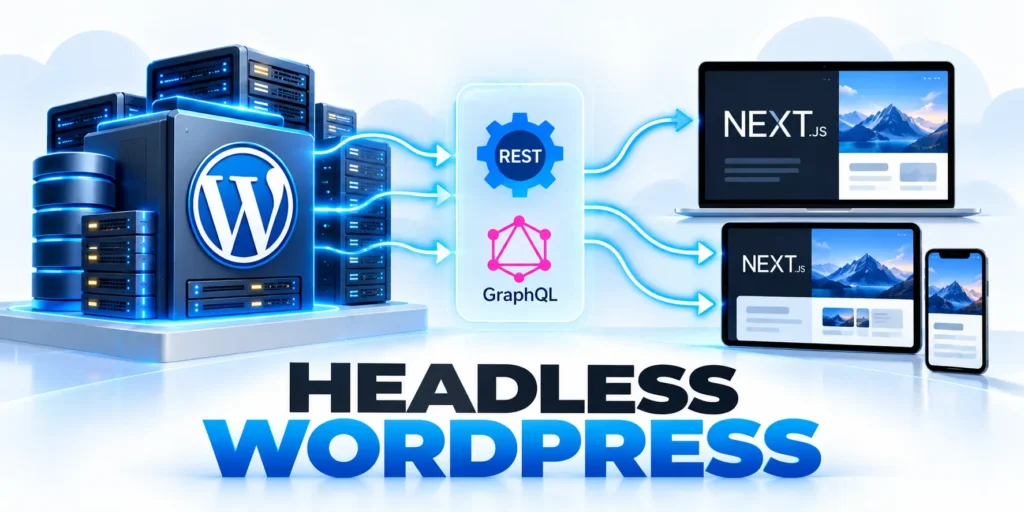
Measure uncached server work, database access, and rendering under realistic concurrency. With headless WordPress, measure CMS API latency and frontend rendering separately.
Coordinate performance releases with accessibility

Performance changes affect rendering, interaction, analytics, consent, content, and accessibility. Coordinate them with the same release evidence used for code, plugins, infrastructure, and campaigns.
Optimize the largest observed user constraint first, then retest complete journeys. Removing one bottleneck can expose another on the same template or device group.
Coordinate optimization with release management
Record code, plugin, theme, content, infrastructure, campaign, and cache changes so regressions can be reproduced and reversed.
Keep representative staging and production checks, then compare equivalent field periods after traffic has stabilized.
Capture this evidence for every performance release:
- Changed component and affected templates
- Baseline, test conditions, and expected effect
- Technical and business guardrail results
- Accessibility and analytics verification
- Owner, rollback trigger, and review date
Use a limited rollout when the affected templates, audiences, or cache paths carry material risk. Expand only after monitoring confirms stable operation.
Annotate deployments beside field data so later reviewers can separate a real product improvement from changes in traffic, campaigns, geography, or device mix.
Prioritize the largest user constraint
Compare server response, rendering, interaction delay, layout instability, and conversion workflow friction before selecting a fix.
Resolve the evidenced bottleneck first, then retest because removing one constraint can expose another on the same template.
Protect accessibility during optimization
Do not remove labels, focus behavior, semantic content, keyboard support, useful media, or necessary scripts merely to improve a score.
Validate performance and accessibility together on representative devices and complete business journeys before expanding a change.
Conclusion

Core Web Vitals improve through evidence-led changes to the templates, resources, and interactions that matter to real B2B users. A single score cannot describe that system.
Combine field trends with repeatable lab diagnostics, representative devices, conversion checks, accessibility, and release evidence. Diagnose the measured constraint before selecting a plugin or infrastructure change.
Use a controlled improvement cycle
Choose an important page group, identify its failing experience signal, reproduce the bottleneck, and make one reversible change whenever practical.
Retest the same templates and complete tasks before expanding. Confirm that forms, consent, navigation, analytics, authentication, and content still behave correctly.
Follow these decisions during each improvement cycle:
- Define the affected template and audience
- Preserve comparable baseline evidence
- Fix the largest measured constraint
- Verify technical and business guardrails
- Record release and rollback ownership
Set budgets by template and maintain a third-party inventory. Public, authenticated, personalized, and transaction-sensitive states require different delivery and testing conditions.
Protect accessibility during every optimization. Faster output is not an improvement when labels, focus behavior, keyboard access, semantics, or essential content become weaker.
Govern performance after each release
Monitor LCP, INP, and CLS beside form completion, qualified actions, errors, and support signals. Reopen investigation when one metric improves while a meaningful guardrail declines.
Annotate code, plugin, theme, content, campaign, cache, and infrastructure changes. That record helps teams reproduce regressions and avoid conflicting optimization layers.
Review these outcomes after traffic conditions stabilize:
- Field improvement across representative URL groups
- Stable conversions and qualified lead quality
- No accessibility or analytics regression
- Reliable authenticated and private workflows
- Clear ownership for remaining constraints
Continuous improvement means learning from equivalent evidence, not chasing a perfect laboratory score. The strongest release removes a real constraint without creating another elsewhere.
A governed process keeps performance, accessibility, correctness, and commercial value aligned as WordPress content, plugins, integrations, and user expectations continue to change.
FAQ
These answers address common Core Web Vitals decisions for complex B2B WordPress sites, workflows, and release teams.
What are good Core Web Vitals targets?
At the 75th percentile, aim for LCP at or below 2.5 seconds, INP below 200 milliseconds, and CLS at or below 0.1 on mobile and desktop.
Can one WordPress plugin fix every Core Web Vital?
No. Plugins can help with specific delivery tasks, but the correct fix depends on the measured cause, hosting, theme, scripts, and page template.
Should I trust a single PageSpeed Insights score?
Use it to investigate a URL, not as a complete verdict. Compare field data, repeated lab diagnostics, device conditions, and business outcomes.
Do Core Web Vitals guarantee higher rankings?
No. Google recommends good page experience, but ranking systems consider many signals and relevance remains essential.
How should I test performance changes safely?
Save a baseline, change one cause in staging or a reversible release, retest the same pages, and confirm forms, consent, and analytics still work.
Should performance plugins be stacked?
Only when responsibilities do not conflict and representative tests confirm correct output, caching, invalidation, and recovery.
How should fonts be optimized?
Use necessary families and weights, suitable formats, controlled loading, stable fallback metrics, licensing, and cache behavior.
Can personalization hurt performance?
Yes. Measure server work, cache variation, scripts, layout changes, consent, and the value delivered to users.
When should a cache exclusion be used?
Exclude content when shared caching would serve incorrect, private, session-specific, or transaction-sensitive responses.
How are regressions assigned?
Assign an owner using deployment evidence, reproduce the issue, protect users, fix the cause, and verify recovery.






Leave a Reply