


Stabilize the incident before troubleshooting

Enterprise WordPress troubleshooting begins with incident control, not improvised debugging. Protect customers, data, and evidence before changing production.
Assign one incident lead, one technical lead, and one communications owner. Parallel uncoordinated changes make diagnosis slower and recovery riskier.
Confirm the actual impact
Test the public site, login, checkout, forms, APIs, scheduled jobs, and administrative functions from an independent network.
Record affected regions, roles, browsers, URLs, and start time. A complete outage and one broken workflow require different responses.
Use these checks to establish incident scope:
- Capture the first confirmed failure time.
- Identify the affected business transactions.
- Check whether administrators can still sign in.
- Confirm whether writes are failing or duplicating.
- Record the last known healthy response.
- Open a shared incident timeline.
Reduce risk before making changes
Pause deployments, imports, bulk jobs, and scheduled maintenance. Preserve logs and create a recoverable backup when the platform still permits it.
Use maintenance communication only when necessary. Keep health checks and administrative access available for responders whenever the architecture supports separation.
| Situation | First protective action | Avoid |
|---|---|---|
| Failed deployment | Stop pipeline and preserve release evidence | Repeated redeployment |
| Database writes failing | Pause write-heavy integrations | Blind table changes |
| Traffic overload | Apply rate or traffic controls | Changing application code first |
| Security suspicion | Restrict access and preserve evidence | Deleting logs or files |
Choose rollback or investigation
Rollback when a recent, reversible change clearly matches the failure window and the previous release remains compatible with current data.
Investigate first when data migrations, security events, external dependencies, or uncertain configuration changes make rollback unsafe.
Confirm these controls before attempting a rollback:
- Verify the rollback artifact and configuration.
- Confirm database compatibility.
- Record the decision and responsible owner.
- Execute one controlled change.
- Test business-critical transactions.
- Keep monitoring after apparent recovery.
Capture errors, logs, and recent changes

Evidence narrows the failing layer. Capture timestamps, request identifiers, error messages, stack traces, resource metrics, and recent changes before reproducing repeatedly.
Use staging or a protected diagnostic window, with a backup before changing debug settings. If performance problems persist after recovery, schedule a WordPress technical assessment.
Enable safe WordPress logging
Place diagnostic constants in wp-config.php before the line that ends configuration. Log errors while preventing messages from appearing to visitors.
Use this temporarily during diagnosis, then restore the previous configuration. Production logs may contain paths, identifiers, or sensitive request details.
define( 'WP_DEBUG', true );
define( 'WP_DEBUG_LOG', true );
define( 'WP_DEBUG_DISPLAY', false );
@ini_set( 'display_errors', 0 );
Use these steps for temporary debug capture:
- Confirm the active configuration file.
- Restrict access to the generated log.
- Reproduce one specific failing action.
- Record the exact reproduction time.
- Download the relevant log interval.
- Disable temporary debugging after capture.
Correlate every operating layer
WordPress logs show application symptoms. Compare them with web server, PHP, database, firewall, CDN, DNS, and external service evidence.
Resource exhaustion, slow database queries, remote services, network loss, or platform throttling can produce the same timeout.
| Evidence source | Useful signal | Common conclusion risk |
|---|---|---|
| WordPress debug log | PHP error and call path | Blaming the last visible plugin |
| Web server log | Status, route, and request time | Ignoring upstream failure |
| PHP runtime | Worker saturation and fatal errors | Treating capacity as code failure |
| Database | Connections and slow queries | Repairing healthy tables |
| Deployment history | Changed code or configuration | Assuming time correlation proves cause |
Build a precise change timeline
List core, plugin, theme, PHP, database, DNS, certificate, firewall, cache, deployment, content, and integration changes near the incident window.
Include automatic updates and scheduled imports. Many incidents appear unrelated because the responsible change was not initiated manually.
Isolate plugin, theme, and server failures

Isolation changes one variable at a time and tests a defined symptom. Random deactivation may restore service without revealing the dependency that failed.
Prefer staging created from the incident state. When production intervention is necessary, preserve snapshots and use the smallest reversible change.
Use a controlled isolation sequence
Begin with evidence pointing to a component. Compare version compatibility, recent releases, configuration, resource use, and the failing call path.
If evidence is incomplete, test custom plugins, integrations, caching, security layers, theme behavior, and platform runtime in an ordered sequence.
Follow this sequence when isolating a component:
- Create or verify a recoverable snapshot.
- Reproduce one documented symptom.
- Disable one suspected component.
- Clear only the affected cache layer.
- Repeat the same test.
- Restore the component before testing another.
- Record every result and timestamp.
Recover access when wp-admin fails
WordPress documents deactivating plugins through file access or the database when administrative menus are unavailable. Use these methods with current backups.
Renaming the plugins directory disables components but does not prove which one failed. Restore the directory and reactivate individually under observation.
wp plugin list --status=active
wp plugin deactivate suspected-plugin
wp theme list
wp core verify-checksums
Interpret the command results
Run WP-CLI from the WordPress installation directory with the correct system user. Confirm the environment before executing any command.
Checksum differences require interpretation. Custom distributions, modified core files, failed updates, or compromise can produce different next actions.
Separate application and infrastructure faults
Where permitted, isolate runtime, database and application checks. In a headless WordPress architecture, test the CMS API and the public frontend separately to identify which service failed.
This sequence distinguishes the web tier, application runtime, data tier, and CMS without treating every server response as a plugin defect.
Recover database and request path failures
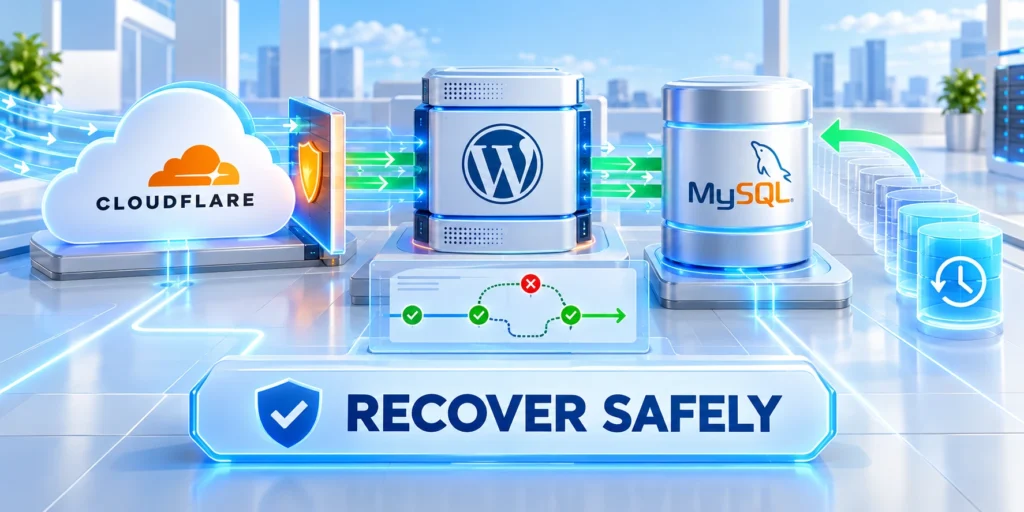
A WordPress request crosses DNS, TLS, CDN or proxy, web server, PHP, WordPress, database, cache, and external services.
Identify the last healthy boundary. Recovery becomes faster when responders prove each layer instead of restarting the entire stack.
Trace the request from the outside inward
Check authoritative DNS, certificate validity, edge response, origin reachability, server status, runtime capacity, and database connectivity in that order.
Compare public and origin responses carefully. Bypassing security controls requires authorization and should not become a permanent troubleshooting shortcut.
Check these layers before changing application code:
- Resolve the expected public address.
- Verify certificate name and expiration.
- Inspect CDN or proxy status.
- Confirm origin response independently.
- Check web server and PHP health.
- Validate database host and credentials.
- Test one WordPress route.
- Retest the complete public path.
Diagnose database connection errors
Confirm host, port, database name, user, password, network access, connection limits, storage health, and server availability before changing tables.
A connection error does not automatically mean corruption. Credential rotation, firewall changes, exhausted connections, or database restart may produce the same symptom.
| Observed symptom | Verify first | Escalate when |
|---|---|---|
| Connection refused | Host, port, service state | Database endpoint is unavailable |
| Access denied | Credentials and grants | Rotation or privilege history is unclear |
| Intermittent timeout | Connection count and slow queries | Capacity remains saturated |
| Table error | Backup and storage condition | Repair affects production data |
Restore only from verified recovery points
Confirm backup time, scope, integrity, encryption access, and restore procedure. Files and database must represent a compatible application state.
Restore to staging first when possible. Validate login, content, media, scheduled tasks, transactions, and integrations before directing production traffic.
Prevent recurrence with monitoring and runbooks
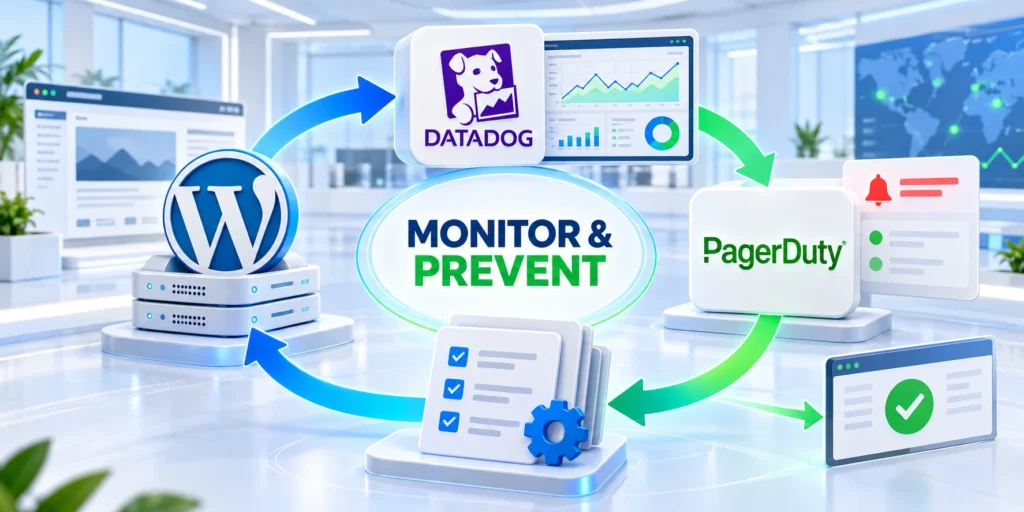
Recovery is incomplete until the team records cause, contributing conditions, detection gaps, business impact, and corrective actions with owners.
Focus on system improvements rather than individual blame. Repeat incidents usually expose missing safeguards, observability, testing, or ownership.
Monitor service and business outcomes
WordPress guidance recommends combining internal and external uptime monitoring. Performance traces and slow logs reveal failures that basic availability checks miss.
Monitor transactions such as login, checkout, lead submission, publishing, search, and API synchronization instead of relying only on the homepage.
Monitor these signals to detect customer-impacting failures:
- External uptime and regional availability
- HTTP errors and response latency
- PHP worker and memory saturation
- Database connections and slow queries
- Queue, cron, and integration failures
- Certificate and domain expiration
- Backup completion and restore testing
- Business transaction success rates
Create executable runbooks
A runbook should state triggers, access requirements, evidence sources, safe commands, rollback conditions, validation tests, communications, and escalation contacts.
Test runbooks during exercises and real incidents. Remove outdated screenshots, endpoints, credentials references, and steps that no longer match the platform.
Keep these runbook elements current and tested:
- Define the alert and severity.
- Name the incident owner.
- List immediate protective actions.
- Identify logs and dashboards.
- Provide reversible diagnostic steps.
- Define recovery validation.
- Record escalation thresholds.
- Schedule a post-incident review.
Strengthen the change process
Require tested backups, staging checks, compatibility review, deployment records, health validation, and rollback plans for changes that can affect availability.
Connect troubleshooting to a documented maintenance plan so prevention, updates, recovery, and support share one operating model.
Protect evidence and access during diagnosis
Incident artifacts can expose customer identifiers, access tokens, configuration paths, and commercially sensitive operational data. Restrict diagnostic access to named responders using approved accounts and least-privilege permissions.
Store logs, exports, screenshots, and incident notes in one controlled workspace. Record each artifact’s origin, time range, collector, and any transformation before analysis begins.
Protect these evidence practices throughout incident response:
- Redact secrets before sharing error excerpts outside the response team.
- Preserve original files separately from annotated copies.
- Record temporary access grants and remove them after recovery.
- Keep an evidence timeline alongside the operational timeline.
Validate recovery across business-critical journeys
A successful homepage response does not prove that the service recovered. Test customer journeys, administrative paths, scheduled jobs, integrations, and write operations that create business value.
Use the same validation checklist for every incident. It prevents responders from retesting only the component they changed while overlooking dependent systems and delayed failures.
Verify these workflows before declaring service restored:
- Confirm public routes return the expected status and content.
- Sign in with an authorized test account and verify permissions.
- Submit one safe form, order, or lead workflow when applicable.
- Check background queues, cron activity, and integration callbacks.
- Review monitoring after normal traffic resumes.
Design restoration exercises before an outage
Backups are useful only when the team can restore a compatible application state within the required recovery time. Test files, database, secrets, and integrations together in a protected environment.
Document the acceptable data-loss window for each system. A restoration point may recover the website while still requiring reconciliation of orders, leads, memberships, or synchronization events.
Validate these recovery controls before production restoration:
- Verify backup completion, scope, encryption access, and retention.
- Test a restore without replacing the live production system.
- Measure restoration time against the agreed service objective.
- Reconcile data created after the chosen recovery point.
Run a focused post-incident review
Review the event after service stabilizes and evidence remains available. Separate the triggering event from the controls that should have prevented, detected, contained, or communicated the incident earlier.
Assign every corrective action to an accountable owner, a due date, and a measurable result. Lessons without delivery ownership rarely improve the next response.
| Review area | Question to answer | Concrete outcome |
|---|---|---|
| Detection | Which signal appeared first? | Improve the alert or coverage gap. |
| Containment | What limited customer impact? | Make the safeguard repeatable. |
| Recovery | Which dependency delayed restoration? | Update the runbook and exercise. |
| Communication | Who needed a timely update? | Clarify ownership and cadence. |
Set escalation thresholds before the next alert
Define the customer-visible symptoms, technical signals, and elapsed times that move work from investigation into incident response. Specific thresholds support faster on-call decisions and clearer business communication.
Review thresholds after material changes in traffic, architecture, integrations, or customer commitments. A stale threshold can delay a necessary response or create disruption through avoidable escalation.
Define these details for each escalation threshold:
- State the service, symptom, severity, and customer impact trigger.
- Name the first responder and the escalation path.
- Set expected update intervals for stakeholders.
- Define the evidence required before closing the incident.
Maintain an executive incident record
Executives need concise, verified information during downtime. Maintain a short record with customer impact, scope, current mitigation, decision owner, next update time, and unresolved risks.
A consistent record protects responders from repeated status requests and helps leaders make decisions with the same facts. Keep technical detail in the incident workspace and summarize confirmed outcomes.
Use these principles for concise incident updates:
- Use confirmed observations, not assumptions or blame.
- Separate customer impact from suspected technical cause.
- Log decisions that change recovery scope or risk.
- Close with follow-up actions and accountable owners.
Diagnose external dependency failures separately
A WordPress request can fail even when PHP, the database, and the web server remain healthy. Payment, identity, search, email, storage, or API dependencies may be unavailable.
Trace the failing journey across service boundaries. Compare request identifiers, timestamps, timeouts, response codes, and retry behavior before changing the WordPress application.
Check these dependency details before changing WordPress:
- Identify the dependency and affected customer journey.
- Confirm timeout, retry, and fallback behavior.
- Measure queued or abandoned work.
- Contact the accountable service owner.
Disable an integration only when the business accepts the consequence and the change is reversible. Record orders, submissions, or events that may need reconciliation afterward.
After the provider recovers, verify that backlogs drain safely and duplicate processing does not occur. A green homepage does not prove the integration recovered correctly.
Verify data recovery before reopening normal operations
When restoration changes files or database state, define the recovery point and the customer activity that occurred afterward. That gap determines the reconciliation work.
Compare critical records with independent evidence such as payment confirmations, fulfillment events, support tickets, or upstream system logs. Do not assume a successful restore preserved every transaction.
Use these checks after restoring production data:
- Record the backup timestamp and source.
- Validate schema and application compatibility.
- Reconcile transactions after the recovery point.
- Preserve evidence of corrective changes.
Reopen high-risk workflows in stages when possible. Watch errors, latency, queue depth, and business completion rates while support and engineering remain available.
Close recovery only after technical checks and business owners confirm the important journeys. Document remaining uncertainty and assign follow-up work explicitly.
Coordinate communications with verified incident evidence
Set a communication cadence that matches severity and customer impact. Each update should state confirmed scope, current mitigation, next decision point, and the next update time.
Avoid publishing an unverified root cause during active diagnosis. Explain what is known, what remains under investigation, and which customer actions are safe.
Follow these rules for incident communication updates:
- Name the communication owner.
- Use one verified incident record.
- Separate facts from working hypotheses.
- Correct earlier statements when evidence changes.
After recovery, align the customer summary with the WordPress incident response protocol. Keep credentials, personal data, and sensitive security details out of the summary.
Consistent communication reduces duplicated requests and protects responders’ attention. It also gives business leaders a reliable basis for operational decisions during downtime.
Connect incident response to the WordPress architecture
For the broader platform model, read our enterprise WordPress architecture guide.
Use that architecture as a map for assigning owners, locating dependencies, and defining the evidence needed before a response team changes production behavior.
Assess incident impact before choosing a fix

An outage response begins with impact assessment: which journeys fail, which users are affected, what data is at risk, and whether the condition is still changing.
That scope determines who must be informed and whether a reversible mitigation is safer than an immediate configuration change.
Separate customer impact from technical symptoms
A runtime warning, slow response, and checkout failure may have different business consequences. Capture the affected route, audience, time window, and observed behavior before drawing a causal conclusion.
Include successful paths as well as failed ones. A working administrative screen does not prove that customer checkout, integrations, scheduled tasks, or authenticated traffic remain healthy.
Record these facts before changing production systems:
- Affected routes and user roles
- First observed failure time
- Recent deploys and configuration changes
- Data integrity or security concerns
- Current owner and communication path
Choose a reversible stabilization step
Use a bounded mitigation when possible: isolate one route, pause a queue, restore a known configuration, or move traffic only after the expected effect is explicit.
Avoid multiple simultaneous interventions. A rushed collection of changes may restore one symptom while destroying the evidence needed to identify the original failure.
Keep stakeholders aligned during uncertainty
Give decision makers a short update covering impact, current mitigation, known unknowns, next review time, and the owner responsible for the next technical decision.
Clear communication reduces duplicate work and helps customer-facing teams avoid unsupported promises about recovery time or root cause.
Preserve an evidence package
Save timestamps, request identifiers, error samples, monitoring screenshots, deployment references, and configuration differences in the incident record before logs expire.
The package supports later root-cause analysis, customer communication, and a practical incident runbook that engineers can use without reconstructing events from memory.
Test recovery safely in staging

A backup is useful only when the team can restore it into a controlled environment and verify the workflows that matter after recovery.
Staging should resemble the production behavior being tested without copying sensitive data or exposing customer information in a weaker environment.
Define what a successful recovery proves
Recovery validation should cover page delivery, authenticated actions, critical forms, integrations, scheduled tasks, permissions, and the business records touched by the incident.
A database import that completes successfully is not sufficient evidence. Test whether the application, plugins, caches, mail, and external dependencies behave as expected together.
Validate these conditions after a staged restore:
- Expected WordPress version and plugins
- Database connectivity and migrations
- Critical customer journeys
- Scheduled tasks and integrations
- Access roles and audit controls
Use a controlled restore sequence
Record the source backup, restore time, environment, operator, configuration changes, and checks performed. This makes a recovery repeatable rather than dependent on one administrator.
Do not overwrite production while learning. Investigate mismatches in staging and identify whether data freshness, credentials, plugins, or infrastructure created the difference.
Compare recovered behavior with a baseline
Use representative requests and expected responses from a known healthy period. Compare response codes, data presence, timing, and integration outcomes without treating one successful screen as full proof.
When a difference remains, narrow the test to the affected component and preserve the recovery environment until the team understands the result.
Prepare the production decision deliberately
A production restore requires an accountable owner, communication plan, rollback option, recovery point, and an agreed definition of successful service return.
Those controls protect customer data and prevent a recovery attempt from creating a second incident through rushed or undocumented changes.
Contain security and access risks

When an incident may involve unauthorized access, compromised credentials, malicious code, or exposed data, contain the risk before optimizing performance or repairing cosmetic symptoms.
Preserve the evidence needed for investigation while restricting the attacker path, rotating secrets, and limiting access to the smallest group needed for response.
Decide whether the condition is security-relevant
Unexpected administrators, unfamiliar plugin changes, outbound requests, altered files, credential alerts, or unexplained access patterns justify a security-focused response rather than normal troubleshooting.
Do not assume that a visible error is the whole incident. Check logs, identity events, recent deployments, file changes, and affected data boundaries with qualified owners.
Take these containment actions when evidence supports them:
- Limit privileged account access
- Rotate affected secrets and tokens
- Preserve logs before retention expires
- Isolate suspicious extensions or hosts
- Notify the accountable security owner
Avoid destroying investigative evidence
Do not delete files, reset logs, or broadly reinstall components until relevant artifacts are captured. Recovery actions should preserve a timeline that others can review.
Use a clean environment for analysis when possible. An untrusted production system is not a safe place to test unknown code or reuse credentials.
Coordinate technical and business response
Security response affects legal, customer, operational, and leadership decisions. Share only validated facts while the responsible team determines notification and recovery obligations.
Keep incident communication separate from speculation. A complete explanation can wait; timely, accurate status information cannot.
Verify access after containment
Confirm that unnecessary accounts, keys, sessions, integrations, and administrative paths no longer retain access after the mitigation or recovery action.
Document each verification so the organization can demonstrate what was checked and identify gaps that require a follow-up hardening project.
Assign ownership and maintain incident readiness
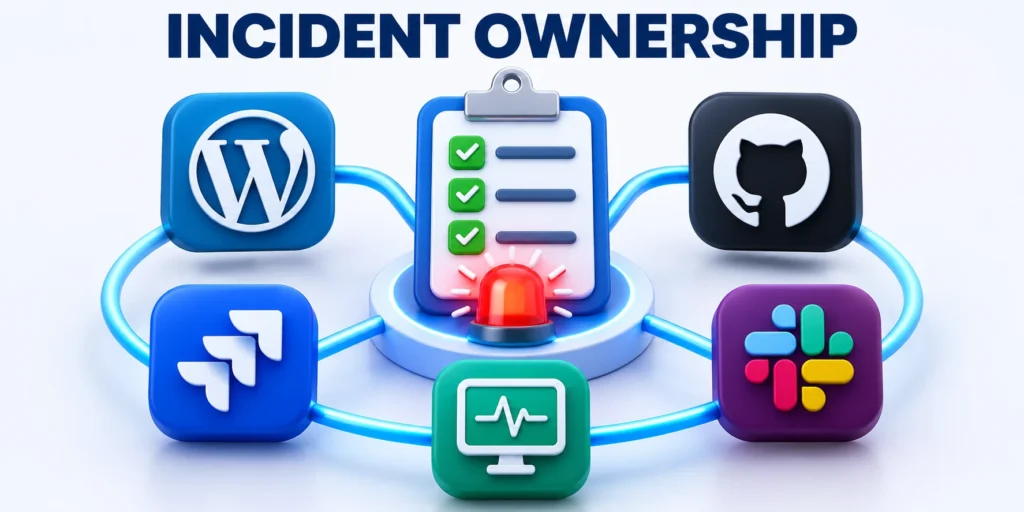
Reliable WordPress operations depend on clear ownership before an outage: who coordinates, who changes production, who validates customer impact, and who communicates decisions.
A runbook should support judgment under pressure, not replace it with a checklist that ignores the real system, customers, and available evidence.
Define roles before the next incident
Name a technical lead, incident coordinator, service owner, communications contact, and escalation path. One person may hold several roles on a small team, but responsibilities remain distinct.
Document how a decision is made when owners disagree or cannot be reached. Delayed ownership can cause more harm than a slow technical diagnosis.
Include these fields in an incident runbook:
- Service and customer impact
- Named technical decision owner
- Escalation contacts and vendors
- Approved rollback options
- Recovery verification checklist
Practice the handoff before production fails
Run lightweight scenario exercises around common failures such as plugin conflicts, database errors, DNS problems, expired credentials, and failed deployments.
Exercises reveal missing access, undocumented assumptions, weak alerts, and communication gaps while changes remain cheap and reversible.
Turn completed incidents into improvements
After service returns, review what happened, what decisions helped, what evidence was missing, and which process change would reduce recurrence or detection time.
Keep the review focused on systems and learning rather than blame. People need a safe way to report weak signals and imperfect decisions.
Keep the runbook current
Update owners, contact paths, tested recovery steps, infrastructure changes, and evidence requirements whenever the application or its operating model changes materially.
A current runbook shortens the next response because the team begins with reliable context instead of searching through old chat messages or documents.
Conclusion

Enterprise WordPress resilience comes from disciplined stabilization, evidence-based diagnosis, safe recovery testing, and accountable ownership rather than a collection of emergency fixes.
Use each incident to improve the specific control that failed, preserve the learning in a current runbook, and verify the next recovery path before it is needed.
Keep recovery readiness measurable
Review detection time, restoration time, customer impact, evidence quality, repeat failure patterns, and unresolved risks together. A fast restart alone is not a complete recovery outcome.
Invest in the operating changes that make the next decision safer: tested backups, reliable monitoring, clear owners, controlled deployments, and practical communication paths.
Practice recovery decisions before they matter
Run limited recovery exercises with real owners, approved access, representative transactions, and clear stop conditions. The aim is evidence about the process, not a theatrical drill.
Capture each gap in a prioritized improvement record. Missing credentials, unclear authority, and untested integrations are operational risks that should have an accountable resolution path.
Use learning to strengthen the operating model
Measure whether the team detected the condition quickly, protected affected data, communicated accurately, and restored the customer journey without introducing a second failure.
Use those findings to adjust monitoring, deployment safeguards, ownership, and recovery documentation. Durable reliability comes from repeated evidence-backed improvements, not a single emergency response.
Keep these readiness controls visible between incidents:
- Test recovery in a controlled environment
- Maintain current ownership and escalation paths
- Monitor critical customer journeys
- Record material production changes
- Review evidence after every incident
FAQ
These answers clarify common enterprise WordPress troubleshooting decisions when teams need to stabilize service, preserve evidence, and recover safely.
Should WP_DEBUG remain enabled on production?
No. Enable diagnostic logging only for a controlled investigation, hide errors from visitors, protect the log, and restore the previous configuration afterward.
Does disabling a plugin prove it caused the outage?
Not necessarily. It proves the symptom depends on that state. Confirm version, configuration, interactions, resources, and reproducibility before assigning cause.
When should a team restore a backup?
Restore when the recovery point is verified, compatible, and preferable to repair. Test it first and document any data created after that point.
What should be checked after service returns?
Verify critical transactions, background jobs, integrations, caches, monitoring, data integrity, and security controls. Continue observation through the expected traffic cycle.
Who should lead a WordPress incident?
Assign one incident lead with authority to coordinate technical work, business priorities, communications, and escalation. Specialists remain responsible for their evidence.
What evidence should be preserved before changing production?
Preserve timestamps, errors, logs, recent changes, affected requests, configuration state, and relevant monitoring before a recovery action alters the evidence.
How should a team test whether recovery is complete?
Test critical customer journeys, integrations, scheduled work, administrative access, data integrity, alerts, and sustained traffic rather than relying on the homepage alone.
When should infrastructure support be involved?
Escalate when evidence points to network, storage, database, resource, certificate, DNS, or platform controls outside the application team’s authority.
Should caches be cleared during every outage?
No. Clear a relevant cache only when evidence supports it, record the action, and verify the result without changing unrelated cache settings.
What belongs in a WordPress incident runbook?
Include access paths, evidence sources, stabilization steps, escalation contacts, recovery procedures, verification journeys, communication ownership, and the conditions for closing the incident.







Leave a Reply